Первая подписка доСКИДКА 50%!
Купить сейчас

Видео «Две девушки пинают ИИ»: мем Bing Bing Bing | Media.io

Преобразуйте фотографии друзей, пар или домашних питомцев в ИИ-видео Two Girls Kicking. Изучите подсказки и советы Bing Bing Bing, чтобы создать собственный забавный мем с пинками.
All Submissions

Two Girls Kicking AI Video Generator

Turn photos of you and a friend, your partner or your pets into a Two Girls Kicking AI video. Prepare a side-by-side scene, then animate playful alternating kicks inspired by the Bing Bing Bing kicking meme. Copy the image and video prompts below to get started. To follow a specific clip's kicks and timing, use a matching template or video reference in a compatible mode.

Create My Kicking Video

Use a clear photo of both subjects or combine separate photos in a supported image-editing mode. Keep both bodies and feet visible, with room for the kicks.

Your Favorite Duo. The Bing Bing Bing Kick.

Join the Bing Bing Bing Kicking Trend

The Two Girls Kicking meme, also searched as Bing Bing Bing Kicking, centers on two figures taking turns with silly kicks and bouncy reactions. Recast the pair as you and a friend, your partner or two pets. The turn-taking is what makes the joke work.

Put You and a Friend in the Meme

Start your Two Girls Kicking AI video from photos with one clear picture of the pair or separate references in a mode that accepts them. Prepare a full-body scene with each subject on a fixed side. Keep faces, outfits and feet easy to distinguish before adding movement.

Give Your Pets a Turn

Make a two pets kicking AI video with your cat and dog, two cats or two dogs. Prepare an upright animal pair while keeping their fur, ears, tails and markings recognizable. Try small alternating hind-leg kicks and gentle body bounces for a funny pet-duo version.

Choose Prompts or a Video Reference

Use Bing Bing Bing kicking prompts to create your own playful routine. For a particular meme clip, choose a matching template or a supported reference-video workflow. Match the kick direction to that clip and add the desired beat separately if your generated video does not include it.

How to Make a Two Girls Kicking AI Video from Photos

01

Step 1: Prepare Your Kicking Pair

Choose a clear photo of both subjects or separate references in a compatible image-editing mode. Use the Two Girls Kicking image prompt below to prepare a side-by-side street scene. Show both bodies and feet, leave space between the subjects and check their left-right positions. Follow any template-specific photo requirements.

02

Step 2: Animate the Alternating Kicks

Upload the prepared scene to an image-to-video mode. Use a Bing Bing Bing kicking video prompt for a small kick from the left subject, a pause and a reply from the right. To follow a specific routine, use a matching template or reference in a mode that supports two-subject motion.

03

Step 3: Add the Beat and Share

Review your Two Girls Kicking AI video for separate identities, clear turn-taking and believable legs and feet. Shorten the clip or reduce the kick height if details distort. Add an available Bing Bing Bing sound when editing or posting, align it with the kicks and export vertically for TikTok, Reels or Shorts.

Two Girls Kicking AI Prompts for Photos and Videos

user
Prepare Your Two-Person Street Scene

Input: One photo of the pair or two separate identity references in a compatible image-editing mode

star star star star star

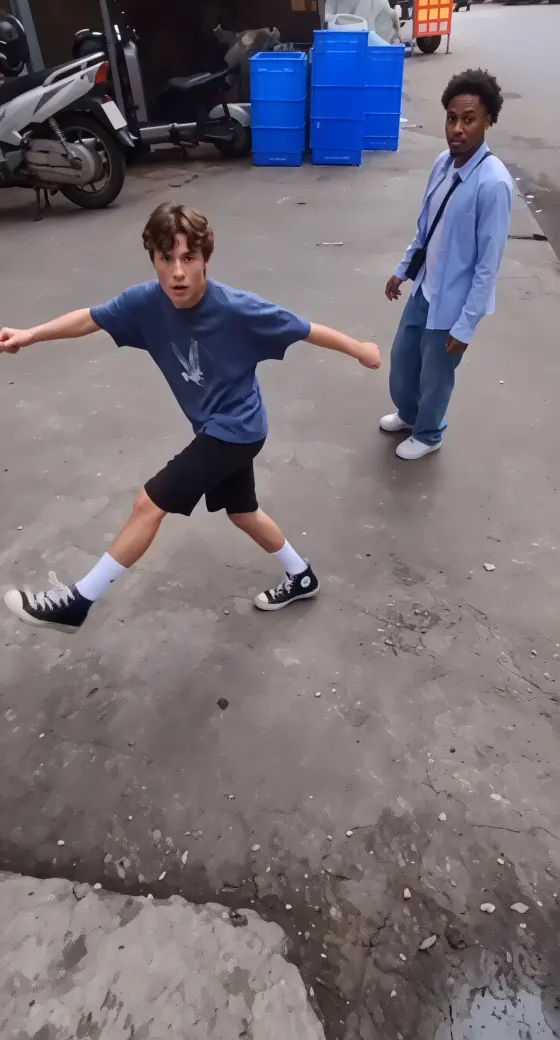
Image Prompt: Set Up Your Kicking Duo. Use the uploaded photos as identity references for a Two Girls Kicking AI video. Place exactly two adults side by side on a simple neighborhood street with parked scooters in the background. Put the first person on the left and the second on the right. Preserve each person's recognizable face, hairstyle, outfit and proportions. Both face the camera with relaxed arms and feet on the ground. Show their entire bodies and shoes, leaving a clear gap between them and extra space around their legs. Casual smartphone framing, natural daylight, vertical 9:16 composition. Keep the subjects separate, with no extra people in the foreground, text or logos. This is the starting image for animation.

user
Follow a Bing Bing Bing Kicking Reference

Input: A prepared image of the pair and a matching kicking clip in a mode that supports two-subject video references

star star star star star

Reference Prompt: Follow the Alternating Kicks. Use the prepared pair image as the appearance reference and the supplied Bing Bing Bing kicking video to guide movement. Map the left subject in the image to the left performer and the right subject to the right performer. Follow the reference's alternating kicks, pauses, body bounces and reactions as closely as the selected mode allows. Match its kick direction and camera movement. Preserve each subject's separate face, outfit and proportions. Keep feet visible and return each kicking foot to the ground before the next movement. Follow the reference framing without adding cuts or new actions. Avoid identity swaps, merged bodies and extra limbs. Check audio separately; sound transfer depends on the selected workflow.

user
Animate a Playful Two-Person Kick Routine

Input: Your prepared full-body duo image for a prompt-led image-to-video routine

star star star star star

Video Prompt: Your Turn, Then Mine. Animate the prepared image into a playful AI kicking meme video. The adult on the left makes one small hop and extends a low, silly kick forward into the empty space, then puts the foot back down. The adult on the right responds with the same movement while the left waits. Repeat this left-right sequence with gentle shoulder bounces and amused expressions. Keep both subjects in their original positions, fully visible in one continuous smartphone shot with slight handheld movement. Preserve their separate faces, clothes and proportions. Keep kicks controlled, without contact, falls, crossed bodies, extra legs or cropped feet. Add the desired beat when editing; this prompt creates an inspired routine rather than an exact copy of a specific clip.

user
Make a Two Pets Kicking Video

Input: A prepared image of two upright pets with full bodies and hind feet visible

star star star star star

Video Prompt: Two Pets, One Silly Kick Routine. Animate the prepared image into a funny two pets kicking AI video. Keep the two pets upright and side by side. The pet on the left lifts one hind foot for a small forward kick into empty space, returns it to the ground and waits. The pet on the right takes its turn. Repeat slowly with gentle body bounces and playful balance reactions. Preserve each pet's face, fur colors, markings, ears and tail. Keep their animal bodies and paws rather than adding human bodies, hands or shoes. Use one continuous full-body shot with both pets separate and their feet visible. Avoid collisions, falls, merged fur and extra limbs. Add the Bing Bing Bing beat separately if needed.

FAQs About the Two Girls Kicking AI Video Generator

1. What is the Two Girls Kicking AI trend?

The Two Girls Kicking meme is a short kicking gag built around two figures taking turns with exaggerated leg movements. AI versions recast the pair as friends, couples, animals or other characters. It is also searched as the Bing Bing Bing kicking trend, referring to the rhythmic sound associated with the clips.

2. Can I follow the original Bing Bing Bing kicking moves?

Yes. Use a matching template or a video-reference mode that supports two subjects to guide the action order, kick direction and camera timing. Keep the pair's left-right positions clear. A text prompt can describe a similar routine, but the meme name alone does not specify every movement or beat.

3. Can I use one photo, two photos or pictures of my pets?

A clear full-body photo of both subjects can be your starting image if the scene is already suitable. Otherwise, prepare the pair in an image-editing mode first. For separate photos, use a mode that supports multiple identity references. Pet versions work from a prepared upright pair image; follow the selected template's input requirements.

4. How do I fix extra legs, swapped faces or simultaneous kicks?

Check that the starting image shows two separate bodies with visible feet and space to move. Shorten the clip, lower the kick height and specify that one subject waits while the other kicks. If identities swap or the timing stays unclear, try a compatible two-subject reference workflow and review the result again.

5. How do I add the Bing Bing Bing sound to my video?

Add an available version of the kicking sound in your editor or the sound picker on TikTok or Reels. Choose the audio associated with the kicking clip you want to follow, then align the hits with your video. Audio support varies by generation mode; a kicking prompt alone does not guarantee the original sound or exact synchronization.

Media.io Two Girls Kicking AI:
vote Create a playful kicking duo with photo prompts, video references and your favorite pets
