Authentic Chudi Shop Atmosphere
Create a lively Indian bangle counter with colorful glass bracelets, festive decorations, shop shelves, and warm lighting. The setting suits everyday portraits and traditional outfit edits.
AI BANGLE SHOP PHOTO & VIDEO
Turn your selfie or couple photo into a colorful Indian bangle shop scene, then bring it to life with natural wrist movements. Explore chudi shop AI photo prompts, traditional outfits, sparkling glass bangles, and short videos inspired by festive market moments.
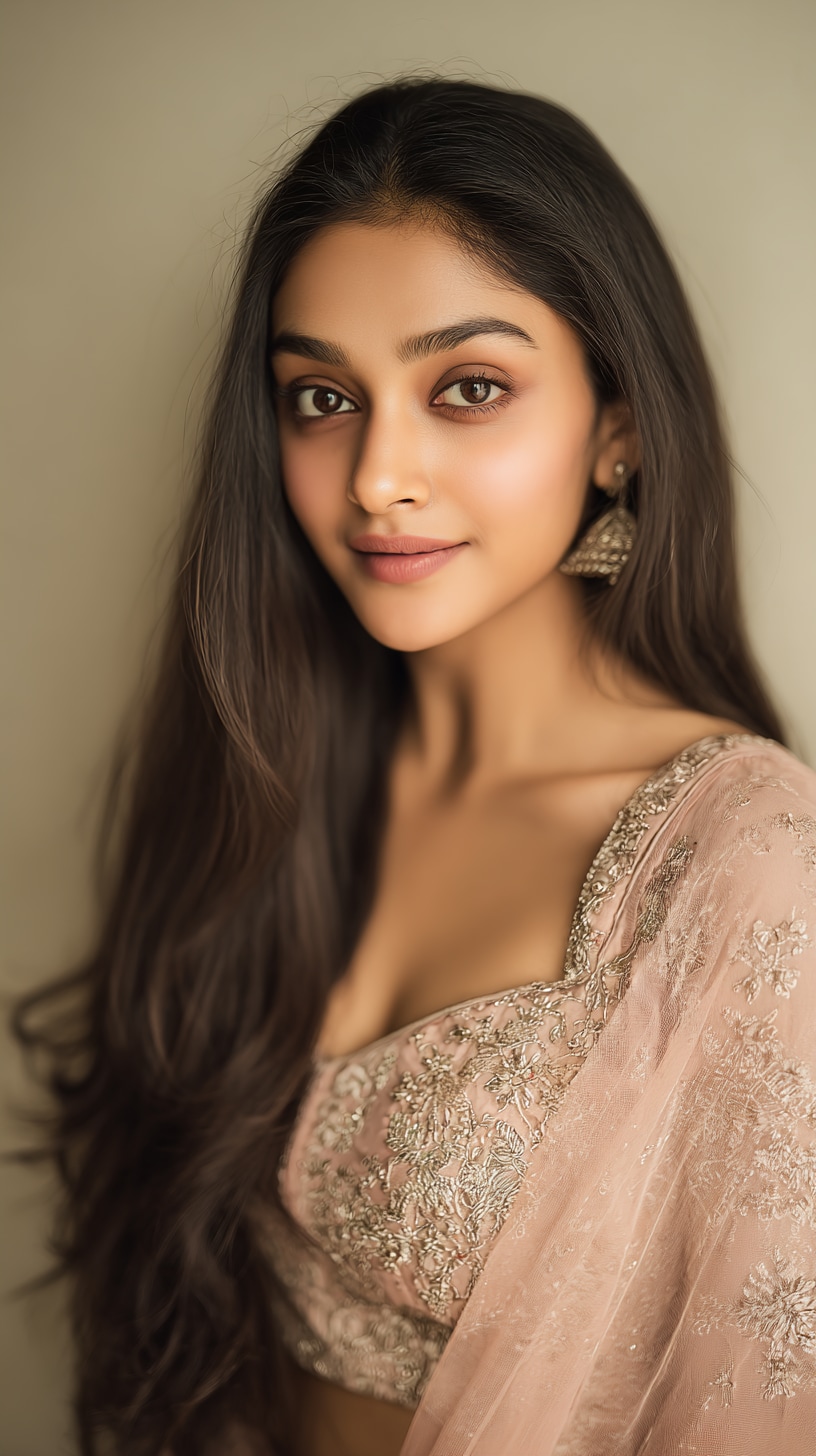
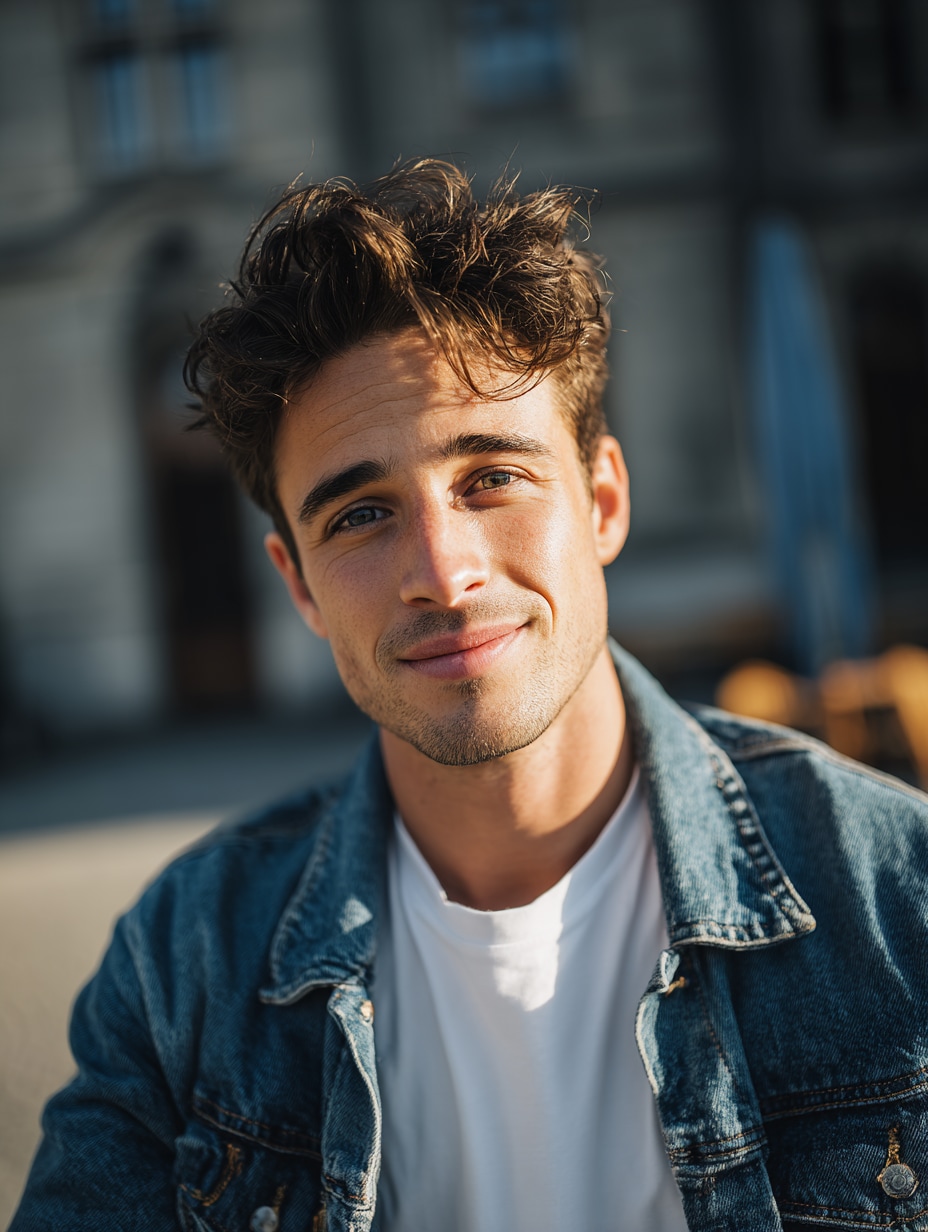
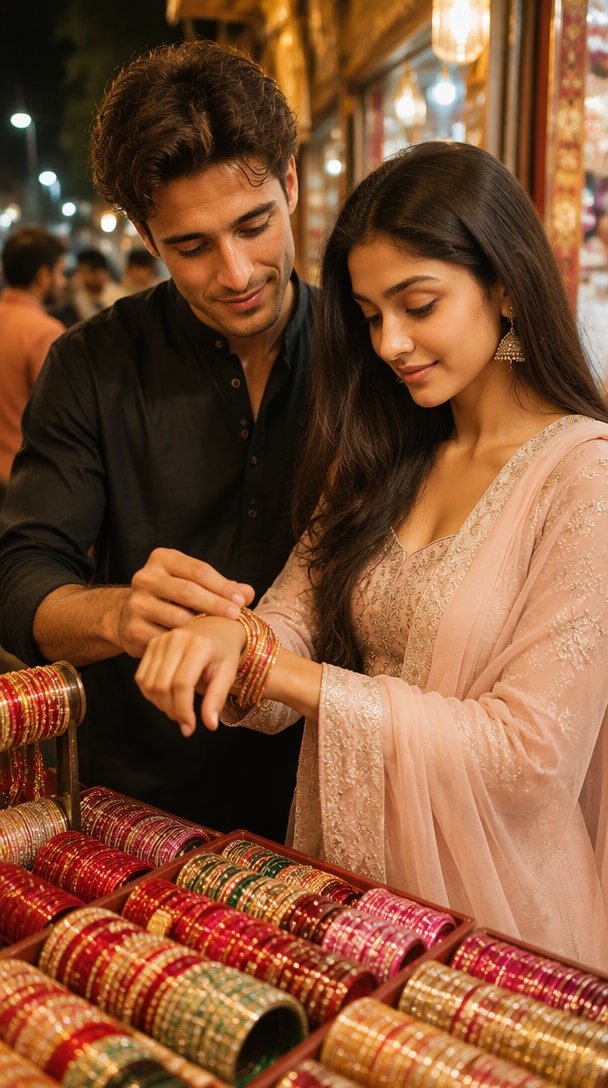
Input photos → AI-generated bangle shop image → animated video. Use photos you have permission to edit.
A bangle shop AI photo places you inside a traditional Indian chudi store, surrounded by bright bangles, jewelry trays, and warm bazaar lighting. Start with a solo portrait or a couple photo, then animate small, realistic shopping gestures for Reels and Shorts.
Create a lively Indian bangle counter with colorful glass bracelets, festive decorations, shop shelves, and warm lighting. The setting suits everyday portraits and traditional outfit edits.
Use a clear selfie or couple photo as a reference. Ask the AI to preserve facial features, skin tone, and hairstyles while changing the background and clothing.
Show stacked red, green, pink, or maroon bangles with realistic reflections, jewelry textures, and natural hands. Close-up shots work especially well for beauty and accessory edits.
Animate a gentle bangle selection, wrist turn, or smiling glance. Use a short, controlled motion sequence to reduce distorted hands and shifting accessories.
Start with a clear photo, create a chudi shop scene, then animate simple hand movements with Media.io image-to-video.
Choose one clear portrait or an existing couple photo with both faces visible. A half-body image with hands in frame can help guide wrist movement.
Use a chudi shop AI photo prompt to place the subject at a colorful Indian bangle counter. Pick a saree, salwar suit, or dupatta and preserve facial identity.
Upload the prepared image to image-to-video. Describe a small bangle selection, wrist lift, and gentle camera push-in. Review hands and jewelry before exporting.
Use this starter prompt with a photo-based AI image editor. For video, animate the resulting scene with small, clearly described wrist motions.
Use the uploaded portrait as the identity reference. Preserve the person’s facial features, hairstyle, skin tone and natural proportions. Place the subject in a colorful traditional Indian chudi shop, wearing an elegant teal saree with subtle gold embroidery. The subject stands beside a glass counter holding a set of red, green and gold glass bangles, looking down with a gentle smile. Floor-to-ceiling shelves filled with bangles, marigold garlands, warm shop lighting, candid smartphone photography, realistic fingers, detailed jewelry reflections, vertical 9:16. No extra fingers, distorted wrists, readable shop signs, text or watermark.
If the model changes faces or hands, reduce the number of simultaneous actions and shorten the shot. Add audio only when you have the right to use it.
A couple browses a lively bazaar counter; one partner gently helps the other try on colorful bangles. Use an authorized couple photo.
A solo subject in a teal saree holds stacked bangles in front of bright jewelry shelves, then looks up and smiles.
A woman in an embroidered white outfit rotates her wrists to reveal maroon bangles and silver jewelry. Keep the shot tight for realistic detail.
It is an AI photo style showing a person or couple choosing colorful bangles in a traditional Indian chudi shop. The scene usually includes jewelry trays, shelves of glass bangles, festive outfits, and warm bazaar lighting. Video versions animate small shopping and wrist-display gestures.
Upload a clear portrait to a compatible image editor and use a prompt describing the chudi shop, outfit, bangles, lighting, and pose. Ask the model to preserve your face. Review hands and bracelets, then revise the prompt if details look unnatural.
Yes, you can try using a photo that already includes both people. Keep their faces visible and describe one simple action, such as selecting bangles together. Two-person consistency depends on the model; separate portraits may need compositing before animation.
Start with a prepared bangle shop image. Prompt a slow hand movement: the subject selects a bangle, gently lifts the wrist toward the warm light, smiles, and holds the pose while the camera pushes in slightly. Ask for five natural fingers, rigid bangles, and no scene cuts.
Availability, free credits, export quality, and watermark rules depend on the Media.io tool and selected model. Check the current generator interface before starting. You may also need to add licensed music separately when the video model does not generate audio.
See what creators are making on TikTok, Reels & Shorts — watch the effects and try your next viral idea.