
AI Adventure Story Video Generator for Cinematic Quest Videos
Map out treasure hunts, survival quests, lost-city expeditions, and hero journeys from a detailed script or scene plan. Media.io's AI Adventure Story Video Generator helps creators shape the outline, guide the cast and setting, review storyboard images, and generate videos with narration and music that match the journey.
Build Adventure Videos That Feel Like a Real Journey
Shape the map, characters, danger, and reveal before your story becomes a video.
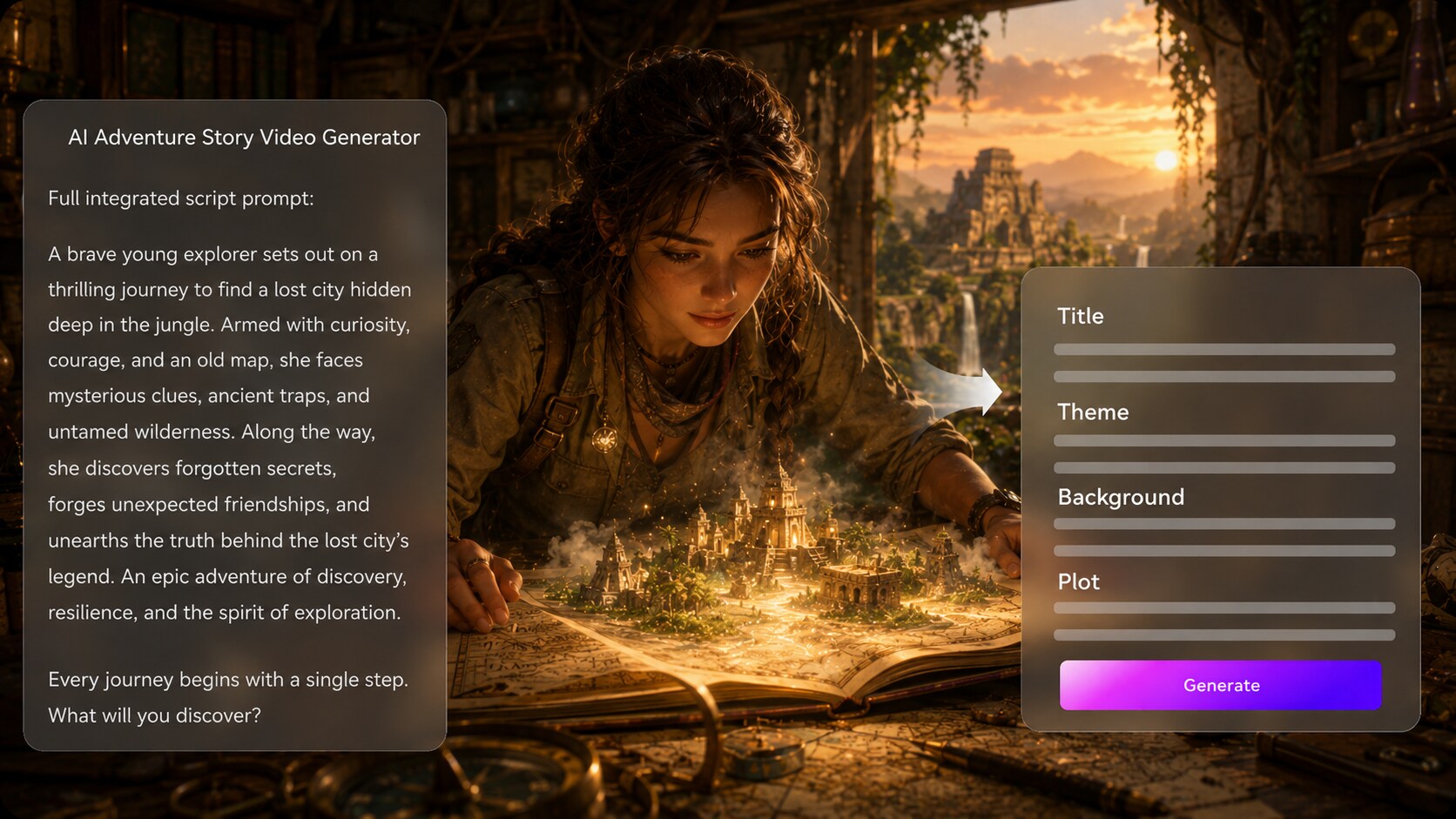
Turn a Quest Script into a Clear Adventure Arc
Start with a detailed narration draft, chapter, or scene list instead of a vague prompt. It also fits AI story video maker workflows when the audience expects topic-specific scenes.
- Outline First - Review the quest structure before video creation
- Setting Context - Define jungles, ruins, islands, caves, or future worlds
- Plot Direction - Keep obstacles, discoveries, and reveals in order
- Character Notes - Clarify heroes, rivals, guides, and creatures
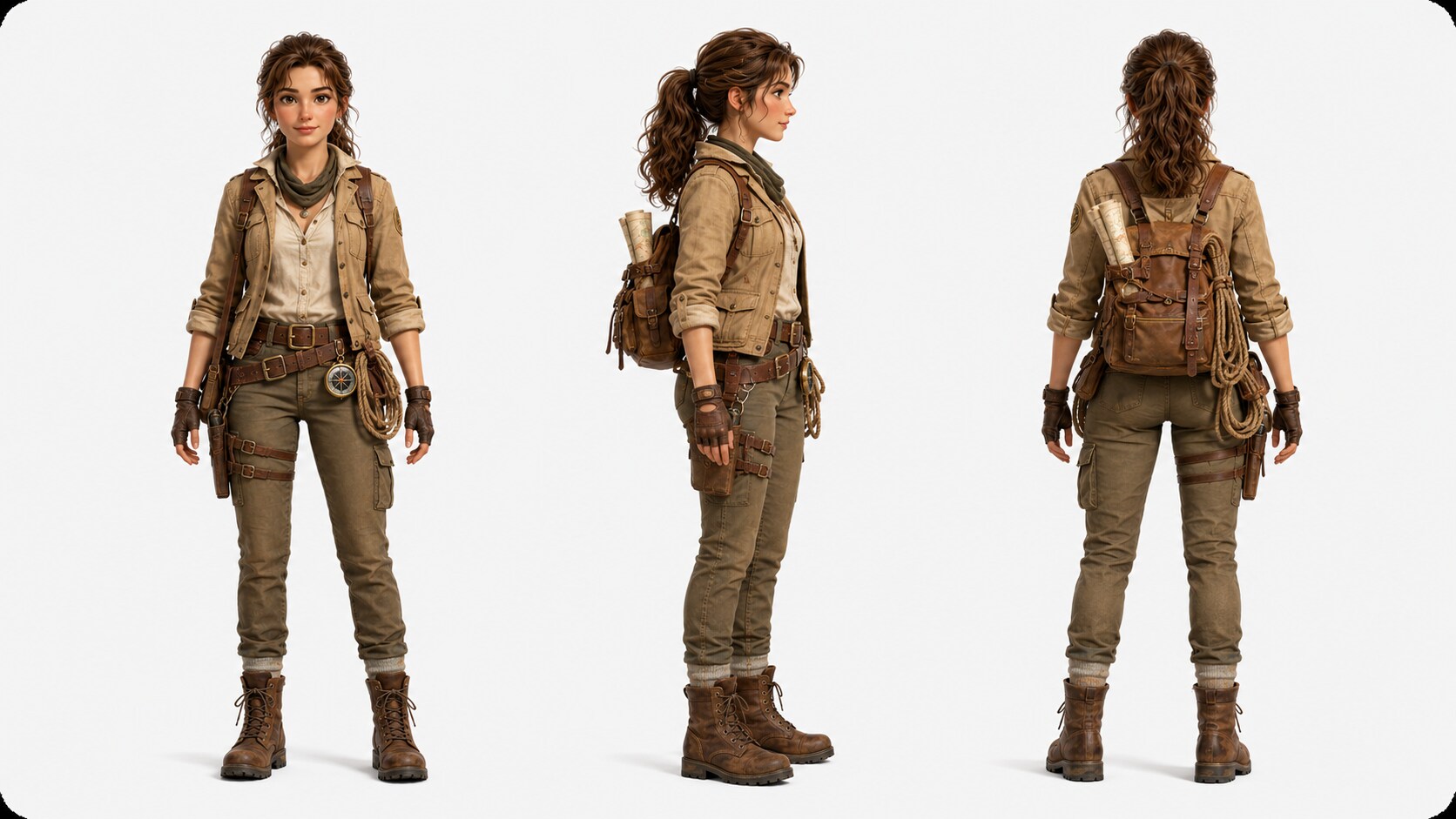
Guide Heroes, Rivals, and Creatures with Visual Intent
Describe your cast in text or use real photos and sketches to guide how characters appear. This helps viewers recognize the explorer, mentor, rival, or monster across the journey without relying on generic adventurer visuals.
- Hero Guidance - Build from descriptions, photos, or sketches
- Creature Ideas - Define beasts, guardians, or strange companions
- Role Clarity - Separate allies, rivals, and hidden threats
- Visual Direction - Match wardrobe, era, gear, and story mood
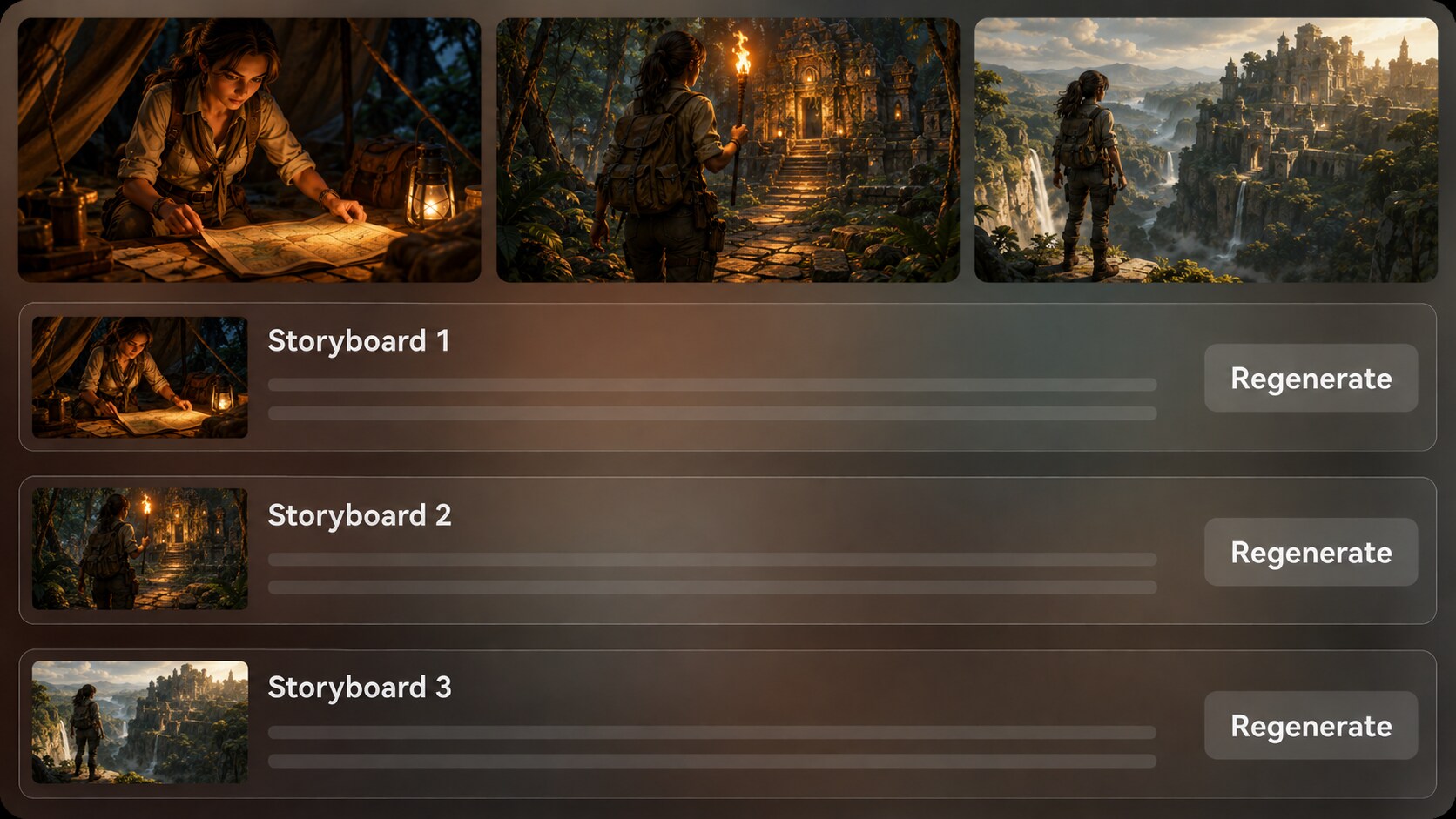
Direct Review the Journey Before the Final Cut
Check generated storyboard images after the outline so the adventure has the right route, stakes, and visual rhythm. If one cliff, temple gate, chase, or reveal shot feels off, regenerate that shot and keep the stronger version.
- Storyboard Preview - See the adventure as visual beats
- Shot Check - Spot weak action, location, or reveal moments
- Regenerate Option - Create a new version of an unsatisfying image
- Continuity Review - Confirm the route still matches the script
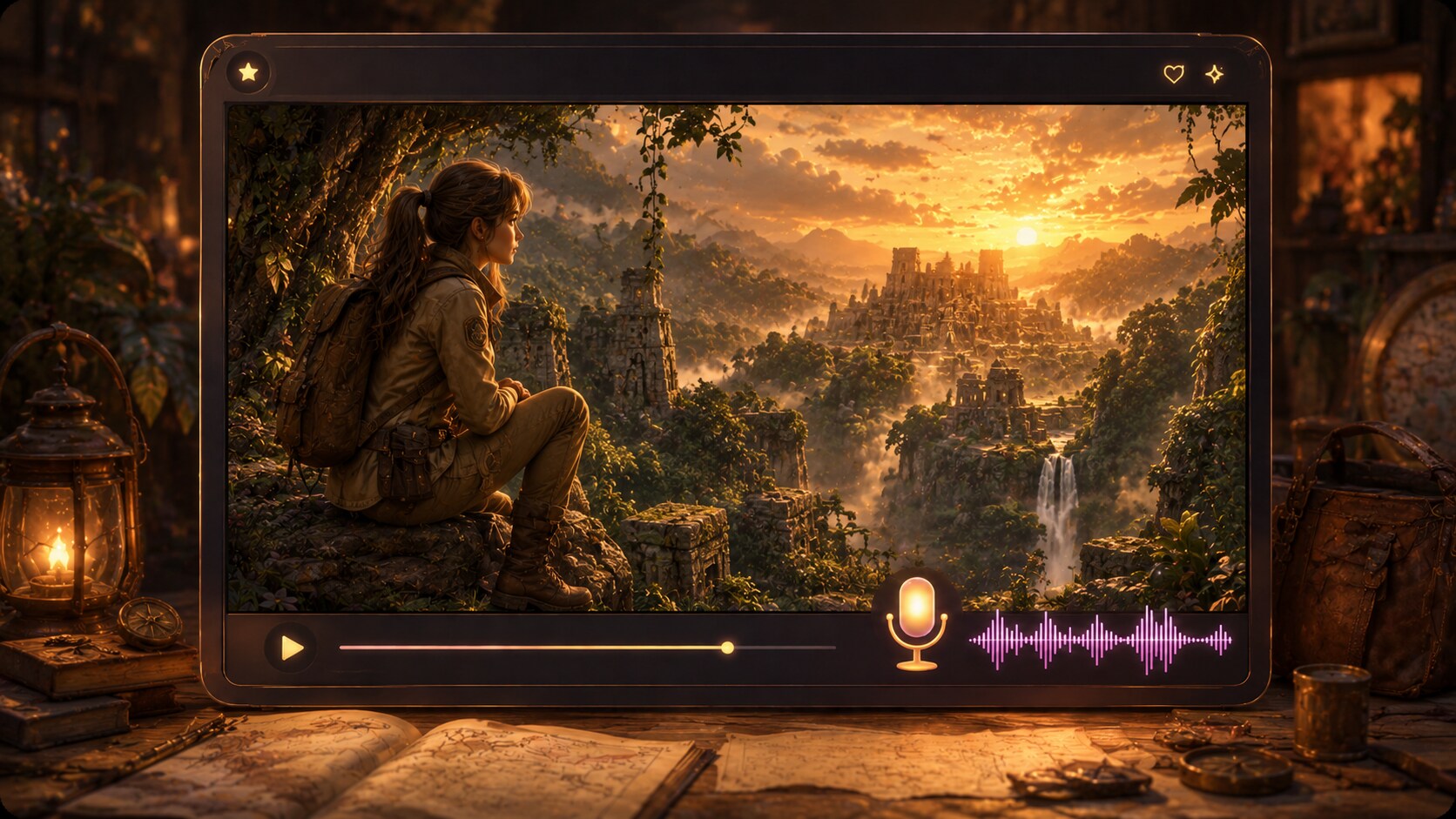
Match the Narration and Music to the Expedition
Let the script guide the generated voiceover and music so the video carries tension, wonder, humor, or discovery at the right moments. Use it for a script to adventure video on Shorts, YouTube, lessons, pitches, or creator channels.
- Script-Based Audio - Voiceover and music can follow the story tone
- Pacing Cues - Build suspense before traps, climbs, or discoveries
- Creator Formats - Prepare vertical, square, or widescreen directions
- Polish Tools - Review the final video and refine it in Media.io
Create an Adventure Story Video from Script to Screen
Use a structured workflow that keeps your quest organized before generation.

Paste Your Script
Provide a detailed script or structured story input with scene order, characters, setting, and key action beats. Review and edit the extracted outline fields, including title, theme, setting / background, story plot, and characters, then choose an aspect ratio such as 9:16, 1:1, or 16:9 during setup.

Guide the Visuals
Set the video direction with available format, style, and visual choices. Add character guidance from text, photos, or sketches when useful, then review the generated storyboard images to confirm that the expedition, obstacles, and reveal match your intended adventure.

Generate and Polish
Generate the final video with voiceover and music based on the script. If a storyboard image for a key scene feels unsatisfying, regenerate that specific shot before moving forward, then review the final result and polish it with Media.io tools such as Enhance Video Quality when needed.
Why This AI Adventure Story Video Generator Fits Quest Videos Better
Generic video tools can create clips, but adventure stories need structure, cast guidance, pacing, and scene review.
Create Adventure Videos for Every Storytelling Channel

YouTube Creators
Build quest recaps, original adventure episodes, and lore-driven story videos with clearer scene flow.

TikTok Creators
Create short cliffhanger adventures with quick hooks, dramatic locations, and a reveal viewers can follow.

Educators
Turn exploration lessons, historical journeys, and survival scenarios into visual stories for classroom attention.

Indie Filmmakers
Visualize pitch scenes, proof-of-concept quests, and character journeys before committing to production.
View More Scripts into Story Video Examples
Use the fixed sample gallery to explore how story-driven videos can fit social, educational, narrative, and campaign workflows.
Loved by Adventure Story Creators
Creators use the workflow to plan quests, check scenes, and move from script to publishable story video faster.


"The outline step helped me keep the temple search, chase, and final reveal in the right order before generating the video."

"I liked being able to review storyboard images because one weak cliff shot would have ruined the hook."

"My exploration lesson felt more like a guided expedition, and the narration matched the script well enough for class review."

"It gave me a visual pitch for my survival quest without asking my team to mock up every scene manually."

"Using character descriptions and a scene list made the hero and rival feel much easier for viewers to follow."

"We framed a destination campaign as a discovery story, then polished the generated video before sharing it with the team."
FAQs on AI Adventure Story Video Generator
What Is an AI Adventure Story Video Generator?
An AI adventure story video generator helps turn a detailed quest script, narration draft, or structured story plan into a video with scenes, characters, visual direction, voiceover, and music. It is best for stories with a clear journey, obstacle, discovery, and payoff.
What Should I Paste into Media.io for an Adventure Story Video?
Use a detailed script, scene-by-scene outline, travel log, lesson plan, game quest, or short story chapter. Include the setting, main characters, goal, conflict, important locations, and ending so the outline has enough direction.
Can the Script Guide the Voiceover and Music?
Yes. The final generated video can include voiceover and music based on the script, so tense climbs, quiet discoveries, comic sidekick moments, and final reveals can follow the story tone more naturally.
How Do I Write a Better Adventure Script for Video Generation?
Write in visible scenes. Name the location, what the hero wants, what blocks the path, what changes in the scene, and what the viewer should feel before moving to the next beat.
How Can I Avoid Generic Adventure Video Results?
Avoid one-line prompts. Add specific terrain, era, props, character roles, camera mood, and story beats, such as a storm crossing, hidden map, ruined observatory, creature encounter, or final artifact reveal.
Can I Create Recognizable Heroes or Creatures for My Adventure?
You can guide character generation with real photos, sketches, or text descriptions. This gives Media.io clearer character guidance for heroes, rivals, guides, and creatures, though it should not be treated as a guaranteed character lock.
Can I Make Adventure Videos for YouTube Shorts or TikTok?
Yes. During setup, you can choose a format direction such as vertical, square, or widescreen depending on where the video will be used. Review the final video and polish it before publishing.
Can I review the storyboard in an Adventure Video Workflow?
The extracted story outline is editable, so you can adjust the title, theme, setting / background, plot, and characters. The storyboard images are generated after the outline; if a specific shot is unsatisfying, you can regenerate that image.
Why Use Media.io Instead of a Generic AI Video Generator for Adventure Stories?
Adventure videos need more than random scenery. Media.io supports detailed script input, editable outline extraction, character guidance, storyboard image review, shot regeneration, and script-based audio, which helps the quest feel easier to follow.
Explore More Story-to-Video Workflows for Creator Projects
If your adventure idea branches into horror, education, brand storytelling, bedtime narratives, or social story formats, explore related AI Script to Video generators built for adjacent creative workflows.















Create Your Next
Adventure Story Video
Paste your quest script, guide the characters and setting, review the storyboard images, and generate a video ready for your audience.
 4.8 (286 Votes)