Explore Viral Mercedes Video Ideas
Try Mercedes AI video prompts for luxury driving, steering-wheel attitude shots, night rides, car-door arrivals, showroom reveals, highway scenes, and Instagram Reels.
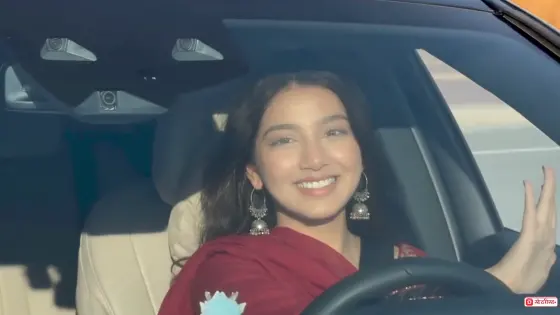
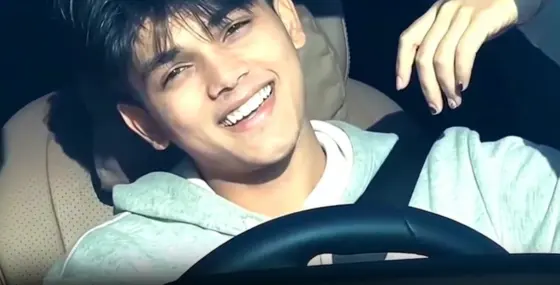
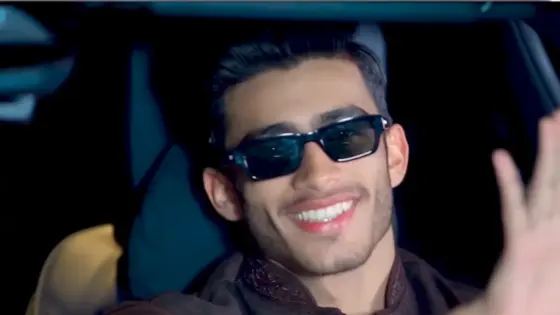
Copy a Mercedes car AI video editing prompt to turn a portrait or car photo into a cinematic driving scene, night ride, luxury arrival, or showroom reveal. Preserve your face and the vehicle's design while adding realistic movement, lighting, reflections, and camera motion.
Upload a clear portrait or Mercedes car photo, copy a video prompt, and customize the action, camera movement, lighting, duration, and aspect ratio.
Try Mercedes AI video prompts for luxury driving, steering-wheel attitude shots, night rides, car-door arrivals, showroom reveals, highway scenes, and Instagram Reels.
Tell the AI car video generator to preserve your facial identity and keep the Mercedes body shape, paint, grille, headlights, wheels, interior, and proportions consistent.
Define the driving action, facial expression, shot duration, camera push-in or orbit, daylight or night lighting, reflections, pacing, and social-ready aspect ratio.
Copy a detailed Mercedes image-to-video prompt, then adjust the car color, action, location, camera angle, duration, cinematic mood, negative constraints, or aspect ratio.
Pick a driving, night ride, steering-wheel, luxury arrival, showroom, car reveal, or highway-style Mercedes AI video prompt.
Upload a sharp portrait, in-car photo, or complete Mercedes image. A visible face or unobstructed front three-quarter car view helps the AI preserve identity, bodywork, wheels, and interior details.
Generate the clip, then check the face, hands, steering wheel, badge, headlights, wheels, reflections, and motion. Simplify the action or camera move if any person or vehicle detail becomes unstable.

Mercedes Luxury Driving Reel

“Mercedes Luxury Driving Reel” Use the uploaded photo as the primary identity reference. Preserve the person's exact facial features, hairstyle, skin tone, clothing, and body proportions throughout the video. Create a realistic 6-second cinematic video of the same person sitting naturally in the driver's seat of a modern black Mercedes luxury car. The person keeps one hand on the steering wheel, looks forward, then briefly turns toward the camera with a subtle confident smile. Add natural blinking, breathing, and small head movements. Use a slow passenger-side camera push-in with a premium leather interior, illuminated dashboard, realistic windshield reflections, and soft daylight. Vertical 9:16, photorealistic automotive-commercial style. No face morphing, extra fingers, warped hands, distorted steering wheel, changing interior, unstable badge, or unnatural body movement.

Black Mercedes Night Drive
“Black Mercedes Night Drive” Animate the uploaded image into a cinematic nighttime driving scene while preserving the subject's facial identity, hairstyle, outfit, and skin tone. Show the person driving a black Mercedes through a modern city at night with both hands naturally positioned near the steering wheel. The subject briefly checks the side mirror, looks forward again, and gives a restrained smile. Use a slow passenger-side tracking shot with subtle dashboard illumination, passing neon reflections, wet-road highlights, and natural environmental motion outside the windows. Create a 6-second vertical 9:16 luxury-car Reel. No facial distortion, flickering lights, deformed hands, duplicated objects, changing interior, unstable badge, or unrealistic driving motion.

Steering-Wheel Attitude Video
“Steering-Wheel Attitude Video” Use the uploaded portrait as the only identity reference and preserve the exact face, hairstyle, skin tone, clothing, and accessories. Place the same person inside a premium black Mercedes. The person sits confidently behind the wheel, slowly turns it slightly with one hand, looks through the side window, then turns toward the camera with a composed expression. Move the camera slowly from outside the windshield toward the driver's side. Add tinted-glass reflections, realistic shadows, soft daylight, and a polished luxury interior. Create a smooth 6-second vertical 9:16 Reel. No identity drift, extra fingers, warped arms, distorted steering wheel, moving dashboard parts, or exaggerated expressions.

Mercedes Showroom Reveal
“Mercedes Showroom Reveal” Use the uploaded Mercedes car image as the exact vehicle reference. Preserve the original body shape, paint color, grille, headlights, wheels, windows, badge placement, and proportions throughout the video. Place the stationary car in a dark premium showroom. Begin in near darkness, gradually switch on two soft overhead light strips, then illuminate the headlights once with a clean realistic glow. Use a slow front three-quarter camera orbit covering no more than 25 degrees, with controlled reflections across the paint and polished floor. Create a 6-second 16:9 automotive-commercial video. No changing wheels, melting panels, distorted badge, incorrect reflections, moving walls, or vehicle deformation.
A Mercedes car AI video editing prompt tells an image-to-video generator how to animate a portrait or vehicle photo. It defines the subject, action, camera movement, lighting, reflections, duration, aspect ratio, and the facial or vehicle details that must remain consistent.
Upload a clear portrait, in-car image, or Mercedes photo to an image-to-video generator and paste a Mercedes AI video prompt. Describe one main action, a simple camera move, realistic lighting, clip duration, and output ratio. Ask the model to preserve your identity and the car's visible design.
Yes. Adapt these Mercedes car video prompts for Flow AI, Media.io, or another image-to-video generator. Choose vertical 9:16 for Instagram Reels, TikTok, and YouTube Shorts, keep the person or car centered, and use controlled motion such as a slow push-in, tracking shot, or limited orbit.
Start with a sharp reference image and request only one main action. Describe the camera direction, natural body movement, consistent lighting, windshield reflections, road motion, and realistic wheel rotation. Slow push-ins, short tracking shots, and limited orbits usually preserve faces and vehicle geometry better than complex movement.
State exactly what must remain unchanged: facial features, hairstyle and clothing for a person; body shape, paint, grille, headlights, badge, wheels and interior for the car. Add negative constraints for face morphing, extra fingers, warped steering wheels, wobbling tires, changing panels, duplicated objects, and unstable backgrounds.
 4.7 (162,357 Votes)



