参照から動画生成
Kling 3.0 Omni
アップロード
0 / 7
クリックまたはドラッグでアップロード、または履歴から選択
アイデアがない?まず画像を生成してみよう >
キャラクターとシーンの一貫性を保つための参考画像、最大7枚まで。
プロンプト
0/2500
5s
16:9
4K
音声生成
公開設定
サンプル動画

Turn Reference Images into Consistent AI Videos

Create cinematic AI videos with stronger character, style, and scene consistency using reference inputs. Powered by Seedance 2.0, Kling 3.0 Omni, and Kling O1, Media.io lets you upload images, video, and audio to guide motion, storytelling, and visual direction with far more control than prompt-only generation.

Generate Reference Video Now

Free credits on signup.

Reference Inputs
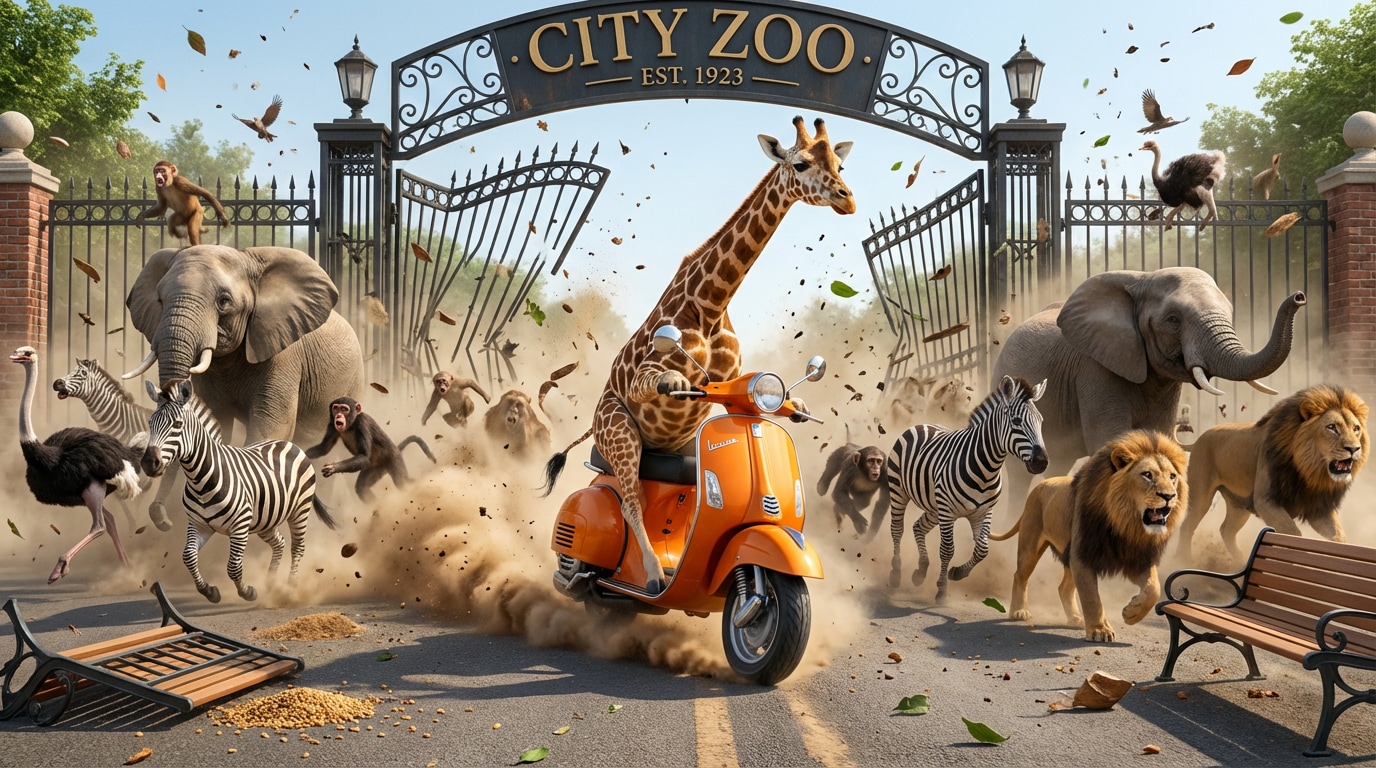
reference image
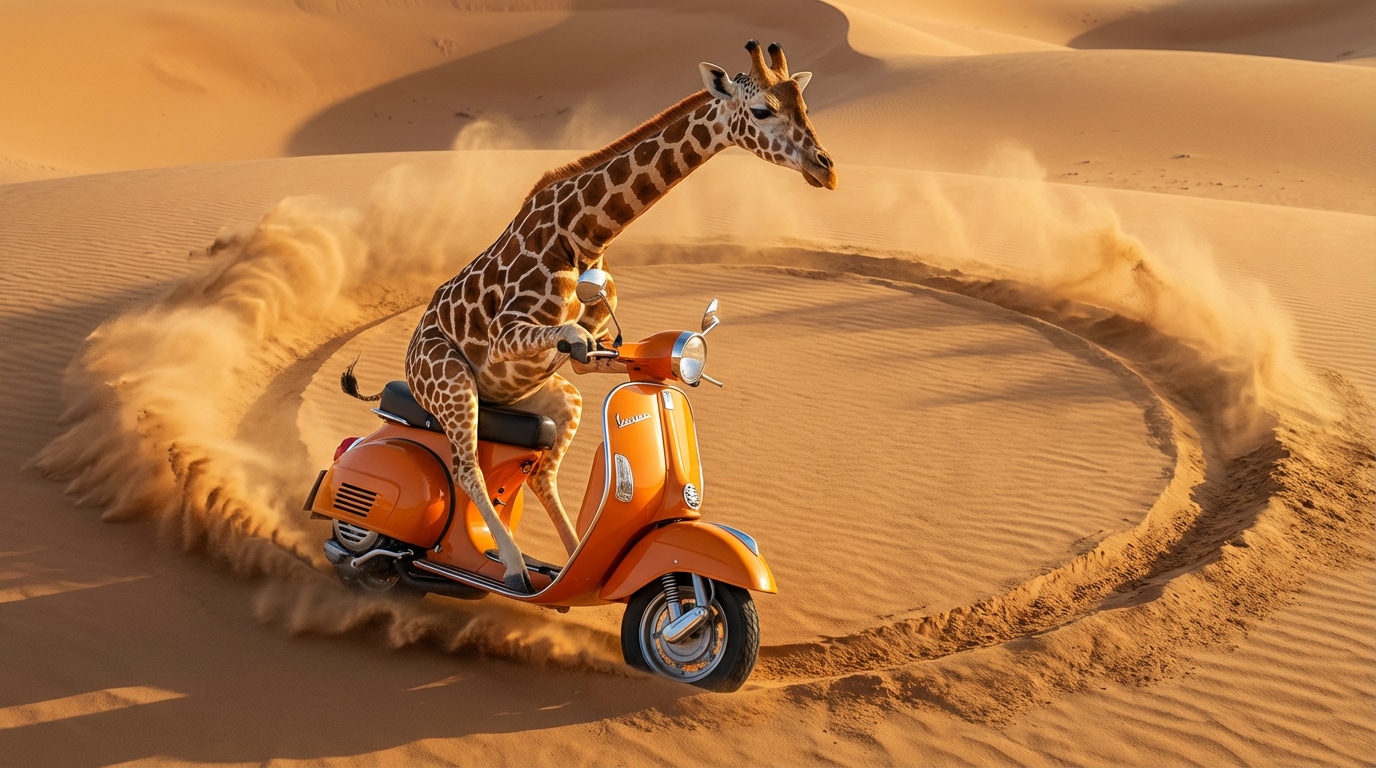
reference image
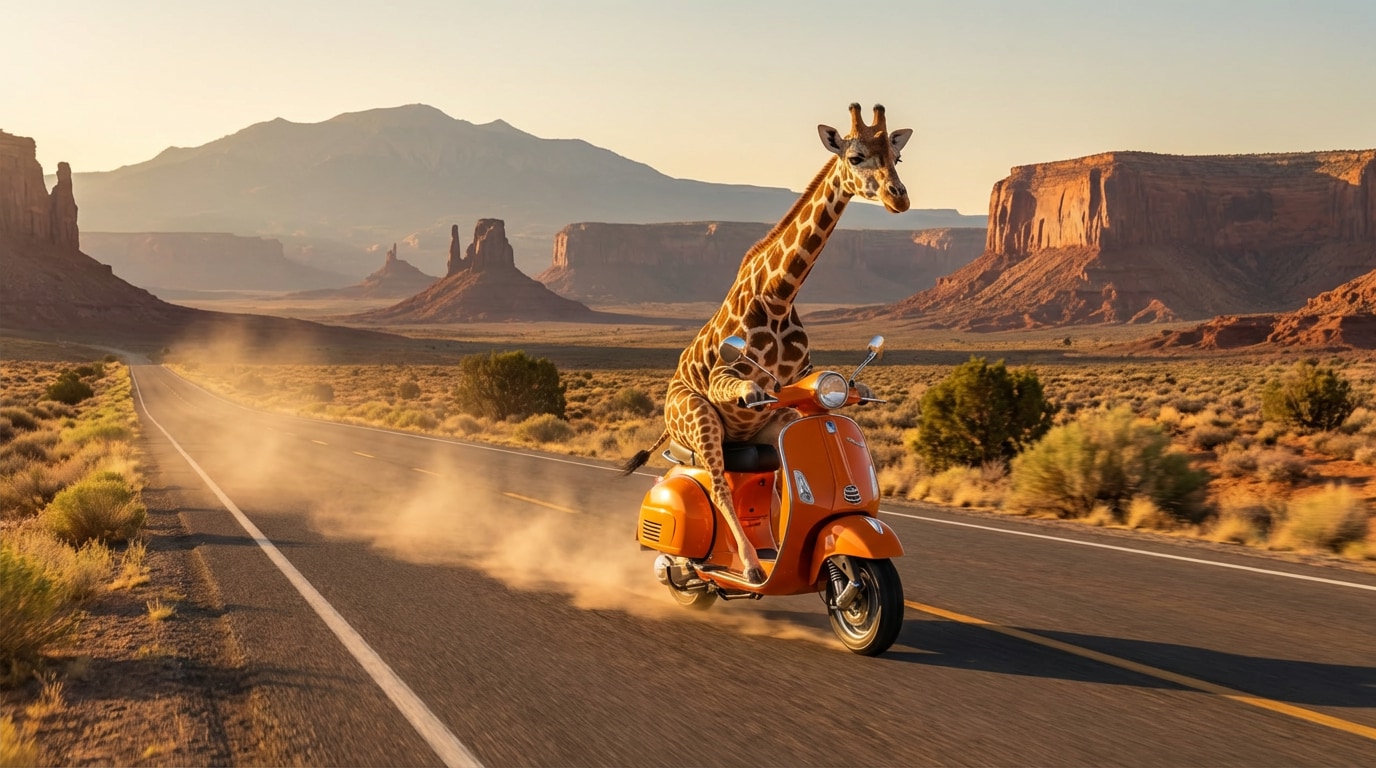
reference image
Video Prompt
Generate a promotional video featuring a giraffe riding a motorcycle. Scene 1@Image1: Filmed from a side angle with a low-angle tracking shot, a giraffe rides a motorcycle out through the zoo gates, startling the nearby animals and sending them scattering in panic. Scene 2@Image2: The giraffe rides the motorcycle in circles across a sandy terrain. The camera begins with a close-up of the motorcycle's tires, then switches to a top-down perspective, capturing the giraffe performing circular stunts and kicking up clouds of dust into the air. Scene 3@Image3: Set against the backdrop of a Western-style highway, the camera tracks the giraffe as it launches its motorcycle into the air. Filmed from a side angle, a promotional slogan appears behind the subject; as the giraffe speeds past, the slogan becomes partially obscured, reading: "Ride the 'Giraffe'—Live Life in the Fast Lane." Finally, the motorcycle lands and roars past, kicking up a trail of dust and smoke.
Create Similar ↗
Ref-to-Video Demo — Giraffe Motorcycle Ad
Reference Inputs
🎵 With Audio Reference
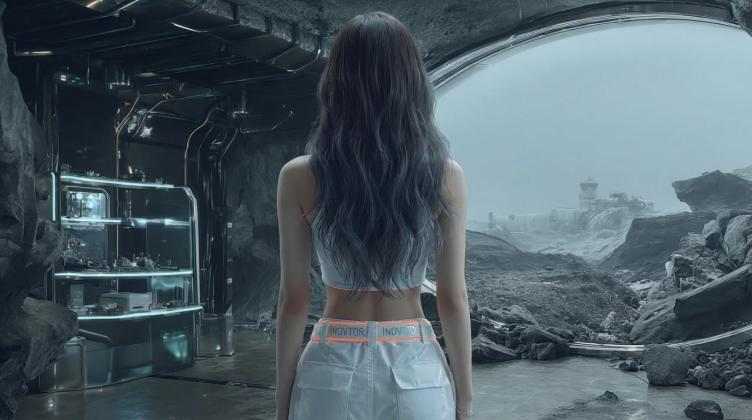
reference image
Video Prompt
Please use @Audio1 as the lip-synced vocals and background music for a K-Pop music video; @Image1 feature the idol performing a dance and vocal routine, utilizing dynamic camera work.
Create Similar ↗
Ref-to-Video Demo — K-Pop MV
Reference Inputs
🎵 With Audio Reference
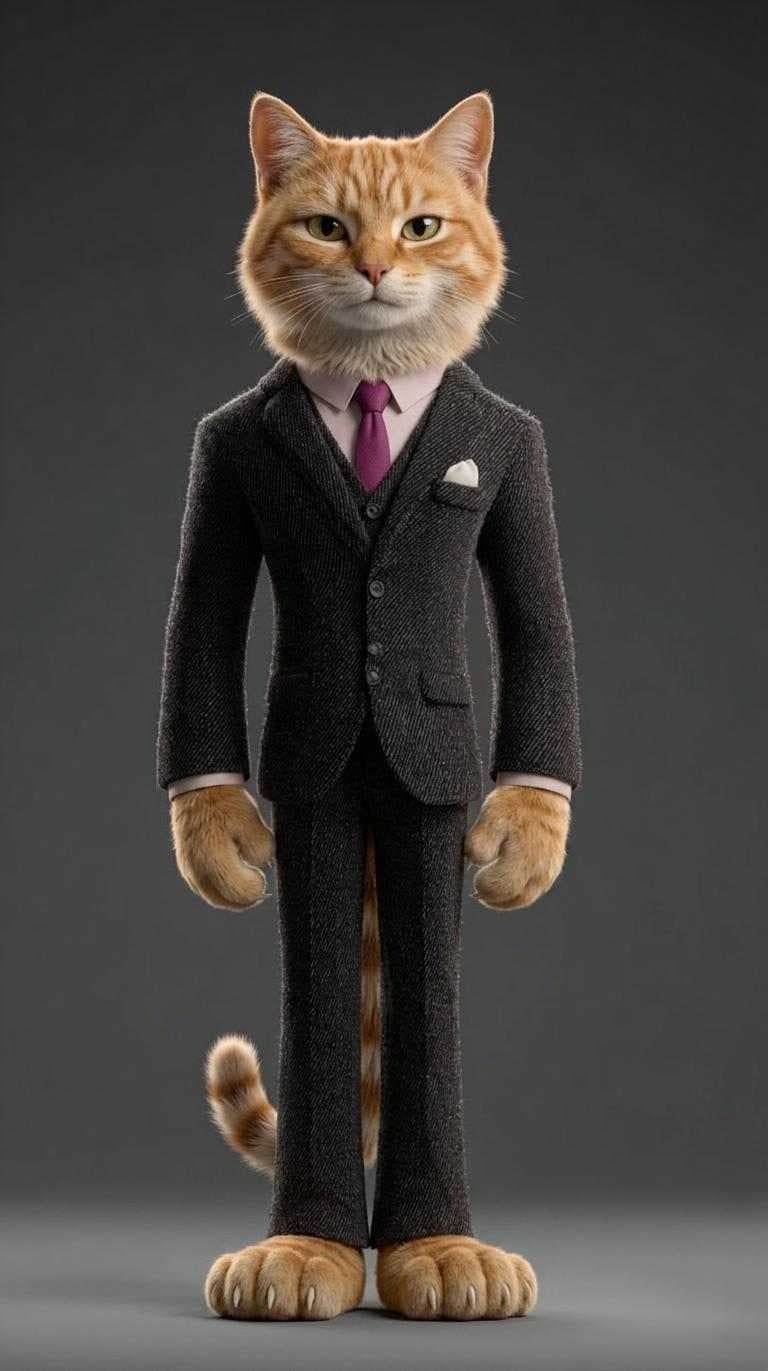
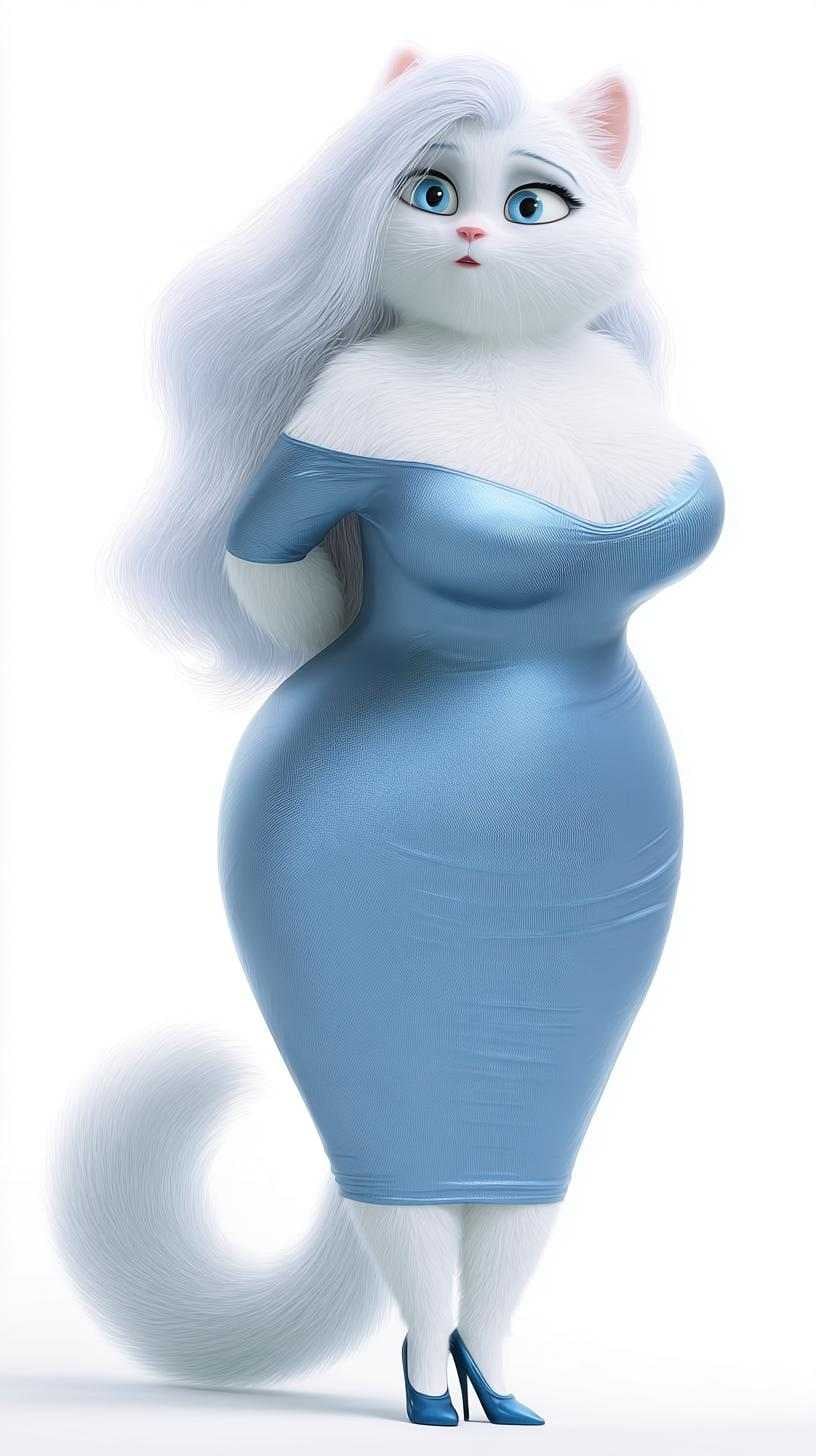
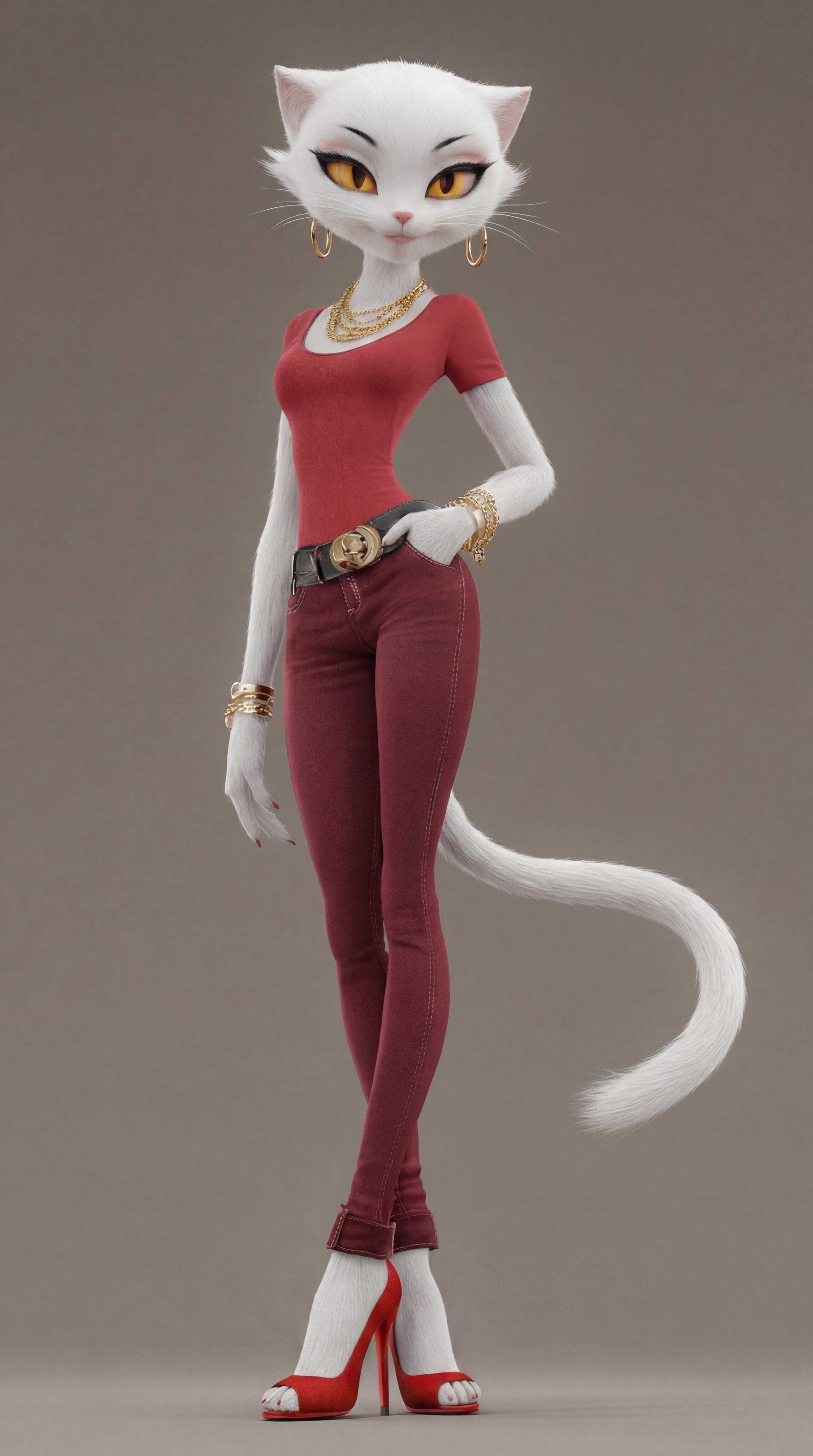
reference image
reference image
reference image
Video Prompt
10 Seconds / 145 BPM / Fast-paced, Beat-synced, Cinematic Drama SUBJECT: Three anthropomorphic cats: @Image1 A stylish white female cat (slim, confident, wearing red outfit and high heels, gold jewelry) — bold and glamorous. @Image2 A male orange cat in a formal suit — nervous, caught off guard. @Image3 A curvy white female cat in a blue dress — strong emotional presence, the original partner. ENVIRONMENT: Luxury shopping street → sidewalk → street corner → night street MOOD ARC: Flirty confidence → sudden exposure → explosive conflict → emotional collapse STYLE: cinematic drama, high contrast lighting, fashion + soap opera aesthetic, ultra-realistic fur, viral short video style SHOT BREAKDOWN: [00:00-00:01] Street — red-dressed white cat walks closely with the male cat, holding his arm, confident and smiling. [00:01-00:02] Sudden entrance — blue-dressed white cat rushes into frame, directly blocking them. Instant tension spike. [00:02-00:04] Confrontation — fast cuts between three faces. Male cat freezes, caught. Red-dressed cat confused, then realizes the situation. [00:04-00:06] Conflict burst — emotional explosion. Blue-dressed cat confronts aggressively (non-graphic slap motion). Male cat panics, steps back. Red-dressed cat shocked, loses composure. [00:06-00:08] Breakdown — blue-dressed cat pulls the male cat away. Red-dressed cat left behind, expression collapses from confident to stunned. [00:08-00:10] Final shot — night street. Red-dressed cat sitting on the curb, heels slightly off, jewelry messy, shopping bag fallen beside her. City lights blur, quiet emotional crash. CAMERA: fast cuts, slight handheld shake during conflict, final shot steady and slow LIGHTING: bright daylight → colder dramatic tones → moody night lighting MOTION: expressive, fast, dramatic but grounded
Create Similar ↗
Ref-to-Video Demo — Cat Story

Why Choose Media.io for Reference to Video Generation

True Character & Style Consistency

Use reference images to keep faces, outfits, props, and scene styling more consistent across your AI video. It’s the easiest way to create results that stay closer to your intended look.

Multimodal Inputs with Seedance 2.0

With Seedance 2.0, upload up to 9 JPG/PNG images, 1 MP4/MOV video (2–14s), and 1 audio file (2–14s) to guide motion, style, and storytelling in one workflow.

Flexible Models for Different Needs

Choose Seedance 2.0 for multimodal cinematic storytelling, or use Kling 3.0 Omni and Kling O1 for realistic motion, sharper output, and polished AI video generation.

More Control, Less Guesswork

Combine references with prompts to guide camera motion, mood, character design, product styling, and scene composition—all without advanced editing or animation skills.

How to Create an AI Video from Reference Images, Video & Audio

01

Step 1: Upload Your References

Add the files that define your result. With Seedance 2.0, you can upload up to 9 images, 1 short video clip, and 1 audio file to guide style, subject, and story direction.

02

Step 2: Write the Prompt & Choose a Model

Describe the motion, mood, and camera behavior you want. Then choose Seedance 2.0, Kling 3.0 Omni, or Kling O1 depending on whether you need multimodal storytelling or realistic motion.

03

Step 3: Generate & Download Your Video

Media.io turns your references into a more controlled AI video with stronger consistency. Preview the result, download it, and use it for storytelling, product videos, social posts, or creative projects.

Join Creators Making More Consistent AI Videos with References

user
@maya_frames

Short Video Creator

star star star star star

“Finally, my characters stay consistent.” I used reference images to keep the same face, outfit, and vibe across shots. The result looked much closer to my concept than prompt-only video tools.

user
@studio_adlab

Creative Marketer

star star star star star

“Seedance 2.0 is a game changer for product storytelling.” I could upload image references, a motion clip, and audio to shape the whole ad concept. It saved hours of back-and-forth in production.

user
@ani_loop

Character Artist

star star star star star

“The best way to keep style and character identity.” I use multiple reference images to control pose, outfit, and visual tone. It gives me much more confidence when generating story-driven clips.

user
@brandmotion

Brand Designer

star star star star star

“Kling gives me clean motion, Seedance gives me control.” I love being able to choose the right model for the project. Media.io makes the workflow simple even when the concept is complex.

FAQs About Reference to Video AI Generator

1. What is reference to video AI?

Reference to video AI lets you upload images, video, or audio to guide your generation. This helps create more consistent AI videos by preserving characters, style, product details, or visual direction more reliably than prompt-only workflows.

Seedance 2.0 supports up to 9 JPG/PNG images, 1 MP4/MOV video (2–14s), and 1 audio file (2–14s). Audio-only uploads are not supported, so you’ll need visual references as part of the workflow.

Seedance 2.0 is ideal for multimodal storytelling because it supports image, video, and audio references together. Kling 3.0 Omni and Kling O1 are better choices when you want clean motion, realistic video quality, and polished generation from strong visual references.

Yes. That’s one of the main reasons to use reference-to-video workflows. By uploading multiple reference images, you can better maintain face identity, outfit details, scene styling, and product consistency throughout the generated video.

Yes—prompts are still important. References help control who and what appears in the video, while prompts help define how the scene should move, feel, and unfold. Combining both usually produces the best results.