画像から画像生成
Nano Banana Pro
画像をアップロード
0 / 9
クリックまたはドラッグでアップロード、または履歴から選択
アイデアがない?まず画像を生成してみよう >
サポートされているアップロード形式: jpg、png、jpeg。
プロンプト
0/2000
1K
自動
1
Banana Pro無制限モード
作品
アイデアハブ
すべて
生成リスト
作品は 7 日間保存されます。アップグレード後に作成されたアセットは永久保存されます。
ai_video_generator創造力を解き放ち、Media AIの魔法をすぐに体験しよう!

Halloween Make Up Filter for Realistic Selfie Transformations Online

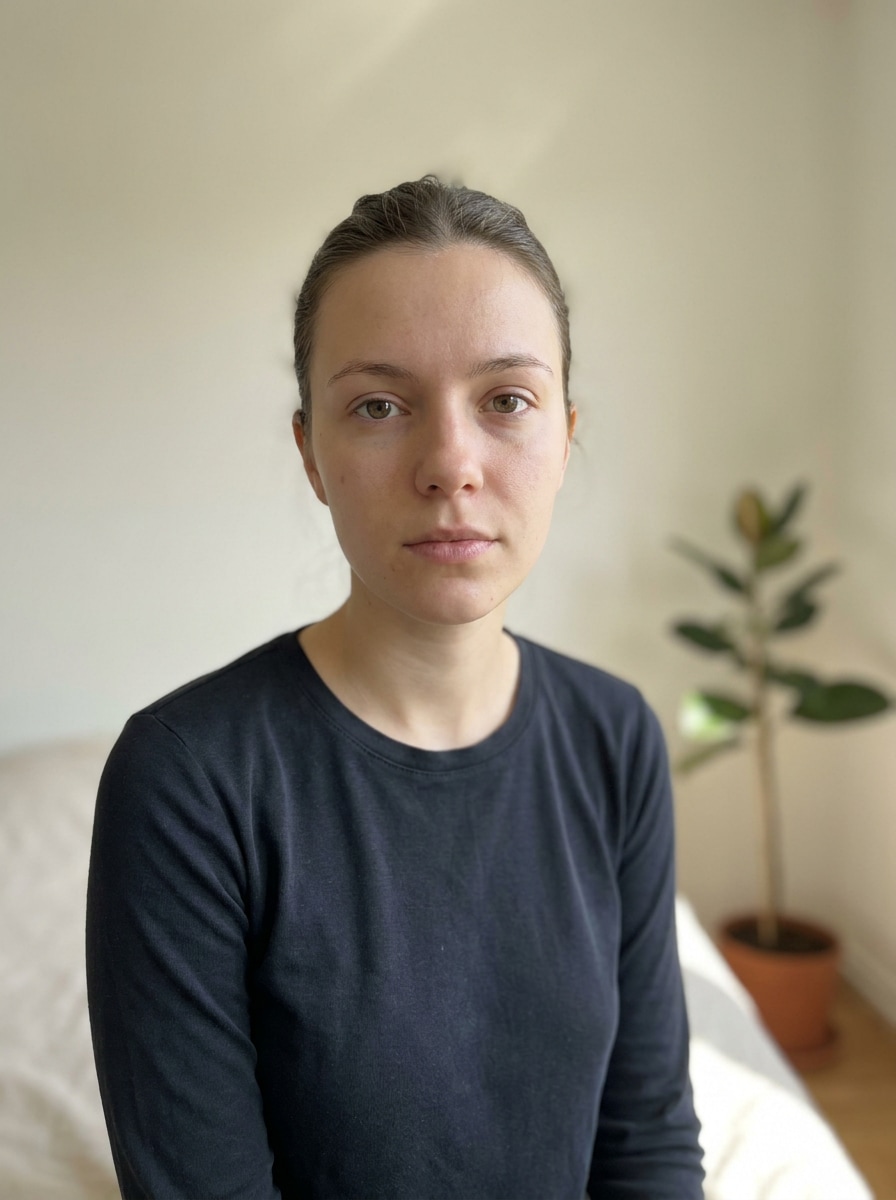
Halloween Make Up Filter Before
Halloween Make Up Filter After

Upload a selfie to create spooky, glam, or scary Halloween face looks in seconds. This halloween make up filter works as an AI halloween face editor, helping you add vampire, skull, witch, and cracked-skin effects while keeping your face recognizable.

Try My Halloween Look

Type your idea -> AI designs it. Free to try.

Review these example directions, then tailor the prompt details to get stronger results with this Halloween Make Up Filter and create a look that fits your photo.

Vampire Glam

Vampire Glam

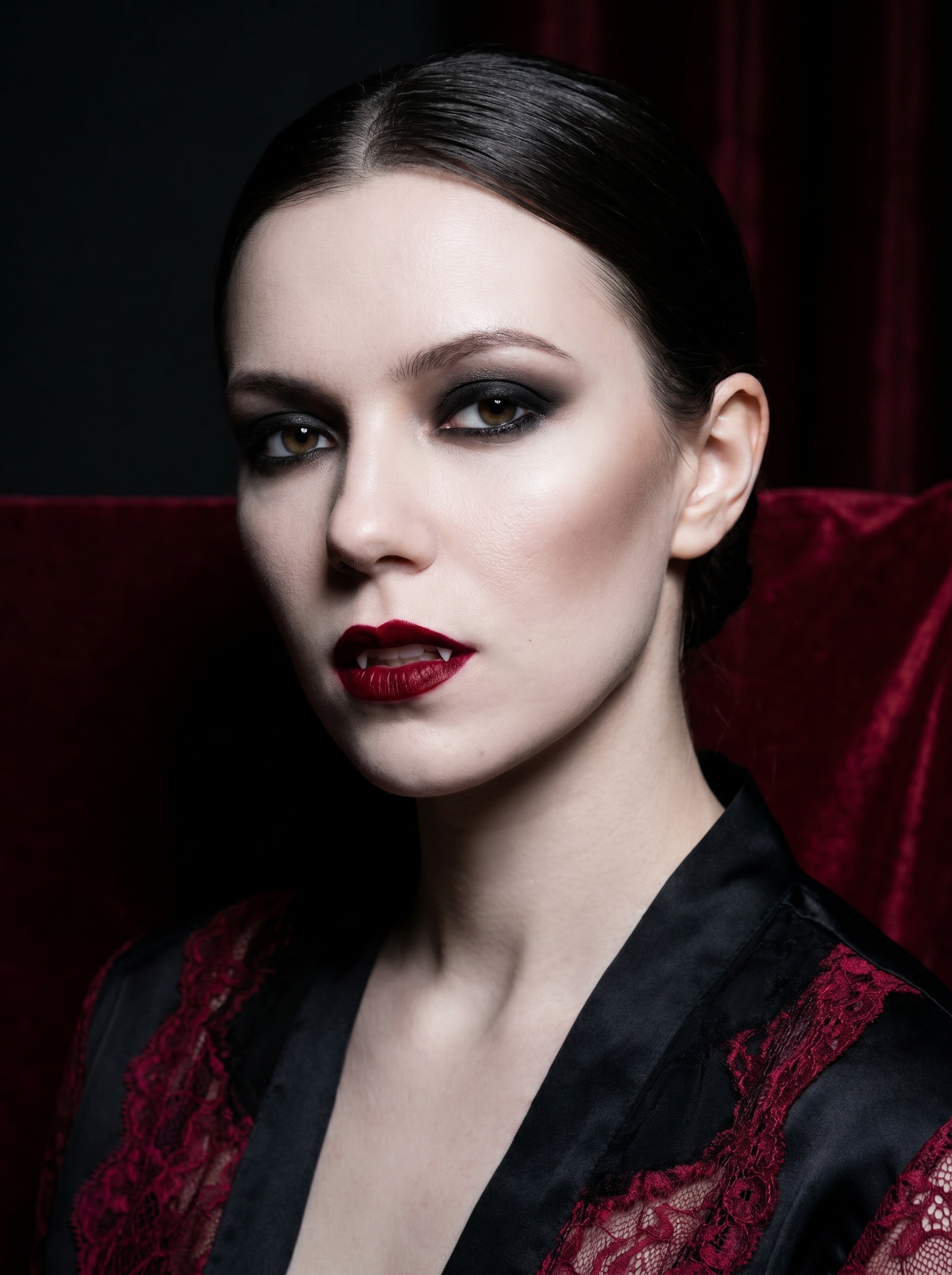
Use the uploaded image as the subject and transform it into a glamorous vampire portrait with pale porcelain skin, deep red velvet lips, smoky black eyeshadow, subtle fangs, sculpted cheekbones, cinematic low-key lighting, a black and crimson color palette, glossy beauty-editorial texture, and a polished Halloween mood.

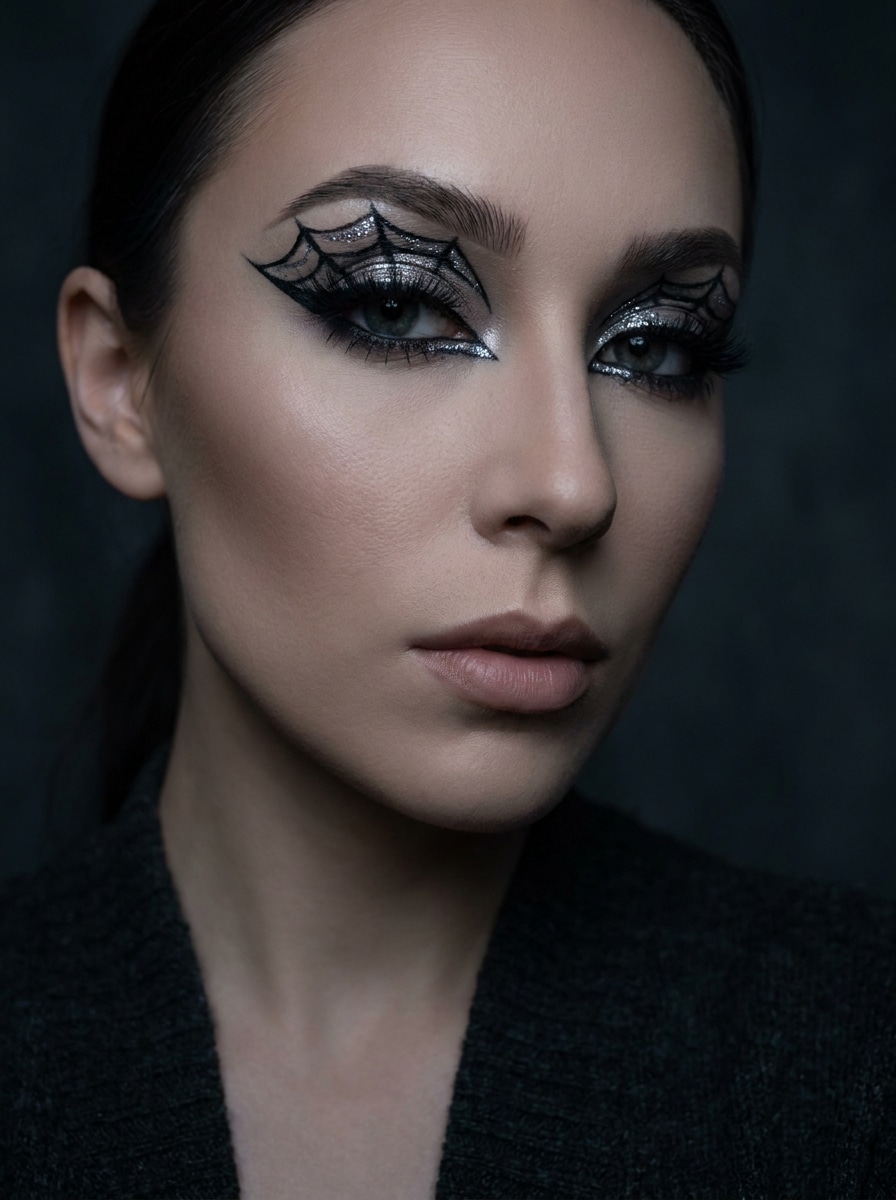
Spiderweb Eye Makeup

Spiderweb Eye Makeup

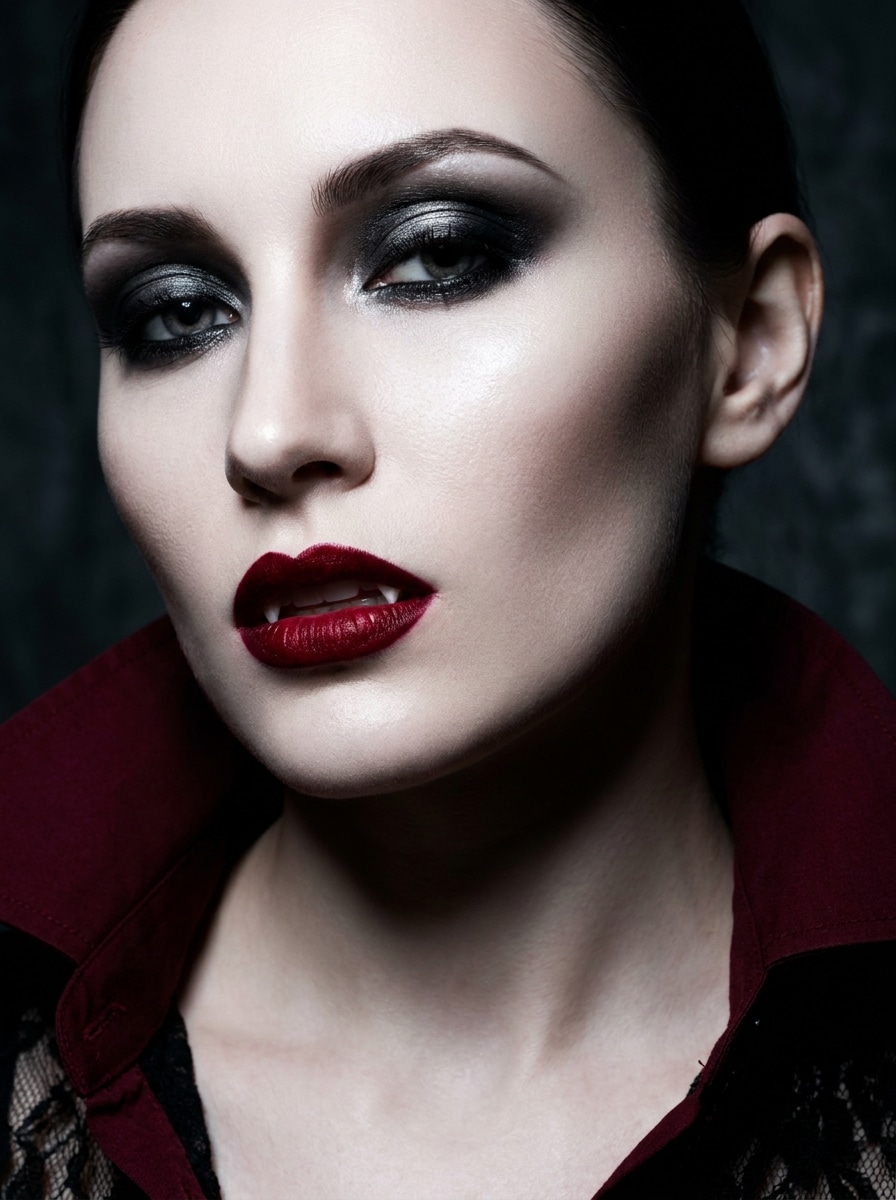
Use the uploaded image as the subject and add Halloween spiderweb eye makeup with precise black liner, metallic silver accents, defined lashes, sharp brows, soft contour, moody studio lighting, charcoal and silver tones, clean skin texture, and a stylish gothic-beauty finish perfect for social sharing.

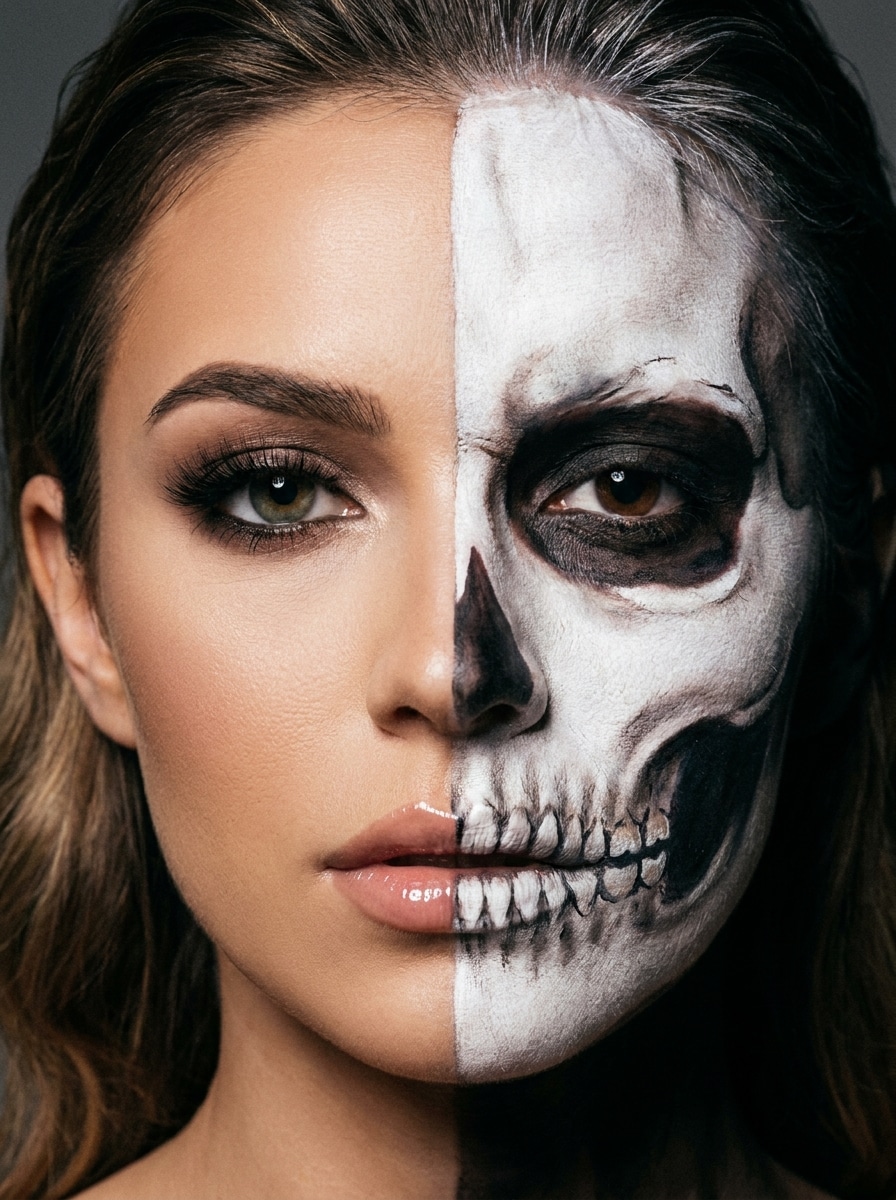
Half Skull Face

Half Skull Face

Use the uploaded image as the subject and create a split-face transformation with one side kept as soft glam beauty and the other side turned into realistic skull face paint, featuring clean symmetry, white bone texture, dark eye socket shading, dramatic contrast, and a sharp editorial Halloween look.

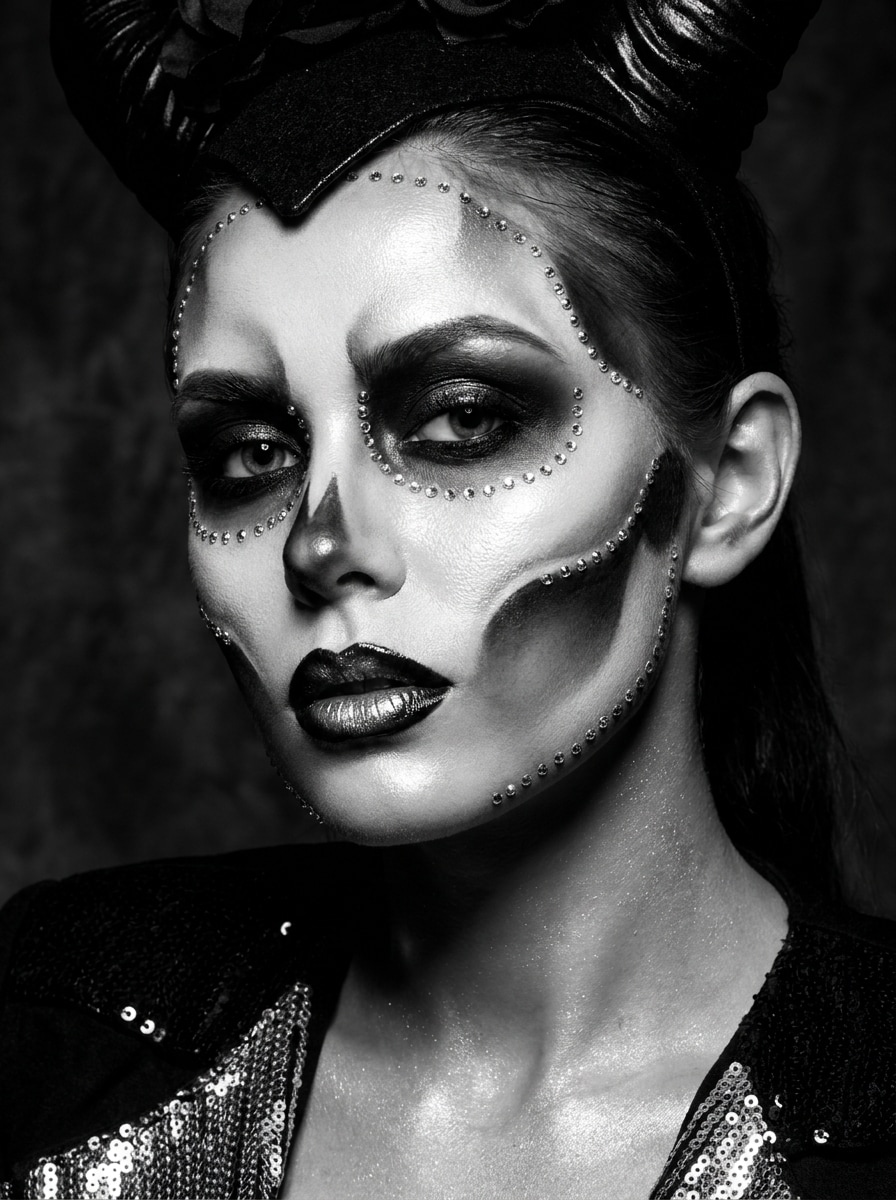
Skeleton Glam

Skeleton Glam

Use the uploaded image as the subject and apply glamorous skeleton-inspired makeup with white face-paint highlights, black hollow contouring, glossy lips, rhinestone accents, luminous skin finish, high-contrast studio lighting, and a black-white-silver palette that feels spooky yet fashion-forward.

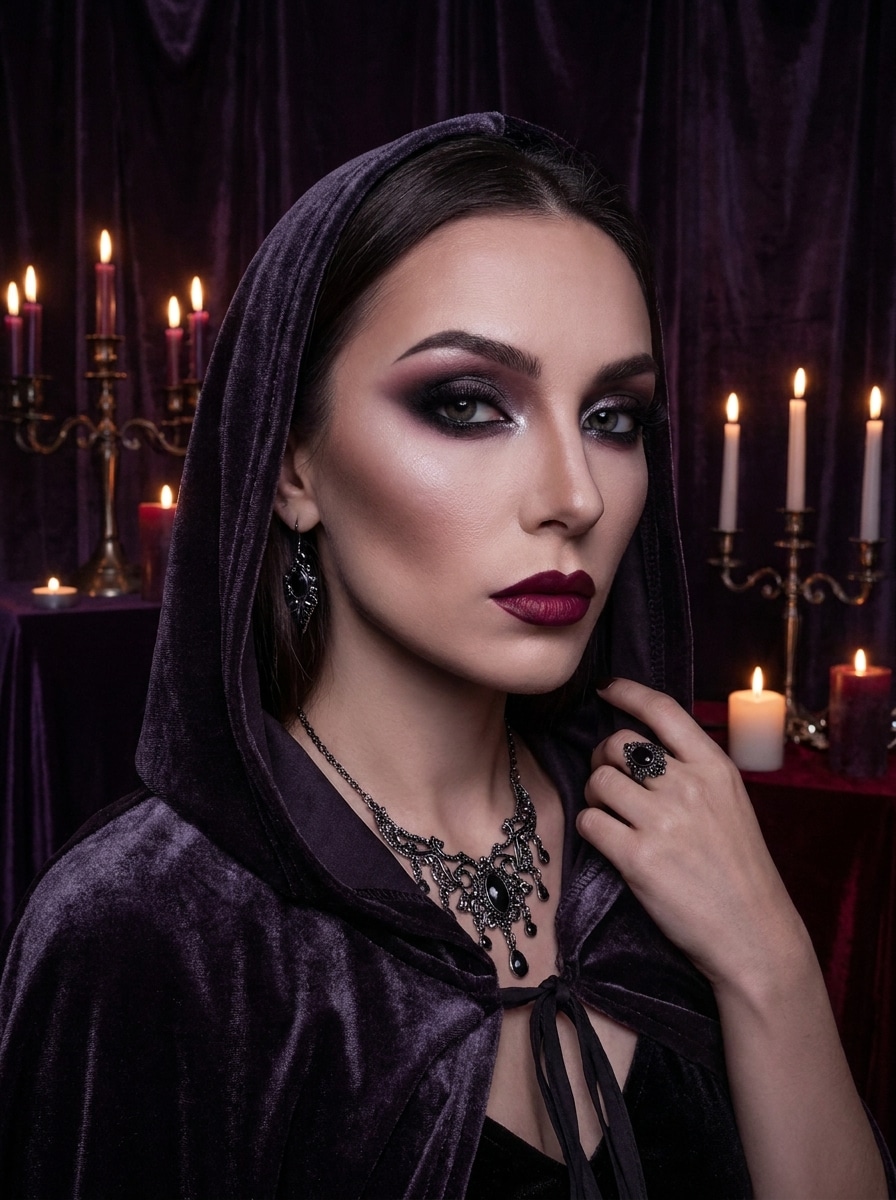
Dark Witch Makeup

Dark Witch Makeup

Use the uploaded image as the subject and transform it into a dark witch beauty look with smoky black and plum eyeshadow, sharp contour, deep berry lips, subtle shimmer, mystical shadowing, moody candlelit atmosphere, and rich purple-black tones for an elegant gothic Halloween portrait.

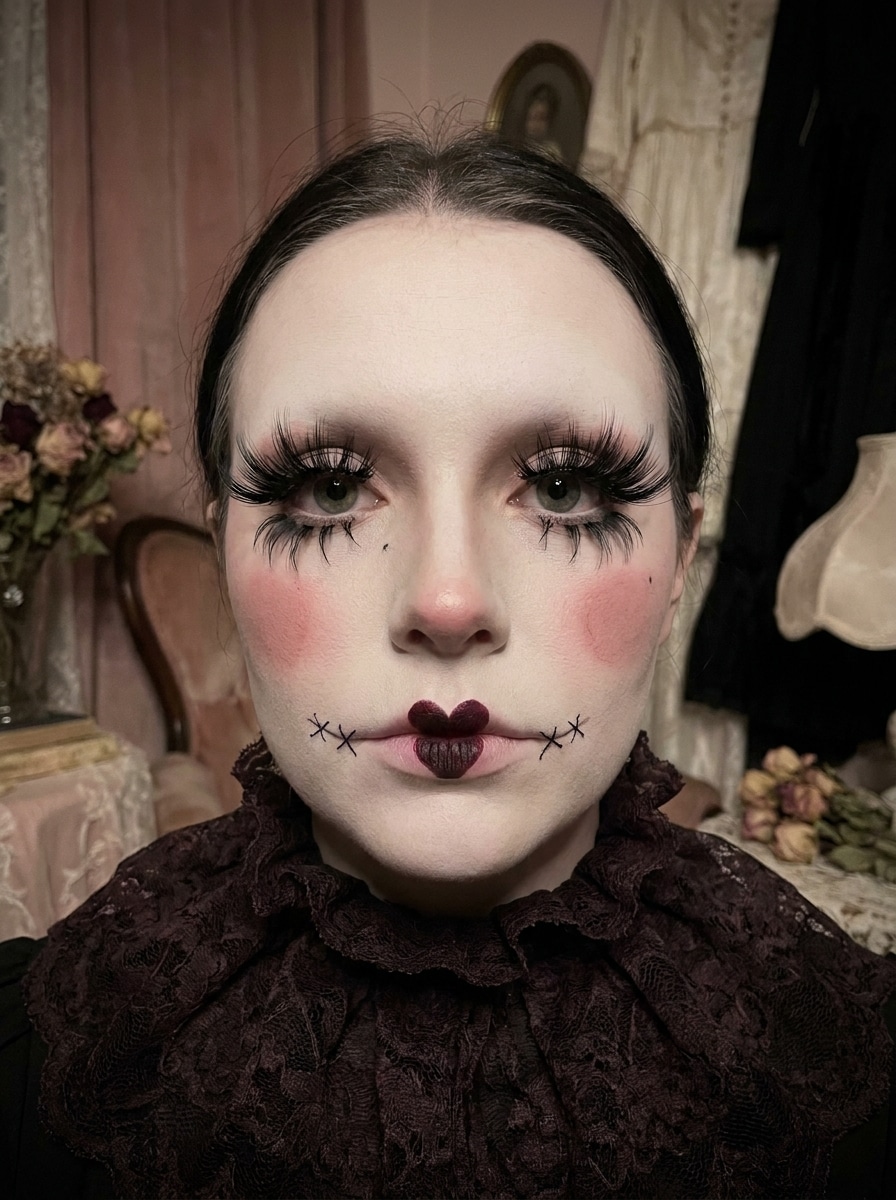
Gothic Doll

Gothic Doll

Use the uploaded image as the subject and create a spooky gothic doll makeup style with porcelain skin, oversized lashes, rosy cheeks, dark lips, tiny stitched accents, delicate symmetry, soft eerie lighting, and a muted pink, ivory, and black palette that feels cute and haunting.

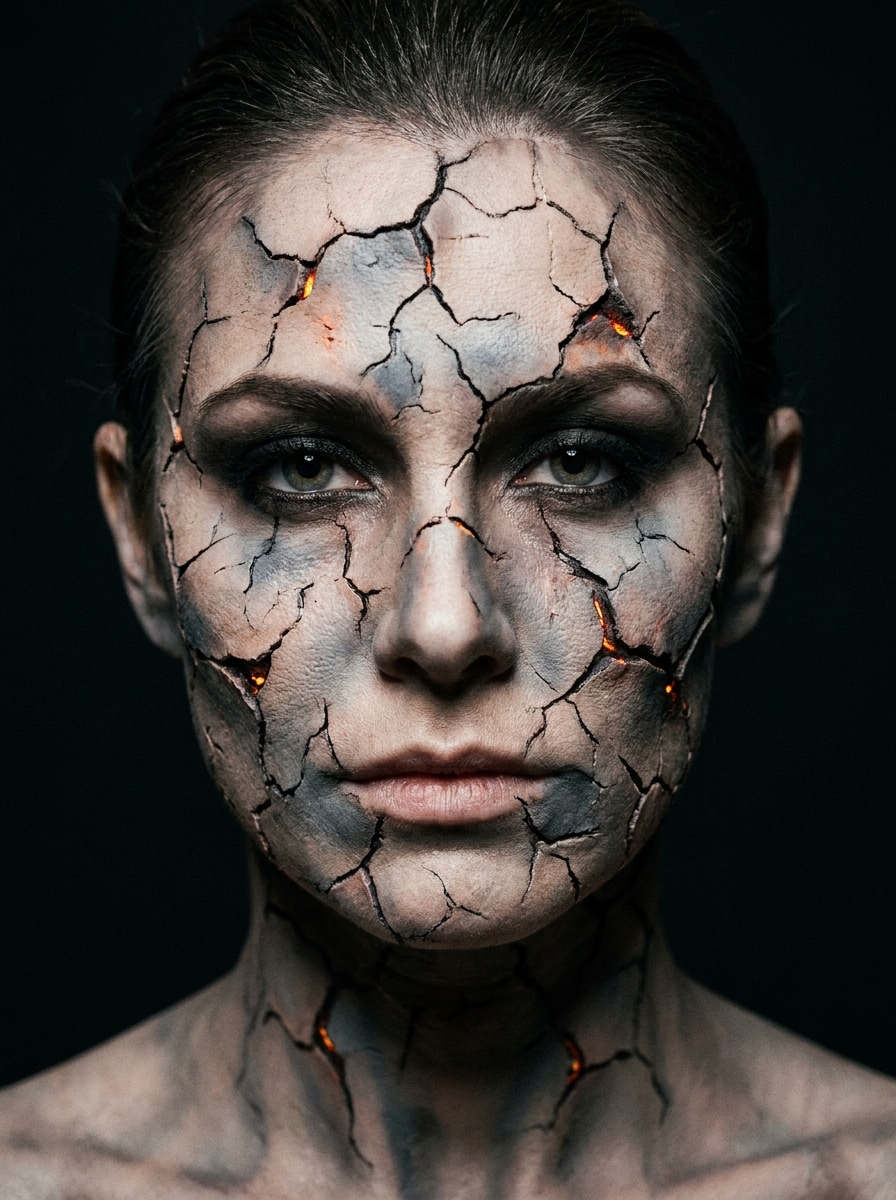
Cracked Skin Effect

Cracked Skin Effect

Use the uploaded image as the subject and add a dramatic cracked-skin Halloween effect with realistic fissures across the face, subtle glowing depth, smoky eye makeup, cool gray undertones, strong shadow separation, and a cinematic horror-beauty finish that still preserves facial identity.

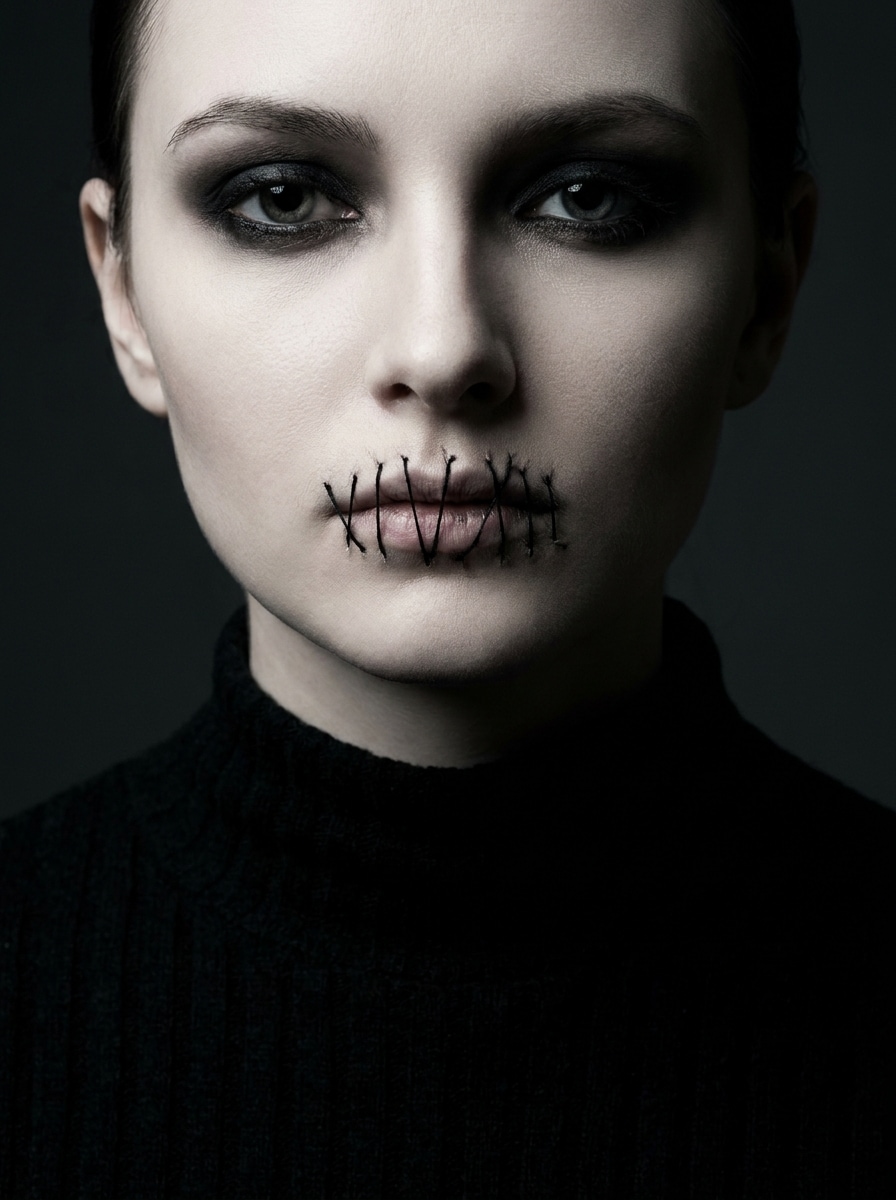
Stitched Mouth

Stitched Mouth

Use the uploaded image as the subject and apply stitched-mouth Halloween makeup with realistic thread details, pale complexion, dark smoky eyes, subtle blush reduction, eerie cinematic lighting, charcoal and ivory tones, and a polished scary-beauty aesthetic designed for a striking portrait edit.

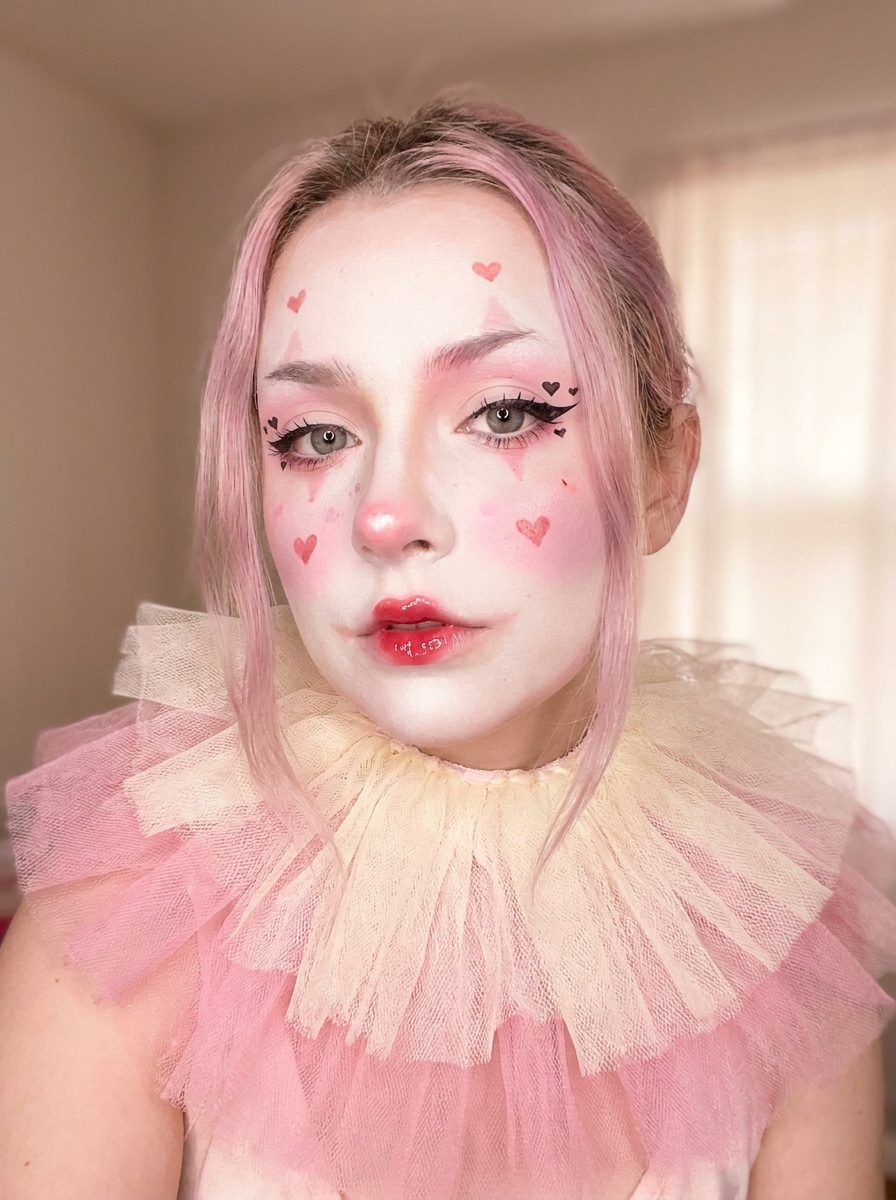
Cute Clown Makeup

Cute Clown Makeup

Use the uploaded image as the subject and turn it into a cute clown Halloween style with heart details, glossy red lips, pastel blush, soft white face accents, playful eyeliner, bright yet spooky mood, diffused lighting, and a pink, red, and cream palette for a social-ready transformation.

Ghost Bride

Ghost Bride

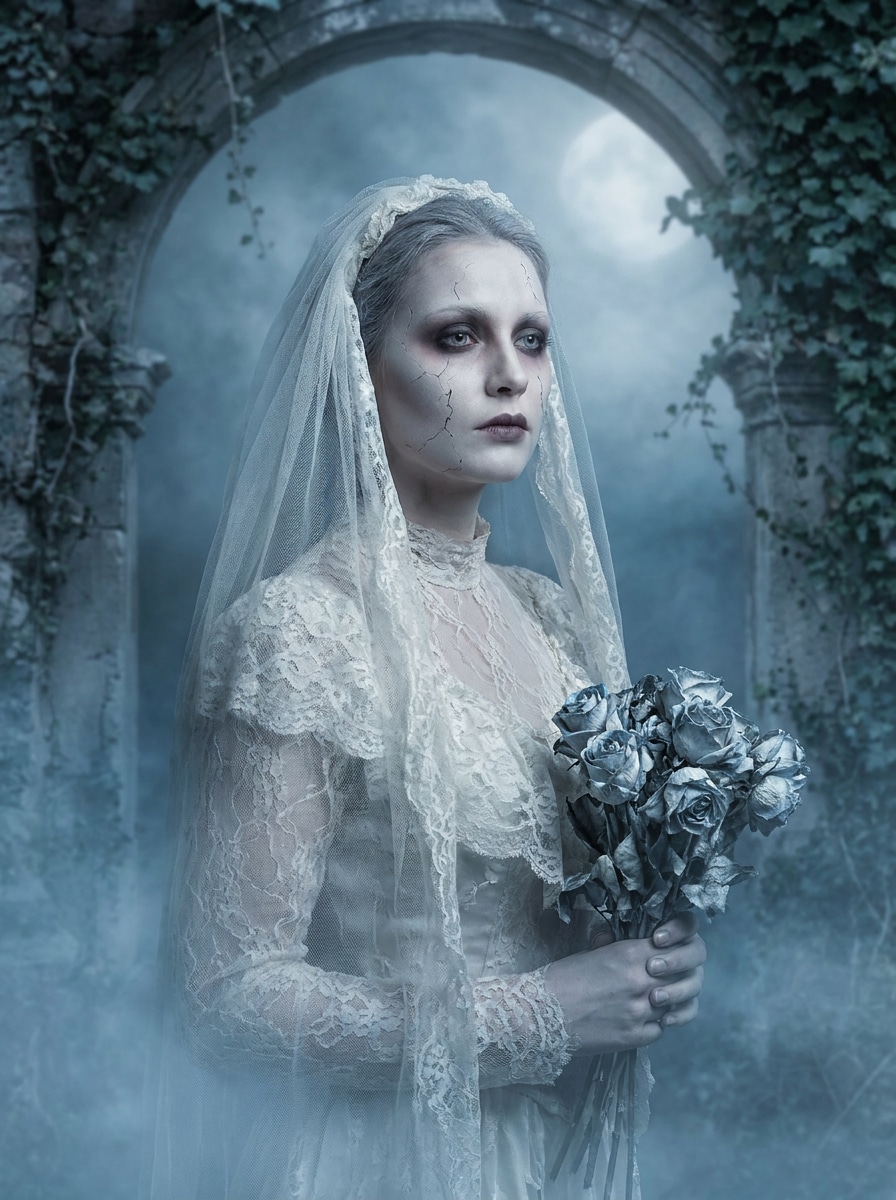
Use the uploaded image as the subject and transform it into a ghost bride portrait with pale translucent skin, dark romantic eyes, muted lips, vintage bridal styling, subtle facial cracks, soft mist, cool moonlit lighting, and a desaturated silver-blue palette for an elegant haunted mood.

Why Use Media.io for a Halloween Makeup Filter

Edit Online Without Learning Complicated Photo Tools

Need a fast look for social posts? Media.io gives you a halloween makeup filter right in the browser, turning a simple selfie upload and prompt into a polished makeover so you can skip manual masking, painting, and layer-by-layer retouching.

Switch Between Glam, Gothic, and Scary Styles Fast

If your creative direction is still evolving, Media.io makes it easy to test multiple versions of the same halloween make up filter concept. You can compare styles, adjust the mood, and find the right result without starting over each time.

Generate Cleaner Output Up to 4K

For presentations, promos, or reusable assets, Media.io helps you create halloween make up filter visuals with up to 4K output. That cleaner result makes it easier to crop, share, or repurpose the final image while keeping makeup details sharper.

Work Across Devices Without Extra Installs

Switching between phone and computer is simpler with Media.io because the halloween make up filter workflow stays in the browser. That helps the process stay practical when you are not tied to one device.

How to Use This Halloween Face Filter Online

Turn your words into stunning visuals in three simple steps, then continue refining the result if you want to take it further.

how to use image to image AI for halloween make up filter step 1
Step 1

Upload Your Reference Image

Start with a clear selfie or portrait in JPG, PNG, or JPEG format. A front-facing image with good lighting works best if you want virtual vampire, witch, skull, or glam-horror makeup applied cleanly to your facial features.

how to use image to image AI for halloween make up filter step 2
Step 2

Describe the Change and Set Options

Enter the Halloween look you want, such as cracked skin, stitched mouth, spiderweb eyeliner, or ghost bride styling. Then choose your preferred model and adjust aspect ratio, resolution, and image count to match where you plan to post or share it.

how to use image to image AI for halloween make up filter step 3
Step 3

Generate, Download, and Keep Improving

Create your makeover, compare the variations, and download the version you like best. If needed, refine the prompt for stronger makeup details, a softer beauty finish, or a more dramatic spooky effect, then generate again.

Unlock the Potential of Halloween Makeup Filter

See how creators use this Halloween Make Up Filter for content, marketing, and personal projects, then adapt each idea to fit the brief.

Plan a Last-Minute Costume Look

Test several makeup concepts before buying products or sitting down to paint your face. Media.io lets you add halloween makeup to photo previews using your own selfie, so you can compare glam vampire, witch, clown, or skull styling and choose the most flattering look for your party or event.

Create Social Posts That Instantly Pop

Turn a standard portrait into a dramatic seasonal visual for stories, reels, profile photos, or event promos. Media.io works as a scary makeup photo editor that helps creators and casual users make eye-catching before-and-after content without spending hours in a manual editor.

Design Themed Invites and Cover Images

Use your transformed portrait for digital invitations, spooky playlist covers, party banners, or Halloween card graphics. With Media.io, the recognizable face and stylized makeup effect make the final image feel more personal than stock artwork and more polished than simple stickers.

What Users Say

user
Kayla M.

Content Creator

star star star star star

"Perfect for quick Halloween selfies" I uploaded one selfie and got several polished spooky looks in minutes. The vampire and half-skull styles looked surprisingly realistic, and my face still looked like me.

user
Jordan T.

College Student

star star star star star

"Easy to use without an app" I wanted a fast Halloween photo edit on my phone, and this worked right in the browser. It was much easier than trying to layer effects manually in another editor.

user
Sofia R.

Beauty Blogger

star star star star star

"Great mix of glam and horror" A lot of tools make Halloween looks cartoonish, but these results felt beauty-focused and dramatic at the same time. The spiderweb eye makeup and ghost bride effects were my favorites.

user
Marcus L.

Event Promoter

star star star star star

"Useful for themed promo graphics" I used it to create a Halloween campaign image from a simple portrait. The output looked clean enough for social posts and digital flyers, and changing the format was straightforward.

Halloween Makeup Filter FAQs

1. How can I add a Halloween makeup filter to my photo online?

Upload a clear selfie to Media.io, describe the Halloween look you want, and generate the edited image in your browser. Media.io works like an AI halloween face editor, helping you apply vampire, skull, witch, clown, or cracked-skin effects without advanced manual editing.

Yes, free users can try Media.io with free credits. If you need more generations or want watermark-free high-resolution downloads, you can check Media.io's pricing page for available plans.

You can create a wide range of looks, including vampire glam, spiderweb eye makeup, half-skull face paint, skeleton glam, dark witch styling, gothic doll makeup, cracked-skin effects, stitched-mouth edits, cute clown looks, and ghost bride portraits. The best choice depends on whether you want a beauty-focused, eerie, or dramatic horror-inspired result.

Yes. Media.io supports reference-image editing, so your uploaded selfie helps guide the final transformation. That keeps the Halloween makeover aligned with your facial structure, pose, and expression, which is especially useful when you want a realistic portrait instead of a generic face swap.

Media.io is web-based, so you can use the Halloween makeover tool on iPhone, Android, Windows, or Mac as long as you have a browser. That makes it easy to edit a selfie on your phone and review or refine the result later on a desktop.

You can usually get a first draft quickly, then improve it with short prompt edits instead of rebuilding the entire design from scratch.

Media.io Online AI Tools Quality Rating:
vote 4.7 (162,357 Votes)