画像から画像生成
Nano Banana Pro
画像をアップロード
0 / 9
クリックまたはドラッグでアップロード、または履歴から選択
アイデアがない?まず画像を生成してみよう >
サポートされているアップロード形式: jpg、png、jpeg。
プロンプト
0/2000
1K
自動
1
Banana Pro無制限モード
作品
アイデアハブ
すべて
生成リスト
作品は 7 日間保存されます。アップグレード後に作成されたアセットは永久保存されます。
ai_video_generator創造力を解き放ち、Media AIの魔法をすぐに体験しよう!

Clothing Try On with AI for Fast, Realistic Outfit Previews

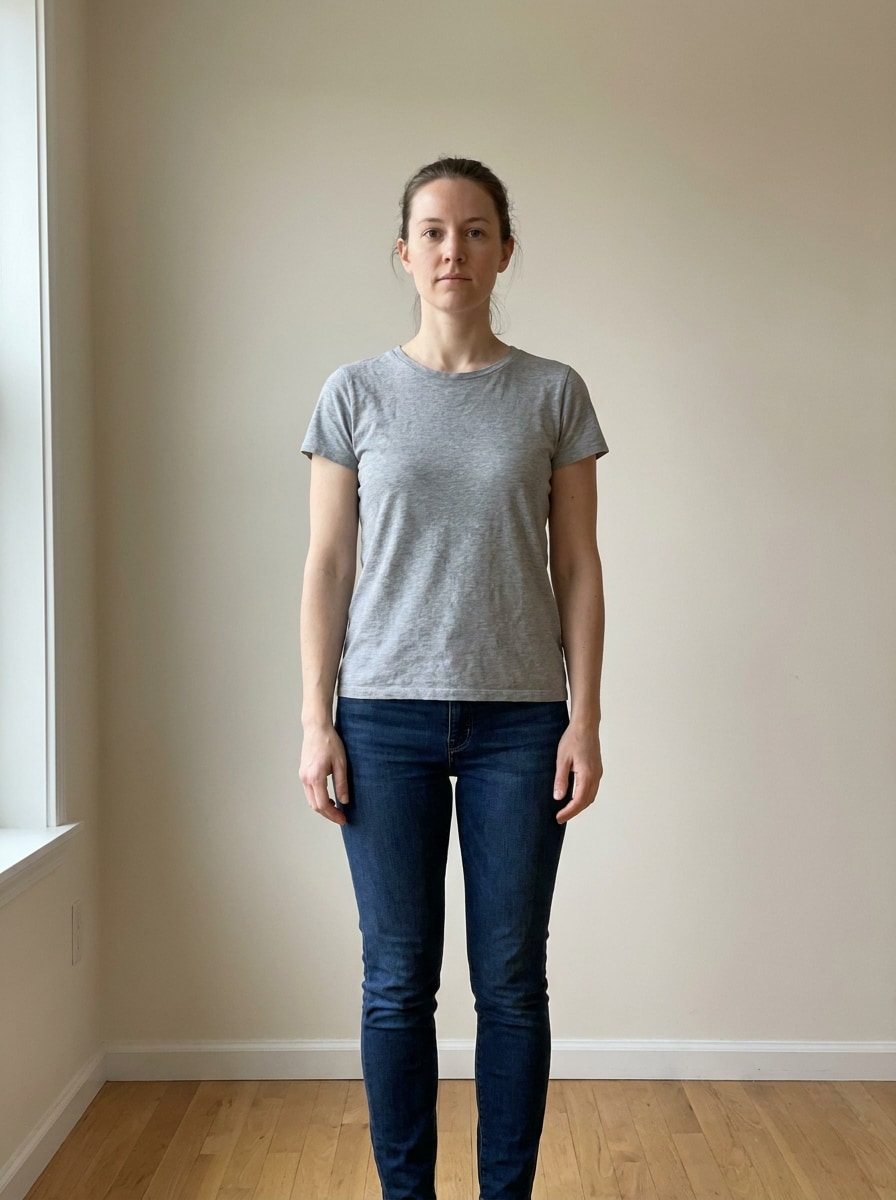
Clothing Try On Before
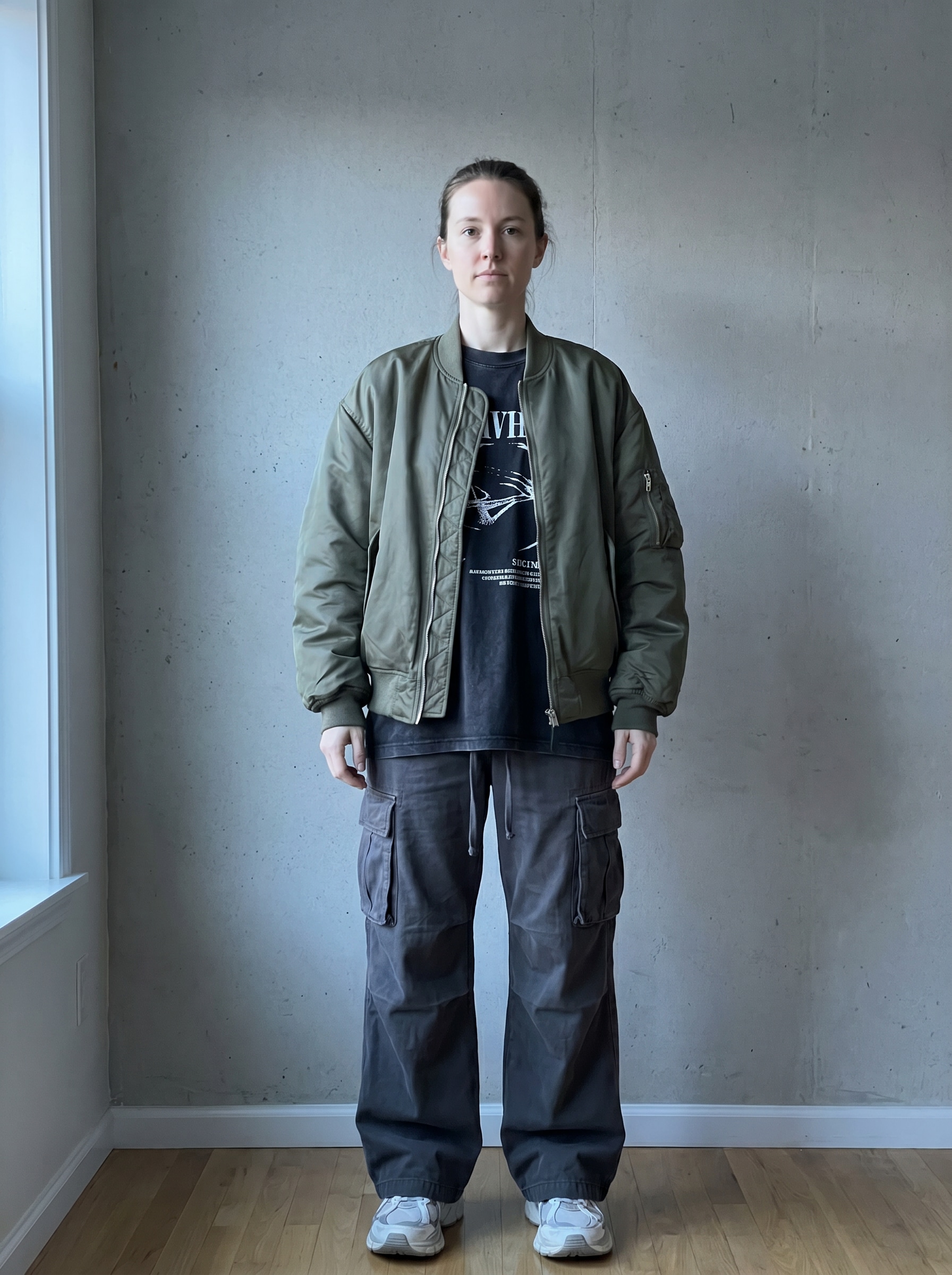
Clothing Try On After

Create realistic outfit previews from your own photo with Media.io’s clothing try on tool. Explore virtual outfit try on looks, swap styles, and see clothes try on online in seconds for casual, formal, or trend-led fashion decisions before you buy, post, or plan.

Try On My Outfit

Type your idea -> AI designs it. Free to try.

Review these example directions, then tailor the prompt details to get stronger results with this clothing virtual try on experience in Media.io.

Studio Ecommerce Realism

Studio Ecommerce Realism

Use the uploaded image as the subject and transform the outfit into a polished ecommerce fashion look. Keep the person’s face, body proportions, and pose consistent, add realistic fabric drape and garment texture, use a clean light-gray studio background, soft diffused lighting, natural shadows, crisp full-body framing, and premium retail photo quality.

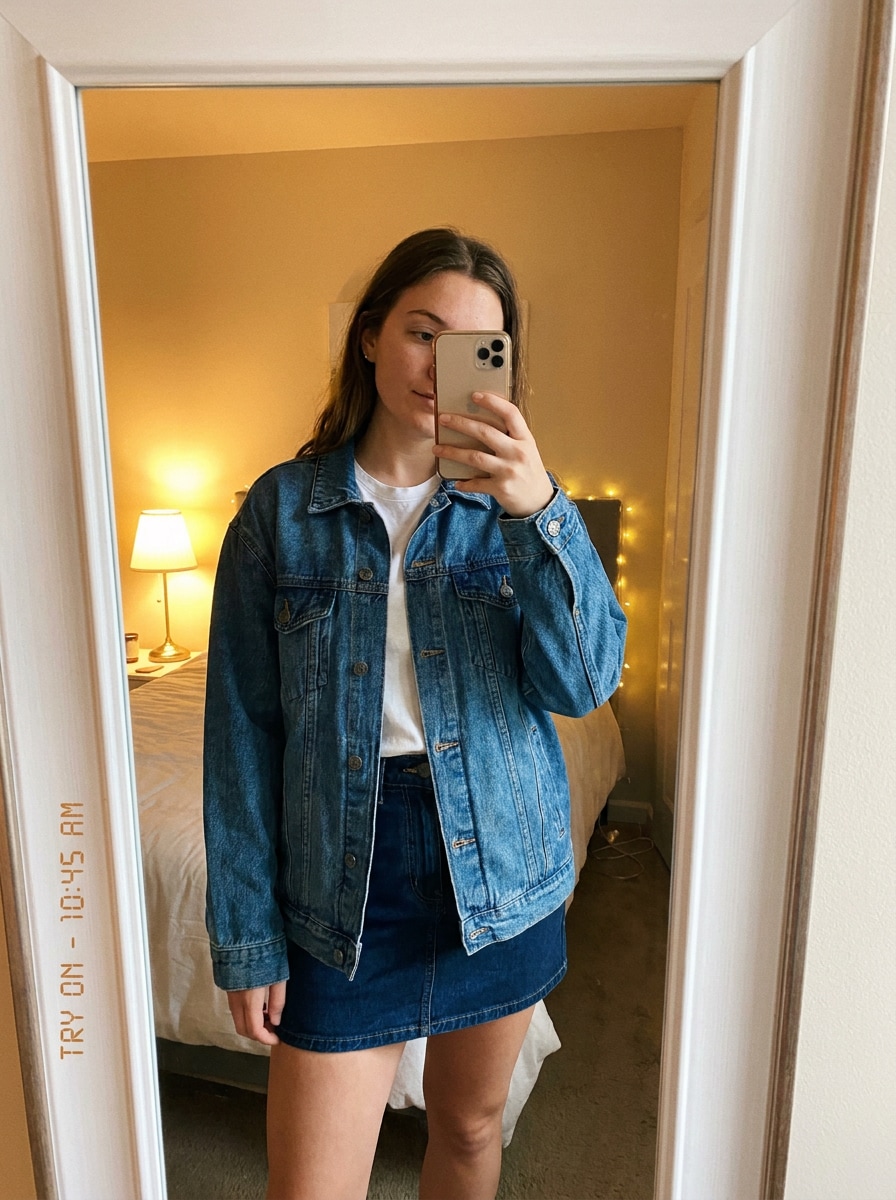
Mirror Selfie Try-On

Mirror Selfie Try-On

Use the uploaded image as the subject and restyle it into a realistic mirror selfie outfit preview. Preserve identity, pose, and natural body shape, replace the clothing with a trendy coordinated look, add believable indoor lighting, subtle phone-camera softness, reflective mirror detail, natural folds, and a casual lifestyle mood with authentic fashion realism.

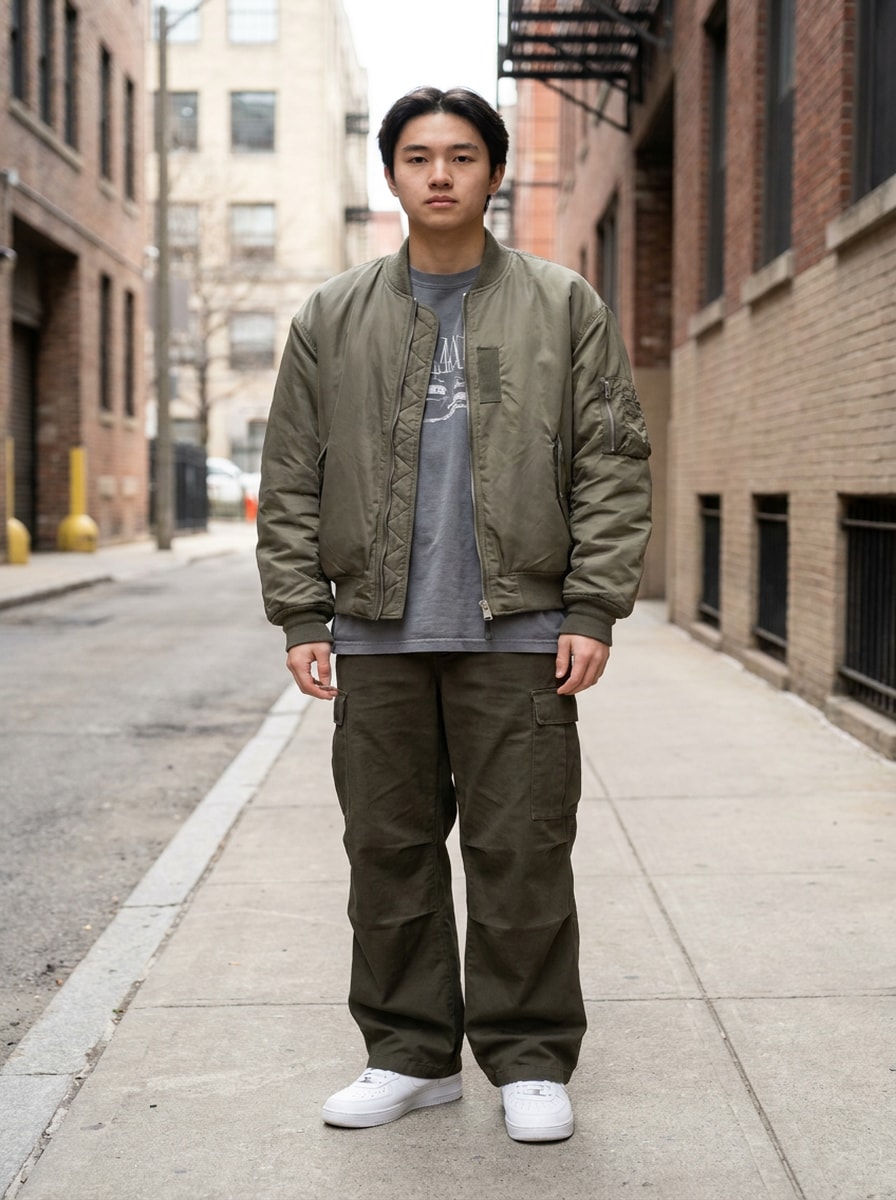
Streetwear Refresh

Streetwear Refresh

Use the uploaded image as the subject and transform it into a modern streetwear outfit with realistic oversized layers. Keep the face and pose recognizable, add a relaxed jacket, graphic tee, wide-leg pants, and sneakers, emphasize cotton and nylon textures, cool urban tones, soft directional lighting, and a confident editorial mood with full-body clarity.

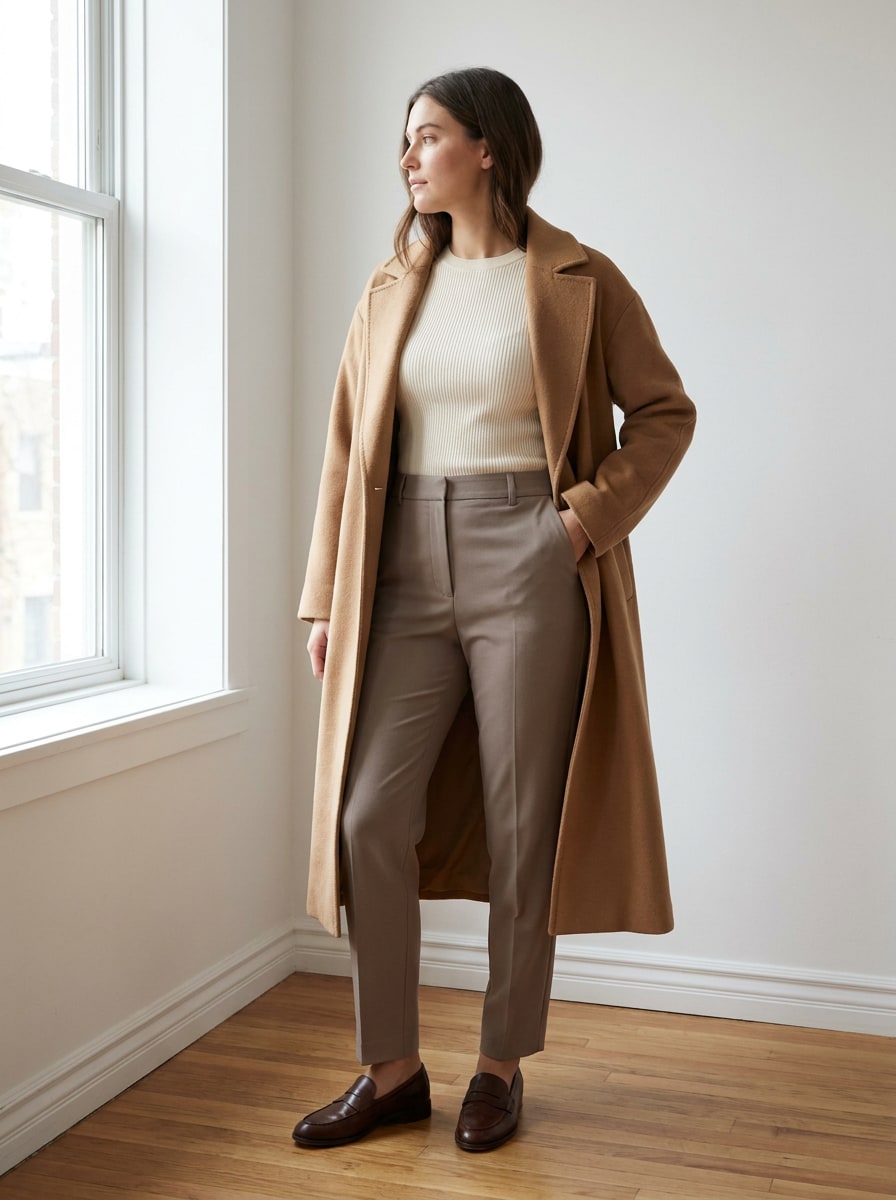
Capsule Wardrobe Minimalist

Capsule Wardrobe Minimalist

Use the uploaded image as the subject and create a refined minimalist outfit preview with neutral capsule wardrobe styling. Preserve the person’s identity and proportions, add tailored trousers, a soft knit top, and a structured coat, use beige, cream, and taupe tones, clean composition, soft daylight, realistic material texture, and understated editorial elegance.

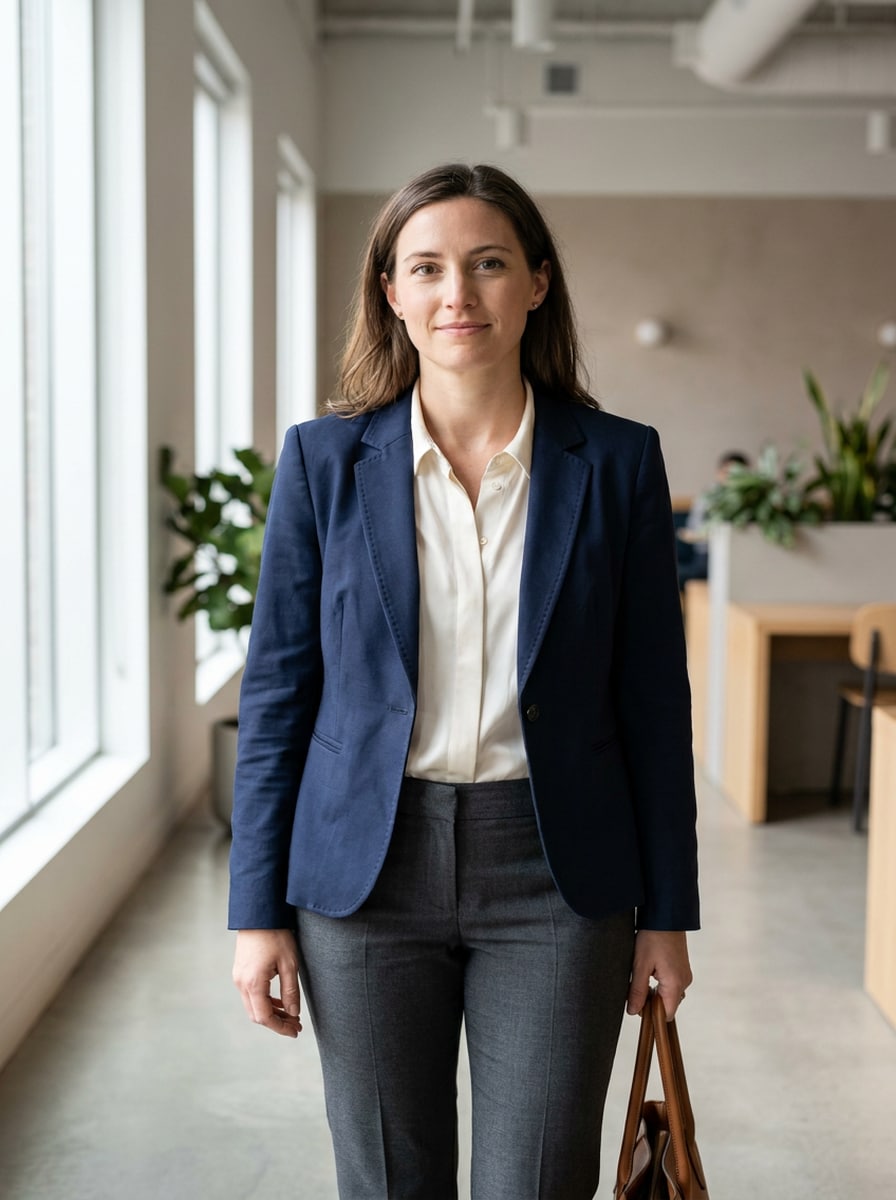
Officewear Preview

Officewear Preview

Use the uploaded image as the subject and change the outfit into polished officewear with realistic tailoring. Keep the face, hair, and pose consistent, add a structured blazer, blouse, and tailored trousers, show accurate fabric tension and clean lines, use soft daylight, a modern neutral background, and a professional, confident business-casual mood.

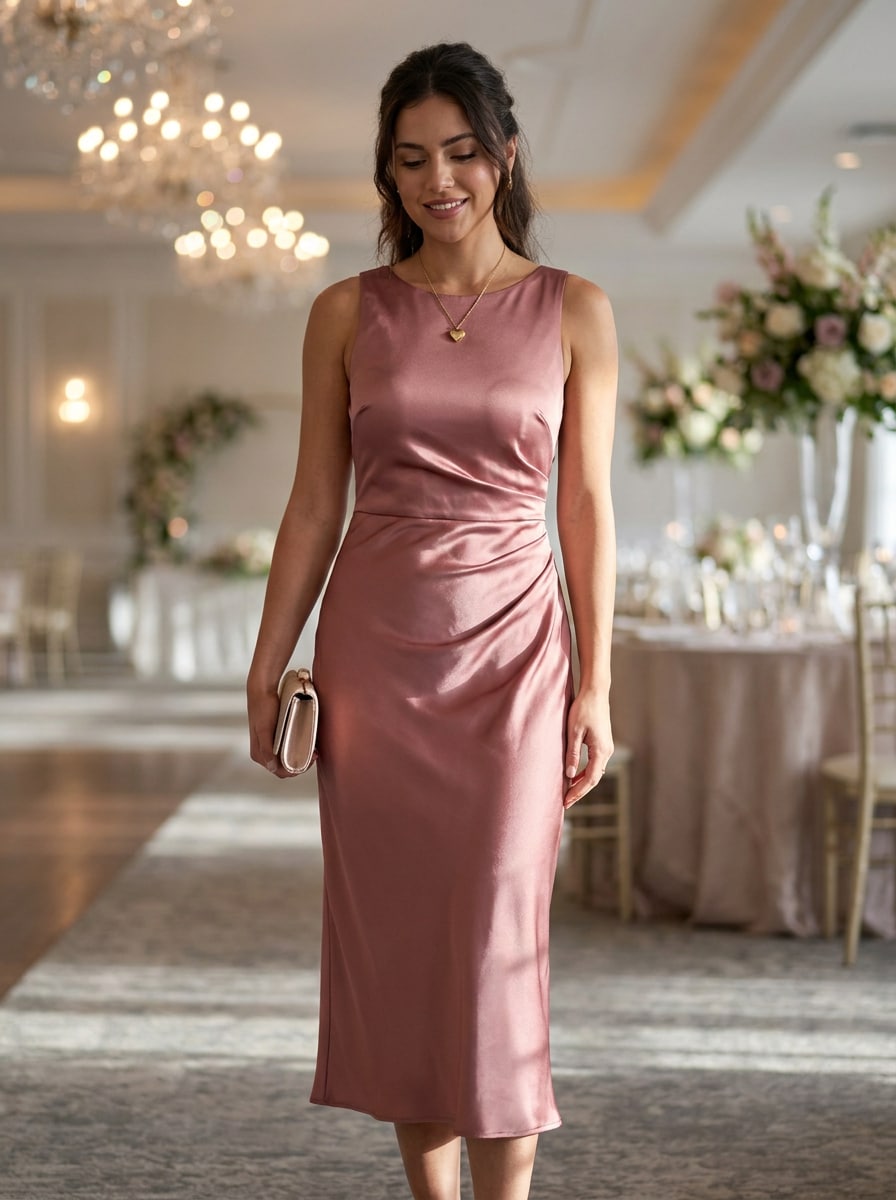
Wedding Guest Outfit

Wedding Guest Outfit

Use the uploaded image as the subject and transform it into an elegant wedding guest look. Preserve identity, body proportions, and posture, replace the outfit with a flowing formal dress, realistic satin or chiffon texture, flattering full-body composition, soft luxury lighting, pastel and jewel-tone accents, and a refined event-ready mood with believable garment movement.

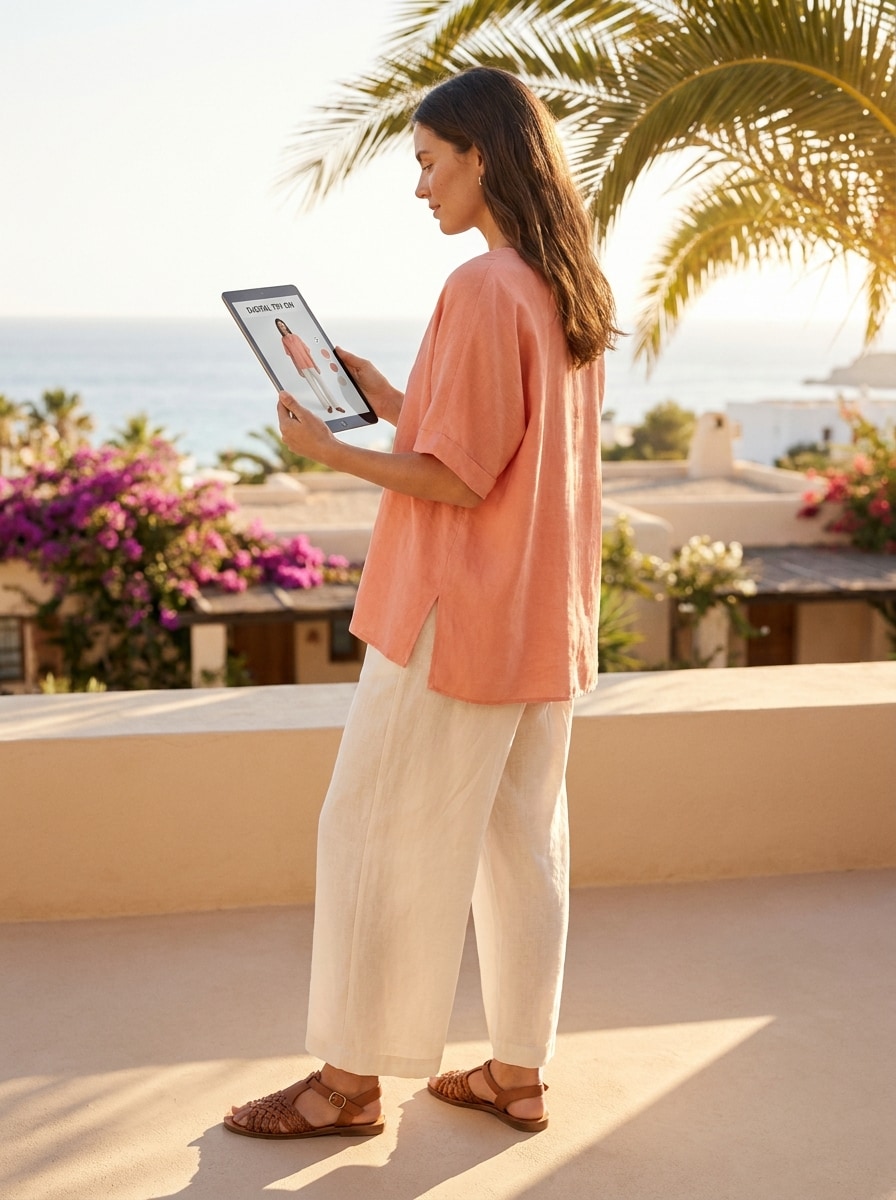
Vacation Resortwear

Vacation Resortwear

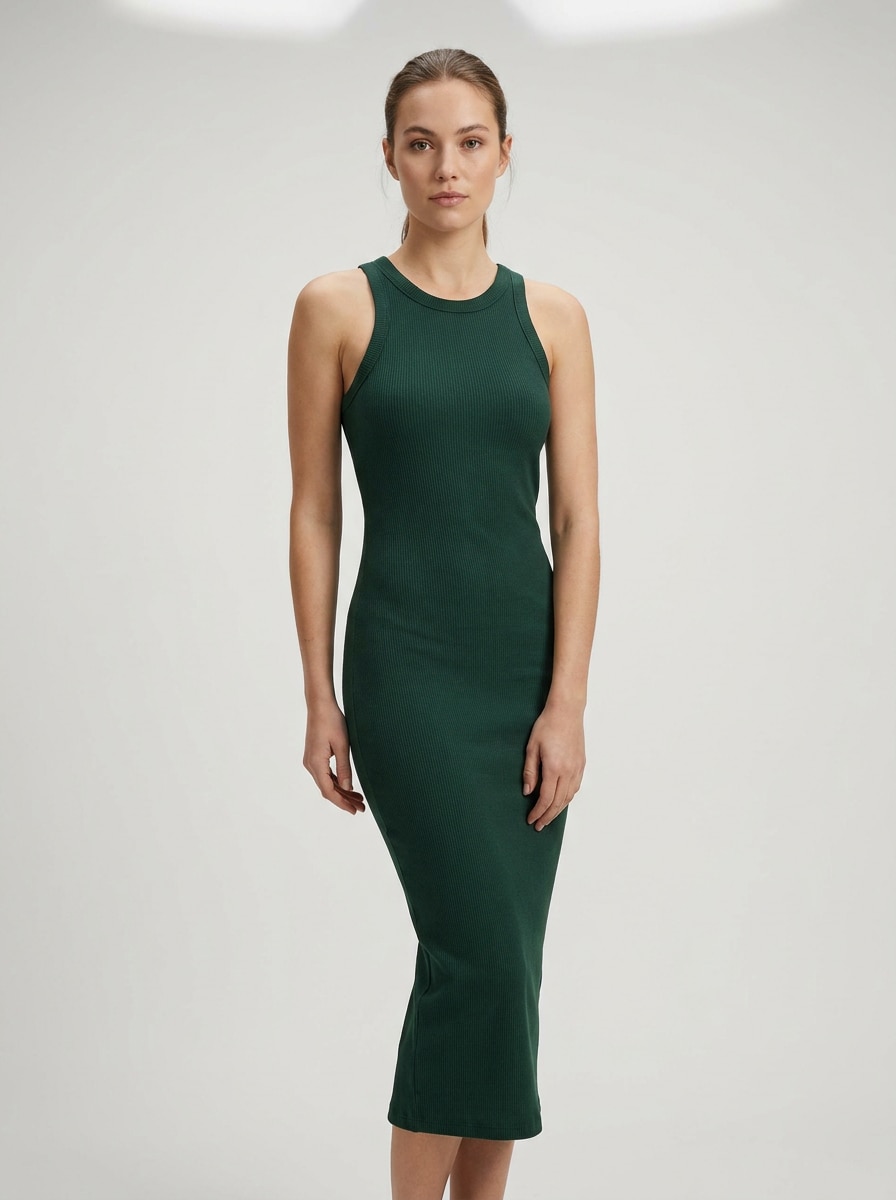
Use the uploaded image as the subject and convert the outfit into breezy resortwear with realistic summer fabrics. Keep identity and pose intact, add a flowing linen set or vacation dress, natural sunlit skin tones, soft shadows, airy movement, bright coastal colors, and a relaxed lifestyle mood that still feels believable and wearable.

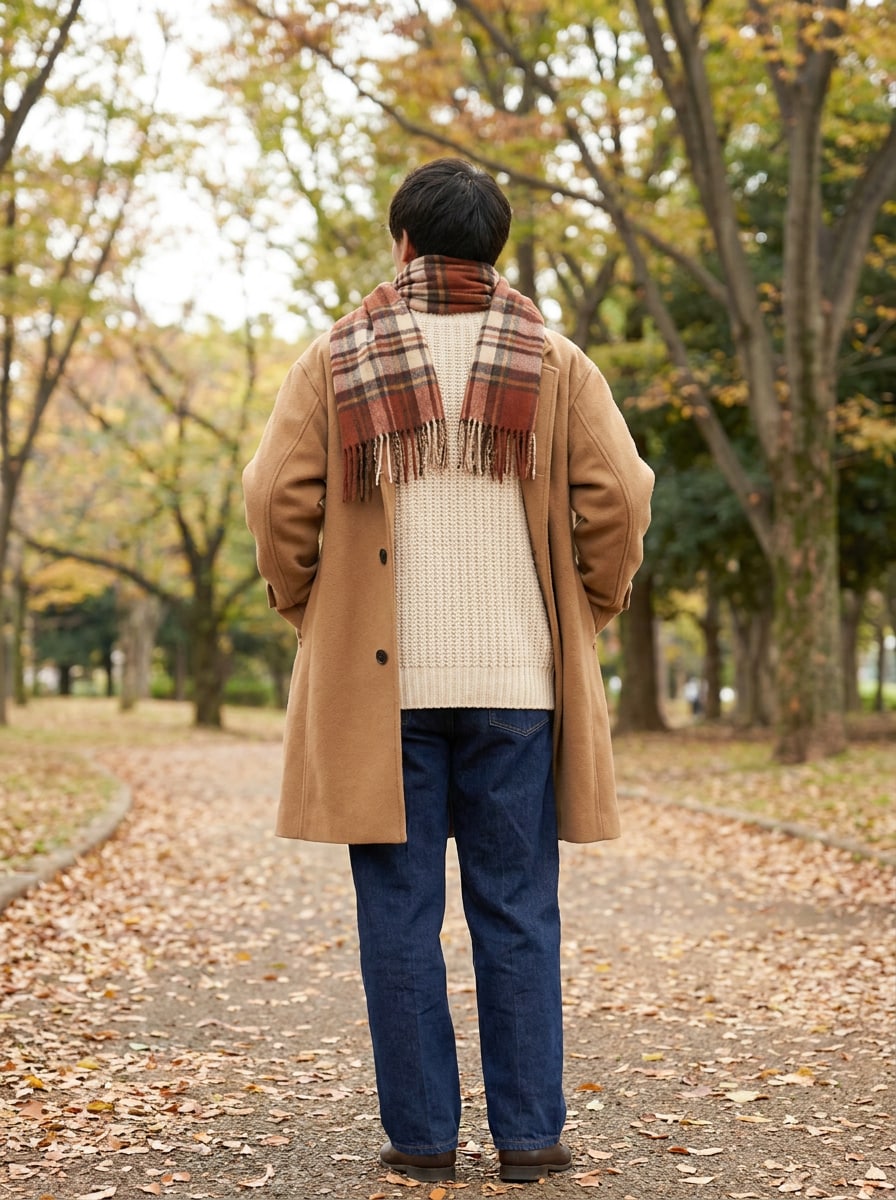
Fall Layering Preview

Fall Layering Preview

Use the uploaded image as the subject and build a realistic layered fall outfit around it. Preserve the person’s face, shape, and pose, add a wool coat, knit sweater, scarf, and straight-leg trousers, emphasize tactile textures, warm autumn neutrals, gentle outdoor lighting, and believable garment overlap for a cozy editorial finish.

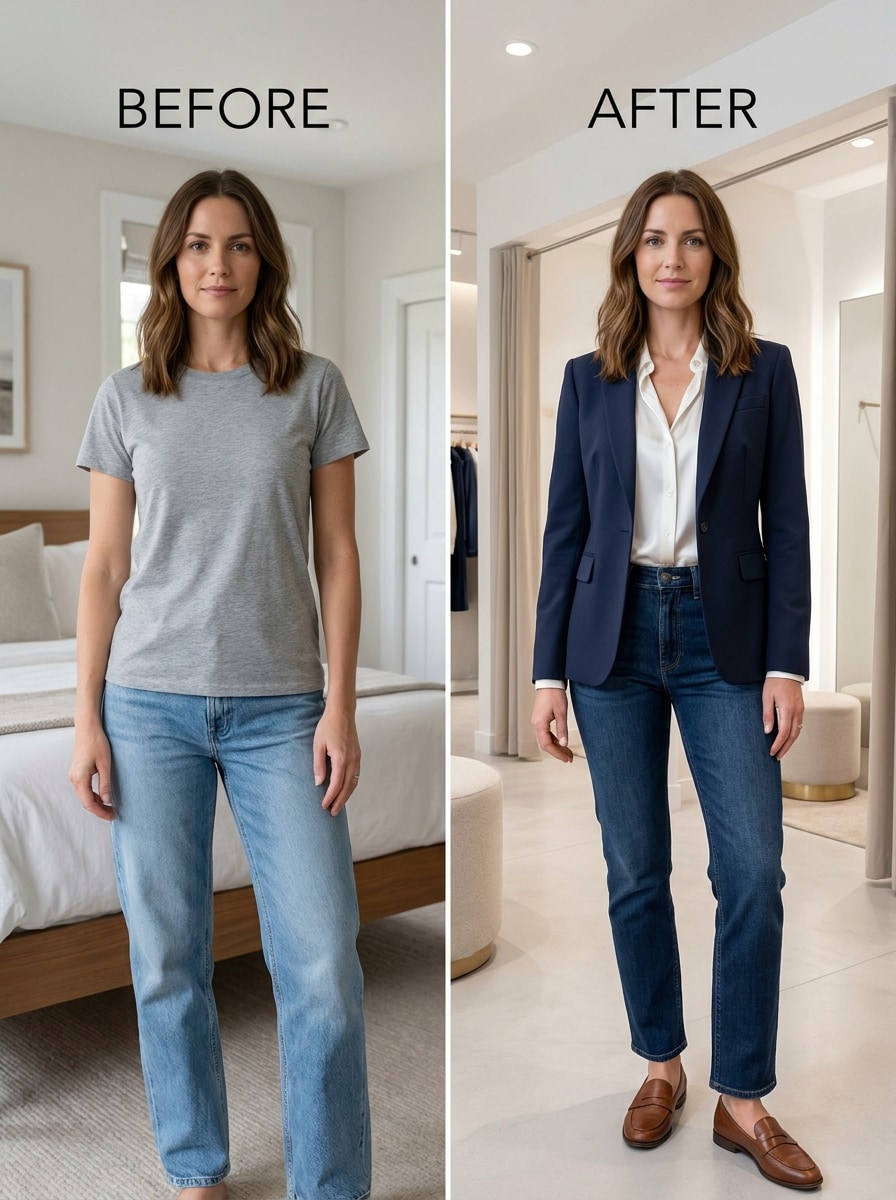
Before After Split Screen

Before After Split Screen

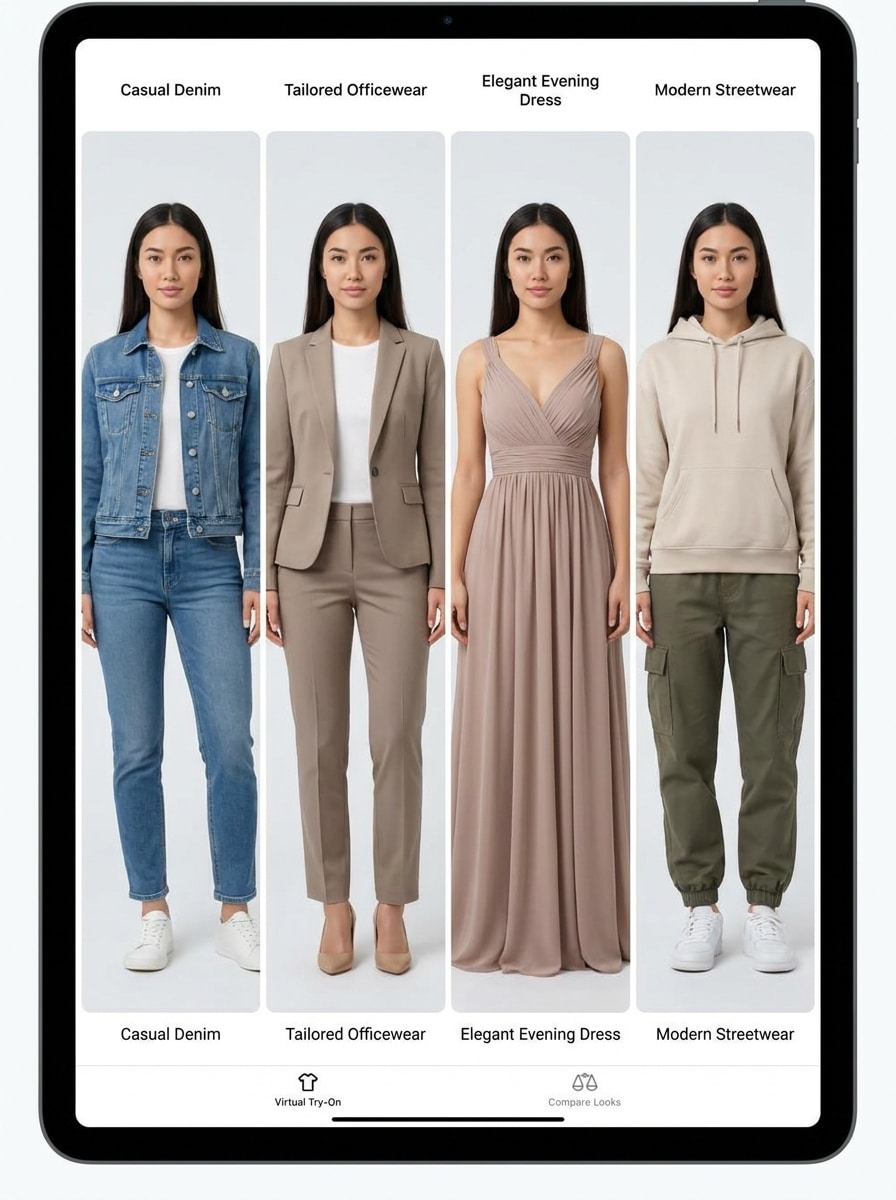
Use the uploaded image as the subject and create a before-and-after split-screen outfit transformation. Keep the same facial identity, body shape, and pose on both sides, show the original simple look beside the upgraded fashion result, use clean balanced lighting, crisp side-by-side composition, and highly believable clothing replacement for social-ready sharing.

Multi-Look Outfit Carousel

Multi-Look Outfit Carousel

Use the uploaded image as the subject and generate multiple realistic outfit variations from the same photo. Preserve the face, hairstyle, body proportions, and pose across each look, then show distinct fashion directions such as casual, office, evening, and streetwear with consistent lighting, clean framing, accurate fabrics, and polished editorial coherence.

Why Use Media.io for Clothing Try-On Results

Preview outfits on your own photo

Media.io keeps your reference subject visually consistent during upload-based edits while shifting the clothing try on direction, so trying on clothes online feels more personal and the results are easier to trust and use.

Explore Different Looks Without Losing Direction

From minimal everyday wear to bold editorial styling, Media.io helps you explore different looks from the same clothing try on concept. That makes style exploration more flexible around the same clothing try on visual base.

Generate Cleaner Output Up to 4K

Media.io creates cleaner clothing try on visuals that do more than just preview an outfit. With output up to 4K, this digital try on clothes workflow gives you images that still look polished in wallpapers, pitch decks, and mockups.

Works easily across phone and desktop workflows

Ideas often start on one device and get refined on another, and Media.io makes that process smooth in the browser. That makes it easier to stay productive when the work moves across screens.

How to Do a Virtual Outfit Try-On from Your Photo

Turn your words into stunning visuals in three simple steps, then continue refining the result if you want to take it further.

how to use image to image AI for clothing try on step 1
Step 1

Upload Your Reference Image

Start with a clear full-body or half-body photo in JPG, PNG, or JPEG format. A clean pose, visible clothing area, and balanced lighting give Media.io a stronger base for clothes try on online results that look more natural.

how to use image to image AI for clothing try on step 2
Step 2

Describe the Change and Set Options

Tell the AI what outfit you want to preview, such as officewear, streetwear, dresses, or layered looks. Then choose your model and adjust aspect ratio, quality, or the number of image variations to guide your outfit try on AI output.

how to use image to image AI for clothing try on step 3
Step 3

Generate, Download, and Keep Improving

Create your try-on result, compare variations, and download the version you like best. If needed, refine the prompt, regenerate for a different fit or styling direction, or build more looks from the same image for a faster clothing virtual try on workflow.

Unlock the Potential of Virtual Outfit Try On

See how creators use this Clothing Try On for content, marketing, and personal projects, then adapt each idea to fit the brief.

Plan shopping choices before you buy

Use your own photo to compare silhouettes, colors, and outfit categories before ordering. This helps with virtual try on clothes online when you want a faster sense of how a dress, blazer, or casual set may look on your frame, and it also makes it easier to try clothes on yourself online instead of relying only on model photos.

Create fashion content without changing clothes

Creators can turn one source image into multiple styled looks for reels, carousels, or before-and-after posts. It’s a practical way to build ar try on clothes-style content, create fashion virtual try on concepts, or simulate an outfit haul with less time, wardrobe prep, and reshooting.

Test styling ideas for work, events, and travel

From officewear to wedding guest looks to vacation outfits, you can preview several directions from one portrait. That makes try on outfit online useful for personal styling, packing decisions, and occasion-based outfit planning, especially when you want quick visual comparisons or a simple virtual try on for clothes workflow.

What Users Say About Media.io Try-On Tools

user
Sofia Ramirez

Fashion Content Creator

star star star star star

"Fast outfit testing from one photo" I used one mirror selfie and turned it into several looks for a short-form fashion post. The outfit changes felt surprisingly realistic, especially for jackets and dresses, and it saved me from shooting multiple takes.

user
Jasmine Lee

Online Shopper

star star star star star

"Helpful for comparing styles before buying" I wanted a simple way to see whether certain outfits suited me better than retailer model shots. Media.io made it easier to compare silhouettes and colors on my own photo, so I felt more confident narrowing down options.

user
Marcus Bennett

Social Media Manager

star star star star star

"Good for visual mockups and quick campaigns" We tested several fashion concepts from a single reference image and got usable try-on visuals fast. The ability to create multiple variations helped us prepare social content without a full extra shoot.

user
Anika Patel

Personal Stylist

star star star star star

"Useful for client outfit previews" For early styling consultations, this is a practical way to show clients a direction before sourcing every piece. It works well for officewear, event dressing, and capsule wardrobe planning when you need quick visual feedback.

Clothing Try-On FAQs

1. What is AI clothing try on and how does it work?

AI clothing try on uses a reference photo and a text prompt to generate a new image with changed clothing while keeping the subject recognizable. In Media.io, you upload a JPG, PNG, or JPEG image, describe the outfit you want, choose model and image settings, and the tool creates a realistic preview for virtual outfit try on with styling detail.

Media.io is designed for upload-based editing, so you can use your own portrait, mirror selfie, or full-body image as the reference for clothing virtual try on. This makes virtual try on clothes online more personal when you want to see your own look instead of a generic model-based mockup.

Media.io offers free credits if you want to test the tool before upgrading. If you need more generations or higher-end output options, you can check the pricing page for current plans, more credits, and watermark-free high-resolution downloads.

Results can look highly realistic when you use a clear source photo and a detailed prompt. Media.io supports advanced image-to-image models and lets you guide composition, aspect ratio, and quality, which helps produce more believable garment texture, body proportion consistency, and outfit drape for outfit try on AI results.

You can test many common fashion categories, including dresses, tops, jackets, tailored outfits, streetwear, and formal looks. Media.io works well for experimenting with casual styling, eventwear, layered outfits, and other previews where you want a fast ar clothes try on style result from one image.

You can use Media.io in a browser on both mobile and desktop, so it fits quick edits and longer sessions without installing anything. That makes it useful whether you want an outfit try on app-like experience on your phone or a larger virtual try on clothes app workflow on your computer.

Media.io Online AI Tools Quality Rating:
vote 4.7 (162,357 Votes)