
画像から画像生成
Nano Banana Pro
画像をアップロード
0 / 9
クリックまたはドラッグでアップロード、または履歴から選択
アイデアがない?まず画像を生成してみよう >
サポートされているアップロード形式: jpg、png、jpeg。
プロンプト
0/2000
1K
自動
1
Banana Pro無制限モード
作品
アイデアハブ
すべて
生成リスト
作品は 7 日間保存されます。アップグレード後に作成されたアセットは永久保存されます。
ai_video_generator創造力を解き放ち、Media AIの魔法をすぐに体験しよう!

Add Mask to Photo Online With Fast, Creative AI Edits

Add Mask To Photo Before
Add Mask To Photo After

Create stylish face-mask overlays, shape crops, text reveals, and collage effects in minutes. Media.io helps you add mask to photo results from any browser, whether you want to add face mask to photo online free, try an AI mask filter, or make polished social-ready edits.

Add a Mask to My Photo

Type your idea -> AI designs it. Free to try.

Review these example directions, then tailor the prompt details to get stronger results with Media.io’s Add Mask To Photo tool.

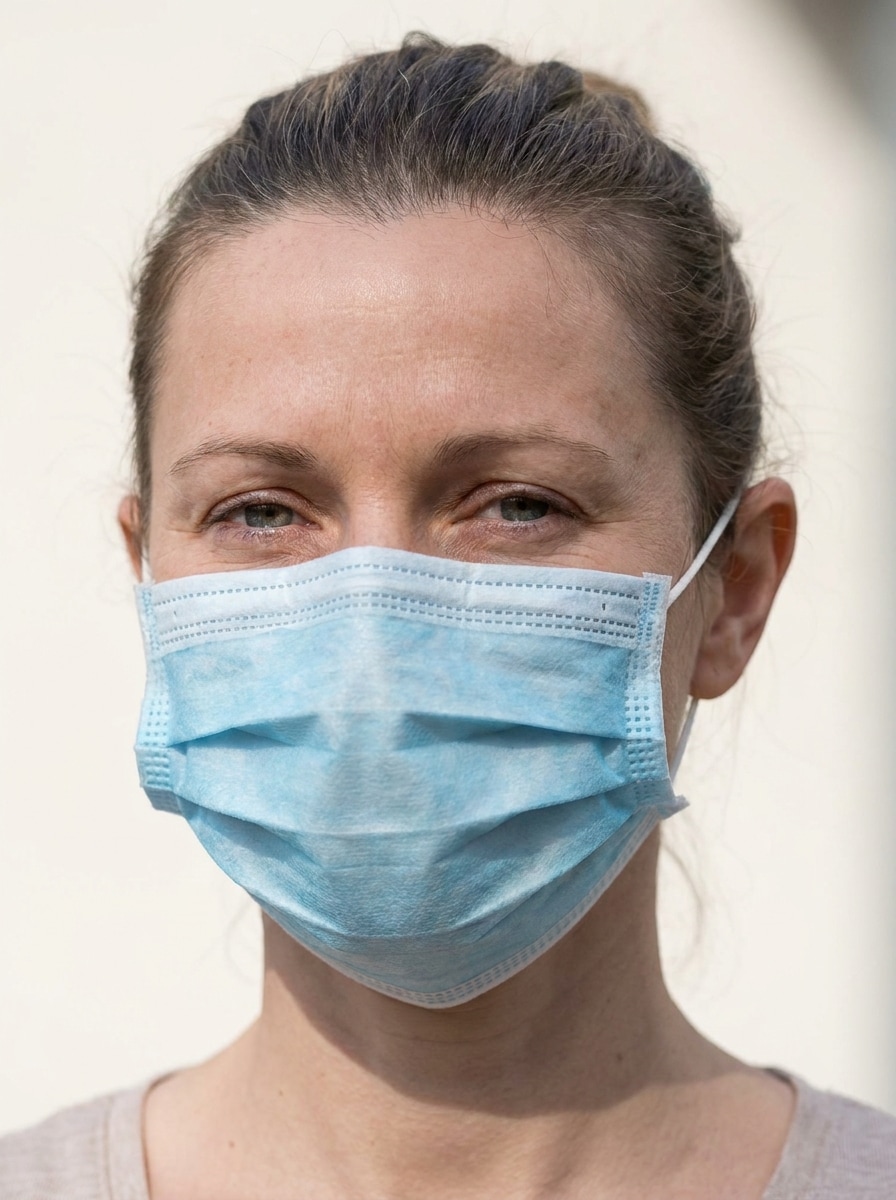
Medical Face Mask Sticker

Medical Face Mask Sticker

Use the uploaded image as the subject and add a realistic disposable medical face mask over the nose and mouth, aligned naturally to the face angle with visible ear loops, soft shadows, clean blue-white fabric texture, balanced daylight, crisp portrait detail, and a believable mobile photo edit finish.

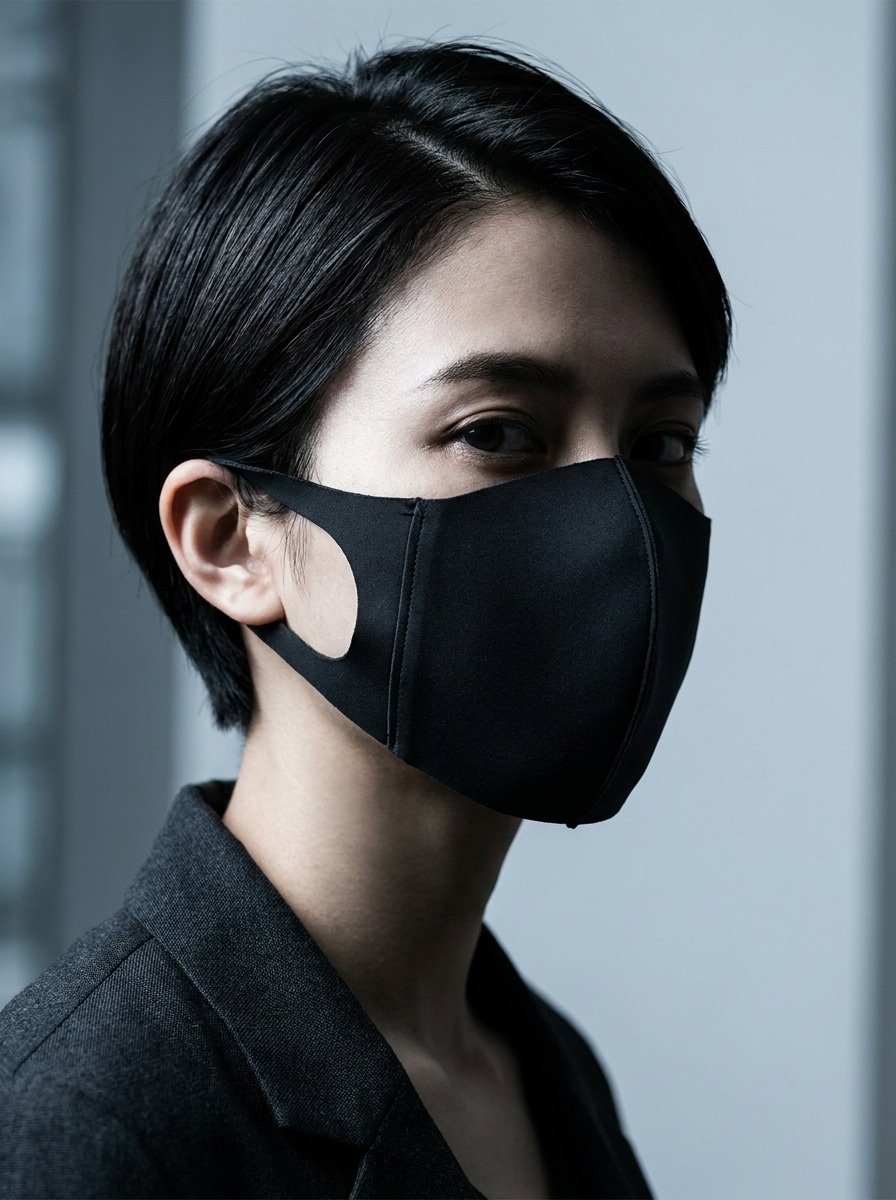
Black Fashion Mask

Black Fashion Mask

Use the uploaded image as the subject and place a sleek black fashion face mask on the face, following the jawline and nose shape naturally, with premium matte fabric texture, subtle shadowing, refined editorial contrast, moody portrait lighting, and a modern stylish finish suitable for profile photos.

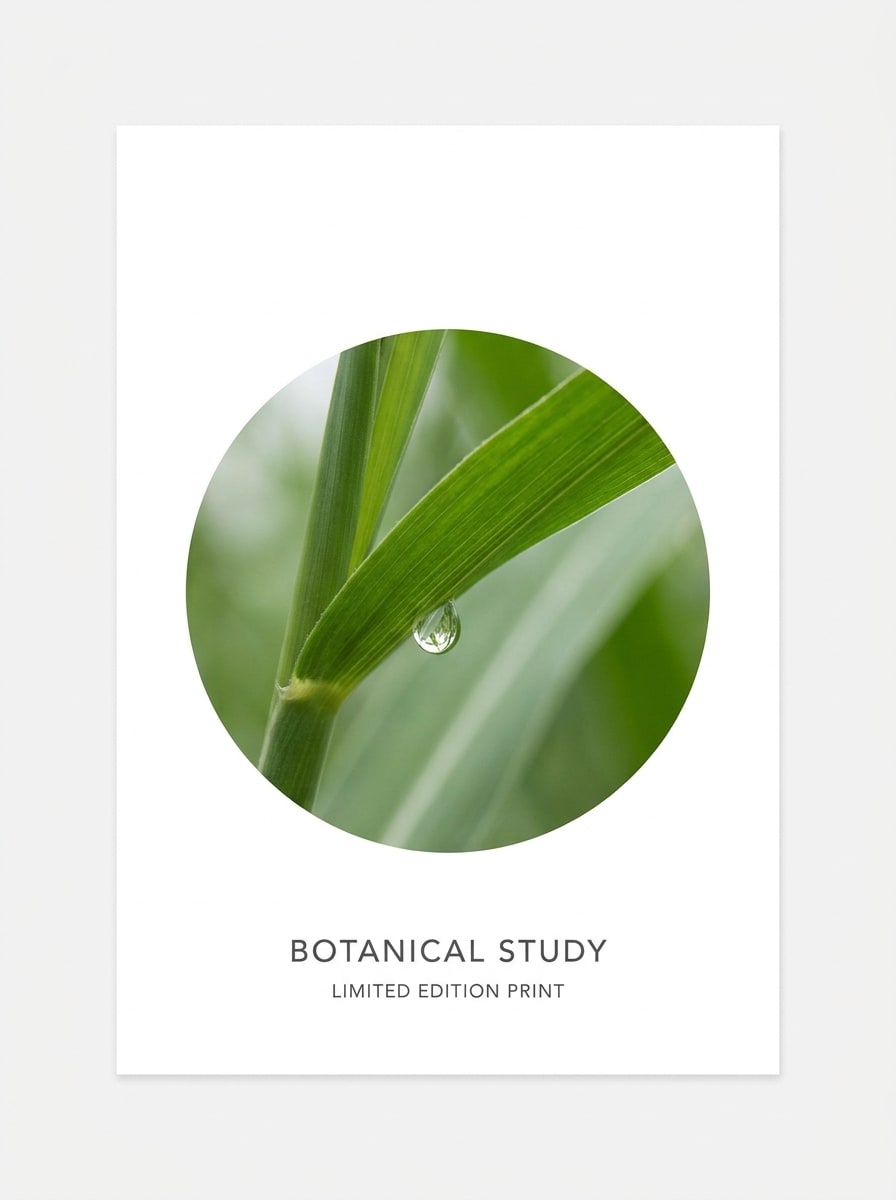
Circle Photo Mask

Circle Photo Mask

Use the uploaded image as the source and transform it into a clean circular mask composition, keeping the main subject centered and fully visible, with crisp edges, bright neutral background space, balanced framing, soft natural color, minimal modern layout, and high-resolution graphic clarity.

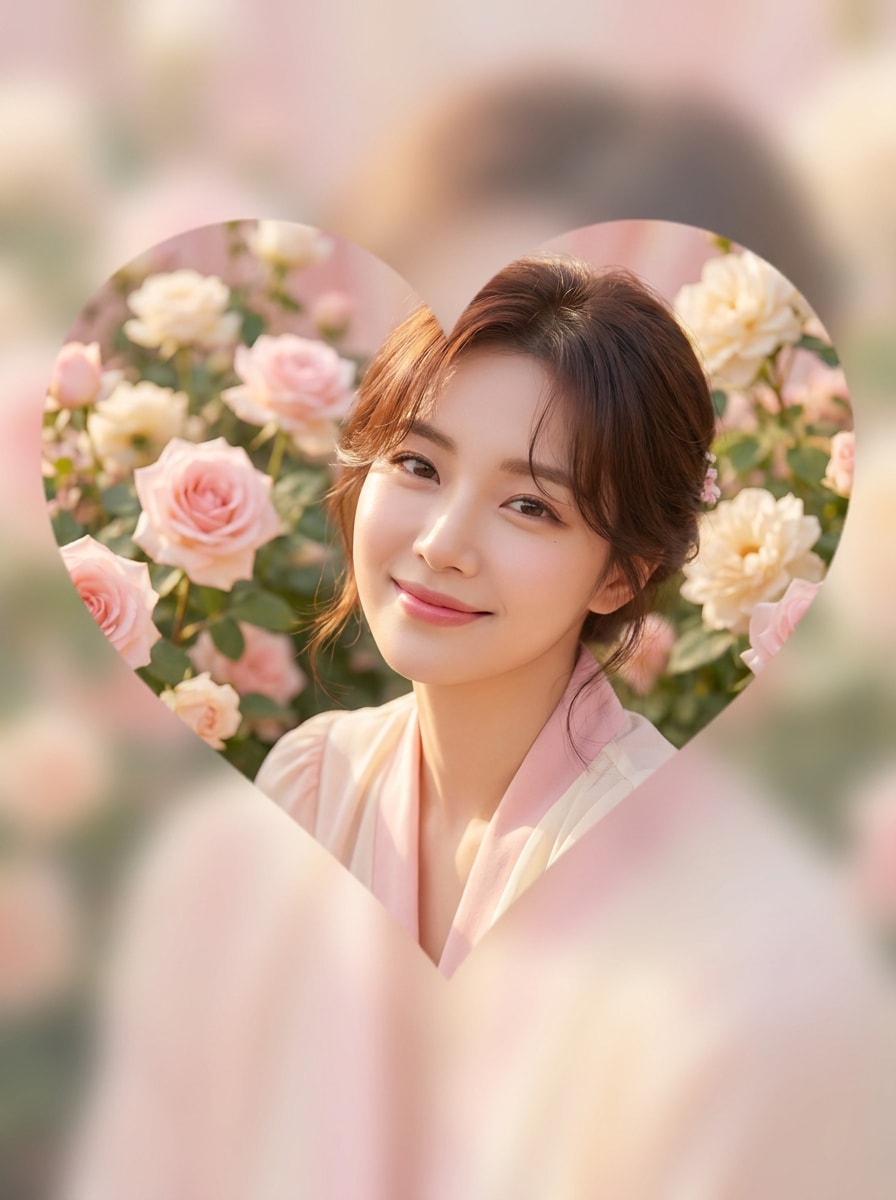
Heart Shape Mask

Heart Shape Mask

Use the uploaded image as the subject and reveal it through a heart-shaped mask, keeping the face or focal point centered, with smooth elegant edges, soft pastel background, romantic warm lighting, gentle pink and cream palette, and crisp social-post-ready quality with a sweet polished mood.

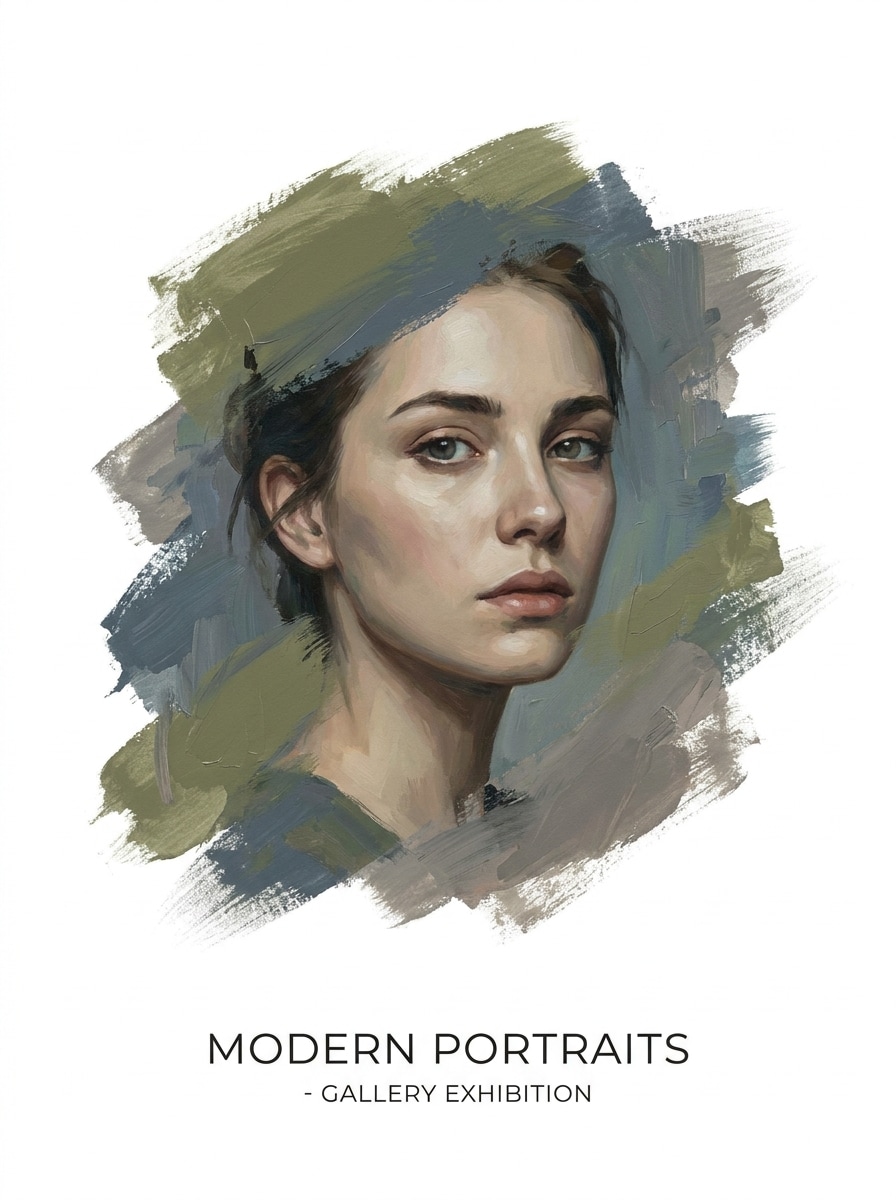
Brush Stroke Mask

Brush Stroke Mask

Use the uploaded image as the source and reveal the subject through a textured brush stroke mask, with visible painted edges, white negative space around the artwork, balanced composition, modern poster styling, subtle acrylic texture, soft directional light, and clean high-definition finish.

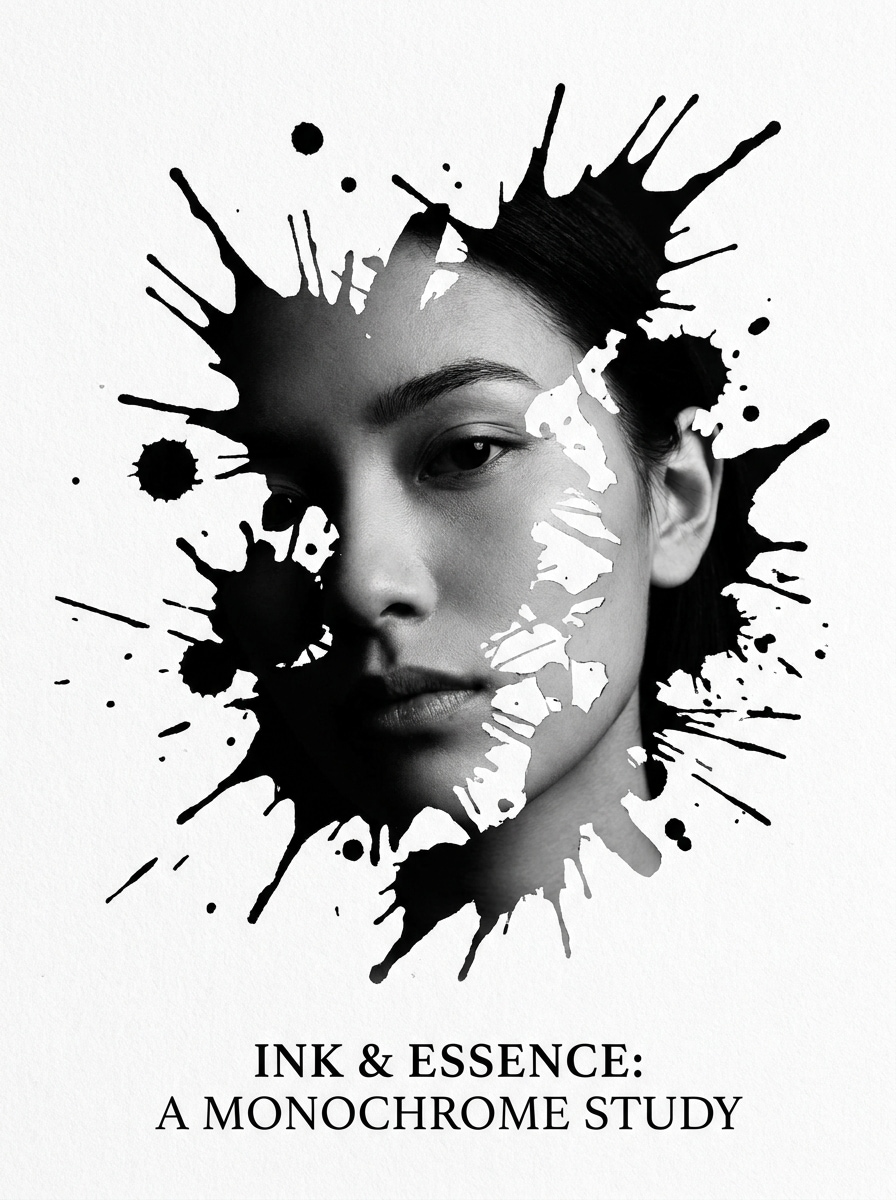
Ink Splash Mask

Ink Splash Mask

Use the uploaded image as the subject and transform it with an irregular ink splash mask, featuring dynamic splatter edges, dramatic monochrome styling, strong contrast, editorial art mood, controlled negative space, and sharp detail that makes the masked reveal bold and instantly eye-catching.

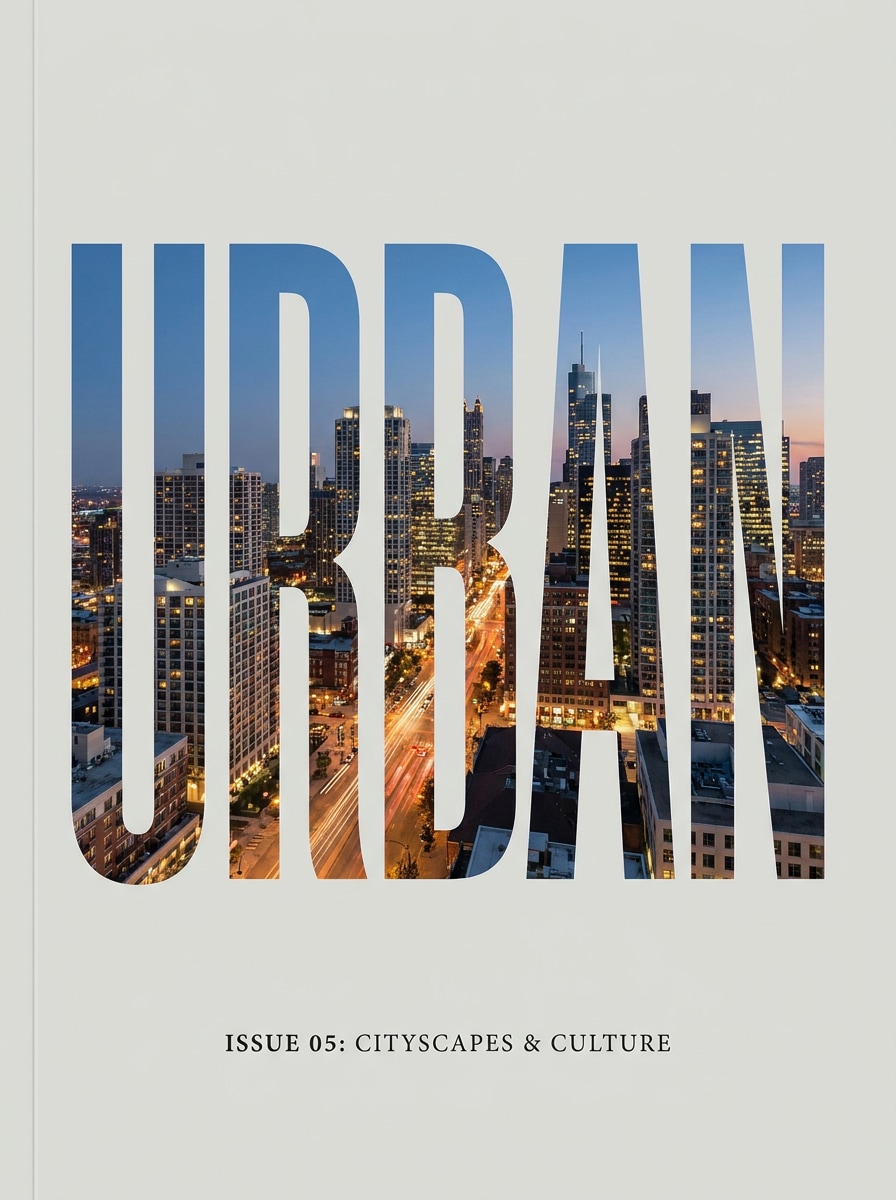
Photo Inside Text Mask

Photo Inside Text Mask

Use the uploaded image as the content source and place it inside large bold typography, creating a text mask with sharp letter edges, clean magazine-style spacing, high readability, balanced crop positioning, neutral background, and a polished editorial layout ideal for covers and social graphics.

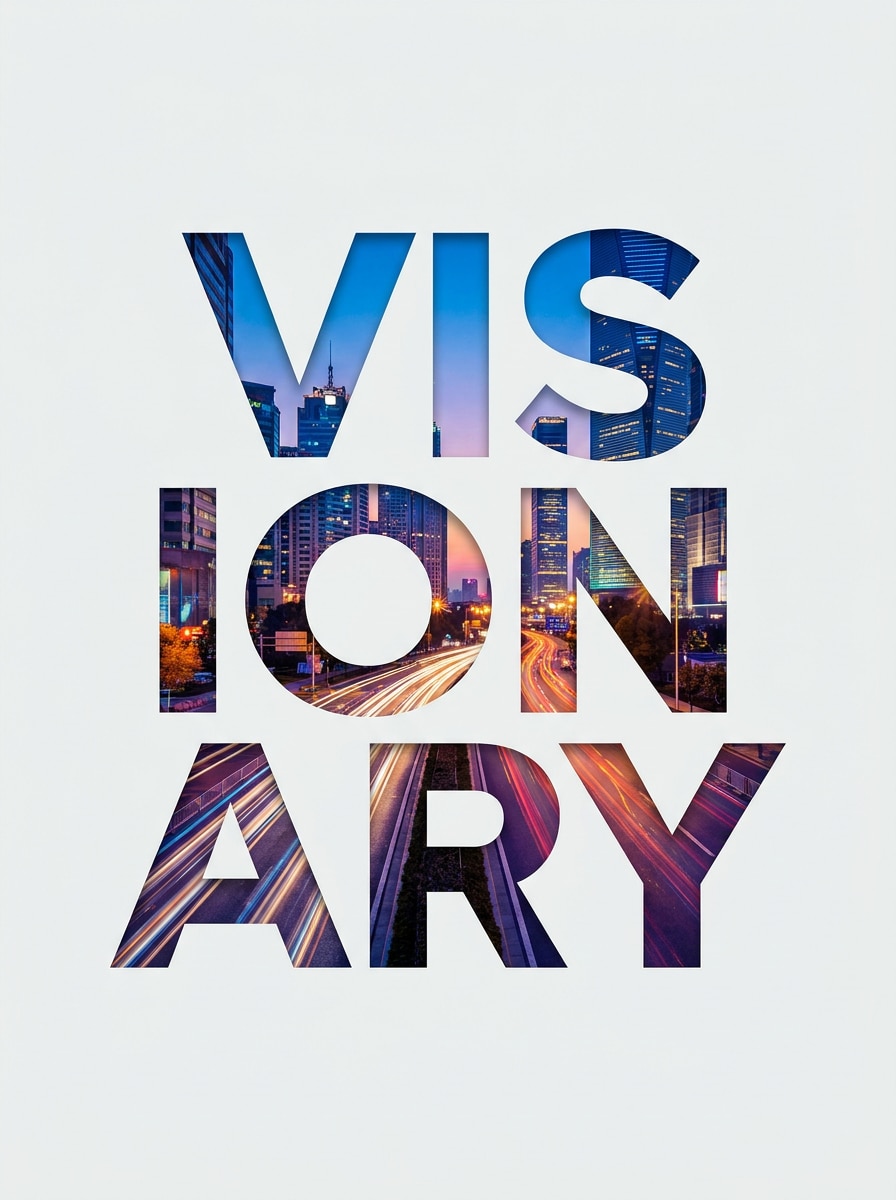
Name Cutout Mask

Name Cutout Mask

Use the uploaded image as the subject and turn it into a custom name cutout mask, filling bold sans-serif letters with the most expressive parts of the photo, while keeping a clean background, balanced spacing, modern branding feel, soft contrast, and crisp export-ready detail.

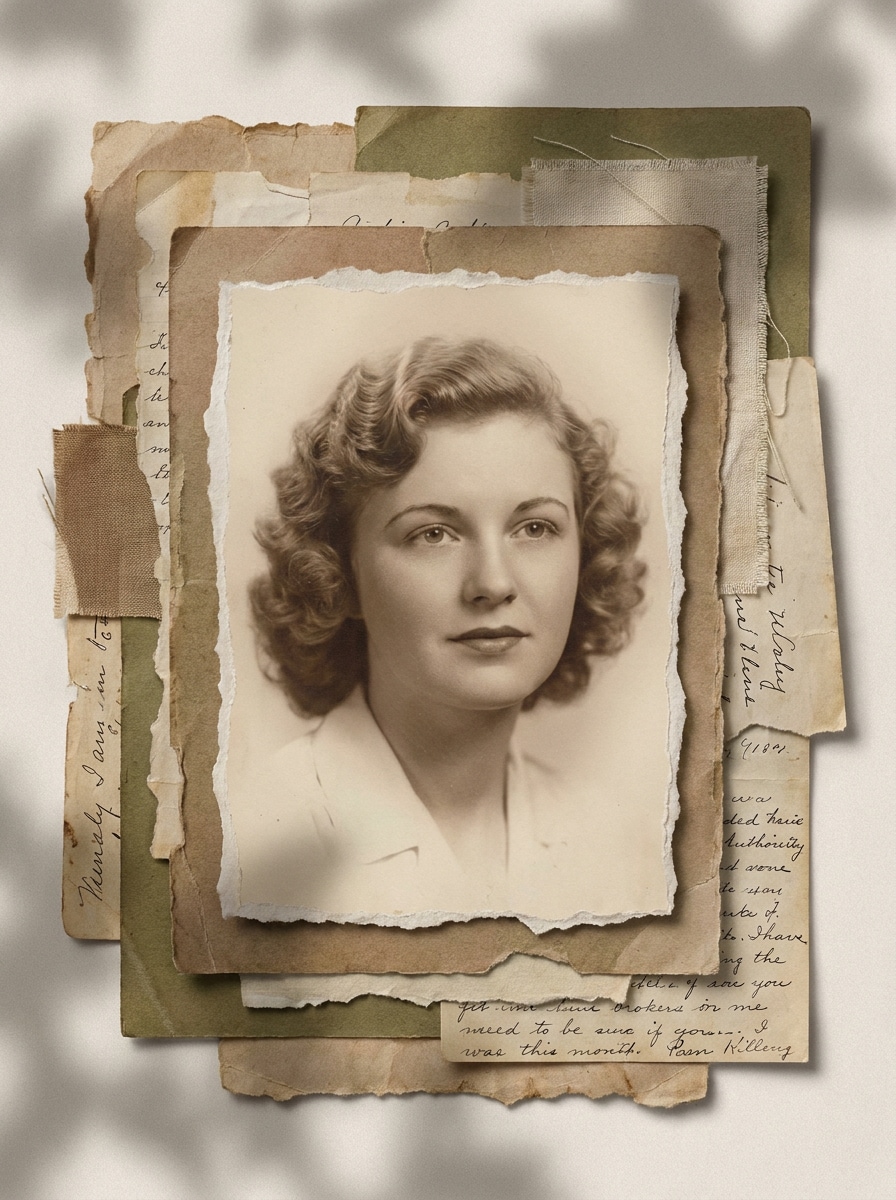
Torn Paper Mask

Torn Paper Mask

Use the uploaded image as the source and create a torn-paper mask around the subject, with uneven ripped edges, layered scrapbook styling, soft paper shadows, cozy muted colors, handcrafted collage mood, balanced composition, and clear detail that feels trendy without looking messy.

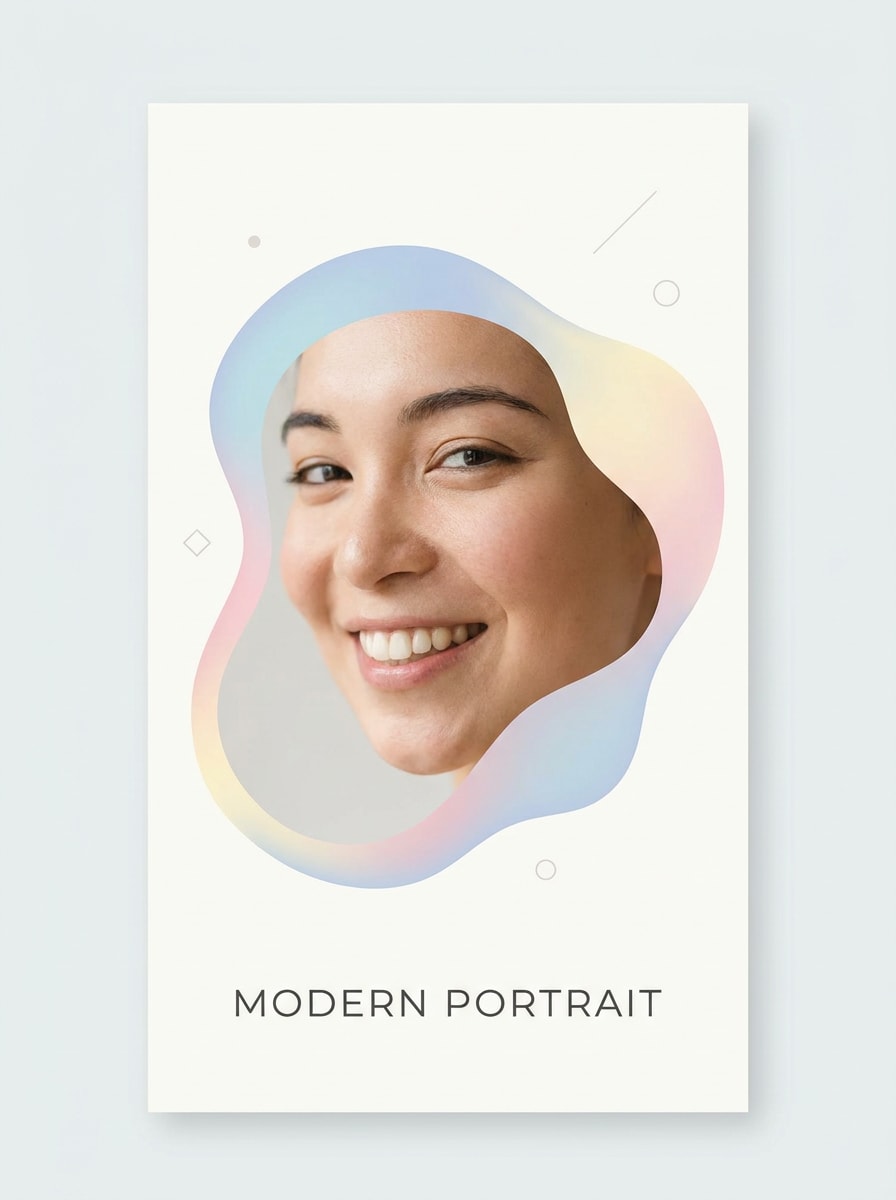
Organic Blob Mask

Organic Blob Mask

Use the uploaded image as the subject and frame it with a soft organic blob mask, featuring abstract rounded edges, pastel color accents, airy modern branding style, clean layout, gentle lighting, balanced focal placement, and smooth polished quality for stories, cards, or profile graphics.

Why Use Media.io to Add a Mask to a Photo

Keep your subject recognizable with upload-based editing

Across portraits, product shots, and branded visuals, Media.io uses your reference image to guide the edit, making it easier to add mask to image variations while keeping the person, angle, and overall visual identity consistent.

Explore Different Looks Without Losing Direction

A single idea often needs more than one look. Media.io helps reinterpret the same add mask to photo across different styles so each version can better match the project brief.

Generate Cleaner Output Up to 4K

For projects that need more than draft quality, Media.io helps produce add mask to photo with up to 4K output so details stay cleaner when you present, crop, or repurpose the final file.

Create face overlays, shape masks, and text reveals in one workflow

Creative work rarely stays on one screen. Media.io keeps the add mask to photo workflow in your browser, so you can start on phone and finish on desktop without stopping to install extra software.

How to Add a Mask to a Photo Online

Turn your words into stunning visuals in three simple steps, then continue refining the result if you want to take it further.

how to use image to image AI for add mask to photo step 1
Step 1

Upload Your Reference Image

Start with a clear JPG, PNG, or JPEG photo. A well-lit selfie, portrait, product shot, or simple graphic gives the tool a strong base for face mask editing, shape masking, or creative overlay effects.

how to use image to image AI for add mask to photo step 2
Step 2

Describe the Change and Set Options

Enter the mask style you want, such as a realistic face covering, circular crop, torn-paper reveal, or masquerade mask filter. Then choose your model, aspect ratio, resolution, and how many variations you want to generate.

how to use image to image AI for add mask to photo step 3
Step 3

Generate, Download, and Keep Improving

Generate several versions, compare edge quality and placement, then download your favorite result. If needed, refine the prompt, adjust composition, or make another pass to add a mask to image layouts for different posts and formats.

Unlock the Potential of Add Face Mask To Photo Online Free

See how creators use Media.io’s Add Mask To Photo for content, marketing, and personal projects, then adapt each idea to fit the brief.

Upgrade selfies with realistic or stylish face overlays

Use Media.io as a face mask photo editor to place medical, fashion, or costume-inspired coverings on portraits for profile images, social posts, or concept previews. It is a fast way to test different looks without reshooting the original photo.

Build scroll-stopping graphics for social and branding

Turn everyday photos into circle crops, heart reveals, brush masks, or text-filled covers for reels, promos, and thumbnails. Media.io makes photo editing face mask concepts feel more flexible when you want to add a clean design layer while keeping the subject easy to recognize.

Create themed invitations, posters, and collage visuals

For scrapbook layouts, event cards, or dramatic edits, Media.io lets you add a mask to a photo with torn-paper textures, ink splashes, or elegant costume styling, including a masquerade mask filter feel. It is a practical option for creators who want more than a basic sticker effect.

What Users Say About Media.io Mask Edits

user
Sofia M.

Social Content Creator

star star star star star

"Fast way to create dramatic portrait edits" I used it to add a black face mask and a text-mask cover for Instagram. The results looked clean, and I liked being able to generate multiple versions before downloading.

user
Daniel R.

Freelance Designer

star star star star star

"Useful for shape masks and collage layouts" The circle, brush, and torn-paper styles were surprisingly polished. I could move from a simple portrait edit to a poster-style composition without opening a heavier desktop editor.

user
Nina T.

Small Business Owner

star star star star star

"Easy browser workflow on mobile" I needed a quick masked image for a promo story and did the whole thing from my phone browser. Upload, prompt, generate, and export felt straightforward.

user
Marcus L.

Student Creator

star star star star star

"Great for experimenting with different mask looks" I tested a heart mask, an ink splash, and a realistic face overlay on the same portrait. It saved time, and the higher-resolution export options made the final image look sharp.

FAQs About Face Mask Photo Editor

1. How do I add a mask to a photo online?

Upload your image to Media.io, describe the mask effect you want, and generate the edited result in your browser. You can use Media.io to add a face overlay, apply a shape crop, create a text reveal, or add a mask to a photo for collage-style designs without complex manual editing.

Free users can try Media.io with free credits, which is useful if you want to test how to add a mask to a picture before subscribing. For more usage, extra credits, and watermark-free high-resolution downloads, you can review the pricing page. Free exports may include a watermark.

You can customize the add mask to photo result in Media.io by adjusting the theme, color palette, layout, illustration style, and empty space directly in the prompt.

You can mask a picture on iPhone by opening Media.io in your mobile browser, uploading your photo, entering the effect you want, and generating the result online. Since Media.io is web-based, you do not need a separate app to try a quick face mask editing idea, shape crop, or layered social graphic from your phone.

Yes, Media.io lets you use the same source photo for different masked variations. For example, you might create one version with a realistic face covering and another where you add a mask to image areas with a circle, heart, or text-based reveal, which is useful if you want both a simple sticker look and a more design-focused composition.

Media.io includes quality controls that help keep results sharp during face mask editing and other masked image effects. You can choose up to 4K output, so whether you need social content or higher-quality graphics, Media.io gives you more control over final clarity and detail. Free users may have watermarks.

Media.io Online AI Tools Quality Rating:
vote 4.7 (162,357 Votes)