画像から画像生成
Nano Banana Pro
0/2000
1K
自動
1
Banana Pro無制限モード
作品
アイデアハブ
すべて
生成リスト
作品は 7 日間保存されます。アップグレード後に作成されたアセットは永久保存されます。
ai_video_generator創造力を解き放ち、Media AIの魔法をすぐに体験しよう!

1980s Prom Photo Filter for Instant Retro Glamour Portraits

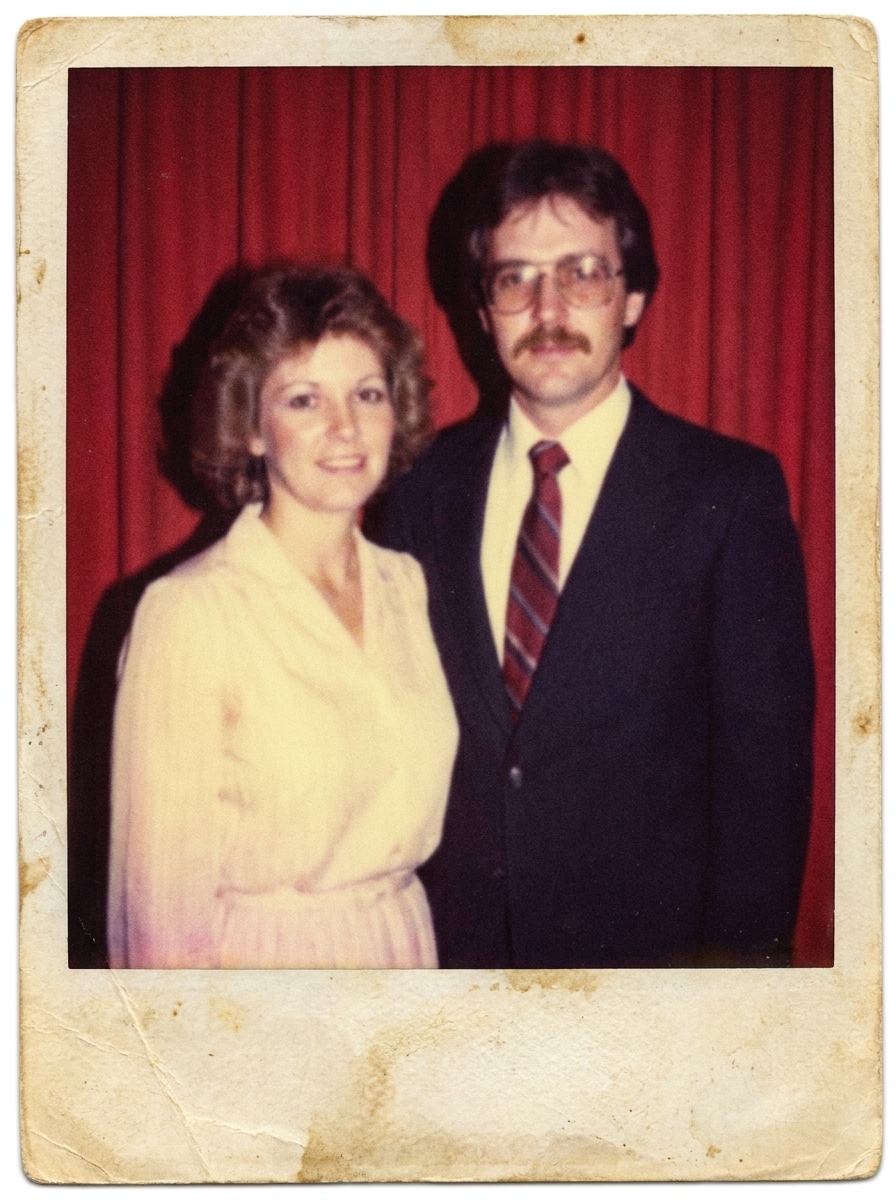
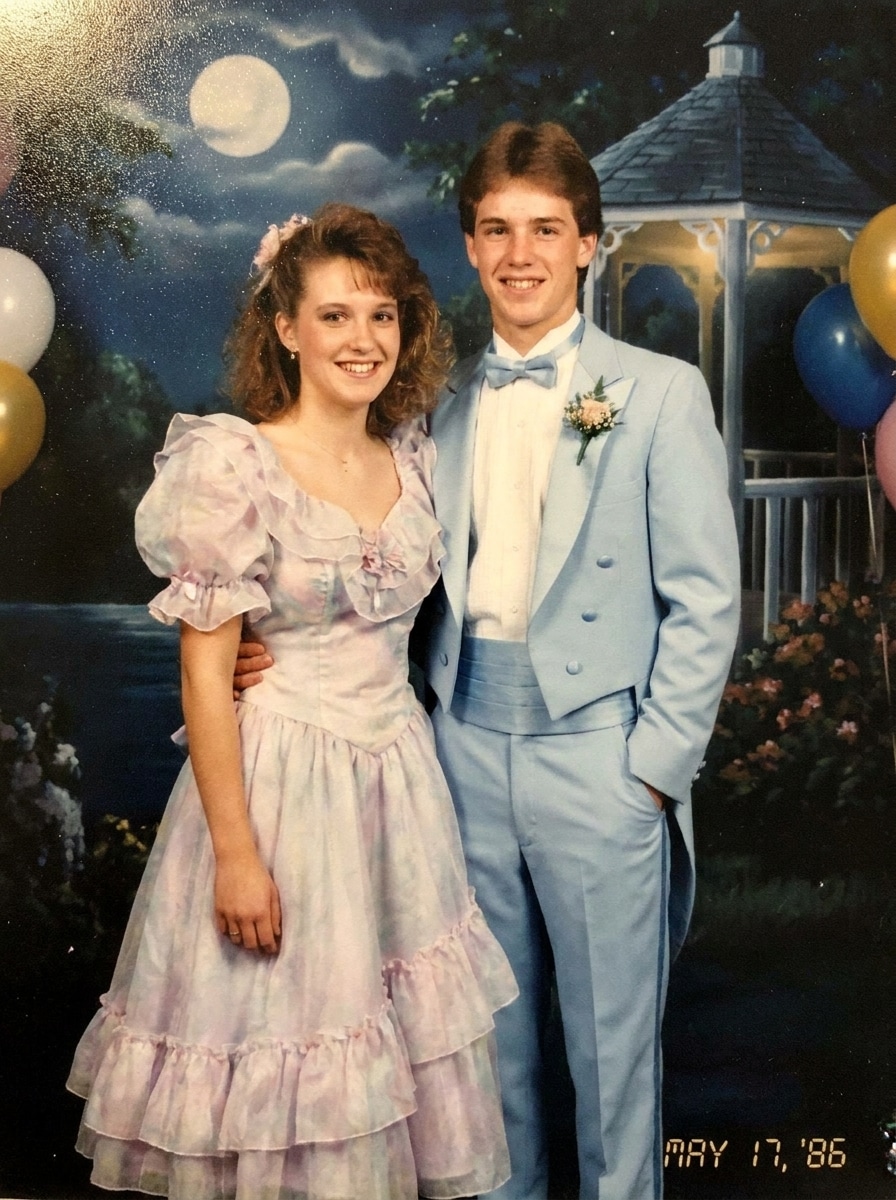
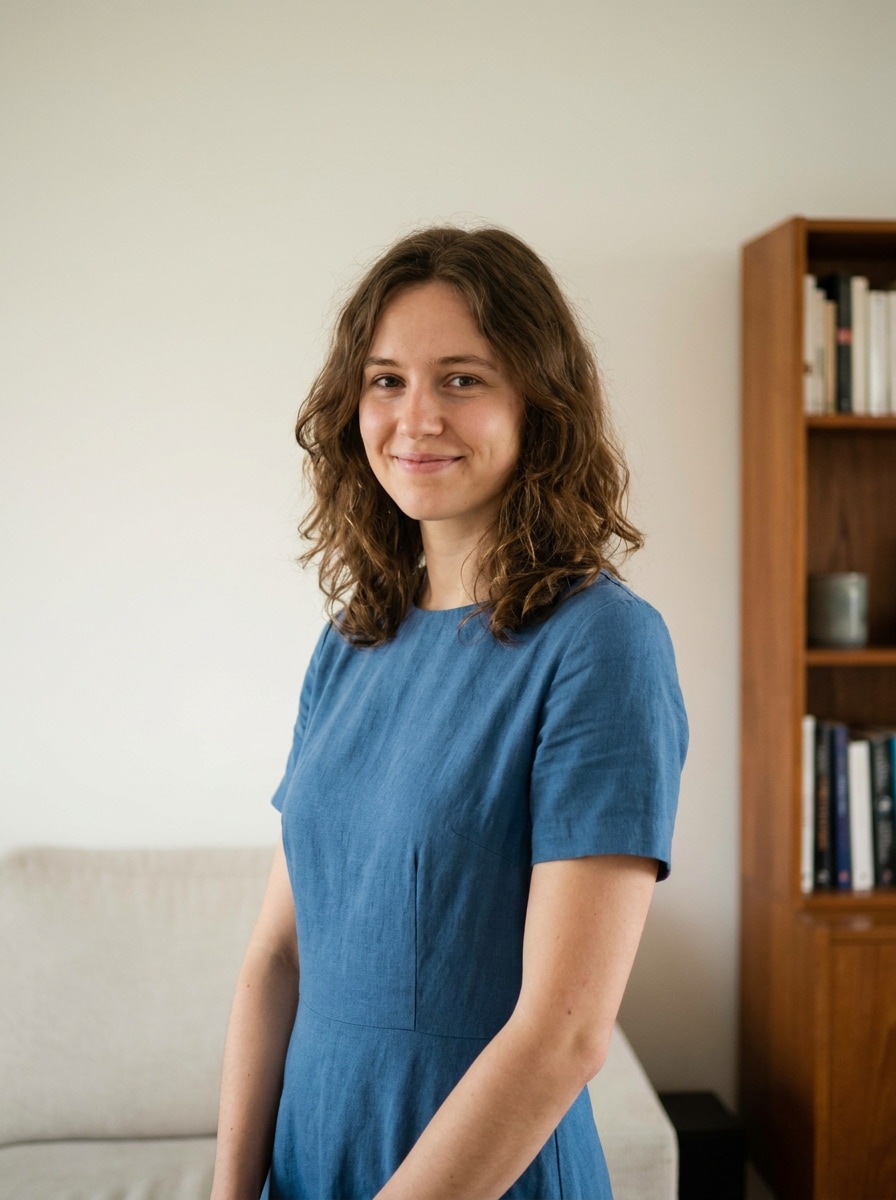
1980S Prom Photo Filter Before
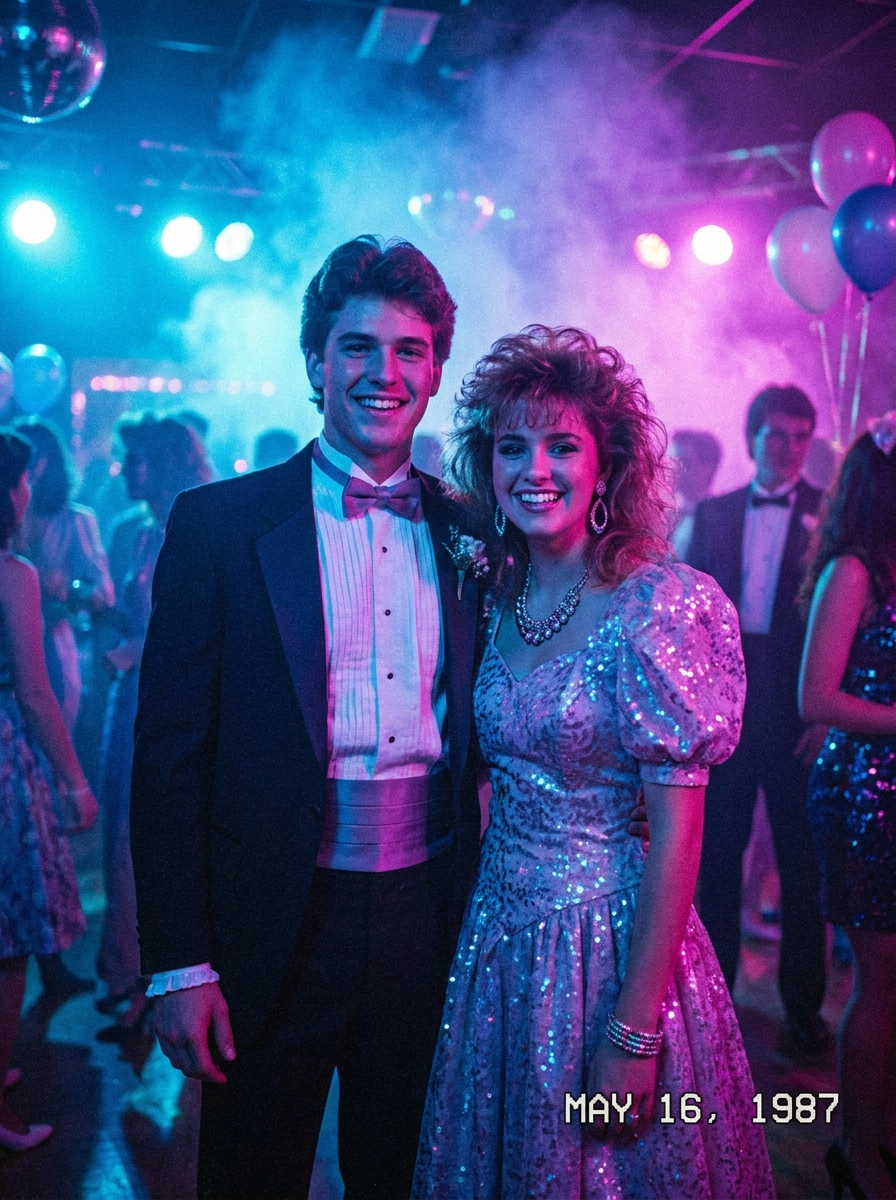
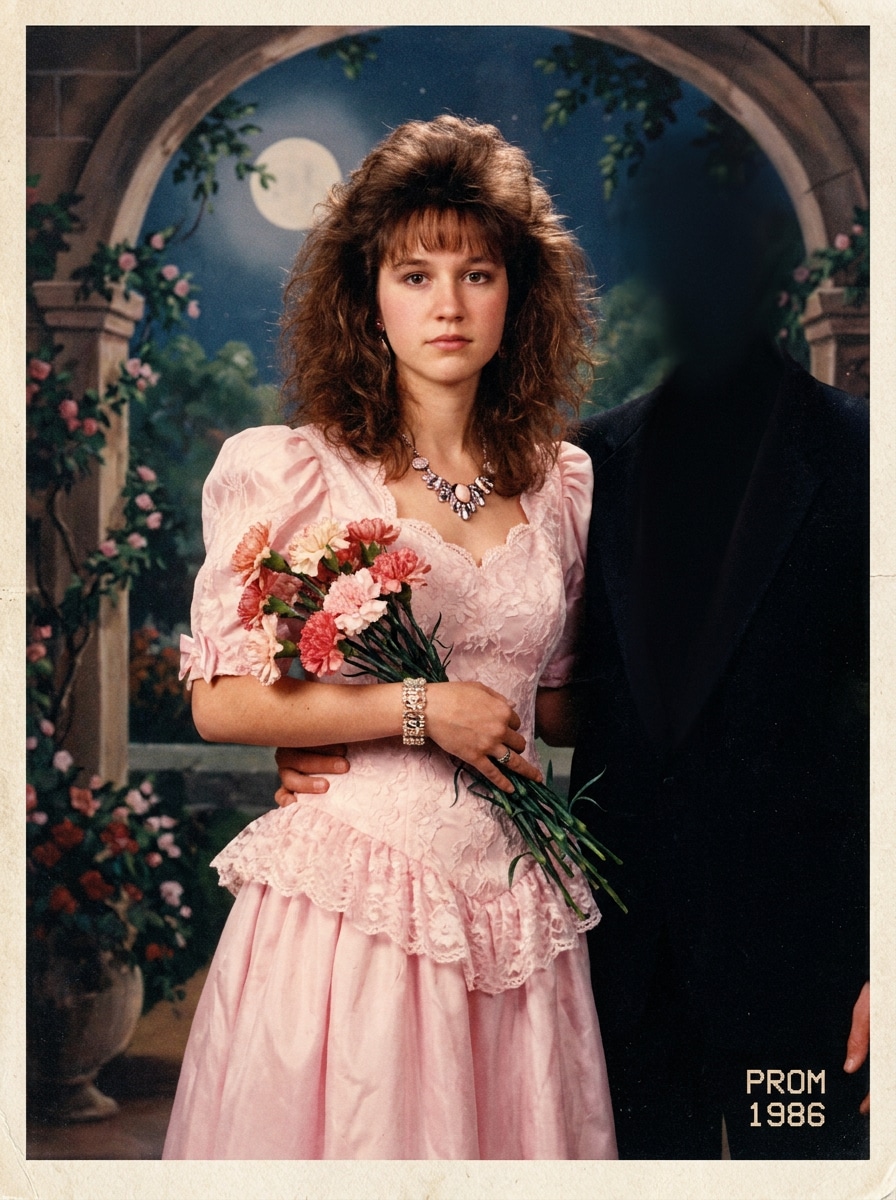
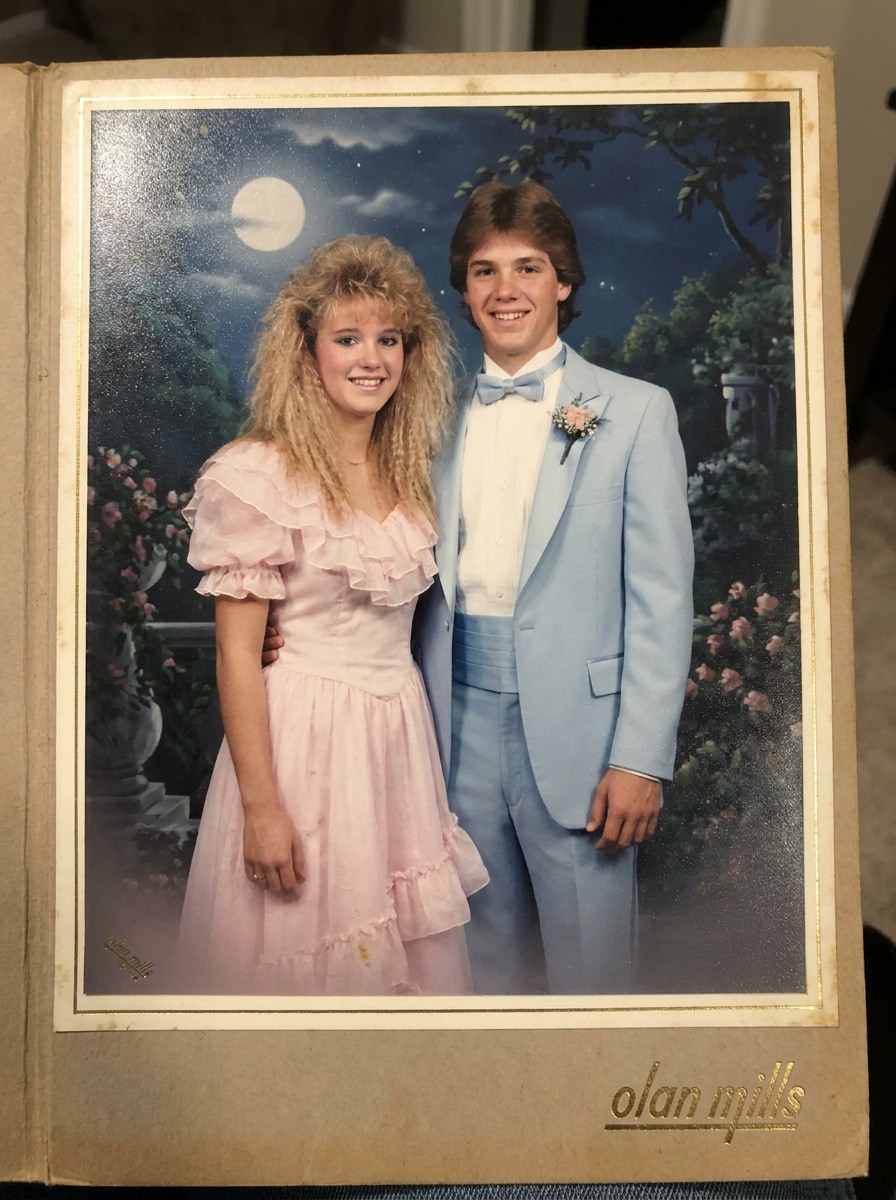
1980S Prom Photo Filter After

Turn any selfie or group shot into a nostalgic prom-night portrait with our 1980s prom photo filter. Upload your photo, choose an 80s glamour filter, yearbook look, or neon studio style, and create a funny, shareable, high-resolution throwback in minutes.

Create My 80s Prom Photo

Type your idea -> AI designs it. Free to try.

Review these example directions, then tailor the prompt details to get stronger results with this AI 1980s prom filter.

Awkward 80s Prom Portrait

Awkward 80s Prom Portrait

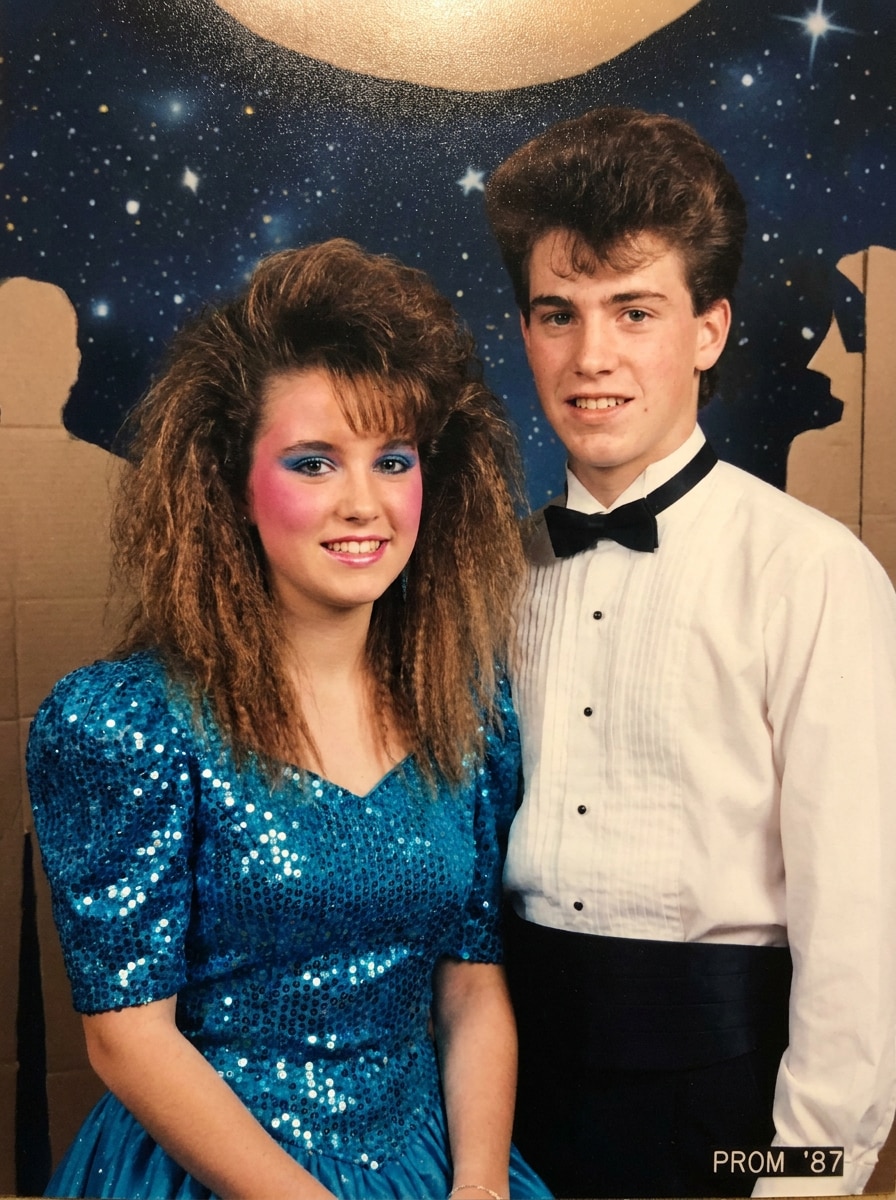
Use the uploaded image as the subject and transform it into an awkward 1980s prom portrait with teased hair, pastel formalwear, a slightly stiff prom pose, soft flash lighting, a painted studio backdrop, subtle film grain, and an authentic department-store photo mood.

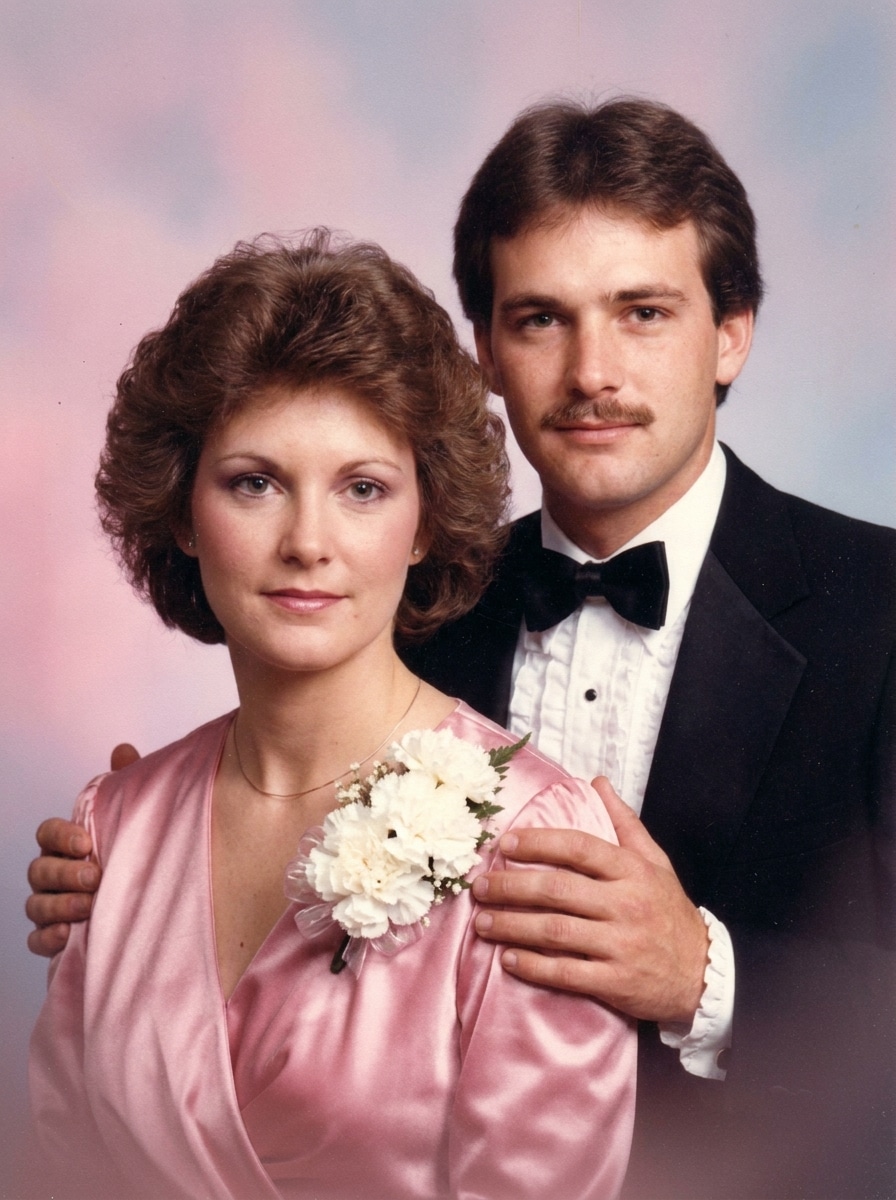
Prom Couple Photo

Prom Couple Photo

Use the uploaded photo as the subjects and restyle it as a classic 1980s prom couple portrait with a corsage, ruffled tuxedo details, a satin dress, hands-on-shoulders pose, soft studio lighting, pastel gradient backdrop, nostalgic smiles, and lightly faded film texture.

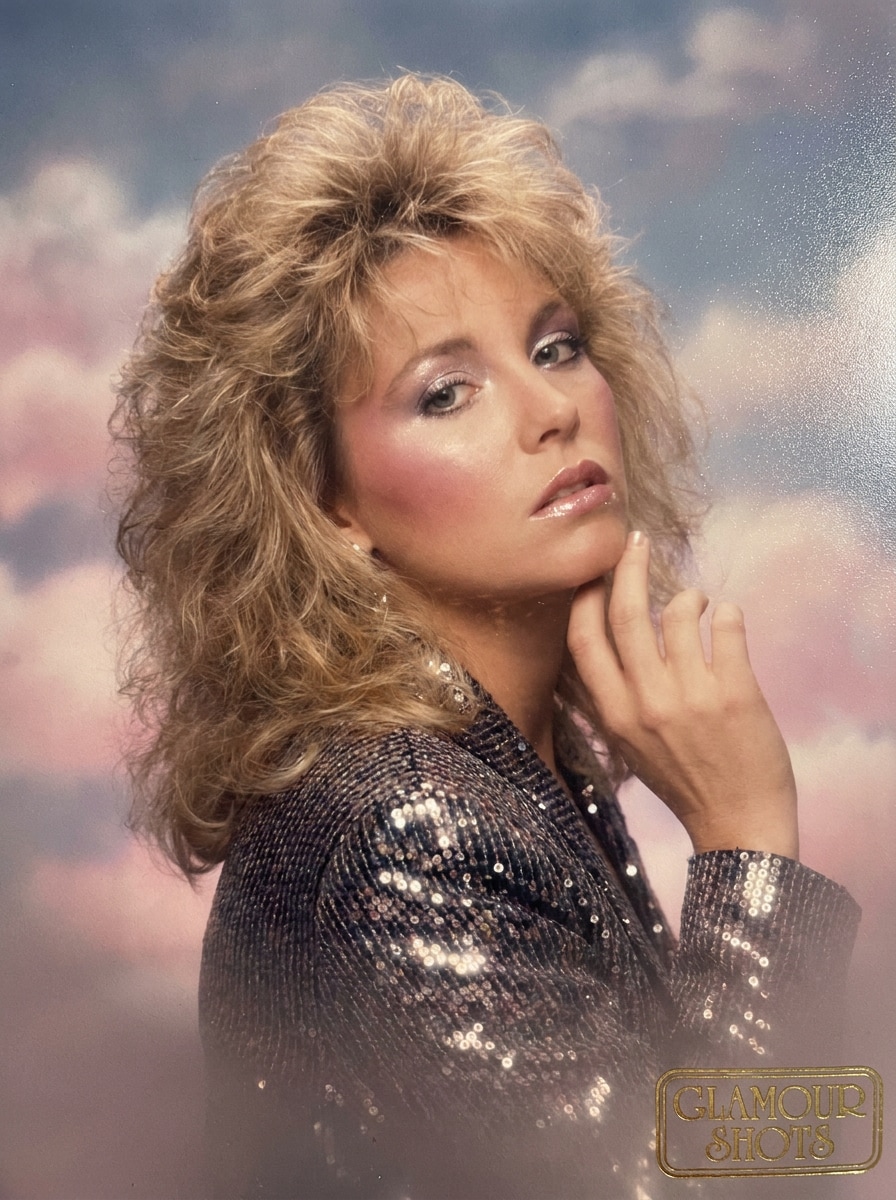
Mall Studio Glamour Shot

Mall Studio Glamour Shot

Use the uploaded image as the subject and turn it into a glossy 80s mall glamour portrait with feathered hair, polished makeup, a dramatic shoulder pose, diffused lens softness, pink-and-blue studio backdrop, airbrushed print finish, and classic retro portrait charm.

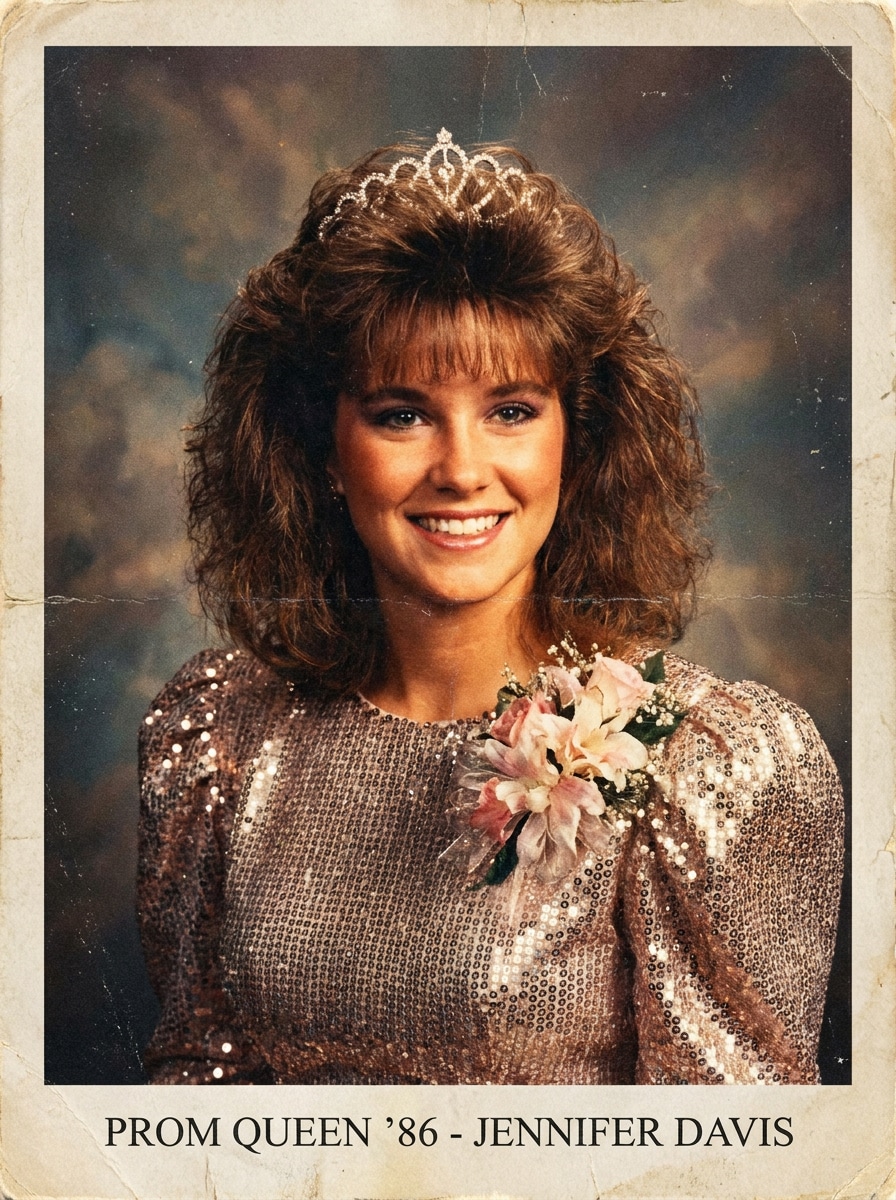
Yearbook Prom Queen

Yearbook Prom Queen

Use the uploaded image as the subject and transform it into an 80s prom queen yearbook portrait with teased bangs, a sparkling dress, corsage details, warm flash lighting, confident studio smile, faded print colors, and subtle paper-photo texture for a believable vintage finish.

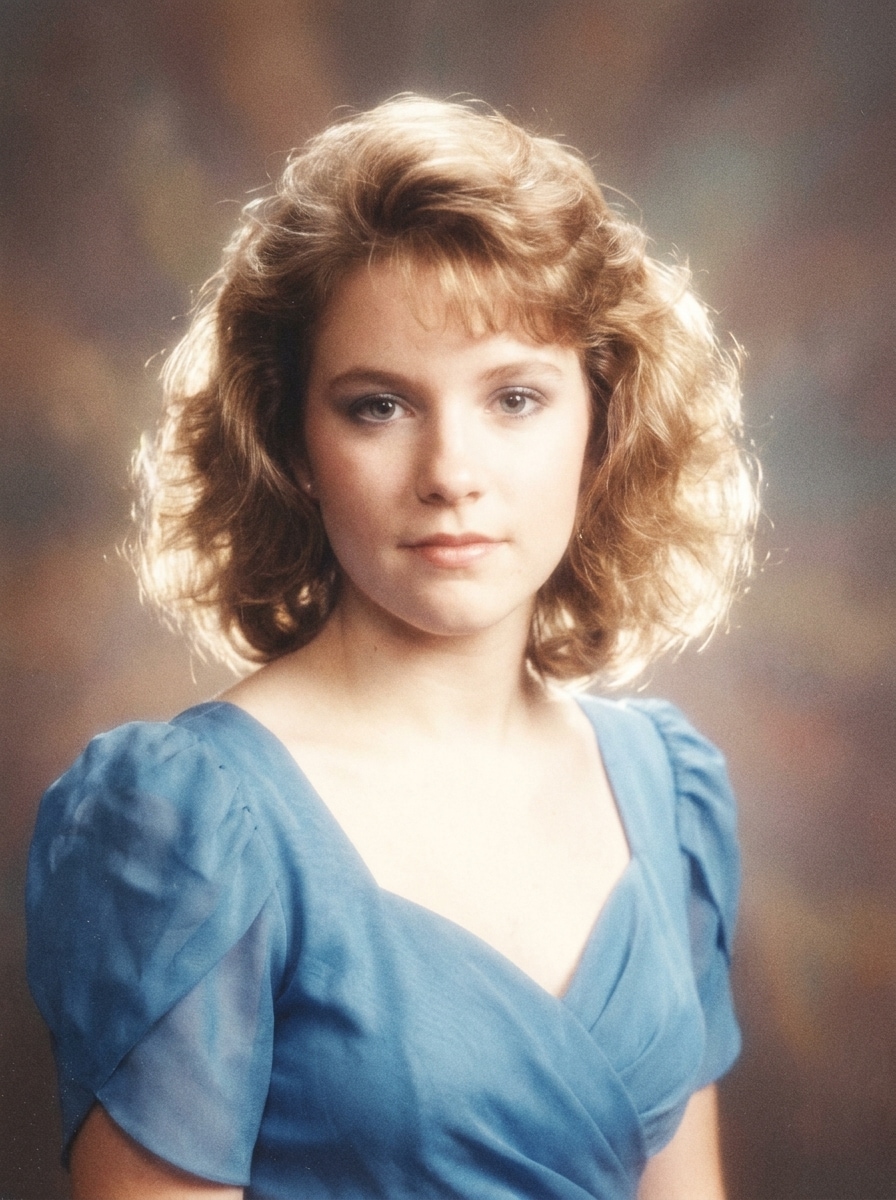
Soft Focus Film Portrait

Soft Focus Film Portrait

Use the uploaded portrait as the subject and apply a dreamy 80s prom film look with soft-focus lens bloom, analog grain, slight flash overexposure, gentle color fading, smooth skin tones, and a printed-photo texture that feels nostalgic and authentic.

Faded Vintage Print

Faded Vintage Print

Use the uploaded image as the subject and make it look like a scanned 1980s printed prom picture with faded colors, low-contrast shadows, light blur, paper aging, flash-lit portrait styling, and realistic film grain for a true old-photo feel.

Neon Prom Night

Neon Prom Night

Use the uploaded image as the subject and transform it into an 80s neon prom-night portrait with blue and magenta lighting, light haze, shiny accessories, retro formalwear, synth-pop energy, glossy textures, and subtle VHS-era color treatment.

Synthwave Formal Portrait

Synthwave Formal Portrait

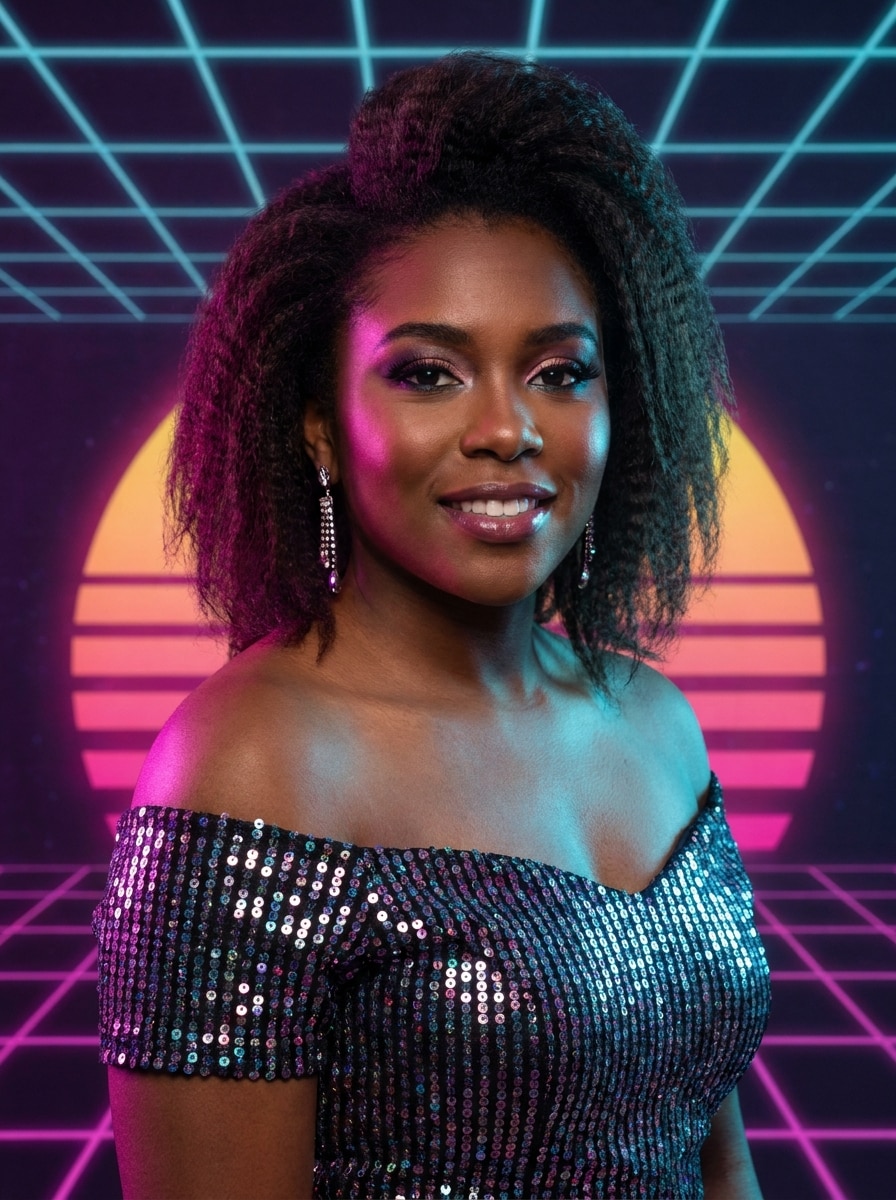
Use the uploaded image as the subject and restyle it into a synthwave-inspired 1980s formal portrait with magenta-cyan highlights, retro gradients, soft glow, polished studio composition, elegant prom styling, and a vibrant nostalgic mood.

Big Hair Prom Meme

Big Hair Prom Meme

Use the uploaded image as the subject and create a playful 80s prom makeover with oversized teased hair, dramatic bangs, bright makeup, a sparkly prom outfit, stiff formal posing, and exaggerated but believable vintage studio photography.

Cheesy Department Store Portrait

Cheesy Department Store Portrait

Use the uploaded image as the subject and make it look like a cheesy department-store prom portrait from the 1980s with an awkward pose, painted studio background, visible film grain, soft flash, dated colors, and intentionally nostalgic charm.

Why Use Media.io for an 80s Prom Transformation

Preserve Identity While Changing the Look

With Media.io, you upload your real selfie or couple photo and guide the makeover with a prompt, so your 80s portrait filter result keeps recognizable faces while adding believable prom-night styling and retro studio character.

Pick the Exact Retro Mood You Want

When style is part of the decision-making, Media.io helps you compare multiple directions from the same 1980s prom photo filter base, which makes creative selection more efficient.

Keep Results Sharp Enough to Share or Print

When a 1980s prom photo filter is headed for real publishing use, Media.io gives you sharper output up to 4K, which helps the image stay clear across presentations, backgrounds, and reused assets.

Edit Anywhere With a Fast Browser Workflow

Media.io keeps the 80s prom filter workflow in your browser, making it easy to start on a phone and finish on a desktop without installing extra software.

How to Apply an 80s Prom Photo Effect

Turn your words into stunning visuals in three simple steps, then continue refining the result if you want to take it further.

how to use image to image AI for 1980s prom photo filter step 1
Step 1

Upload Your Reference Image

Add a clear selfie, portrait, couple shot, or group photo in JPG, PNG, or JPEG format. A well-lit image with visible faces makes it easier to create a believable vintage prom makeover.

how to use image to image AI for 1980s prom photo filter step 2
Step 2

Describe the Change and Set Options

Enter a prompt describing the look you want, such as soft-focus yearbook, neon prom night, or retro prom filter glamour. Then choose your preferred model and adjust aspect ratio, image quality, and the number of variations.

how to use image to image AI for 1980s prom photo filter step 3
Step 3

Generate, Download, and Keep Improving

Create your edited image, compare different versions, and download your favorite result. If you want more teased hair, softer film grain, or a different backdrop, refine the prompt and generate again.

Unlock the Potential of 80S Glamour Filter

See how creators use this 1980s prom photo filter for content, marketing, and personal projects, then adapt each idea to fit the brief.

Make Viral Throwback Posts

Turn a normal selfie into a fake prom-night portrait that feels straight out of a mall photo studio. This retro prom filter style works well for TikTok, Instagram, birthday posts, or reaction memes built around exaggerated hair, corsages, and soft-focus flash.

Create Funny Couple and Friend Edits

Upload a date-night photo, best-friend portrait, or old group shot and restyle it into an awkward formal pose with matching vintage details. It is an easy way to create nostalgic content for anniversaries, reunions, and themed parties.

Design Retro Invitations and Profile Images

Use a polished 80s glamour filter look for party invites, event posters, avatars, or themed cover art. High-resolution output helps your edited prom portrait stay sharp across social graphics, printed cards, and digital keepsakes.

What Users Say About This Retro Prom Effect

user
Alyssa M.

Content Creator

star star star star star

"Hilarious and surprisingly authentic" I uploaded a simple selfie and got a full 80s prom makeover with soft lighting, big hair, and that awkward studio vibe. It looked funny in the best way and was easy to share right away.

user
Jordan T.

Social Media Manager

star star star star star

"Great for themed campaigns" We used it to make retro portraits for an event promo, and the results felt much more specific than a generic vintage effect. The different style options helped us match both playful and polished looks.

user
Priya S.

Student

star star star star star

"Perfect for friend photos" I wanted an old-school prom couple picture with my best friend, and the result nailed the cheesy department-store photo feel. It kept our faces recognizable while adding all the retro details.

user
Marcus L.

Event Designer

star star star star star

"Useful beyond just memes" I expected a novelty effect, but the high-resolution output made it practical for invitations and social banners too. The browser workflow was fast, and I didn’t need any extra editing software.

1980s Prom Photo Filter FAQs

1. How do I make a photo look like an 80s prom picture?

Upload a clear selfie, portrait, couple photo, or group image to Media.io, then describe the style you want, such as teased hair, satin formalwear, soft-focus flash, pastel studio backdrops, or yearbook-style texture. Media.io uses your reference image to create a retro prom transformation while keeping the subject recognizable.

Yes, free users can try the effect with available free credits. If you need more generations or want watermark-free high-resolution downloads, you can explore the pricing page for subscription options.

You can create several looks, including awkward studio prom portraits, couple poses, soft-focus film edits, yearbook-style images, neon prom-night scenes, and polished 80s glamour filter results. Media.io lets you guide the mood with your prompt and choose a style that feels funny, nostalgic, or more polished.

Media.io is web-based, so you can use this retro prom filter on any device with a browser, including phones, tablets, laptops, and desktops. That makes it easy to upload a photo and generate an edit without installing an app.

You can usually get a first draft quickly, then improve it with short prompt edits instead of rebuilding the entire design from scratch.

Yes, Media.io offers resolution options including 1K, 2K, and 4K for image-to-image generation. That means your edited prom portrait can stay sharp for social posting, profile use, or print-ready designs, especially if you choose a higher output setting. Free users may have watermarks.

Media.io Online AI Tools Quality Rating:
vote 4.7 (162,357 Votes)