初回サブスクリプションは最大で50%オフ!
今すぐ購入

Chinaza Dynamic Filter AI:写真から動画を作成

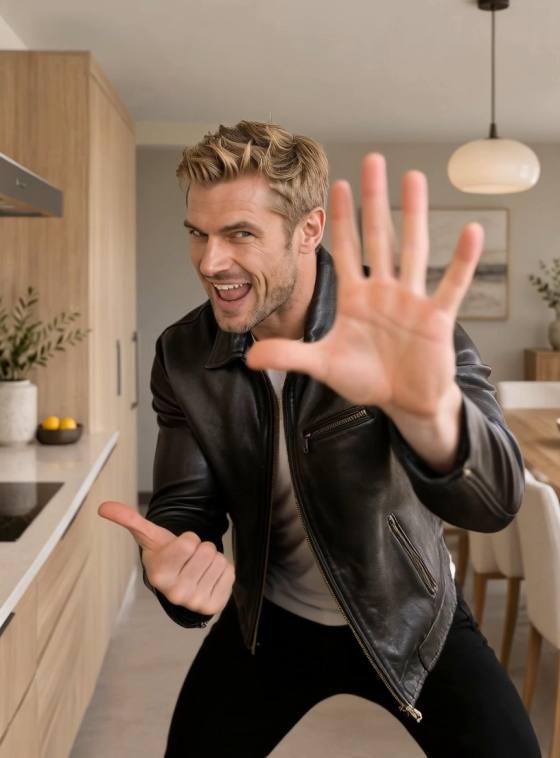
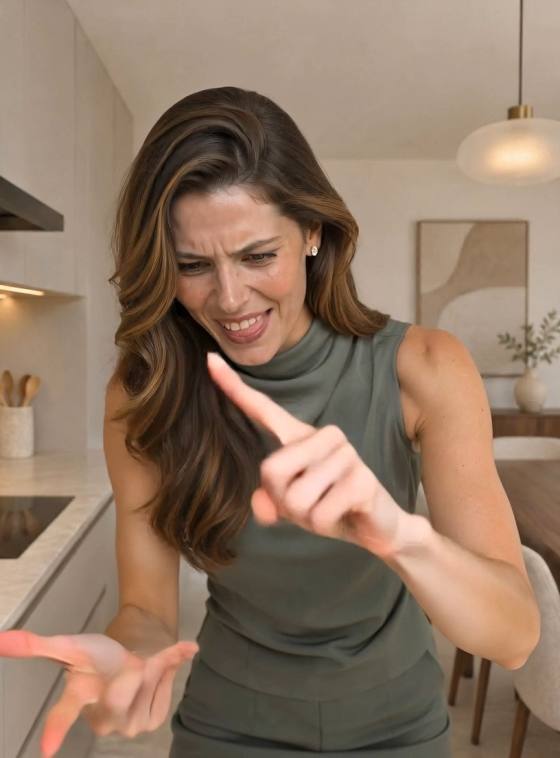
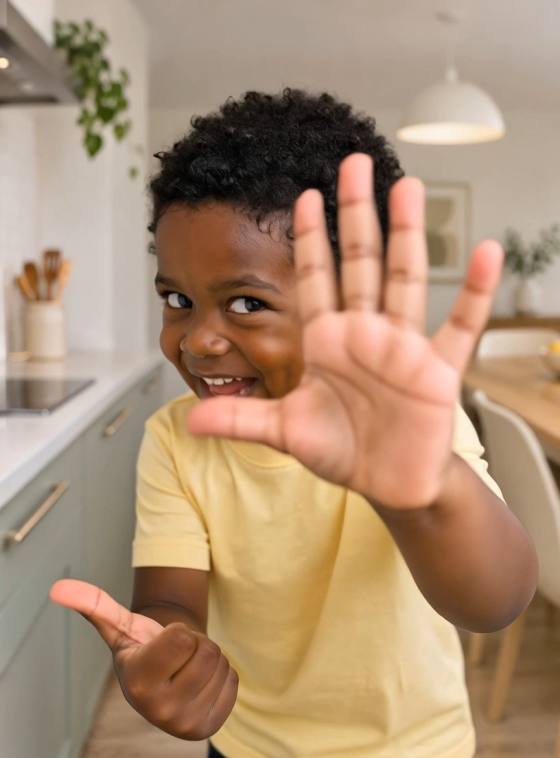
あなたの写真を、遊び心のある前かがみの動きや笑い、腕のジェスチャーを取り入れた、Chinaza Dynamic Filter 風のAI動画に変換しましょう。プロンプトと手順をチェックしてください。
すべての投稿

Chinaza Dynamic Filter AI Video Generator

Turn your photo into a Chinaza Dynamic Filter-inspired AI video with Media.io. Make the person lean toward the camera, laugh, open their arms and point at the lens. Explore copyable prompts for a solo performance or a two-person version. Animate a photo for your own take, or use a matching template or video reference in a compatible mode to guide a specific routine.

Animate My Photo

Use a clear waist-up or full-body photo with room around the arms. Matching a specific routine requires a suitable template or supported video-reference mode.

Your Photo. A Playful Chinaza Performance.

Bring the Chinaza Trend to Life

The Chinaza Dynamic Filter AI trend brings a still photo into an exaggerated camera-facing performance: a forward lean, an open-mouthed laugh, arms spread wide and a playful point at the lens. The contrast between a posed photo and sudden expressive movement makes the result memorable.

Keep Your Face and Original Scene

A Chinaza AI video starts with your appearance and setting. Use a clear photo to define the face, hairstyle, outfit and background, then describe the movement. Ask for a fixed camera so the person creates the close-up by leaning forward. Review identity and background consistency after generation.

Try a Solo or Two-Person Version

Create a Chinaza Dynamic Filter video from one photo of yourself, or try a two-person AI performance using a shared image. Keep both faces clear and leave space between people. Start with a solo version, then adapt the arm gestures and pointing for two performers.

Choose Prompts or a Motion Reference

Explore Chinaza Dynamic Filter prompts for a new performance, or follow a matching reference in a supported mode. A reference can guide action order and timing; text alone gives you an interpretation. Add your chosen audio separately when needed, and check mouth movement before calling it lip-sync.

How to Make a Chinaza Dynamic Filter AI Video

01

Step 1: Choose Your Photo and Workflow

Choose a sharp waist-up or full-body photo with a clear face and room for both hands. For a simple photo-to-video performance, use the photo directly. If you only have a tight selfie, prepare a wider image first. To follow a specific Chinaza clip, choose a matching template or supported video-reference mode.

02

Step 2: Animate the Chinaza Gestures

Use a Chinaza Dynamic Filter prompt to animate a forward lean, joyful laugh, backward movement, open arms and a final point at the camera. Start with a short sequence that fits the selected duration. For a specific routine, use the matching reference only in a mode that accepts it.

03

Step 3: Review, Add Audio and Share

Preview your Chinaza Dynamic Filter AI video for a recognizable face, natural teeth, separate fingers and a stable background. Reduce the lean or simplify gestures if details distort. Add your chosen music afterward when needed; expressive mouth movement does not guarantee synchronized lyrics.

Chinaza Dynamic Filter Prompts for Photos and Videos

user
Prepare Your Chinaza Photo

Input: A portrait that needs a wider composition, used in a compatible image-editing mode

star star star star star

Image Prompt: Prepare Your Performance Photo. Use the uploaded photo as the appearance reference. Create a realistic starting image for a Chinaza Dynamic Filter-inspired AI video. Keep the same person, face, hairstyle, outfit and original setting. Show the person facing the camera in a relaxed waist-up pose, with both hands visible and open space beside the arms and above the head. If the photo is tightly cropped, extend the composition naturally and keep the existing background consistent. Use even facial lighting and a natural phone-photo perspective. Vertical 9:16 composition. No added people, duplicated limbs, text or logos. This is a preparation image, not an animation.

user
Follow a Chinaza Motion Reference

Input: A clear person photo and a matching Chinaza clip in a supported video-reference mode

star star star star star

Reference Prompt: Follow the Chinaza Routine. Use the photo as the appearance reference and the supplied video as the motion reference for a Chinaza Dynamic Filter AI performance. Animate the person following the reference performer's forward leans, backward movements, arm gestures, laughter and pointing sequence. Preserve the person's face, hairstyle, body proportions and outfit from the photo. Keep the original photo background and use a fixed camera. Follow the reference action order and timing as closely as the selected mode allows. Keep hands natural and the face recognizable during close-ups. No extra people, scene cuts, text or logos. Do not extend the routine beyond the supplied reference. Audio and lip-sync support depend on the selected mode.

user
Animate Your Solo Performance

Input: A clear waist-up or full-body photo for image-to-video; no motion reference required

star star star star star

Video Prompt: Lean In, Laugh and Point. Animate the person in the uploaded photo into a playful Chinaza-inspired AI video. Start facing the camera with a small smile. Lean forward toward the lens with an exaggerated joyful, open-mouthed expression, then move back to the starting position. Open both arms wide, laugh and finish by pointing one index finger toward the camera. Preserve the same face, hairstyle, outfit and original setting. Use one continuous shot with a fixed phone camera, natural body movement and space for both hands. Keep the background stable and anatomy believable. No cuts, extra people, text or logos. This prompt creates an original interpretation; add the desired soundtrack separately.

user
Try the Chinaza Trend Together

Input: One shared photo of two people; use a compatible image-to-video mode

star star star star star

Video Prompt: A Two-Person Chinaza Performance. Animate the two people in the uploaded photo into a Chinaza Dynamic Filter-inspired duet. Keep each person in their original left or right position with the same face, hairstyle and outfit. Both smile and lean slightly toward the camera together, then return to their starting positions. They open their arms within their own space, laugh and each raise one hand in a playful pointing gesture toward the lens. Keep a small gap between them so arms and hands remain separate. Preserve the original background and a fixed camera in one continuous shot. No identity swaps, merged bodies, extra people, text or logos. Simplify the gestures if synchronization becomes unstable. Add music separately if needed.

FAQs About the Chinaza Dynamic Filter AI Trend

1. What is the Chinaza Dynamic Filter AI trend?

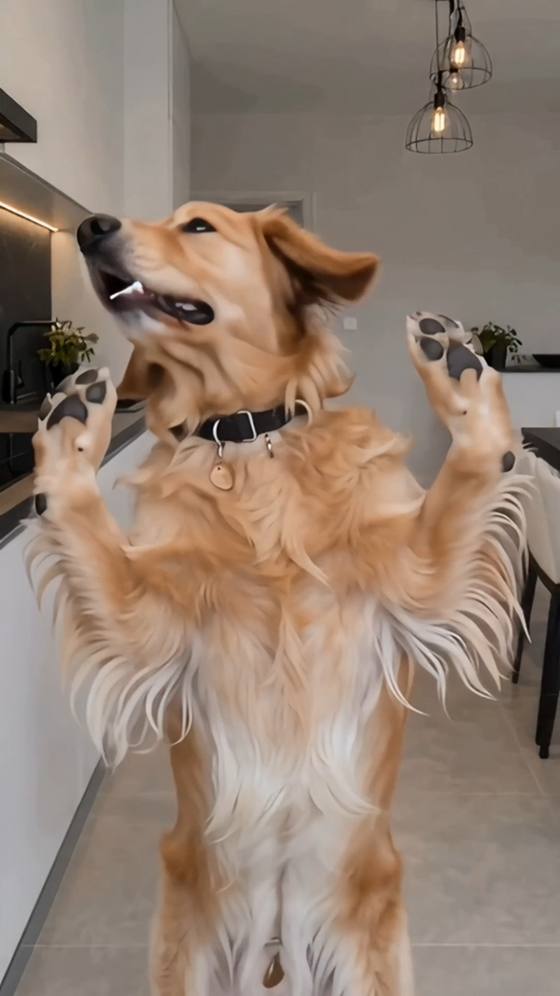
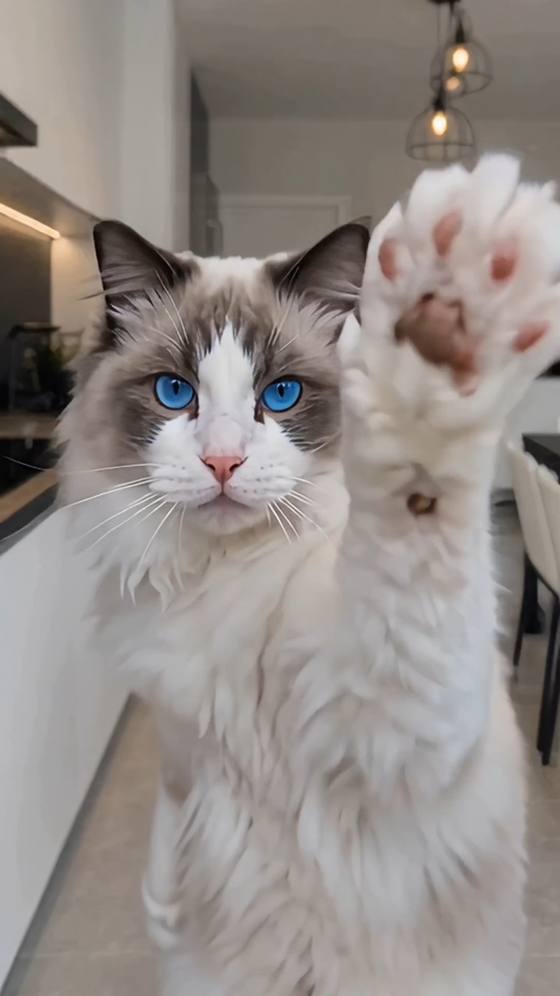
The Chinaza Dynamic Filter trend turns a still photo into a short, expressive AI performance. The person leans toward the camera, laughs, spreads their arms and points at the lens. Variations feature solo performers, pairs or pets. The recognizable element is the exaggerated performance rather than a particular outfit or location.

2. Is Chinaza a TikTok filter or a CapCut template?

Chinaza Dynamic Filter is commonly shared through CapCut template tutorials rather than as a live TikTok camera effect. You can also create an inspired version with a photo and an AI video prompt. To follow a particular template's routine, use a matching template or reference in a mode that supports it.

3. Can I make a Chinaza AI video from one photo?

One clear photo can support a prompt-led Chinaza-inspired video with leaning, laughter and arm gestures. A matching template may already contain the movement guidance. For a particular clip's action order and timing, use that clip in a compatible video-reference mode. A photo alone does not specify choreography or audio.

4. How do I fix distorted faces, hands or overlapping people?

Use a sharp, evenly lit photo with the full face visible and room for the arms. Reduce how close the person comes to the lens, shorten the sequence and try one gesture at a time. For two people, leave a gap and keep left and right identities fixed. Regenerate distorted sections.

5. Does the video include the trend song and accurate lip-sync?

Audio depends on the model and workflow you choose. Generated music may differ from the sound used in a specific Chinaza post. Add the desired available sound when editing or posting, and check the result. An open mouth or laughing expression does not mean the video accurately lip-syncs to lyrics.

Media.io Chinaza Dynamic Filter AI:
vote Explore photo-to-video prompts, playful gestures and two-person performance ideas
