Primo abbonamento fino aSCONTO DEL 50%!
Acquista ora

Generatore Video IA Corsa di Mbappé contro l’Argentina | Media.io

Crea un video IA ispirato alla “corsa di Mbappé contro l’Argentina” usando la tua foto. Esplora prompt per lo sprint, scambi di personaggio e workflow di riferimento per ricreare questa iconica fuga in contropiede.
All Submissions

Mbappé Run vs Argentina AI Video Generator

Put yourself in the Mbappé Run vs Argentina AI trend with Media.io. Reimagine the iconic 2018 sprint: accelerate past defenders, get brought down, then sit up with an unforgettable reaction. Explore character-swap prompts and football scene ideas. Use a matching template or video reference in a compatible mode to follow the original run, or animate a prepared photo for a simpler sprint.

Create My Mbappé Run Video

Start with a clear full-body photo. Following the original sprint requires a matching template or a mode that supports video references.

Your Character. The Iconic Mbappé Sprint.

Step Into the Famous 2018 Run

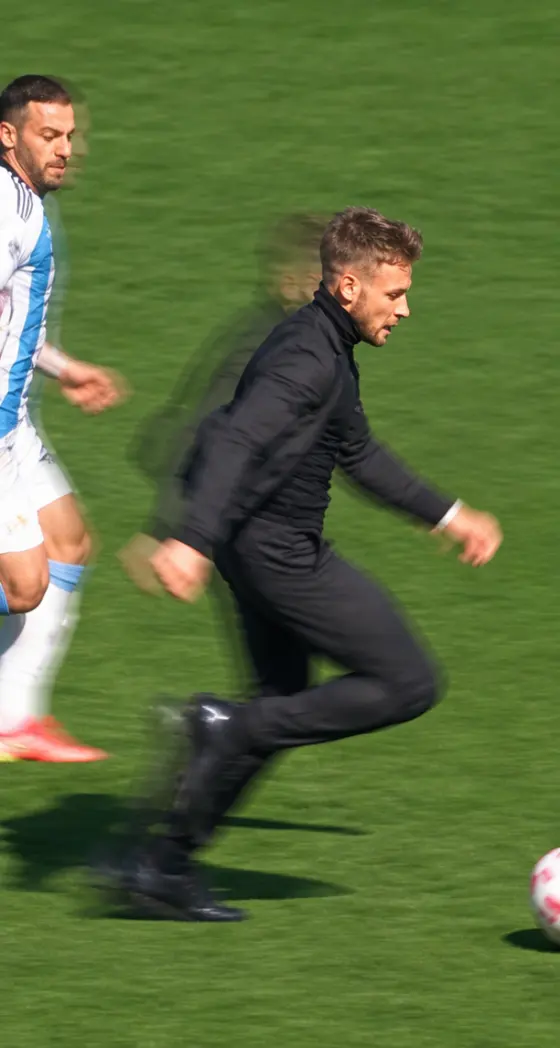
The Mbappé Run vs Argentina AI trend reimagines the 2018 World Cup breakaway that earned France a penalty. Make the sprint your own, from the explosive acceleration to the seated reaction. This moment ends with a foul, not a shot or goal.

Swap the Runner, Keep the Action

An AI football character swap can replace the main runner while using the source clip to guide movement and camera timing. Keep your face, hairstyle and outfit recognizable during the sprint and fall. Check the selected mode for supported character references.

Try Yourself or a Funny Character

Plan a Mbappé sprint AI video starring yourself, or explore a grandma football run AI concept for an unexpected twist. A clear full-body reference helps define the runner’s clothing and proportions. Pet versions need a compatible workflow and motion adapted to the animal’s anatomy.

Turn Football Into a Movie Scene

Take the Mbappé run AI meme beyond the pitch with a fictional night-street chase. Reinterpret the defenders as pursuers and the foul as a dramatic tumble. Changing the cast and setting requires broader scene transformation than replacing a face.

How to Make a Mbappé Run vs Argentina AI Video

01

Step 1: Choose Your Runner and Workflow

Choose a clear full-body photo and a matching sprint template or reference video in a mode that supports it. Keep the face visible and the outfit easy to recognize. For a prompt-led image-to-video version, prepare a football scene first; this simpler route will not reproduce the exact original sequence.

02

Step 2: Recreate the Sprint and Reaction

Use the matching template or a video-reference mode to guide the acceleration, dribble, defender contact and seated reaction. Try the reference prompt below and match the clip length to your selected mode. With image-to-video only, start with a short sprint and create the reaction separately.

03

Step 3: Review the Action and Share

Preview your Mbappé Run vs Argentina AI video for a consistent face and outfit, one football, grounded footwork and natural contact between players. Check the fall frame by frame. Regenerate distorted shots, add audio separately if needed, and label the result as AI-generated when sharing.

Mbappé Run AI Prompts for Character Swaps and Sprint Videos

user
Prepare Your Football Runner

Input: A clear full-body photo in a compatible image-editing mode

star star star star star

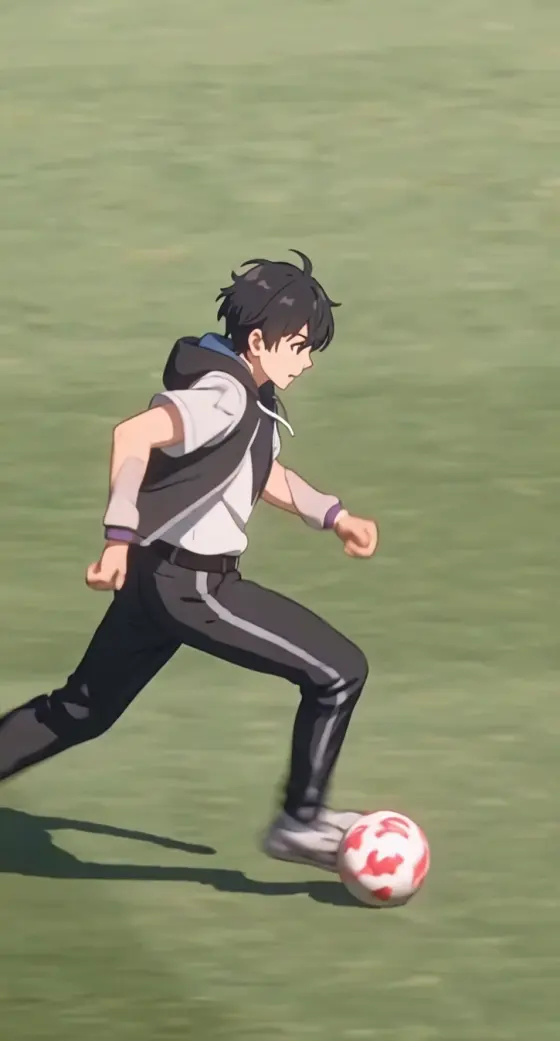
Image Prompt: Your Own Football Breakaway.Use the uploaded person as the appearance reference. Prepare a realistic starting image for a Mbappé-inspired sprint AI video: one adult runner on a sunny football pitch, body angled forward and ready to accelerate, with one football near the feet. Preserve the reference face, hairstyle, body proportions and clothing. Place a few defenders in white-and-sky-blue striped shirts behind the runner, with enough space to keep every body distinct. Show the full runner and ball in a three-quarter view. Broadcast sports photography, green grass, white pitch markings, natural shadows, vertical 9:16. No extra ball, duplicated people, text or watermark. This still sets up a new sprint scene; it does not supply the original video’s motion.

user
Follow the Mbappé Run Reference

Input: A matching sprint reference video and a runner photo in a supported video-reference mode

star star star star star

Reference Prompt: Sprint, Fall and React.Use the supplied video as the motion and camera reference for a Mbappé Run vs Argentina AI remake. Replace the main runner with the person in the uploaded photo, preserving that person’s face, hair, body proportions and outfit throughout. Follow the supplied clip’s action order and timing: standing start, rapid acceleration, forward dribble, a defender catching and bringing down the runner, then the runner sitting up and gesturing in disbelief. Keep the other players distinct and retain the pitch, framing and camera movement from the reference. Show one football during the dribble. Maintain natural foot contact, separate limbs and plausible player contact during the fall. No added shot, goal, injury, extra limbs, text or watermark. Match the reference aspect ratio. Do not invent later actions if the input clip ends earlier. Audio handling depends on the selected mode.

user
Animate a Short Football Sprint

Input: A prepared runner-and-ball image for image-to-video; a simplified alternative

star star star star star

Video Prompt: Accelerate With the Ball.Animate the prepared image into a short football sprint AI video. The runner leans forward and accelerates across the grass, taking several natural running strides and making a light forward touch on the single football. Keep the runner’s face, hair, outfit and body proportions consistent. Use a smooth side-following sports camera, with the full runner and ball visible. Background defenders remain behind without contact. Preserve natural shadows and grounded feet. One continuous shot, no fall, goal, scene change, additional ball, text or watermark. Preserve the starting aspect ratio. This is a prompt-led sprint, not an exact recreation of the original match clip.

user
Give the Sprint a Cinematic Twist

Input: A sprint reference video plus character and scene references in a compatible transformation mode

star star star star star

Reference Prompt: A Night-Street Chase.Reimagine the supplied sprint as a cinematic football-motion AI scene. Use the main character reference for the runner and any additional references only for their assigned supporting roles. Transfer the source clip’s running rhythm, pursuit, contact, tumble and seated reaction into a fictional nighttime street chase. Replace the pitch with wet asphalt and a parked black classic car with headlights on. Keep the runner’s leather jacket, jeans, face and hairstyle consistent. Reinterpret the football action as a chase without a visible ball. Maintain the reference framing and action timing, distinct characters, natural body contact and realistic reflections. No weapons, injuries, extra limbs, text or watermark. Keep character identities fixed through occlusions. Create separate shots if a full-scene transformation becomes unstable. Add suitable audio afterward if needed.

FAQs About Mbappé Run vs Argentina AI

1. What is the Mbappé Run vs Argentina AI trend?

The trend uses AI to remake Mbappé’s famous sprint against Argentina at the 2018 World Cup with a different runner or setting. The recognizable sequence is the acceleration, dribble, foul and seated reaction. The original run won a penalty; it was not a goal-scoring shot. AI remakes are fictional edits.

2. Can I put myself in the Mbappé sprint video?

Use your own clear full-body photo with a matching template or a video-reference workflow that supports character replacement. The goal is to keep your face, clothing and proportions consistent while following the sprint. Input requirements vary by mode; a portrait alone does not supply the original football movement.

3. Do I need a reference video, or is one photo enough?

A matching template may already contain the movement reference. Otherwise, following the original run requires a compatible video-reference mode and the relevant clip. One prepared photo can support a simpler image-to-video sprint, but it will not reliably reproduce the full dribble, foul, fall and reaction in the original order.

4. How do I fix changing faces, extra footballs or distorted falls?

Use a sharp reference with a clear face and outfit, and keep character assignments fixed. Review the dribble for one football and inspect player contact frame by frame. Shorten or split difficult sections and regenerate the affected shot. A simpler running clip is easier to control than a crowded collision.

5. Can I make grandma, pet or cinematic versions?

You can develop these variants, but they need different inputs and motion handling. A grandma version replaces the runner; a pet version needs species-appropriate movement; a cinematic version changes the cast and setting. Use a compatible template or reference workflow, and do not assume a standard face swap can perform every transformation.

Media.io Mbappé Run vs Argentina AI:
vote Explore sprint prompts, football character swaps and cinematic remake ideas
