
AI Emotional Story Video Maker for Heartfelt Scripts and Moving Scenes
Have a touching narration, memory story, family moment, personal journey, brand film script, or heartfelt short ready to turn into video? Media.io's AI Emotional Story Video Maker helps transform detailed scripts into emotional story videos with character-driven scenes, clear story flow, voiceover, music, and formats for YouTube, Shorts, TikTok, Reels, education, marketing, or personal storytelling.
Create Emotional Story Videos That Viewers Can Follow and Feel
Start with a detailed script, narration draft, personal story, or character scene. Describe the people, memory, conflict, turning point, and final feeling so Media.io can generate an emotional story video with clearer scenes, voiceover, music, and a stronger sense of mood.
Turn Heartfelt Scripts into Clear Emotional Story Beats
Emotional videos work best when the story has a clear arc, not just a sad or touching idea. Paste a narration script, memory scene, apology story, reunion moment, personal journey, or short drama draft, then use your writing to guide the setup, conflict, turning point, and ending.
- Script-to-Emotional Video - Turn narration, dialogue, short stories, personal memories, and scene notes into emotional story videos
- Clear Story Arc - Shape the video around the opening moment, emotional conflict, turning point, and resolution
- Human-Centered Scenes - Guide family moments, friendships, farewells, reunions, life changes, and personal choices
- Emotional Payoff - Make the final scene feel earned through clearer cause, memory, regret, hope, or healing
Guide Characters Viewers Can Understand and Care About
A moving story depends on who the viewer is following. Describe each person's role, relationship, expression, setting, and emotional state so the video can better support the feeling behind the script, whether it is love, loss, gratitude, regret, courage, or hope.
- Character Role Guidance - Describe parents, children, friends, partners, mentors, strangers, or past versions of a character
- Relationship Clarity - Help viewers understand family bonds, friendship changes, missed chances, reunions, or quiet support
- Expression and Mood - Guide gentle smiles, hesitation, silence, tears, relief, distance, forgiveness, or emotional closure
- Personal or Documentary Feel - Use clear descriptions to make the story feel more intimate, realistic, or memory-driven

Build Scenes Around Memories, Turning Points, and Quiet Moments
Emotional storytelling is often about what happens between big events. Use your script to guide the small visual moments that carry meaning: an empty chair, an old photograph, a hospital hallway, a train station goodbye, a childhood room, or a message left unread.
- Memory-Based Scenes - Create videos around flashbacks, old homes, childhood objects, letters, photos, and remembered conversations
- Turning Point Moments - Guide apologies, reunions, final decisions, first steps, confessions, and moments of realization
- Emotional Settings - Shape bedrooms, streets, classrooms, hospitals, stations, family tables, rainy windows, or quiet sunsets
- Pacing for Feeling - Let the script slow down for silence, reflection, pauses, and the final emotional beat
Let Your Script Guide the Voiceover, Music, and Final Feeling
The right emotional video should feel like the story is being told with care. Write the narration, dialogue, pause, memory, and final message clearly in your script so the generated video can include voiceover and music that support the mood instead of overpowering it.
- Script-Based Voiceover - Let narration, dialogue, inner thoughts, and final lines guide how the story is spoken
- Music Mood Support - Use words like tender, hopeful, nostalgic, bittersweet, uplifting, or reflective to guide the feeling
- Creator-Friendly Formats - Prepare emotional stories for YouTube, Shorts, TikTok, Reels, classrooms, campaigns, or personal projects
- Post-Generation Polish - Review the generated video and continue improving clarity with Media.io tools when needed
Create an Emotional Story Video from a Detailed Script
Plan the arc first, then let Media.io help you visualize, review, and polish it.

Write the Arc
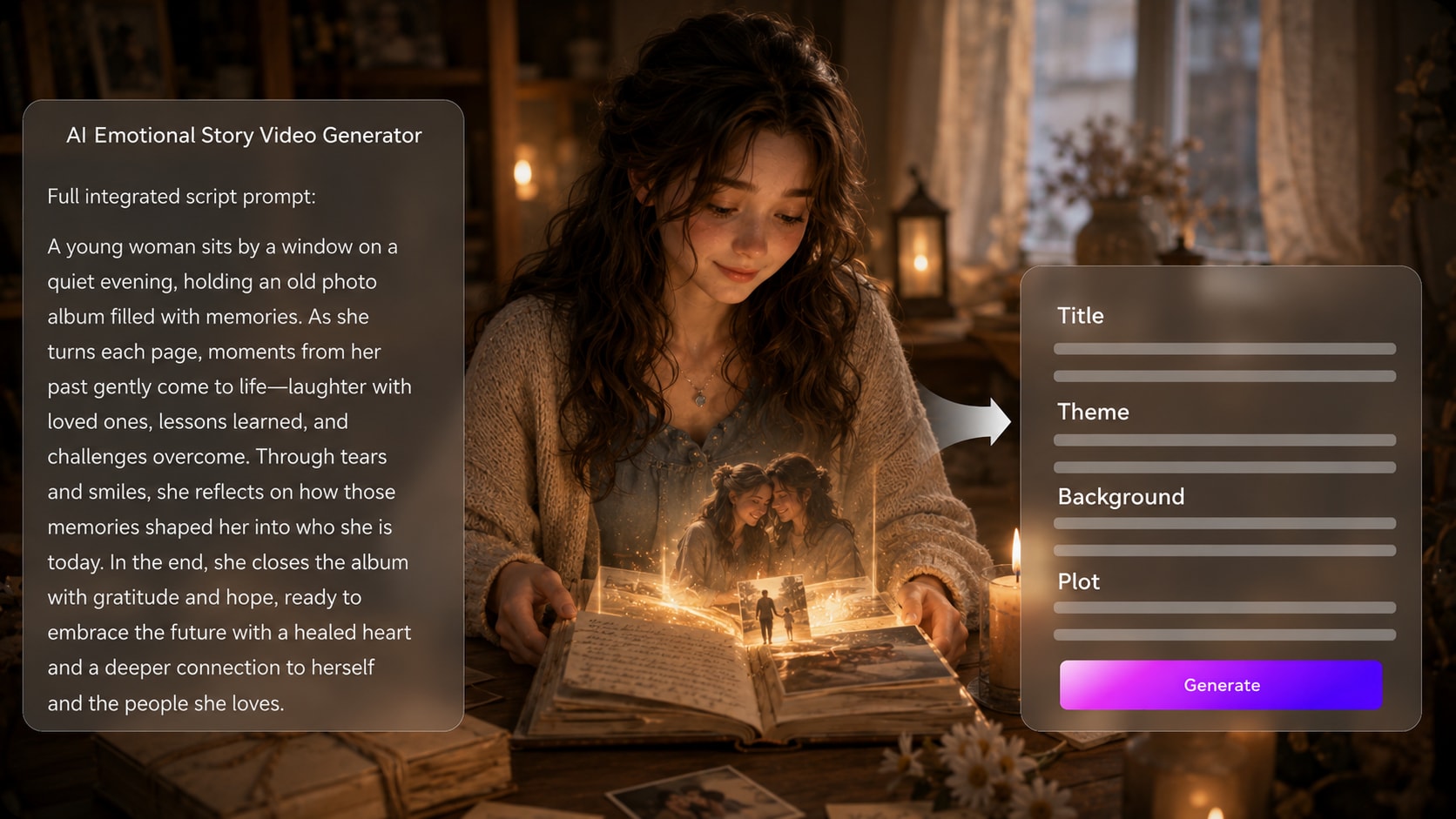
Provide a detailed script or structured story input with scene notes, narration, character motivations, and the emotional turn. Review and edit the extracted outline fields, including title, theme, setting / background, story plot, and characters. During setup, choose an aspect ratio such as 9:16, 1:1, or 16:9 to match your publishing plan.

Guide the Scenes
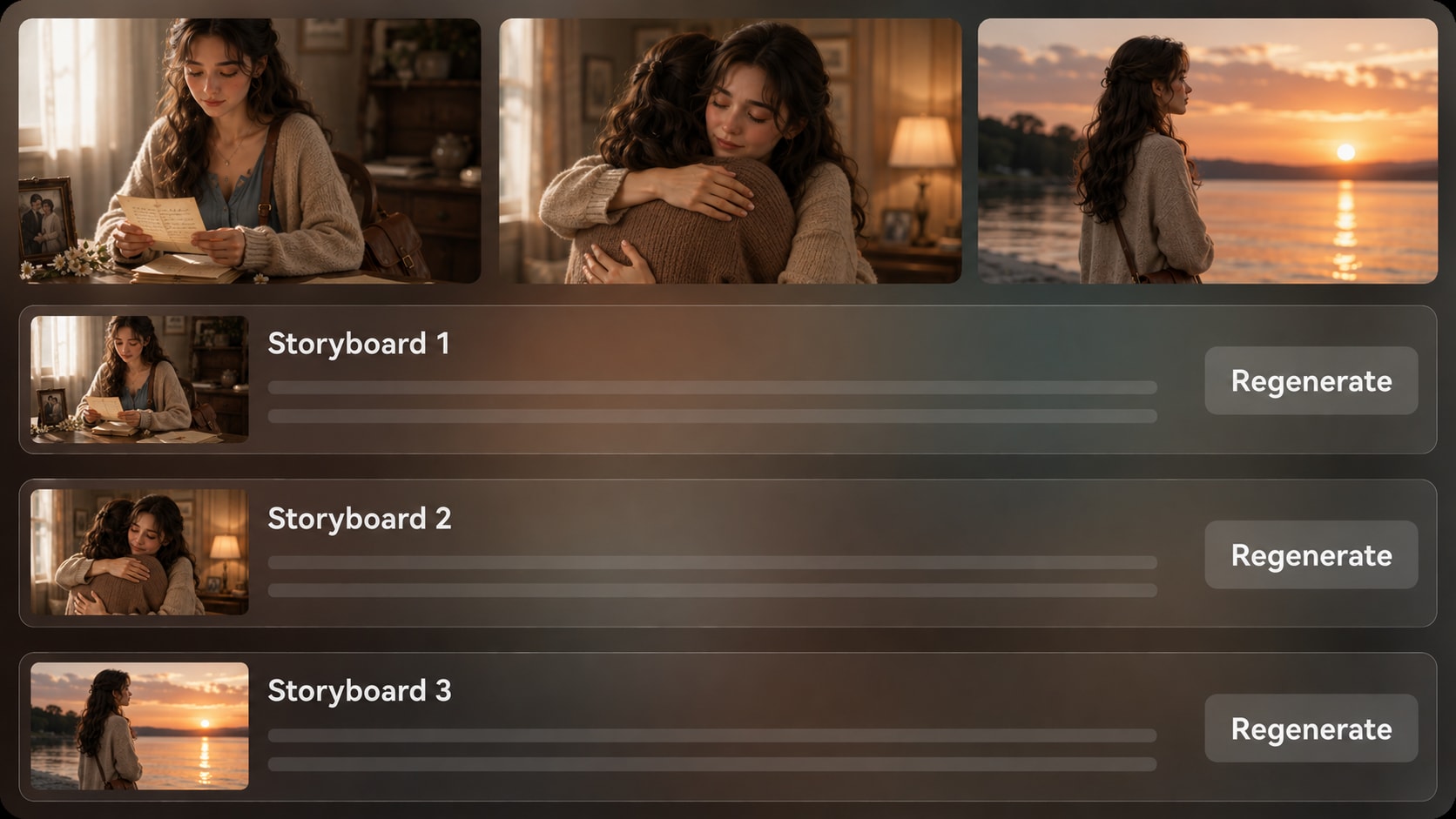
Prepare the visual direction by choosing available style and format options, then guide characters with text, photos, or sketches when needed. After the outline is ready, Media.io generates storyboard images so you can review how the key emotional moments are being staged.

Generate and Polish
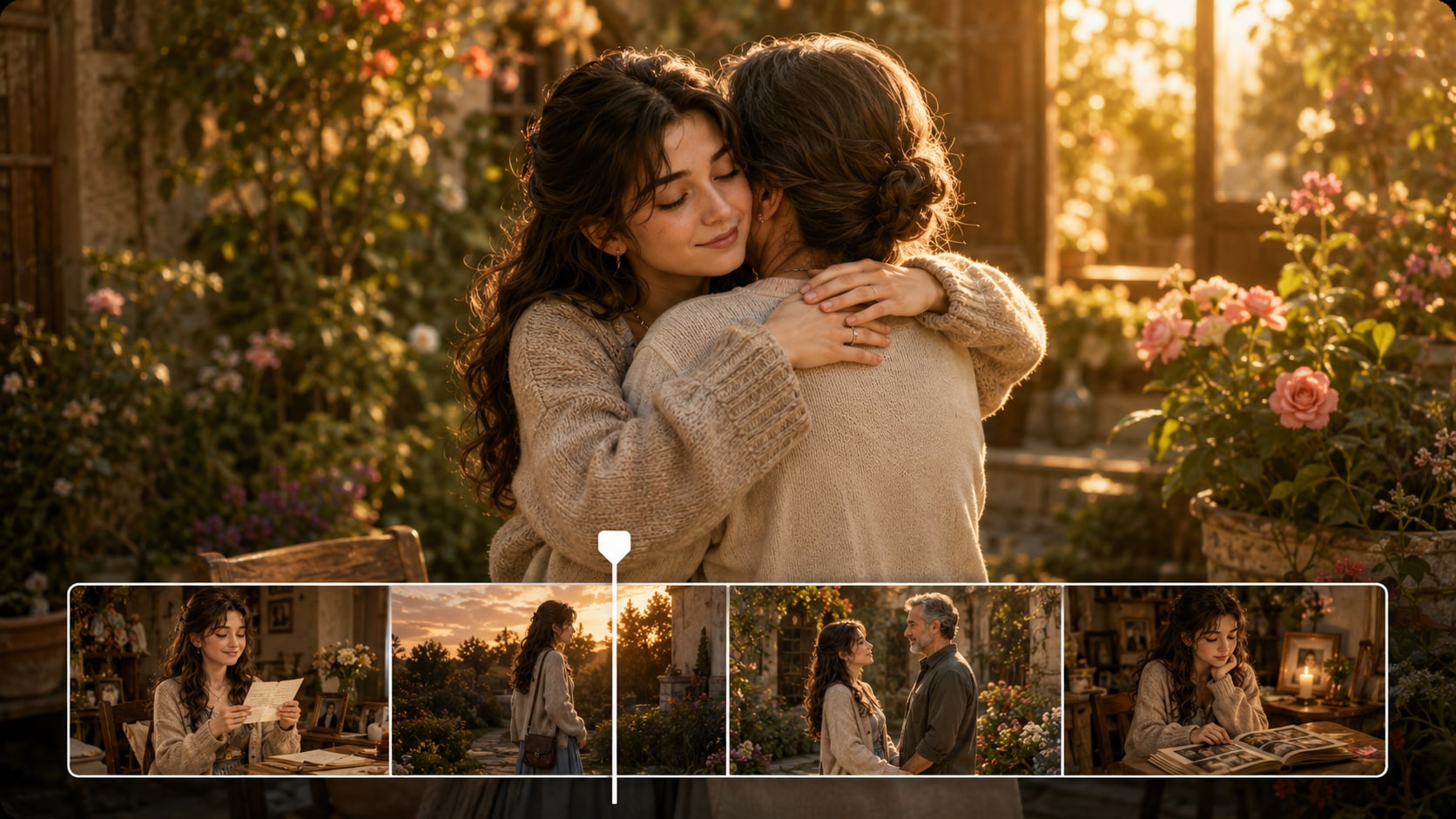
Generate the final story video with voiceover and music based on the script. If a specific storyboard image feels wrong before generation, regenerate that shot. After the video is created, review the result and polish it with Media.io tools such as Enhance Video Quality when needed.
Compare Why This AI Emotional Story Video Maker Fits Real Narratives Better
Generic generators make clips; emotional stories need structure, guided characters, reviewable scenes, and audio that follows the script.
Create Emotional Story Videos for Every Audience Moment

YouTube Creators
Turn personal stories, narrated essays, and moral lessons into cinematic videos that hold viewers through the final beat.

TikTok Creators
Build short emotional videos with a clear hook, fast visual setup, and an ending designed for comments and shares.

Indie Filmmakers
Visualize short film concepts, character memories, and pitch scenes before investing in full production.

Educators
Explain empathy, history, literature, or social themes through story-led videos students can understand quickly.
See Emotional Stories
Ship Across Creator Formats
Explore how script-led videos can shift from personal narration to education, brand storytelling, and social shorts.
Loved by Emotional Story Creators
Creators like having a script-first workflow that makes the story easier to review before publishing.


"The outline step helped me catch a weak ending before I generated the video. That saved the whole story from feeling unfinished."

"I used it to rough out a memory sequence for a short film pitch. The storyboard images made the tone easier to explain."

"My scripts are usually emotional monologues. Media.io helped me turn them into scenes that felt more watchable on a vertical feed."

"It worked well for a customer-impact story because I could keep the message, setting, and character details organized from the start."

"I made a short empathy lesson from a written scenario. The narration and scene flow helped students follow the point."

"Using photos and detailed character notes gave the video a more personal feeling than a generic slideshow."
FAQs on AI Emotional Story Video Maker
What Is an AI Emotional Story Video Maker?
An AI emotional story video maker helps turn a detailed heartfelt script, narration draft, or structured story into a video with scenes, characters, voiceover, and music guided by the script. It is useful for creators who want a clear emotional arc rather than disconnected clips.
What Should I Paste into Media.io for the Best Emotional Story Video?
Use a detailed script with scene order, narration, setting, character descriptions, emotional beats, and the ending you want viewers to remember. Media.io works best with structured story input, not a one-line idea.
Can the Voiceover and Music Follow My Emotional Script?
Yes. The final generated video can include voiceover and music based on the script, so your narration, mood, and pacing can support the story. You should still review the final result to make sure the audio fits the intended feeling.
How Do I Write a Better Script for an Emotional Story Video?
Write around a specific human change: what the character wants, what they lose or learn, and what the final moment means. Add visual cues such as a quiet room, an old photo, a hospital hallway, a classroom, or a reunion scene so the video has concrete images to build from.
What Mistakes Should I Avoid When Making Emotional Story Videos with AI?
Avoid vague prompts, too many characters, unclear timelines, and endings that do not resolve the main feeling. Also avoid overloading every scene with dramatic language; a simple visual moment often carries more emotion than a crowded prompt.
Can I Create Recognizable Characters for a Personal or Fictional Story?
You can guide characters with text descriptions, real photos, or sketches. Media.io can use that input for clearer character guidance and more recognizable people, but you should review the output because no tool should be treated as perfect clear character guidance.
Can I Make Emotional Story Videos for YouTube Shorts or TikTok?
Yes. During setup, choose a format and aspect ratio that fits your target platform, such as vertical for Shorts, Reels, or TikTok. Keep the opening scene clear and make the emotional turn easy to understand on a small screen.
Can I review the storyboard If a Scene Does Not Match My Script?
You can edit the extracted outline before storyboard generation. The storyboard images themselves are not manually editable, but if a specific storyboard image is unsatisfying, you can regenerate that shot and review the new result before creating the final video.
Why Use Media.io Instead of a Generic AI Video Generator for Emotional Stories?
Media.io is built around a script-to-story workflow that helps you review the outline, guide characters, inspect storyboard images, and generate video with script-based voiceover and music. That makes it better suited to emotional stories that need structure, mood, and viewer empathy.
Explore More Story-First AI Video Generators
Try adjacent Media.io workflows when your emotional story needs a different format, from broad script-to-video creation to horror tension, bedtime calm, brand trust, or classroom clarity.















Make the Feeling Clear
Before You Publish
Start with a detailed script, guide the emotional arc, and create a story video that viewers can follow.
 4.8 (281 Votes)