## Prompt de MV de groupe de filles K-Pop de 15 secondes
Sujet : Un groupe de filles K-pop composé de trois membres. Maintenez la cohérence de chaque membre avec le design de personnage établi. Préservez leurs traits du visage, coiffures, proportions corporelles, tenues et identités individuelles tout au long de la vidéo.
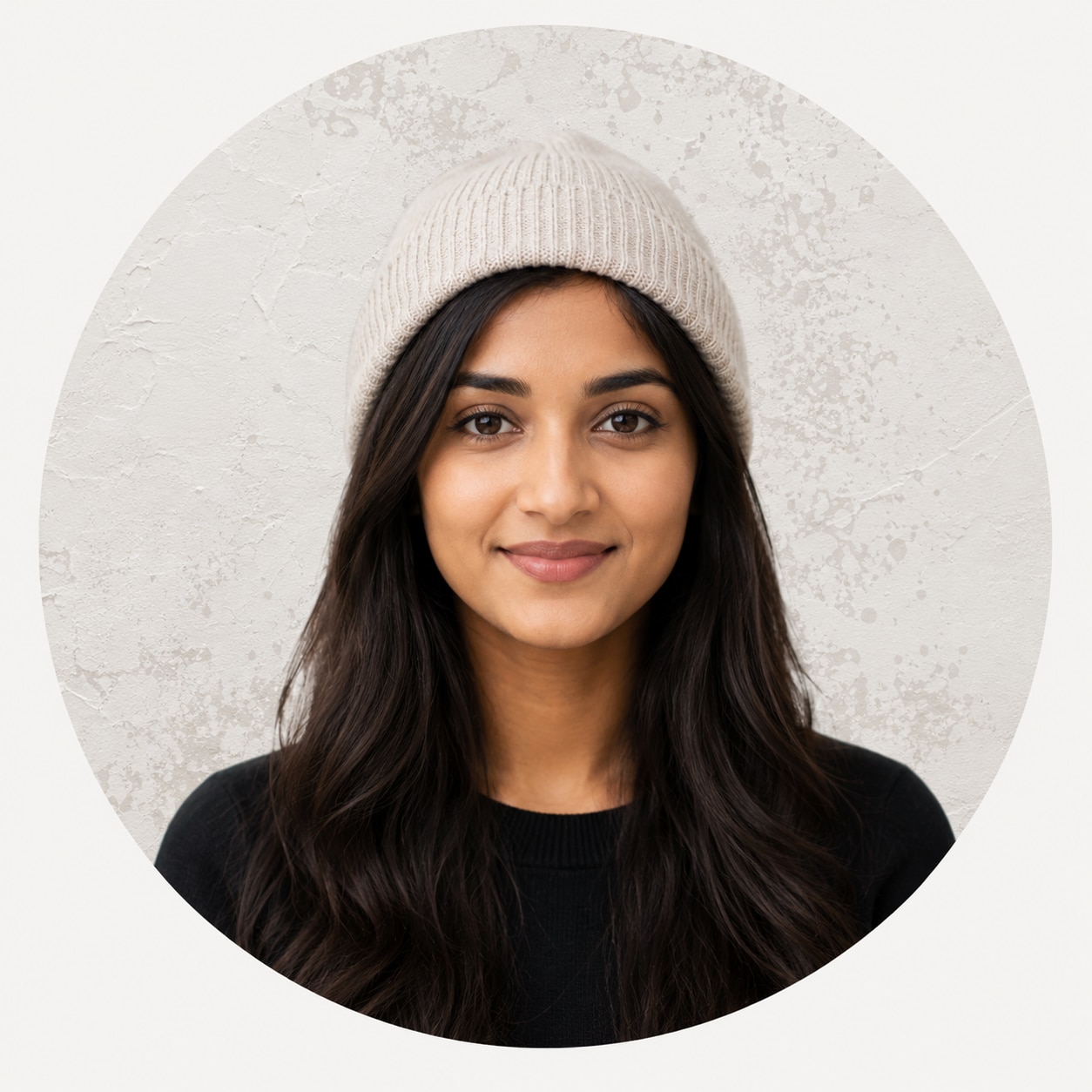
SOL : Longs cheveux noirs lisses avec une présence calme mais autoritaire. Elle porte une veste en cuir courte déconstruite noire, un haut ajusté avec des attaches métalliques, une minijupe plissée asymétrique taille haute, et des bottes pointues au-dessus du genou, accessoirisées de bagues en argent et d'une délicate chaîne de taille.
LUNA : Coupe wolf courte gris argenté avec une présence froide et détachée. Elle porte une veste courte gris argenté avec des panneaux sculpturaux, une combinaison noire à col haut, une skort asymétrique métallique, et des bottines de motarde noires à plateforme, accessoirisées de manches en résille transparente et de boucles d'oreilles métalliques.
CORONA : Longs cheveux ondulés brun auburn foncé avec de fines tresses, dégageant une attitude rebelle et tranchante. Elle porte une veste de motarde en cuir rouge foncé distressée, un crop top noir à bretelles, une skort superposée taille basse, et des bottines lacées rouge foncé, accessoirisées d'une ceinture cloutée et de bracelets métalliques.
Les tenues doivent présenter des matériaux haute couture convaincants, notamment une texture en cuir réaliste, des reflets métalliques, des plis de tissu et un mouvement naturel des vêtements. Évitez les costumes de scène bon marché, les matériaux d'aspect plastique ou les uniformes génériques de groupe de filles.
Décor : Un studio cyclorama blanc transformé en plateau de shooting pour un magazine de musique underground. Il ne doit pas ressembler à un studio commercial propre. L'arrière-plan présente des murs blancs surexposés, de lourdes ombres gris-noir, des fragments de papier photocopié, des bords de papier déchiré, des points de demi-teinte, des marques de ruban adhésif noir, des scans mal alignés et des textures de peinture en spray noire localisées. Dans certains plans sélectionnés, l'arrière-plan bascule instantanément entre le noir pur, le blanc surexposé et le gris à fort contraste, en utilisant uniquement des coupes franches.
Style visuel : Un clip de dark-pop, cyber-grunge, trap-rap avec une valeur de production haute couture réaliste, combinant l'esthétique des magazines de musique indépendants de la fin des années 1990 au début des années 2000, des affiches de concerts underground, du papier photocopié, du film scanné et du collage de fanzine. Utilisez un noir et blanc à fort contraste avec des accents rouge foncé à faible saturation et gris argent froid. Maintenez des tons de peau naturels, des noirs profonds et des détails clairement visibles dans les vêtements sombres. Ajoutez du grain de film grossier, un léger tremblement de film, un scintillement d'exposition, des points de demi-teinte, des bords imprimés grossiers, un déplacement de scan, un traîné d'obturateur et des erreurs localisées d'enregistrement des couleurs. Évitez le néon cyberpunk bon marché, la CGI de jeu vidéo, la peau plastique et le lissage beauté excessif.
Cinématographie : Créez la sensation d'un vrai clip à gros budget, simulant les tons de peau naturels et la haute plage dynamique d'un ARRI Alexa 35. Alternez rapidement entre des objectifs cinéma 24mm, 35mm et 50mm. Utilisez le 24mm pour la pression grand-angle à courte distance, les plans de groupe en plongée basse et les plans d'impact main vers caméra ; le 35mm pour les performances en gros plan moyen, les compositions spatiales à deux personnes et les mouvements de caméra latéraux rapides ; et le 50mm pour les gros plans faciaux, les profils et le contact visuel intense. Utilisez fréquemment des gros plans grand-angle confrontationnels, des mouvements de tête synchronisés sur le beat, des détails d'épaule, des plans moyens en plongée basse, des poussées de caméra guidées par la main et des gros plans de profil serrés. La caméra peut utiliser un mouvement à main levée contrôlé, des élans brusques vers l'avant, des glissements latéraux rapides ou des arrêts abrupts précisément sur le beat. Maintenez un poids de caméra convaincant, une inertie physique, des changements de perspective, une parallaxe spatiale et une mise au point précise. Les interprètes doivent marquer le beat par une chorégraphie expressive et une performance de rap. Ce n'est pas un défilé de mode ni un shooting de mode statique.
Musique : Un segment dark-pop, cyber-grunge, trap-rap de 15 secondes à environ 138 BPM. Utilisez une basse sous-grave puissante, des caisses claires serrées et nettes, du bruit électronique industriel distordu et de courts hachages vocaux. Les trois premières secondes établissent la tension, la section centrale entre dans une séquence de rap continue avec un montage dense, et les deux dernières secondes concluent avec une basse lourde concentrée.
Typographie : Le texte n'est pas de simples sous-titres ordinaires. C'est une partie active de la composition et du design spatial. Utilisez des phrases originales sans marque telles que « CUT THE FEED », « DEAD AIR », « STRIKE FIRST », « SYSTEM / VOID », « NO SURRENDER », « UNMUTED », « FINAL WARNING » et « BLACKOUT CODE ». N'incluez pas de vraies marques, de vrais logos de groupe ou de titres de chansons existants. Combinez des caractères sans empattement noirs lourds, des polices industrielles condensées, du texte de machine à écrire et des lettres photocopiées faites main. Positionnez la typographie au premier plan, au plan moyen et en arrière-plan. Les interprètes peuvent partiellement occulter les mots, tandis que le texte peut se superposer à leurs corps, tenues ou mains, mais il ne doit jamais couvrir leurs yeux ou leurs expressions faciales essentielles. Synchronisez chaque apparition, secousse, étirement, compression, fracture, retournement et réarrangement par coupe franche avec les accents de rap, les caisses claires et les frappes de basse. Ajoutez des bavures d'encre, du bruit de photocopie, des plaques de couleur mal enregistrées et des bords scannés grossiers à la typographie.
Règles de montage : Utilisez uniquement des coupes franches, des jump cuts, des coupes en flash blanc, des coupes en flash noir et des coupes synchronisées sur le beat. Pas de fondus, de dissolutions, de transitions douces ou de ralenti en couches. Chaque plan doit durer entre 0,3 et 1,2 secondes. Le rythme doit être rapide mais visuellement lisible. Chaque arrêt de mouvement, arrêt de caméra, changement typographique et point de montage doit tomber précisément sur le beat.
⸻
PLAN 01|0.0–0.8s
Un cadre noir pur passe en coupe franche sur le premier coup de basse vers un gros plan frontal extrême de SOL.
Un objectif grand-angle 24mm est positionné très près de son visage. La caméra reste au niveau des yeux de SOL, avec la mise au point fermement verrouillée sur ses pupilles. SOL se penche agressivement vers l'objectif et claque soudainement la tête vers le bas. Ses longs cheveux noirs réagissent avec une élan physiquement précis et court.
L'image est fortement contrastée et l'arrière-plan est sévèrement surexposé, mais les hautes lumières sur son visage ne doivent pas écrêter. L'énorme mot en gras noir « DEAD » apparaît derrière elle, sa tête occultant son centre. Sur le beat, le grain du film s'intensifie soudainement et la caméra produit une courte secousse verticale.
PLAN 02|0.8–1.5s
Coupe franche vers un gros plan de l'épaule et de la mâchoire de LUNA.
Un objectif 50mm la filme depuis le côté avant-gauche. Le cadrage coupe une partie du haut de sa tête pour mettre en valeur sa mâchoire et son regard. Elle abaisse une épaule et regarde initialement vers la caméra de profil, puis tourne brusquement son visage vers l'avant sur la caisse claire.
Ses cheveux gris argenté balaient le bord de son œil sans couvrir la pupille. Des points de demi-teinte se répandent de l'arrière-plan vers les bords de ses vêtements. Le mot condensé « AIR » est coupé en coupe franche et comprimé dans le cadre depuis la droite, positionné entre l'arrière-plan et son épaule au premier plan.
PLAN 03|1.5–2.3s
Coupe franche vers un plan moyen en plongée basse de CORONA.
La caméra 24mm est positionnée sous le niveau de la taille et légèrement inclinée vers le haut. Elle pousse son corps vers l'avant et tend une main vers l'objectif. Sa paume balaie le premier plan avant de se rétracter immédiatement sur le coup de basse.
Lorsque sa main s'approche de l'objectif, elle s'agrandit naturellement par effet de perspective et sort brièvement de la mise au point. Lorsqu'elle la retire, la mise au point revient rapidement sur ses yeux. Ses longs cheveux brun auburn foncé et ses fines tresses se déplacent avec une inertie réaliste. Des couches de couleur rouge foncé et noir sont légèrement mal enregistrées, faisant ressembler l'image à un magazine vintage scanné. Sa main occulte partiellement le mot « STRIKE ».
PLAN 04|2.3–3.0s
Un plan moyen frontal serré des trois membres ensemble.
Utilisez une composition centrale stable en 35mm. SOL se tient au centre, légèrement plus proche de la caméra, tandis que LUNA et CORONA se tiennent de chaque côté. Toutes les trois abaissent simultanément leurs épaules, puis lèvent brusquement la tête et fixent la caméra sur le beat.
L'arrière-plan passe en coupe franche du blanc au noir puis de nouveau au blanc tandis que les interprètes restent parfaitement alignées. Le grand mot « CUT » s'étire horizontalement derrière elles, leurs corps occultant et fragmentant son centre.
PLAN 05|3.0–3.7s
Un gros plan de profil en 50mm de SOL.
Elle se tourne et s'arrête brusquement, faisant pivoter rapidement son visage du profil vers la caméra tout en faisant glisser un doigt le long de sa mâchoire. La mise au point commence sur son bout du doigt avant de se déplacer rapidement vers ses yeux.
Au moment précis où son mouvement s'arrête, la caméra effectue une poussée rapide de 20 centimètres le long de l'axe de l'objectif et freine immédiatement. Le mot « SYSTEM » apparaît au premier plan gauche, se superposant légèrement à son épaule sans couvrir son visage.
PLAN 06|3.7–4.4s
Un plan plein corps en plongée basse de LUNA.
Un objectif 24mm est placé près du sol et légèrement incliné vers le haut. Elle exécute une courte phrase de danse réaliste et puissante : ses genoux se tournent vers l'intérieur, son buste se tire vers l'arrière, ses bras se séparent depuis sa poitrine croisée, puis elle se penche immédiatement vers la caméra.
Sa veste gris argenté, sa skort asymétrique et ses manches en résille transparente réagissent avec une inertie de tissu claire. Sur la caisse claire, l'image bascule vers un traitement en demi-teinte noir et blanc à fort contraste pendant trois images avant de revenir immédiatement à la couleur à faible saturation.
PLAN 07|4.4–5.1s
Un gros plan facial serré en 35mm de CORONA.
La caméra glisse rapidement depuis son côté droit vers une position frontale. Elle tourne la tête sur le rythme, lève légèrement le menton, puis se rapproche délibérément de l'objectif. Elle ne sourit pas ; son expression est confrontationnelle, tranchante et ancrée dans une performance de rap authentique.
Le mot rouge foncé « VOID » coupe soudainement depuis derrière elle vers le premier plan, se superposant à des parties de ses cheveux et de sa veste tout en laissant ses yeux, son arête nasale et sa bouche entièrement visibles.
PLAN 08|5.1–6.0s
Un montage rapide de mouvements de tête alternés des trois membres.
SOL effectue un hochement frontal puissant, LUNA exécute un rapide retournement de tête de profil, et CORONA se penche en avant et claque sa tête vers le bas. Ne conserver que trois à cinq images de chaque action et les relier par trois coupes franches consécutives.
Gardez leurs yeux positionnés approximativement dans la même zone du cadre pour créer des raccords précis. L'arrière-plan jump-cut entre le blanc, le gris et le noir tandis que des lignes de scan de film défilent brièvement de haut en bas.
PLAN 09|6.0–6.8s
Un plan à deux personnages rapproché de SOL et CORONA.
Utilisez un objectif 35mm. SOL se tient devant et rappe directement dans la caméra. CORONA émerge soudainement de derrière elle et s'approche rapidement le long de l'axe de la caméra.
Maintenez une séparation spatiale claire entre elles. La mise au point se déplace brièvement de SOL à CORONA avant de se stabiliser entre les deux interprètes. Le mot « NO » apparaît en arrière-plan, tandis que « SURRENDER » se trouve le long du premier plan inférieur, se superposant aux bords de leurs tenues sans couvrir leurs visages.
PLAN 10|6.8–7.6s
Un plan moyen rapproché en solo de LUNA.
Elle croise rapidement les deux mains à côté de son visage et les tranche vers l'extérieur, frappant précisément des caisses claires consécutives. Avec un objectif 35mm, la caméra glisse simultanément vers la gauche d'environ la moitié d'une largeur de corps et s'arrête brusquement sur l'accent final.
Pendant le mouvement latéral, l'arrière-plan affiche un flou de mouvement physiquement réaliste et limité tandis que son visage reste net. Des fragments de papier photocopié déchiré, du ruban adhésif noir et des graphiques peints en spray grossiers apparaissent comme s'ils étaient physiquement attachés au mur du studio.
PLAN 11|7.6–8.5s
Un plan large plein corps en plongée basse des trois membres.
Utilisez un objectif 24mm légèrement incliné vers le haut. Chaque membre effectue une action différente mais complémentaire :
SOL avance d'un pas et abaisse ses épaules ;
LUNA plie son corps latéralement et abaisse son centre de gravité ;
CORONA se retourne rapidement, puis regarde en arrière et s'avance vers la caméra.
Leurs mouvements ne doivent pas être parfaitement synchronisés, mais toutes les trois doivent s'arrêter simultanément sur le même coup de basse. La caméra recule lentement avant de se verrouiller instantanément sur l'accent.
PLAN 12|8.5–9.3s
Un montage de gros plans extrêmes de mains et de détails de tenues.
Utilisez des gros plans de style macro en 50mm pour révéler rapidement des bagues métalliques, des chaînes de taille, des fermetures éclair de veste, des doigts tapotant contre une cuisse et une paume poussée vers l'objectif. Chaque détail n'apparaît que pendant deux à quatre images.
Les fragments de texte « CU / T / OUT » se comportent comme des découpages de papier physiques, coupant en coupe franche, pivotant et se recombinant dans différentes zones du cadre. Les reflets métalliques doivent paraître réalistes, avec des détails nets mais sans accentuation numérique excessive.
PLAN 13|9.3–10.2s
CORONA rappe au premier plan, filmée extrêmement près avec un objectif 24mm.
Elle pointe un doigt directement vers la caméra, créant un grossissement dramatique en perspective au premier plan, puis fait pivoter son poignet et appuie sa main vers le bas. Gardez la mise au point sur ses yeux tout en permettant de légères variations de profondeur de champ lorsque sa main s'approche de l'objectif.
LUNA et SOL restent en arrière-plan avec une faible profondeur de champ, effectuant de subtils mouvements de tête et d'épaules. Créez une composition en trois couches : « THE FEED » en arrière-plan, les deux membres au plan moyen, et CORONA avec son geste de la main au premier plan.
PLAN 14|10.2–11.1s
LUNA pivote rapidement dans le cadre depuis la gauche.
Un objectif 35mm effectue un court panoramique vers la droite, suivant avec précision sa rotation. Le bas de ses vêtements se balance naturellement avec le mouvement. Elle approche ensuite son visage du bord droit du cadre et regarde directement dans l'objectif.
Sur l'accent musical, ajoutez un bref déplacement horizontal de scan. Introduisez un décalage rouge-cyan d'enregistrement des couleurs autour de sa silhouette tout en maintenant son teint de peau et ses traits du visage naturels et stables.
PLAN 15|11.1–12.0s
Un plan moyen frontal centré de SOL.
Un objectif 50mm verrouille la mise au point sur les yeux de SOL. Elle baisse la tête et marque une pause d'une demi-mesure, puis la claque violemment vers le haut. LUNA et CORONA se pressent simultanément vers l'avant depuis derrière elle tandis que la caméra recule rapidement d'un pas, utilisant une parallaxe réaliste pour créer un impact spatial.
L'énorme mot « UNMUTED » se reconstruit soudainement depuis l'arrière-plan dans l'espace entre les interprètes et le premier plan. Leurs corps le divisent en plusieurs fragments, mais aucun de leurs yeux ne peut être occulté.
PLAN 16|12.0–13.0s
Trois coupes franches consécutives :
SOL est filmée avec un objectif 24mm alors qu'elle pousse rapidement un doigt vers la caméra ;
LUNA est filmée avec un objectif 35mm alors qu'elle projette violemment son épaule vers l'objectif ;
CORONA est filmée avec un objectif 50mm alors qu'elle se détourne et regarde brusquement directement dans la caméra.
Chaque plan correspond à un coup de caisse claire. Les focales deviennent progressivement plus serrées, augmentant continuellement la pression visuelle. Le grain de film, le bruit d'impression et les bords rugueux de photocopie s'intensifient à chaque coupe.
PLAN 17|13.0–14.0s
Un plan héroïque en plein corps en contre-plongée des trois membres.
Utiliser un objectif 24mm avec une composition forte sur l'axe central. SOL se tient au centre et avance d'un pas. LUNA se tourne de côté et abaisse son centre de gravité. CORONA se penche en avant. Ensemble, elles forment une composition triangulaire stable, nette et asymétrique.
Elles maintiennent une respiration naturelle, une inertie vestimentaire et un mouvement corporel subtil plutôt que de se figer dans une pose statique. Le grand texte d'arrière-plan « FINAL WARNING » est partiellement masqué par leurs corps, ne laissant apparaître que des fragments de lettres.
PLAN 18|14.0–15.0s
Le dernier coup de basse.
Avec un objectif 35mm, la caméra pousse soudainement vers l'avant le long de l'axe central, passant d'un plan moyen à trois personnes à un gros plan serré de leurs visages. Les trois effectuent simultanément un puissant mouvement de tête et fixent directement l'objectif.
L'image se compresse instantanément en un effet de photocopie noir et blanc à fort contraste. La phrase originale « BLACKOUT CODE » apparaît brièvement entre l'arrière-plan et le plan avant de leurs épaules, vibrant deux fois.
Sur la dernière image, coupe directe vers le noir pur. La musique et l'image s'arrêtent simultanément, sans fondu ni queue audio persistante.
Exigences négatives : Pas d'alignement générique de girl-group, de défilé prolongé sur un podium, de poses de mode statiques, de mouvements faibles ou lents, de chorégraphie de groupe synchronisée étendue, de danse excessivement mécanique, d'expressions caricaturales, de villes cyberpunk au néon, de pollution lumineuse RGB bon marché, de vraies marques, de logos de groupes existants, de titres de chansons existants, de sous-titres ordinaires, de fondus, de dissolves, de transitions douces, de filtres flous doux et oniriques, d'esthétique CGI de jeu vidéo, de peau à l'aspect plastique, de lissage de beauté excessif, de dérive d'identité faciale, de changements aléatoires de coiffure ou de tenue, de mise au point imprécise, de mouvement de caméra flottant sans inertie physique, de mouvement de caméra IA trop fluide, de doigts mal formés ou de personnes supplémentaires.