A Connection Over Music
The charm of the I Love the Smiths scene is a small moment of recognition: someone hears familiar music, starts a conversation and catches the listener by surprise. Keep the acting warm, quiet and a little awkward.


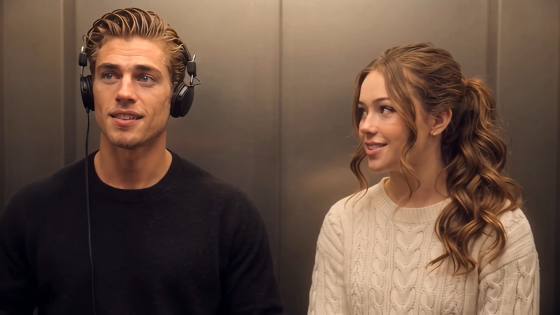
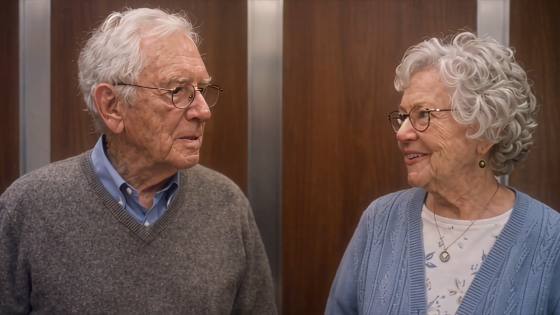
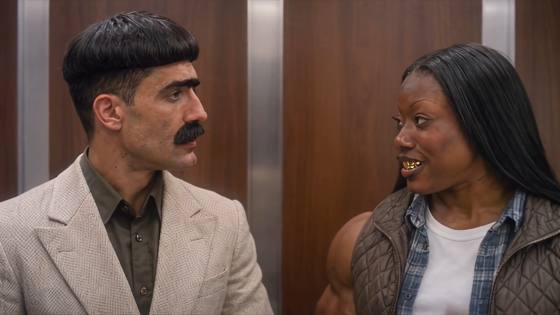
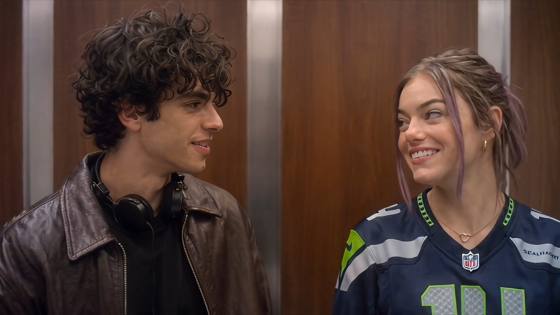

Put yourself and a partner or friend in an I Love the Smiths AI video inspired by the elevator scene from (500) Days of Summer. Animate a prepared two-person photo with headphones, shy smiles and a surprised reaction, or use a matching reference in a compatible mode to guide the scene.
Start with a clear two-person scene, or use separate portraits in a mode that supports them.
The charm of the I Love the Smiths scene is a small moment of recognition: someone hears familiar music, starts a conversation and catches the listener by surprise. Keep the acting warm, quiet and a little awkward.
Build your 500 Days of Summer elevator scene AI edit around an office elevator, warm lighting and over-ear headphones. A glance, a lifted earcup and a brief pause help make the reference clear.
Cast yourself and a partner or friend as the listener and the speaker. Prepare one image containing both people, or assign separate portraits to the two roles when your chosen mode supports multiple identity references.
Make a personal elevator encounter for TikTok, Reels or Shorts. Try a couple edit, a music-loving best-friend pairing or an anniversary keepsake, then add your caption and audio during editing.
Open Media.io and choose an image-to-video mode to animate a prepared elevator image. To follow a specific I Love the Smiths scene, use a matching reference video or template in a mode that supports it.
Use a clear two-person elevator image with both faces visible and headphones on the listener. For separate portraits, first create a shared scene or use supported identity inputs. Assign Photo 1 as the listener and Photo 2 as the speaker.
Choose an I Love the Smiths AI prompt below and generate your clip. Check the faces, role assignment and headphone movement. Generate dialogue only in a mode that supports it, or add voices, captions and music afterward.

Input: One prepared two-person elevator image

Prompt: A Quiet Elevator Encounter. Animate this two-person image into an I Love the Smiths-inspired AI video. Preserve both faces, hairstyles, outfits and starting positions. The speaker turns toward the headphone listener with a small smile. The listener gently moves one earcup aside, turns and reacts with pleasant surprise. End with brief, natural eye contact. Keep warm elevator lighting, a steady medium two-shot and restrained movement. Avoid face blending, extra people and distorted hands.
Input: Scene reference + supported identity inputs
Prompt: Follow the Elevator Reference. Use the supplied video as the motion and camera reference for this I Love the Smiths scene AI remix. Assign Photo 1 to the headphone listener and Photo 2 to the speaker using the available role controls. Follow each role's head turns, headphone gestures, pauses and reactions. Preserve both identities and keep the elevator setting consistent. Avoid role switching, blended faces and exaggerated expressions. Use the selected mode's audio controls separately for dialogue.
Input: One prepared elevator image of two friends
Prompt: We Have the Same Music Taste. Animate these two friends in a playful I Love the Smiths elevator meme adaptation. Keep their individual faces, clothing and positions consistent. The friend without headphones notices the listener, leans slightly toward them and smiles. The listener lifts one earcup, turns with a puzzled look and breaks into an amused grin. Finish with a shared smile. Use a steady camera, natural eye contact and small gestures, with no extra people or generated text.
Input: One prepared two-person elevator image
Prompt: Our First Movie Moment. Create a gentle 500 Days of Summer-inspired couple video from this elevator image. Preserve both faces, outfits and starting positions. One partner wears headphones and looks ahead; the other turns toward them with a shy smile. The listener lowers the headphones to the neck and meets their gaze with a softly surprised expression. Hold the shared smile before the clip ends. Keep warm wood-paneled surroundings, subtle movement and a steady medium shot. Avoid dramatic gestures or sudden camera changes.
The I Love the Smiths AI trend places new people in an elevator encounter inspired by (500) Days of Summer (2009). In the film, Summer recognizes the music from Tom's headphones and starts a conversation. AI edits personalize the listener and speaker roles with couples, friends or other pairings.
Prepare an elevator image with both people and headphones on the listener. Open an image-to-video mode on Media.io, add the image and describe the glance, headphone gesture and reaction. For closer reference timing, choose a compatible reference-video workflow. Preview the result, then add any dialogue or music your selected mode does not generate.
You can animate one prepared image containing both people. If you have two separate portraits, first combine them into an elevator scene or use a mode that supports multiple identity references. Assign the roles clearly: Photo 1 is the headphone listener; Photo 2 is the speaker. Choose roles by action rather than gender.
Try: Preserve both faces, outfits and starting positions. The speaker turns and smiles; the listener moves one headphone cup aside and responds with a surprised smile. Keep a steady medium two-shot and natural movement. If faces blend, roles switch or hands distort, simplify the action and use a clearer source image.
A prepared image and prompt can create an inspired elevator animation. Closer scene timing requires a matching reference or template in a compatible mode. The film's song is There Is a Light That Never Goes Out by The Smiths. A text prompt does not supply that recording or the film dialogue; audio and lip-sync depend on the selected mode.
 Explore photo animation and movie scene prompts