Tus creaciones solo se guardan durante 7 días. Los recursos creados después de actualizar a Membresía se almacenarán de forma permanente.
¡Desbloquea tu potencial creativo y experimenta la magia de Media AI ahora mismo!
Aplica un filtro de visión nocturna en línea para efectos fotográficos cinematográficos
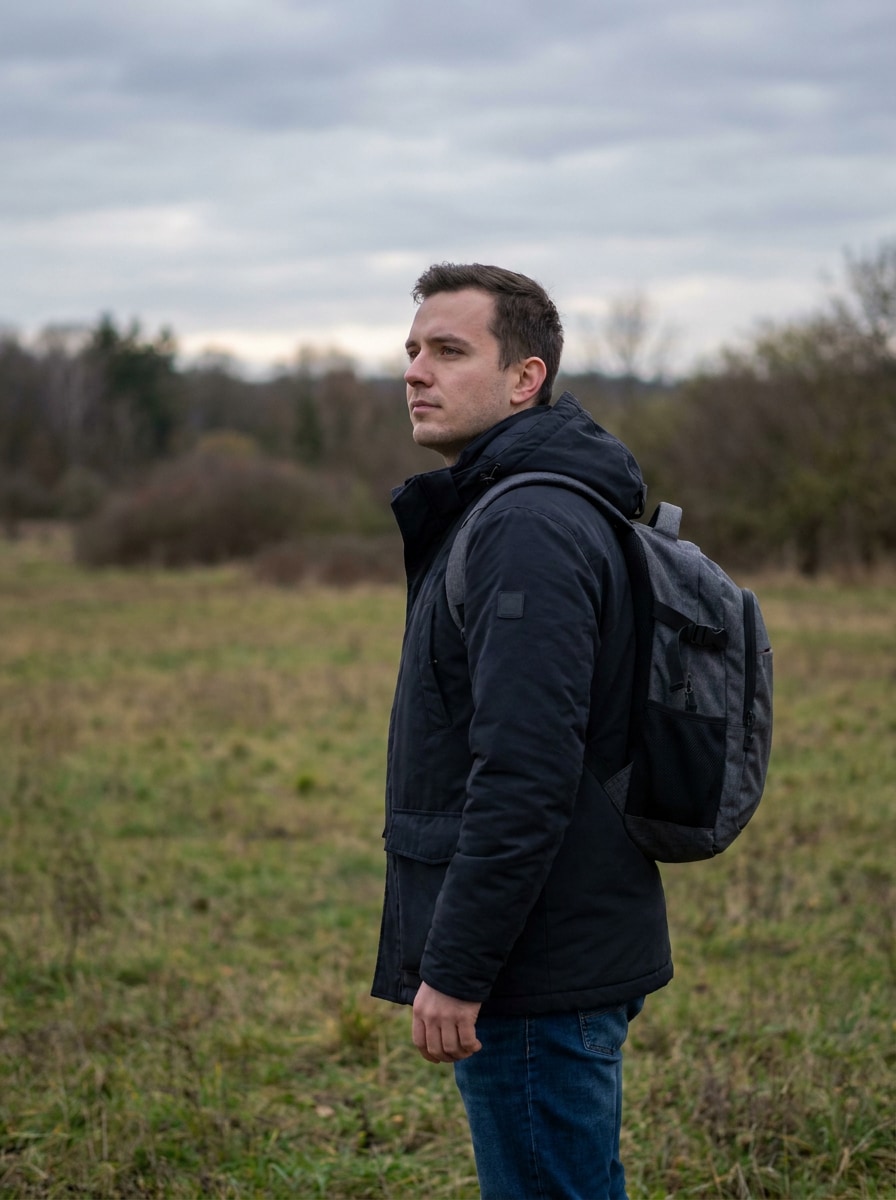
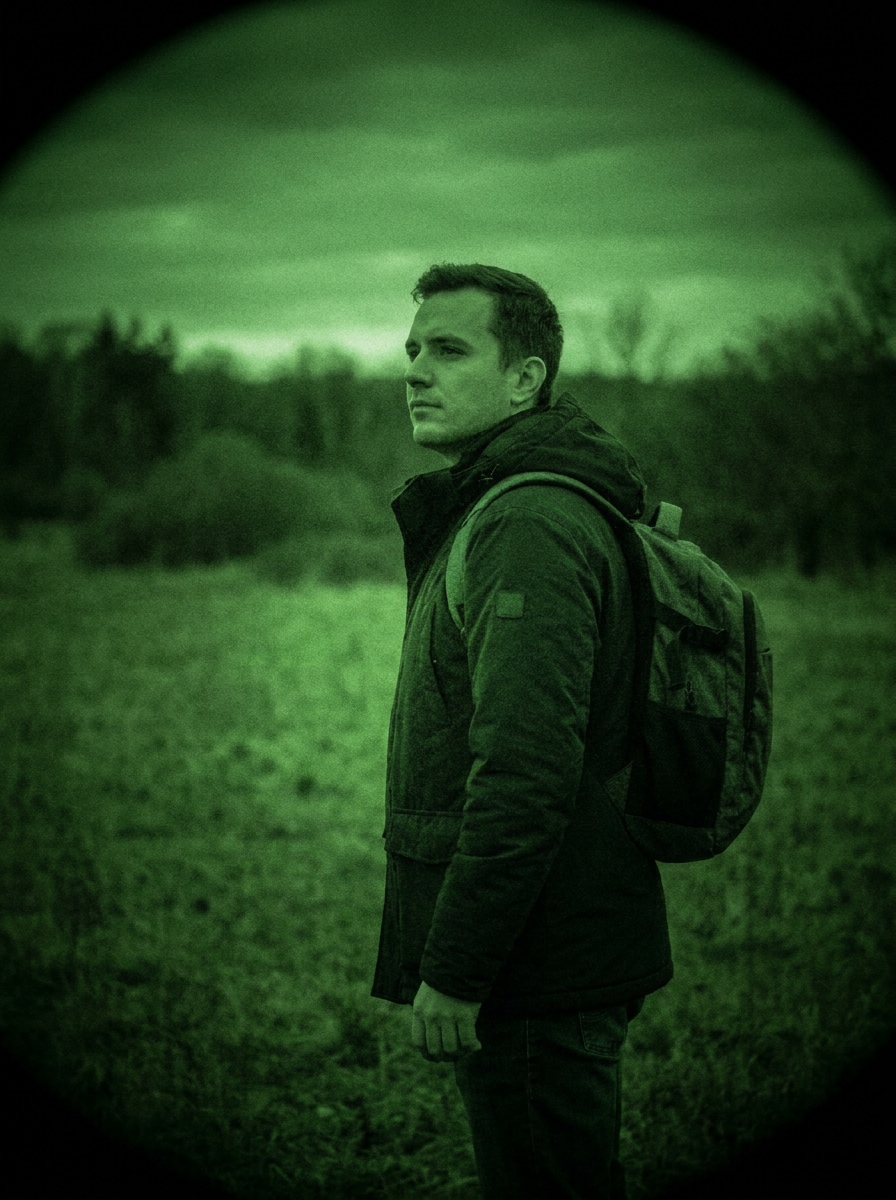
Convierte cualquier foto subida en unfiltro de visión nocturnacon un aspecto estilizado en segundos. Crea unefecto de cámara de visión nocturna, una atmósfera inquietante de vigilancia, o unefecto verde de visión nocturnadirectamente en tu navegador con controles impulsados por IA, procesamiento rápido y opciones de exportación en alta resolución. También es una opción práctica para filtros de visión nocturna por IA.
Escribe tu idea -> La IA lo diseña. Gratis para probar.
Revisa estas instrucciones de ejemplo y luego personaliza los detalles del prompt para conseguir mejores resultados con este filtro de visión nocturna y afinar el aspecto exacto que deseas.
Gafas verdes monocromáticas
Utiliza la imagen subida como sujeto y transfórmala en una escena clásica de visión nocturna estilo militar. Aplica tonos monocromáticos verdes intensos, resplandor suave en el centro, grano moderado de sensor, viñeta circular oscura, contraste definido en medios tonos y textura realista de baja luz para un auténtico ambiente de visión de gafas.
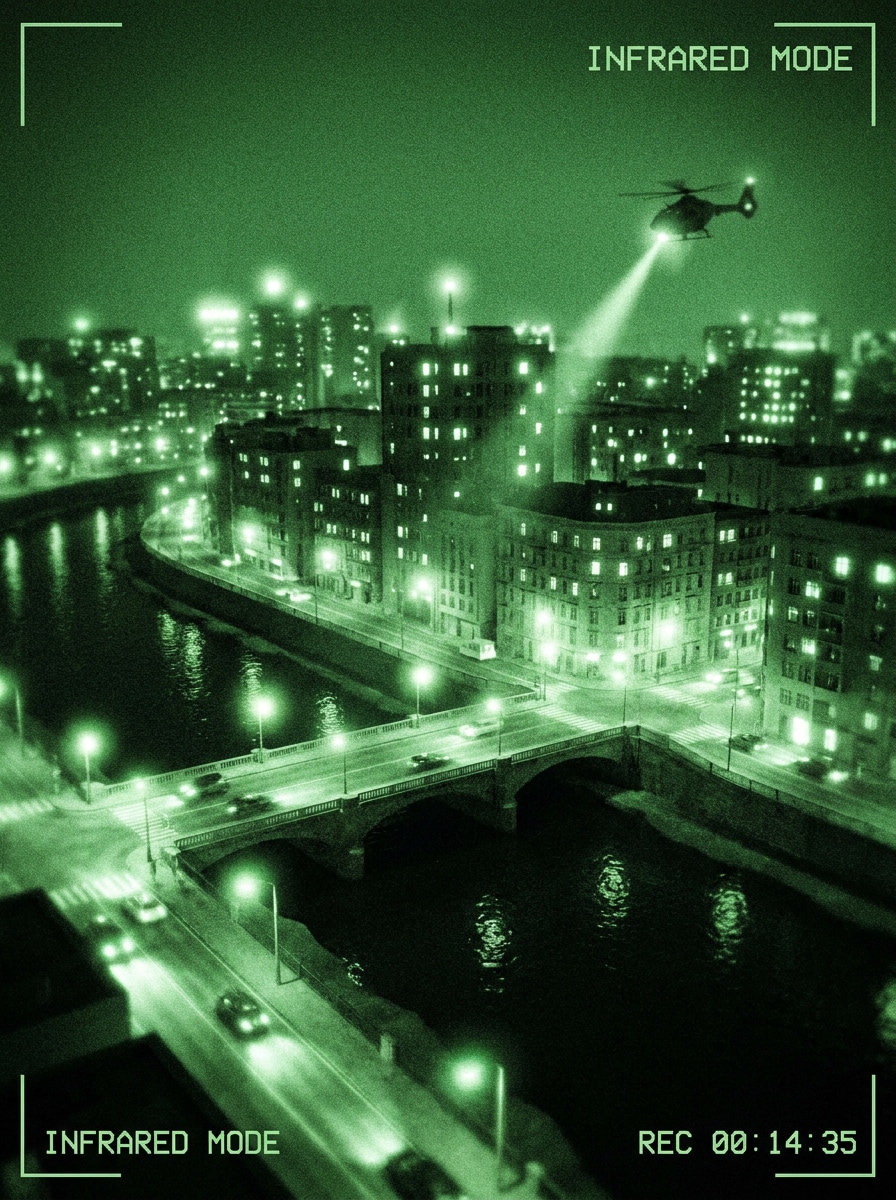
Simulación de infrarrojos
Utiliza la imagen subida como base y conviértela en una imagen de visión nocturna inspirada en el infrarrojo. Añade un monocromo verde, resplandor de luces altas brillante, bordes luminosos elevados, sombras apagadas, grano digital sutil y mapeo de contraste suave para que el resultado tenga un toque de visión nocturna infrarroja estilizada.
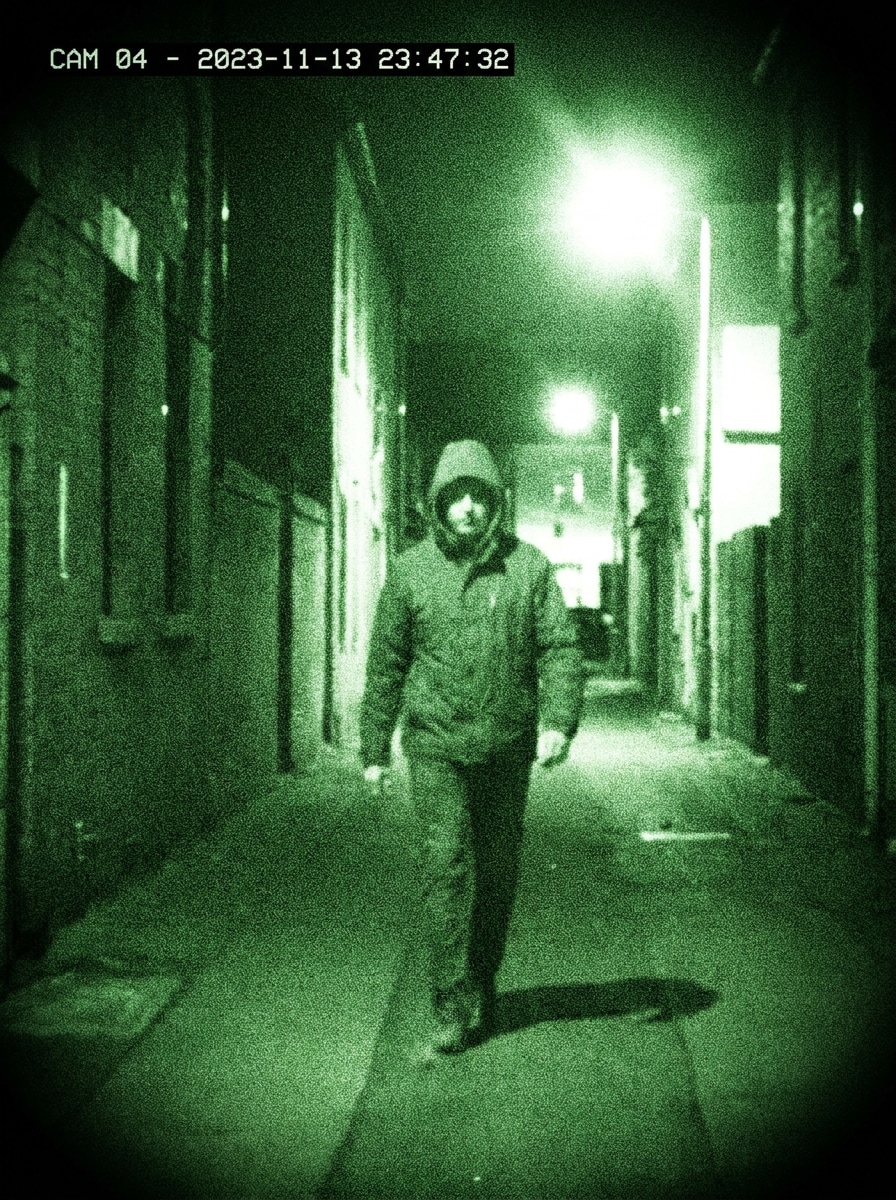
Visión nocturna de cámara de seguridad
Utiliza la imagen subida como sujeto y restílala como si fuera una grabación de vigilancia nocturna. Aplica tonos verdes en escala de grises, alto contraste, ligera suavidad, ruido de sensor, viñeta oscura en los bordes y un espacio de encuadre limpio para superposiciones de marca temporal, creando una escena nocturna convincente estilo CCTV.
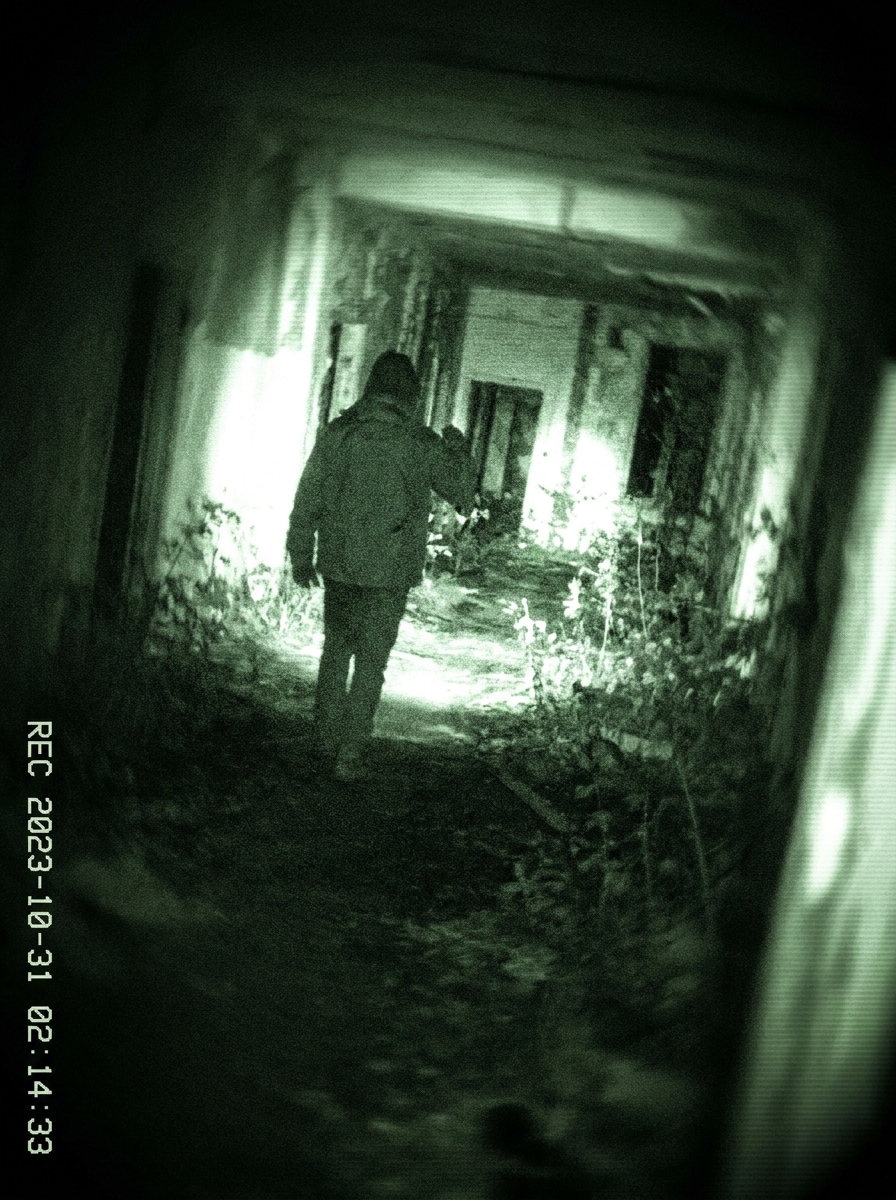
Terror de metraje encontrado
Utiliza la imagen subida como sujeto principal y dale un estilo de visión nocturna de metraje encontrado de terror. Añade tinte verde inquietante, grano intenso, puntos brillantes, desenfoque en los bordes, exposición desigual y sombras profundas para lograr una atmósfera cinematográfica de documental en mano y con tensión.
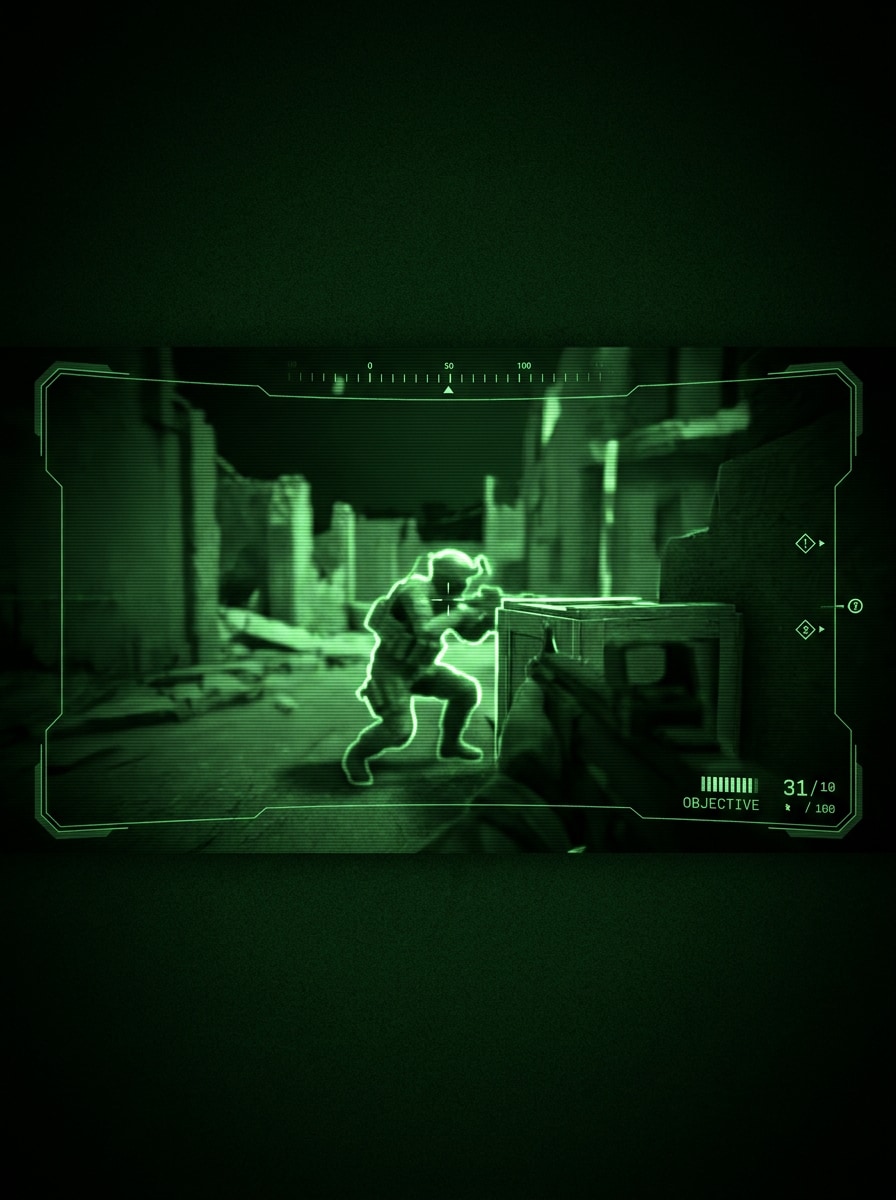
HUD de juego sigiloso
Utiliza la imagen subida como sujeto y transfórmala en un marco de visión nocturna de videojuego de sigilo. Aplica un monocromo verde neón nítido, ruido digital controlado, contornos iluminados, detalle central definido, entorno oscuro y un aire táctico y moderno que sugiere ópticas avanzadas y claridad de HUD.
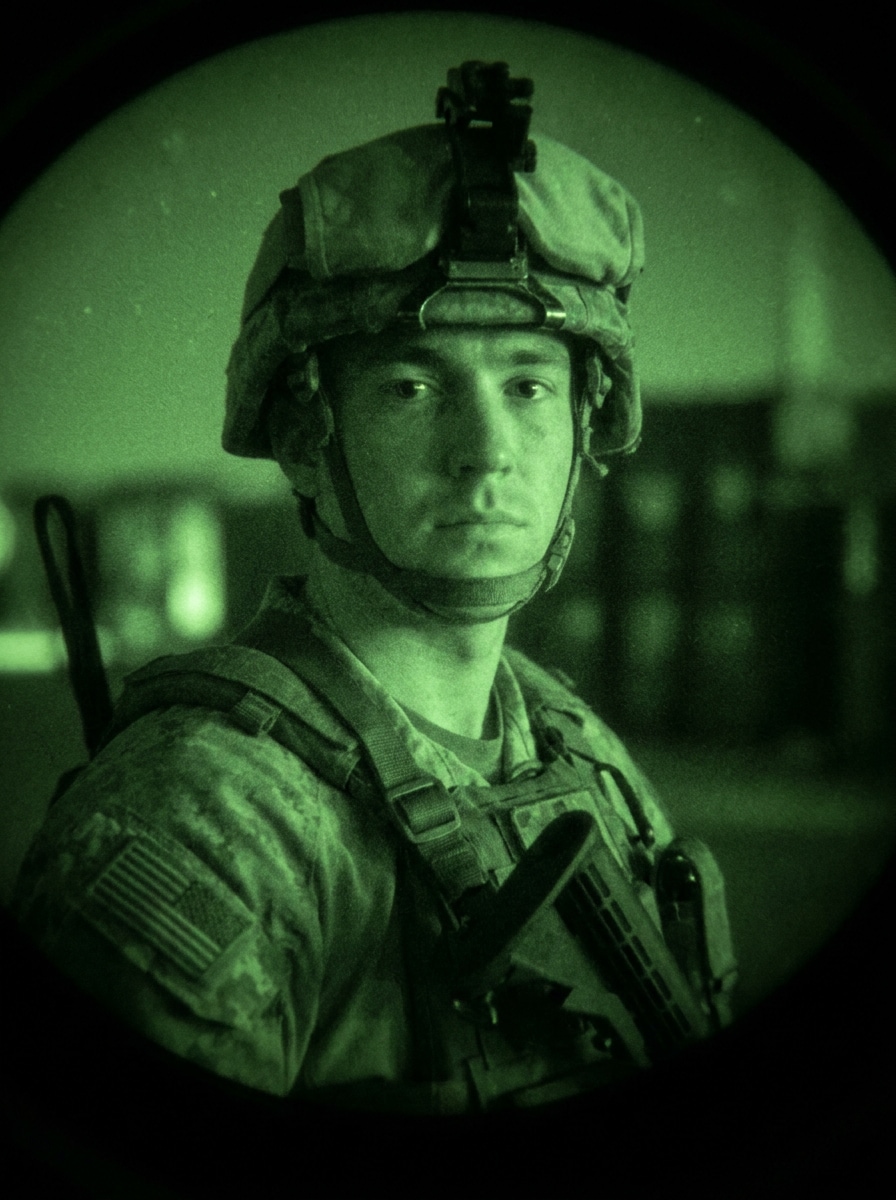
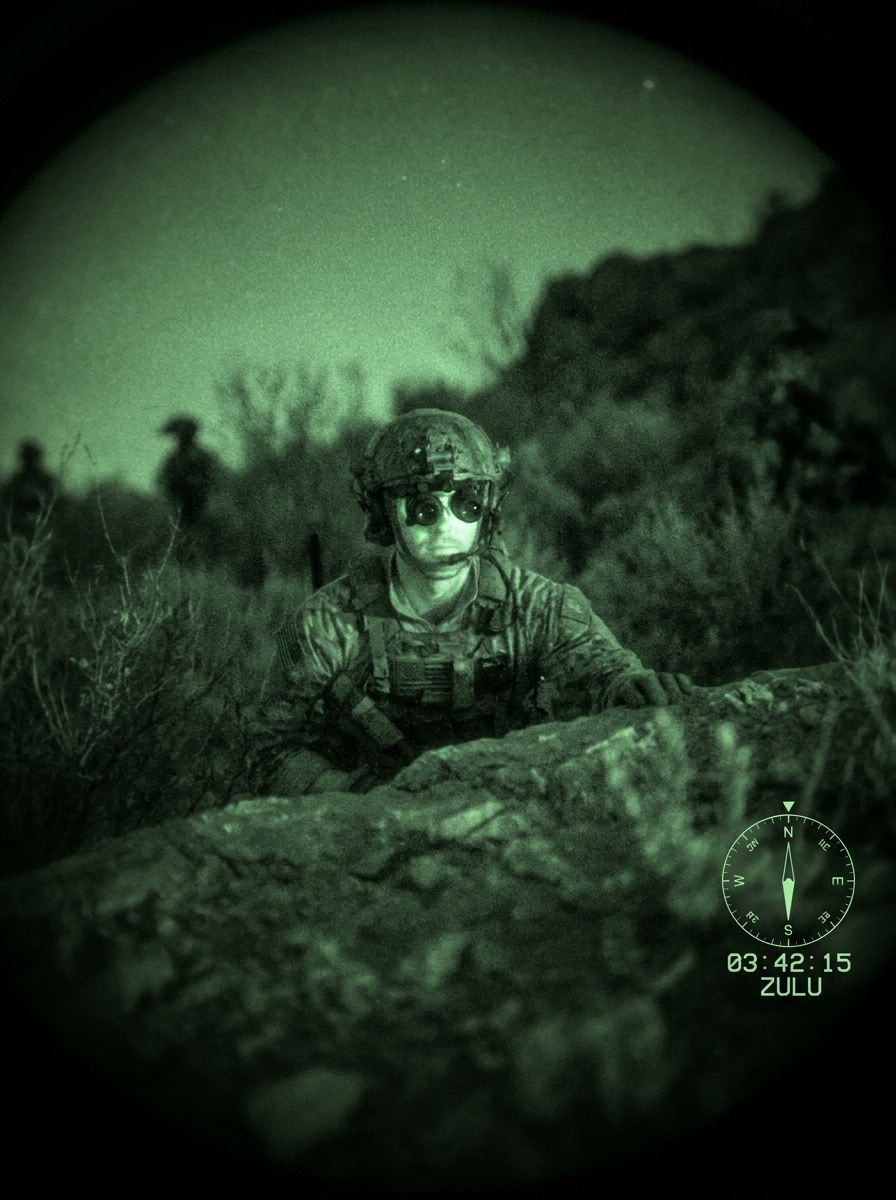
Visión de operador táctico
Utiliza la imagen subida como sujeto y crea un aspecto realista de visión nocturna de un operador táctico. Añade gradación verde de gafas militares, grano de fósforo moderado, resplandor suave en el rostro, enfoque fuerte en el centro, bordes cargados de sombras y un ambiente disciplinado de baja luz con estética auténtica de equipamiento de campo.
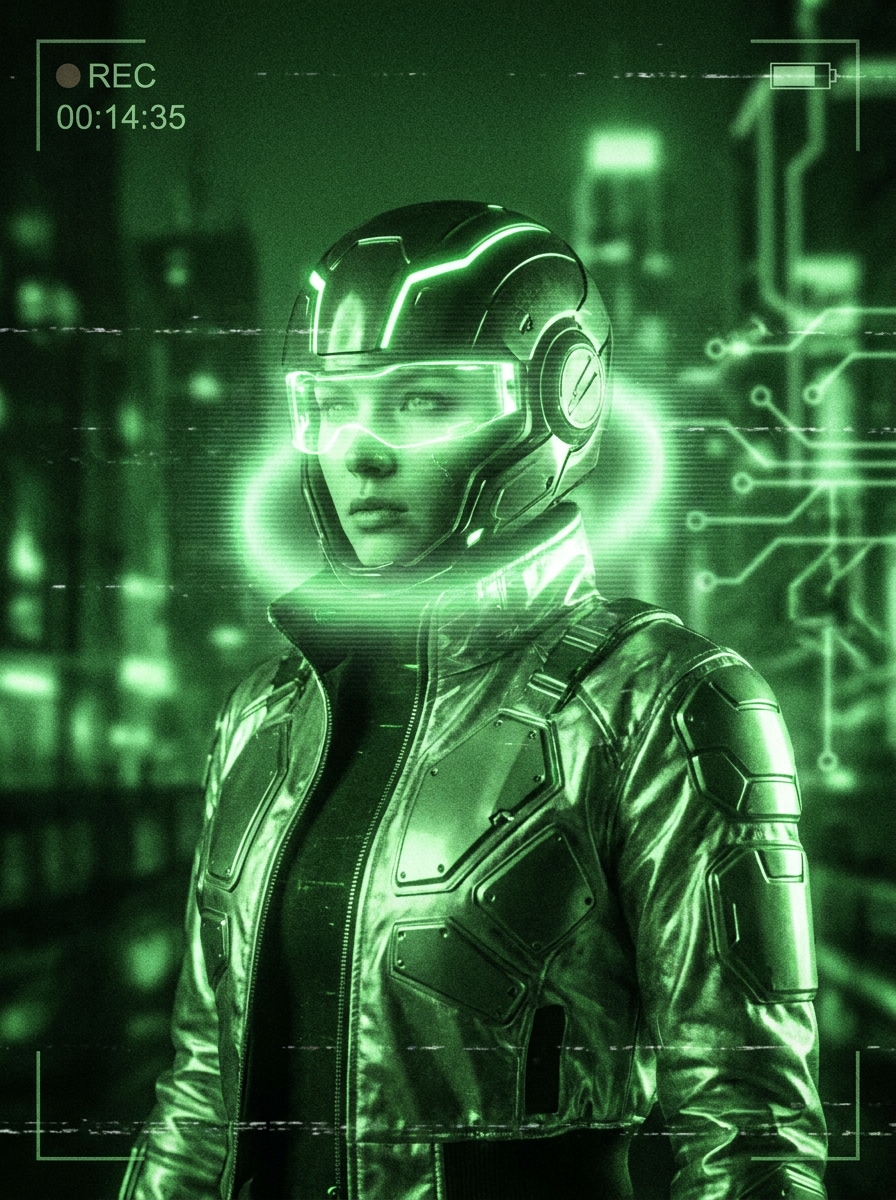
Visión nocturna cibernética
Utiliza la imagen subida como referencia y conviértela en una composición futurista de visión nocturna cibernética. Añade brillo verde neón luminoso, contraste brillante, grano digital, trazado de contornos claros, zonas de sombra profunda y una atmósfera de ciencia ficción elegante y avanzada.
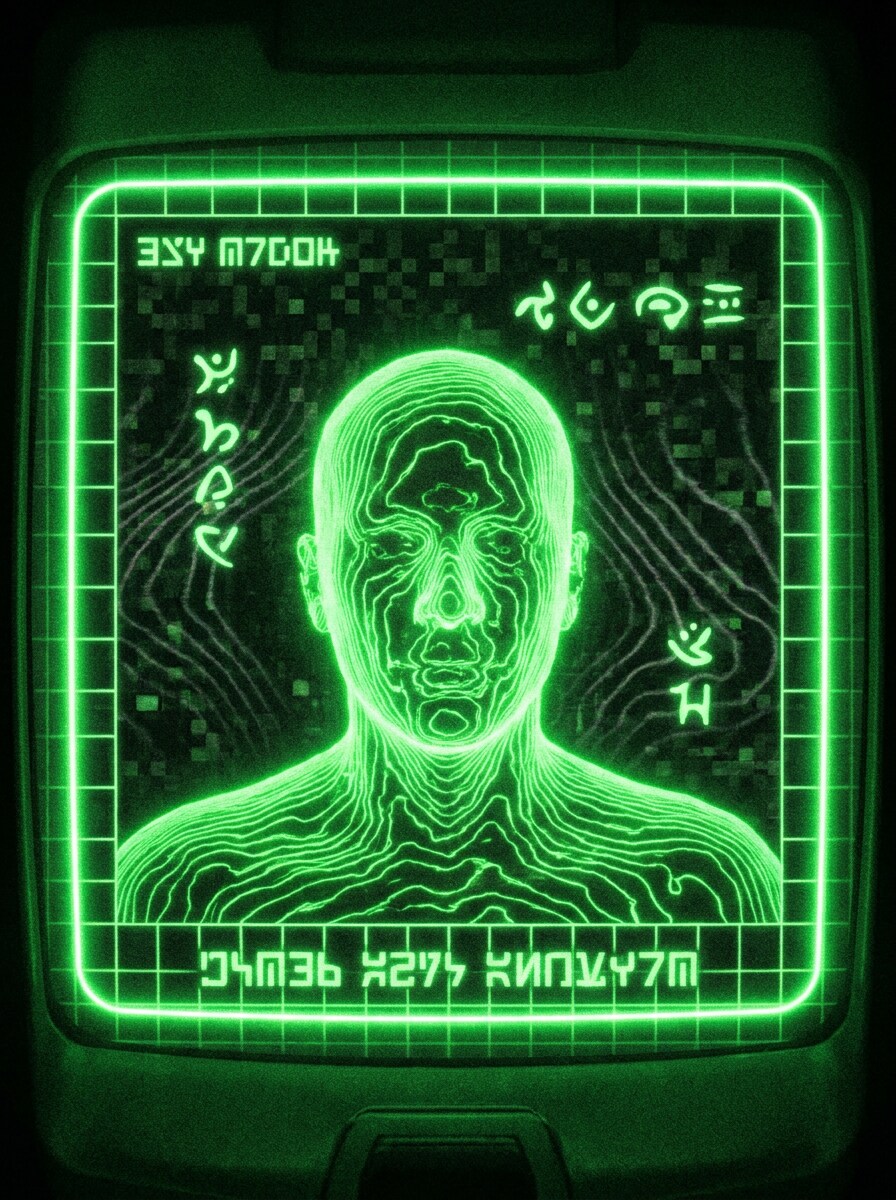
Visión de escáner alienígena
Utiliza la imagen subida como sujeto y reimáginala como visión nocturna de escáner alienígena. Añade luminiscencia verde intensa, mapeo de contraste inusual, contornos brillantes, artefactos de ruido digital, oscuridad ambiental y un tono de ciencia ficción misterioso y analítico.
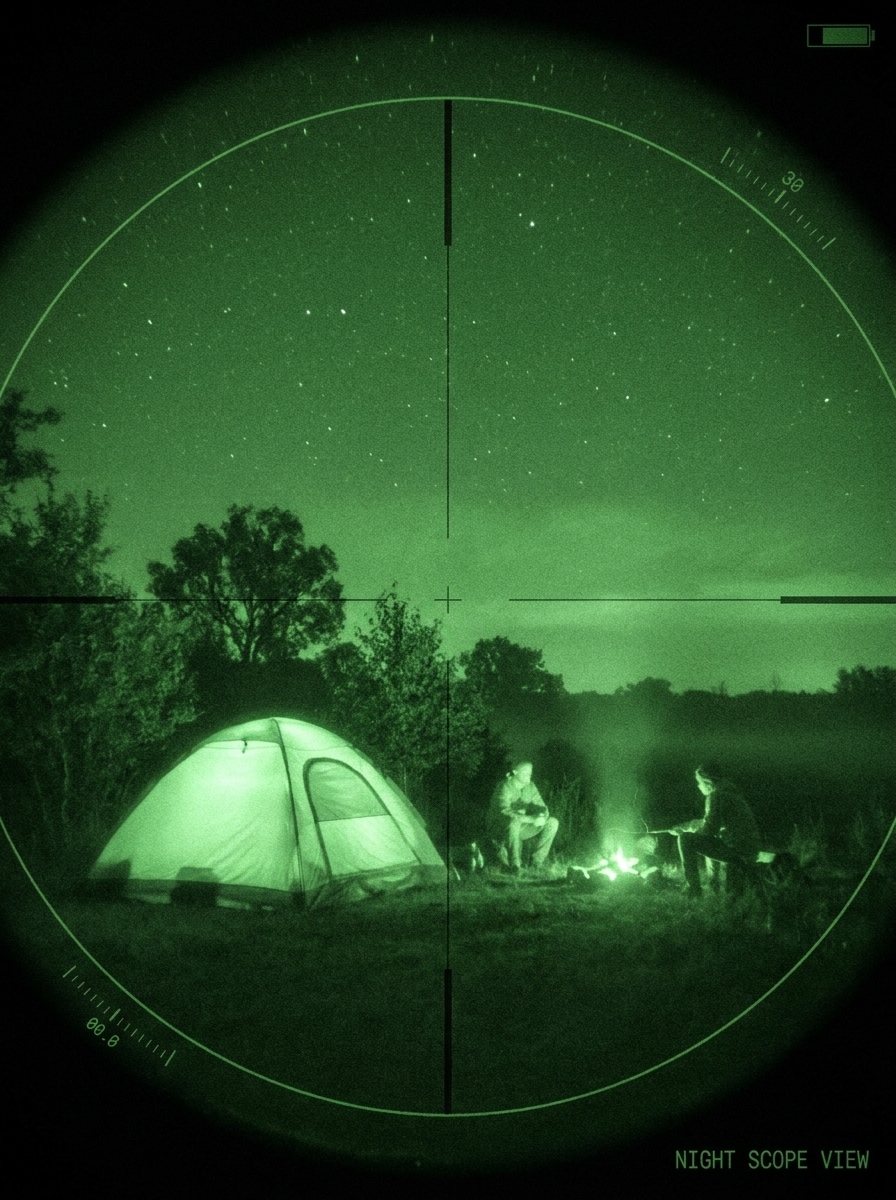
Mira nocturna de campamento
Utiliza la imagen subida como base y haz que parezca que fue vista a través de una mira nocturna para exteriores. Aplica un monocromo verde con tonos de bosque, grano suave, viñeta suave de lente, formas naturales preservadas, resplandor suave y una atmósfera realista de baja luz con energía tranquila de aventura.
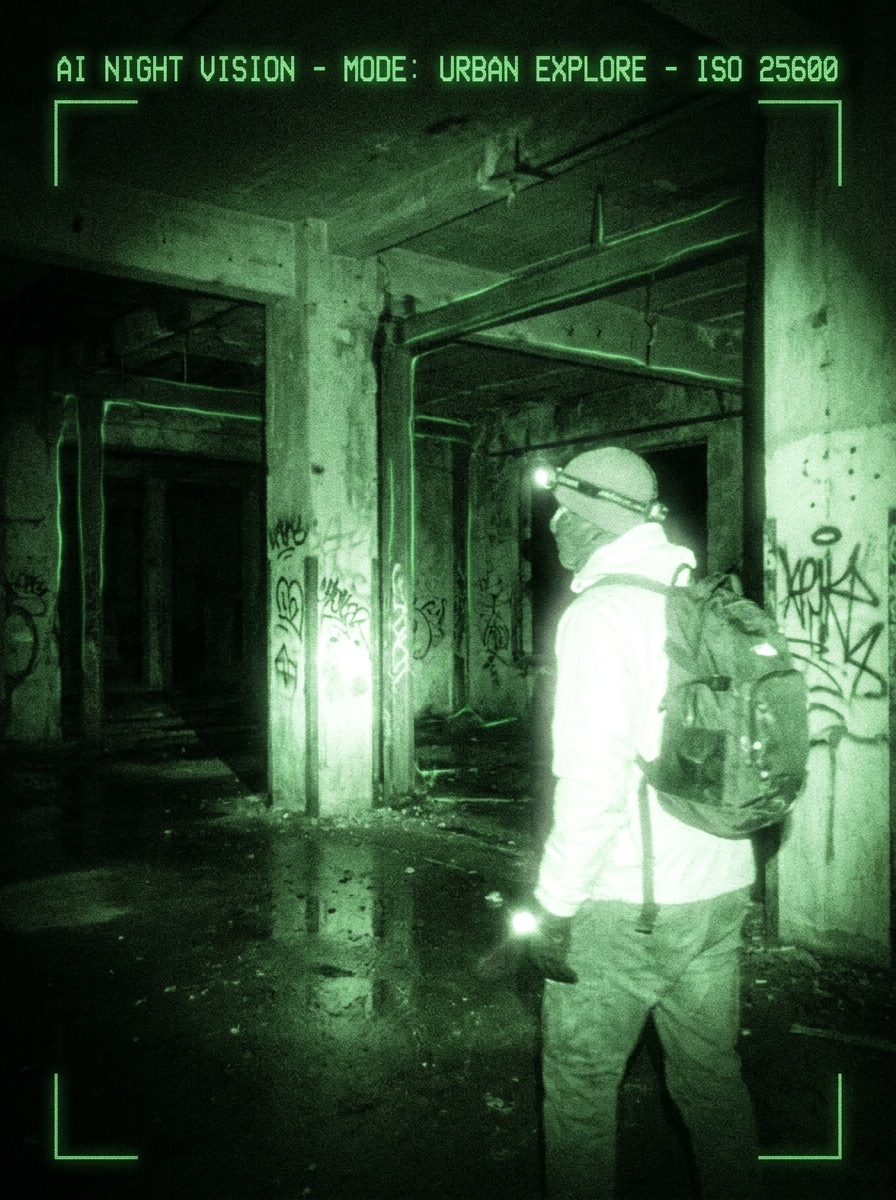
Visión nocturna para exploración urbana
Utiliza la imagen subida como referencia y transfórmala en una visión nocturna áspera de exploración urbana. Añade gradación monocromática verde, reflejos brillantes, grano texturizado, oscuridad ambiental, resplandor suave y tensión de edificio abandonado para un ambiente dramático de exploración nocturna.
Por qué usar Media.io para efectos de visión nocturna en fotos
Resultados basados en referencia que mantienen reconocible tu sujeto
Media.io te permite subir una foto existente y aplicar unefecto fotográfico de visión nocturnamanteniendo a la persona, pose o la estructura de la escena intactas, de modo que la imagen final se transforma sin perder la composición original.
Control flexible para variaciones verdes, de infrarrojos o cinematográficas
Una sola idea suele necesitar más de un aspecto. Media.io ayuda a reinterpretar el filtro visual de visión nocturna en distintos estilos para que cada versión se adapte mejor al proyecto.
Mantén los visuales finales nítidos para proyectos reales
Algunos resultados deben lucir bien más allá de la vista previa. Media.io ayuda a generar efectos de filtro de visión nocturna más limpios con salida de hasta 4K para que la imagen final destaque en fondos, presentaciones y maquetas.
Edición en navegador adaptada a flujos de trabajo rápidos y sin apps
Ya sea que exploras visuales de filtro de visión nocturna en tu laptop o revisas borradores en el móvil, Media.io mantiene todo en el navegador para que retomar el flujo de trabajo en varios dispositivos sea más fácil.
Cómo añadir un filtro de visión nocturna a tu foto
Convierte tus palabras en imágenes impactantes en tres simples pasos, y luego sigue afinando el resultado si quieres ajustarlo más.
Paso 1
Sube tu imagen de referencia
Empieza con una foto clara en JPG, PNG o JPEG de una persona, objeto o escena. Las imágenes con detalles visibles del sujeto e iluminación sencilla suelen funcionar mejor para lograr una transformación convincente de vigilancia, infrarrojos o estilo táctico.
Paso 2
Describe el cambio y selecciona opciones
Describe el estilo que quieres, como gafas verdes clásicas, metraje de terror o vista de escáner futurista. Después elige tu modelo y ajusta la relación de aspecto, resolución y el número de variaciones de imagen para la mejor composición final.
Paso 3
Genera, descarga y sigue mejorando
Crea tu resultado, compara distintas versiones y descarga la que más te guste. Puedes afinar el prompt, probar otro estilo o seguir editando tu salida para miniaturas, imágenes sociales o arte conceptual cinematográfico.
Descubre el potencial del efecto de cámara de visión nocturna
Descubre cómo los creadores usan este filtro de visión nocturna para contenido, marketing y proyectos personales, y adapta cada idea a tu necesidad.
Crea contenido social de terror y metraje encontrado
Convierte retratos cotidianos o fotos de habitaciones en visuales inquietantes de baja luz para TikTok, Reels o miniaturas de YouTube. Un look de vigilancia estilizado con grano, resplandor y contraste oscuro añade tensión al instante y hace que los antes y después sean más atractivos.
Crea arte inspirado en lo táctico y videojuegos
Si buscas una estética de operaciones encubiertas u operador, sube un retrato y restílalo con tonos verde fósforo, claridad tipo HUD y contraste firme. Este enfoque es perfecto para filtros de visión nocturna militar en banners de gaming, arte de perfil, carteles y gráficos promocionales temáticos.
Restiliza fotos de exteriores y urbanas con ambiente de mira nocturna
Fotos de campamento, escenas en pasillos y fotos de exploración pueden transformarse en visuales estilizados de baja luz sin simular una exposición real en la oscuridad. Esto es ideal cuando buscas un efecto verde de visión nocturna dramático, ambiente cinematográfico o unfiltro de foto de visión nocturnaconvincente para contar historias.
Qué dicen los usuarios
Jordan M.
Creador de videos cortos
"Perfecto para ediciones inquietantes de antes y después"Lo utilicé para convertir miniaturas de metraje de pasillo normales en imágenes tipo visión nocturna para Reels. Los resultados se veían dramáticos rápidamente, y me gustó mantener la pose original cambiando todo el ambiente.
Alicia R.
Diseñadora gráfica
"Más flexible que una app de filtros básicos"La mayoría de las herramientas ofrecen un filtro plano, pero esta me permitió probar versiones de vigilancia, tácticas y ciencia ficción con la misma imagen. Fue mucho más sencillo lograr un look pulido para carteles y portadas.
Marcus T.
Manager de comunidad de juegos
"Genial para promos temáticas tácticas"Necesitábamos un visual rápido para el anuncio de un evento de sigilo, y el estilo de visión nocturna funcionó excelente. La imagen se mantuvo reconocible, mientras que el resplandor y el grano le dieron una atmósfera inspirada en juegos mucho más fuerte.
Sophie L.
Especialista en marketing de contenido
"Flujo fácil en navegador desde móvil y escritorio"Lo probé primero en mi móvil y luego descargué el resultado final en escritorio. Esa conveniencia fue importante, y la calidad de exportación fue suficiente para gráficos sociales y maquetas de campaña.
Explora los efectos de video e imagen con IA más populares
Preguntas frecuentes sobre Filtro de Visión Nocturna
1. ¿Qué le hace un filtro de visión nocturna a una foto?
Un filtro de visión nocturna reestiliza tu imagen para simular el aspecto de las ópticas nocturnas más que realmente iluminar una foto oscura. En Media.io, normalmente se añade monocromo verde, cambios de contraste, resplandor y grano para crear un resultado estilizado inspirado en vigilancia o infrarrojos.
2. ¿Cómo puedo añadir un filtro de visión nocturna en línea sin descargar una app?
Sube tu imagen a Media.io en el navegador, ingresa el estilo que deseas, elige las configuraciones y genera el efecto online. Es útil si buscas un efecto de cámara de visión nocturna o una transformación cinematográfica basada en el navegador sin instalar software de edición. Media.io funciona en cualquier dispositivo con un navegador moderno.
3. ¿Este filtro de foto de visión nocturna es gratuito?
Media.io ofrece créditos gratis para nuevas generaciones, así que puedes probar el efecto antes de actualizar la cuenta. Los usuarios gratuitos pueden ver marcas de agua, mientras que los planes de pago ofrecen más uso y descargas sin marcas de agua y en alta resolución. Puedes comparar las opciones en la página de precios.
4. ¿Puedo aplicar un efecto de visión nocturna a una imagen existente?
Media.io funciona en navegadores modernos de escritorio y móvil, por lo que puedes crear y revisar diseños de visión nocturna sin instalar software pesado.
5. ¿La herramienta es compatible con iPhone, Android y navegadores de escritorio?
Media.io es web, por lo que funciona en dispositivos con navegador, incluyendo iPhones, teléfonos Android, tablets, PCs con Windows y Mac. Puedes comenzar una edición en móvil o escritorio sin depender de una app específica para cada plataforma.
6. ¿Mi imagen mantendrá su calidad original tras añadir el filtro?
El efecto cambia el aspecto de la imagen, pero Media.io te ofrece controles de calidad para la exportación final, con salida de hasta 4K. Esto ayuda a mantener la nitidez y utilidad de tu resultado con filtro de visión nocturna para recursos sociales, portadas y publicaciones creativas cuando eliges la resolución adecuada. Los usuarios gratuitos pueden tener marcas de agua.
Más allá del filtro de visión nocturna online con IA