Primera suscripción hasta50% de descuento
Comprar ahora

Tendencia de baile de perros con IA de “Single Ladies”

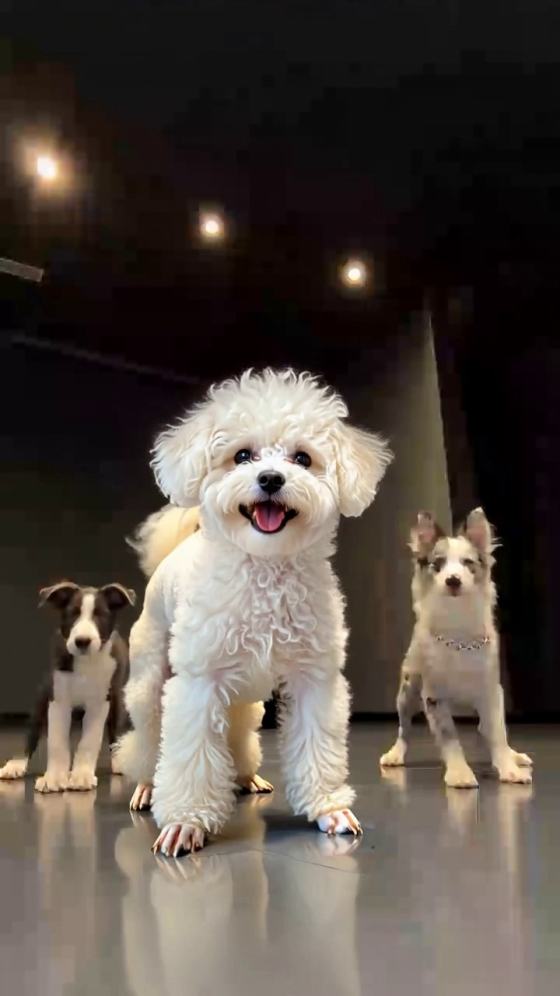
Crea un video de baile de tu perro con IA a partir de una sola foto de tu mascota. Convierte a tu perro en el intérprete principal de un escenario al estilo “Single Ladies”, con bailarines, iluminación y el ambiente de Reels virales.
Todas las Presentaciones

Create a Put a Ring on It Dog AI Video from Your Pet Photo

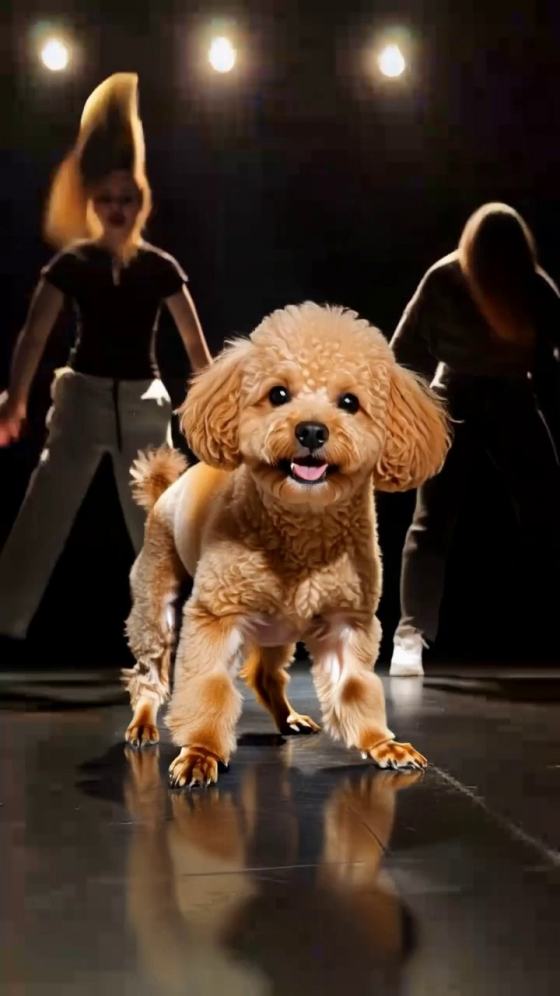
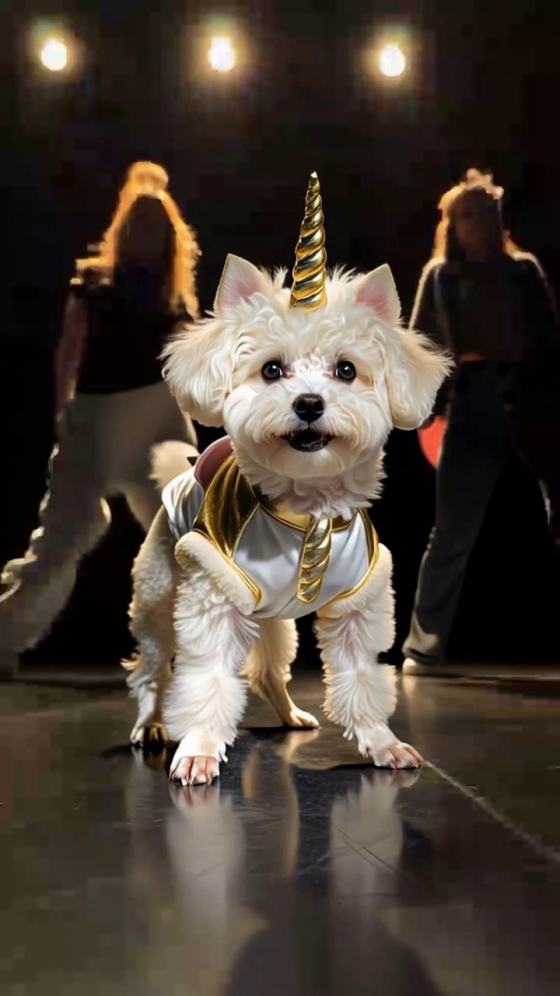
Give your dog the lead role in the Put a Ring on It dog AI trend, also known as the Single Ladies dog AI dance. Your pet takes center stage while two backup dancers perform behind it. Start with one clear pet photo, copy a prompt below, and use a compatible reference-to-video workflow to guide the head dips, tilts, and fur flips that make this performance so funny.

Create My Dog’s Dance Explore Reference to Video

Use one photo with your pet’s face, body, and paws clearly visible. The reference clip supplies the two backup dancers and stage. Reference-video support, duration, and audio vary by model.

What Makes the Single Ladies Dog AI Dance Work?

One Pet Steals the Spotlight

The Put a Ring on It dog video places your pet in the foreground with two dancers behind it. A head dip, a quick lift, and a few confident tilts become the main performance. Keep your dog on all four paws rather than turning it into a human-shaped dancer.

Keep Your Dog Recognizable

Your photo defines the pet’s face, breed, ears, coat markings, and build. Keep those details throughout the Single Ladies dog dance. A short-haired dog should stay short-haired, and a large dog should retain its proportions instead of becoming a copy of the reference pet.

Preserve Both Backup Dancers

Replace only the center pet. Keep both dancers’ faces, outfits, choreography, and positions from the reference clip. The contrast between their full routine and your dog’s small head movements is the joke, so keeping all three performers in frame matters.

Follow the Stage and Head-Toss Timing

A low camera, dark studio, and reflective floor put your pet in the spotlight. Use a reference clip to guide the timing and continuous shot. Start with the classic dog version, then try a large dog, a short-haired breed, or a cat while keeping the same stage setup.

How to Make a Put a Ring on It Dog AI Video

01

Step 1: Upload One Clear Pet Photo

Choose a sharp photo of one dog with its face, coat, body, and paws visible. Use even lighting and leave space around the ears and feet. Avoid collages, blurred photos, and images with several animals. Your photo defines the center pet; you do not need separate photos of the backup dancers.

02

Step 2: Add the Reference and Prompt

In a workflow that accepts video references, add your Put a Ring on It clip and copy a Single Ladies dog AI prompt below. Specify that only the foreground pet changes. Follow the reference for head movements, dancer positions, and camera framing. Choose a supported duration and use 9:16 for a vertical clip.

03

Step 3: Check the Pet, Dancers, and Audio

Preview your Put a Ring on It dog AI video. Check the pet’s identity, fur length, paws, and contact with the floor, then review both dancers. Refine the prompt if details change. If the workflow does not retain audio, sync suitable music afterward before exporting for TikTok, Reels, or Shorts.

Copy-Ready Put a Ring on It Dog AI Video Prompts

Decorative avatar beside the classic Single Ladies dog AI prompt
Classic Dog Stage Performance

Copy-Ready Video Prompt

Classic Put a Ring on It Dog Prompt: Use the uploaded dog photo as the pet identity reference and the supplied video as the scene and motion reference. Replace only the dog in the center foreground. Preserve the uploaded dog’s breed, facial features, ears, coat color, markings, body proportions, and natural fur length. Follow the reference pet’s head dip, upward lift, side tilts, and head tosses at the same moments. Keep all four paws grounded, with natural neck movement and fur responding to each motion. Preserve both female backup dancers, including their faces, outfits, choreography, and positions behind the dog. Keep the dark studio, reflective floor, lighting, low camera angle, and continuous shot from the reference. Use 9:16 where supported. No extra pets, human arms, extra legs, breed changes, added accessories, or cuts.

Decorative avatar beside the large dog Put a Ring on It prompt
Big Dog, Main Character Energy

Copy-Ready Video Prompt

Large Dog Single Ladies AI Prompt: Replace only the foreground dog in the supplied dance reference with the large dog from the uploaded photo. Preserve its recognizable face, muzzle, ears, coat markings, broad chest, leg length, and natural build. Keep the dog visibly large without exaggerating its size or shrinking it into a small fluffy breed. Fit the full body within the foreground, leaving the two backup dancers visible behind it. Follow the reference sequence of head dips, lifts, and side tosses, adapted to the dog’s neck and body proportions. Keep all four paws planted with believable floor contact. Preserve both dancers’ identities, clothing, movements, and positions, along with the studio, lighting, reflections, and camera. No added mane, tiny body, human limbs, floating paws, extra animals, or scene changes.

Decorative avatar beside the short-haired dog AI dance prompt
Short Coat, Big Attitude

Copy-Ready Video Prompt

Short-Haired Dog AI Dance Prompt: Use the uploaded short-haired dog as the only pet identity reference. Replace the center dog in the supplied Put a Ring on It video while preserving the uploaded pet’s breed, face, muzzle, ear shape, coat pattern, and compact or lean build. Keep its coat short in every frame. Follow the reference head dips, quick lifts, and side tilts using natural canine movement; let the head and ears carry the performance without inventing long flowing hair. Keep the body stable and all four paws on the floor. Preserve both female backup dancers’ faces, outfits, choreography, and positions behind the dog. Retain the reference studio, reflections, lighting, framing, and continuous shot. No long fur, feathered ears, wigs, breed changes, upright human dancing, extra limbs, or duplicate pets.

Decorative avatar beside the Single Ladies cat AI video prompt
Cat Takes Center Stage

Copy-Ready Video Prompt

Single Ladies Cat AI Prompt: Adapt the supplied pet dance reference by replacing only the center dog with the cat from the uploaded photo. Preserve the cat’s face, eyes, whiskers, ears, coat color, markings, fur length, body shape, and tail. Keep the pet clearly feline throughout. Follow the reference timing with gentle head dips, upward lifts, and side tilts suited to a cat’s anatomy. Keep all four paws grounded and the body stable; do not force large neck rotations or human dance poses. Preserve both backup dancers’ identities, clothing, choreography, and positions behind the cat. Retain the dark studio, reflective floor, lighting, low camera angle, and continuous shot. No canine muzzle, dog ears, added mane, extra pets, human hands, floating paws, or identity changes.

FAQs About Put a Ring on It Dog AI Videos

1. What is the Put a Ring on It dog AI trend?

The Put a Ring on It dog AI trend, also called the Single Ladies dog AI dance, puts a pet in front of two backup dancers to Beyoncé’s “Single Ladies (Put a Ring on It).” This version focuses on head dips, tilts, and tosses while the pet stays on all four paws. Searches for “single lady dog ai” may refer to the same idea, although other versions show dogs performing more human-like dance moves.

2. What photo do I need for a Single Ladies dog AI video?

Start with one clear photo of a single dog. A full-body view with the face, ears, coat markings, and paws visible gives the model more detail than a tight headshot. Use even lighting and avoid motion blur, collages, or other animals. In a reference-video workflow, the clip supplies the stage and dancers, so separate dancer photos are unnecessary.

3. Do I need a reference video, and is the music included?

A reference video is the better starting point when you want to follow a specific performance, including its head movements, backup dancers, and camera framing. Use a model that accepts video references. A photo-only workflow can create a Single Ladies-inspired scene, but the routine may differ. Audio support varies; if music is not retained, add and sync an available track in your editor or publishing platform.

4. Can I use a big dog, a short-haired dog, or a cat?

You can try the prompts with different pets in a compatible workflow, though results vary. For a large dog, emphasize its build and keep both dancers visible. For a short-haired dog, explicitly preserve the short coat. For a cat, specify feline features and smaller head movements. Keep the uploaded pet’s identity rather than copying the reference dog’s appearance.

5. How do I fix changed fur, distorted paws, or altered dancers?

State that only the center pet should change, then repeat the pet’s breed, coat length, markings, and body proportions. Keep all four paws grounded and simplify excessive head movement. Explicitly preserve both dancers’ faces, outfits, and choreography. If the edit remains unstable, try a clearer full-body photo or a shorter reference segment, then check the result before exporting.

Media.io Online AI Tools Quality Rating:
vote 4.7 (162,357 Votes)






