Deine Werke werden nur 7 Tage lang gespeichert. Assets, die nach dem Upgrade auf einen Mitgliedschaftstarif erstellt werden, werden dauerhaft gespeichert.
Entfalten Sie Ihr kreatives Potenzial und erleben Sie jetzt die Magie der Media-KI!
KI Quote Poster Generator für ästhetische, motivierende Designs schnell
Verwandeln Sie eine einfache Idee in eine polierteZitat posterin Minuten mit Media.io. Generieren Sie Hintergrundkunst und Poster-fähige Stile aus Textaufforderungen für minimalistische, vintage-, motivierende und soziale designs – keine Designkenntnisse erforderlich.
Geben Sie Ihre Idee ein-> KI entwirft sie. Kostenlos zu versuchen.
Entdecken Sie unsere kuratierte Sammlung vonZitat poster generatorStile.
Luxus Serif Minimalismus
Entwerfen Sie ein elegantes Zitat-Poster mit übergroßer Serif-Typografie auf einem weichen beigen und elfenbeinigen Hintergrund, großzügigen Leerzeichen, subtiler Papierstruktur, raffinierter redaktioneller Komposition, Premium-Magazin-inspiriertem layout, ruhiger, raffinierter Stimmung, klarer druckfertiger Qualität, ausgewogener Hierarchie für Zitat und Autorentext.
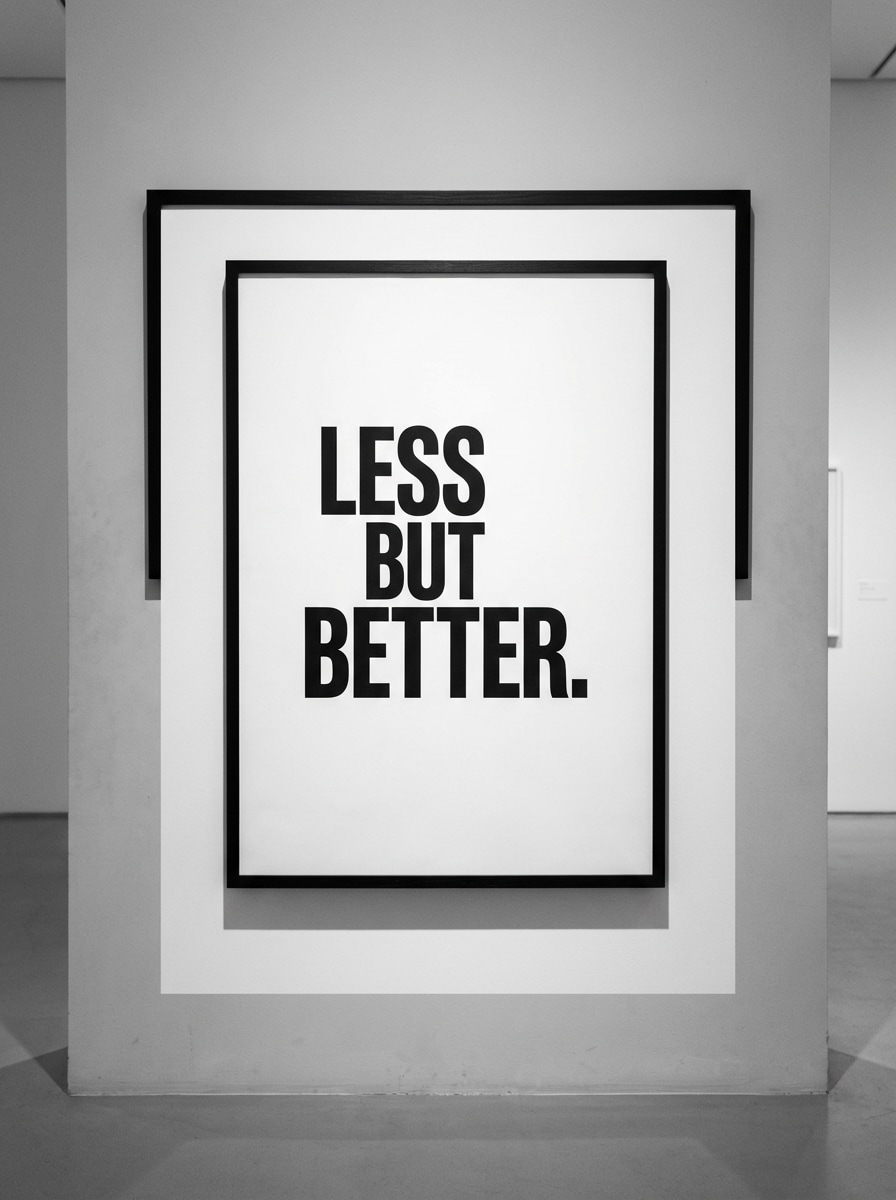
Schwarz-Weiß Modern Typ
Erstellen Sie ein modernes Schwarz-Weiß-Zitatposter mit kräftiger Sans-Serif-Typografie, hohem Kontrastlayout, klaren Rändern, zentriertem Statement-Text, Galerie-Wand-Ästhetik, scharfer redaktioneller Struktur, glattem mattem Papiergefühl, minimalem visuellen Rauschen, selbstbewusster Stimmung und ultra-sauberer druckbarer Posterqualität.
Sonnenuntergang Inspiration Poster
Generieren Sie ein motivierendes Zitat poster mit einem filmischen Sonnenuntergang Himmel, leuchtenden Wolken, warmen orange-rosa und goldenen Verlauf, zentriertem inspirierenden Textbereich, weichem Filmkörner, erhebender Atmosphäre, sanfter Lichtblüte, vertikale sozialfreundliche Komposition und polierten poster Details geeignet zum Teilen oder Drucken.
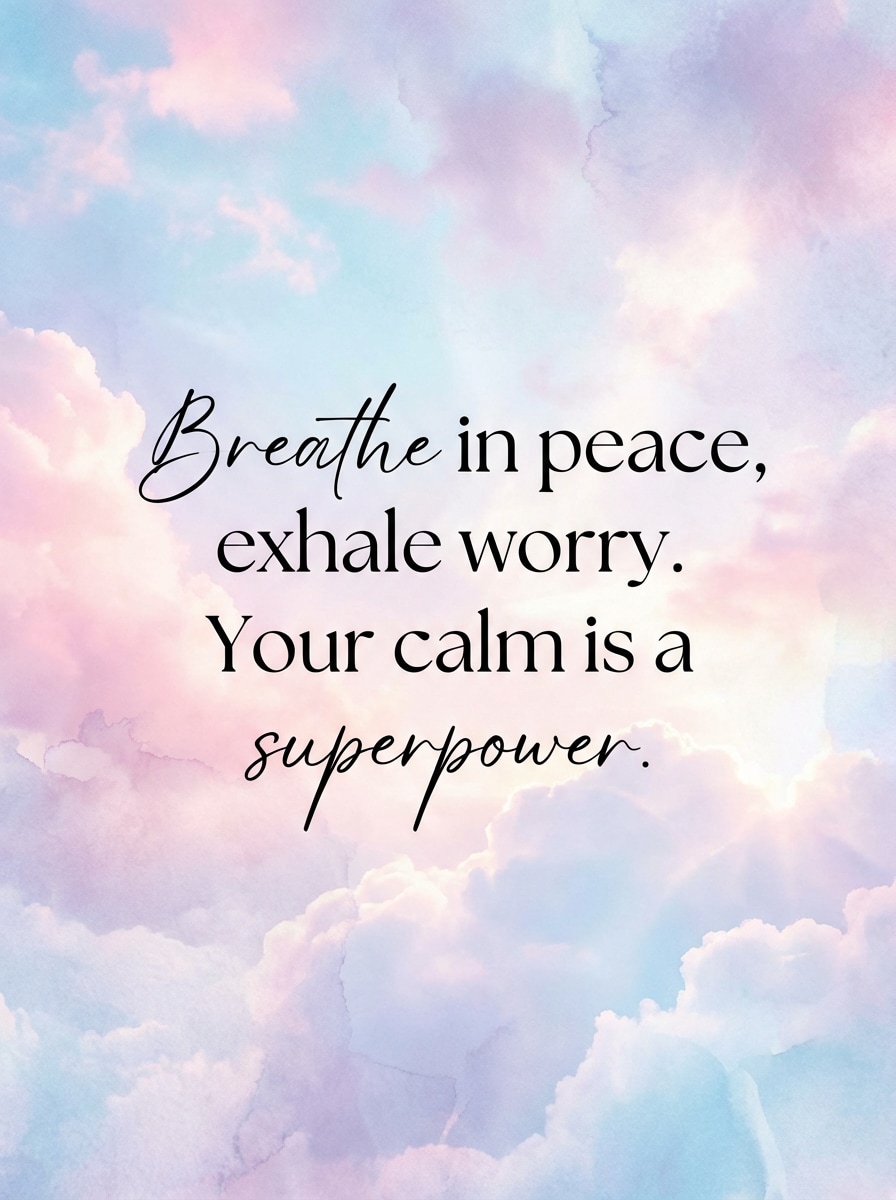
Cloud Dreamscape Zitat
Entwerfen Sie ein inspirierendes Zitat-Poster mit verträumten Pastellwolken, luftiger Komposition, sanften Rosablau-und Lavendel-Tönen, eleganter gemischter Typografie, ätherischer Beleuchtung, beruhigender Wellness-Stimmung, zarter Textur, geräumigem layout für die Zitatplatzierung und einer druckbaren und doch Instagram-fertigen Ästhetik.
Scrapbook Collage Poster
Erstellen Sie ein Vintage-Scrapbook-Zitat-Poster mit geschichteten zerrissenen Papiertexturen, geklebten Collage-Stücken, Retro-Ausschnitt-Details, gedämpften warmen Tönen, ausdrucksstarker Typografie, handgefertigter Komposition, taktiler Papiertiefe, nostalgischer Stimmung, verspielter balance zwischen text und Formen und Pinterest-würdiger Druckqualität.
Retro 70er Jahre Typographie
Generieren Sie ein retro 70er Jahre Zitat poster mit groovy Typographie, gebrannte orange Senf und Creme palette, subtile Korn Textur, vintage Druck Effekt, fett zentriert Zitat layout, nostalgische Wandkunst Stimmung, weich verblasste Kanten, starken visuellen Rhythmus, und scharfe poster Auflösung für Druck oder digitale Verwendung.
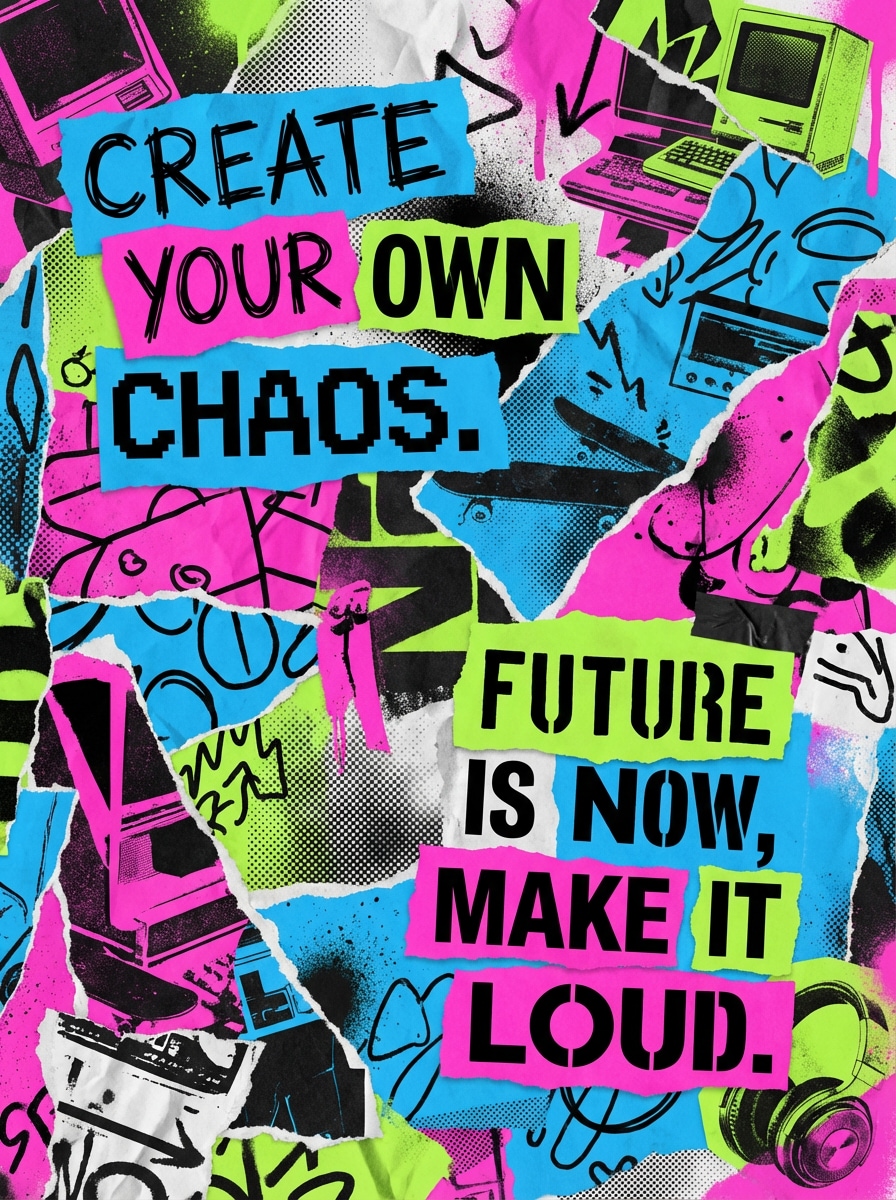
Zine Ausschnitt Poster
Erstellen Sie ein Zitat-Poster im Zine-Stil der Generation Z mit geschichteten Ausschnitten, hochkontrastierenden Farben, gemischter Typografie, verspieltem redaktionellem chaos, dynamischer asymmetrischer Komposition, strukturierten Papierüberlagerungen, kühner visueller Energie, jugendlicher Kultur-Stimmung und sozialbereiter Posterqualität mit Raum für ein unvergessliches statement.
Neon dunkel ästhetisch
Erstellen Sie ein dunkles, ästhetisches Zitat-Poster mit einem tiefschwarzen Hintergrund, Neon-Glow-Typografie, stimmungsvoller Beleuchtung, subtiler Grunge-Textur, futuristischer Kante, lebendigen elektrischen Akzenten in lila blau und rosa, dramatischem Kontrast, auffälligem zentriertem text und einem viralen Social-Media-Ready-Poster-Look.
Neutrale Boho-Affirmation
Entwerfen Sie ein Boho-Affirmationsplakat mit neutralen Erdtönen, weichen organischen abstrakten Formen, subtilen botanischen Akzenten, warmer Creme-und Sandpalette, sanfter Papierstruktur, beruhigender Stimmung, moderner Heimdekor-Komposition, eleganter Typografie und erstklassiger druckbarer Wandkunst-Qualität.
Botanische Ruhe Poster
Erstellen Sie ein beruhigendes Zitat-Poster mit zarter botanischer Linienkunst, salbiegrüner und cremefarbener palette, raffinierter Typografie, ruhigem negativen Raum, subtiler natürlicher Textur, luftiger Komposition, weicher eleganter Stimmung, erstklassigem Wandkunst-Styling und ausgewogener Zitat-Platzierung für druckbare Dekoration oder soziales Teilen.
Warum Media.io als KI Quote Poster Generator verwenden?
Poster aus Textaufforderungen generieren
Verwandeln Sie eine Zitatsidee, Stimmung und Stilbeschreibung in ein originelles Posterbild in einem workflow. Media.io hilft Ihnen bei der ErstellungAI Zitat posterKonzepte, ohne Erfahrung in der Vorlagenbearbeitung zu benötigen.
Hohe Auflösung für Druck und Social
Erstellen Sie Posterbilder in 1K, 2K und 4K Auflösung, sodass Ihre designs für druckbare Wandkunst, Pinterest-Grafiken, Instagram-Posts und Story-ready-Assets geeignet sind.
Flexible Seitenverhältnisse für Poster-Layouts
Wählen Sie aus den Verhältnissen Auto, 1:1, 9:16, 16:9, 4:3, 3:4, 3:2 und 2:3. Das erleichtert den Aufbau einesZitat poster generatorworkflow für feeds, stories, Hintergrundbilder oder Druckformate.
Erweiterte KI-Modelle, browserbasierter Zugriff
Verwenden Sie Flaggschiff-Modelle wie Nano Banana Pro und Nano Banana 2 direkt in Ihrem browser. Media.io funktioniert auf Windows, Mac, iOS und Android, sodass Sie ästhetische und motivierende Poster auf jedem Gerät erstellen können.
Wie man ein Zitat-Poster mit AI erstellt
1
2
3
1
Open Media.io AI Bildgenerator
Gehen Sie zu Media.io und öffnen Sie den AI-Bildgenerator unter AI-> Text zu Bild. Dieses Online-Tool läuft in Ihrem browser, sodass Sie ein Zitat-Poster auf Ihrem desktop oder Mobiltelefon erstellen können, ohne Designsoftware zu installieren.
2
Geben Sie Ihr Angebot ein
Geben Sie eine detaillierte Eingabeaufforderung wie: "Erstellen Sie ein minimalistisches Zitat-Poster mit eleganter Serif-Typografie, beigem Hintergrund, subtiler Papierstruktur, zentrierter Komposition, luxuriösem redaktionellen Stil." Wählen Sie dann Ihr bevorzugtes Seitenverhältnis und die Auflösung für Druck-oder Social-Posting aus.
3
Generieren, verfeinern & herunterladen
Klicken Sie auf Generieren, um Ihr poster zu erstellen. Verfeinern Sie bei Bedarf die Eingabeaufforderung für Stimmung, Farbpalette oder Layoutstil und laden Sie dann das hochauflösende Ergebnis zum Teilen, Posten oder Drucken herunter.
Was Nutzer über das Erstellen von Zitatpostern mit Media.io sagen
Maya L.
Social Media Manager
"Schnelle Poster-Ideen für tägliche Inhalte"Ich benutze es, wenn ich schnell ein motivierendes Zitat-Poster für Instagram brauche. Der größte Gewinn ist, dass ich die Stimmung und den Stil in einer Eingabeaufforderung beschreiben kann, anstatt von einer leeren Leinwand auszugehen.
Jordan R.
Etsy Print Verkäufer
"Hilfreich für druckbare Wandkunst-Konzepte"Die verschiedenen Stile eignen sich hervorragend zum Testen neuer Zitat-Poster-Ideen. Ich mag es besonders, hochauflösende Bilder erstellen zu können und minimalistische, Retro-und Boho-Looks ohne zusätzliche apps auszuprobieren.
Avery C.
Inhaltsersteller
"Gute Mischung aus ästhetischen und sozial bereitgestellten Stilen"Ich wollte etwas über grundlegende Vorlagen hinaus. Media.io hilft mir, Zitatposter zu erstellen, die sich origineller anfühlen, besonders für dunkle Ästhetik, Sonnenuntergang und Zine-inspirierte Beiträge.
Noah P.
Studentendesigner
"Einfach auf jedem Gerät zu bedienen"Ich habe es sowohl auf laptop als auch auf Telefon verwendet und es ist einfach. Für schnelle Klassenprojekte oder persönliche Poster erleichtert der browserbasierte workflow das schnelle Generieren von etwas Poliertem.
Entdecken Sie die beliebtesten KI-Video- und Bildeffekte
1. Wie kann ich ein Zitat-Poster kostenlos machen?
Sie können ein Zitat-Poster in Media.io erstellen, indem Sie eine Textaufforderung im KI-Bildgenerator eingeben und Ihr design online generieren. Kostenlose Nutzer erhalten 3 credits pro Tag. Wenn Sie mehr Generationen, wasserzeichenfreie downloads oder zusätzliche Nutzung benötigen, können Sie hier aktualisieren: https: / /www.media.io/pricing.html
2. Welche app macht Zitat Poster?
Media.io ist ein webbasiertes KI-Bild-Tool, das in Ihrem browser unter Windows, Mac, iOS und Android funktioniert. Es kann als KI-Zitat-Poster-Generator verwendet werden, indem Sie Ihre Textaufforderung in ein Bild im Poster-Stil mit unterschiedlicher visueller Ästhetik verwandeln.
3. Wie verwandle ich ein Zitat in ein poster?
Öffnen Sie das Text-zu-Bild-Tool von Media.io, schreiben Sie eine detaillierte Eingabeaufforderung, die den Stil, die Stimmung, die Farben und die Komposition Ihres Zitatposters enthält, und erstellen Sie dann das Bild. Für bessere Ergebnisse verwenden Sie englische Eingabeaufforderungen und geben Sie Elemente wie minimalistische Redaktionen, Vintage-Collage oder motivierende Himmelshintergründe an.
4. Kann ich ein poster kostenlos online machen?
Ja. Media.io läuft vollständig online in Ihrem browser, sodass Sie ein poster erstellen können, ohne software herunterzuladen. Kostenlose Nutzer erhalten 3 tägliche credits. Kostenlose Ausgaben können ein Wasserzeichen enthalten, während bezahlte Abonnenten hochauflösende Bilder ohne Wasserzeichen herunterladen können: https: / /www.media.io/pricing.html
5. Welche Größe sollte ein Zitat poster sein?
Das hängt davon ab, wo Sie es verwenden möchten. Media.io unterstützt mehrere Seitenverhältnisse, darunter 1:1, 9:16, 16:9, 4:3, 3:4, 3:2 und 2:3, sowie Auto. Sie können auch in 1K-, 2K-oder 4K-Auflösung für Social-Posts, stories oder druckbare Zitatposter-Layouts generieren.
6. Kann ich ein Zitat-Poster zu Hause drucken?
Ja, Sie können Ihr erzeugtes design herunterladen und drucken, wenn das Ergebnis zu Ihrem gewünschten format passt. Media.io unterstützt eine hochauflösende Ausgabe bis zu 4K, was für druckbare Zitatplakat-Anwendungsfälle nützlich ist. Bezahlte Abonnenten können hochauflösende Bilder ohne Wasserzeichen herunterladen: https: / /www.media.io/pricing.html
Über den KI-gestützten Online-Quote-Poster-Generator hinaus