Deine Werke werden nur 7 Tage lang gespeichert. Assets, die nach dem Upgrade auf einen Mitgliedschaftstarif erstellt werden, werden dauerhaft gespeichert.
Entfalten Sie Ihr kreatives Potenzial und erleben Sie jetzt die Magie der Media-KI!
Infografik-Generator für schnelle, klare Bilder aus Text und Ideen
Erstellen Sie verfeinerte Infografiken aus Eingaben, Notizen oder Umrissen in wenigen Minuten mit Media.ioInfografik-Generator. Diese browserbasierteKI-Infografik-GeneratorHilft teams, Studenten und Vermarkter, rohe Informationen schnell in strukturierte Bilder umzuwandeln, mit flexiblen Stilen, hochauflösenden Exporten und einfachen Online-Workflows.
Geben Sie Ihre Idee ein-> KI entwirft sie. Kostenlos zu versuchen.
Überprüfen Sie diese Beispielanweisungen und passen Sie dann die Eingabedetails an, um mit diesem Infografik-Generator bessere Ergebnisse zu erzielen.
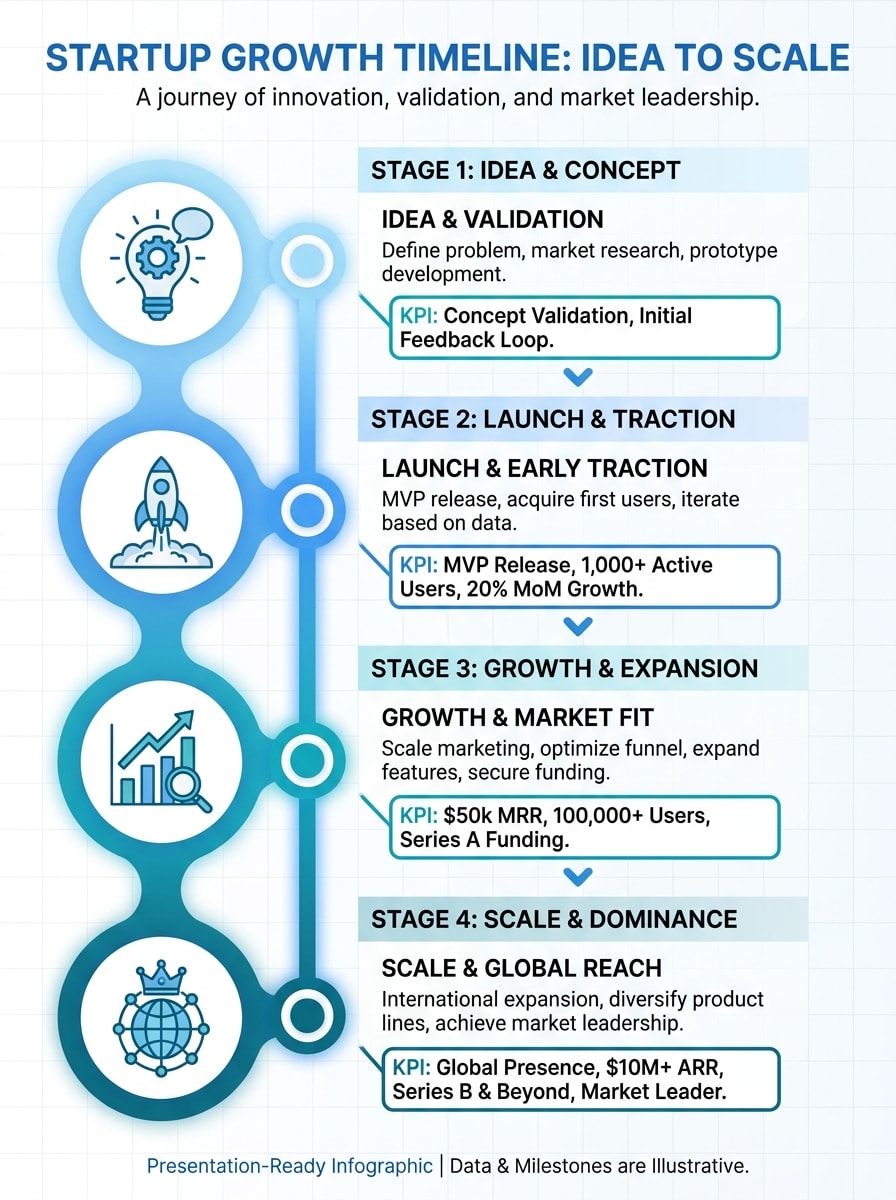
Startup-Zeitleiste Infografik
Erstellen Sie eine vertikale Startup-Wachstumszeitleiste-Infografik von der Idee bis zum Maßstab mit einer klaren blauen und grünen palette, Meilenstein-Symbolen, prägnanten KPI-Callouts, moderner Sans-Serif-Typografie, ausgewogenen Abständen, subtiler Rasterstruktur, poliertem weißen Hintergrund und präsentationsbereiter visueller Hierarchie mit hoher Lesbarkeit.
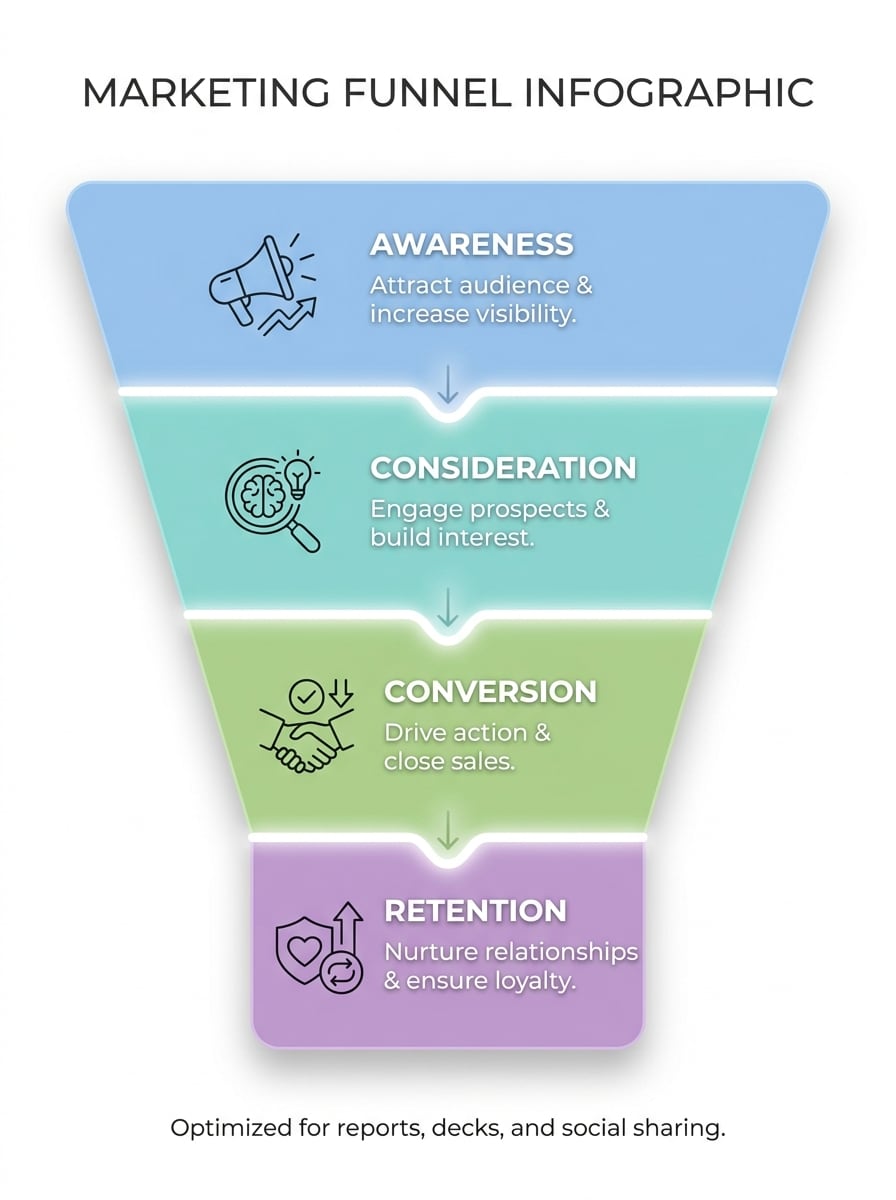
Marketingtrichter Infografik
Entwerfen Sie eine elegante Marketing-Funnel-Infografik mit awareness-, Überlegungs-, Conversion-und Retention-Phasen mit vier farbcodierten Abschnitten, minimalen Symbolen, kurzen erklärenden Bildunterschriften, einem klaren weißen Hintergrund, weichen Schatten, einer klaren Ausrichtung und einem modernen Geschäftsstil, der für Berichte, decks und Social-Sharing optimiert ist.
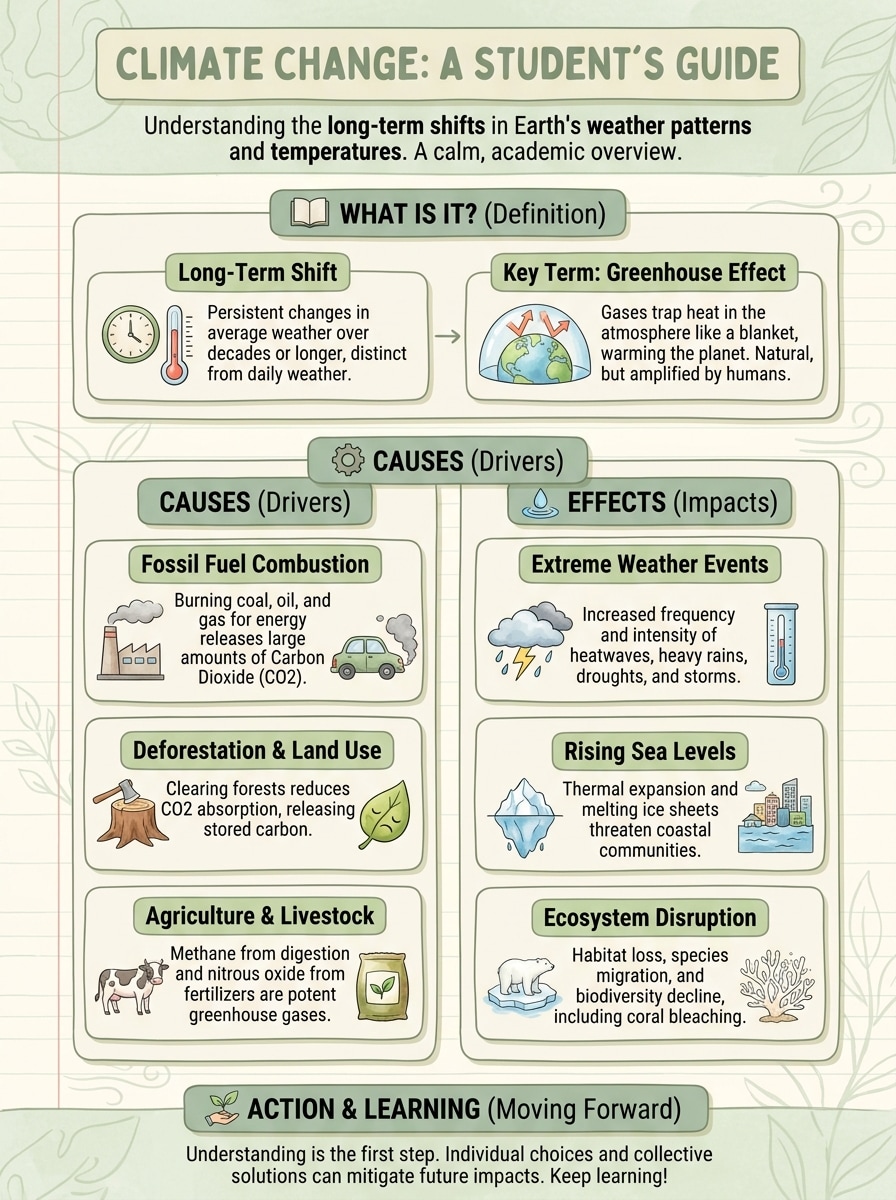
Studiennotizen zu Infografik
Verwandeln Sie Klassennotizen zum Klimawandel in eine schülerfreundliche vertikale Infografik mit klaren Abschnittskopfen, Definitionen, Ursachen, Effekten, unterstützenden Symbolen, weichen grünen und cremefarbenen Paletten, leicht zu scannenden Karten, leichten Illustrationen und einem ruhigen akademischen Ton, der Klarheit und retention verbessert.
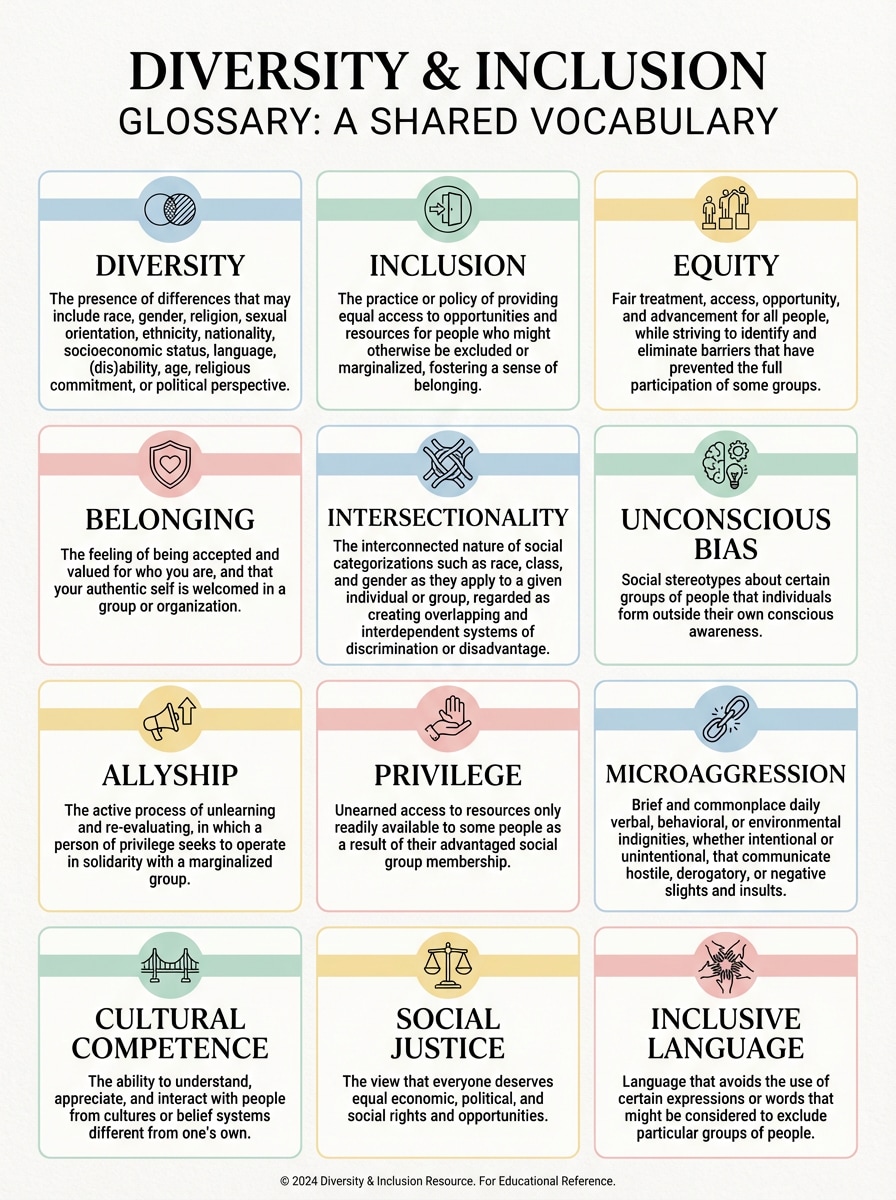
Glossar Grid Infografik
Erstellen Sie eine Glossar-Infografik, die Vielfalt-und Inklusionsbegriffe in einem strukturierten modularen Raster erklärt, mit pastelligen Akzentfarben, einfachen Symbolen, kurzen Definitionen, starken Leerzeichen, konsistentem Kartenstil, redaktioneller Typographie und einem hochlesbaren layout, das sich professionell, inklusiv und einfach anfühlt Referenzen.
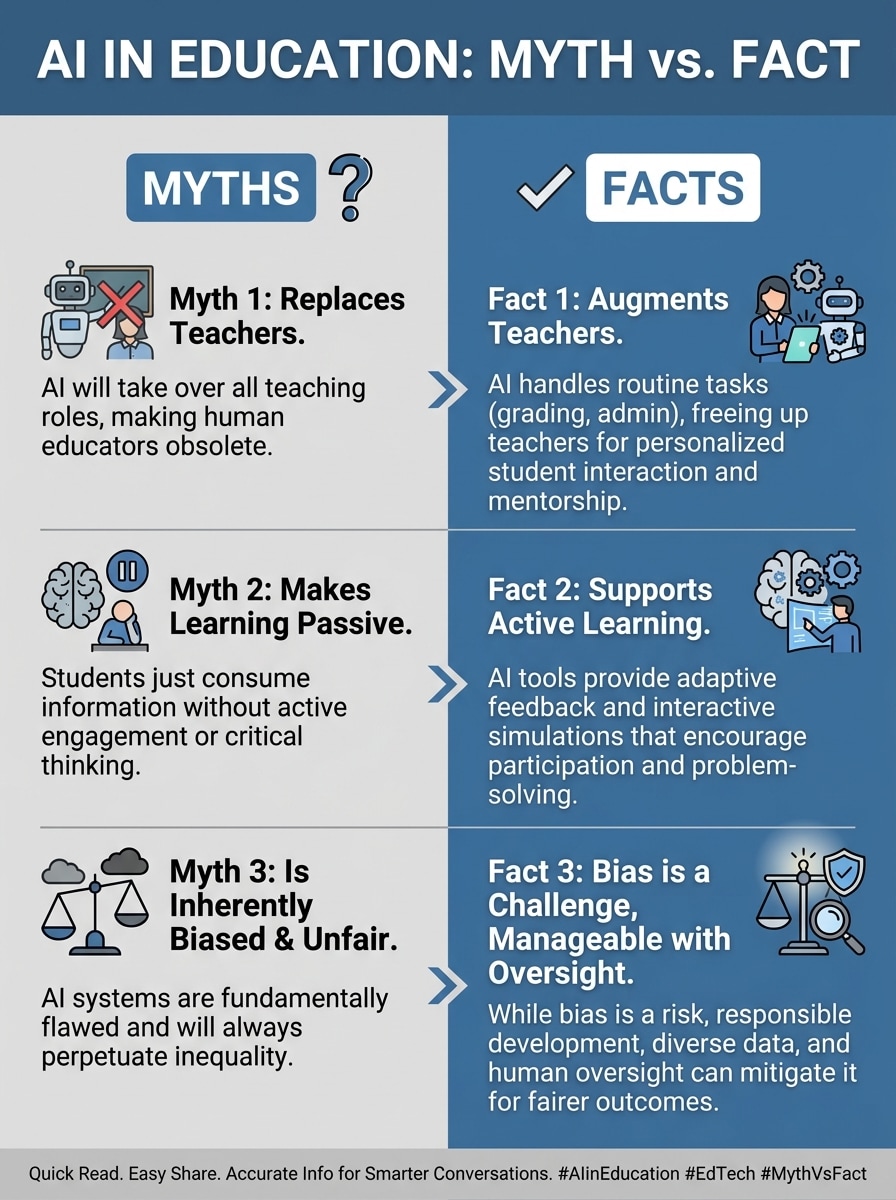
Mythos vs Fakten Infografik
Erstellen Sie eine Mythos-versus-Tatsache-Infografik über KI in der Bildung mit einem sauberen geteilten layout, kontrastierenden Tafeln, fettem Etikett, akademischer Ikonographie, neutraler Blau-und Graupalette, prägnanten Vergleichstext, starker visueller Hierarchie und sozialfreundlicher Formatierung für schnelles Lesen und einfaches Teilen.
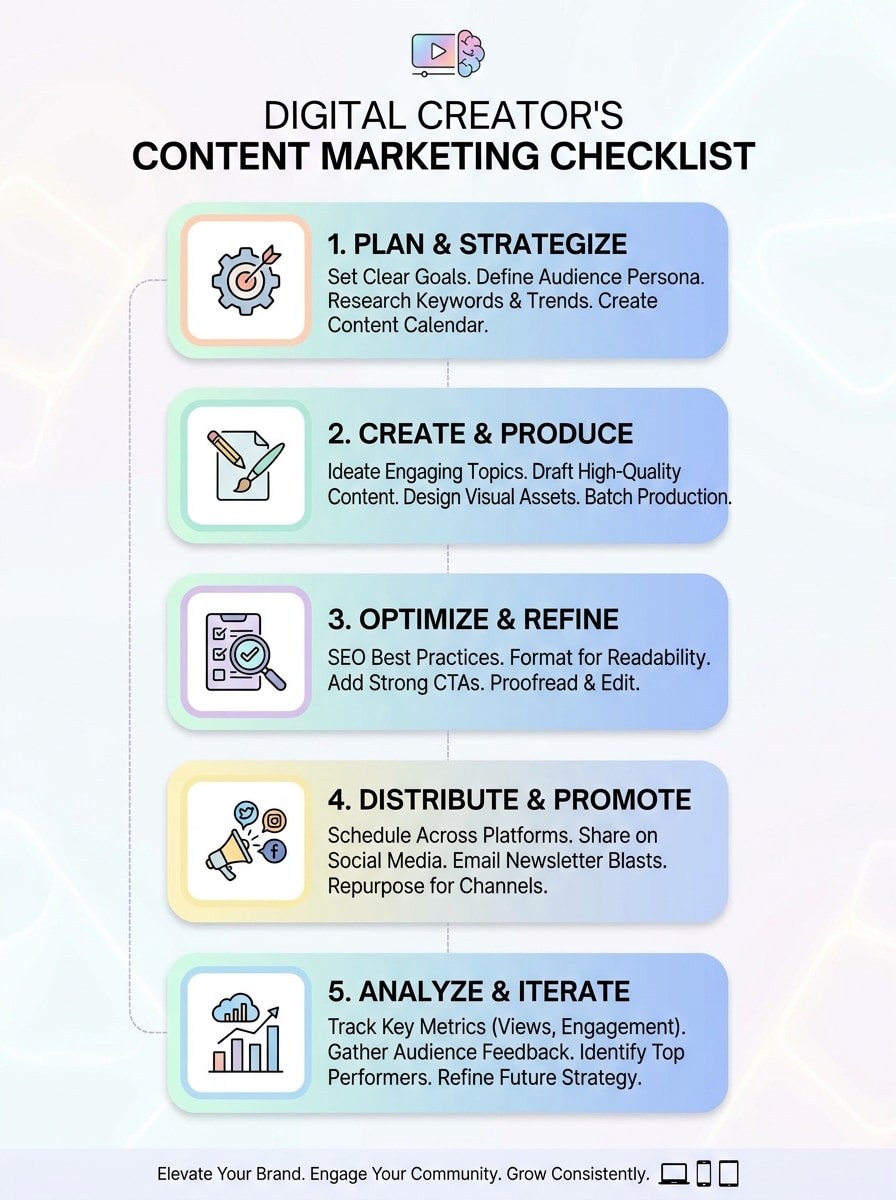
Checkliste Infografik
Entwerfen Sie eine Checkliste-Infografik für Content-Marketing mit nummerierten Schritten, abgerundeten Karten, subtilen Verläufen, kompaktem Aktionstext, klarer Ikonographie, weichen Pastellakzenten, mobilfreundlichen Abständen und einem modernen, kreatororientierten look, der gut für Präsentationen, Blog-Assets und Karussellbeiträge funktioniert.
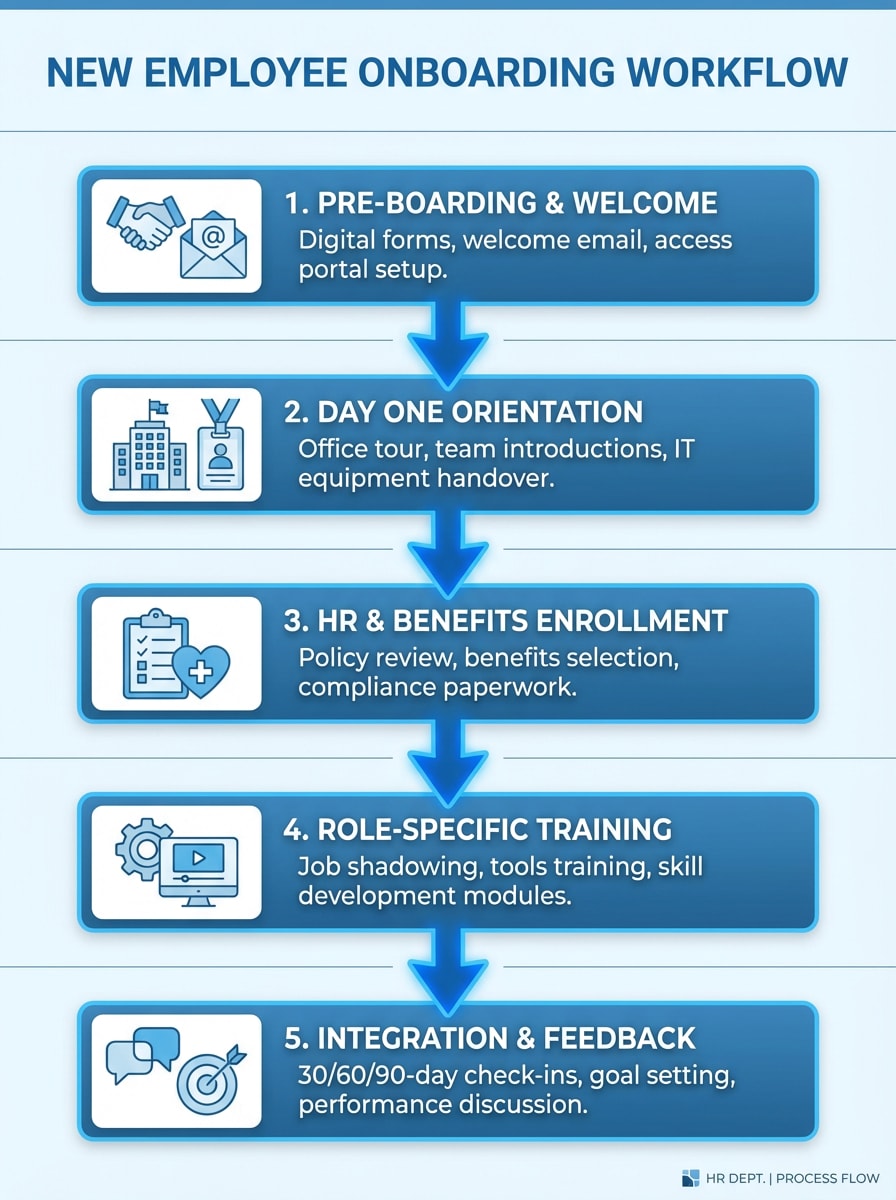
Schritt-für-Schritt-Workflow
Erstellen Sie eine Onboarding-Workflow-Infografik für neue Mitarbeiter in fünf übersichtlichen Schritten, mit verbundenen Blöcken, Richtungspfeilen, HR-Symbolen, geräumigem layout, einer blauen Unternehmenspalette, subtilen Trennteilern, prägnanten Etiketten und einer polierten prozessgesteuerten Struktur, die jeden Schritt einfach zu verfolgen macht.
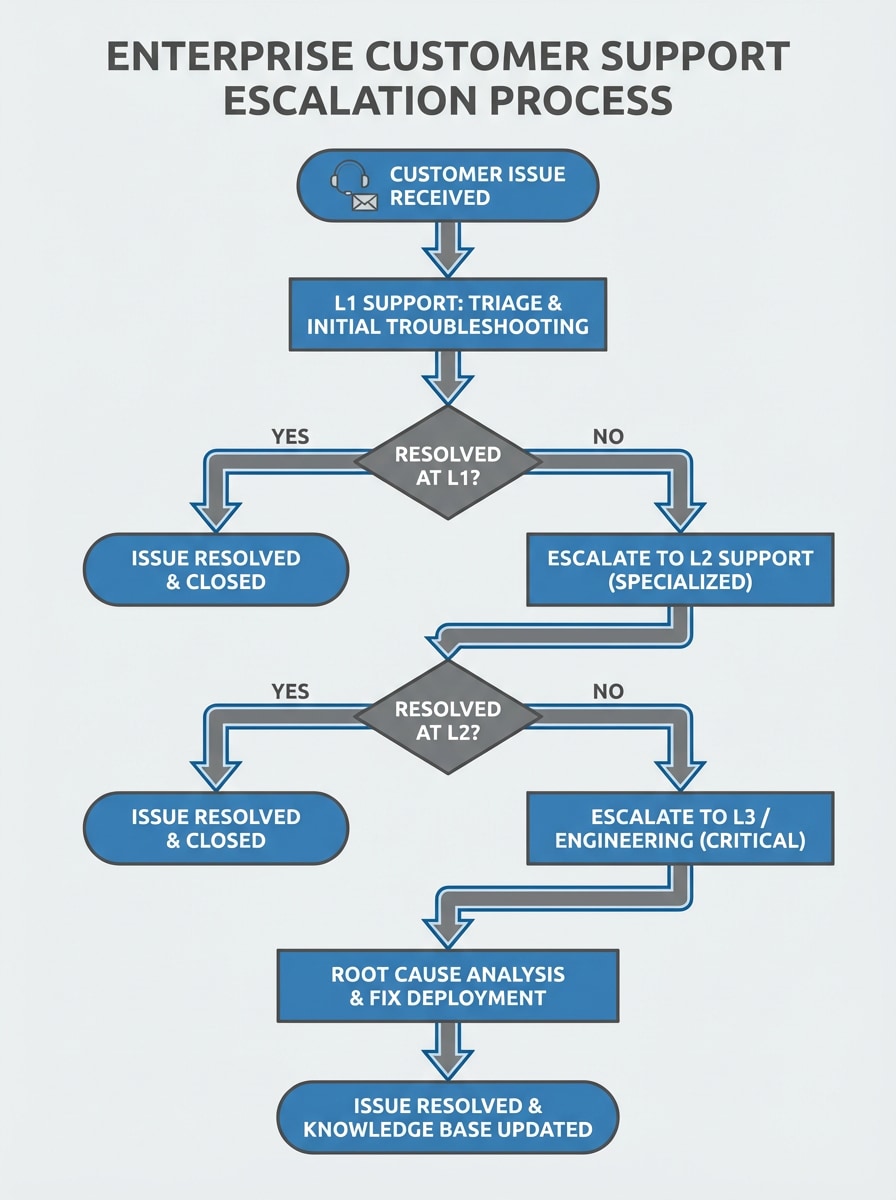
Flussdiagramm-Erklärung
Visualisieren Sie einen Kundensupport-Eskalationsprozess als strukturierte Flussdiagramm-Infografik mit Entscheidungsknoten, Verbindungspfeilen, minimaler Unordnung, unternehmensfreundlichem styling, Grau-und Blau-Farbschema, kompakten Textfeldern, klarer Pfadlogik und einem sauberen, professionellen layout, das für Betriebsteams geeignet ist.
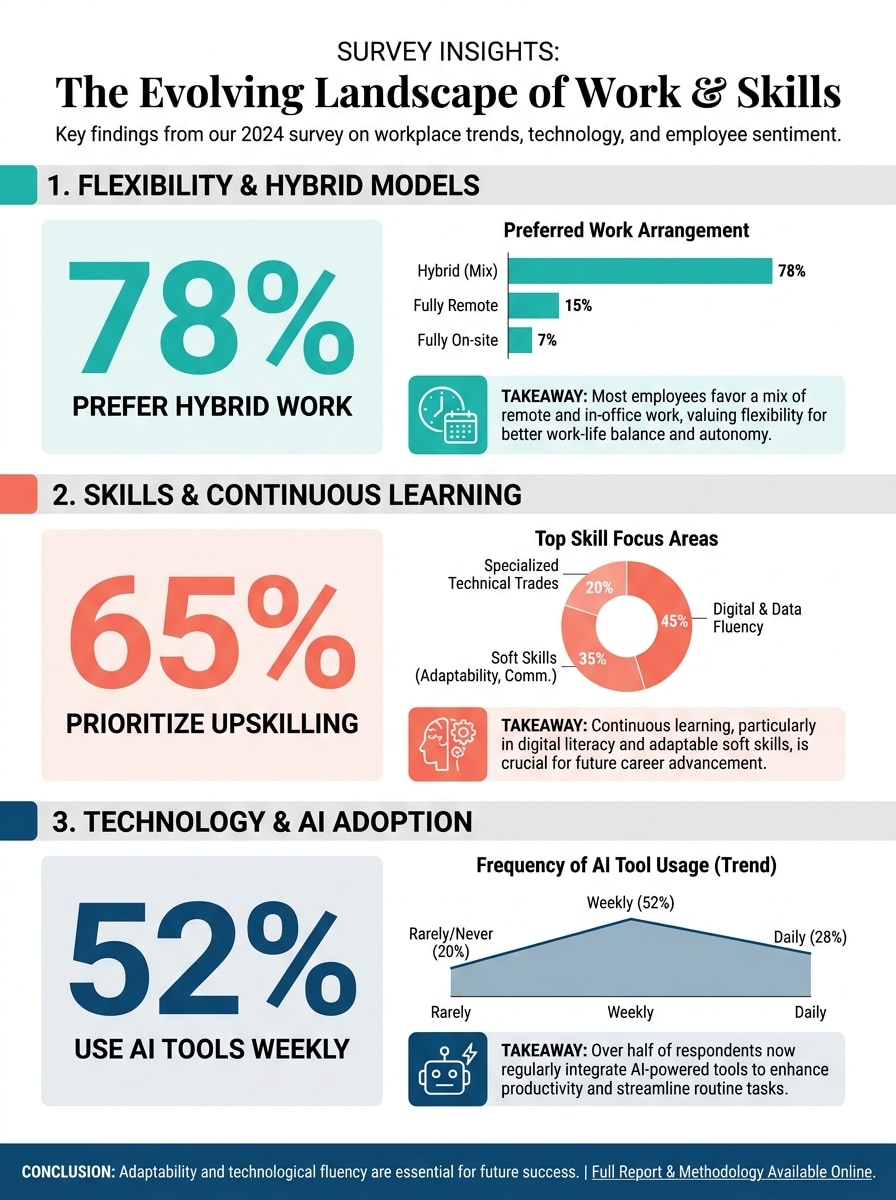
Statistik Zusammenfassung Infografik
Verwandeln Sie Umfrageergebnisse in eine datenorientierte Infografik mit prominenten Prozentblöcken, einfachen Diagrammen, prägnanten takeaways, starker Inhaltshierarchie, redaktioneller Typographie, modernen Akzentfarben, ausreichend Leerzeichen und einem polierten einseitigen layout, das Erkenntnisse für Stakeholder oder soziale Zielgruppen klar hervorhebt.
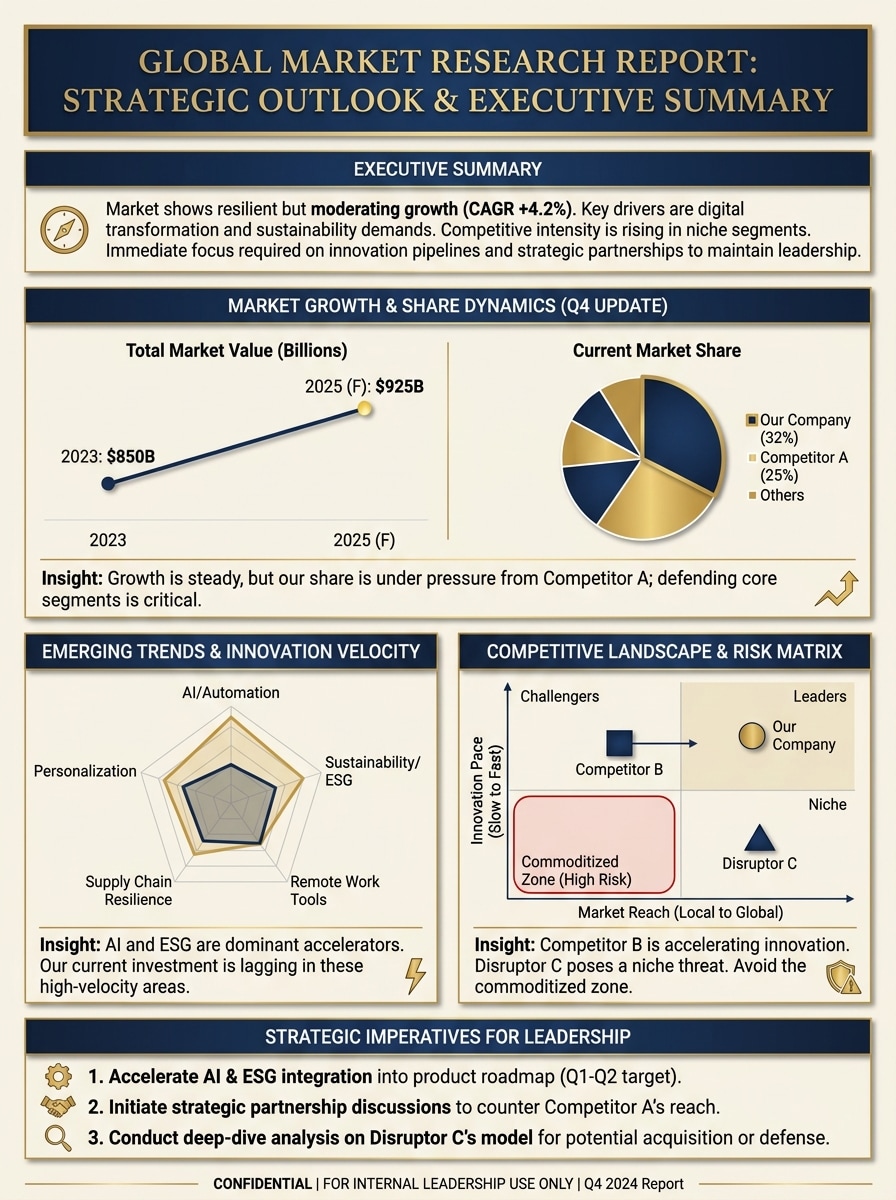
Snapshot Infografik melden
Fassen Sie einen Marktforschungsbericht in eine hochwertige einseitige Infografik mit Zusammenfassungsabschnitten, diagrammfertigen Blöcken, prägnanten Insight-Bildunterschriften, ausgewogenen Abständen, einer marineblauen und goldenen Geschäftspalette, raffinierter Typografie und einem layout in Präsentationsqualität, das für Führungskräfte und Entscheidungsfindung entwickelt wurde.
Warum Media.io als Online-Infografik-Generator verwenden?
Verwandeln Sie Aufforderungen schnell in visuelle Konzepte
Verwenden Sie Textaufforderungen, grobe Ideen oder strukturierte Umrisse, um schnell Bilder im Infografik-Stil zu erstellen. Media.io hilft dabei, die Lücke zwischen einem grundlegenden Infografik-Ersteller und einem schnelleren KI-gestützten workflow für das Konzeptieren von layouts und visuellen Anweisungen zu überbrücken.
Hochauflösende Ausgabeoptionen
Generieren Sie scharfe Infografik-Assets in 1K, 2K oder 4K Auflösung. Unabhängig davon, ob Sie soziale Bilder, Präsentationsdias oder Berichtsgrafiken benötigen, bleibt die Ausgabe in gängigen Formaten und Bildschirmgrößen klar.
Flexible Seitenverhältnisse für jeden Kanal
Wählen Sie aus quadratischen, vertikalen, landschaftlichen und anderen beliebten Verhältnissen, einschließlich 1:1, 9:16, 16:9, 4:3 und 3:4. Das macht es einfacher, Ihren kostenlosen workflow von infographic generator online für Social-Posts, Story-Folien, Dokumente oder Web-Header anzupassen.
Läuft in Ihrem Browser auf jedem Gerät
Media.io funktioniert auf Windows, Mac, iOS und Android, ohne software zu installieren. Wenn Sie einen kostenlosen Infografik-Maker online für schnelle Ideen auf dem desktop oder Mobilgerät wünschen, ist das tool einfach zu erreichen, wo immer Sie arbeiten.
So verwenden Sie Media.io Infographic Generator
1
2
3
1
Öffnen Sie Media.io Infographic Generator
gehe zuKI Text-zu-Bild-GeneratorUnd öffnen Sie den Infografik-Generator unter AI-> Text zu Bild. Dieses Online-Tool läuft in Ihrem browser, sodass Sie mit der Erstellung von Infografiken auf dem desktop oder Mobilgerät beginnen können, ohne zusätzliche software zu installieren.
2
Geben Sie eine Eingabeaufforderung ein oder fügen Sie Ihren Inhalt ein
Geben Sie eine detaillierte Eingabeaufforderung wie „Erstellen Sie eine vertikale Zeitleiste-Infografik, die das Wachstum eines Startups von Idee zu Skalierung mit Meilensteinsymbolen und sauberer blauer Typografie zeigt "oder fügen Sie Notizen und Umrisspunkte ein. Passen Sie Stil, Seitenverhältnis und Auflösung an Ihr Ziel an.
3
Generieren, verfeinern & herunterladen
Klicken Sie auf Generieren, um Ihr Infografikkonzept zu erstellen. Passen Sie die Eingabeaufforderung bei Bedarf an, um eine klarere Hierarchie, stärkere Symbole oder einen anderen Layoutstil zu ermöglichen, und laden Sie dann ein hochauflösendes Ergebnis für Präsentationen, Berichte oder Social-Inhalte herunter.
Freischalten Sie das Potenzial von Infographics Creator
Erfahren Sie, wie Schöpfer diesen Infografik-Generator für Inhalte, marketing und persönliche Projekte verwenden, und passen Sie dann jede Idee an das brief an.
Verwandeln Sie Notizen in klassenfertige Studienvisuelle
Schüler und Lehrer können Media.io alsKostenlose Infografik-GeneratorFür Entwurfskonzepte, die Unterrichtsnotizen, Zusammenfassungen und Revisionspunkte in klarere visuelle Lernhilfen umwandeln. Es funktioniert gut für Erklärer, Glossar und Prozesslayouts, die einfacher zu scannen sind als einfacher text.
Erstellen Sie Marketing-und Berichtsgrafiken schneller
Vermarkter, Gründer und Analysten können dies nutzenInfografik-ErstellerZur Gestaltung von Kampagnentrichtern, Umfragehöhepunkten und einseitigen Berichtsschnappschüssen. Es ist besonders nützlich, wenn Sie schnelles visuelles storytelling aus rohen Kugeln benötigen, anstatt von einer leeren Leinwand zu beginnen.
Erstellen Sie Timeline-und Prozess-Infografik für Teams
Betriebs-, HR-und Produktteams können Media.io als Timeline-Infografik-Generator für roadmaps, Onboarding-Flüsse, Support-Eskalationen und interne Erklärer verwenden. Wenn Sie einen Infografik-Generator online für schnelle, kollaborationsfreundliche assets benötigen, bietet er einen schnellen Browser-Workflow.
Was Nutzer über Media.io sagen
Olivia Chen
Inhaltsstrategin
"Großartig, um chaotische Notizen in saubere Bilder zu verwandeln"Ich habe Media.io verwendet, um grobe Kampagnennotizen in Infografik-Konzepte für ein Kundendeck umzuwandeln. Es war viel schneller als das manuelle Skizzieren von layouts, und die Ausgabe gab mir einen starken Ausgangspunkt für ein poliertes storytelling.
Marcus Bell
Universitätsstudent
"Hilfreich für Studienzusammenfassungen und Zeitpläne"Ich habe es auf Studienmaterial getestet und in wenigen Minuten ein klares Infografik-Layout aus meinen Klassennotizen bekommen. Die vertikalen Stile und die einfache visuelle Hierarchie machten es nützlich für die revision, insbesondere bei Themen mit Definitionen und Ursache-Wirkung-Abschnitten.
Priya Nair
Marketingleiter
"Schnelle Konzeptgenerierung für Berichte und soziale Beiträge"Wir nutzten es, um verschiedene Infografik-Richtungen für Umfragedaten und Funnel-Inhalte zu erkunden. Die Geschwindigkeit war der Hauptsieg. Es half uns, schnell visuelle Entwürfe zu erstellen, bevor wir assets für Präsentationen und soziale Medien fertigstellten.
Daniel Ruiz
Startup-Gründer
„Einfacher browserbasierter workflow "Mir gefällt, dass es im browser läuft und auf meinem laptop und meinem Telefon funktioniert. Für schnelle Stakeholder-Visuals ist es ein praktischer Infografik-Generator-KI-Workflow, wenn ich von Ideen zu etwas präsentationsbereitem ohne zusätzliche software übergehen muss.
Entdecken Sie die beliebtesten KI-Video- und Bildeffekte
Ein KI-Infografik-Generator ist ein tool, das hilft, schriftliche Aufforderungen, Ideen oder strukturierte Eingaben in visuelle Infografik-Konzepte umzuwandeln. Media.io ist ein webbasiertes tool, das KI-Bilderzeugungsmodelle und prompt-basierte workflows verwendet, um Ihnen dabei zu helfen, schnell Ausgaben im Infografikstil in Ihrem browser zu erstellen.
2. Kann ich eine Infografik aus text oder eingefügten Notizen erstellen?
Media.io unterstützt die Prompt-basierte Erstellung, sodass Sie eine detaillierte Beschreibung eingeben oder Notizen einfügen und diese verwenden können, um das visuelle Ergebnis zu leiten. Dies macht es nützlich für Benutzer, die nach einemInfografik-KI-GeneratorOder infographic generator ai workflow, der von Rohtext, Zusammenfassungen oder Umrisspunkten beginnt.
3. Gibt es einen kostenlosen Infografik-Generator ohne Anmeldung?
Media.io bietet kostenlose credits für kostenlose Benutzer an, sodass Sie das tool vor dem Upgrade ausprobieren können. Für zusätzliche Nutzung und Erstellung mit höherem Volumen können Sie die Preisseite überprüfen. Kostenlose Benutzer können auch Wasserzeichen sehen, während kostenpflichtige Pläne hochauflösende downloads ohne Wasserzeichen unterstützen. Kostenlose Nutzer können kostenlose credits nutzen. Für mehr Nutzung können Benutzer einen plan auf der Preisseite abonnieren. Upgrade auf einen kostenpflichtigen plan auf derPreisseiteFür weitere credits und Wasserzeichen-kostenlose hochauflösende downloads.
4. Wie schnell kann eine Infografik online generiert werden?
Die Generierung ist so konzipiert, dass sie schnell ist, und Media.io läuft direkt in Ihrem browser, sodass Sie von der Eingabeaufforderung zu einem kurzen workflow wechseln können. Die Geschwindigkeit kann je nach Eingabeaufforderung und ausgewähltem Modell variieren, aber es ist für eine schnelle Online-Erstellung entwickelt, wenn Sie ein kostenloses KI-Infografik-Generator-Konzept oder einen schnellen visuellen Entwurf benötigen. Nano Banana 2 ist für eine schnellere generation und schnellere iteration abgestimmt.
5. Kann ich die Infografik bearbeiten, nachdem KI sie erstellt hat?
Sie können das Ergebnis verfeinern, indem Sie Ihre Eingabeaufforderung anpassen, die Stilrichtung ändern und Ausgaben regenerieren. Media.io unterstützt einen flexiblen, prompt-gesteuerten workflow, der nützlich ist, wenn Sie nach der ersten generation Layout-Gefühl, Symbolbetonung oder visuelle Struktur wiederholen möchten.
6. Welche Formate und Auflösung kann ich exportieren?
Media.io unterstützt die hochauflösende Bilderzeugung in 1K, 2K und 4K und bietet Ihnen Möglichkeiten für Präsentationen, Berichte und Social-Sharing. Kostenlose Benutzer können Wasserzeichen haben.
Über den KI-gestützten Online-Infografik-Generator hinaus