Deine Werke werden nur 7 Tage lang gespeichert. Assets, die nach dem Upgrade auf einen Mitgliedschaftstarif erstellt werden, werden dauerhaft gespeichert.
Entfalten Sie Ihr kreatives Potenzial und erleben Sie jetzt die Magie der Media-KI!
KI-Storyboard-Generator für schnelle filmische Szenen-und Aufnahmerzeugung
Verwandeln Sie Skriptideen, Aufnahmekonzepte oder einfache Aufforderungen in Minuten in visuelle Storyboard-Frames mit Media.ioai Storyboard-Generator. Dieser browserbasierte Storyboard-Generator hilft Schöpfern, filmische, animierte und werbefähige Szenen-Sequenzen mit flexiblen Stilen, Seitenverhältnissen und hochauflösender Ausgabe zu erstellen, egal ob Sie einen KI-Storyboard-Generator von script, aSzenariogenerator, oder aSzenengeneratorFür schnelle visuelle Planung.
Geben Sie Ihre Idee ein-> KI entwirft sie. Kostenlos zu versuchen.
Entdecken Sie unsere kuratierte Sammlung von storyboard ai Generator-Stile.
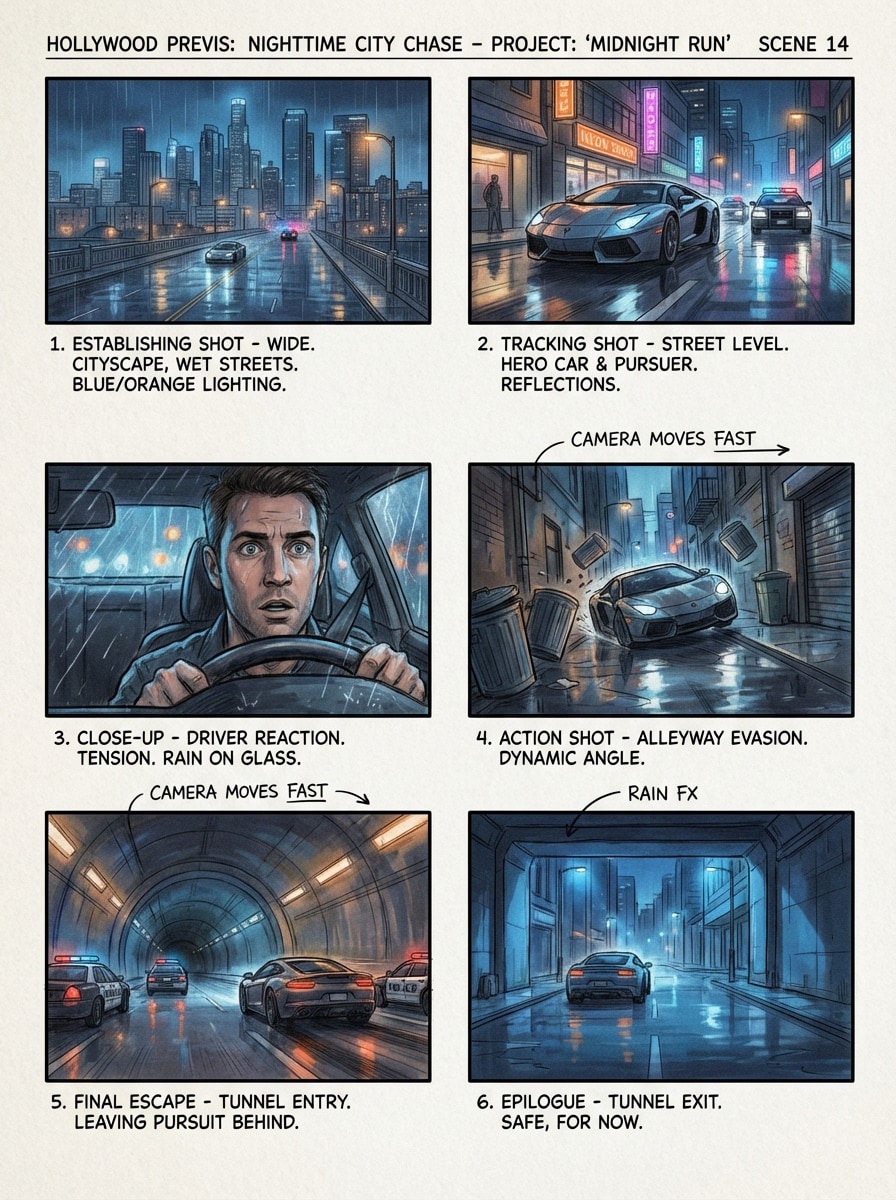
Hollywood-Film-Vorschau
Erstellen Sie ein professionelles Multi-Panel-Hollywood-Previs-Storyboard für eine angespannte nächtliche Jagd in der Stadt, einschließlich einer breiten Aufnahme, der Verfolgung der Verfolgung auf Straßenebene, der Nahaufnahme und des letzten Fluchtmoments. Verwenden Sie filmische blau-orangefarbene Beleuchtung, Reflexionen auf nassen Bürgersteigen, realistische Rahmenwerke, subtile Filmkörner, klare Aufnahmekontinuität und klare Storyboard-Etiketten.
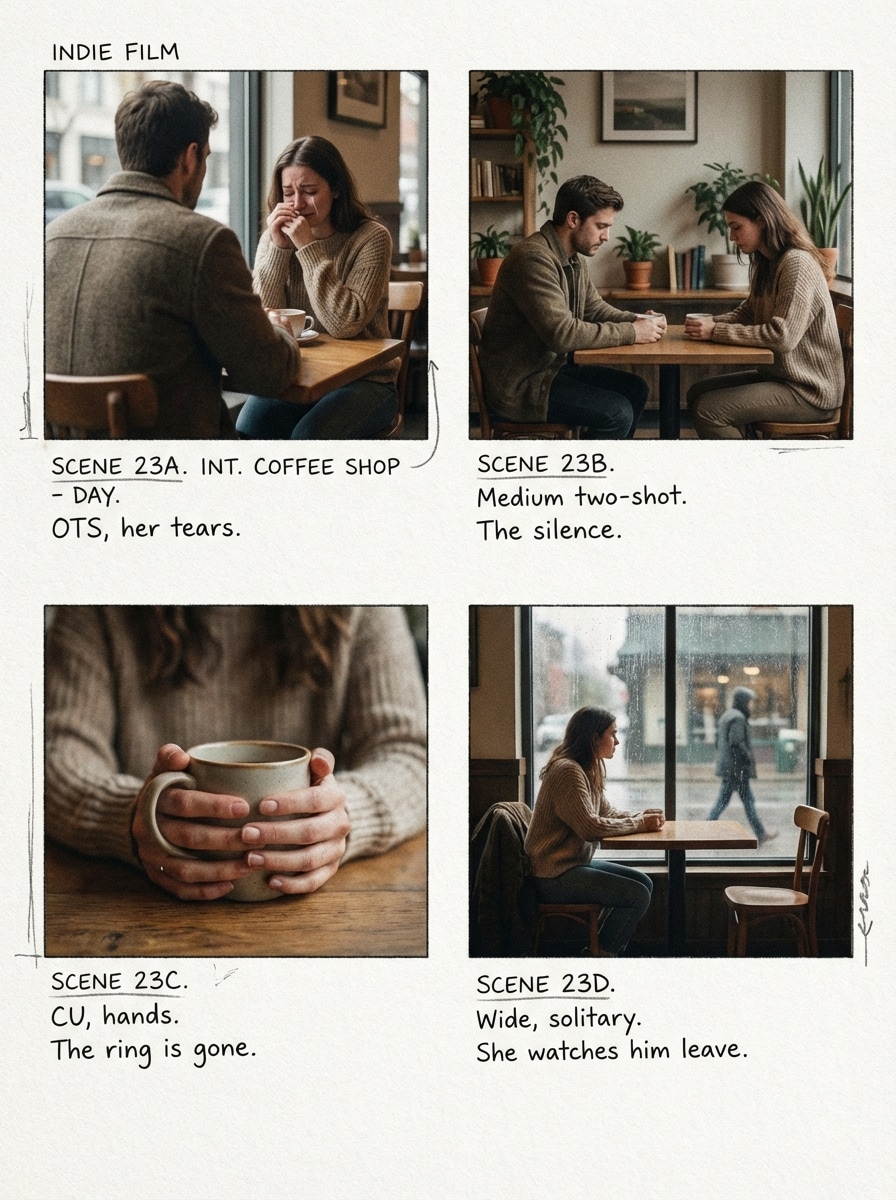
Indie Film Moodboard Storyboard
Erstellen Sie eine Indie-Film-Storyboard-Sequenz für eine emotionale Trennung in einem gemütlichen Café, mit intimem Rahmen über die Schultern, mittleren Zwei-Aufnahmen, leisen Nahaufnahmen und einem letzten einsamen Fensteraufnahme. Verwenden Sie sanftes natürliches Licht, gedämpfte erdige Töne, strukturierte Innenräume, sanfte Schärfentiefe, handgeschriebene Szenennoten und ein konsistentes Charakteraussehen.
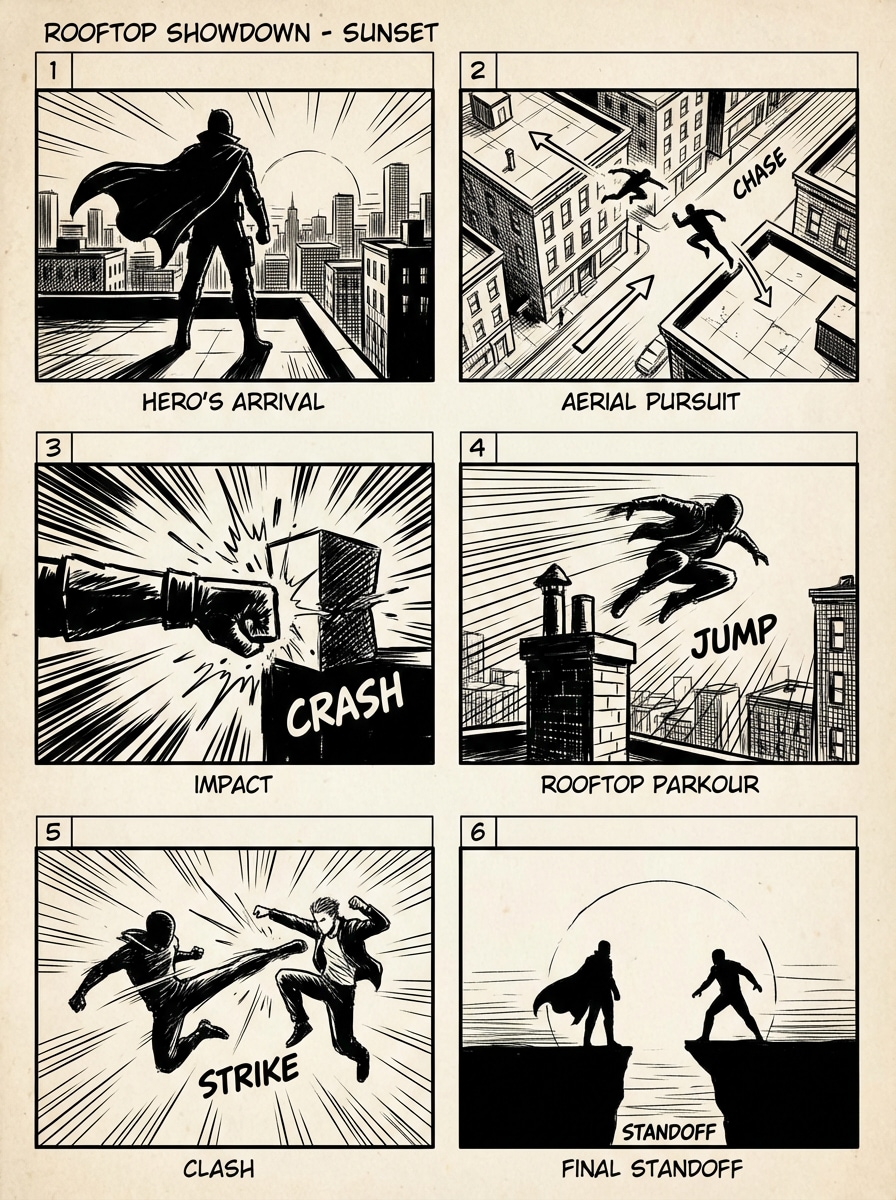
Storyboard für Action-Sequenz
Erstellen Sie ein 6-Panel-Action-Storyboard eines Dachkampfs bei Sonnenuntergang, mit Heldenaufnahmen aus niedrigen Winkeln, Luftperspektiven, Aufprallpositionen, Jagdbewegungen und einem dramatischen Endstand. Verwenden Sie kontraststarke Beleuchtung, starke Richtungskomposition, dynamische Bewegungslinien, urbane Texturen, kräftige Silhouetten und ein poliertes professionelles Storyboard-Raster.
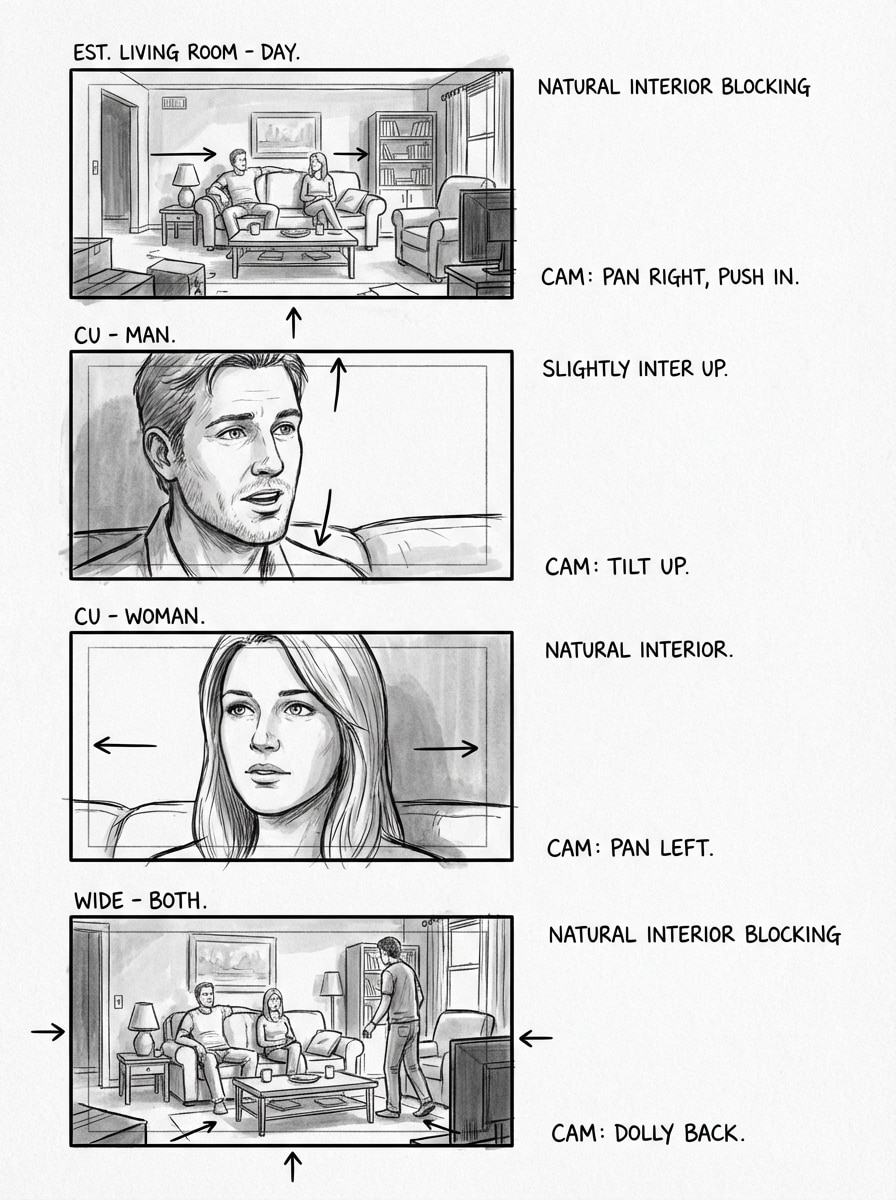
Schwarz-Weiß-Regisseurskizze
Erstellen Sie ein schwarz-weißes storyboard im Regisseurstil für eine Dialogszene im Wohnzimmer, mit vier panels, die eine etablierende Aufnahme, abwechselnde Nahaufnahmen und eine endgültige breite Komposition zeigen. Verwenden Sie grobe Bleistiftlinienarbeit, tonale Schattierungen, Kamerawinkelpfeile, Rahmennoten, natürliche Innenblockierung und eine saubere, handgezeichnete Produktionsskizzenästhetik.
Marker Konzept Storyboard
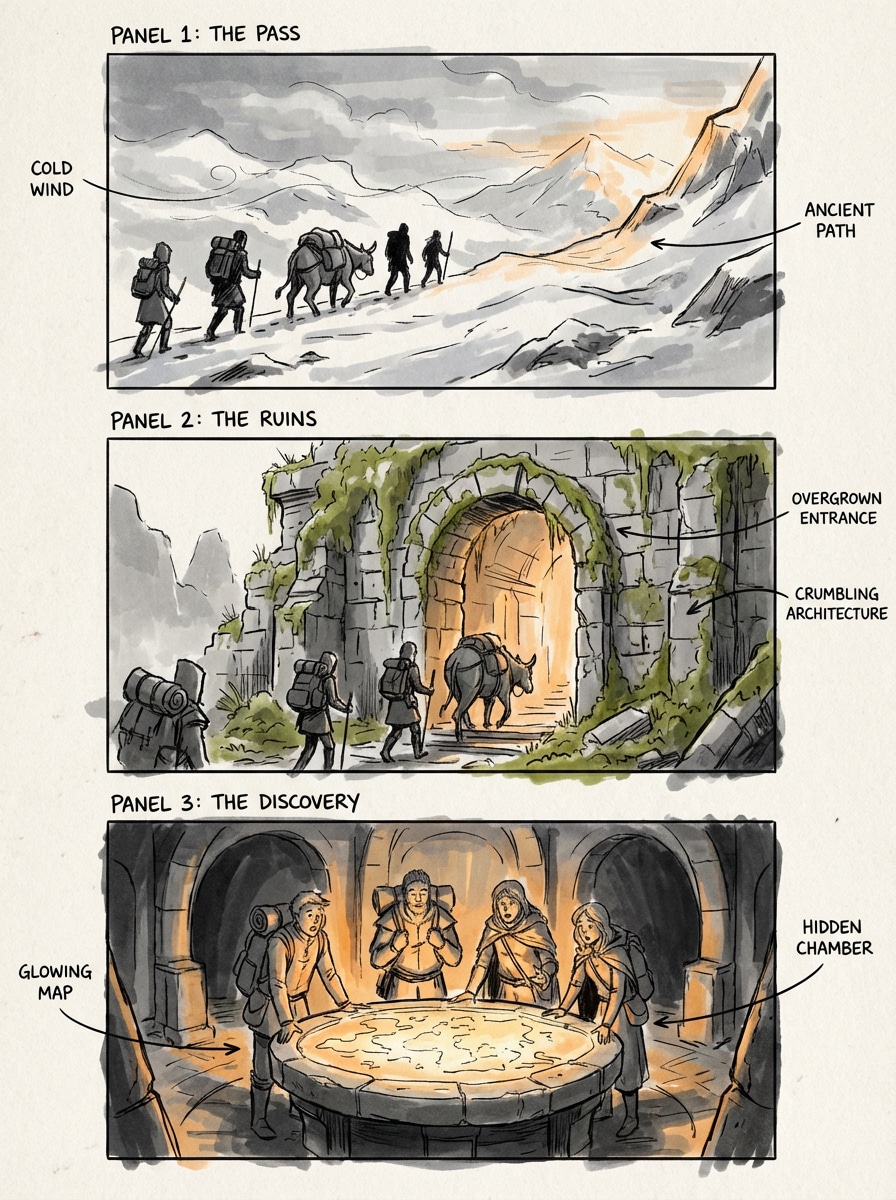
Erstellen Sie ein Fantasy-Reise-Storyboard im traditionellen Marker-Konzept-Art-Stil, das Reisende zeigt, die einen Bergpass überqueren, Ruinen betreten und eine leuchtende Kartenkammer entdecken. Verwenden Sie lockere Linienarbeit, Graustufenschattierung mit warmen Marker-Akzenten, filmisches Panel-Tempo, lesbare Silhouetten, umgebende Textur und prägnante visuelle Notenaufrufe.
Anime-Episode-Storyboard
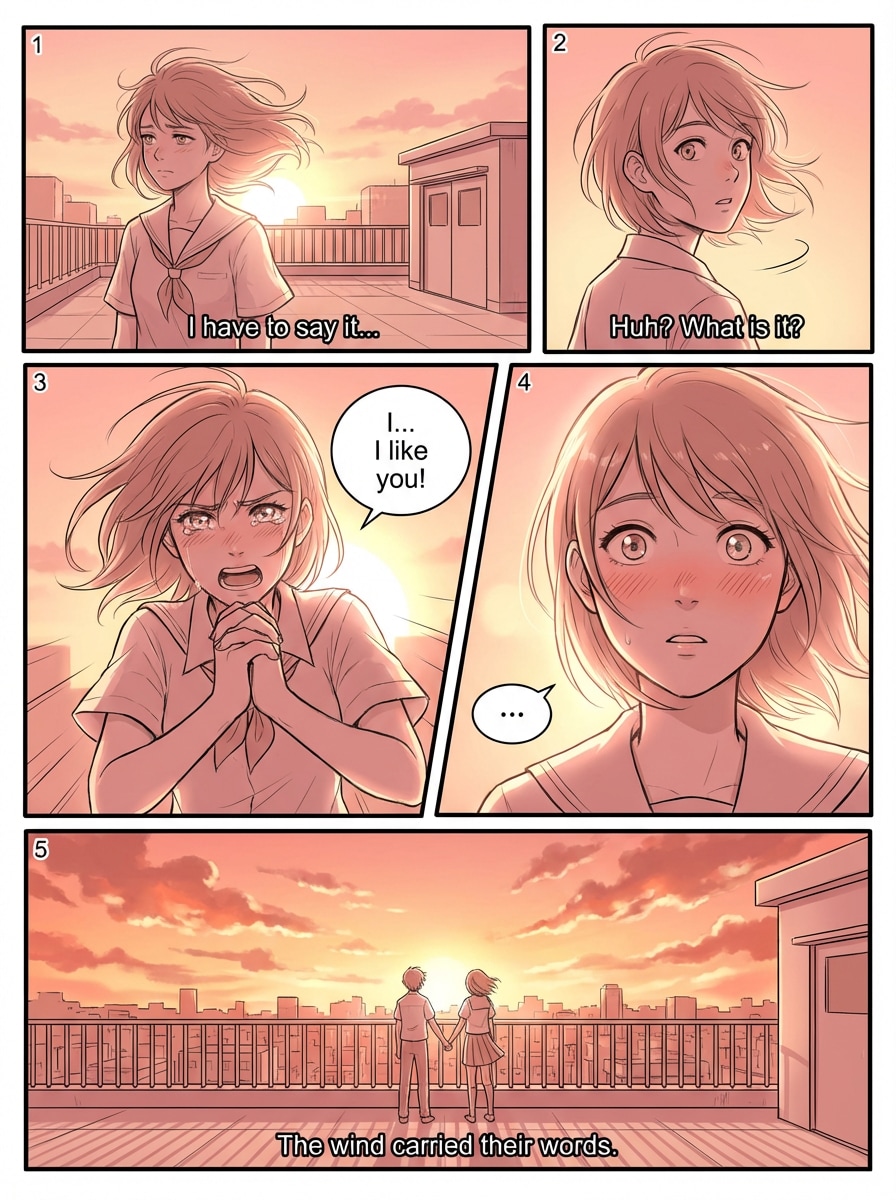
Erstellen Sie ein 5-Panel-Anime-Storyboard für ein dramatisches Geständnis auf dem Schuldach bei Sonnenuntergang, mit ausdrucksstarken Posen, windgeblasenem Haar, emotionalen Nahaufnahmen und einem letzten breiten Skyline-Rahmen. Verwenden Sie Manga-inspirierte Komposition, warme rosa-orange Himmelstöne, dynamische Perspektive, scharfe Panel-Ränder, weiches Randlicht und starke Kontinuität zwischen den Aufnahmen.
Animiertes Feature Storyboard
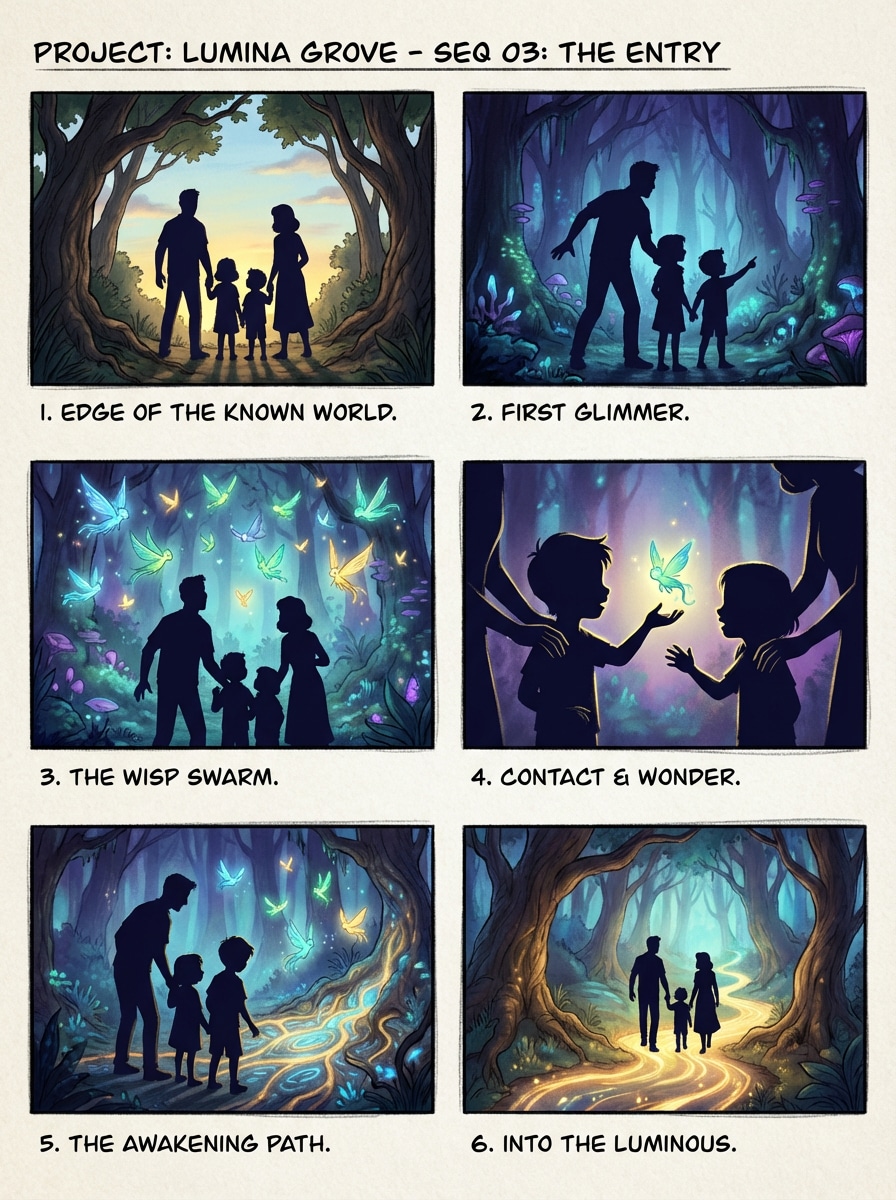
Erstellen Sie ein buntes animiertes storyboard mit sechs panels, die eine Familie zeigen, die einen magischen Wald betritt, auf leuchtende Kreaturen reagiert und einen leuchtenden Pfad betritt. Verwenden Sie starke Silhouetten, ausdrucksstarke Körpersprache, filmische Blockierung, lebendige Fantasy-Farben, geschichtete Tiefe, weiches Umgebungslicht und poliertes Animationsstil vor der Produktion.
Werbung Werbung Storyboard
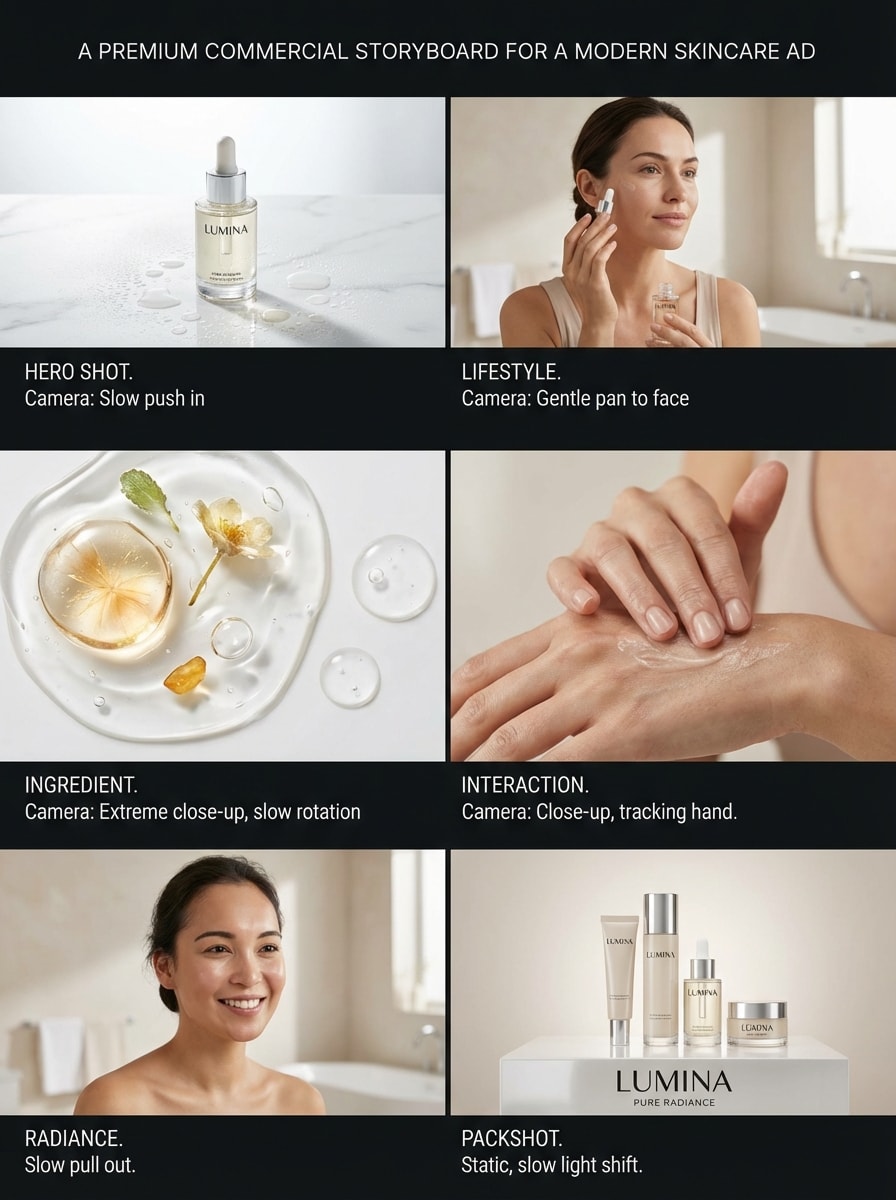
Erstellen Sie ein erstklassiges kommerzielles storyboard für eine moderne Hautpflegewerbung, einschließlich Produktheldenaufnahmen, Lifestyle-Badezimmerszenen, Detailrahmen für Zutaten und einem sauberen Abschluss-Packshot. Verwenden Sie helle Studiobeleuchtung, glänzende Oberflächen, minimale Komposition, weiche Neutrale, Kamera-Bewegungsnoten, eleganten visuellen Rhythmus und markenreiche Konsistenz über alle panels.
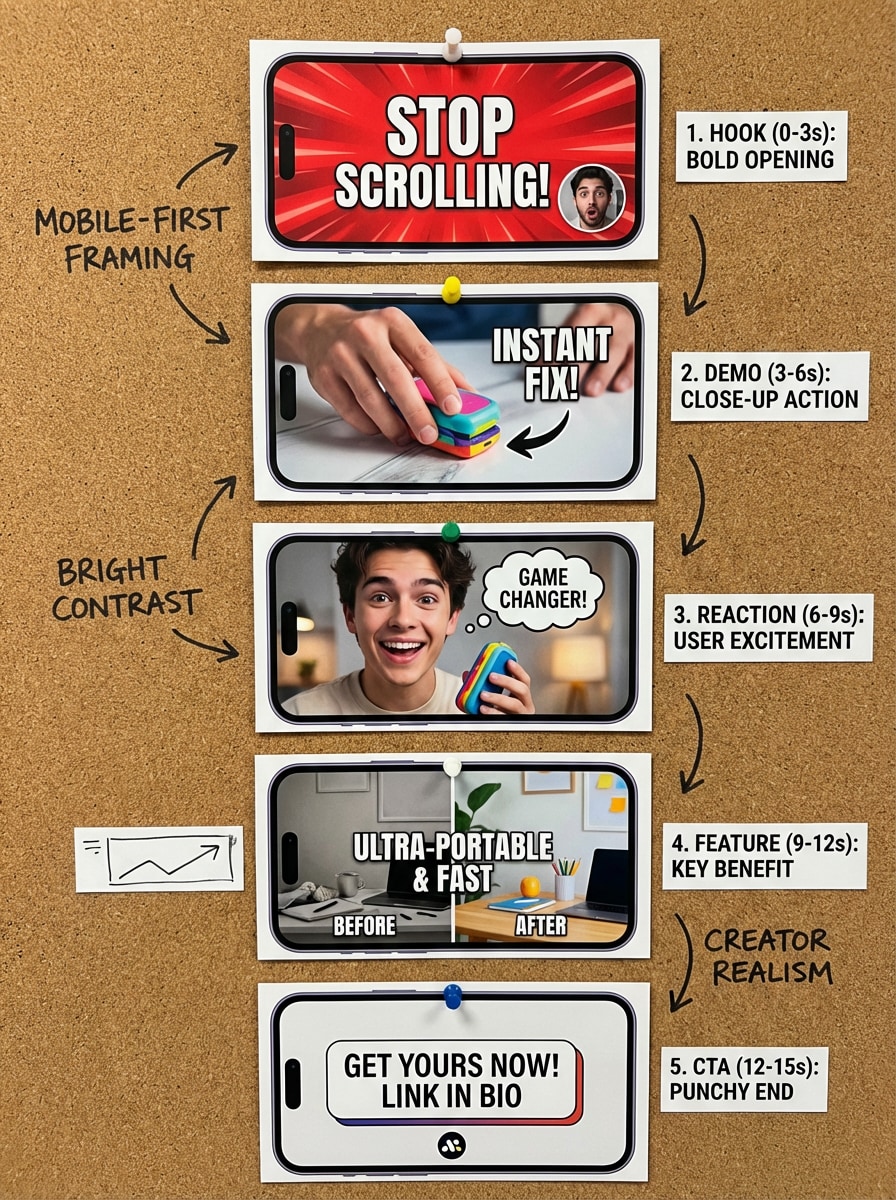
Soziales Video-Storyboard
Erstellen Sie ein vertikales 5-Panel-Storyboard für eine 15-Sekunden-Produktpromo, die für soziale Medien optimiert ist, mit einem kräftigen Eröffnungshaken, einer Nahaufnahme-Demo, Benutzerreaktion, Feature-Highlight und einem eindrucksvollen Call-to-Action-Endrahmen. Verwenden Sie Mobile-First-Framing, energisches Tempo, hellen Kontrast, Realismus im Creator-Stil, saubere Text-Note-Leerräume und einen klaren Aufnahmeverlauf.
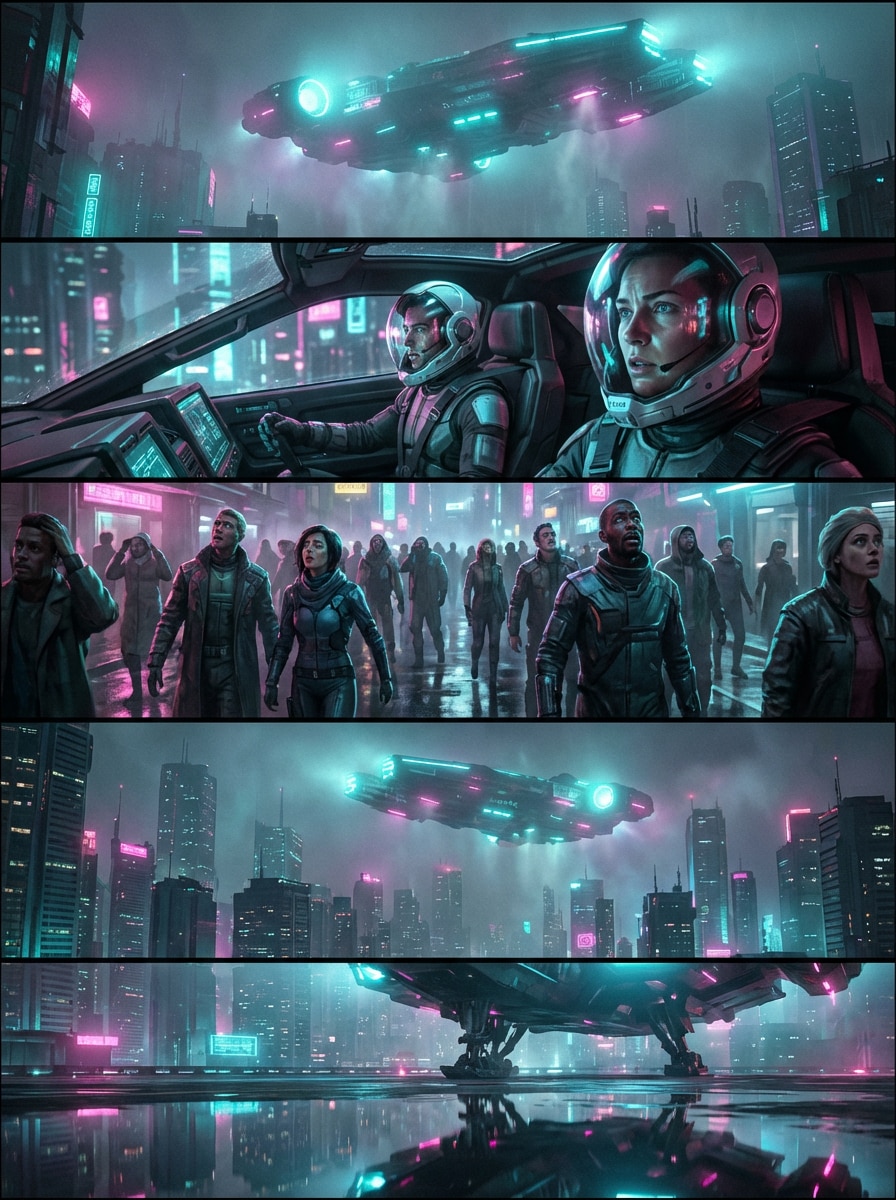
Sci-Fi-Neon-Storyboard
Erstellen Sie ein filmisches Sci-Fi-Storyboard mit fünf Bildern, die ein Raumschiff zeigt, das über einer Neonstadt ankommt, die Reaktionen im cockpit, die Ehrfurcht der Menschenmenge auf Straßenebene und eine letzte Skyline-Enthüllung. Verwenden Sie leuchtende cyan-magenta Beleuchtung, atmosphärischen Dunst, reflektierende Oberflächen, breite etablierende Kompositionen, dramatische Nahaufnahmen und starke visuelle Kontinuität in der gesamten Sequenz.
Warum Media.io für die KI-Storyboard-Generierung verwenden?
Verwandeln Sie Text schnell in Storyboard-Frames
Verwenden Sie einfache Eingabeaufforderungen, um eineKI-Storyboard-Generatorworkflow für Filmszenen, Werbekonzepte, Animationssequenzen und soziale Videoideen, ohne jedes Bild manuell zu zeichnen. Es ist eine praktische Wahl, wenn Sie eineKostenlose ai storyboard generatorErfahrung, um frühe visuelle Ideen zu beschleunigen.
Wählen Sie leistungsstarke KI-Modelle
Media.io unterstützt Nano Banana Pro, Nano Banana 2, Seedream 5.0 Lite, Soul Character, Seedream 4.0, Imagen 4 und mehr, sodass Sie flexible Optionen für verschiedene Storyboard-Looks und kreative Ziele haben. Von einem Vision-Storyboard-Generator-Ansatz bis zum Storyboard-Hero-KI-Storyboard-Generator-Stil, nach dem die Schöpfer suchen, erhalten Sie vielseitige Modelle für verschiedene Konzepte.
Flexible Stile, Verhältnisse und Anwendungsfälle
generierentext zu storyboard AIBilder in anime, realistisch, 3D-Rendering, Ölmalerei, cyberpunk und mehr. Wählen Sie Seitenverhältnisse wie 16:9, 9:16, 1:1, 4:3 und 3:2 für verschiedene Storyboard-Formate in einem kostenlosen workflow von storyboard generator, der flexibel bleibt.
Hochauflösende Ausgabe in Ihrem Browser
Erstellen Sie Storyboard-Bilder in 1K, 2K oder 4K direkt online. Media.io funktioniert auf Windows-, Mac-, iPhone-, iPad-und Android-Geräten.Drehbuch zu storyboard AIworkflow bleibt überall zugänglich, auch wenn Sie ein kostenloses setup von ai storyboard generator im browser testen möchten.
So verwenden Sie den AI Storyboard Generator
1
2
3
1
Open Media.io AI Bildgenerator
Gehen Sie zu Media.io und öffnen Sie den AI Image Generator unter AI-> Image. Dieses Online-Tool läuft in Ihrem browser, sodass Sie Storyboard-Frames auf Windows, Mac, iOS oder Android erstellen können, ohne software zu installieren.
2
Geben Sie eine Storyboard-Aufforderung ein
Geben Sie eine detaillierte Eingabeaufforderung ein, z. B. „Erstellen Sie ein 6-Panel-Filmstoryboard von einem Raubüberfall in einem Nachtgeschäft mit breiten Aufnahmen, Nahaufnahmen, stimmungsvoller Leuchtstoffleuchtung, realistischer Kontinuität und klaren Rahmenetiketten. " Dann wählen Sie Ihr Modell, Stil, Seitenverhältnis und Auflösung.
3
Generieren, verfeinern & herunterladen
Klicken Sie auf Generieren, um Ihre Storyboard-Grafiken zu erstellen. Verfeinern Sie bei Bedarf die Eingabeaufforderung für Kamerawinkel, Stimmung oder Aufnahmesequenz und laden Sie dann Ihre endgültigen Storyboard-Bilder in hoher Auflösung für Präsentationen, Planungen oder kreative Überprüfungen herunter.
"Großartig für schnelle Vorarbeit"Ich habe Media.io als KI-Storyboard-Generator für einen Kurzfilm verwendet. Es half mir, Szenenideen viel schneller in visuelle Rahmen umzuwandeln als von Grund auf zu skizzieren, besonders wenn ich verschiedene Kamerawinkel und Stimmungen testen wollte.
Maya L.
Kreativer Stratege
"Hilfreich für die Anzeigenplanung"Für kommerzielle Konzepte gefällt mir, wie schnell ich ein KI-generiertes storyboard aus Textaufforderungen erstellen kann. Es ist nützlich, um den Kunden visuelle Richtung zu geben, bevor wir in die Vollproduktion gehen.
Jonas K.
Animationsschüler
"Einfach auch für Anfänger"Ich bin kein professioneller Künstler, daher fühlt sich dieser storyboard maker AI workflow viel zugänglicher an. Ich kann die Szene beschreiben, den Stil anpassen und klare visuelle Referenzen für Klassenprojekte in Minuten erhalten.
Priya S.
YouTube-Produzent
"Nützlich für kurze Inhalte"Ich verwende es, um Produkterklärungen und vertikale Videosequenzen zu kartieren. Die Seitenverhältnisoptionen erleichtern das Erstellen von Storyboard-Frames, die zur Planung von YouTube und sozialen Inhalten passen.
Entdecken Sie die beliebtesten KI-Video- und Bildeffekte
Häufig gestellte Fragen zum AI Storyboard Generator
1. Was ist ein KI storyboard generator?
Ein KI-Storyboard-Generator ist ein tool, das schriftliche Szenenbeschreibungen in visuelle Bilder verwandelt, die Sie als Storyboard-Frames verwenden können. Mit Media.io können Sie eine Textaufforderung eingeben und Bilder in verschiedenen Stilen, Seitenverhältnissen und Auflösungen für die Planung von Filmen, Animationen, Anzeigen oder sozialen Inhalten generieren.
2. Wie erstelle ich mein eigenes storyboard mit KI?
Öffnen Sie den KI-Bildgenerator von Media.io, geben Sie eine detaillierte Eingabeaufforderung ein, die die Szene beschreibt, und wählen Sie dann ein Modell, einen Stil, ein Seitenverhältnis und eine Auflösung aus. Für bessere Ergebnisse verwenden Sie klare englische Eingabeaufforderungen und fügen Sie details wie framing, Beleuchtung, Stimmung und Aufnahmefortschritt hinzu. Dies macht es nützlich als KI-Storyboard-Generator aus script, wenn Sie bereits geschriebene Ideen bereit haben.
3. Kann ChatGPT ein storyboard generieren?
ChatGPT kann Ihnen helfen, Szenenbeschreibungen, Aufnahmelisten oder Storyboard-Aufforderungen zu schreiben, aber Media.io generiert die tatsächlichen Bilder. Wenn Sie einen Text-zu-Bild-Storyboard-Generator-Workflow wünschen, können Sie ChatGPT für das Schreiben von Eingaben und Media.io verwenden, um die visuellen Storyboard-Frames zu erstellen, ähnlich wie ein Szene-oder Szenario-Generator für die Planung.
4. Gibt es einen kostenlosen KI-Storyboard-Generator?
Ja. Media.io bietet kostenlosen Benutzern 3 credits pro Tag, mit denen Sie storyboard generation ausprobieren können. Dadurch ist es möglich, einen kostenlosen ai storyboard generator oder storyboard generator free workflow vor dem Upgrade zu testen. Freie Ausgaben können Wasserzeichen enthalten. Wenn Sie mehr credits oder wasserzeichenfreie hochauflösende downloads benötigen, können Sie hier upgraden: https: / /www.media.io/pricing.html
5. Welche Seitenverhältnisse und Auflösungen kann ich für Storyboard-Bilder verwenden?
Media.io unterstützt automatische, 1:1, 9:16, 16:9, 4:3, 3:4, 3:2 und 2:3 Seitenverhältnisse. Sie können Storyboard-Grafiken in 1K-, 2K-und 4K-Auflösung generieren, was für Präsentationen, Pitch-Decks und kreative Bewertungen nützlich ist.
6. Funktioniert Media.io auf Mobilgeräten und Desktops?
Ja. Media.io ist webbasiert und funktioniert auf jedem Gerät mit einem browser, einschließlich Windows, Mac, iOS und Android. Das bedeutet, dass Sie Storyboard-Frames online erstellen oder verfeinern können, ohne separate software zu installieren.
Über den KI-gestützten Online-Storyboard-Generator hinaus