
Create an AI Product Story Video from Script That Builds Brand Trust
Launch teams, marketers, educators, and creators can start with a product script, founder note, or campaign narrative and turn it into a story-led video. Use Media.io to create an AI Product Story Video from Script with an editable outline, guided brand scenes, recognizable characters, and script-based voiceover and music.
Shape Product Scripts into Campaign-Ready Stories
Use a script-first workflow that keeps the product message, customer problem, and visual direction connected.
Turn Product Copy into a Clear Story Arc
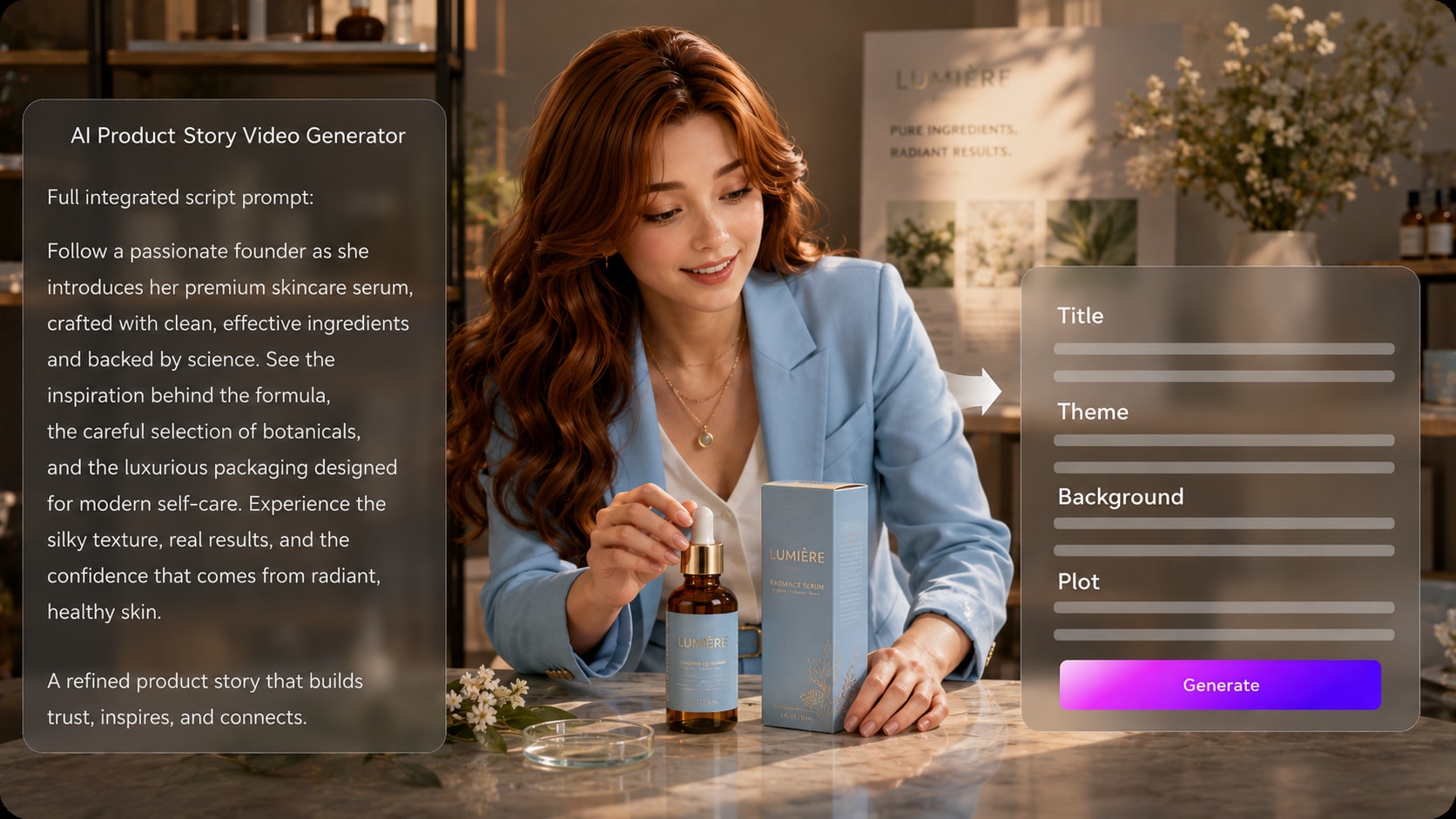
Start with a detailed product script, launch narrative, or benefit-led outline. It also fits product story video maker workflows when the audience expects topic-specific scenes.
- Script First - Begin with prepared narration, campaign copy, or structured story input
- Editable Outline - Review title, theme, setting / background, story plot, and characters
- Product Arc - Frame the problem, solution, proof, and audience outcome
- Brand Direction - Choose format, style, and visual choices during setup
Keep Customer Scenes and Product Moments Recognizable
Guide the cast and visual world with product context, real photos, sketches, or text descriptions. Use it for brand video generator ideas without adding another editing step.
- Character Guidance - Generate characters from photos, sketches, or written descriptions
- Use-Case Scenes - Show customers, classrooms, teams, or buyers using the product
- Visual Identity - Match the tone to clean SaaS, retail, education, or creator brands
- Reference Detail - Add wardrobe, setting, mood, and role notes for clearer direction

Direct Review the Storyboard Before the Campaign Takes Shape
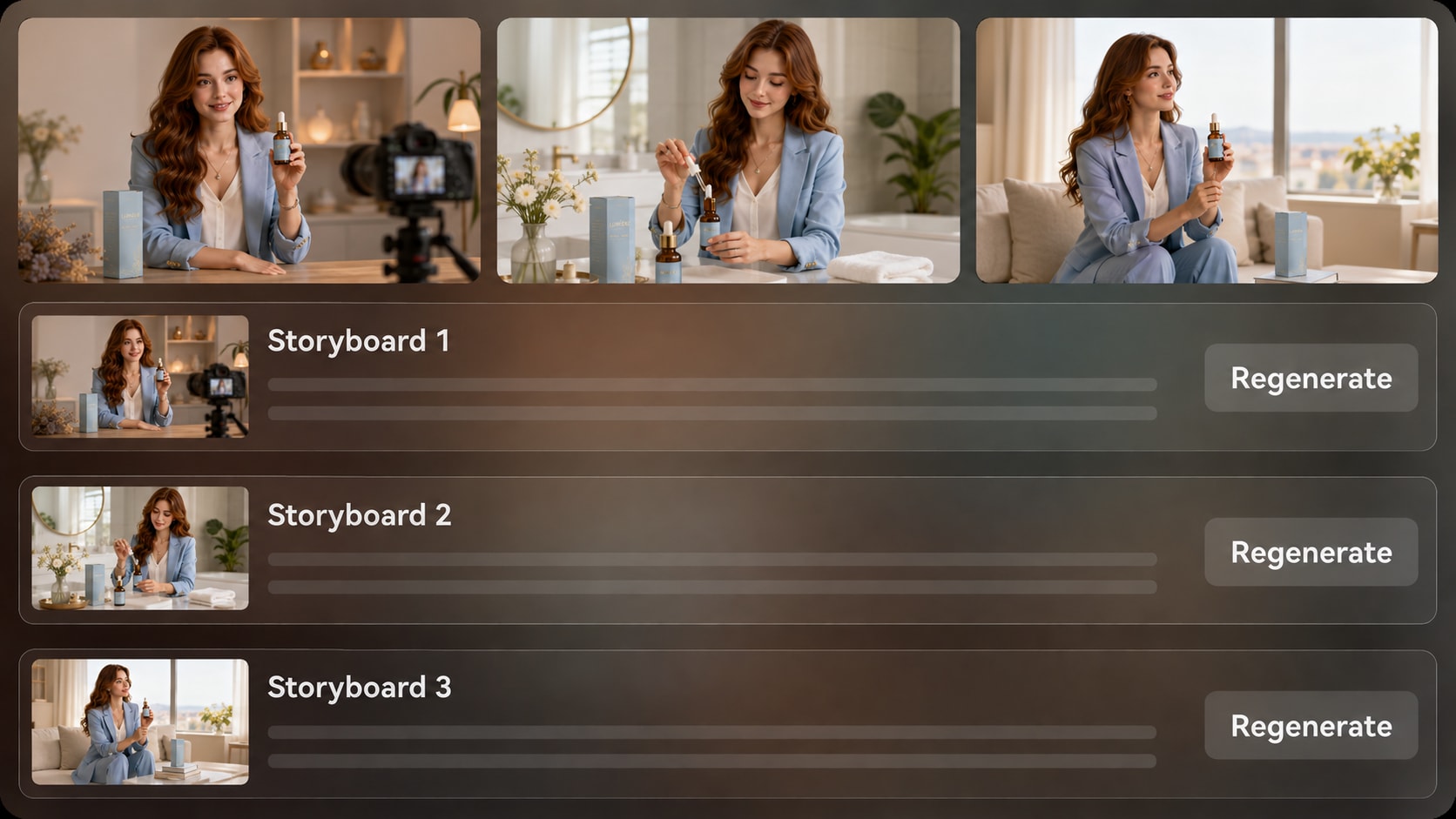
Check generated storyboard images scene by scene before the final video. If a product shot, customer moment, or setting does not match the script, regenerate that specific storyboard image and keep the story flow aligned with your campaign message.
- Storyboard Review - See the visual direction before final generation
- Shot Regeneration - Regenerate an unsatisfying storyboard image when needed
- Message Check - Confirm each scene supports the product promise
- Continuity Review - Catch tone, setting, or pacing issues earlier
Publish Product Stories Where Buyers Already Watch
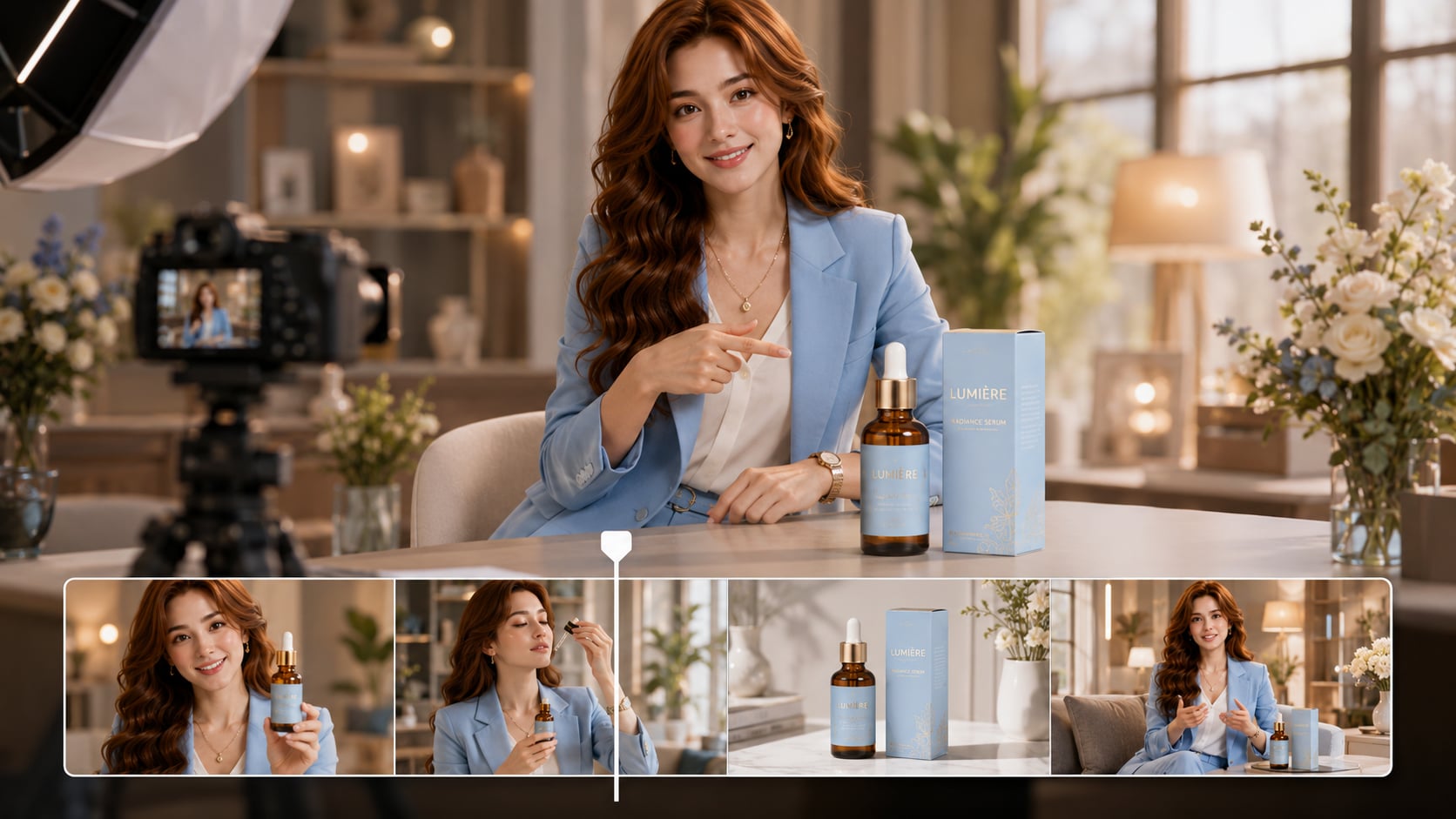
Generate a final video with voiceover and music based on your script, then review the result and polish it with Media.io tools when needed. Prepare product narratives for YouTube, TikTok, landing pages, sales decks, launch emails, or internal training.
- Script-Based Audio - Voiceover and music can follow the written product story
- Channel Fit - Prepare vertical, square, or widescreen directions during setup
- Campaign Use - Adapt one story for ads, explainers, demos, or presentations
- Final Polish - Review the video and enhance quality when the campaign needs refinement
Create a Product Story Video from a Script in Three Steps
Start with the message you already wrote, then guide the outline, visuals, and final polish.

Paste and Shape
Provide a detailed script or structured story input, then review and edit the extracted editable outline, including title, theme, setting / background, story plot, and characters. During setup, choose a video direction and aspect ratio such as 9:16, 1:1, or 16:9 for your product story channel.

Guide the Scenes
Add product context, brand tone, customer roles, and character guidance. You can generate recognizable characters from real photos, sketches, or text descriptions, then review the generated storyboard images to confirm the story follows your script.

Generate and Polish
Generate the final video with voiceover and music based on the script. If a storyboard image feels off before generation, regenerate that specific shot, then review the finished product story and use Media.io tools such as Enhance Video Quality when extra polish is needed.
Why Choose Media.io for AI Product Story Video from Script
Generic generators make clips; Media.io helps product teams turn a written story into a guided video workflow.
Create Product Story Videos for Every Launch Role

Marketers
Turn campaign scripts into product story videos for ads, landing pages, launch emails, and retargeting tests.

YouTube Creators
Convert product reviews, sponsor reads, or explainer scripts into narrative videos with clearer scene flow.

TikTok Creators
Build short product stories with a hook, problem moment, benefit reveal, and social-friendly visual direction.

Founders
Shape origin stories, mission notes, and product launch scripts into videos that explain why the product exists.
Explore More Scripts to Video Examples
Explore how script-led videos can shift tone, pacing, and purpose across social clips, explainers, brand stories, and educational content.
Loved by Product Story Creators
Creators like that the workflow starts with the script instead of forcing a generic video template.


"The editable outline helped us keep the campaign message intact before generating the product story."

"I used my sponsor script as the base and got a much clearer visual flow than a normal clip generator."

"It was useful for turning our founder note into a story that explained the product without sounding like a pitch deck."

"The storyboard review made it easier to catch scenes that did not match the product hook."

"I could write the lesson like a product story and let the video follow the structure for my class."

"The character and scene guidance made the video feel closer to our brand than a stock-style edit."
FAQs on AI Product Story Video from Script
How Do I Create an AI Product Story Video from a Script?
Start with a detailed product script or structured story input. Media.io extracts an editable outline, helps you guide the visual direction, generates storyboard images for review, and then creates a final video with script-based voiceover and music.
What Kind of Product Script Should I Paste into Media.io?
Use a script that includes the product problem, target audience, benefit, setting, key scenes, and preferred tone. Founder notes, launch briefs, customer stories, product explainers, and campaign narration drafts all work better when they are specific.
Can the Script Guide the Voiceover and Music?
Yes. The generated voiceover and music can be based on the script, so the audio can follow the product story, customer emotion, and campaign pacing without requiring you to build the soundtrack separately.
How Should I Write a Better Script for a Product Story Video?
Write the script like a short narrative: open with the customer pain point, introduce the product naturally, show the benefit in context, and end with a clear outcome. Add visual notes for product moments, audience type, setting, and tone.
What Mistakes Should I Avoid in a Product Story Video Script?
Avoid listing features without a story, changing the target audience mid-script, skipping the problem, or using vague scene descriptions. Clear product context and visual cues help the generated video feel more connected.
Can I Control Characters, Brand Style, or Product Scenes?
You can guide characters and scenes with real photos, sketches, or text descriptions, along with brand tone, setting, and visual style notes. This helps create recognizable characters and clearer product moments, but it should not be treated as a fixed character lock.
Where Can I Use a Product Story Video Made from a Script?
You can prepare product story videos for TikTok, YouTube Shorts, Reels, landing pages, sales decks, launch campaigns, online courses, or internal training. Choose a format direction during setup based on where the video will be published.
Can I Edit the Outline or Regenerate a Storyboard Shot?
Yes. The extracted outline is editable before generation, including fields such as title, theme, setting / background, story plot, and characters. The storyboard images themselves are not manually editable, but you can regenerate a specific image if a shot does not fit.
Why Use Media.io Instead of a Generic AI Video Generator for Product Stories?
Media.io is built around a script-to-story workflow, which helps product videos keep a coherent message. The editable outline, visual setup choices, character guidance, storyboard review, shot regeneration, and script-based audio make it better suited for marketing stories than random clip generation.
Explore More AI Story Video Generators for Different Story Types
Want to create beyond product story videos? Explore more Media.io AI Story Video Generators for brand stories, faceless narration, realistic scenes, animated stories, kids' tales, fairy tales, dark fantasy, manga videos, and other script-to-video workflows built for different tones, audiences, and publishing channels.















Create a Product Story
From the Script You Already Wrote
Paste your product script, shape the editable outline, review the storyboard, and generate a story-led video for your next launch or campaign.
 4.8 (281 Votes)