Deine Werke werden nur 7 Tage lang gespeichert. Assets, die nach dem Upgrade auf einen Mitgliedschaftstarif erstellt werden, werden dauerhaft gespeichert.
Entfalten Sie Ihr kreatives Potenzial und erleben Sie jetzt die Magie der Media-KI!
Ein Stück Charakter Generator für Piraten Anime Foto Transformationen
Verwandeln Sie Ihr selfie in einone piece character generatorErgebnis in Minuten, mit einem One Piece-inspirierten Piraten-Anime-Look. Laden Sie ein Foto hoch, wählen Sie einen Stil wie wanted poster, marine officer oder devil fruit power user und erstellen Sie fette cel-geschattierte Porträts, Avatare und Charakterblätter direkt in Ihrem browser mit smartEin Stück KI.
Geben Sie Ihre Idee ein-> KI entwirft sie. Kostenlos zu versuchen.
Entdecken Sie unsere kuratierte Sammlung vonone piece character makerStile, die wie ein Spaß funktionierenZufällige one piece character generator, perfekt für schnelle One Piece Charaktererstellung und benutzerdefinierte One Piece-Stil-Designs.
Strohhut inspiriert Abenteurer
Verwenden Sie das hochgeladene Bild als Hauptmotiv und verwandeln Sie es in einen fröhlichen Piraten-Abenteurer in einem One Piece-inspirierten Anime-Stil, mit hellen Cel-Schattierungen, ausdrucksstarken Augen, windgewehten Haaren, einem heroischen Grinsen, rot-und goldenen Outfit-Akzenten, dynamischer Mid-Action-Pose, sonniger Ozeankulisse, lebendigen Farben, klarem linework und energischer Shonen-Stimmung.
Zukünftiger Piratenkönig
Verwenden Sie das hochgeladene Bild als Motiv und erstellen Sie es neu als legendärer Piratenkapitän in einer von One Piece inspirierten Welt, mit einem langen dramatischen Mantel, selbstbewusster Haltung, kühnen CEL-Schattierungen, Schatzinsel-Beleuchtung, flatterndem Stoff, detaillierten Accessoires, filmischem Himmel, gesättigten Farben und einer kraftvollen abenteuerlichen Anime-Stimmung.
gesucht Poster Charakter
Verwenden Sie das hochgeladene Bild als Charakterbasis und wandeln Sie es in ein Anime-Piratenporträt in einem vintage Wanted-Poster-Design um, mit Sepia-Pergamentstruktur, kühnem Manga-Linework, dramatischem Ausdruck, detaillierter Piratenkleidung, gealterten Papierkanten, hohem Kontrast, zentrierter Komposition und Sammlerposter-Präsentation.
High Bounty Legende
Verwenden Sie das hochgeladene Bild als Hauptmotiv und erstellen Sie ein dramatisches Piratenposter mit hohem Kopfpreis, mit intensiven cel-schattierten Gesichtszügen, verwitterter Pergamentstruktur, selbstbewusstem Grinsen, kampfgetragenem Stil, kühnen Posterrahmen, filmischen Schatten, reichen braunen und goldenen Tönen und einer legendären Outlaw-Stimmung.
Schwertkämpfer Crewmitglied
Verwenden Sie das hochgeladene Bild als Motiv und verwandeln Sie es in einen Anime-Piraten-Schwertkämpfer, mit sportlicher Haltung, schwertbereiter pose, geschichteten Kostümstücken, kräftigen CEL-Schattierungen, scharfen Blick, Schiffsdeck oder Hafen-Hintergrund, dramatischer Perspektive, scharfen Manga-Umrissen, kühlen Blau-und Stahltönen und Action-Comic-Intensität.
Navigator oder Schiffskapitan
Verwenden Sie das hochgeladene Bild als Hauptfigur und verwandeln Sie es in einen Piraten-Anime-Navigator oder-Kapitän mit Karten-und Kompassmotiven, nautischen Accessoires, warmer goldener Stunde-Beleuchtung, hellem Cel-Schatten, charismatischem Ausdruck, polierten Outfit-Details, Meeresbrise-Bewegung und einer abenteuerlichen Atmosphäre der Ozeanreise.
Marineoffizier
Verwenden Sie das hochgeladene Bild als Motiv und stellen Sie es als disziplinierter Marine-Offizier in einem One Piece-inspirierten Piratenuniversum neu, mit klaren Uniformdetails, Mantel im Justice-Stil, sauberem Cel-Schatten, maßgeblicher pose, Marine-Basis-Hintergrund, starkem Manga-Linework, kühler weiß-blauer palette und befehlender Präsenz.
Rogue Pirate Rival
Verwenden Sie das hochgeladene Bild als Charakterbasis und verwandeln Sie es in einen gefährlichen rivalisierenden Piraten, mit langem dunklen Mantel, intensiven Blicken, stürmischer Meereskulisse, kräftigen CEL-Schattierungen, starkem Schattenkontrast, dramatischer pose, strukturierten Stoffdetails, tiefroter und marineblauer palette und wilder Bösewicht-Charisma-Energie.
Devil Fruit Power Benutzer
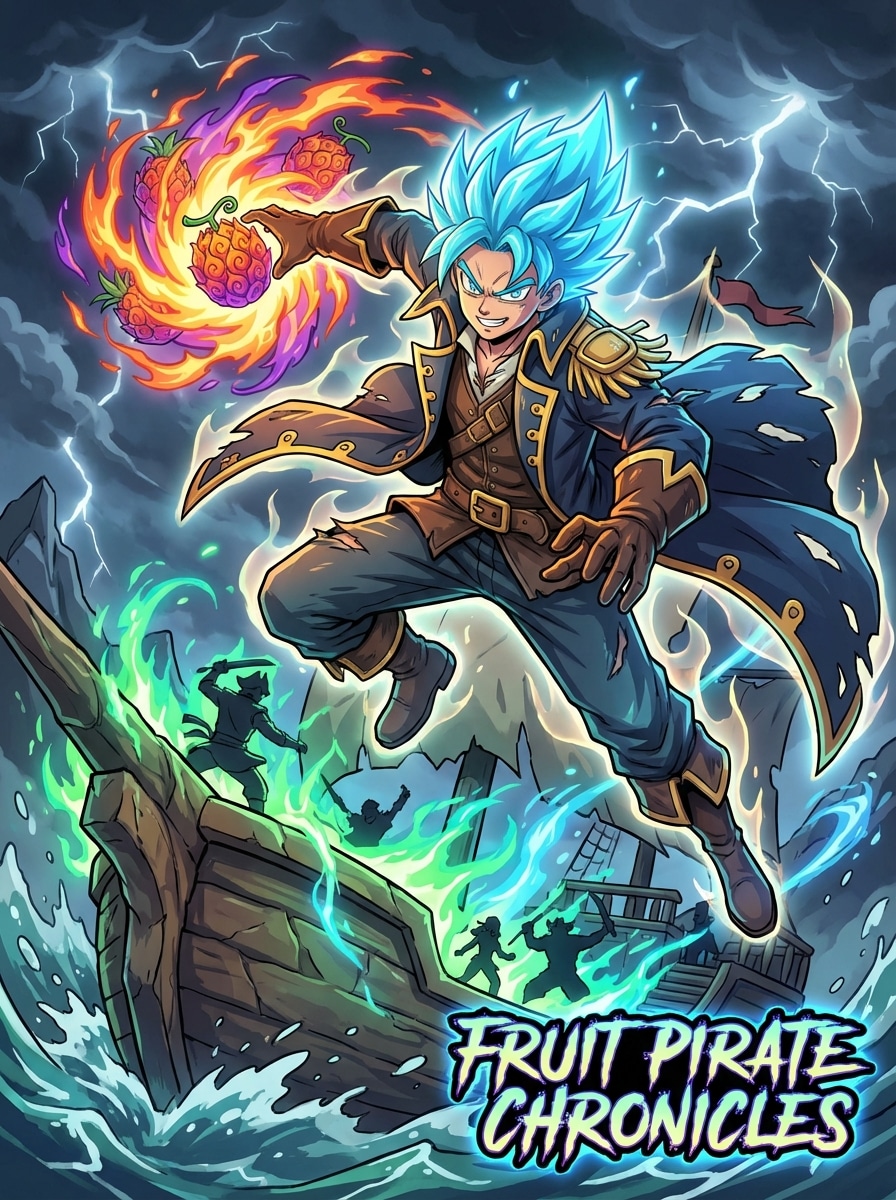
Verwenden Sie das hochgeladene Bild als Motiv und verwandeln Sie es in einen Anime-Piraten mit einer einzigartigen Frucht-inspirierten Kraft, die leuchtende aura, elementare Energieeffekte, dramatische Action-Pose, Fantasy-Piratenkostüm, lebendige Cel-Schattierung, filmische Komposition, reichhaltigen Farbkontrast und übernatürliche Kampfstimmung mit hoher Wirkung hinzufügt.
Anime-Charakterblatt
Verwenden Sie das hochgeladene Bild als Grundlage und erstellen Sie ein vollständiges Anime-Piraten-Charakterblatt mit Ganzkörperdesign, vorderseitiger pose, alternativen Ausdrücken, Accessoire-Aufrufe, Outfit-Detailnotizen, sauberer CEL-Schattierung, Concept-Art-Layout, ausgewogenen Abständen und polierter Piraten-Fantasy-Weltaufbau-Präsentation.
Warum Media.io für One Piece-inspirierte Charakterkreationen verwenden?
Fotos in Anime-Piraten verwandeln
Laden Sie ein JPG-, PNG-oder JPEG-Foto hoch und verwandeln Sie es in eineEin Stück OC-HerstellerMeisterwerk: Ein One Piece-inspirierter Charakter, Piraten-Avatar, Marine-Offizier, gesuchtes poster oder Anime-OC mit Bild-zu-Bild-Generierung.
Verfeinern Sie Stil und Konsistenz
Mit Nano Banana Pro, Nano Banana 2 und Media 2.0 funktioniert Media.io als flexibler one piece KI-Generator, der Ihnen hilft, kontrolliertere looks für Kleidung, Posenrichtung und Anime-Charaktere aus Fotokonsistenz zu erstellen, ideal für jeden one piece oc creator workflow.
Generieren für Avatar, Poster oder Vollszenen
Wählen Sie aus den Seitenverhältnissen Auto, 1:1, 9:16, 16:9, 4:3, 3:4, 3:2 und 2:3 und generieren Sie dann 1 bis 4 Bilder gleichzeitig für Profilbilder, Charakterblätter oder gewünschte Poster-Layouts, egal ob Sie eine einteilige OC-Basis, einen mashup im Fusion-Stil oder einen klassischen einteiligen Generator-Look wünschen.
Hochauflösende Downloads auf jedem Gerät
Erstellen Sie in Ihrem browser unter Windows, Mac, iOS oder Android und exportieren Sie dann mit 1K, 2K oder 4K. Verwenden Sie Eingabeaufforderungen wie „make me one piece style "oder „ai one piece pirate crew", um schnell einen one piece Charakter zu erstellen oder mit einem verspielten one piece fusion generator Effekt zu experimentieren.
So verwenden Sie den One Piece Character Generator
1
2
3
1
Schritt 1: Öffnen Sie Media.io One Piece Character Generator
Gehen Sie zu Media.io und öffnen Sie den One Piece Character Generator unter AI-> Image Generator. Dieses Online-Tool läuft in Ihrem browser, sodass Sie Anime-Piratenporträts, gesuchte Poster und Charakterblätter auf Ihrem desktop oder Mobiltelefon erstellen können, ohne software zu installieren.
2
Schritt 2: Eingeben Sie eine Eingabeaufforderung oder hochladen
Laden Sie ein klares Foto im JPG-, PNG-oder JPEG-Format hoch und fügen Sie dann eine detaillierte Eingabeaufforderung hinzu, wie zum Beispiel: "Verwenden Sie mein hochgeladenes Foto als Motiv und verwandeln Sie es in einen selbstbewussten Anime-Piratenkapitän mit fettem CEL-Schatten, dramatischem Mantel, Ozeanhintergrund und filmischer Beleuchtung." Passen Sie das Seitenverhältnis, die Auflösung und die Bildzahl nach Bedarf an.
3
Schritt 3: Generieren, verfeinern & herunterladen
Klicken Sie auf Generieren. Verfeinern Sie bei Bedarf Ihre Eingabeaufforderung für eine andere Rolle wie Schwertkämpfer, navigator, Marineoffizier oder Kopfgeldposter. Dann laden Sie Ihr hochauflösendes Ergebnis für soziale Profile, Fan-Art-Konzepte oder benutzerdefinierte Avatar-Nutzung herunter.
Was Benutzer über diesen Anime Pirate Character Maker sagen
Maya R.
Cosplay-Schöpfer
"Perfekt für Piraten-Anime-Selbsteinsätze"Ich habe ein selfie hochgeladen und es in ein Piratenkapitän-Porträt mit einem gesuchten Poster-Look verwandelt. Das cel-shaded Ergebnis fühlte sich viel näher an der Anime-Piraten-Atmosphäre an, die ich wollte, als generische Anime-Filter.
Jordan T.
Fan Art Hobbyist
"Einfache Charakterrollenvariationen"Mir gefiel, wie schnell ich vom Schwertkämpfer zum Marineoffizier zum Teufelsfrucht-Power-Benutzer wechseln konnte, indem ich einfach die Eingabeaufforderung änderte. Es machte den Aufbau eines vollständigen One Piece-inspirierten OC-Konzepts viel schneller.
Elena P.
Social Content Designer
"Ideal für Avatare und Poster-Konzepte"Die Optionen für das Seitenverhältnis waren nützlich, da ich sowohl ein quadratisches Profilbild als auch eine vertikale version im Bounty-Poster-Stil gemacht habe. Die Ergebnisse sahen poliert genug aus, um sofort zu posten.
Chris W.
Anime-Enthusiast
"Lustige Foto-zu-Anime-Transformation"Ich wollte einen einteiligen Charaktergenerator, der mein tatsächliches Foto anstelle zufälliger Voreinstellungen verwendet. Dies gab mir einen personalisierten Piraten-Anime-Charakter mit stärkerem styling und besseren visuellen Details.
Entdecken Sie die beliebtesten KI-Video- und Bildeffekte
One Piece Character Generator Häufig gestellte Fragen
1. Wie mache ich meinen eigenen One Piece-inspirierten Charakter aus einem Foto?
Öffnen Sie den Bildgenerator von Media.io, laden Sie ein JPG-, PNG-oder JPEG-Foto hoch und beschreiben Sie den gewünschten Pirate-Anime-Look. Sie können Rollen wie Kapitän, Schwertkämpfer, navigator oder Marineoffizier auffordern, einen one Piece-Charakter zu erstellen, und dann das Ergebnis in Ihrem browser mit ai one piece style guidance generieren und verfeinern.
2. Kann KI ein Foto in einen Anime-Piratencharakter verwandeln?
Ja. Media.io unterstützt die Bild-zu-Bild-Generierung, was bedeutet, dass Sie ein Referenzfoto hochladen und es verwenden können, um die transformation in einen Piratencharakter, einen avatar, ein poster oder ein Charakterblatt im Anime-Stil zu leiten, was es als einfaches one piece OC-Generator für personalisierte designs nützlich macht.
3. Kann ich eine gesuchte Posterversion meines Charakters erstellen?
Ja. Sie können Ihr Bild hochladen und Media.io auffordern, ein Wanted-Poster-Layout mit Pergamenttexturen, kräftigen Linearbeiten und Piraten-Styling zu erstellen. Die Verwendung verschiedener Seitenverhältnisse kann Ihnen auch helfen, das design für Profilbilder oder Ausgaben im Posterstil zu formatieren, genau wie ein fokussierter One-Piece-Generator für poster.
4. Welche Dateitypen unterstützt der One Piece avatar generator?
Media.io unterstützt JPG-, PNG-und JPEG-Uploads zur Bild-zu-Bild-Erstellung. Beginnen Sie mit einem klaren Foto für bessere Charaktertransformationsergebnisse, insbesondere wenn Sie eine stärkere Gesichtsidentität in Ihrem endgültigen Anime-Piratendesign wünschen oder einen einteiligen Charakter für wiederkehrende Verwendung erstellen möchten.
5. Ist Media.io kostenlos für die Generierung von Anime-Charakteren?
Kostenlose Nutzer erhalten 3 credits pro Tag. Kostenlose Exporte können Wasserzeichen enthalten, während bezahlte Abonnenten hochauflösende Bilder ohne Wasserzeichen herunterladen können. Wenn Sie mehr credits oder sauberere Exporte benötigen, können Sie Pläne auf derPreisseite, dann verwenden Sie sie, um mit unterschiedlichen Erstellen eines einstückigen Charakteraufforderungen zu experimentieren.
6. Wie funktionieren Image-to-Image-KI-Generatoren für Anime-Transformationen?
Die Bild-zu-Bild-Generierung verwendet Ihr hochgeladenes Foto als visuelle Referenz und wendet dann Ihre Eingabeaufforderung an, um Stil, Outfit-Richtung, Stimmung und Komposition zu ändern. In Media.io können Sie auch verschiedene Seitenverhältnisse auswählen, 1 bis 4 Bilder generieren und in 1K, 2K oder 4K exportieren. So können Sie jede einteilige OC-Basis verfeinern oder in neue Varianten remixen.
Über den KI-gestützten One Piece Character Generator hinaus