Texto para Imagem
Nano Banana Pro
Prompt
0/2000
Dica: Use dicas em inglês para obter melhores resultados.
Proporção de aspecto
9:16
16:9
1:1
4:3
3:4
3:2
2:3
21:9
Resolução
1K
2K
4K
Modo Ilimitado do Banana Pro
Número de Imagens
1
2
3
4
Visibilidade pública
Todos
Imagem
Vídeo
Áudio
Lista de geração
Os resultados gerados serão mantidos por 7 dias. Por favor, salve-os a tempo.
ai_video_generatorDesbloqueie seu potencial criativo e experimente a magia da IA de mídia hoje!

Clay AI Generator for Cute Clay Art, Portraits, and Figurines

Turn ideas into handmade-looking clay visuals in minutes with Media.io. Use this clay AI generator to create adorable figurines, claymation-inspired scenes, toy-style avatars, and textured polymer clay artwork from text—right in your browser.

Create My Clay Art

Type your idea -> AI designs it. Free to try.

Explore our curated collection of clay ai generator styles.

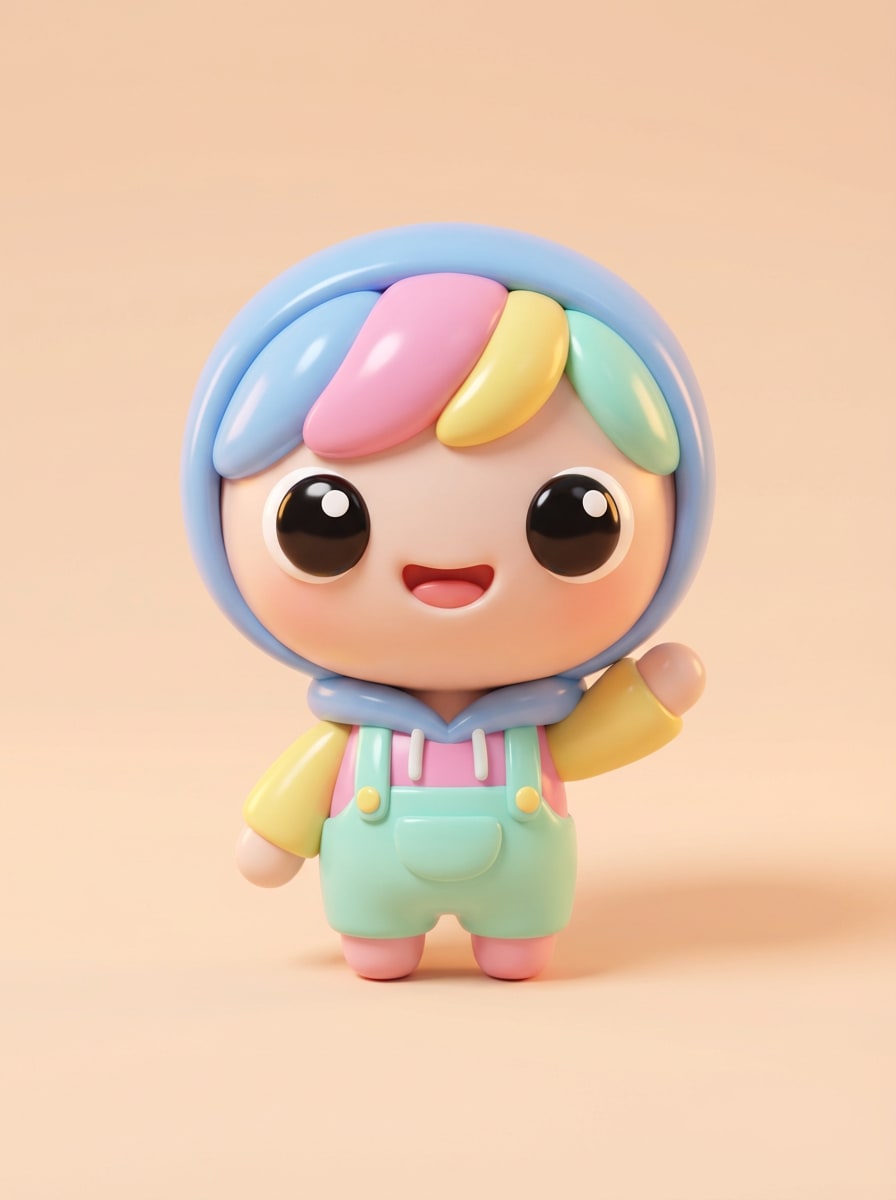
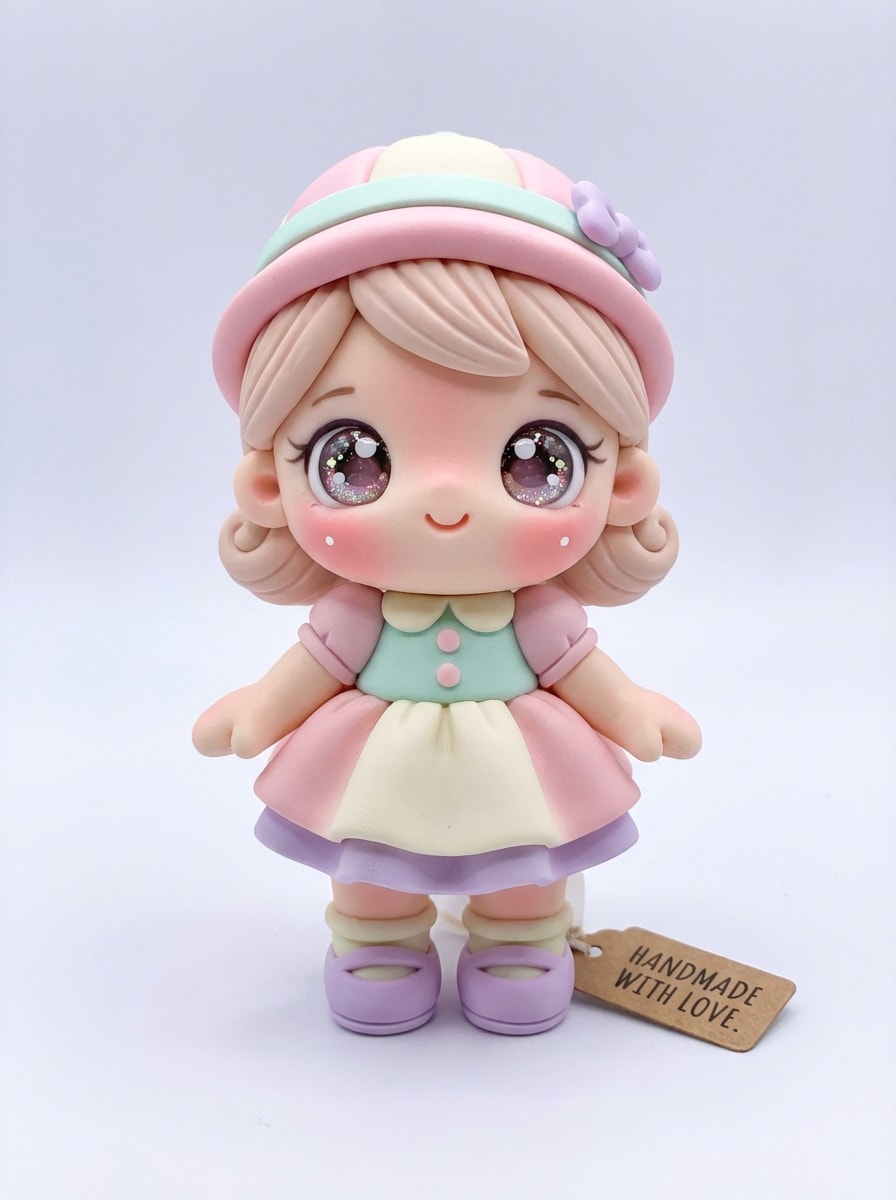
Kawaii Clay Figurine

Kawaii Clay Figurine

Create a kawaii clay figurine of a cheerful young character standing front-facing, with oversized sparkling eyes, rosy cheeks, tiny hands, and rounded proportions. Use pastel pink, mint, cream, and lavender polymer clay, soft studio lighting, subtle fingerprints, smooth sculpted edges, clean light background, adorable handmade toy aesthetic, highly detailed.

Chibi Clay Avatar

Chibi Clay Avatar

Generate a chibi-style clay avatar portrait of a smiling person with a large head, tiny body, expressive eyes, and playful pose. Use smooth colorful clay textures, bright but soft lighting, gentle shadows, polished handcrafted finish, minimal studio backdrop, candy-toned palette, toy-like charm, crisp details, and a social-profile-friendly composition.

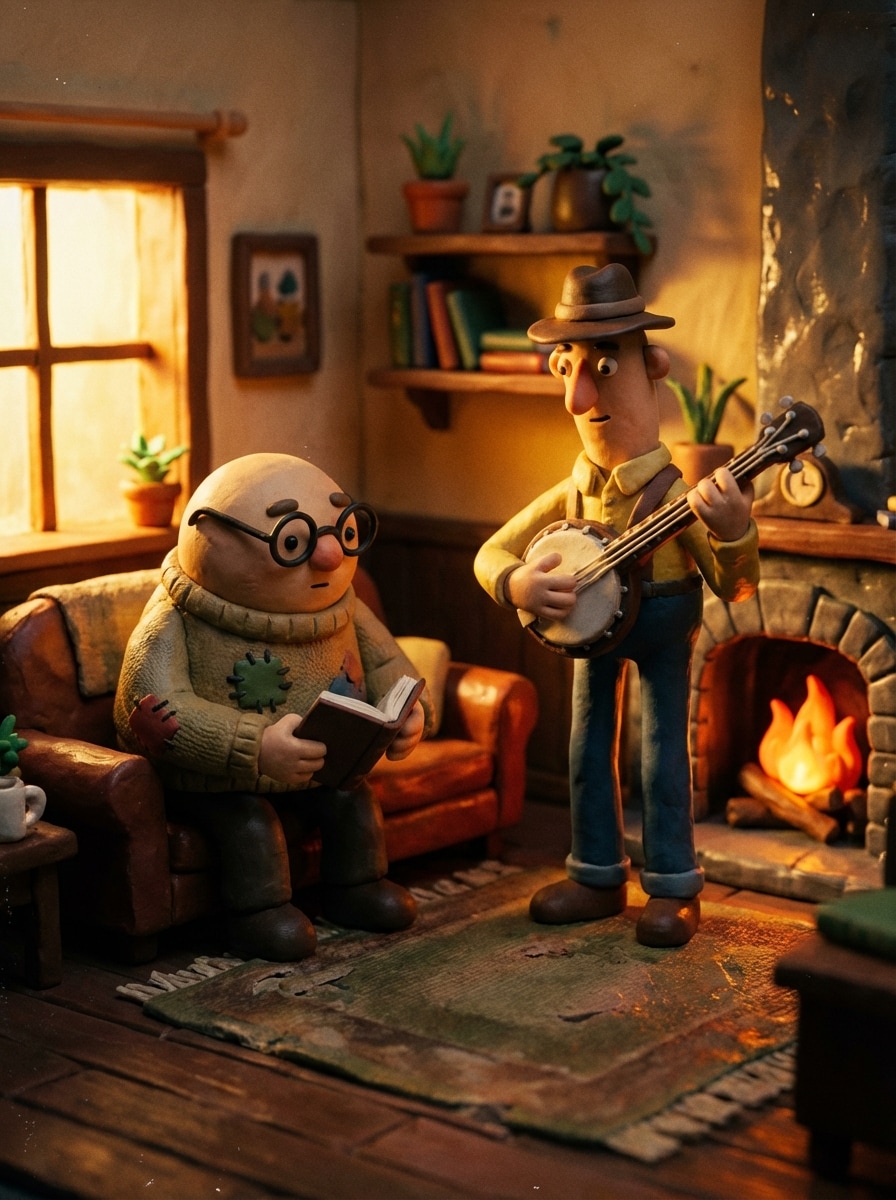
Classic Claymation Scene

Classic Claymation Scene

Create a nostalgic claymation-style scene with two handmade clay characters in a tiny crafted room, surrounded by miniature props and textured walls. Show visible sculpting marks, matte and slightly glossy clay surfaces, cinematic warm lighting, rich color contrast, stop-motion movie mood, shallow depth of field, and high-detail handcrafted storytelling.

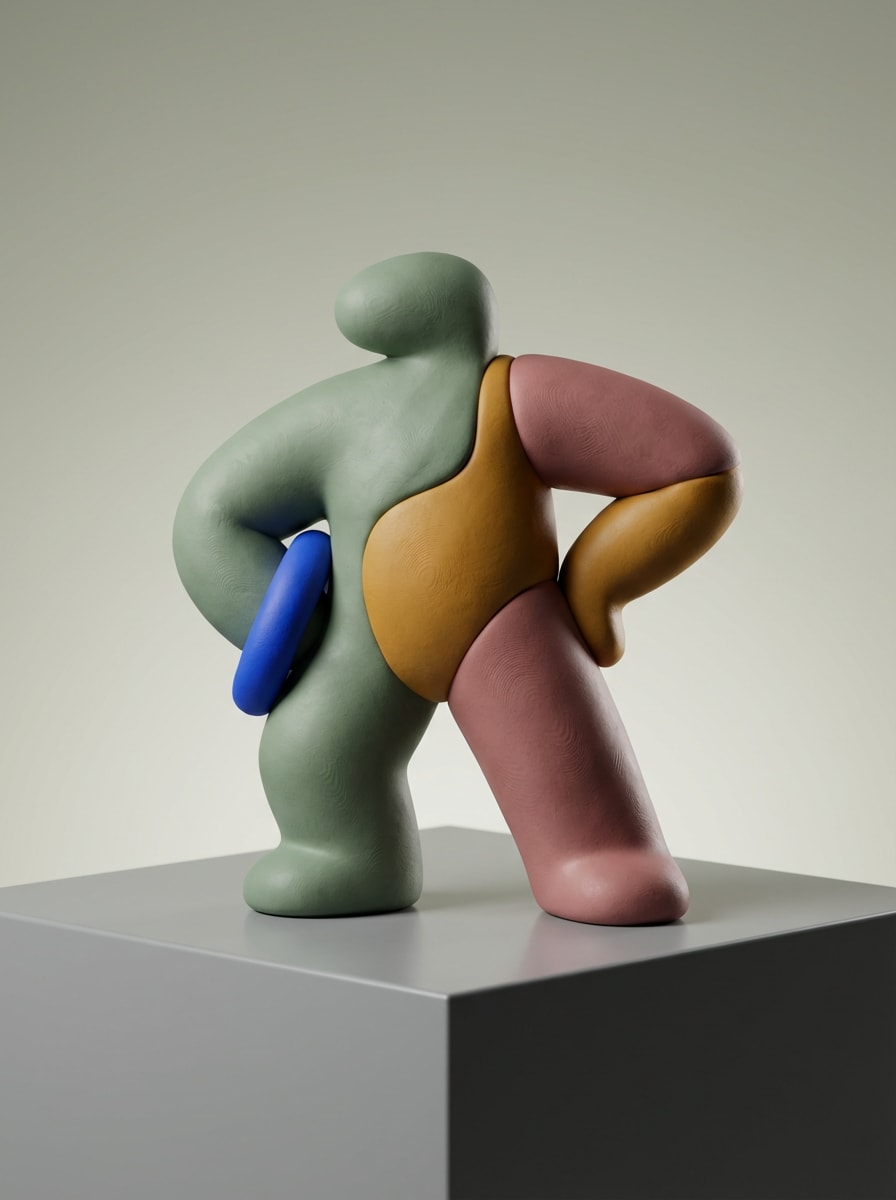
Designer Toy Clay Figure

Designer Toy Clay Figure

Design a modern collectible toy figure made of clay, posed on a clean display pedestal with a bold silhouette and premium shelf-ready styling. Use matte polymer clay texture, muted trendy colors with one vibrant accent, controlled studio lighting, soft reflections, minimal background, smooth sculpted contours, and luxury art-toy presentation quality.

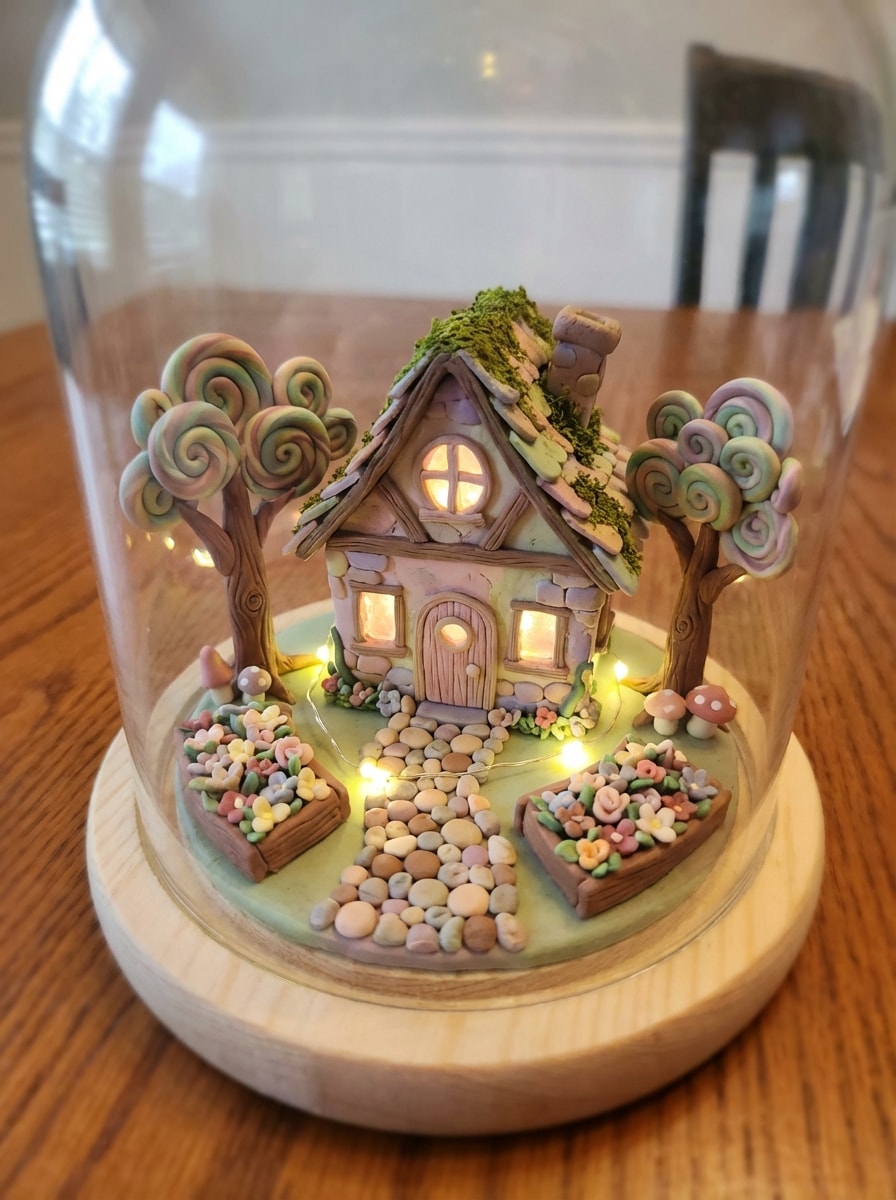
Whimsical Clay Cottage

Whimsical Clay Cottage

Create a whimsical miniature clay diorama featuring a tiny fantasy cottage, winding path, sculpted trees, flower beds, and glowing windows. Use vibrant polymer clay textures, handcrafted imperfections, soft magical lighting, pastel-meets-earth-tone palette, tilt-shift miniature composition, cozy storybook mood, and intricate detail that feels playful and collectible.

Why Use Media.io for Clay AI Images

Create Clay Art from Text Fast

Turn a simple idea into a detailed clay AI generator image in minutes. Describe the character, scene, colors, and texture you want, and Media.io generates polished clay-style visuals without design experience.

Multiple Models for Better Results

Choose from advanced text-to-image models including Nano Banana Pro, Nano Banana 2, Seedream 5.0 Lite, Soul Character, Seedream 4.0, Nano Banana, and Imagen 4 to create everything from cute figurines to stylized claymation scenes.

High Resolution with Flexible Ratios

Generate clay-style images in 1K, 2K, or 4K quality, then choose the right layout for your use case with aspect ratios like 1:1, 9:16, 16:9, 4:3, and 3:4 for posts, wallpapers, and print-ready concepts.

Versatile Styles Beyond Basic Clay Looks

Refine your ai clay art generator output with different visual directions, from 3D render polish to realistic lighting and more. Media.io is ideal for avatars, social posts, concept art, and collectible-style clay character ideas.

How to Use the Clay AI Generator

1
2
3
1
Step 1: Open Media.io Text to Image

Go to AI Text to Image Generator and open the Text to Image tool under AI -> AI Image Generator. This online tool runs in your browser, so you can start creating clay-style images on desktop or mobile without installing software.

2
Step 2: Enter a Prompt

Type a detailed prompt, such as “a cute clay figurine character with pastel colors, rounded sculpted features, polymer clay texture, soft studio lighting, clean background.” Then adjust the model, aspect ratio, and resolution for your preferred clay art look.

3
Step 3: Generate, Refine & Download

Click Generate. Review the result, tweak your prompt or settings if needed, and create another variation for a stronger claymation, figurine, or toy-like finish. When you're happy, download your high-resolution image for sharing or design use.

Step 1
Step 2
Step 3

Unlock the Potential of Clay AI Generator

Discover how creators and professionals are using our AI-powered Clay AI Generator to transform their creative workflows and bring unique ideas to life.

Make Scroll-Stopping Clay Avatars for Social Profiles

Create charming profile images that stand out on TikTok, Instagram, and YouTube. A clay style image generator can turn simple character ideas into playful, handcrafted-looking avatars with soft textures, rounded features, and highly shareable personality.

Visualize Toy, Mascot, and Character Concepts

Use clay-style rendering to pitch brand mascots, collectible figures, or cartoon character ideas before production. Media.io helps creators and marketers quickly mock up polished 3D clay concepts for presentations, content planning, and creative direction.

Design Whimsical Claymation Scenes for Content

Build storybook environments, miniature dioramas, and stop-motion-inspired visuals for thumbnails, posts, or campaign graphics. This is ideal for creators who want the nostalgic feel of handmade clay art without spending hours sculpting by hand.

What Users Say About Media.io Clay Art Creation

user
Mia R.

Content Creator

star star star star star

"Perfect for cute social graphics" I wanted a clay AI generator for playful profile art, and Media.io gave me much better results than expected. The textures felt handmade, and the prompts were easy to refine until I got the exact toy-like look I wanted.

user
Jordan T.

Brand Designer

star star star star star

"Helpful for mascot concepts" We used it to mock up clay-style mascot ideas for a campaign. The output looked polished enough for internal presentations, and changing the aspect ratio made it easy to prep concepts for both social and pitch decks.

user
Elena P.

Illustration Hobbyist

star star star star star

"Easy way to make claymation-style art" I love stop-motion and miniature dioramas, so this tool was a fun surprise. I typed a detailed prompt for a clay cottage scene and got a warm, textured result that really captured the handcrafted claymation vibe.

user
Sam K.

E-commerce Seller

star star star star star

"Fast concept generation" Media.io helped me create clay-style product character concepts quickly. I didn’t need advanced design skills, and being able to generate high-resolution images in the browser saved me a lot of time during brainstorming.

Clay AI Generator FAQs

1. What is a clay AI generator?

A clay AI generator is a text-to-image tool that creates visuals with a handmade clay look, such as figurines, clay portraits, polymer clay characters, or claymation-style scenes. With Media.io, you describe the subject, colors, texture, and mood in words, and the AI generates the clay-style artwork for you.

Yes. Free users can try Media.io with free credits. If you need more generations or want watermark-free high-resolution downloads, you can check the pricing page for paid plans. Free users can use free credits. For more usage, users can subscribe to a plan on the pricing page.

Be specific about the subject, composition, lighting, colors, and clay texture. For example, mention details like polymer clay finish, rounded sculpted features, visible fingerprints, pastel palette, studio lighting, or a claymation mood. Media.io is optimized for English prompts, so clear descriptive wording usually produces better clay art results. This helps you create clay ai generator results more consistently.

You can turn text into clay art directly with Media.io. This page is focused on text-to-image creation, so you can generate clay-style artwork from a written idea without needing to upload a photo first. This helps you create clay ai generator results more consistently.

Clay-style image generation usually takes only a short time in your browser, though exact speed can vary depending on the model and settings you choose. Media.io is designed for fast AI image generation, making it practical for quick concepting and multiple prompt variations. Features **Nano Banana Pro** (Next-gen AI generation model) and **Nano Banana 2** (Faster generation, enhanced creative features). Also supports Seedream 5.0 Lite, Soul Character (Hyper-realistic), Nano Banana, Seedream 4.0, and Imagen 4. This helps you create clay ai generator results more consistently.

Yes. Media.io supports 1K, 2K, and 4K image generation, so you can create high-resolution clay AI images for social content, creative projects, and presentations. Free users may have watermarks. This helps you create clay ai generator results more consistently.

Media.io Online AI Tools Quality Rating:
vote 4.7 (162,357 Votes)