
AI Legend Story Video Generator for Story-Driven Videos with Scene Control
Write a hero saga, folklore retelling, origin myth, or classroom legend script, then shape it into scenes that feel ancient, dramatic, and easy to follow. Media.io's AI Legend Story Video Generator helps creators extract a usable outline, guide characters and settings, review storyboard images, and generate video with narration and music based on the script.
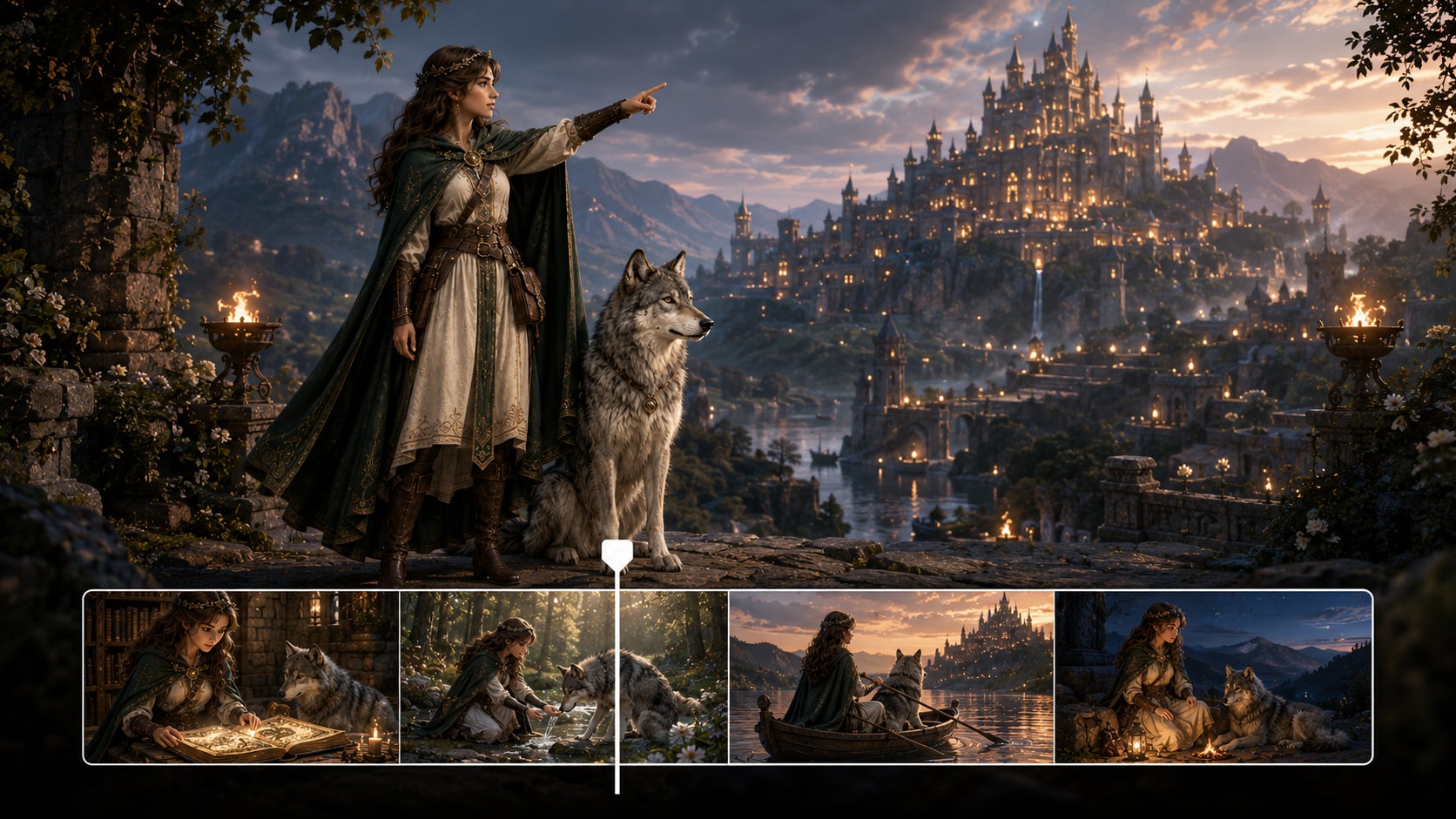
Build Legend Videos That Feel Like Real Sagas
Guide the plot, world, characters, and rhythm before your mythic story becomes a video.
Create Ancient Worlds with a Clear Mythic Mood
Shape ruined temples, storm-lit mountains, royal halls, sacred forests, or battlefield omens around the tone of your script. It also fits AI story video maker workflows when the audience expects topic-specific scenes.
- Setting Direction - Guide eras, landscapes, and atmosphere
- Visual Style - Choose a look that fits the legend's tone
- Scene Mood - Match prophecy, conflict, triumph, or tragedy
- Creator Focus - Keep the world readable for viewers
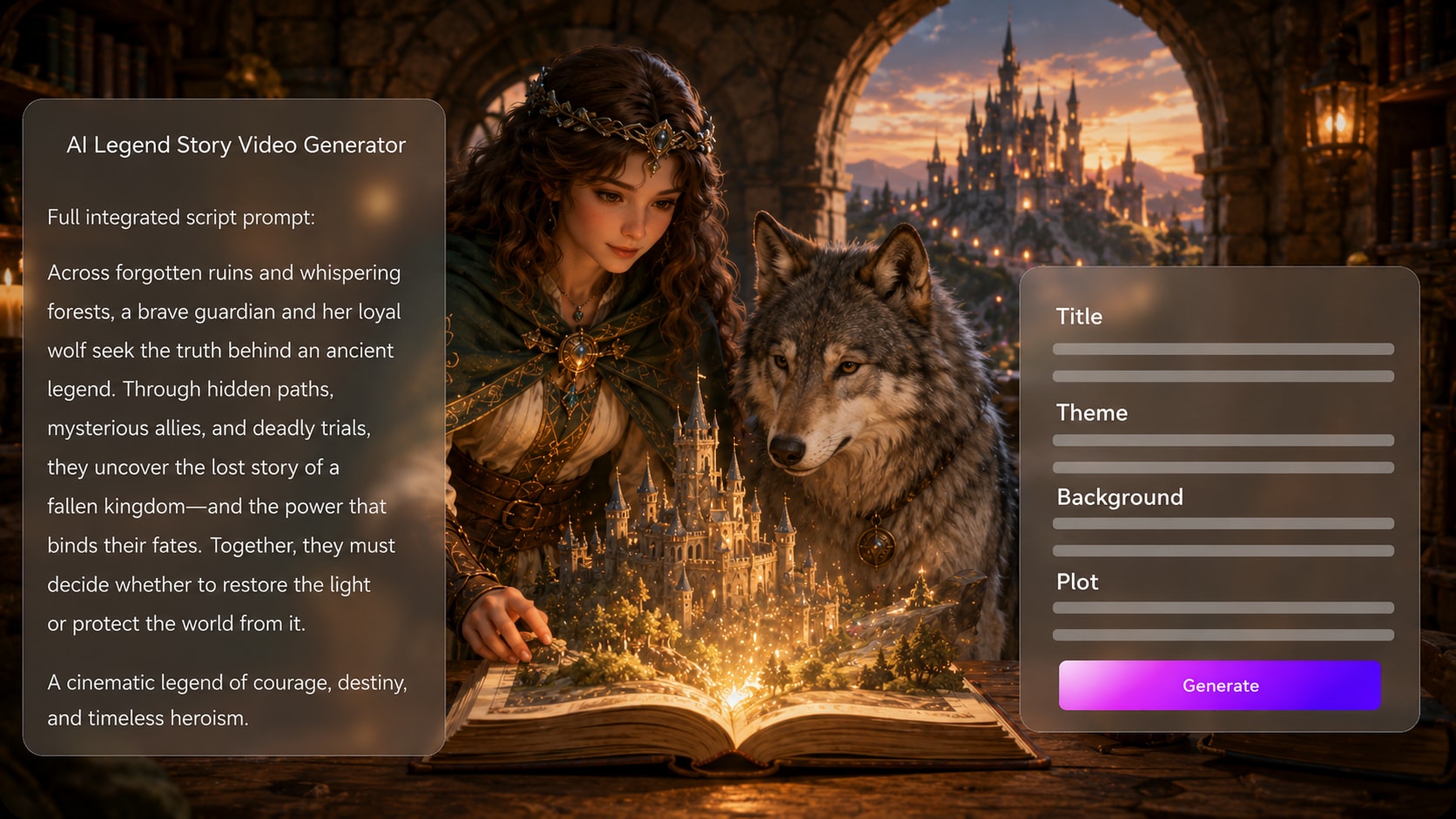
Turn Lore Notes into a Story Viewers Can Follow
Paste a detailed script, narration draft, or structured legend outline, then review the extracted title, theme, setting, plot, and characters. Use it for script to video generator ideas without adding another editing step.
- Outline Extraction - Review the title, theme, setting, plot, and cast
- Plot Clarity - Separate origin, quest, trial, and resolution
- Lesson Fit - Keep educational context visible when needed
- Script Control - Start with richer input for stronger results
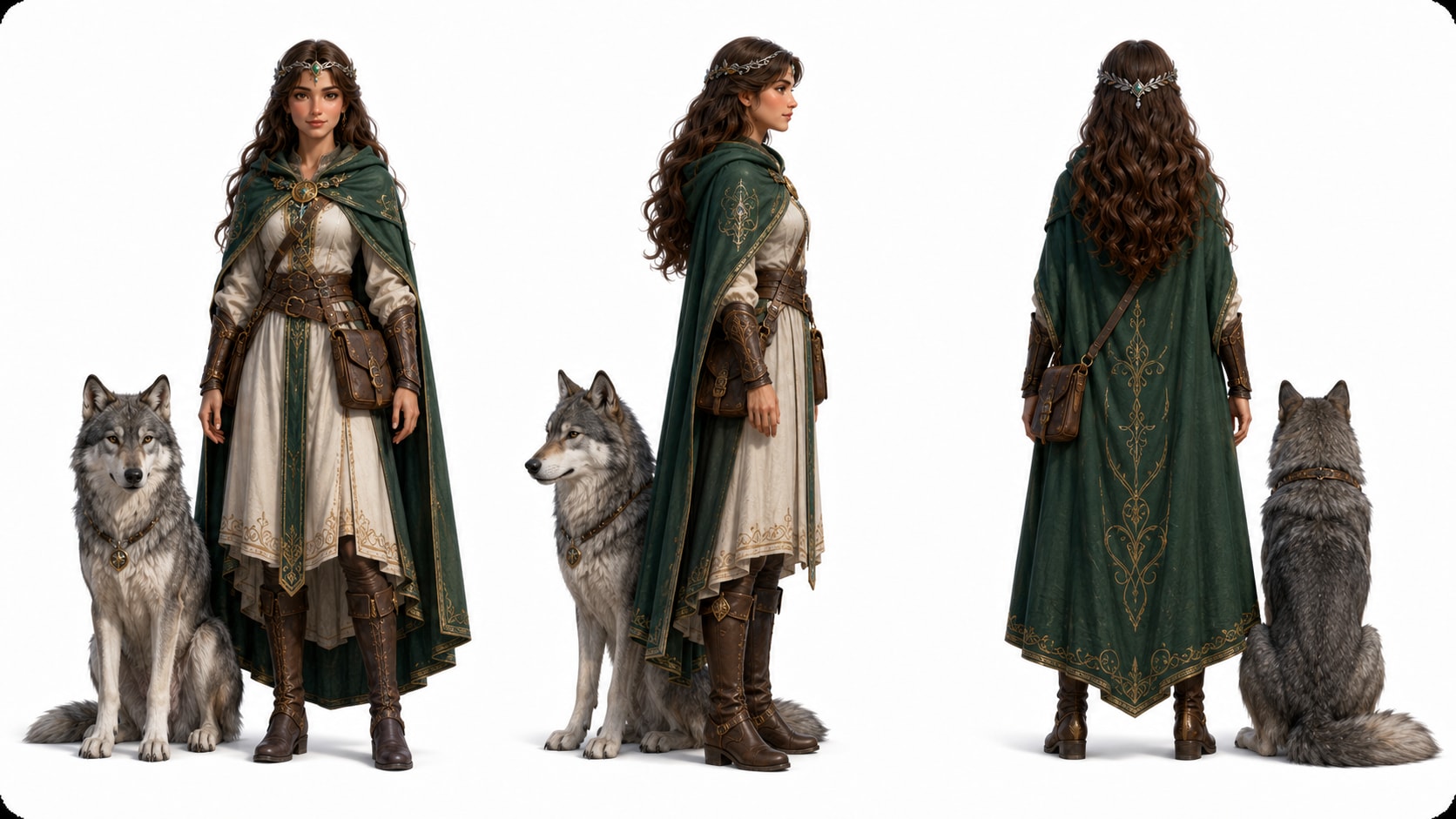
Guide Heroes, Oracles, Beasts, and Rivals
Describe your warrior, oracle, trickster, guardian beast, or lost ruler with enough detail to give the video strong character guidance.
- Text Characters - Define age, clothing, role, and presence
- Photo References - Use real images when personalization matters
- Sketch Inputs - Turn rough visual ideas into character guidance
- Recurring Cast - Help viewers recognize major figures
Publish Myth Shorts, Lessons, and Story Pitches
Build videos for TikTok myth recaps, YouTube lore episodes, classroom openers, book promos, or indie film mood reels.
- Social Formats - Prepare stories for Shorts, Reels, and TikTok
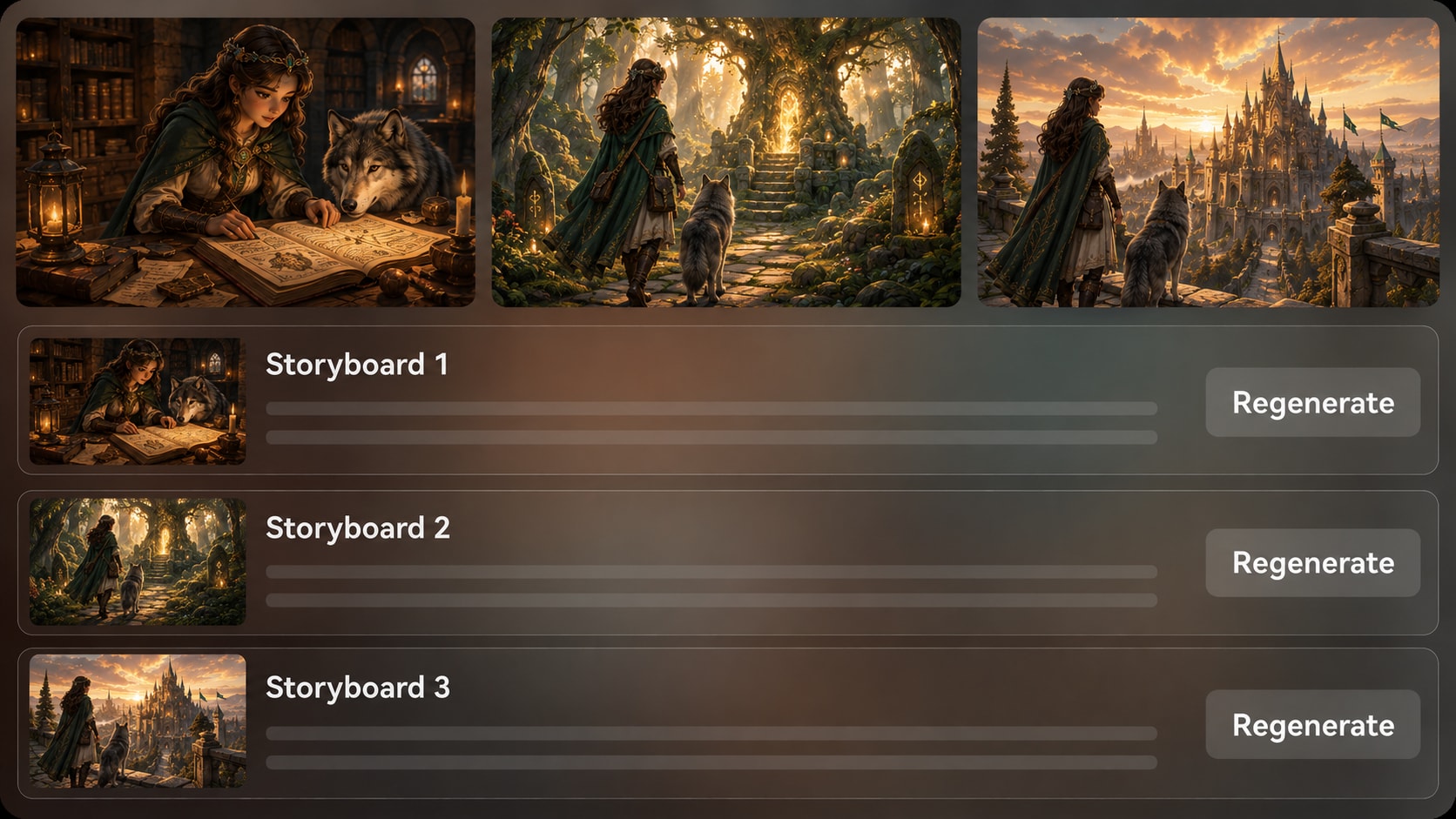
- Storyboard Review - Check the visual arc before generation
- Shot Regeneration - Recreate a storyboard image that misses the moment
- Polish Tools - Review the final video and improve it when needed
Create a Legend Story Video in Three Steps
Start with a real script, guide the saga, and review the result before sharing.

Paste the Saga
Provide a detailed script or structured story input with narration, scene notes, character names, and setting details. Review and edit the extracted outline fields, including title, theme, setting / background, story plot, and characters, then choose an aspect ratio such as 9:16, 1:1, or 16:9 during setup.

Guide the World
Set the visual direction for the legend, including format, style, and the mood of key scenes. Add character guidance from text, real photos, or sketches, then review the generated storyboard images to see whether the hero journey, setting, and major reveals feel clear.

Generate and Polish
Generate the final video with voiceover and music based on your script. If a storyboard image misses an important moment, use Regenerate for that specific shot before final generation, then review the finished video and polish it with Media.io tools such as Enhance Video Quality when needed.
Compare an AI Legend Story Video Generator with Generic Text-to-Video
Legend videos need lore structure, epic pacing, and character guidance that generic clip generators often skip.
Create Legend Videos for Every Storytelling Channel

YouTube Mythology Creators
Turn hero myths, origin tales, and folklore explainers into visual episodes with clear narration and scene flow.

TikTok and Shorts Creators
Build fast legend recaps, prophecy hooks, and battle reveals for vertical social storytelling.

Educators and Trainers
Explain folklore, cultural legends, and myth structures with visual scenes that help students follow the story.

Indie Filmmakers
Test epic story concepts, character moods, and worldbuilding beats before building a larger production plan.
View More Story Video Examples
Use the same script-led workflow to explore myth recaps, narrated sagas, educational tales, and social story videos.
Loved by Legend Story Creators
Creators like having a clearer path from myth script to visual outline, storyboard images, and publishable drafts.


"The outline step helped me keep the prophecy, trial, and ending in the right order before generating visuals."

"I used it for short legend recaps, and the storyboard preview made it easier to spot weak scenes early."

"My students followed the story better when the setting, characters, and narration were built from my lesson script."

"It was useful for testing an ancient hero concept without building every shot from scratch."

"I liked that I could describe my hero and creature clearly instead of relying on a random fantasy look."

"The script-based voiceover and music gave my legend explainer a stronger rhythm for social clips."
FAQs on AI Legend Story Video Generator
What Is an AI Legend Story Video Generator?
An AI legend story video generator helps turn detailed myth, folklore, or hero-saga scripts into visual story videos. Media.io supports this by extracting an editable story outline, generating character guidance and storyboard images, and creating a final video with script-based voiceover and music.
What Should I Paste into Media.io for a Legend Video?
Use a detailed script, narration draft, scene-by-scene outline, folklore retelling, mythology summary, or classroom lesson draft. Strong inputs should include the setting, hero, conflict, key symbols, major scenes, and ending.
Can the Script Guide the Voiceover and Music for a Legend Video?
Yes. The generated voiceover and music can be based on the script, so narration, mood, and pacing can follow the legend's emotional arc. A ceremonial opening, tense trial, or triumphant ending should be described clearly in your source text.
How Do I Write a Better Script for an AI Legend Story Video?
Write the legend in clear scenes: origin, prophecy, journey, trial, sacrifice, battle, and resolution. Add visual details such as ancient clothing, sacred places, weather, symbols, creatures, and narrator tone so the video has stronger direction.
What Mistakes Should I Avoid When Making Legend Videos with AI?
Avoid one-line prompts, unclear character names, mixed eras, and vague settings like only saying 'make it epic. ' Use specific mythic details, define the story order, and review the outline before generating the video.
Can I Control the Heroes and Creatures in a Legend Story Video?
You can give clear character guidance through text descriptions, real photos, or sketches. Media.io can help generate recognizable characters for heroes, oracles, beasts, and rivals, but you should still review the result for visual fit.
Can I Make Legend Videos for TikTok, YouTube Shorts, or Classroom Use?
Yes. During setup, you can choose a format direction such as vertical, square, or widescreen depending on where the legend video will be used. Creators can prepare short myth recaps, educational explainers, lore episodes, and pitch videos.
Can I review the storyboard for a Legend Video?
You can review and edit the extracted outline fields before storyboard generation. The generated storyboard images themselves are not manually editable, but if a specific storyboard image is unsatisfying, you can click Regenerate to create that shot again.
Why Use Media.io Instead of a Generic AI Video Generator for Legend Stories?
Legend videos need structure, setting, character guidance, and mythic pacing. Media.io is useful because it works from detailed scripts, extracts an editable outline, creates storyboard images for review, and generates video with voiceover and music based on the story.
Explore More Script-Led Story Video Generators
If your legend project grows into horror, education, brand storytelling, or narrated social content, explore adjacent AI Script to Video workflows built for different story formats.















Create Your Legend
As a Cinematic Story Video
Start with a detailed script, guide the world and characters, review the storyboard images, and generate a mythic video ready to polish and share.
 4.8 (286 Votes)