Selecione / @ personagem, descreva a cena que você deseja gerar.
0/2000
9:16
1K
1
Modo Ilimitado do Banana Pro
Criações
Hub de Ideias
Como funciona
Todos
Recursos populares
Ver tudo
Desafio Criativo de Halloween
Ver tudo
História de Frutas com IA
Ver tudo
Vídeo de História com IA
Ver tudo
Vídeos Virais Hoje
Ver tudo
Vídeos de Produto com IA
Ver tudo
Personagem AI
Ver tudo
Tendências de Dança
Ver tudo
GPT Image 2
Ver tudo
Seedance 2.0
Ver tudo
Correspondência de Celebridade por IA
Ver tudo
Dicas de Poses para Casais
Ver tudo
Prompts de Poses de Garota AI Estética
Ver tudo
Sugestões de Pose de Garoto Elegante com IA
Ver tudo
Lista de geração
As criações são armazenadas por apenas 7 dias. Os recursos criados após o upgrade para um plano de assinatura serão armazenados permanentemente.
Desbloqueie seu potencial criativo e experimente a magia da IA de mídia hoje!
Identificador de Peixes para Reconhecimento Rápido de Espécies a Partir da Sua Foto
Envie uma foto de peixe e use o Media.io como um identificador de peixes para verificar espécies visualmente em segundos. Ele suporta identificação de peixes por imagem para pescadores, donos de aquários e aprendizes de vida selvagem que desejam uma resposta rápida de "que peixe é esse" a partir de uma imagem nítida.
Digite sua ideia -> A IA a projeta. Grátis para experimentar.
Revise esses exemplos de direções e, em seguida, personalize os detalhes do prompt para obter resultados mais expressivos com este Identificador de Peixes e melhore seu fluxo de trabalho de identificação de peixes online.
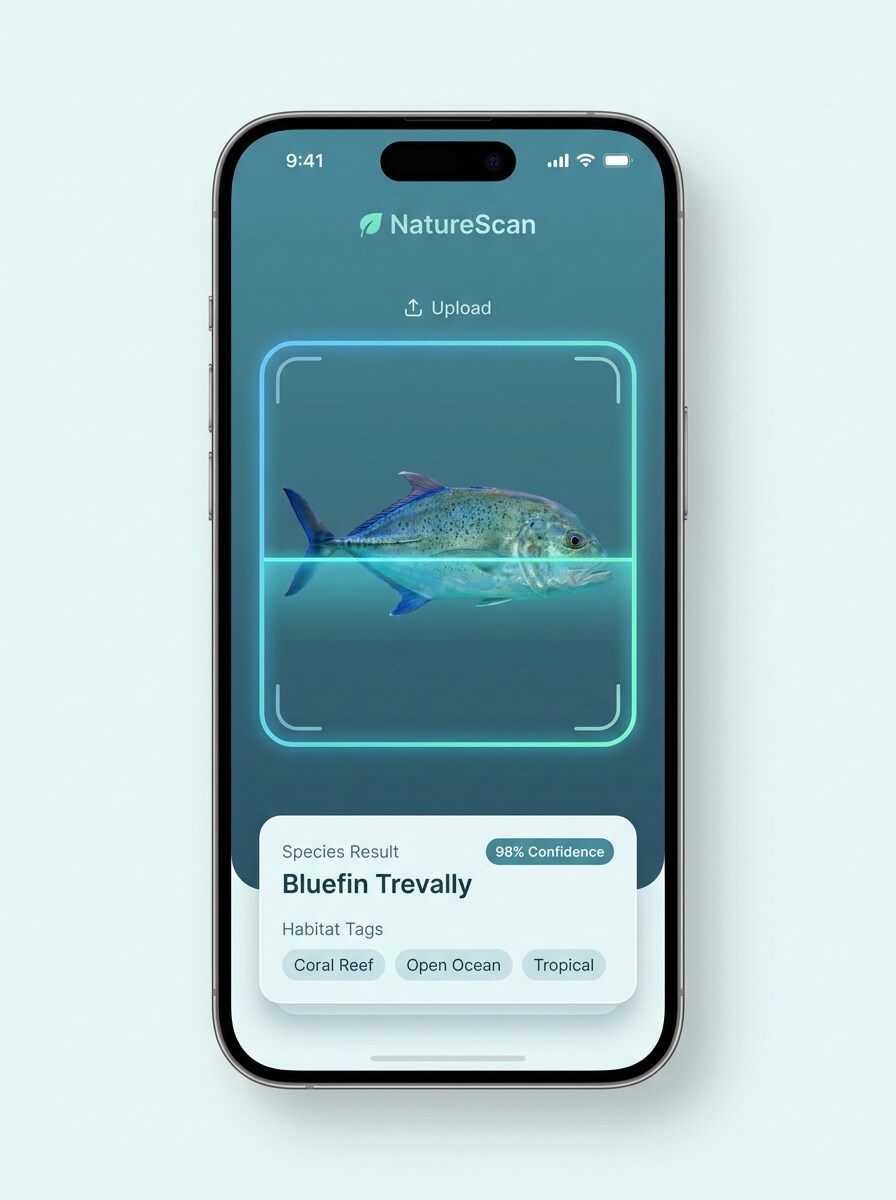
Cartão de Resultado de Escaneamento de Foto
Use a imagem enviada como assunto principal e transforme-a em uma tela polida de resultado de escaneamento de peixe para dispositivo móvel. Mantenha o peixe claramente centralizado, adicione um sutil quadro de escaneamento, cartão de resultado de espécie, pontuação de confiança, tags de habitat, acentos de interface em azul frio e branco, iluminação nítida, textura realista e uma estética limpa de aplicativo educacional.
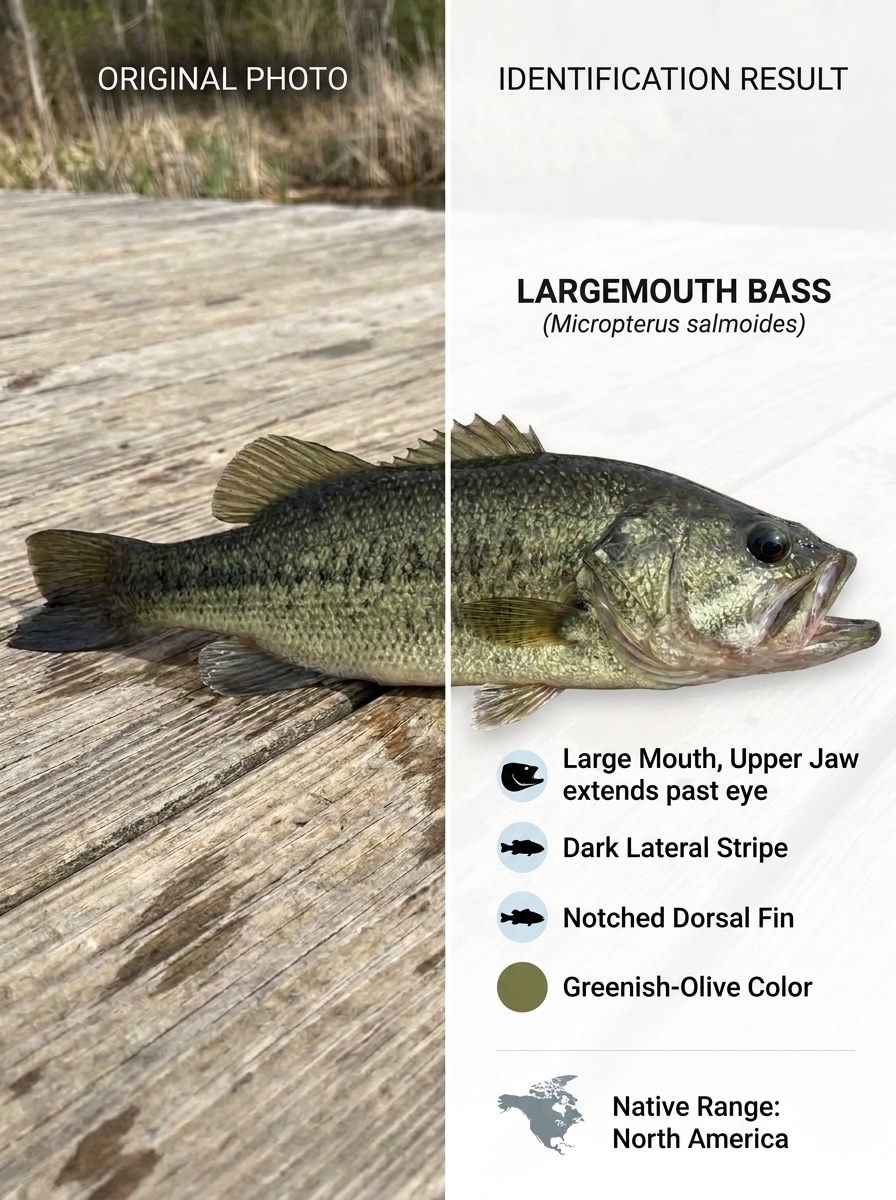
Antes e Depois da Identificação
Use a imagem do peixe enviada e transforme-a em uma comparação de tela dividida. Mostre a foto original à esquerda e um resultado de identificação refinado à direita com o nome da espécie, características principais e rótulos de região. Mantenha textura realista do peixe, boa legibilidade, estilo moderno de aplicativo, iluminação neutra e brilhante, e uma aparência informativa de carrossel social.
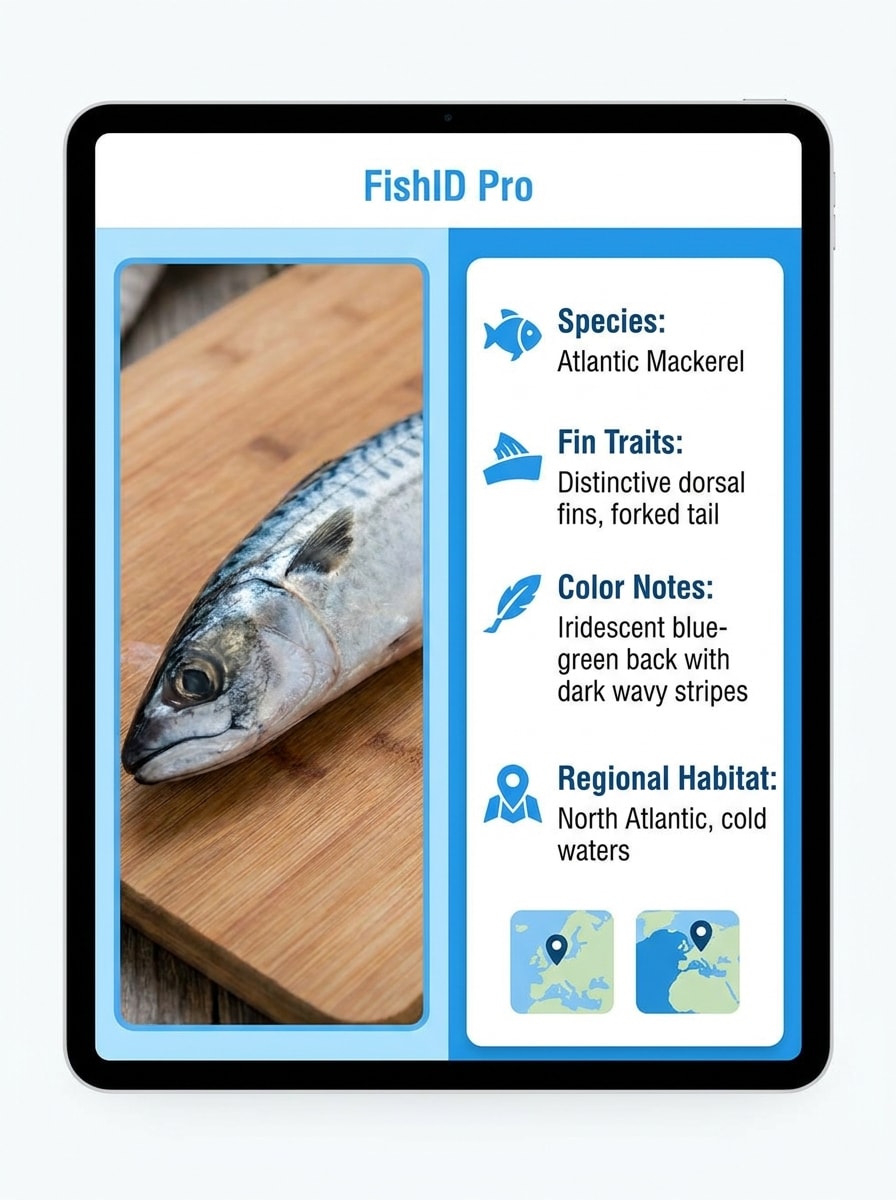
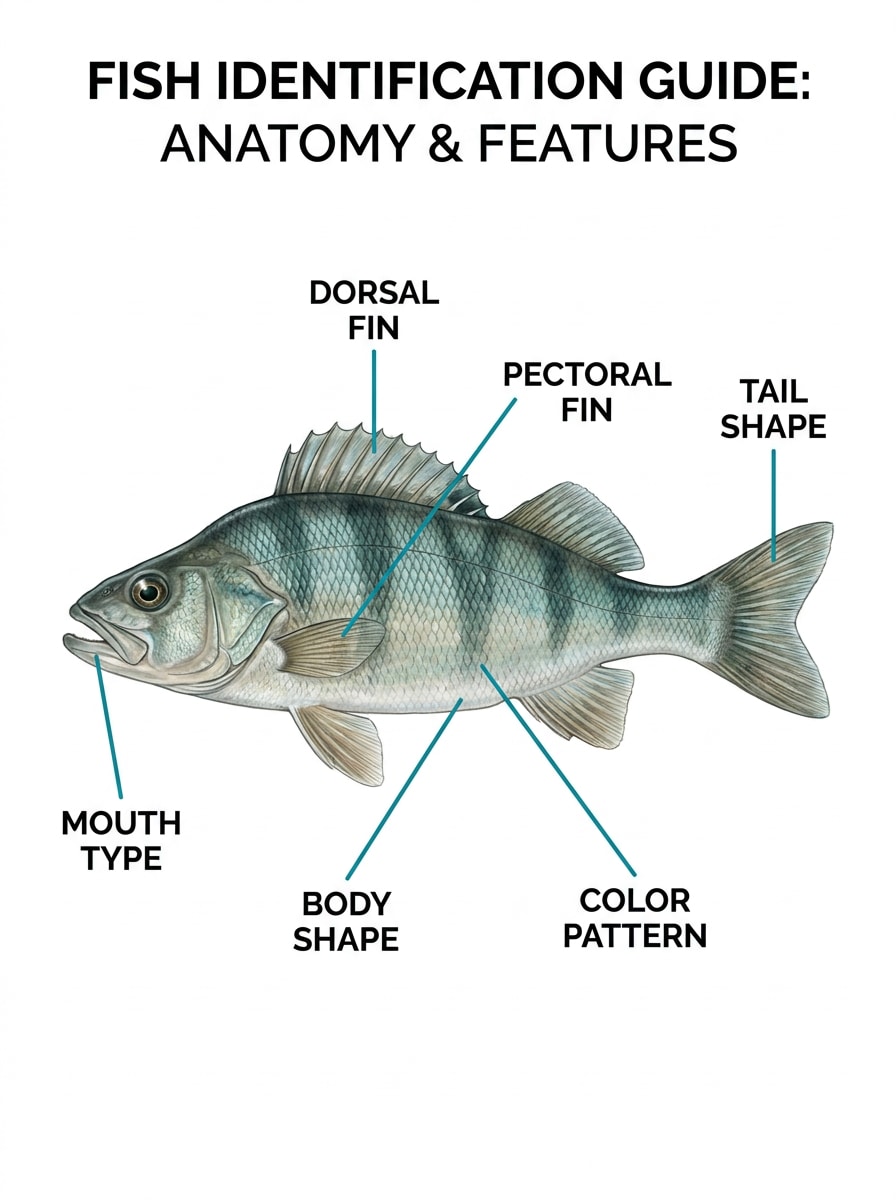
Guia de Anatomia do Peixe com Rótulos
Use a imagem do peixe enviada como referência e transforme-a em um guia de anatomia limpo. Mantenha o perfil lateral do peixe realista e adicione rótulos organizados para a nadadeira dorsal, formato da cauda, tipo de boca, padrão corporal e posicionamento das nadadeiras. Use tons neutros suaves, clareza de livro didático, linhas nítidas e um layout de infográfico polido.
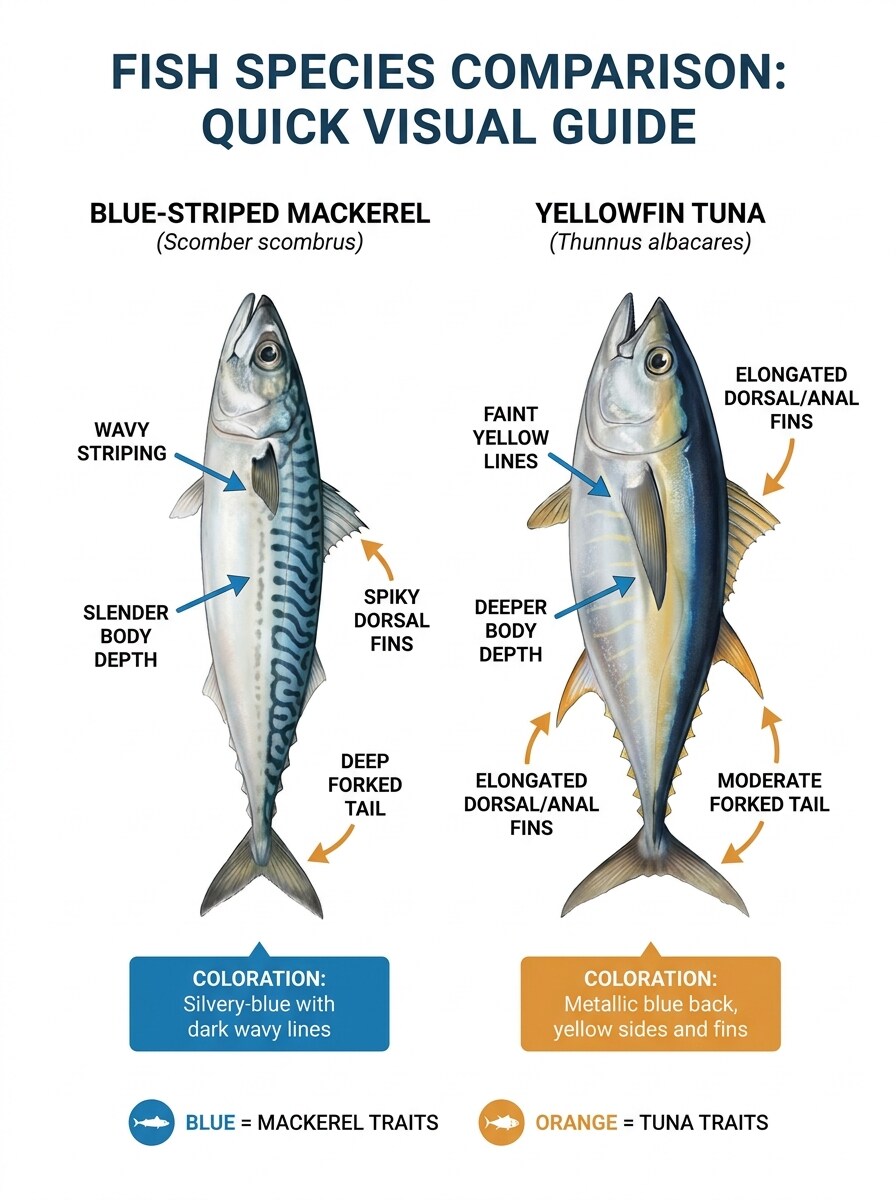
Comparação de Espécies Semelhantes
Use a foto do peixe enviada como base para um cartão de comparação lado a lado de espécies semelhantes. Mostre o peixe de referência ao lado de uma espécie similar, destacando diferenças em marcações, bordas das nadadeiras, profundidade corporal e coloração. Mantenha anatomia realista, rótulos nítidos, paleta de azul calmo e um layout profissional de gráfico comparativo para fácil distinção visual.
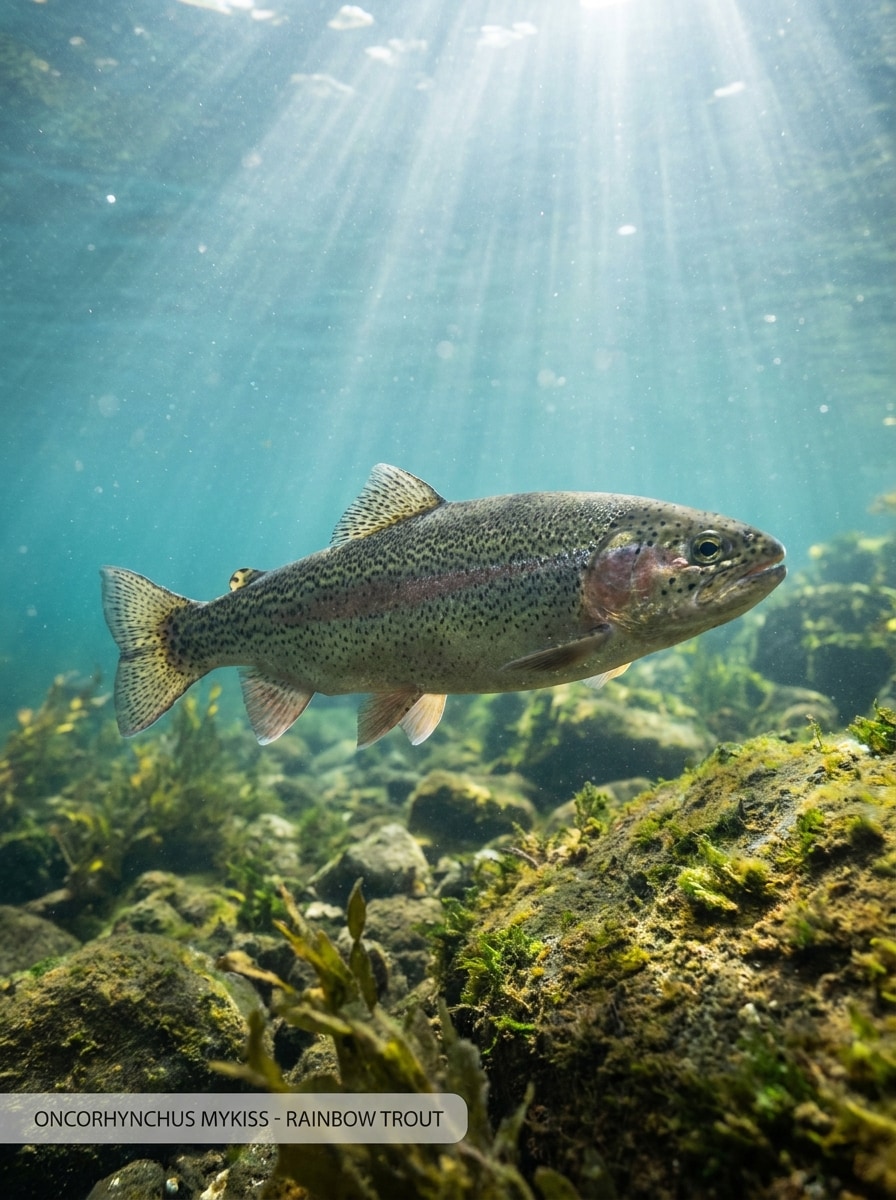
Foto Naturalista Subaquática
Use a imagem do peixe enviada como assunto e reestilize-a em uma foto naturalista subaquática realista. Preserve a forma e as marcações do peixe, coloque-o em água clara com raios de sol suaves, plantas aquáticas ou rochas, sobreposição sutil de rótulo de espécie, gradientes de cores realistas e qualidade de fotografia de vida selvagem em estilo documentário.
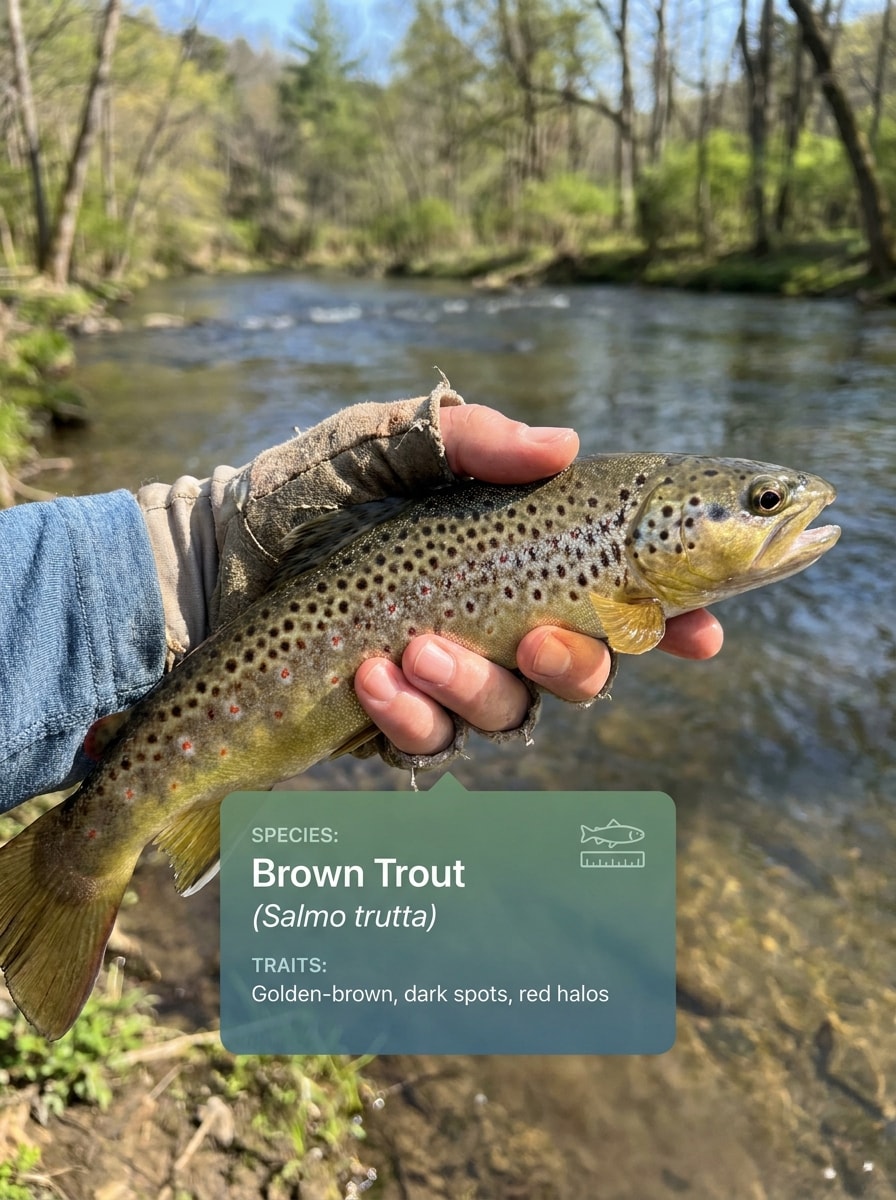
Documentação de Captura para Pescadores
Use a foto do peixe enviada e converta-a em uma imagem realista de resultado de documentação de captura. Mostre o peixe claramente como foco principal com iluminação ao ar livre, uma sobreposição sutil de identificação do aplicativo, detalhes da espécie e um clima prático de registro de campo. Mantenha as texturas realistas, as cores naturais e a composição adequada para pescadores que compartilham capturas verificadas.
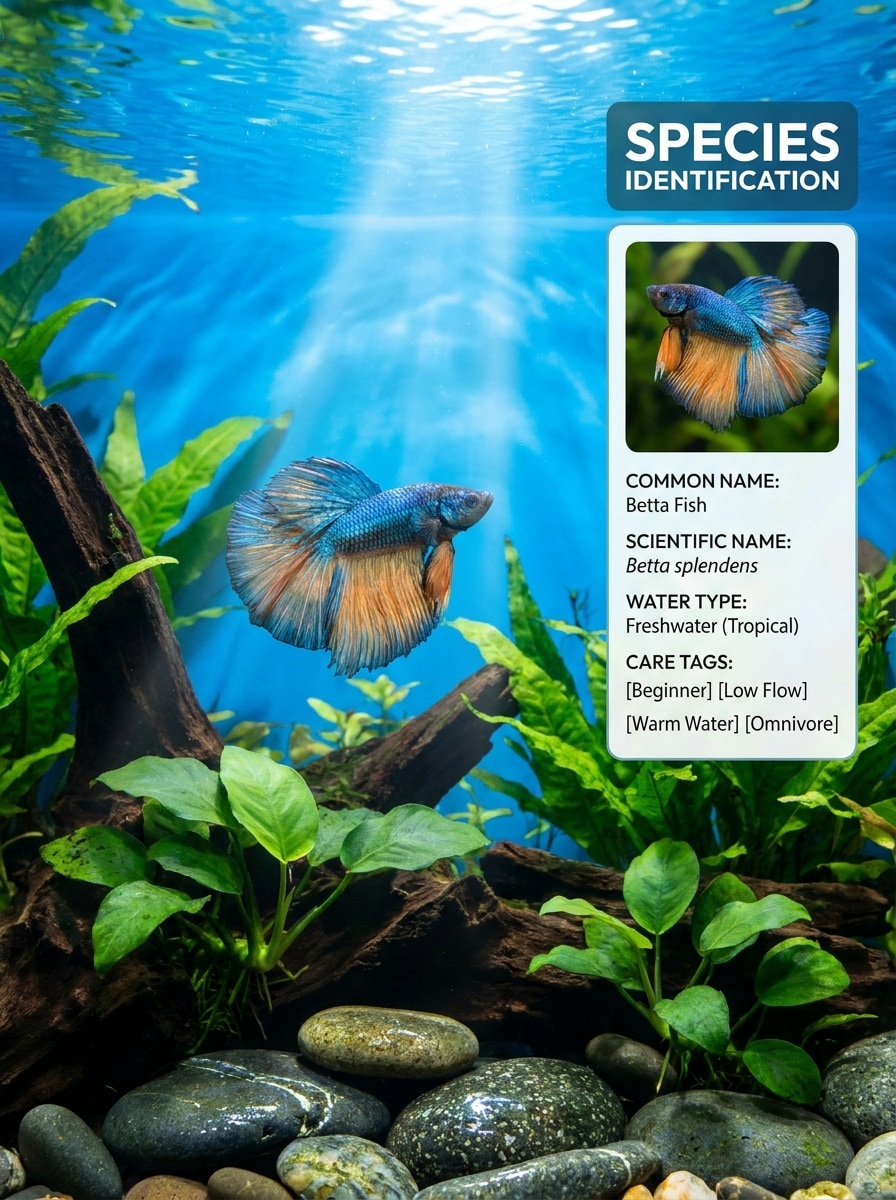
Combinador de Espécies para Aquário
Use a imagem do peixe enviada como assunto central e transforme-a em um vibrante cartão de correspondência de espécies para aquário. Mantenha o peixe reconhecível, adicione um painel moderno com nome comum, nome científico e tags de cuidado, e use iluminação limpa de tanque de vidro, ricas cores aquáticas e um estilo visual amigável e especializado.
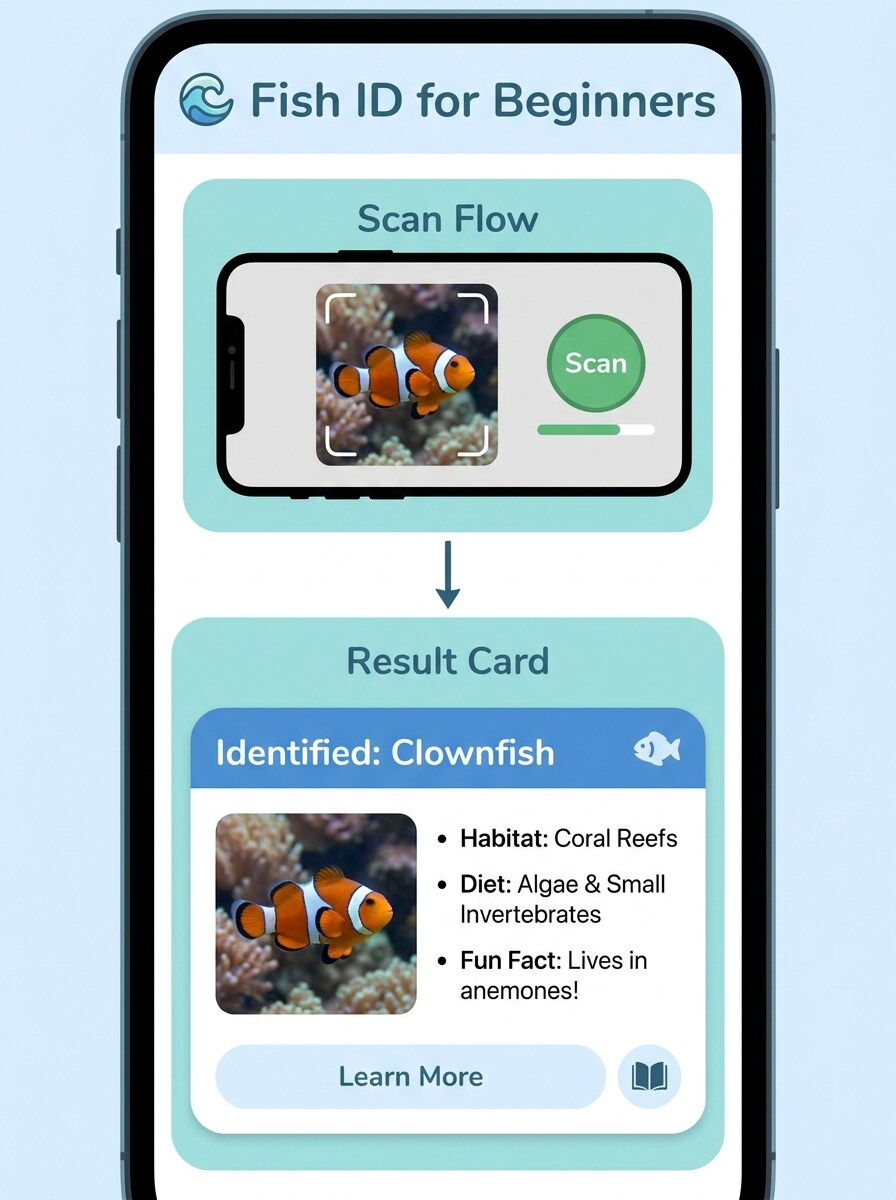
Localizador de Peixes para Iniciantes
Use a imagem do peixe enviada e transforme-a em um gráfico de localizador de peixes amigável para iniciantes. Combine o assunto com dicas simples de envio, exemplos em miniatura e um cartão de resultado de fácil leitura. Mantenha o design brilhante, acessível, educacional e sem desordem, com rótulos claros, cores suaves e forte foco no reconhecimento de espécies.
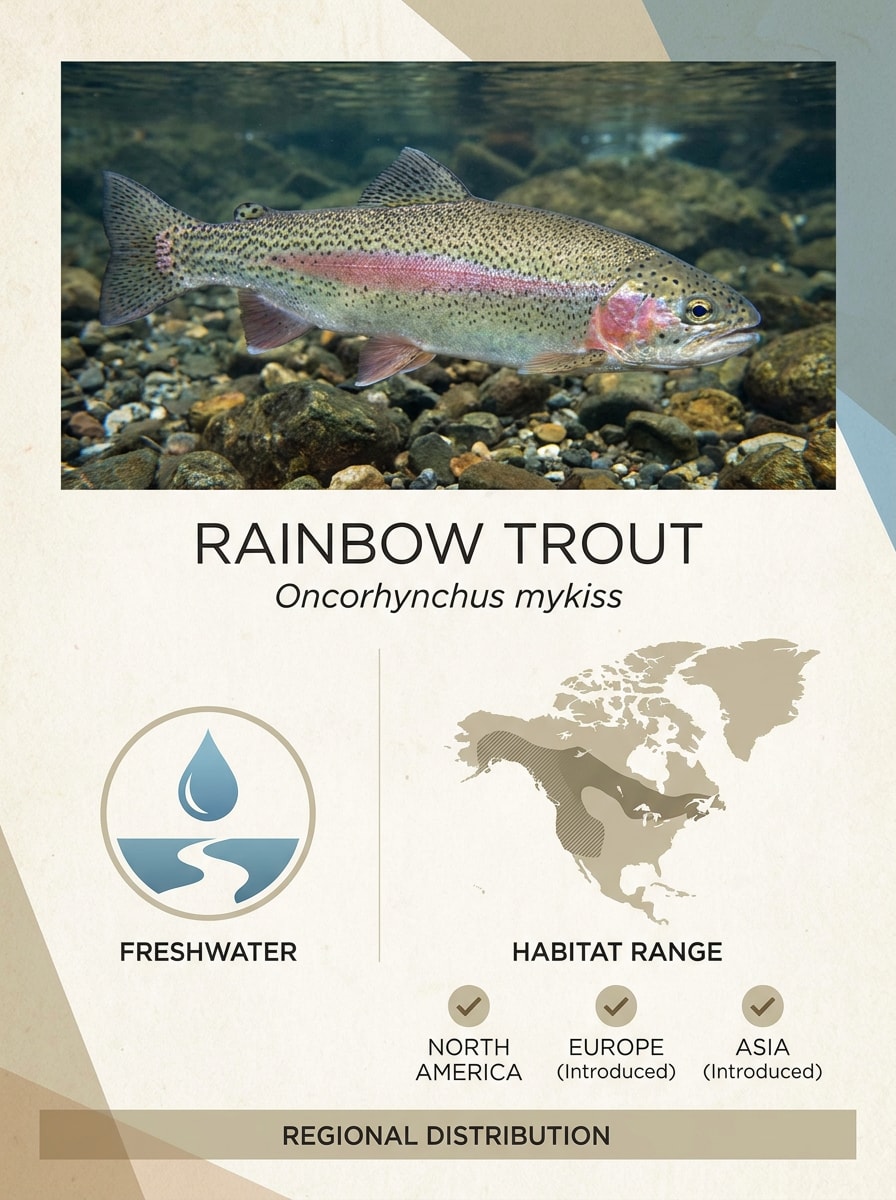
Correspondência de Espécies e Região
Use a imagem do peixe enviada como assunto principal e transforme-a em um cartão educacional de espécies e região. Inclua um mapa de habitat limpo, ícones de tipo de água e marcadores regionais, preservando anatomia e cor realistas. Use um estilo de infográfico polido, paleta natural suave e layout claro para referência rápida.
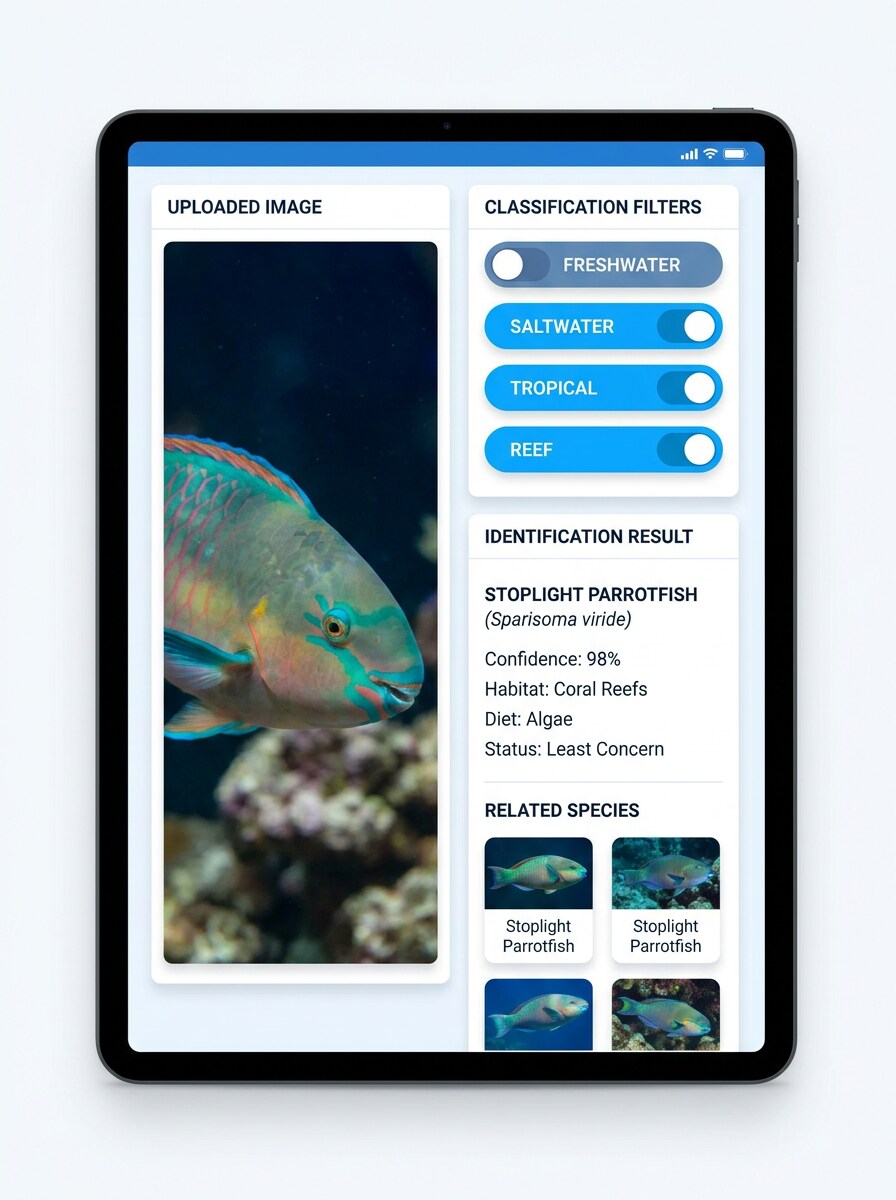
Filtro de Água Doce vs Água Salgada
Use a foto do peixe enviada e transforme-a em um painel de classificação que organiza o assunto visualmente. Adicione chips de filtro para água doce, água salgada, tropical e recife, um cartão de resumo de espécie e um layout moderno de escaneamento. Mantenha o peixe realista, a interface limpa e a paleta de cores brilhante, aquática e de fácil leitura.
Por Que Usar o Media.io para Identificação de Peixes a Partir de Fotos
Transforme uma Foto Clara de Peixe em um Visual de ID Legível
Para pescadores, entusiastas ou donos de aquários que comparam uma captura ou espécie de tanque, o Media.io permite que você envie uma imagem de referência e crie um cartão de resultado polido que facilita a revisão, o salvamento e o compartilhamento da identificação de peixes.
Explore Diferentes Estilos Sem Perder a Direção
Quando a direção artística ainda está em aberto, o Media.io permite que você teste múltiplos estilos em torno da mesma ideia visual do identificador de peixes, facilitando encontrar o estilo certo sem recomeçar do zero.
Mantenha os Visuais Finais Nítidos para Projetos Reais
Para visuais que precisam ir além de uma pequena pré-visualização, o Media.io ajuda a produzir resultados mais nítidos em até 4K, para que o gráfico de identificação de peixes permaneça mais claro e útil em apresentações, materiais de estudo ou trabalhos de design.
Use Facilmente no Celular ou no Desktop
O trabalho criativo raramente fica em uma só tela. O Media.io mantém o fluxo de trabalho visual do identificador de peixes no seu navegador, para que você possa começar no celular e terminar no desktop sem precisar instalar softwares extras.
Como Usar o Fluxo de Trabalho de Identificação de Peixes por Imagem
Transforme suas palavras em visuais impressionantes em três etapas simples e continue refinando o resultado se quiser ir mais longe.
Etapa 1
Envie Sua Imagem de Referência
Adicione uma foto clara de peixe, uma captura de tela do aquário ou uma imagem de captura nos formatos JPG, PNG ou JPEG. Para o melhor resultado, use uma imagem onde o formato do corpo, as nadadeiras, a cauda e as marcações sejam fáceis de ver.
Etapa 2
Descreva a Alteração e Defina as Opções
Diga ao Media.io o que você deseja criar, como um cartão de resultado de escaneamento, comparação de espécies ou guia com rótulos. Em seguida, escolha seu modelo e ajuste a proporção, qualidade de saída, resolução ou quantidade de imagens para atender ao seu objetivo.
Etapa 3
Gere, Baixe e Continue Melhorando
Gere várias variações, compare qual layout explica o peixe com mais clareza e baixe seu resultado favorito. Você pode continuar refinando o prompt para melhorar os rótulos, destacar características de espécies semelhantes ou criar um visual educacional mais limpo.
Veja como criadores usam este Identificador de Peixes para conteúdo, marketing e projetos pessoais e, em seguida, adapte cada ideia para se adequar ao briefing.
Verifique uma Captura Antes de Compartilhar ou Registrá-la
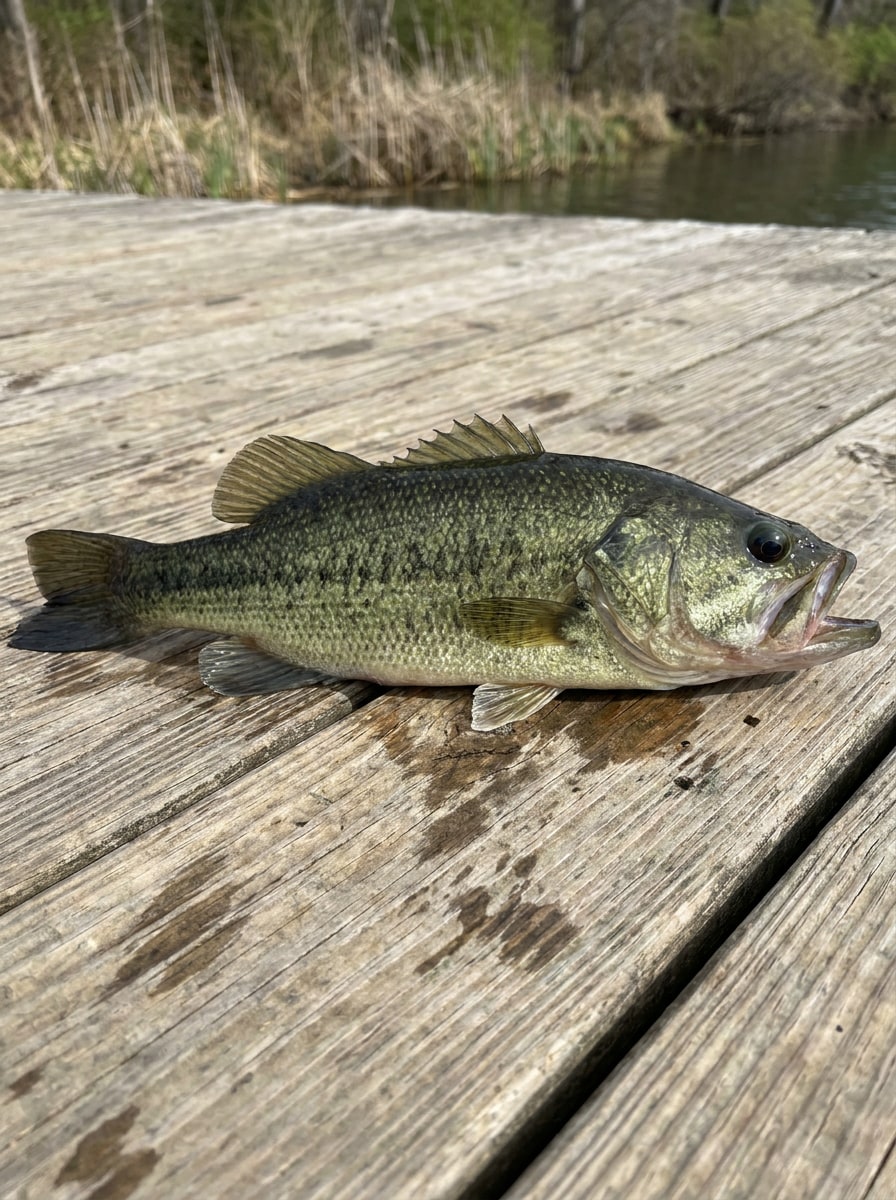
Transforme uma foto no cais ou no barco em um cartão de resultado mais limpo que ajuda na identificação de peixes recreativa. Isso é útil quando você quer identificar peixes como o robalo, comparar marcações ou apresentar uma captura com um layout de estilo de espécie mais informativo.
Crie Referências Melhores para Aquário e Peixes de Estimação
Para capturas de tela de tanques e postagens de hobby, o Media.io pode transformar seu envio em um visual polido para identificação de peixes tropicais de água doce, completo com rótulos, tags de estilo de cuidado ou painéis de comparação que são mais fáceis de seguir para iniciantes e comunidades de aquário.
Compare Espécies Semelhantes para Aprendizado
Use uma imagem para criar visuais lado a lado que apoiam tarefas como identificar salmão, identificação de peixe salmão, identificação de salmão ou identificar tipos de bagre. O Media.io facilita o estudo de características de espécies semelhantes sem precisar projetar manualmente cada comparação do zero.
O Que os Usuários Dizem Sobre Este Fluxo de Trabalho de Identificação de Peixes por Foto
Ethan R.
Pescador de Fim de Semana
"Útil para comparações de capturas" Usei após uma viagem ao rio para transformar uma foto bruta de captura em um cartão de espécie mais limpo. Foi muito mais fácil comparar o formato das nadadeiras e as marcações antes de compartilhar a imagem com os amigos.
Melissa T.
Entusiasta de Aquários
"Ótimo para visuais de aquário" Eu queria um layout no estilo de identificador de foto de peixe para um dos meus peixes de tanque, e o resultado ficou surpreendentemente polido. As versões com rótulos e em estilo de cartão foram especialmente úteis para grupos de peixes iniciantes.
Jordan P.
Criador de Conteúdo ao Ar Livre
"Fácil de usar no celular" O fluxo de trabalho no navegador é simples, então eu pude enviar uma foto pelo celular e gerar rapidamente um gráfico no estilo de scanner de peixes online. É ótimo para postagens nas redes sociais e reels educativos.
Sofia L.
Voluntária de Educação Ambiental
"Útil para guias de espécies semelhantes" Gosto de usá-lo para criar visuais de comparação lado a lado para espécies semelhantes. Em vez de começar de uma tela em branco, posso enviar uma foto de peixe e criar algo muito mais legível para os alunos.
Explore os efeitos de vídeo e imagem de IA mais quentes
Perguntas Frequentes sobre o Identificador de Peixes
1. Posso identificar um peixe a partir de uma foto online?
O Media.io suporta um fluxo de trabalho baseado em envio que permite usar uma foto de peixe como imagem de referência e transformá-la em um visual mais claro no estilo de identificação, cartão de comparação ou guia com rótulos. Se você quiser identificar peixes por foto, identificar peixes por imagem ou obter resultados de identificação de peixes a partir de fotos em um formato mais limpo, a ferramenta funciona diretamente no seu navegador.
2. Quão preciso é um identificador de peixes com IA?
A precisão depende muito da imagem que você envia e de quão claramente o formato do corpo, as nadadeiras, a cauda e as marcações do peixe estão visíveis. O Media.io ajuda a criar visuais de identificação polidos a partir da sua imagem de referência, e os resultados geralmente são mais expressivos quando a foto de origem é nítida, bem iluminada e não bloqueada por mãos, reflexos ou distorção da água.
3. Existe uma ferramenta gratuita para identificar peixes?
O Media.io oferece créditos gratuitos para novos usuários, para que você possa experimentar um identificador de peixes online gratuitamente antes de decidir se precisa de mais uso. Usuários gratuitos podem ver marcas d'água, enquanto os planos pagos desbloqueiam downloads em alta resolução sem marca d'água. Você pode comparar as opções na página de preços.
4. Que tipo de foto de peixe funciona melhor para identificação?
A melhor imagem é uma foto clara com o peixe centralizado e a maior parte do corpo visível em perfil. Boa iluminação, foco nítido e um fundo simples ajudam muito. Se você quiser um resultado mais expressivo de identificador de foto de peixe ou identificador de peixes por imagem, evite desfoque intenso, ângulos extremos, caudas cortadas ou reflexos que escondam características importantes.
5. Um identificador de espécies de peixes consegue diferenciar peixes semelhantes?
Ele pode ajudar quando sua foto mostra claramente detalhes que diferenciam espécies semelhantes, como listras, formato da boca, bifurcação da cauda, profundidade corporal ou posicionamento das nadadeiras. O Media.io é especialmente útil para criar visuais de comparação lado a lado, que podem apoiar um fluxo de trabalho de identificação de peixes por imagem quando você deseja revisar espécies semelhantes com mais cuidado.
6. O identificador de peixes funciona para espécies de água doce e água salgada?
Sim, o fluxo de trabalho pode ser usado para muitos tipos de envios, incluindo fotos de aquários, capturas de água doce em ambientes naturais e imagens de peixes de água salgada. O Media.io torna isso útil para projetos de comparação de água doce e marinha, seja para verificar espécies de tanques tropicais ou criar uma referência no estilo de scanner de peixes online para diferentes habitats.