
首次訂閱最高可達五折優惠
立即購買
Video Object Remover
TikTok Watermark Remover
Mode
Basic Model
AI Model Pro
Gaussian Blur
Basic Model v2
Upload
Drag File Here or Click To UploadClick To UploadSupports: mp4, .mov; Maximum: 15min
Generate List
Creations are stored for only 7 days. Assets created after upgrading to a Membership plan will be stored permanently.
ai_video_generatorUnlock your creative potential and experience the magic of Media AI right away!

Remove FlexClip Watermarks from Exported Videos with AI

Remove the visible FlexClip logo from a video you own. Upload your export, select the watermark, and preview AI cleanup without cropping the frame. Keep your selection clear of separate promotional text and subjects so you can check the details that matter. If your project is still accessible, check its export restrictions first.

Remove FlexClip Watermark

Use videos you own or have permission to edit. If the logo overlaps captions, exporting again from the original FlexClip project can better preserve the text.

Why Does Your FlexClip Video Have a Watermark?

Free-plan use adds the brand logo

FlexClip's help documentation identifies free-plan use as a reason a watermark appears on export. Check your plan on the export screen. If the project is accessible, upgrading or removing the restriction lets you export without the brand logo.
Exceeding a paid plan's limits can add a watermark

Going beyond your plan's resource limits, such as using premium stock assets or exceeding duration limits, may trigger a watermark even on a paid plan. Review the export screen for the specific restriction before exporting again.

"Made with FlexClip" may be a filename, not a watermark

Some apparent watermark reports are actually the player displaying the file's name when the video starts. Open the file in another player to confirm whether the text is burned into the video before you process it.

Stock-preview watermarks are different

Premium stock assets may show their own preview watermarks, distinct from the FlexClip brand logo. Removing the brand logo does not replace any required asset license, so confirm you have the rights to the stock assets in your video.

Check Your FlexClip Export Options Before Editing

Match your situation to the right route. If the original project is accessible, the official export option can remove the brand logo at the source. If you only have the exported file, select the visible logo in Media.io and preview the reconstruction.

SituationRecommended route
The original project is accessibleCheck export restrictions and use the official watermark-free export option when available.
Only the exported file is availableSelect the visible brand logo in Media.io Video Eraser and preview the reconstruction.
Text appears only as the player opensCheck whether the player is displaying the filename before processing the video.

For the official export options, see FlexClip's guide on why a watermark appears.

How to Remove a Visible FlexClip Watermark Online

1
2
3
1
Step 1: Check the mark and export settings

Confirm that the logo appears within the video rather than as a player filename. If your FlexClip project is accessible, review the export screen for plan or resource restrictions. FlexClip's help documentation identifies free-plan use and exceeding a paid plan's limits as reasons a watermark may appear.

2
Step 2: Upload and select the visible logo

Upload an exported video you own or are authorized to edit. Select the FlexClip brand watermark and adjust the timeline to cover its appearance. Keep the selection away from separate promotional text and subjects so nearby details stay outside the mask.

3
Step 3: Generate, preview, and download

Generate the cleanup and review the selected region across the clip. Refine the selection if nearby text, subjects, or changing backgrounds show artifacts. AI cleanup reconstructs the selected region; it does not recover the exact original pixels hidden behind the logo.

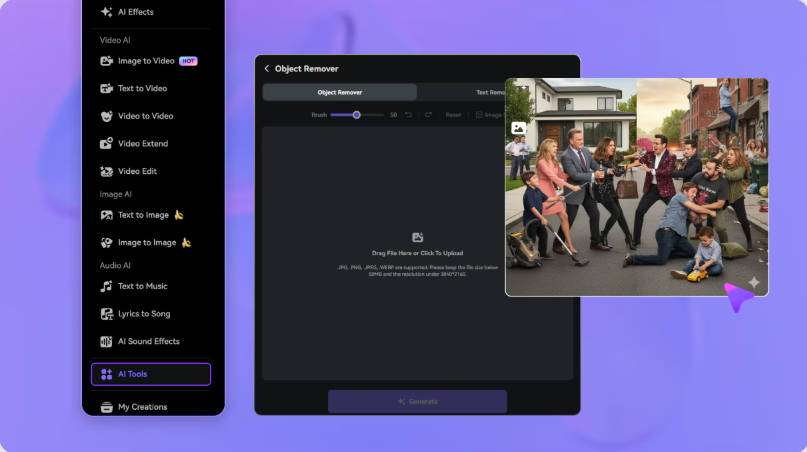
Upload your FlexClip video to Media.io
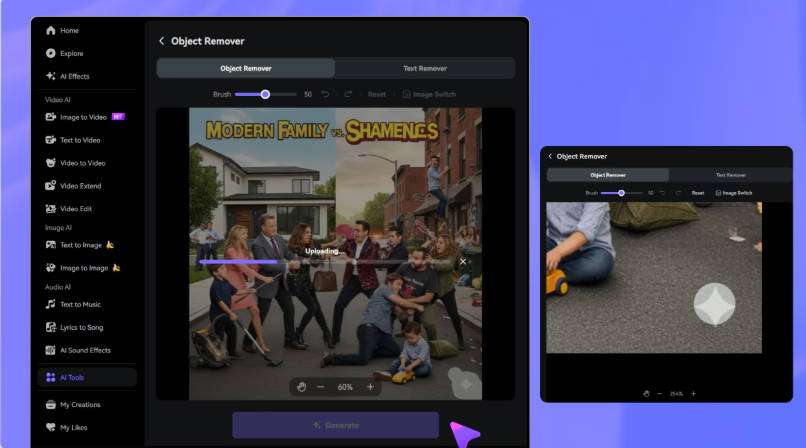
Select the FlexClip logo with the brush
Preview and download your edited video

Is "Made with FlexClip" a Watermark or a Filename?

If you see "made with flexclip" only for a moment when the video starts playing, it may be the player displaying the file's name rather than a watermark burned into the video. FlexClip's help center notes that some apparent watermark reports on paid plans are actually the player showing the filename. Open the file in another player to confirm whether the text is part of the video before you process it.

See FlexClip's note on watermark display on paid plans.

FAQs About FlexClip Watermark Removal

Why does my FlexClip video have a watermark?

FlexClip's help documentation identifies free-plan use and exceeding a paid plan's limits as the main reasons a watermark appears. Check the export screen for the relevant restriction and adjust the project or plan accordingly. If you already downloaded the file, you can clean the visible brand logo in Media.io Video Eraser.

Why might a watermark appear on a paid FlexClip plan?

Going beyond your paid plan's resource limits, such as using premium stock assets or exceeding duration limits, can trigger a watermark on export. Review the export screen for the specific restriction, then remove the restricted resource or adjust your plan before exporting again.

Can I export my FlexClip project without a watermark?

Yes, when the project is accessible and no plan or resource restriction is triggering the watermark. Resolve the restriction shown on the export screen, then export a new version. A file you already downloaded still carries the logo until you re-export or edit it.

Is "made with flexclip" part of the video or its filename?

It may be the filename. FlexClip's help center notes that some apparent watermark reports are actually the player displaying the file's name when the video starts playing. Open the file in another player to confirm whether the text is burned into the video before you process it.

How do I remove the FlexClip logo from an exported video?

Upload the exported video to Media.io Video Eraser, select the visible FlexClip brand watermark, adjust the timeline to cover its appearance, and generate the cleanup. Preview the selected region across the clip, checking nearby text and changing backgrounds before downloading.

Can I clean the watermark without cropping?

Yes. Region-based editing lets you process the logo area without cropping the full frame, so your framing, text overlays, and subjects keep their original positions. Review the result in the original aspect ratio to confirm that important details remain visible.

Will AI cleanup affect nearby text or moving backgrounds?

It can. Select only the brand logo and keep separate promotional text and subjects outside the mask. If the watermark overlaps text or a moving background, AI reconstruction may alter that area because it rebuilds the region from surrounding context rather than recovering hidden pixels.

Does removing a watermark change stock asset licensing?

No. Removing the visible FlexClip brand logo does not change the licensing of any stock assets used in the video. Premium stock-preview watermarks are distinct from the brand logo, and editing the image does not replace any required asset license.