Diverse Tracking Styles
Access copy-ready formulas for side tracking, rear follow, front/lead tracking, low angle, and FPV pursuit. No more generic camera motion.
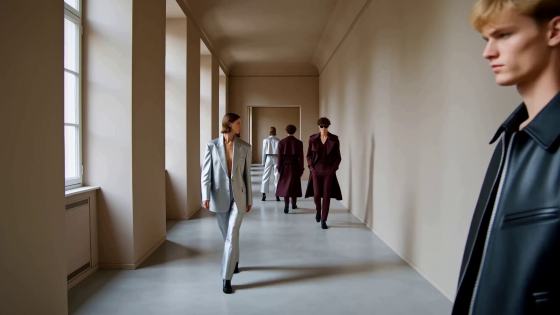
Stop struggling with weak, drifting camera movements in AI video generators. Unlock our copy-ready prompt formulas designed to keep your subject perfectly framed. Simply choose a tracking shot style, copy the camera movement template, replace the subject, and generate professional-grade follow shots instantly in Seedance, Kling, Runway, and Veo.
Free credits on signup.
Access copy-ready formulas for side tracking, rear follow, front/lead tracking, low angle, and FPV pursuit. No more generic camera motion.
Keep subjects beautifully framed without sliding. Optimized for high-action sequences like running, car chases, motorcycles, and fashion walks.
Each tracking camera prompt is fully tested and structured to work seamlessly on leading video generation platforms including Seedance, Kling AI, Runway Gen-3, and Veo.
Our prompt formula defines the exact camera position, distance, relative speed, and ending action. Experience stable, professional-level framing with every output.
Select from our dedicated movement presets, including side tracking, rear follow, FPV pursuit, low-angle tracking, or vehicle speed tracking.
Apply our syntax: camera position + distance + speed + subject movement + ending action. Swap the placeholder with your custom subject or scene.
Paste your optimized prompt into Media.io, Seedance, Kling, or Runway. Watch your AI camera maintain the perfect relationship with your subject.

Action Film Director

“No more sliding backgrounds or drifting subjects.” I struggled with high-speed chase sequences. The car tracking shot prompt formula worked beautifully on Kling. It synchronized the camera speed and locked the framing perfectly!

Fashion Videographer
“Flawless side tracking on Seedance.” Creating runway walks used to result in the camera drifting forward too fast. This template's side tracking shot prompt gave me a perfect, stable profile movement. Truly cinematic.

Travel Content Creator
“Stunning low tracking shot depth.” Specifying camera distance and ending actions in Runway Gen-3 completely changed the game. The low-angle rear follow prompt looks exactly like it was filmed with a physical Ronin stabilizer.

Indie Animator
“The FPV pursuit prompts are gold.” I needed an AI video tracking shot of an animal running through a forest. Vague inputs resulted in static frames, but these prompts made the camera match the running speed perfectly on Veo.
An AI tracking shot travels directly with a moving subject while maintaining a relative distance and angle. An orbit shot circles around a static or moving subject, whereas a dolly shot physically moves the camera along a fixed path (in/out or left/right), regardless of how the subject behaves. Defining tracking shot prompts explicitly ensures the camera travels in sync with your character's velocity.
Drifting occurs because vague instructions like "camera follows the man" allow the model's spatial anchor to drift. To prevent this, your prompt must explicitly specify: camera position (e.g., side-profile, low rear), constant distance (e.g., maintaining a locked 3-meter distance), and relative speed (e.g., synchronized velocity with the walking subject).
Our proven cinematic formula is: [Camera Position & Angle] + [Relative Distance] + [Movement Velocity] + [Subject Action] + [Ending Action or Environment Change]. For example: "A low-angle rear tracking shot maintaining a locked distance of 5 feet, camera moves at a synchronized running pace behind a female athlete sprinting, as she crosses a glowing neon finish line."
Yes. These structured tracking shot prompts are engineered to work with major AI text-to-video generators. Platforms like Seedance and Kling AI respond exceptionally well to specific motion-anchoring keywords such as "side tracking shot," "FPV pursuit," and "synchronized camera movement."
For cars, motorcycles, or chase scenes, use FPV pursuit and dynamic speed keywords. Combine terms like "low-altitude FPV tracking camera," "chasing the speeding sports car from behind," and "camera matching velocity with the motorcycle, cinematic motion blur" to ensure the generator matches the speed instead of letting the subject drift out of frame.
 4.7 (162,357 Votes)



