
Image to Image
Nano Banana Pro
0/2000
1K
Auto
1
Unlimited Banana Pro
Simpan ke Karakter
Creations
Ideas Hub
How It Works

Fix Text in AI Generated Images with AI

Don’t trash a perfect AI image just because of a typo, distorted lettering, or gibberish. With Media.io's prompt-based AI text fixer, you can easily fix garbled text in AI images, correct spelling errors, and repair misspelled words while keeping your original style, background, and design completely intact.

Fix AI Text Online Now Edit Text in Image

Free credits on signup.

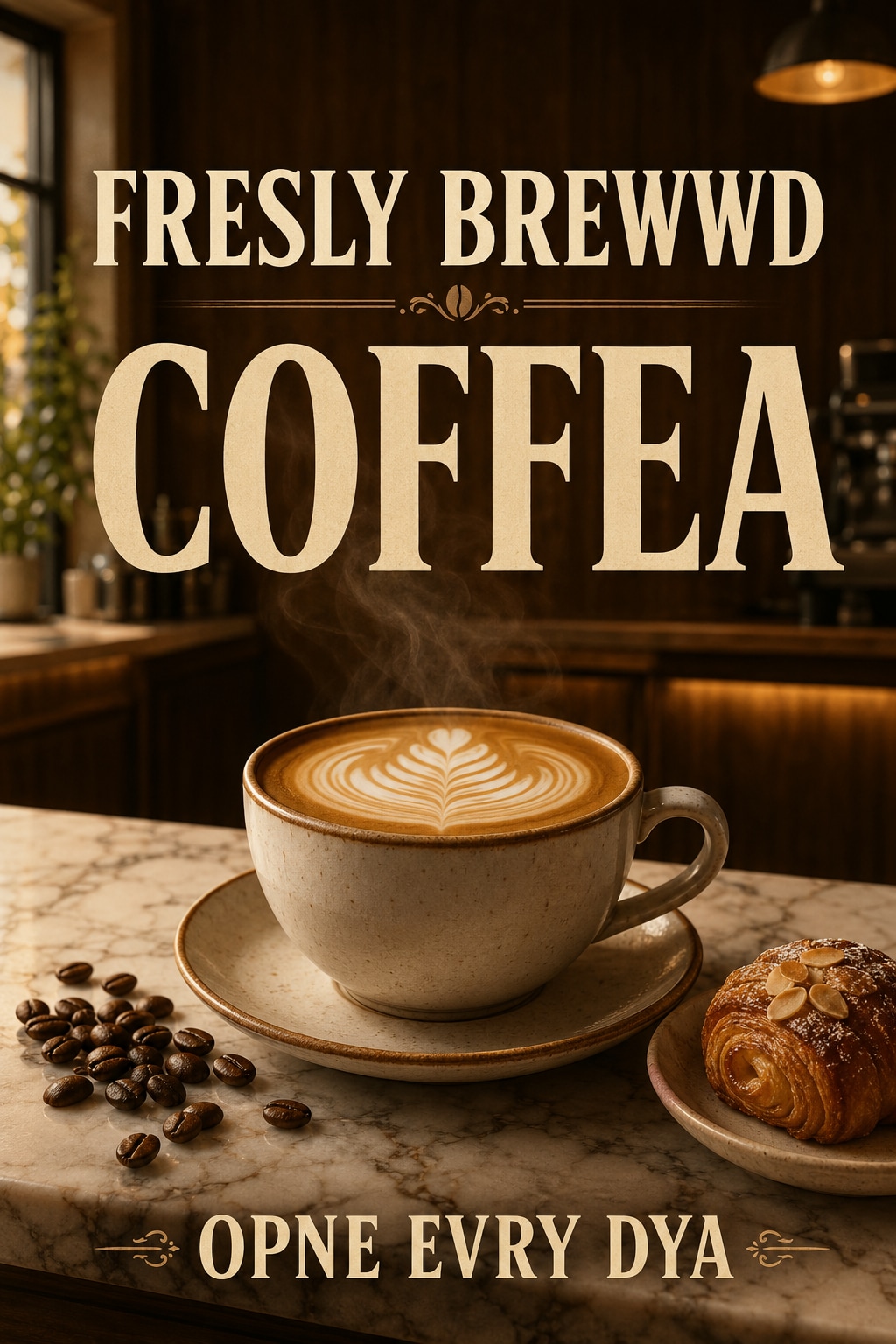
AI generated image with incorrect text before fixing Before
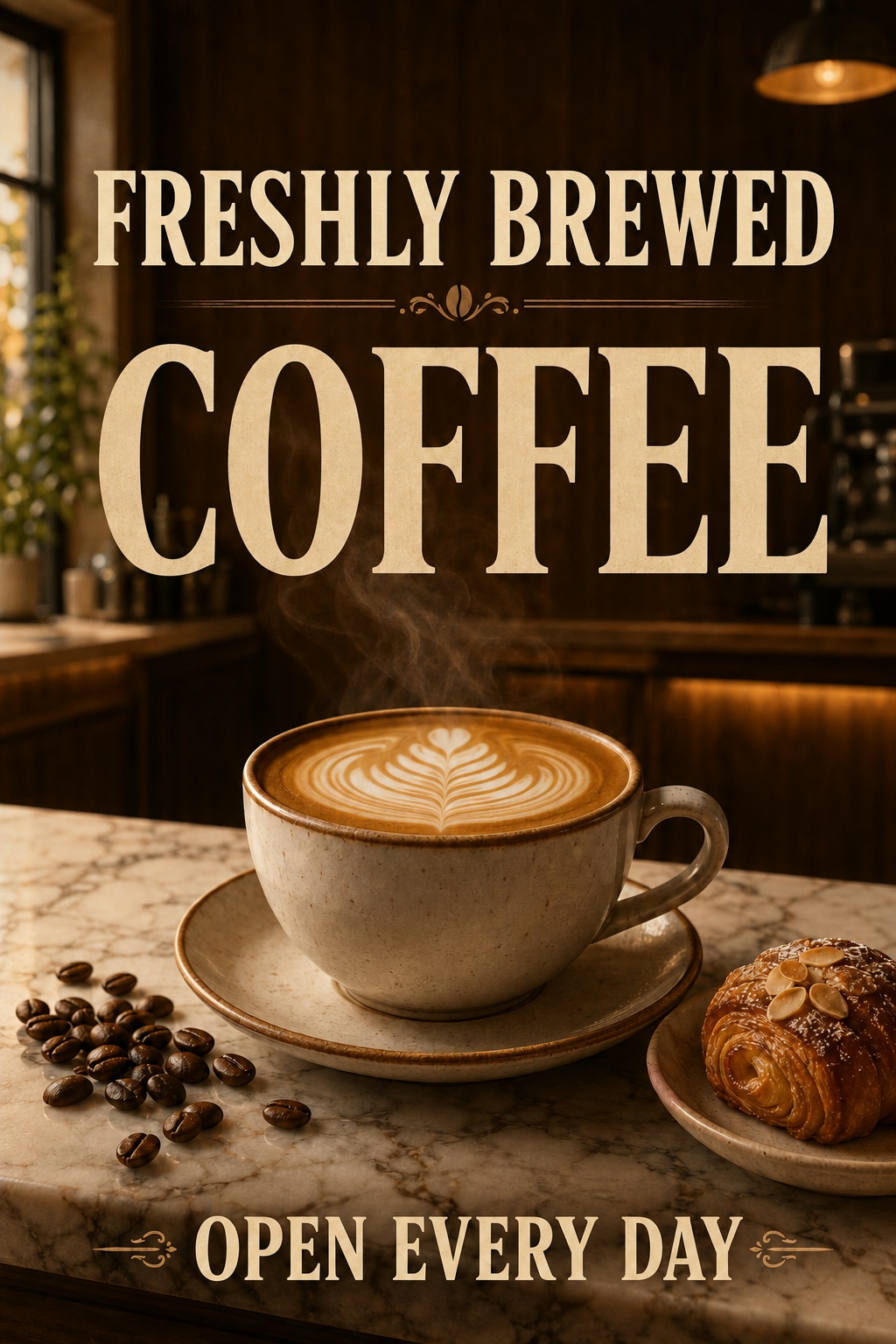
AI generated image after fixing incorrect text Text Fixed

Why Choose Media.io to Fix Text in AI Generated Images

Fix Garbled & Gibberish AI Text

Easily clean up unreadable gibberish, broken letters, and random symbols that AI generators output. Keep your stunning graphic design and fix garbled ai text without starting over.

Correct Spelling & Typos Instantly

Never let a misspelled word ruin your artwork. Simply type the correct wording to correct typo in ai generated image and watch the AI repair it flawlessly in seconds.

Preserve Font, Style & Layout

Our advanced ai text correction in image matches the original font style, colors, placement, and lighting perfectly, keeping the background completely undisturbed.

Supports All Top AI Models

Whether you need to fix midjourney text, fix flux generated text, or repair text generated by ChatGPT or Gemini, Media.io seamlessly fixes them all online.

How to Fix Text in AI Generated Images Online Free

01

Step 1: Upload Your AI Image

Upload the AI-generated poster, sign, packaging, or graphic containing the distorted or unreadable AI text.

02

Step 2: Tell AI What to Write

Enter your text prompt to describe the correction (e.g., "Change 'SUMER SALE' to 'SUMMER SALE'"), keeping the same style and font.

03

Step 3: Export Your Repaired Image

Click generate to let the ai text fixer repair the words instantly. Preview and download your perfect, watermark-free image.

Join 500,000+ Users Fixing AI Text Misspellings Instantly

user
@lucas_ads

Digital Marketer

star star star star star

“Saved hours of regenerating AI ads!” I generated a beautiful poster in Midjourney, but the text was totally garbled. Media.io let me fix spelling in ai image in seconds, keeping the font and background perfectly intact.

user
@creative_elena

E-commerce Seller

star star star star star

“Perfect tool to correct distorted text on products.” My packaging design looked incredible but the AI gibberish text was unusable. This tool helped me repair text in ai image and rewrite the brand name flawlessly.

user
@sam_designer

UI/UX Designer

star star star star star

“The absolute best AI text correction.” I had to fix chatgpt generated image text for a presentation. The style matched seamlessly, saving me from running dozens of DALL-E prompts again.

user
@jenny_cards

Greeting Card Creator

star star star star star

“Finally, a tool that fixes misspelled words!” I design vintage-themed cards using Flux, but the spelling is always off. This app made it incredibly easy to correct typo in ai generated image designs instantly.

FAQs About Fixing AI Generated Text

1. How do I fix misspelled text in an AI-generated image?

You can easily correct misspelled text by uploading your image to Media.io's AI text fixer. Simply describe what the text should say in the prompt box (for example, "Change 'SUMER' to 'SUMMER'"). The AI will intelligently repair the words without regenerating the rest of the image.

2. Can I fix garbled or unreadable gibberish text in Midjourney or Flux images?

Yes! Media.io specializes in fixing garbled AI text and unreadable symbols generated by Midjourney, Flux, ChatGPT, and Gemini. Instead of regenerating the entire scene, our prompt-based editor targets only the broken letters and replaces them with clean, real words.

3. Will the tool match the original font style, background, and color?

Absolutely. Our advanced image-to-image AI text correction analyzes the context of your graphic, keeping the same fonts, colors, shadows, lighting, and layout consistent so that the repair looks natural and completely integrated.

4. What is the difference between editing image text and fixing AI text?

Editing text usually means changing the content of standard graphics (e.g., updating a meeting time). Fixing AI text is corrective; it targets broken letters, garbled spelling, and unreadable words generated by AI models, turning gibberish into high-quality, professional lettering.

5. Is it free to correct typos in AI generated images?

Yes, Media.io is fully free to try online. New users receive free credits on signup, allowing you to upload your AI posters, cards, or social graphics and correct text errors instantly without downloading any complex software.

Media.io Online AI Tools Quality Rating:
vote 4.7 (162,357 Votes)



