



AI Character
Nano Banana Pro
0/2000
1K
3:4
Tipe Tampilan
Kartu Model Kreatif
Kartu Model Kreatif
Untuk konsep bergaya dan eksplorasi cepat.
Gaya
Realistis
Realistis
All
Added
Not Added
Generate reusable AI characters and brand influencers
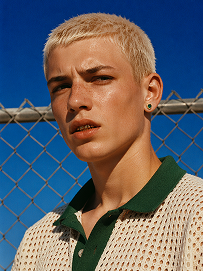
Outdoor bust portrait, cool teenage young man with short platinum blonde buzz cut, freckles across nose and cheeks, gold teeth grills on front teeth, single emerald green gem earring in left ear, sweat drop on cheek, wearing off-white open-knit polo shirt with dark green collar, standing in front of chain-link fence, vivid deep blue clear sky background, harsh bright midday direct sunlight, high contrast sharp shadows, 90s street fashion editorial photography, realistic skin texture, film grain, saturated vibrant color grading, shot on 35mm film, ultra detailed, 8K, sharp focus
Use Prompt
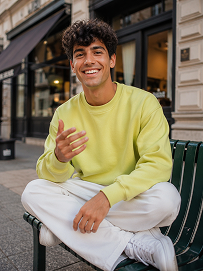
Realistic treet portrait, handsome young man with fluffy dark curly hair, sitting cross-legged on a dark green outdoor metal bench on city sidewalk, big bright smile showing teeth, right hand raised gesturing as if chatting, wearing lime yellow crew neck sweatshirt, loose white casual trousers, white sneakers, modern urban building background with shallow depth of field, natural soft daylight, lifelike skin texture, casual lifestyle photography, shot on Canon R5, 50mm f/1.8 lens, sharp focus, 8K, ultra detailed, warm natural tone
Use Prompt
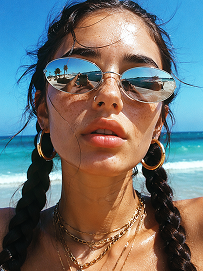
Close-up beach portrait, young woman with two thick dark long braids, freckles all over nose and cheeks, futuristic silver oval mirrored sunglasses reflecting beach scenery, large gold hoop earrings, layered multiple gold chain necklaces, slightly open mouth, bright harsh summer midday sunlight, clear turquoise ocean and blue sky background, wind blowing stray hair strands on face, realistic skin texture, sun-kissed complexion, vintage film grain, summer coastal fashion photography, sharp details, high saturation, shot on 35mm film, 8K ultra realistic
Use Prompt

AI Nurse Headshot Generator for Care Team Profiles

Design nurse headshots that feel credible, welcoming, and ready for real healthcare use. Media.io helps you create polished portraits for staff directories, care team pages, recruiting campaigns, and nursing resumes without booking a photo shoot. Adjust attire, background, expression, and framing to match your clinic, hospital, or personal brand.

Generate Nurse Headshots

Tip: Use role-specific cues like scrubs color, badge style, and clean clinic backgrounds to make profiles feel trustworthy and consistent.

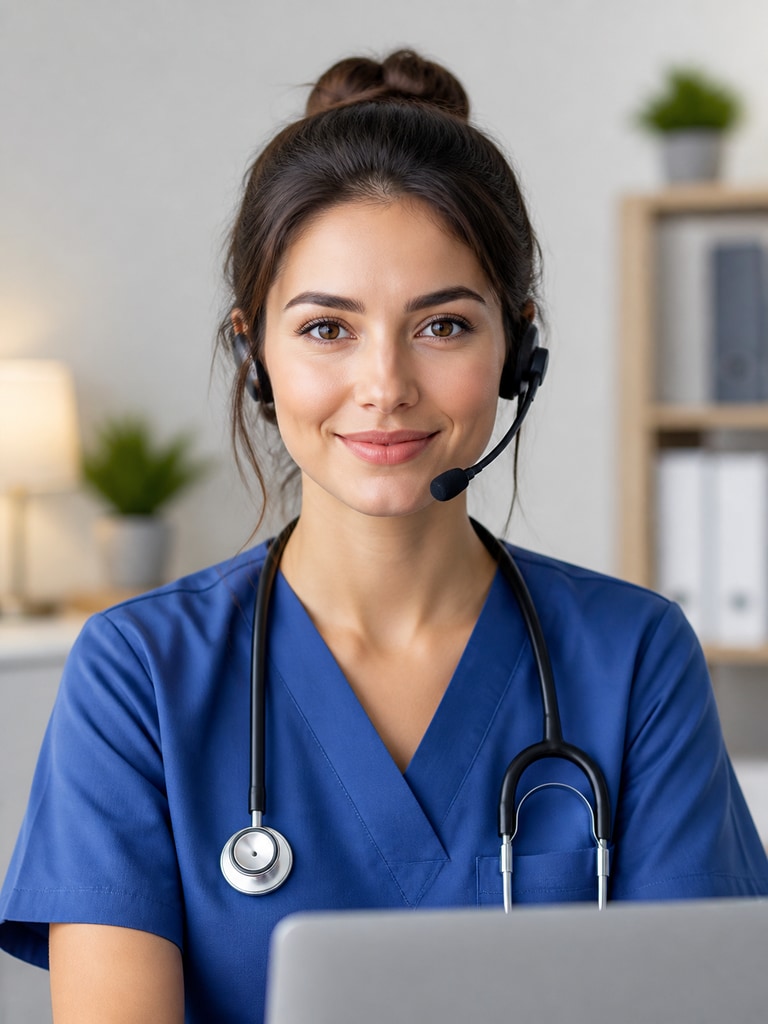
Friendly pediatric nurse AI headshot with warm smile and clean clinic background for staff bio page

Pediatric Nurse Headshot for Clinic Bios

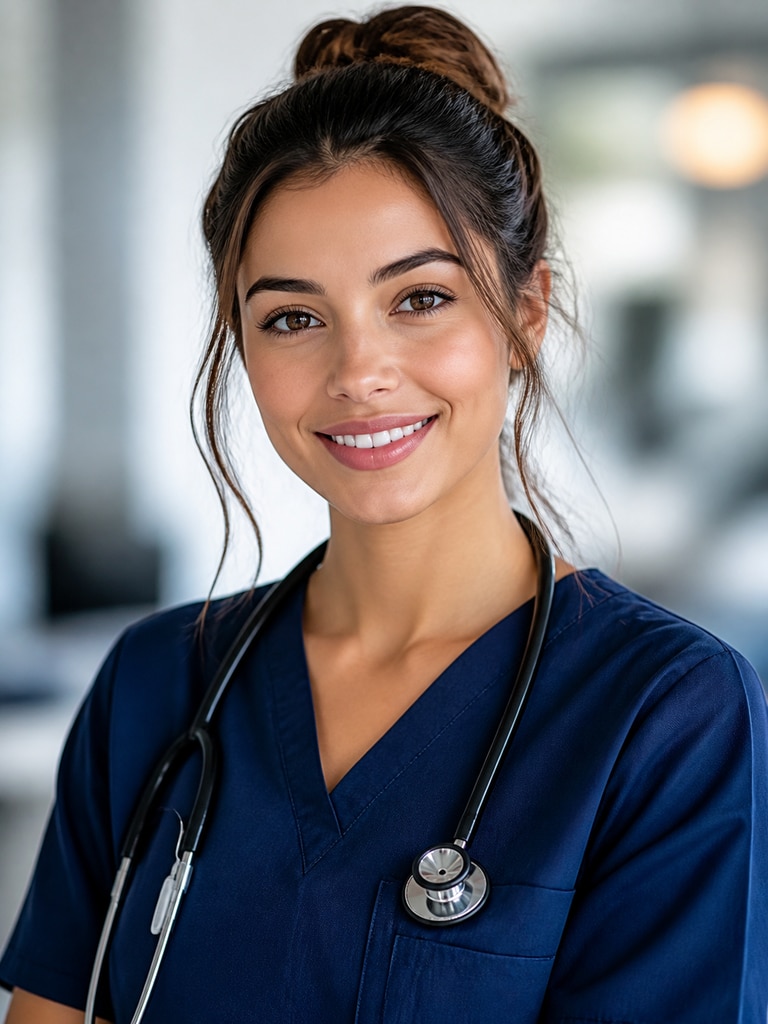
Professional registered nurse AI headshot in navy scrubs for hospital staff directory

Registered Nurse Portrait for Hospital Directory

Confident nurse practitioner AI headshot with neutral background for LinkedIn profile

Nurse Practitioner Headshot for LinkedIn

Approachable travel nurse AI headshot styled for healthcare recruiting campaign

Travel Nurse Photo for Recruiting Materials

Compassionate home health nurse AI headshot for patient-facing care team page

Home Health Nurse Portrait for Care Team Pages

Clean modern AI nurse headshot for nursing resume and first job application

New Graduate Nurse Headshot for Resume Use

Why Use an AI Nurse Headshot Generator

Healthcare profiles need more than a polished image. They need warmth, clarity, and a level of professionalism that helps patients, families, and hiring teams feel confident. Media.io makes it easier to create nurse headshots that look approachable while still fitting formal workplace standards. Whether you are updating one resume photo or aligning portraits across a clinic website, the tool helps you move faster with more control.

Build Trust at First Glance

Nurse headshots often appear in places where first impressions matter immediately. A clear, friendly portrait can support trust on care team pages, patient education content, and provider directories. Media.io helps you create expressions, lighting, and framing that feel human rather than overly corporate. That balance is especially useful for healthcare settings where approachability and professionalism must work together.

Keep Staff Profiles Consistent

Mixed photo styles can make a hospital, clinic, or care network look fragmented. With AI-generated nurse portraits, teams can align backgrounds, wardrobe cues, crop ratios, and visual tone across many profiles. This creates a cleaner look for staff pages, internal directories, and recruiting assets. Consistency also helps patients and job seekers read your brand as organized and credible.

Create Resume-Ready Nursing Photos Fast

Nurses applying for new roles often need a profile image that feels polished but still authentic. Media.io makes it simple to generate headshots suited for LinkedIn, CVs, digital portfolios, and recruiting platforms. You can test different looks without scheduling a studio session or editing photos manually. That speed is useful when applications, interviews, and profile updates need to happen quickly.

Adapt One Character for Many Uses

A single nurse headshot may need to appear across multiple channels with slightly different goals. You might need a more formal version for a hospital directory, a warmer crop for social posts, and a cleaner background for recruiting flyers. Media.io lets you refine character styling while keeping the same recognizable identity. That makes it easier to reuse approved visuals across marketing, hiring, and communications.

How to Make an AI Nurse Headshot

01

Choose a Nurse Profile Style

Start by selecting the kind of portrait you need, such as a hospital directory headshot, nursing resume image, recruiter profile, or patient-facing care team photo. Think about how formal or friendly the final result should feel. Role-specific details like scrub color, badge visibility, and background type can help the portrait match its purpose.

02

Generate and Refine the Character

Use Media.io to create your initial nurse character and then fine-tune the portrait. Adjust expression, outfit, lighting, crop, and background until the image feels professional and approachable.

03

Export for Real Healthcare Use

Once the portrait looks right, save versions for the channels you actually use. You can prepare one for a staff directory, another for a LinkedIn profile, and another for a resume or recruiting flyer. This makes it easier to keep your nurse headshot usable across career, clinic, and marketing needs.

What Users Say About Media.io for Nurse Headshots

user
Alyssa M.

Clinic Operations Manager

starstarstarstarstar

"Helpful for Our Staff Directory Refresh" We needed updated nurse photos for a multi-location clinic site, but scheduling everyone for a shoot was difficult. Media.io helped us create a more consistent visual style across the directory without making profiles feel generic. The portraits looked clean, friendly, and aligned with our patient-facing brand. It saved time while still giving us enough control over the final look.

user
Jordan T.

Registered Nurse

starstarstarstarstar

"Great for My Resume and LinkedIn" I wanted a headshot that looked professional but not stiff for my nursing resume and LinkedIn profile. The tool made it easy to test different expressions, backgrounds, and scrub styles until the result felt right. I liked that the final image looked polished while still feeling approachable. It was much faster than trying to edit an old photo myself.

user
Priya S.

Healthcare Recruiter

starstarstarstarstar

"Useful for Hiring Campaign Visuals" Our recruiting team often needs nurse profile images that feel warm and credible across job pages and social content. Media.io gave us a quick way to build visuals that fit healthcare hiring campaigns without starting from scratch each time. The output looked professional enough for external use and flexible enough for different departments. That made our campaign assets feel more cohesive.

user
Marcus L.

Hospital Marketing Coordinator

starstarstarstarstar

"Better Consistency Across Care Team Pages" One of our biggest issues was that staff photos came from different years, devices, and settings. With Media.io, we could move toward a more unified nurse headshot style for service-line pages and provider bios. The images felt more modern and easier to trust visually. That consistency improved the overall presentation of our site.

user
Danielle R.

Nurse Practitioner

starstarstarstarstar

"Approachable Without Looking Overdone" I needed a profile image that could work for both my professional bio and community outreach materials. Media.io helped me create a headshot that looked warm, clear, and credible without feeling overly retouched. I especially liked being able to adjust the tone to suit healthcare audiences. The result felt right for both career and patient-facing use.

Teams use Media.io to create nurse portraits that feel welcoming, consistent, and ready for healthcare-facing pages.

FAQ

1. What is an AI nurse headshot generator?
faqfaq

An AI nurse headshot generator helps you create professional nurse-style portraits for digital use. People often use it for staff directories, LinkedIn profiles, nursing resumes, recruiting materials, and care team pages. Media.io lets you shape the portrait through styling choices such as clothing, background, and expression. This makes it easier to build healthcare-ready visuals without arranging a full photo session.

Yes, many users create nurse portraits for clinic websites, care team pages, and staff directories. The key is choosing a clean, professional style that matches your organization's visual standards. You can keep framing, lighting, and wardrobe cues aligned across multiple profiles for a more consistent presentation. That consistency helps healthcare brands look organized and easier to trust.

They can be very useful when you need a polished image for career-facing platforms. A well-made nurse headshot can improve how your profile appears on LinkedIn, digital CVs, recruiting portals, and professional bios. Media.io gives you control over the tone so the result can feel capable, warm, and appropriate for healthcare. That makes it easier to present yourself professionally across job-search channels.

Start with soft lighting, direct eye contact, and a natural expression that feels calm and welcoming. Use attire and backgrounds that reflect healthcare settings without adding distracting details. In Media.io, you can refine the portrait until it balances clinical professionalism with human warmth. That balance is especially important for patient-facing pages and care team introductions.

Yes, you can develop one consistent character style and adapt it for different use cases. For example, you might create versions for a registered nurse, nurse practitioner, pediatric nurse, or home health nurse while keeping the same overall brand tone. This is helpful for organizations that want role variety without losing visual consistency. It also supports reuse across website, hiring, and social content.

Simple clinic-inspired backgrounds, soft neutral tones, and lightly blurred professional interiors usually work best. These settings keep the focus on the person while still signaling a healthcare environment. Media.io also lets you use cleaner studio-style backgrounds when you want a resume or LinkedIn-ready result. The best choice depends on whether the image is for recruiting, patient communication, or internal branding.

Yes, this is one of the strongest use cases for AI-generated healthcare portraits. Teams can establish a consistent look for nurse headshots by reusing similar styling rules across many profiles. That helps when building large staff directories, service-line pages, or recruiting campaigns with a unified brand feel. It reduces the visual mismatch that often happens with photos taken at different times and locations.

Media.io is useful when you need speed, creative control, and a professional result in one workflow. You can generate nurse portraits for resumes, staff bios, career pages, and social media without switching between multiple tools. The platform makes it easy to refine visual details that matter in healthcare, such as warmth, clarity, and consistency. That makes it a practical option for both individuals and teams.

Media.io Online AI Tools Quality Rating:
vote 4.7 (162,357 Votes)