Transform One Photo into a Zombie Bride
Start with one clear portrait and let AI reinterpret the subject as an undead bride while keeping the face recognizable. It is a fast way to create a zombie bride AI video from an image you already have.
Turn one portrait into an eerie bridal transformation with the AI Zombie Bride Video Effect. Create a cinematic undead bride look with ghostly makeup, a weathered wedding dress, haunting atmosphere, and dramatic motion for Halloween Reels, Shorts, and horror edits.
Upload a clear portrait and transform it into a haunting zombie bride video in a few clicks.
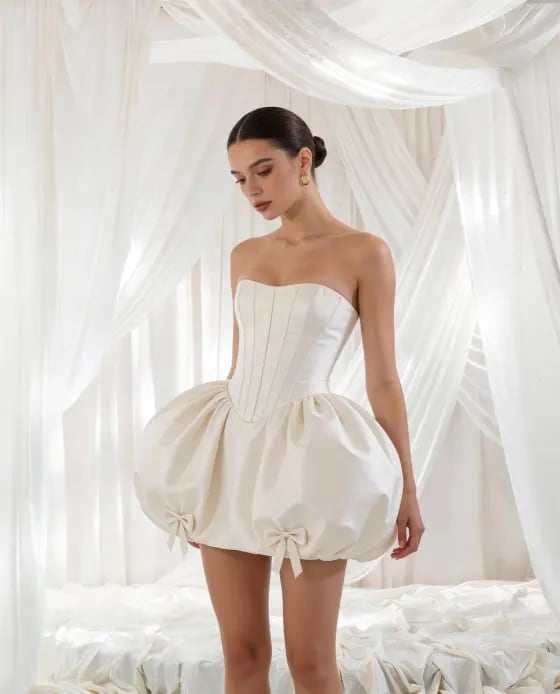
Turn a normal portrait into a cinematic undead bride without arranging costumes, makeup, or a horror shoot. The zombie bride effect combines bridal details, eerie atmosphere, and AI-driven motion for a transformation that is ready for Halloween and short-form video.
Start with one clear portrait and let AI reinterpret the subject as an undead bride while keeping the face recognizable. It is a fast way to create a zombie bride AI video from an image you already have.
Add a weathered wedding dress, pale ghostly makeup, distressed veil, dark eye details, and cinematic shadows. The zombie bride effect turns familiar bridal styling into an eerie horror visual.
Use subtle head turns, veil movement, slow steps, or an eerie camera push-in to make the ghost bride transformation feel alive while keeping the subject visually consistent.
Turn the result into a haunting bride AI video for Halloween posts, horror edits, costume reveals, Reels, TikTok, or Shorts—without filming a full transformation scene.
Choose a clear portrait with the face visible and enough space around the head and shoulders. A simple background and balanced lighting help the AI preserve identity during the transformation.
Describe the bridal styling and horror mood you want: distressed white gown, torn veil, pale undead makeup, dark eye details, mist, candlelight, moonlight, or an abandoned wedding setting.
Generate the clip and check the face, veil, hands, dress, and motion. Refine the effect if needed, then export your zombie bride video for Halloween, horror edits, or social posts.
Illustrative creator scenarios showing how the effect can fit different creative workflows.

Halloween Creator · Example
“The transformation feels cinematic.” I would start with a normal portrait, reveal the undead bridal look, and use the final clip as the opening hook for a Halloween Reel.

Short Video Creator · Example
“Perfect for a horror reveal.” The shift from a familiar face to a haunting bride gives me a clear before-and-after moment without filming costume makeup from scratch.

Cosplay Creator · Example
“Great for spooky concepts.” I would use it to explore a ghost bride concept before building a full costume, then turn the generated clip into a short seasonal post.
An AI Zombie Bride Video Effect transforms a regular portrait into an undead or ghostly bride scene. The effect typically combines a wedding dress or veil with pale makeup, eerie facial details, atmospheric lighting, and subtle video motion to create a cinematic horror transformation.
Upload a clear portrait, choose or describe the zombie bride look, and generate the video. For better identity consistency, use a photo with a visible face, natural lighting, and enough space around the subject for the veil, dress, and background transformation.
Describe the bridal outfit, undead makeup, environment, lighting, and motion. For example, ask for a distressed white wedding gown, torn veil, pale ghostly skin, dark eye makeup, drifting mist, moonlit ruins, and a slow cinematic camera push-in. Keep movement controlled for a cleaner transformation.
Yes. The effect works well for Halloween countdowns, costume reveals, horror-themed Reels, spooky profile edits, party invitations, and short-form storytelling. A 9:16 vertical result is especially useful for TikTok, Reels, and Shorts.
Use a sharp portrait with one clearly visible subject, a recognizable face, and minimal obstruction around the hair and shoulders. Front-facing or slightly angled portraits usually give the AI more information to preserve facial identity while adding the veil, bridal styling, and ghostly effects.