AI Grinch Video Templates

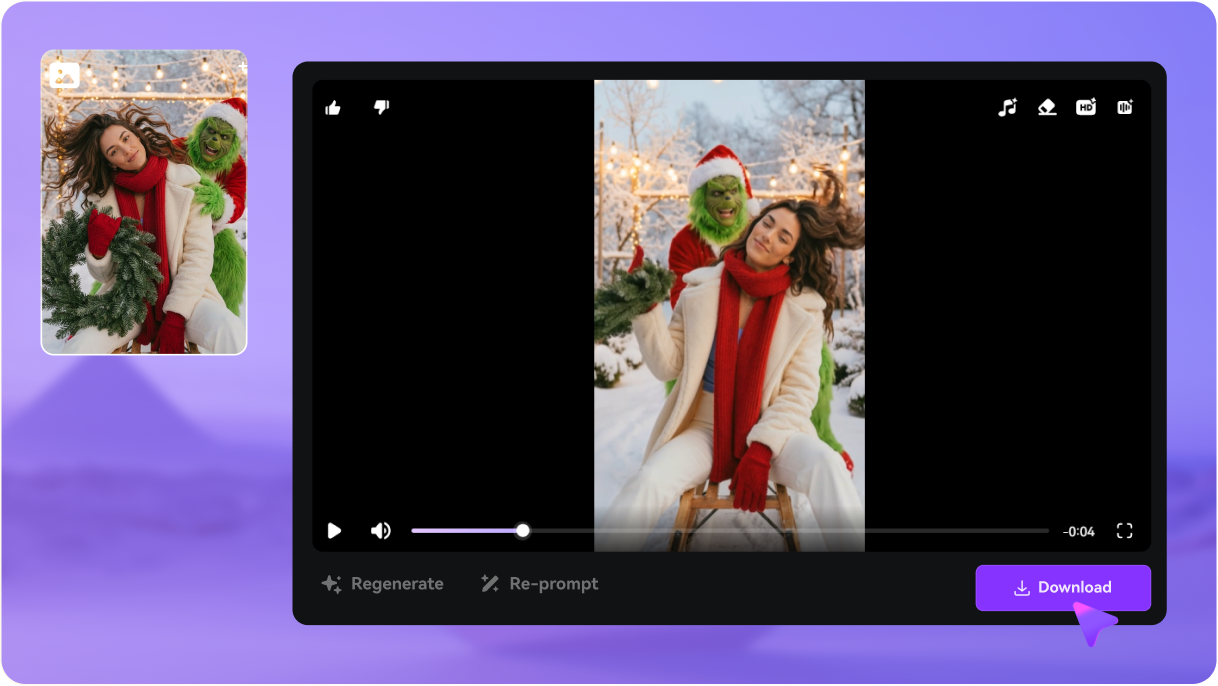
Turn your photo into a hilarious AI Grinch video with Media.io. Choose from ready-made Grinch video templates and let AI place you alongside the Grinch in festive scenes— dancing, reacting, celebrating, or creating Christmas chaos. No video editing required. Just upload a selfie, pick a template, and generate a personalized Grinch video you can share on TikTok, Instagram, and every holiday social platform.

Try for Free

Why Choose Media.io AI Grinch Video Generator?

Viral Grinch Video Templates

Choose from trending Grinch video templates inspired by viral TikTok content. From "Grinch Stealing Your Presents" to "Christmas Morning with Grinch" and "Grinch's Revenge" scenarios—each template brings your photo to life with hilarious Grinch interactions. No video editing experience required.
AI-Powered Photo-to-Video

Our advanced AI analyzes your photo and seamlessly integrates it into dynamic AI Grinch video scenes. Watch as your face comes alive in festive animations—reacting to The Grinch, joining holiday mischief, or experiencing classic Christmas movie moments. The AI maintains natural facial expressions and smooth motion throughout.

One-Click Social Media Sharing

All Grinch videos are optimized for social media with trending aspect ratios (9:16 for TikTok/Reels, 1:1 for Instagram Feed). Download in HD quality and share directly to your favorite platforms. Join millions creating viral Grinch content this Christmas season—your video could be the next trending post!

Safe, Fun Grinch Videos for All Ages

Create wholesome holiday memories with family-friendly Grinch video generator templates. Perfect for kids, adults, couples, and families—generate videos of everyone meeting The Grinch, decorating together, or celebrating Christmas. All content is appropriate for all ages while capturing the humor and heart of the beloved character.

How to Create Your AI Grinch Video

Turn a simple selfie into a funny, shareable AI Grinch video in minutes using Media.io. Just follow these three easy steps.

1
2
3
1
Step 1 — Generate Your AI Grinch Photo

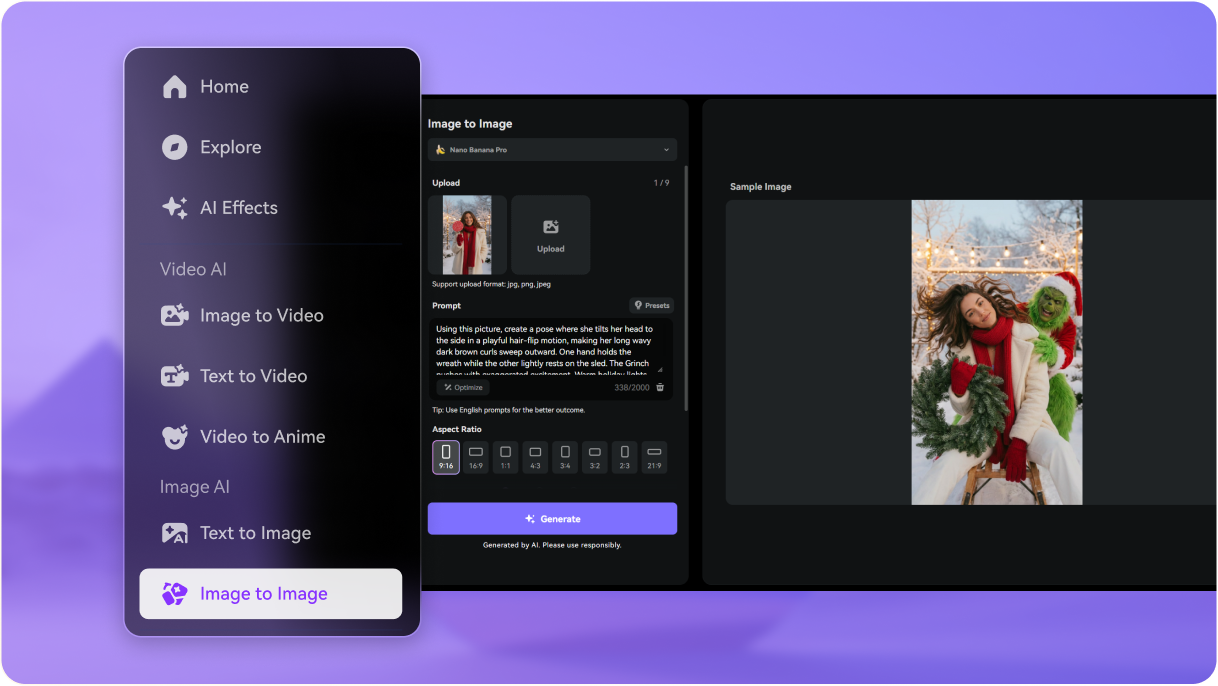
Go to Media.io/ai and upload a clear selfie to the Image-to-Image AI tool. Choose Nano Banana Pro as your model and use our ready-made Grinch prompts to turn your portrait into a fun AI Grinch-style photo. This photo will become the base for your video.

2
Step 2 — Animate Your Grinch Photo into a Video

Turn your Grinch photo into a video in two ways:

  • Use an AI video template: Pick any Grinch video template above and replace the character with your generated Grinch photo.
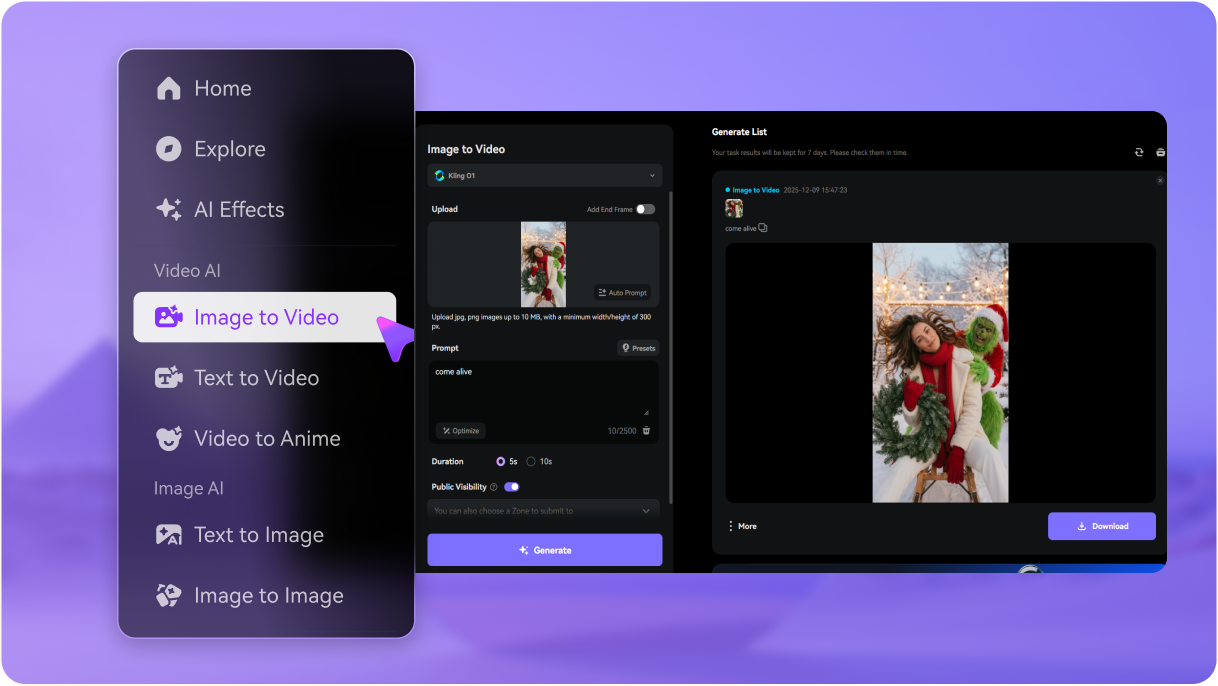
  • Animate directly: Upload your photo to Image-to-Video AI and let the model create a short animated clip starring you as the Grinch.

Both options let AI match your expressions and motion for a natural, funny result.

3
Step 3 — Generate & Share Your Grinch Video

Click Generate to create your full AI Grinch video. If you want sound or dialogue, choose AI video models that support audio, such as Veo 3, Sora 2, or Kling 2.6. Once you're happy with the result, download your video and share it on TikTok, Instagram, YouTube Shorts, or send it to friends for a holiday laugh.

Step 1 — Generate Your AI Grinch Photo
Step 2 — Animate Your Grinch Photo into a Video
Step 3 — Generate & Share Your Grinch Video

FAQs on AI Grinch Video Generator

1. What is the AI Grinch trend?

The AI Grinch trend is a holiday viral trend where people create funny Christmas videos featuring themselves and the Grinch using AI. Instead of editing footage manually, users upload a selfie and let an AI Grinch video generator place their face into a hilarious Grinch scene—dancing, reacting, pranking, or interacting with the Grinch. These personalized Grinch videos are shared widely on TikTok, Instagram, and YouTube during Christmas season.

It’s simple: upload a clear photo of your face, choose one of the AI Grinch video templates, and click Generate. Media.io’s AI maps your facial features onto the character in the clip, blends lighting and expressions, and produces a personalized AI Grinch video starring you—no editing skills required.

Yes. Media.io uses advanced models like Nano Banana Pro to preserve your face shape, skin tone, and key details while matching the lighting and motion inside the Grinch scene. This ensures your face looks natural, expressive, and realistic throughout the video.

You can generate a variety of AI Grinch videos, including:

  • Dancing or celebrating with the Grinch
  • Funny reaction and meme-style scenes
  • Christmas story clips featuring you
  • Grinch pranks
  • Family-friendly, kid-safe holiday moments

New templates are added regularly to keep the Grinch trend fun and fresh.

Media.io works on a credit system, but new users can try the AI Grinch video maker with a 3-day free trial before committing. This lets you test multiple Grinch video templates, generate personalized clips, and download your videos without a watermark.

Media.io Online AI Tools Quality Rating:
vote 4.7 (162,357 Votes)