Tus creaciones solo se guardan durante 7 días. Los recursos creados después de actualizar a Membresía se almacenarán de forma permanente.
¡Desbloquea tu potencial creativo y experimenta la magia de Media AI ahora mismo!
Doctor Filter for Realistic White Coat and Scrubs Portraits
Create realistic doctor-style portraits from your own photo in just a few clicks. This doctor filter helps you turn selfies into polished medical headshots, scrubs edits, and white coat filter looks with natural facial detail, fast browser-based AI editing, and share-ready results.
Review these example directions, then tailor the prompt details to get stronger results with this Doctor Filter.
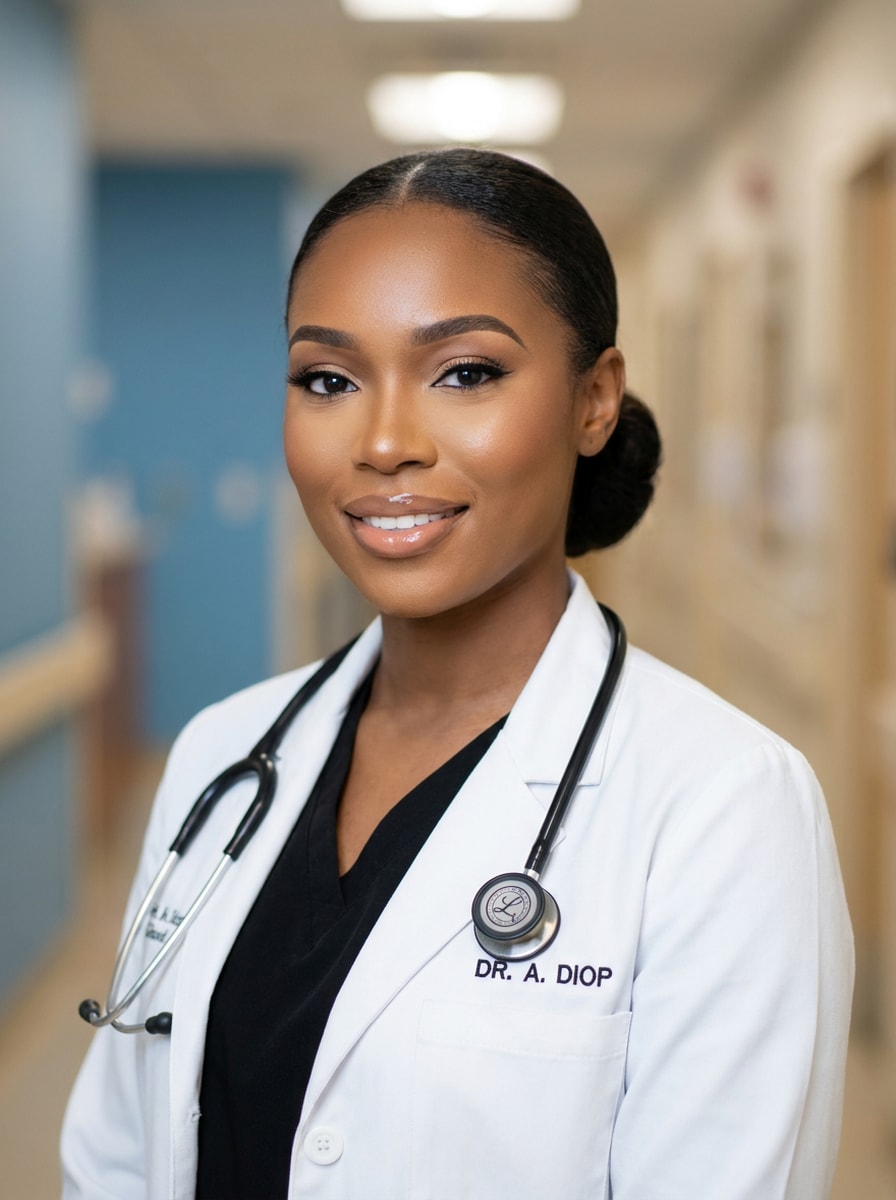
Professional White Coat Headshot
Use the uploaded image as the subject and transform it into a realistic medical headshot. Add a crisp white lab coat, a subtle stethoscope around the neck, soft professional studio lighting, natural skin texture, clean clinic background, balanced neutral tones, and sharp facial detail for a credible healthcare portrait.
Hospital Staff Portrait
Use the uploaded image as the subject and make it look like a doctor working in a modern hospital. Add scrubs under a lab coat, a subtle ID badge, bright clinical interior lighting, realistic textures, confident posture, and a polished editorial portrait finish with believable medical-professional styling.
Blue Scrubs Look
Use the uploaded image as the subject and change the outfit into realistic blue medical scrubs. Keep the face recognizable, add clean hospital-ready styling, realistic fabric folds, soft neutral background, natural daylight balance, and a crisp professional mood that feels authentic rather than costume-like.
Pediatric Doctor Style
Use the uploaded image as the subject and create a warm pediatric doctor portrait. Add a white coat, stethoscope, gentle smile, soft medical office background, pastel accents, bright friendly lighting, and a reassuring mood with realistic facial detail and clean professional styling.
Future Doctor Graduation Look
Use the uploaded image as the subject and turn it into an aspirational future doctor portrait. Add refined medical styling, a confident pose, premium studio lighting, elegant neutral colors, subtle clinical background cues, and a polished career-focused finish suitable for personal branding or social posts.
LinkedIn-Style Doctor Profile
Use the uploaded image as the subject and transform it into a doctor-style professional profile photo. Add a lab coat, subtle background blur inspired by a clinic interior, refined portrait retouching, balanced cool-neutral tones, and a clean polished look appropriate for a profile or portfolio image.
Doctor Glam Filter
Use the uploaded image as the subject and create a glamorous yet realistic doctor makeover. Add a stylish lab coat look, refined hair detail, polished makeup, soft hospital-inspired background, flattering diffused lighting, and premium social-media-ready clarity while keeping the medical theme believable and elegant.
Cute Cartoon Doctor
Use the uploaded image as the subject and turn it into a cute cartoon doctor character. Add a white coat, stethoscope, simplified clinic background, bright cheerful colors, rounded shapes, expressive eyes, smooth illustrated texture, and a playful friendly mood with strong subject resemblance.
ER Doctor Scene
Use the uploaded image as the subject and place it into a realistic emergency room doctor scene. Add scrubs, a lab coat, active ER background details, cinematic lighting, cool blue tones, believable urgency, and strong facial preservation for a dramatic medical-professional transformation.
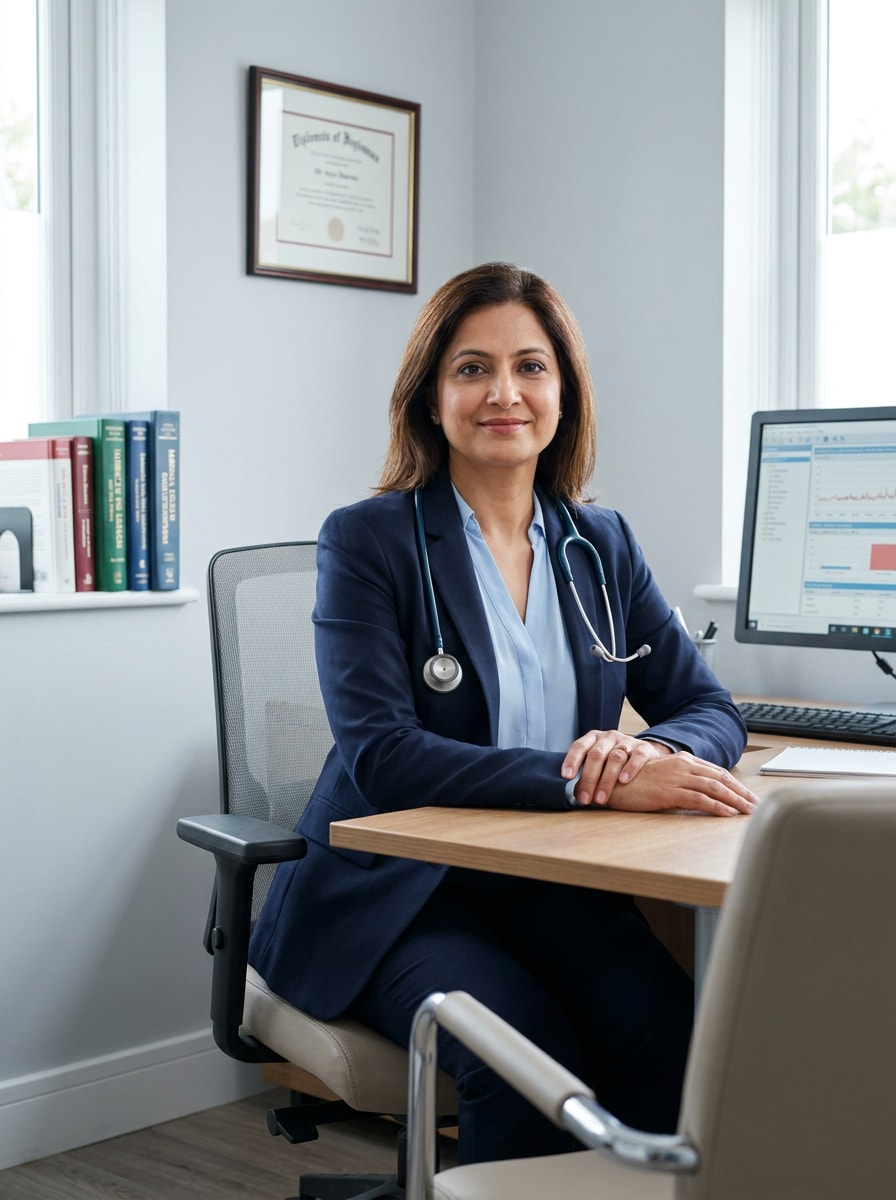
Clinic Consultation Look
Use the uploaded image as the subject and create a realistic clinic consultation portrait. Add professional doctor attire, a stethoscope, modern private practice decor, soft natural lighting, clean warm-neutral tones, and a calm trustworthy mood with detailed textures and authentic medical-office styling.
Why Use Media.io for an AI Doctor Filter
Switch between white coat, scrubs, and hospital portrait styles
From polished headshots to social-ready career makeovers, Media.io helps you test multiple medical looks from one upload, so you can create a clean AI doctor filter result that matches your mood, platform, or content idea.
Rework One Subject Into Multiple Styles
If the subject still needs to look like itself after the transformation, Media.io helps hold onto core identity cues while updating the final doctor filter visual style for a cleaner finished result.
Create High-Resolution Images for Real Use
When a doctor filter visual is headed for real publishing use, Media.io gives you sharper output up to 4K, which helps the image stay clear across presentations, backgrounds, and reused assets.
Keep the Workflow Moving Across Devices
Whether you are exploring doctor filter visuals on a laptop or checking drafts from your phone, Media.io keeps everything browser-based so you can pick up the same workflow across devices more easily.
How to Use the Doctor Filter
Turn your words into stunning visuals in three simple steps, then continue refining the result if you want to take it further.
Step 1
Upload Your Reference Image
Start with a clear selfie, portrait, or profile photo in JPG, PNG, or JPEG format. Front-facing images with visible facial features and simple backgrounds usually give the cleanest doctor-style transformation.
Step 2
Describe the Change and Set Options
Enter the look you want, such as a white coat headshot, scrubs makeover, or hospital portrait. Then choose your AI model and adjust aspect ratio, image quality, and the number of variations to generate.
Step 3
Generate, Download, and Keep Improving
Create several results, compare the details, and download your favorite version. If needed, refine the prompt, regenerate with a different framing, or continue editing until the doctor-style image feels just right.
See how creators use this Doctor Filter for content, marketing, and personal projects, then adapt each idea to fit the brief.
Create a polished career-role portrait
Turn an everyday selfie into a convincing medical-professional headshot for themed content, aspirational posts, or profile visuals. It is a fast way to test a clean white-coat look without arranging wardrobe, lighting, or manual retouching.
Make standout social transformation content
Use before-and-after edits for TikTok, Reels, or short-form storytelling. A realistic scrubs makeover or clinic-style portrait gives your post an instantly readable concept that performs better than generic beauty filters.
Design fun costume and character concepts
Build creative profession-inspired portraits for mood boards, invitations, themed campaigns, or playful personal projects. You can explore everything from a realistic hospital look to a softer cartoon treatment while keeping the original subject as the focus.
What Users Say About This Doctor Filter
Maya R.
Content Creator
"Great for realistic role transformations" I uploaded a simple selfie and got a polished doctor-style portrait that actually looked believable. The white coat, background, and facial details felt much more natural than the costume apps I tried before.
Jordan P.
Social Media Manager
"Easy to use on mobile" I needed a quick profession-themed visual for a short-form campaign, and this worked smoothly in the browser on my phone. The output looked clean, and trying multiple variations was simple.
Elena T.
Student Creator
"Face stayed recognizable" My biggest concern was whether the edit would still look like me. The result kept my facial features surprisingly well while adding scrubs, a stethoscope, and a realistic clinic setting.
Chris L.
Freelance Designer
"Useful for themed visuals" I used it to create a doctor-themed portrait concept for a social graphic. The ability to control framing and regenerate options saved time compared with building the whole image manually.
A doctor filter is an image-to-image AI effect that transforms your uploaded photo into a medical-themed portrait. With Media.io, you upload a selfie or portrait, describe the style you want—such as a white coat headshot, hospital scene, or scrubs look—and the AI generates a new version based on your reference image.
2. Can I use this doctor AI filter for free?
Media.io offers free credits, so you can try this doctor-style transformation without paying upfront. If you need more generations or want additional benefits, you can check the pricing page. Free users may see watermarks, while paid subscribers can download watermark-free high-resolution images. Free users can use free credits. For more usage, users can subscribe to a plan on the pricing page. Upgrade to a paid plan on the pricing page for more credits and watermark-free high-resolution downloads.
3. How do I turn my photo into a realistic doctor portrait?
Upload a clear portrait, then enter a prompt describing the look you want, such as a lab coat, stethoscope, clinical background, or polished headshot lighting. Media.io lets you choose image settings and generate variations, which makes it easy to build a realistic doctor portrait from a single source photo.
4. Will the doctor photo filter keep my face recognizable?
Media.io is designed to use your uploaded reference image to guide the transformation, so your original face can remain recognizable while the outfit, background, and styling change. Results are usually best when the source photo is clear, front-facing, and well lit.
5. Can I use the doctor filter on iPhone, Android, or desktop?
Media.io is web-based, so you can use the tool on iPhone, Android, Windows, or Mac as long as you have a browser connection. That makes it easy to create a doctor-style edit from mobile or desktop without installing separate software. Media.io is a web-based tool that works on any device with a browser (Windows, Mac, iOS, Android).
6. What kind of photos work best for a doctor image-to-image result?
The best source images are clear selfies or portraits with visible facial features, balanced lighting, and minimal background distractions. A straight or slightly angled pose usually works well for a professional medical makeover, especially if you want a clean doctor portrait filter or scrubs-style result.