Tus creaciones solo se guardan durante 7 días. Los recursos creados después de actualizar a Membresía se almacenarán de forma permanente.
¡Desbloquea tu potencial creativo y experimenta la magia de Media AI ahora mismo!
Barbie Filter for Instant Doll Box and Barbiecore Photo Makeovers
Create a barbie filter look from your own photo in seconds. Media.io helps you turn selfies, couple shots, and pet portraits into glossy doll-box edits, pink glam portraits, and toy-inspired packaging art with easy upload-based AI styling, including an AI barbie photo filter feel tailored to your image. It is also a practical option for snapchat barbie filter.
Review these example directions, then tailor the prompt details to get stronger results with this Barbie Filter in Media.io, whether you want a toy-box portrait, a pink glam makeover, or a social-ready doll look. Creators often use it for barbie doll filter.
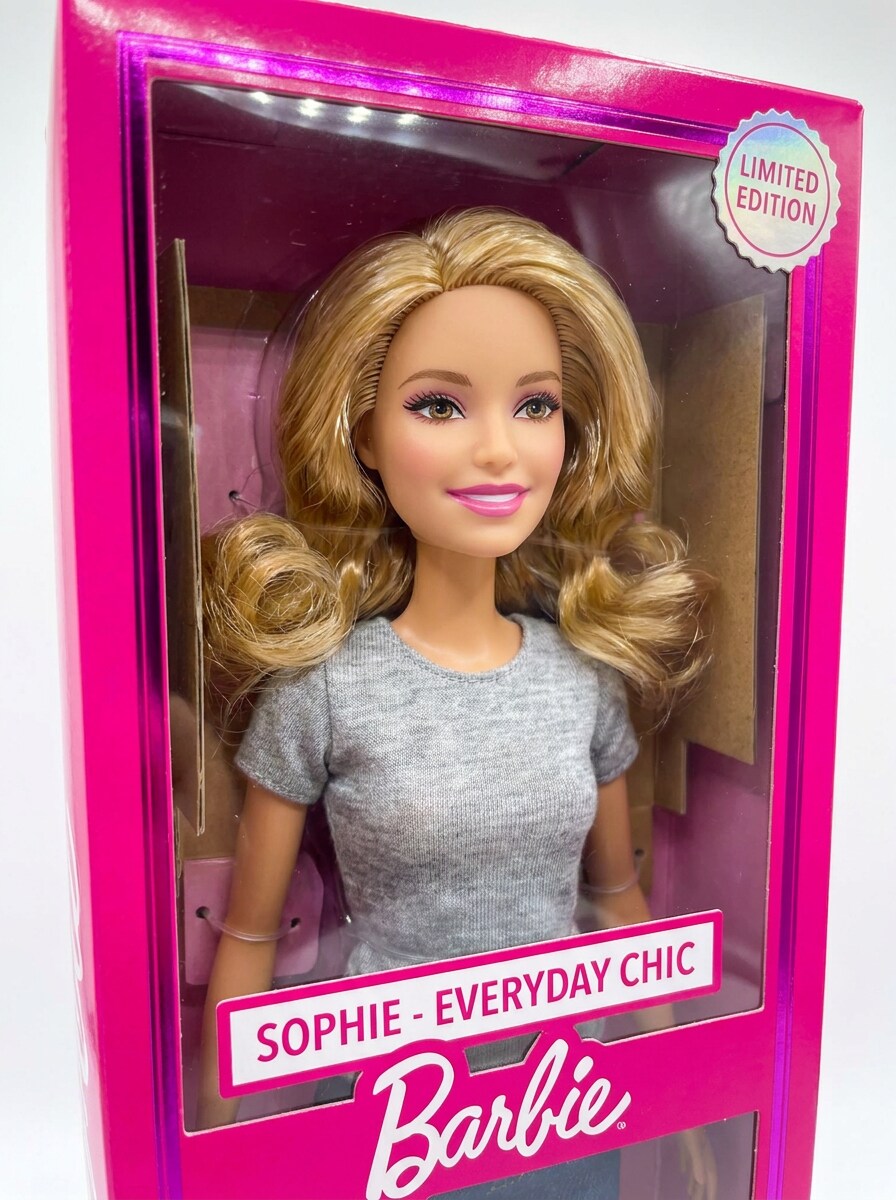
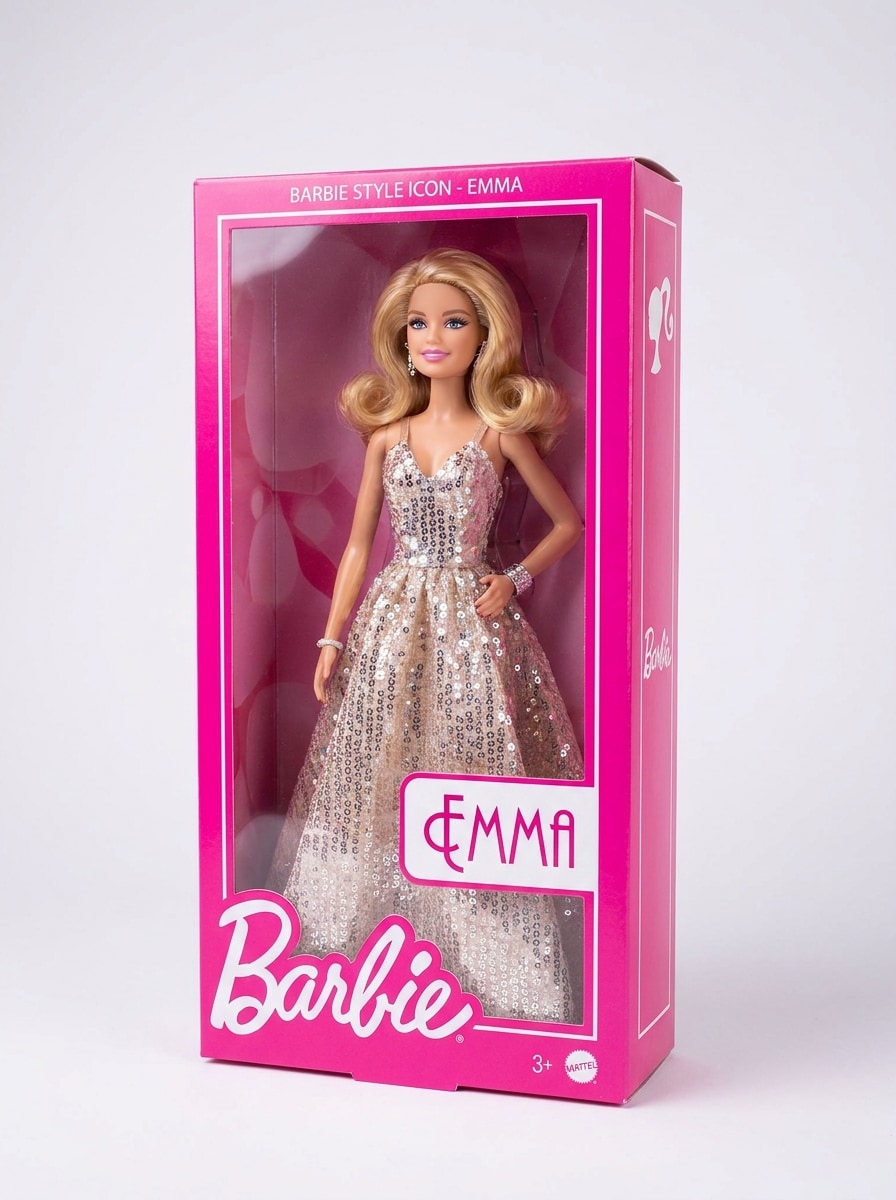
Classic Barbie Box
Use the uploaded image as the subject and transform it into a glamorous Barbie-inspired doll displayed inside a bright pink toy box. Add a clear plastic window, custom name label, polished makeup, glossy lighting, cheerful expression, fashion-doll styling, clean studio backdrop, and premium retail packaging detail.
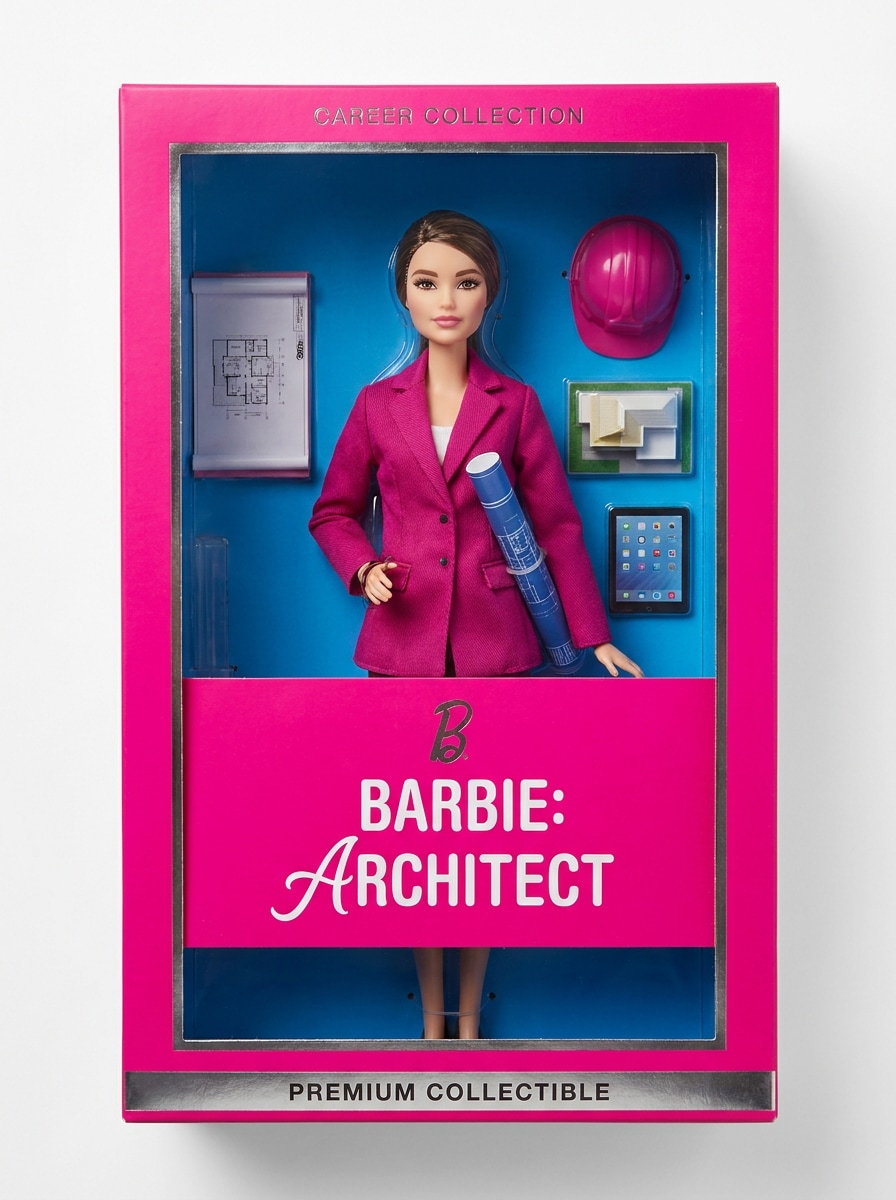
Career Doll Packaging
Use the uploaded image as the subject and restyle it as a Barbie-inspired career doll in themed packaging. Include profession-related accessories, a bold pink box design, glossy plastic display window, confident pose, polished editorial lighting, toy-store product-shot composition, and a premium collectible doll presentation.
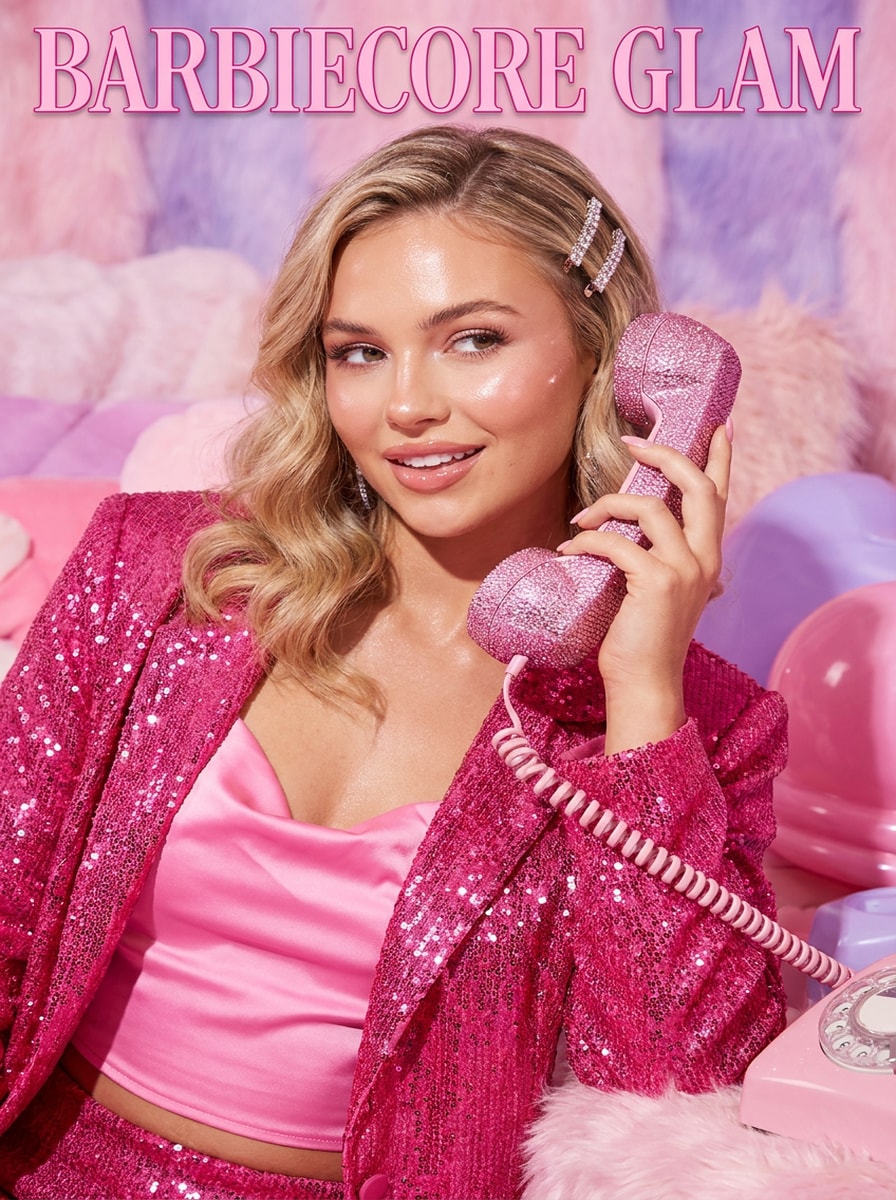
Pink Fashion Editorial
Use the uploaded image as the subject and apply a vivid Barbiecore makeover with glossy skin, soft beauty retouching, sparkles, chic fashion styling, and a dreamy pink backdrop. Keep the portrait elegant and editorial, with magazine-style lighting, high contrast, polished textures, and a playful pop-luxury mood.
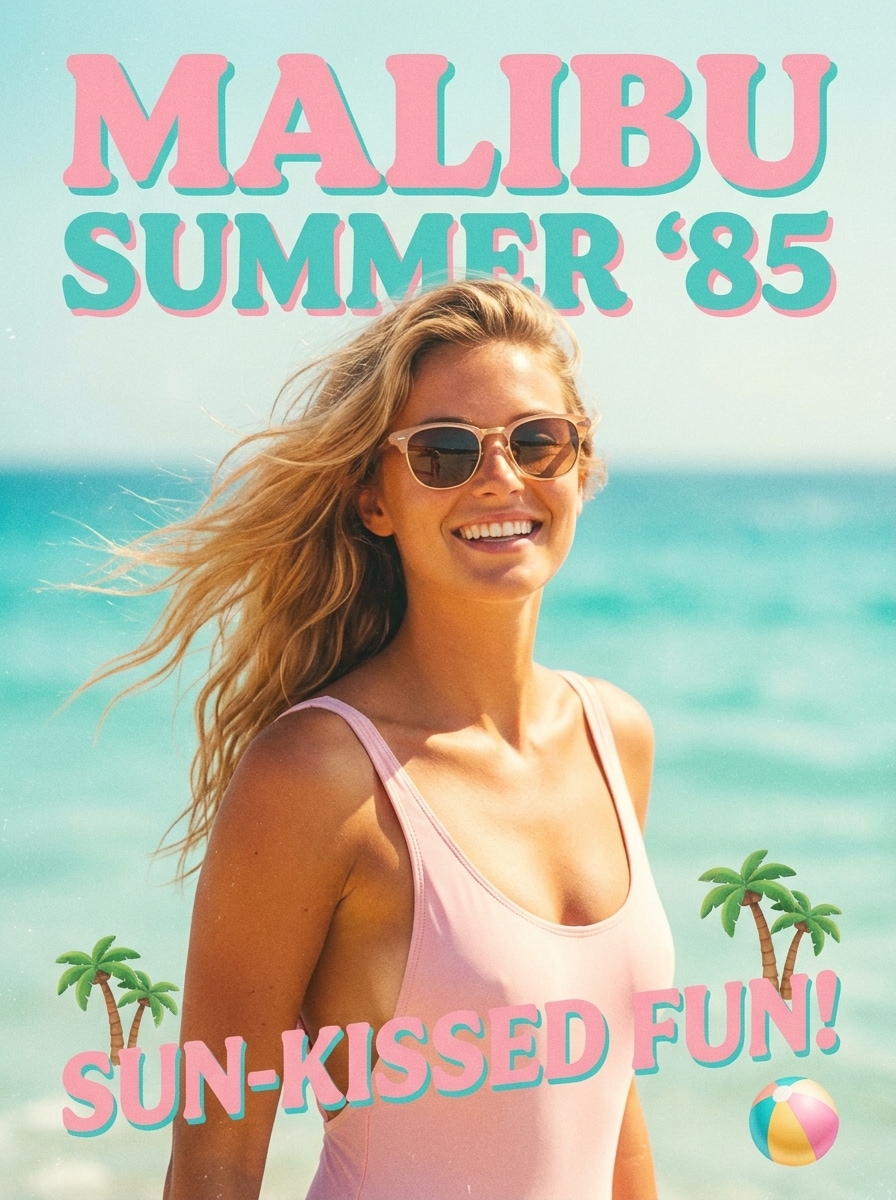
Malibu Summer Poster
Use the uploaded image as the subject and transform it into a Malibu-inspired summer doll poster. Add sunlit beach energy, retro pink and turquoise tones, breezy hair, glowing skin, cheerful vacation styling, and a polished toy-ad finish with bright color, soft film texture, and nostalgic summer charm.
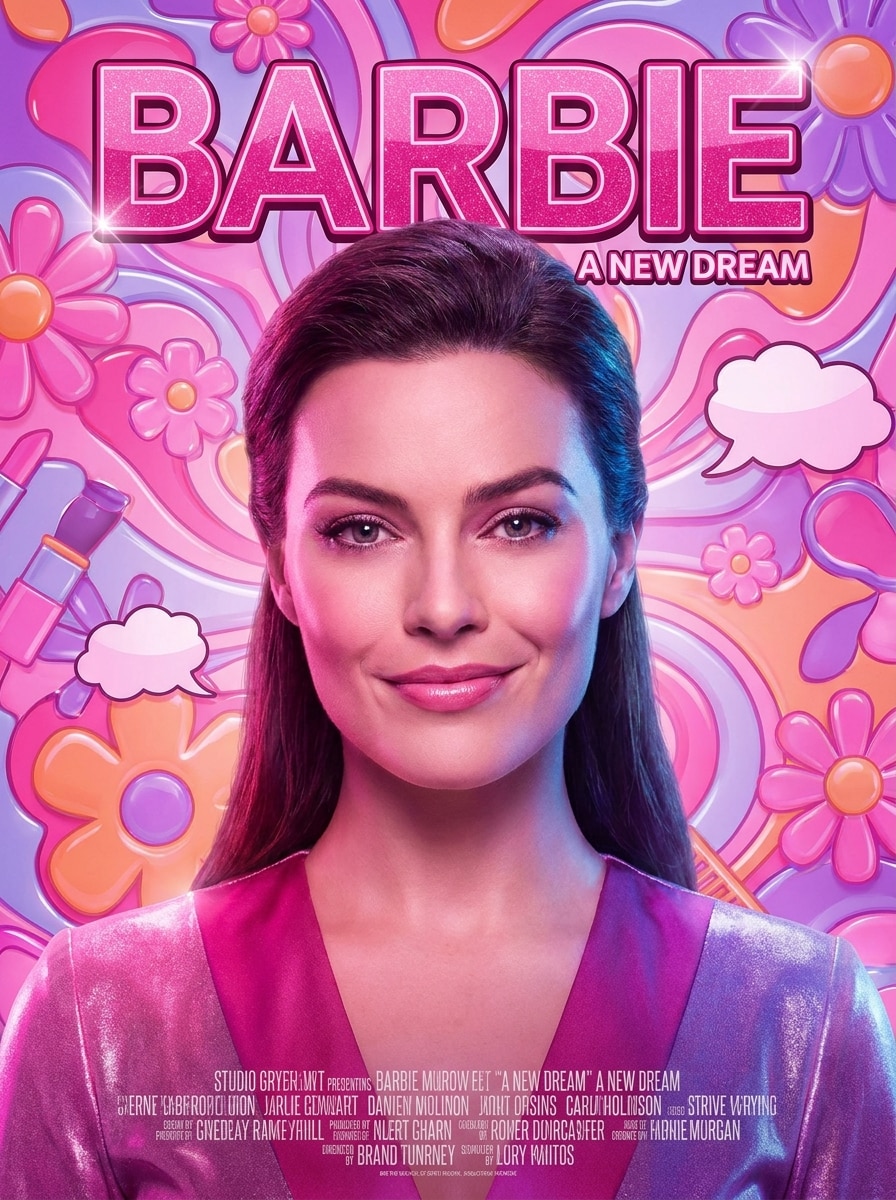
Cinematic Barbie Poster
Use the uploaded image as the subject and turn it into a Barbie-style cinematic poster with bold pink title graphics, glossy pop background, dramatic composition, polished face lighting, playful confidence, and poster-quality styling. Keep the look bright, toy-fantasy inspired, and visually sharp for social sharing.
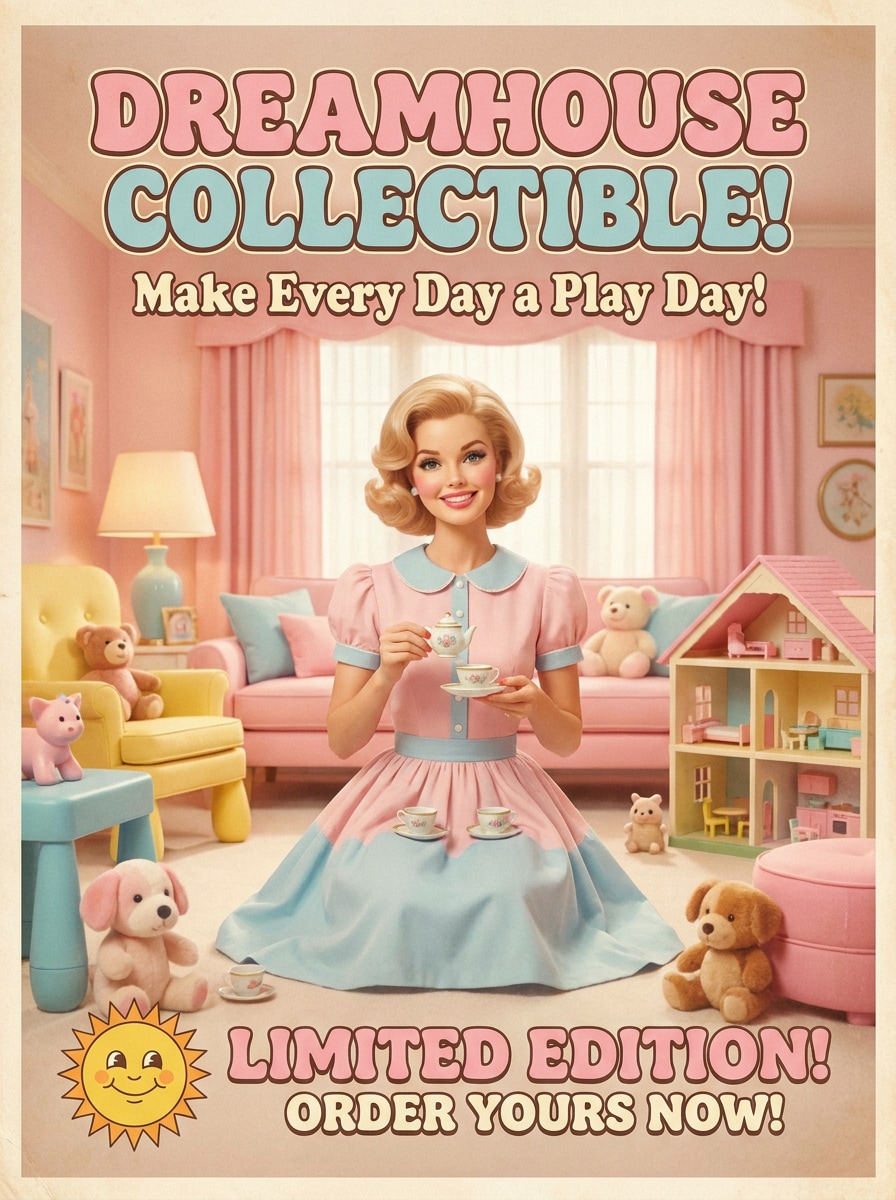
Vintage Dreamhouse Ad
Use the uploaded image as the subject and restyle it into a retro dreamhouse advertisement. Add pastel pink interiors, nostalgic toy-catalog composition, smiling pose, playful props, polished doll-like beauty, light print texture, and warm commercial lighting for a cheerful vintage lifestyle ad aesthetic.
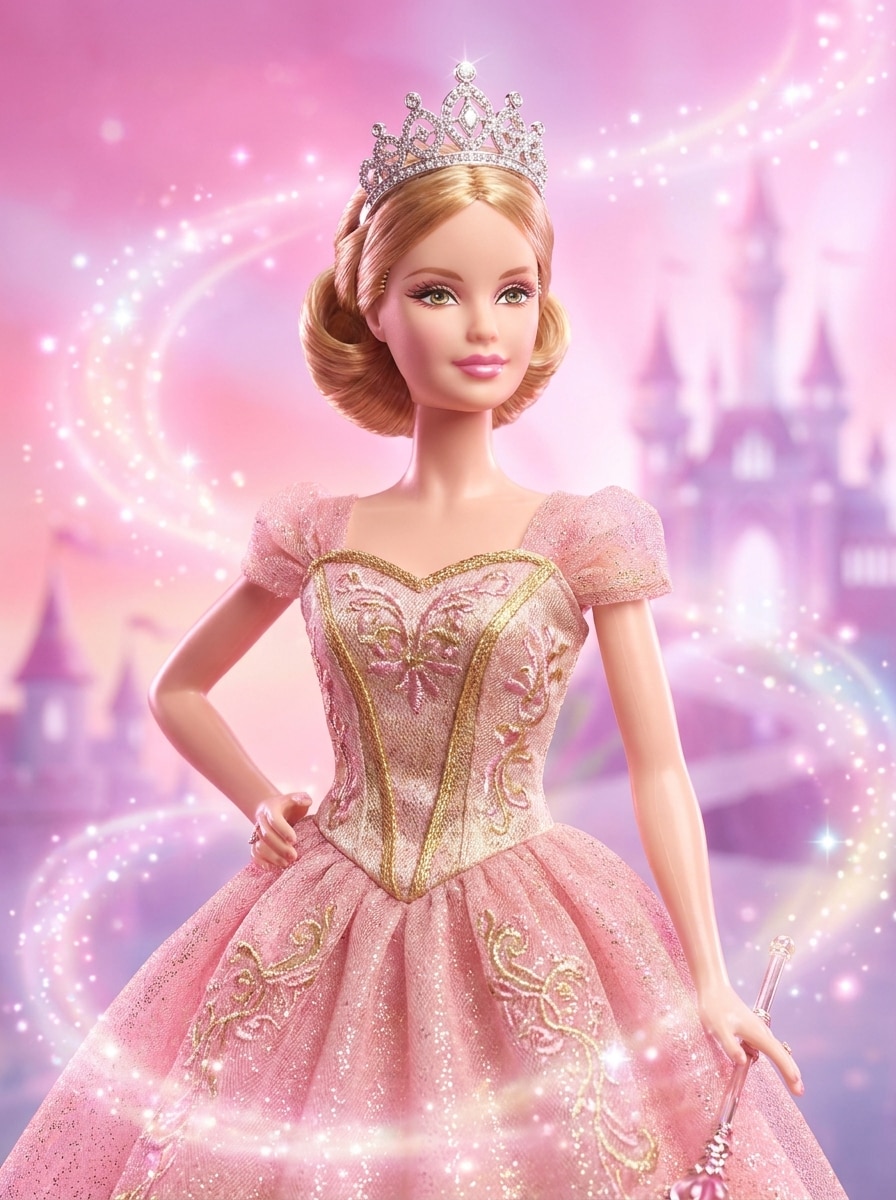
Princess Doll Makeover
Use the uploaded image as the subject and transform it into a princess doll portrait with an elegant gown, sparkling tiara, glossy beauty finish, soft pink fantasy lighting, and a magical background. Keep the image refined, collectible, luminous, and detailed like premium toy-box character art.
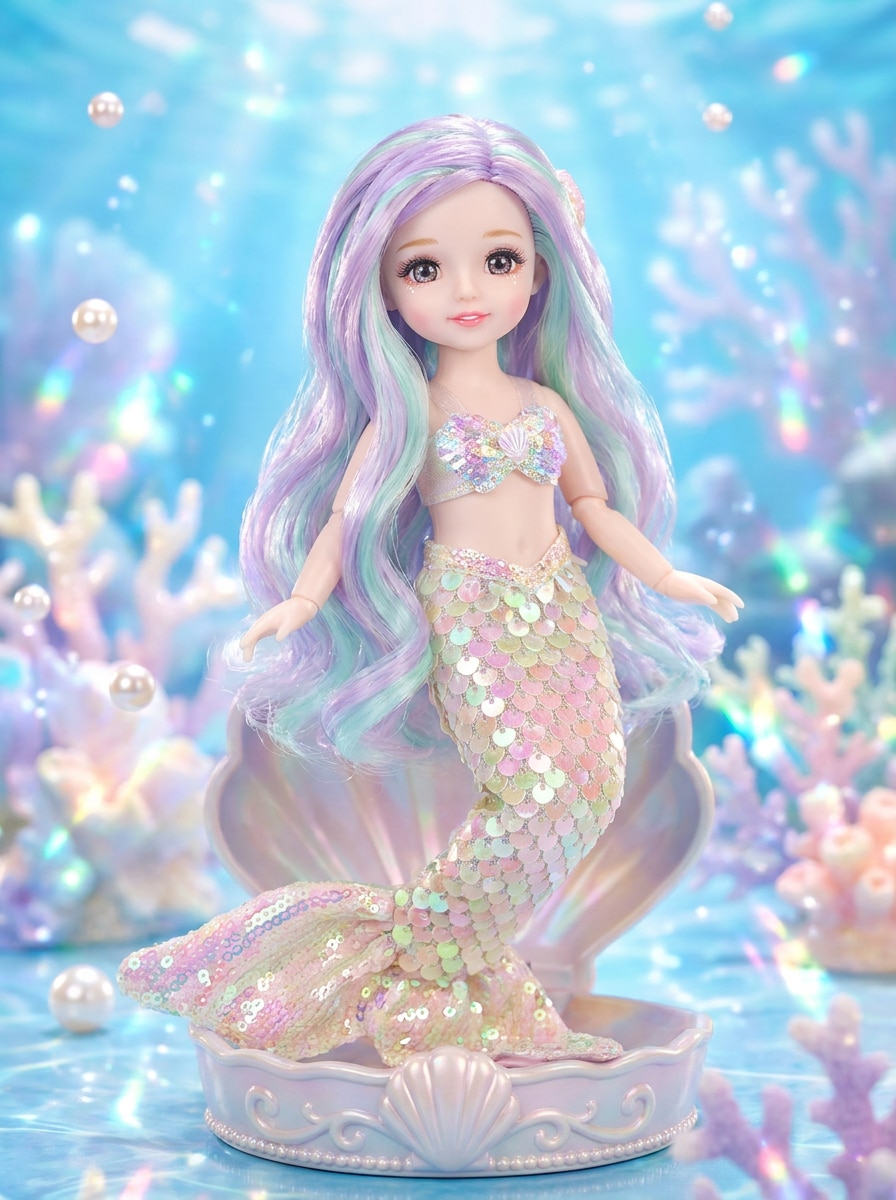
Mermaid Doll Fantasy
Use the uploaded image as the subject and turn it into a mermaid doll with shimmering scales, pastel ocean hues, glossy hair, sparkling fantasy effects, and a polished collectible finish. Add underwater glamour, luminous color, doll-like facial refinement, and a vibrant, magical toy-inspired atmosphere.
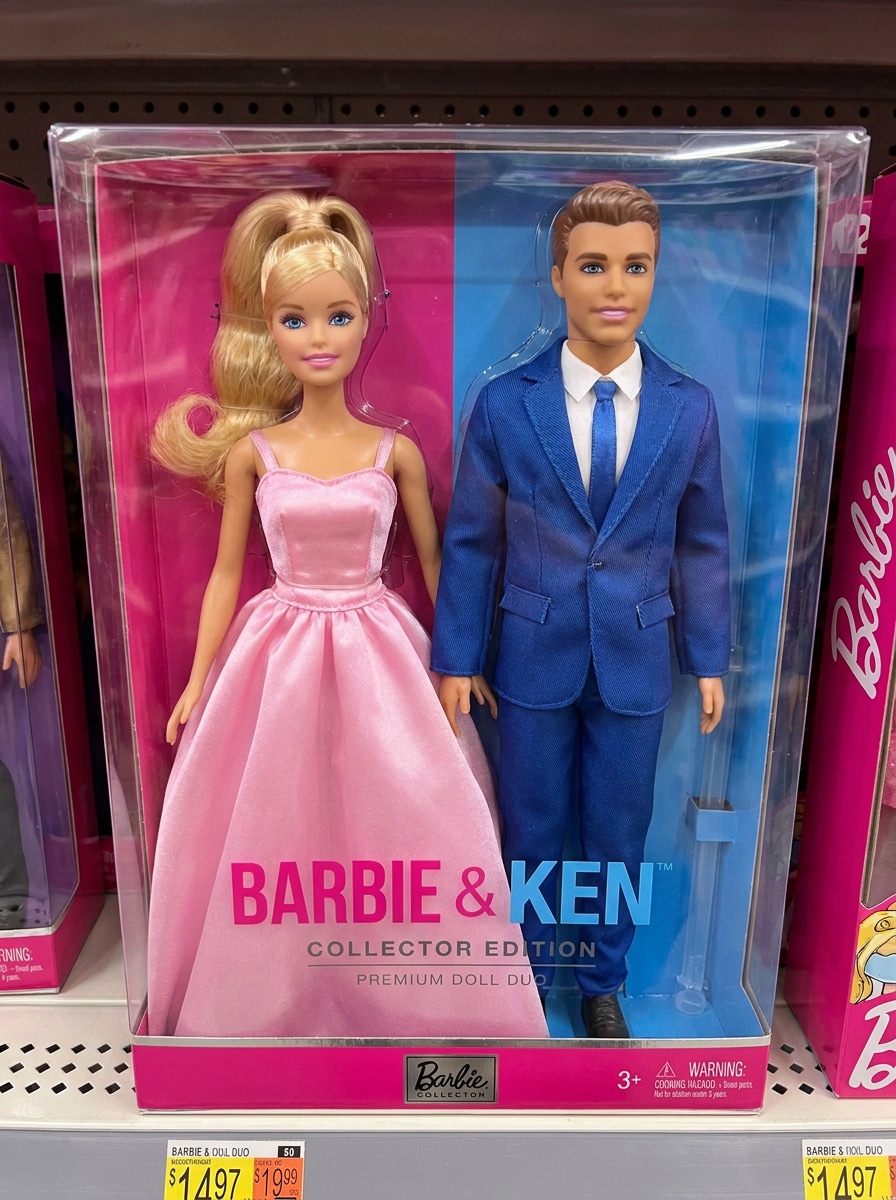
Barbie and Ken Duo
Use the uploaded couple photo as the subjects and transform both people into a Barbie-inspired doll duo inside premium toy packaging. Add coordinated pink-and-blue styling, polished smiles, glossy retail lighting, collector-box composition, custom labels, and a fun fashion-doll set presentation with clean detail.
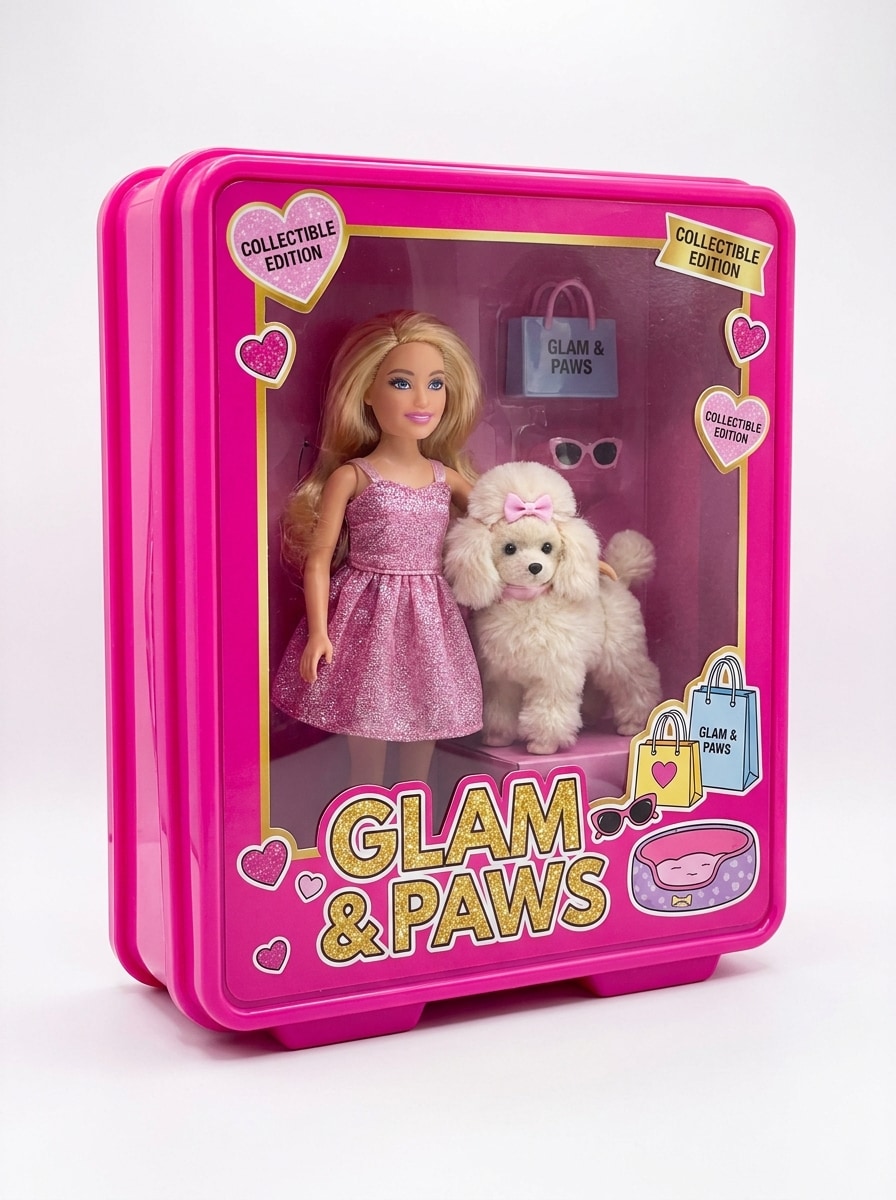
Pet Barbie Box
Use the uploaded image as the subject and place the person with their pet inside a Barbie-inspired doll box. Add playful accessories, bright pink branding, a clear plastic display window, adorable glam styling, toy-store lighting, and a cute collectible packaging layout with sharp, glossy detail.
Why Use Media.io for a Barbie-Style Photo Transformation
Make Your Upload Look Recognizably Like You
For selfie makeovers and doll-box portraits, Media.io lets you upload a real photo as the visual reference, so the final barbie face filter keeps your features more recognizable while delivering a polished doll-inspired transformation.
Rework One Subject Into Multiple Styles
If your Barbie-style image is meant for actual publishing, Media.io gives you sharper output up to 4K, helping the final barbie filter visual stay clear across presentations, backgrounds, and reused creative assets.
Generate Cleaner Output Up to 4K
When a barbie filter visual is headed for real publishing use, Media.io gives you sharper output up to 4K, which helps the image stay clear across presentations, backgrounds, and reused assets.
Edit Anywhere in a Simple Browser Workflow
Moving between phone and computer is easier with Media.io, since you can build, adjust, and download barbie filter visuals right in the browser and keep production going across different screens, whether you want a barbie filter instagram post or a.
How to Apply a Barbie Filter Online
Turn your words into stunning visuals in three simple steps, then continue refining the result if you want to take it further.
Step 1
Upload Your Reference Image
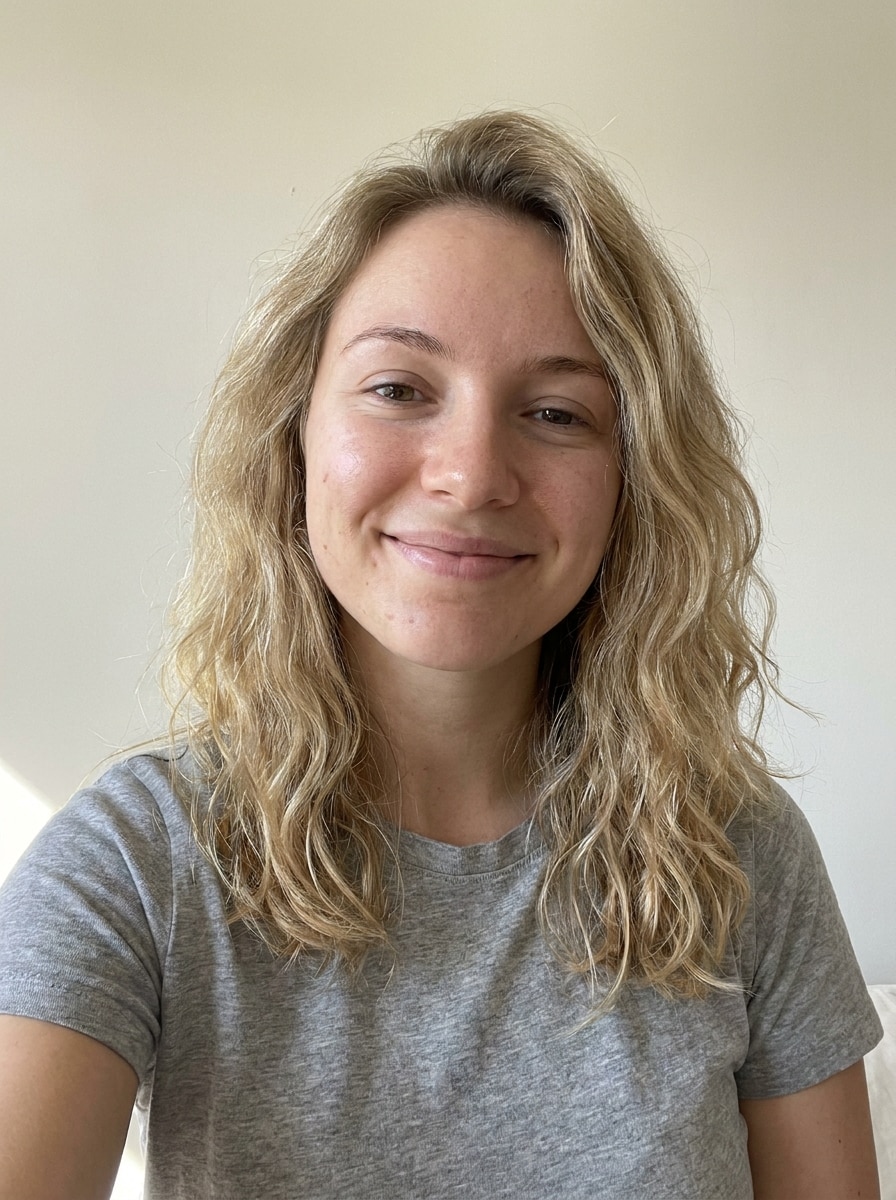
Start with a clear selfie, couple photo, or pet portrait in JPG, PNG, or JPEG format. A clean, well-lit image gives Media.io a stronger base for Barbiecore glam, toy-box packaging, or a polished doll makeover.
Step 2
Describe the Change and Set Options
Enter the look you want, such as a doll box portrait, retro poster, or pink fashion edit. Then choose your model and adjust aspect ratio, image quality, or the number of variations to match your final use.
Step 3
Generate, Download, and Keep Improving
Create your image, compare the results, and download the version you like best. You can refine the prompt, generate more variations, or continue editing until you get the exact doll-style finish you want.
See how creators use this Barbie Filter for content, marketing, and personal projects, then adapt each idea in Media.io to fit your brief.
Create Viral Doll Box Profile Pictures
Turn a casual selfie into a toy-package portrait with custom labels, accessories, and glossy pink styling. This is ideal if you want a shareable look inspired by instagram barbie filter trends, creator thumbnails, or standout profile photos.
Transform Couple and Friend Photos Into Collectible Sets
Use a duo shot to build matching packaging art, themed outfits, and playful color styling. It is a fun way to echo a barbie snapchat filter or barbie filter snapchat vibe while creating something more personalized for birthdays, anniversaries, or social posts.
Design Posters, Gifts, and Barbiecore Keepsakes
Go beyond a quick effect and build printable posters, cards, or themed edits with retro layouts and doll-inspired polish. If you want to turn photo into barbie style for gifts or party visuals, this workflow gives you more control and can also match a barbie filter instagram aesthetic.
What Users Say About This Barbie Filter
Ava M.
Lifestyle Creator
"Perfect for pink glam edits" I uploaded a selfie and got a polished doll-box portrait in minutes. The glossy pink style looked much more custom than a typical social filter.
Brianna T.
Instagram Reels Creator
"Great for Barbiecore content" I wanted something between a poster and a doll package, and Media.io handled both styles well. It gave me multiple versions that were easy to post and compare.
Jordan K.
Gift Designer
"Fun couple-photo results" We turned a couple photo into a collectible-style doll set for a party invite. The packaging details and accessories made it feel playful without looking cheap.
Nina R.
Pet Content Maker
"Cute with pets too" I used a photo of me and my dog, and the final image looked like a premium toy-box design. It was sharp enough to reuse for a card and a social post.
1. What is a Barbie filter and how does it work on a photo?
A Barbie filter is an AI photo transformation that restyles your uploaded image into a doll-inspired look, such as toy-box packaging, Barbiecore glam, or a pink fashion poster. On Media.io, you upload a JPG, PNG, or JPEG photo, add a prompt describing the style you want, and the image-to-image model generates a new version based on your reference.
2. How can I turn my picture into a Barbie-style doll online?
Upload a clear portrait to Media.io, then describe the look you want, such as a barbie filter snapchat style box portrait, a pink editorial makeover, or a retro doll ad. After that, choose your settings, generate the image, review the variations, and download the version that best matches your idea.
3. Is this Barbie photo filter free to use?
Yes, free users can try the tool with free credits. If you need more generations or want watermark-free high-resolution downloads, you can check Media.io's pricing page for paid plans.
4. Can I create a Barbie box filter from a selfie or couple photo?
Media.io supports reference-image uploads, so you can use a selfie, a couple shot, or even a photo with a pet to create doll-box packaging art. That makes it useful for a personalized barbie snapchat filter look, a custom duo set, or a themed collectible-style portrait.
5. Will my Barbie-style image be high resolution for posting or printing?
Media.io offers 1K, 2K, and 4K resolution options, so your final image can work well for social posts, profile photos, posters, cards, and printable keepsakes. You can also choose different aspect ratios to better fit story layouts, feed images, or portrait-style prints. Free users may have watermarks.
6. Does the Barbie AI filter work on iPhone, Android, and desktop?
Media.io is web-based, so it works on iPhone, Android, Windows, and Mac through a browser. You do not need a separate app to upload a photo, generate your Barbie-style image, and download the result.