
AI Bedtime Story Video Generator for Calm Scripts and Sleepy Storytime
Need a gentle video for a bedtime routine, kids story channel, classroom read-aloud, or faceless narration account? Media.io's AI Bedtime Story Video Generator helps turn written bedtime stories into soft, easy-to-follow videos made for quiet viewing, family storytime, YouTube, Shorts, and classrooms.
Create Calm Bedtime Story Videos from Rich Scripts and Read-Alouds
For better results, give the AI more than a one-line idea. A script with clear characters, cozy settings, simple scene changes, gentle conflict, and a peaceful ending helps Media.io create a bedtime story video that feels warmer, slower, and easier for children to follow.
Bring Your Bedtime Story Script to Life as a Calm Video
Have a bedtime story already written? Paste a fuller script with the child-friendly plot, main character, cozy setting, emotional tone, and peaceful ending. Media.io works best when your script gives enough context to shape scenes, narration, pacing, and visuals around the story.
- Script-to-Bedtime Video - Turn written bedtime stories, read-aloud passages, and narration drafts into gentle story videos
- Detailed Story Input - Use clear characters, settings, actions, and emotional beats to guide the video result
- Bedtime Story Flow - Shape a soft beginning, simple journey, comforting moment, and peaceful ending
- Family-Friendly Themes - Create videos from sleepy animal tales, moonlit adventures, kindness stories, or classroom fables
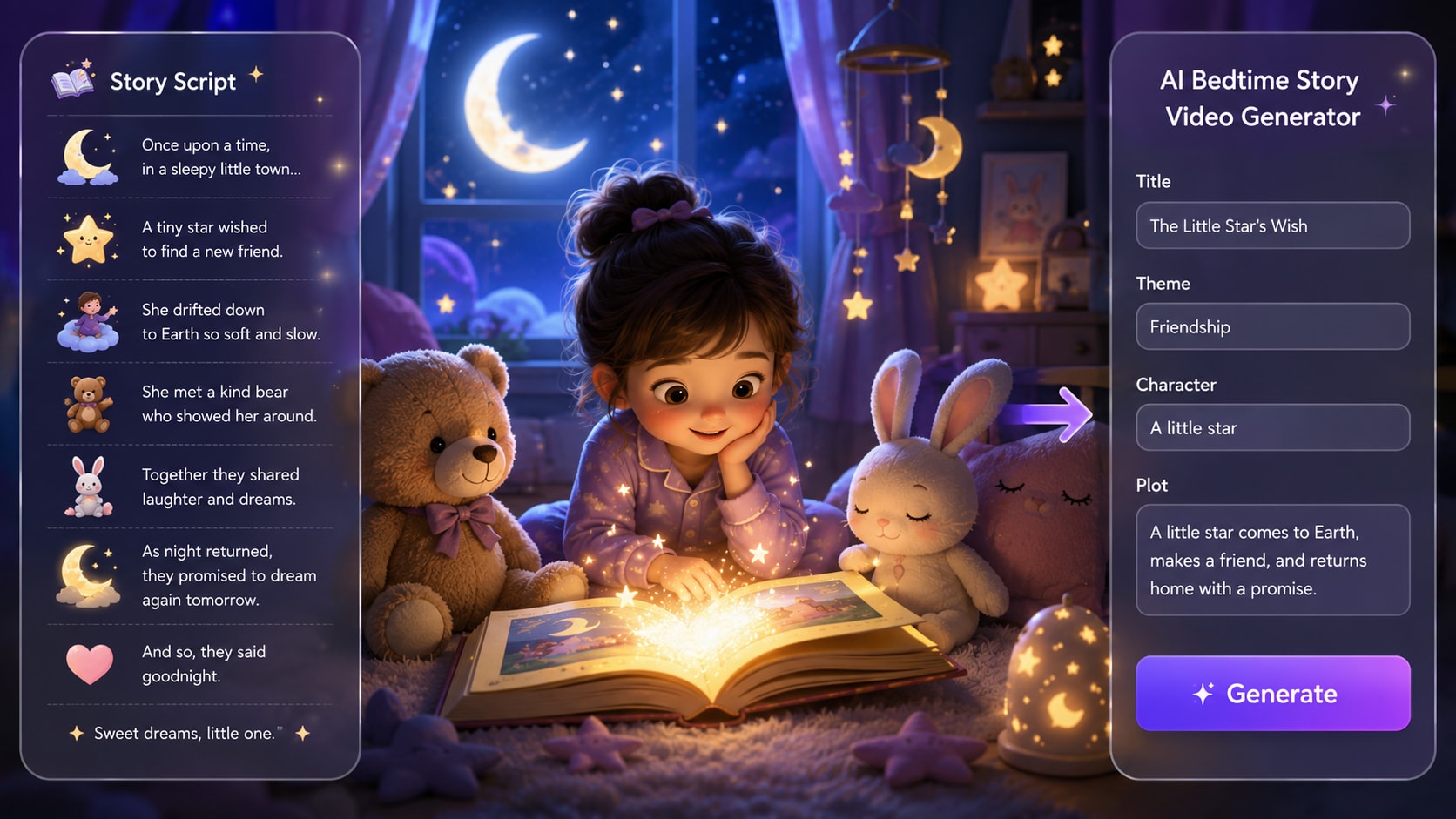
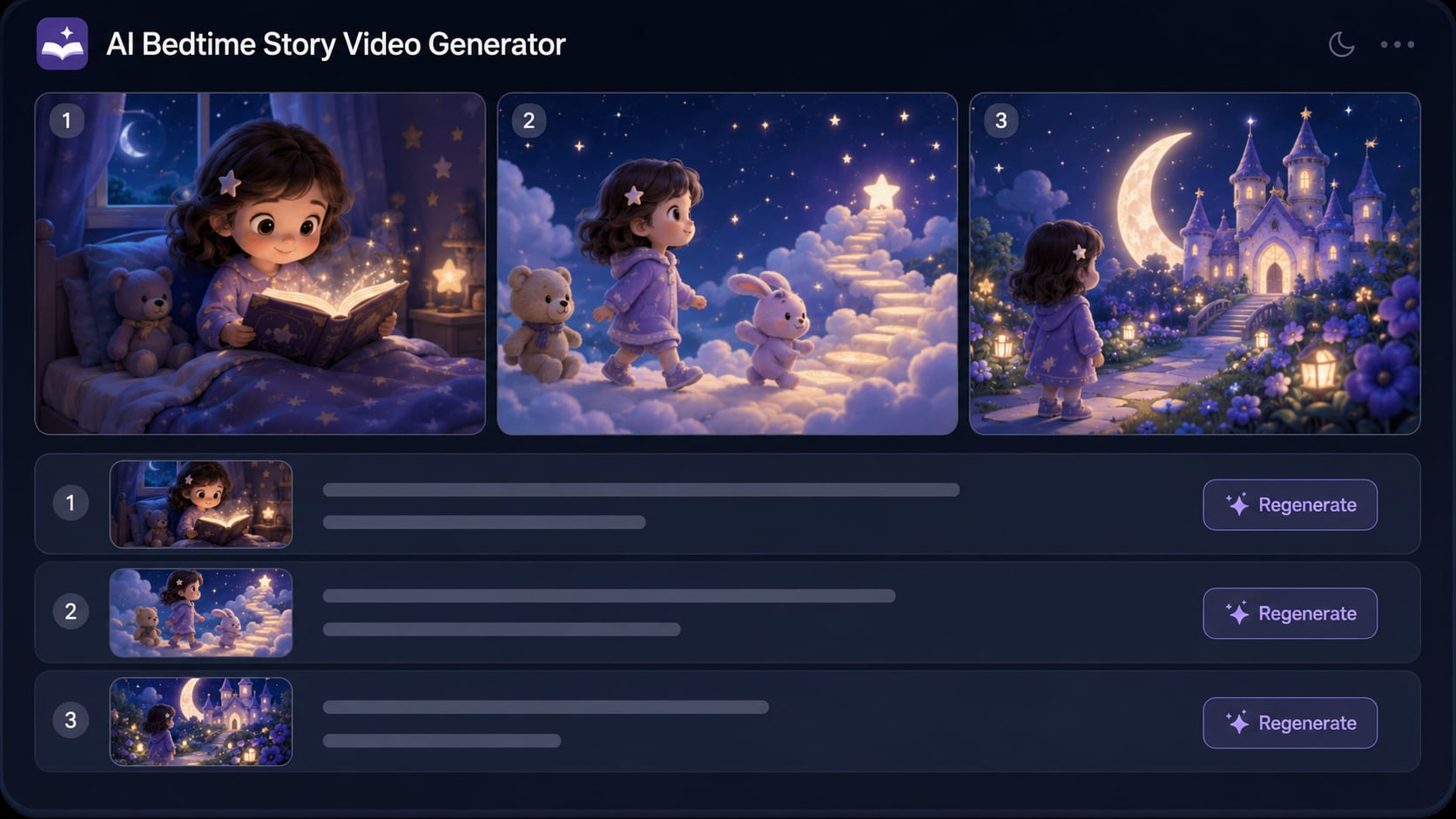
Guide Soft Visuals with Detailed Scene Descriptions
Bedtime videos should feel calm, not overstimulating. Use your script to describe cozy bedrooms, moonlit skies, quiet forests, sleepy animals, warm lamps, soft colors, and slow scene changes so the final video feels closer to a gentle read-aloud than a noisy cartoon clip.
- Calm Bedtime Visuals - Create soft, low-stimulation scenes for children's stories and sleep-time viewing
- Cozy Scene Direction - Add visual details like blankets, stars, nightlights, forests, clouds, and gentle animals
- Slow-Paced Story Feel - Help each scene move with a quieter rhythm that fits bedtime routines
- Soothing Animation Mood - Turn your bedtime script into warm, peaceful visuals instead of fast action clips
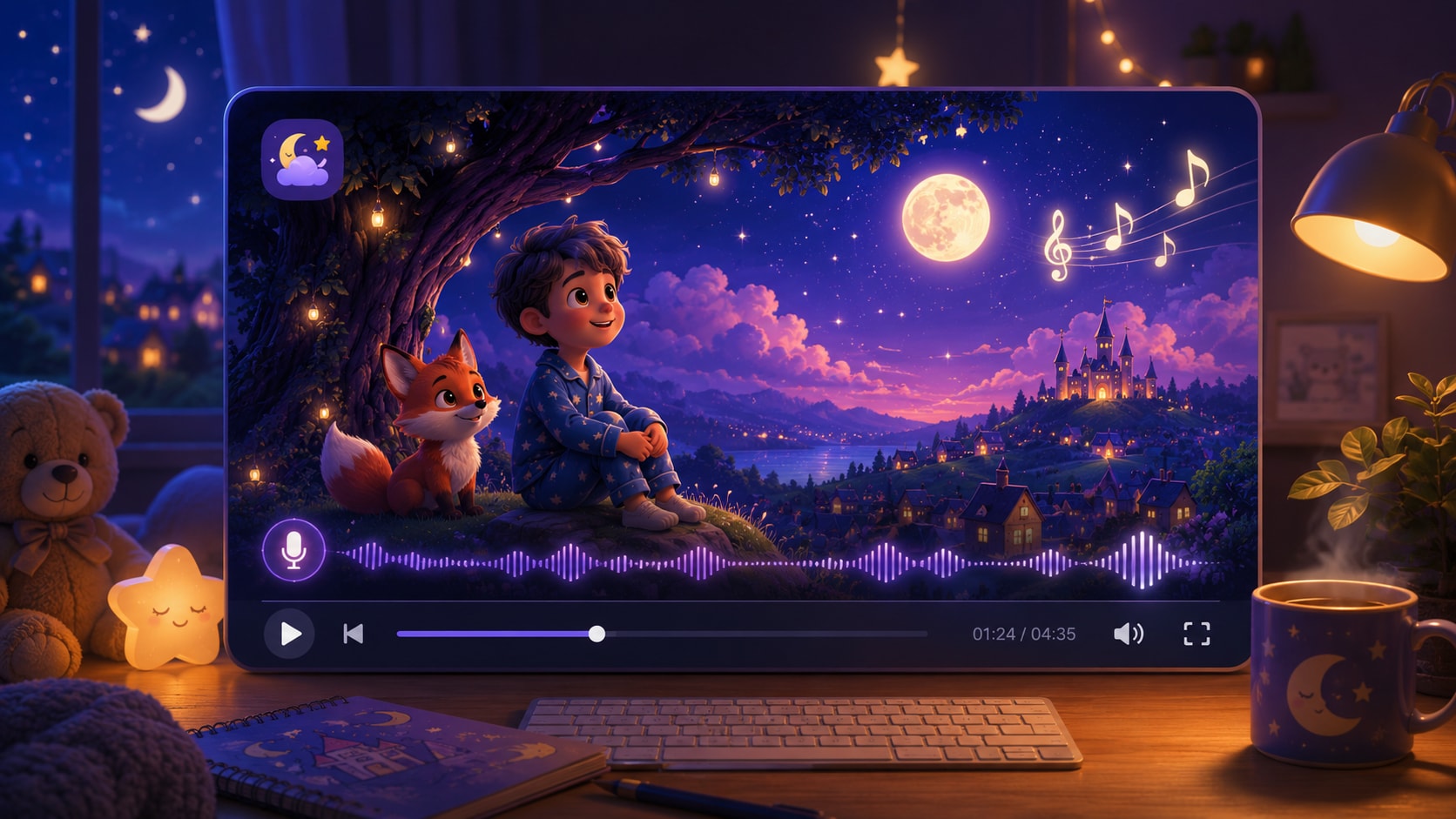
Generate Warm Narration and Music for Bedtime Listening
A bedtime story video is meant to be heard as much as watched. Let voiceover carry the script like a calm read-aloud, while gentle background music supports the mood without overpowering the story, making it suitable for quiet time, family routines, and kids story channels.
- AI Narrated Bedtime Story - Turn your written script into a video experience with spoken storytelling
- Soothing Voiceover - Use narration to guide the child through the plot, lesson, and peaceful ending
- Gentle Background Music - Add a soft mood for bedtime, quiet time, classroom reading, or relaxing story videos
- Read-Aloud Video Feel - Create more than silent visuals by combining story, voice, and music in one flow
Make Bedtime Story Videos for Kids Channels, Families, and Classrooms
Use one detailed bedtime script across the places your audience watches or listens. Create videos for family bedtime routines, YouTube kids story channels, Shorts, TikTok, Reels, classroom read-alouds, or faceless bedtime story accounts without filming yourself or building every scene by hand.
- Family Bedtime Routine - Create calm story videos parents can play during quiet time or before sleep
- Faceless Kids Channels - Build narrated bedtime videos for YouTube, Shorts, TikTok, Reels, and story feeds
- Classroom Read-Alouds - Turn gentle lessons, reading passages, and moral tales into visual story videos
- Share-Ready Story Formats - Prepare bedtime story videos for social, classrooms, channels, or family viewing

Make a Bedtime Story Video from Your Script in Three Steps
Write a rich bedtime script, guide the soft story mood, then generate a calm video with narration, music, and family-friendly formats.

Paste a Rich Bedtime Script
Start with a complete bedtime story, read-aloud passage, children's tale, or soft narration script. For better results, describe the main character, cozy setting, gentle conflict, scene changes, emotional tone, and peaceful ending.

Guide the Calm Story Mood
Shape the bedtime feel with clear character details and soft scene descriptions. Add warm lights, moonlit skies, quiet forests, sleepy animals, blankets, stars, gentle colors, and slow story beats so the video feels soothing instead of overstimulating.

Generate, Review, and Share
Generate a bedtime story video with warm visuals, soothing voiceover, and gentle background music. Review the final result after generation, polish clarity with Media.io tools when needed, and share it with family, kids channels, Shorts, TikTok, YouTube, or classrooms.
Compare Media.io with
Basic AI Bedtime Story Video Generators
Basic tools may create a children's clip. Media.io is built for creators who start with rich bedtime scripts and need calm visuals, gentle narration, soft music, and formats for family routines, kids channels, Shorts, or classrooms.
Make Bedtime Story Videos for Family Routines, Kids Channels, and Classrooms

Turn Bedtime Scripts into Calm Family Story Videos
Have a gentle bedtime story, children’s tale, or soft narration ready for tonight? Use Media.io’s AI Bedtime Story Video Maker to turn detailed scripts into warm, easy-to-follow videos with cozy scenes, soothing voiceover, gentle music, and a peaceful ending for family quiet time.

Build Gentle Bedtime Videos for Kids Story Channels
Create bedtime story videos for YouTube, kids channels, and repeatable story series without filming or editing every scene by hand. Write clear character details, cozy settings, simple conflicts, and reassuring endings so each generated video feels calm, recognizable, and easy for young viewers to follow.

Create Faceless Bedtime Story Shorts from Narration Scripts
Make faceless bedtime story videos for Shorts, TikTok, Reels, and YouTube using narration-driven scripts. Keep each short focused on one sleepy character, one cozy moment, and one peaceful resolution, while Media.io generates the final video with soft visuals, voiceover, and music based on your script.

Make Calm Read-Aloud Videos for Classrooms and Libraries
Turn classroom read-alouds, kindness stories, short fables, and wind-down passages into gentle bedtime-style videos for reading corners, nap time, or end-of-class transitions. Add clear story structure and soft scene descriptions so the video supports attention instead of overstimulating the room.
See What Creators Ship
Ship Across Story Formats and Channels
Explore finished examples, then apply the same workflow to bedtime pacing and cozy visuals.
Hear from Creators Who Care About Calm Storytelling
Real feedback from parents, teachers, and short-form storytellers.


"I used it for a weekly bedtime routine with my son. The outline step helped me keep a clear beginning and ending, and the storyboard cards made it easy to soften one scene that felt too busy. The final video actually felt calm."

"For YouTube, consistency is everything. I generated a main character with a three-view reference and now each episode looks like it belongs in the same series. The pacing control is what sold me, not just the visuals."

"I make calming Shorts, and the vertical preset plus captions saved time. When one shot looked a little intense, I re-rolled only that scene and kept the rest. That single feature makes it usable for bedtime content."

"As a librarian, I needed a quiet story video for a reading corner display. The visuals stayed warm and consistent, and Enhance Video Quality helped clean up the final export for a larger screen. No complicated editing needed."

"I've tried a few tools that spit out random clips. This feels closer to directing. I can see the full arc, adjust scene cards, and keep the mood gentle. It's the first bedtime story video maker that didn't feel chaotic."

"We used it to prototype a short children's animation pitch. The character references kept our lead consistent, and the two-minute limit was perfect for a teaser. Exporting in 16:9 made it easy to present to the team."
FAQs on AI Bedtime Story Video Generator
What Is an AI Bedtime Story Video Generator?
An AI Bedtime Story Video Generator helps turn written bedtime scripts, children's tales, classroom read-alouds, and soft narration into calm story videos. Media.io is designed for creators who want warm visuals, soothing voiceover, gentle background music, and formats for family routines, kids channels, Shorts, TikTok, YouTube, or classrooms.
Should I Start with a Full Script or Just a Short Idea?
A richer script usually works better than a one-line idea. For best results, write a clear bedtime story with the main character, cozy setting, simple conflict, scene changes, emotional tone, and peaceful ending. The more context your script gives, the easier it is to create a calm and coherent bedtime story video.
What Kind of Bedtime Script Works Best?
Good bedtime scripts are simple, gentle, and visual. Try sleepy animal tales, moonlit adventures, lost-toy stories, kindness lessons, classroom fables, or quiet family moments. Avoid too many fast actions, loud surprises, scary twists, or complicated plots if you want the video to feel suitable for bedtime viewing.
How Do I Make the Video Feel Calming Instead of Overstimulating?
Use soft scene descriptions in your script. Mention cozy bedrooms, blankets, nightlights, stars, clouds, moonlit skies, quiet forests, gentle animals, slow movements, warm colors, and peaceful transitions. A calm bedtime story video usually works best when the story moves slowly and ends with comfort or reassurance.
Can I Create a Bedtime Story Video with Voiceover and Music?
Yes. Media.io can help create a bedtime story video with narration and gentle background music, so the result feels more like a read-aloud experience than a silent clip. Voiceover can carry the story, while soft music helps support a warm, quiet-time mood.
Can I Make a Faceless Bedtime Story Video?
Yes. A faceless bedtime story video can be built around narration, soft visuals, gentle characters, and background music without showing yourself on camera. This is useful for YouTube kids story channels, Shorts, TikTok, Reels, classroom read-alouds, and family-friendly story accounts.
Can I Use It for Kids Channels, Family Routines, and Classrooms?
Yes. You can create bedtime story videos for family quiet time, YouTube story channels, TikTok and Reels, classroom read-alouds, children's lessons, or faceless narration content. For classroom or family use, keep the story clear, positive, and easy to follow.
How Can I Make the Characters Easier to Recognize?
Describe each character clearly in the script. Include simple details such as species, age, clothing, color, personality, favorite object, and role in the story. For example, “a sleepy little bear in a blue scarf who carries a tiny lantern” is easier to visualize than “a bear.”
Can I Make Bedtime Story Videos for Shorts, TikTok, Reels, and YouTube?
Yes. Media.io can help prepare bedtime story videos for different viewing formats, including short-form social feeds and longer YouTube viewing. For short-form platforms, keep the script focused on one simple bedtime moment, one main character, and one peaceful ending.
Can I Review the Generated Video Before Publishing?
Yes. After generation, review the final video to check whether the visuals, narration, music, pacing, and ending match your bedtime story script. If needed, you can continue polishing the result with Media.io tools before sharing it with family, students, or your audience.
What Should I Avoid in a Bedtime Story Video?
Avoid scary scenes, sudden danger, loud action, fast pacing, harsh colors, complicated worldbuilding, or cliffhanger endings if the goal is bedtime viewing. Better bedtime scripts usually use gentle conflict, soft visuals, kind characters, and a reassuring final moment.
What Makes Media.io Useful for Bedtime Story Creators?
Media.io is useful because it connects the full bedtime story workflow: detailed script input, soft visual direction, narration, gentle music, review after generation, and online polishing tools. It helps parents, teachers, and kids channel creators turn written stories into calm videos without filming or building every scene manually.
Discover More AI Story Video Generators
Want to create beyond bedtime story videos? Explore more Media.io AI video generators for anime episodes, horror stories, faceless narration, kids' tales, general story videos, animated ideas, and other script-to-video workflows for different story moods, channels, and audiences.







Make Tonight's Storytime
A Video Kids Will Actually Watch Calmly
Paste your script, shape the characters, and adjust any scene until the bedtime mood feels right.
 4. 8 (18342 Votes)