
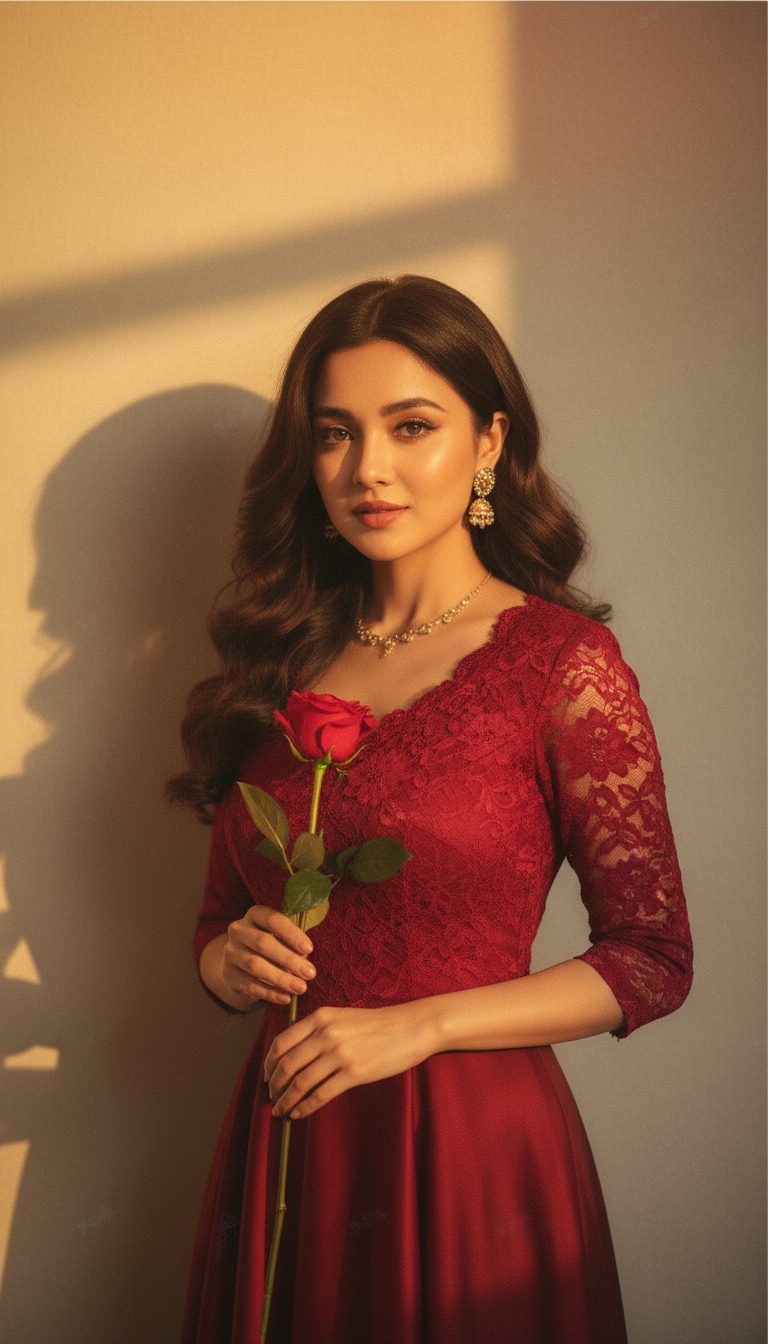
01
Prompt-zu-Bild-Erstellung
Beginnen Sie mit einem Text-Prompt und erstellen Sie Porträts, Poster, Thumbnails, Avatare, Produktvisuals, Wallpaper und Kampagnenkonzepte mit mehreren KI-Modellen.
 Nano Banana 2
Suchen Sie nach Yasand AI, der Yasand AI App, Meigen AI, Inspova AI, Yesand AI, Multigen AI, YouMind AI, oder MyGen AI? Media.io vereint KI-Bildgenerierung, Prompt-Inspiration, Fotobearbeitung und Bild-zu-Video-Erstellung in einem Online-Arbeitsbereich, sodass Sie von einer Idee zu einem ausgefeilten Visual gelangen können, ohne die Plattform zu wechseln.
Nutzer, die Yasand AI und ähnliche Plattformen erkunden, wünschen sich meist schnelle kreative Inspiration, wiederverwendbare Prompts, hochwertige KI-Bilder und einen einfacheren Weg, Ideen in Social-Media-Beiträge, Marketing-Visuals und Kurzvideos umzuwandeln.
Media.io ist für Kreative entwickelt, die Inspiration und Produktion an einem Ort vereinen möchten. Durchsuchen Sie Prompt-Ideen, generieren Sie KI-Bilder, bearbeiten Sie Fotos und animieren Sie Ergebnisse mit einem vernetzten Workflow zu Videos – weit über ein einfaches Inspirations-Board hinaus.
Beginnen Sie mit einem Text-Prompt und erstellen Sie Porträts, Poster, Thumbnails, Avatare, Produktvisuals, Wallpaper und Kampagnenkonzepte mit mehreren KI-Modellen.
Verwenden Sie prompt-basierte Bearbeitung, um Stil, Hintergrund, Beleuchtung, Outfit, Szene, Stimmung und Komposition zu ändern, ohne erweiterte Designsoftware zu öffnen.
Entdecken Sie fertige Inspo-KI-Prompt-Ideen für Instagram-Bearbeitungen, cineastische Porträts, Pärchen-Fotos, Festival-Beiträge, Retro-Stile, Produkte und Social-Media-Trends.
Anstatt nach einer Yasand AI App oder separaten Meigen AI-, Inspova AI- und MyGen AI-Tools zu suchen, erstellen und bearbeiten Sie Bilder online vom Desktop, iPhone, Android oder Tablet.
Öffnen Sie Media.io in Ihrem Browser und wählen Sie Text-zu-Bild, Bild-zu-Bild, Fotobearbeitung oder Bild-zu-Video basierend auf Ihrem kreativen Ziel.
Beschreiben Sie das Motiv, das Referenzbild, den Stil, den Hintergrund, die Beleuchtung, die Pose, die Stimmung, das Format und die endgültige Verwendung. Sie können auch eine der unten aufgeführten gespeicherten Prompt-Vorlagen kopieren.
Sehen Sie sich das Ergebnis in der Vorschau an, verfeinern Sie den Prompt, bearbeiten Sie weiter oder animieren Sie das Bild zu einem Video. Laden Sie das fertige Asset für Instagram, TikTok, Anzeigen, Thumbnails, Blogs oder persönliche Projekte herunter.
Nutzen Sie Media.io, wenn Sie mehr als Inspiration benötigen: Visuals generieren, vorhandene Fotos bearbeiten, Prompts erkunden und direkt aus einem Arbeitsbereich in die KI-Videoerstellung übergehen.
Erstellen Sie realistische Porträts, Reise-Looks, Mode-Bearbeitungen, Produktbilder, cineastische Poster und Social-Profile-Fotos aus einfachen Prompts.
Diesen Ablauf ausprobieren ›Bearbeiten Sie ein vorhandenes Bild mit Prompts: Hintergrund ändern, Requisiten hinzufügen, Beleuchtung verbessern, Outfits neu gestalten oder ein gewöhnliches Foto in ein trend-gerechtes Visual verwandeln.
Mit KI bearbeiten ›Durchsuchen Sie Prompt-Playbook-Seiten, kopieren Sie Prompt-Ideen und erstellen Sie beliebte Instagram-, TikTok-, Pärchen-, Retro-, Produkt- und cineastische Fotoeffekte nach.
Prompts erkunden ›Erstellen Sie zuerst ein starkes KI-Bild und verwenden Sie es dann als Eröffnungsframe, Thumbnail, Konzept-Board oder Bild-zu-Video-Asset für Kurzform-Inhalte.
KI-Video erkunden ›Erkunden Sie die gespeicherten Prompt-Ressourcen als Inspirationsbibliothek. Jede Karte enthält eine visuelle Referenz, eine Prompt-Richtung, Stil-Keywords, eine Kopieraktion und einen direkten Weg, ein ähnliches KI-Foto in Media.io zu erstellen.
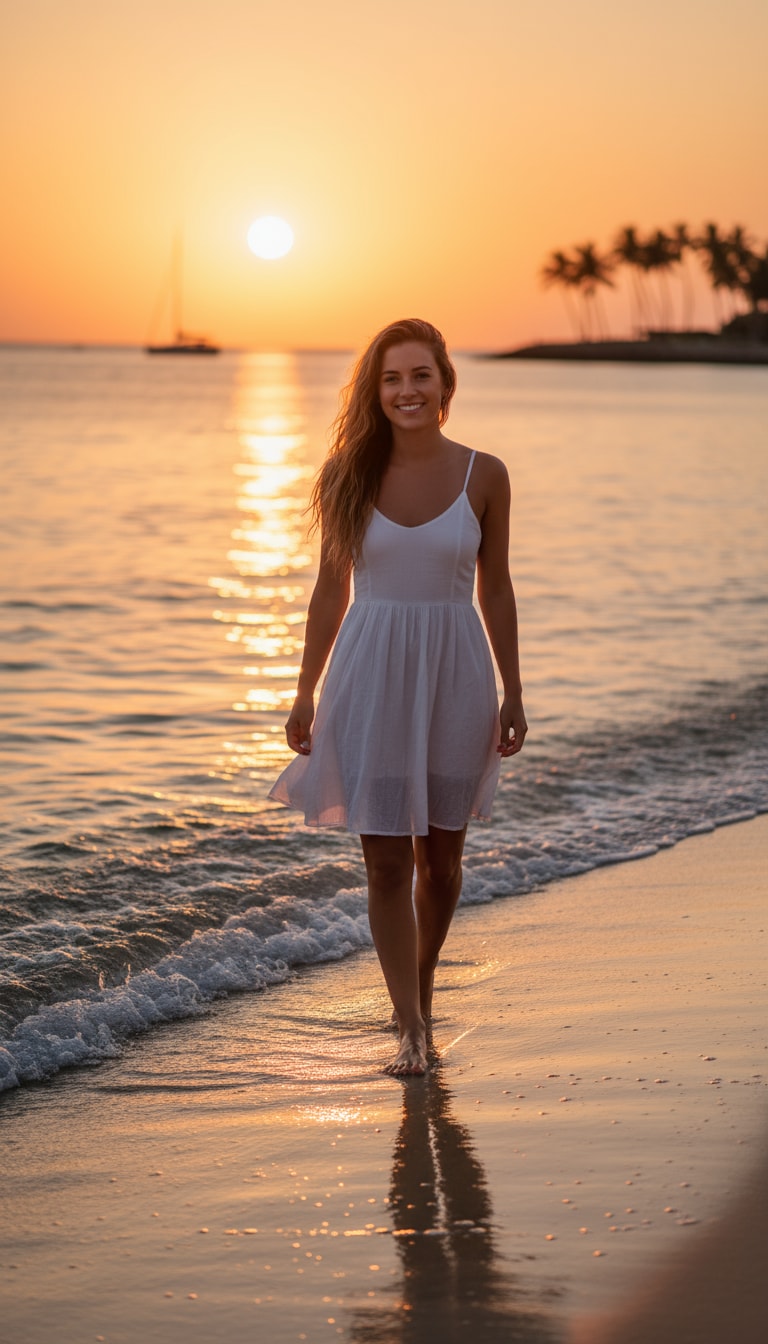
Ein Strand-Mädchen, das barfuß an der Küste während der goldenen Stunde entlangläuft. Ihr Haar tanzt in der Meeresbrise, und das Sonnenlicht küsst ihre Haut mit einem warmen, cineastischen Glanz. Sanfte Wellen spiegeln orange und rosa Farbtöne wider, während sie natürlich in die Kamera lächelt.
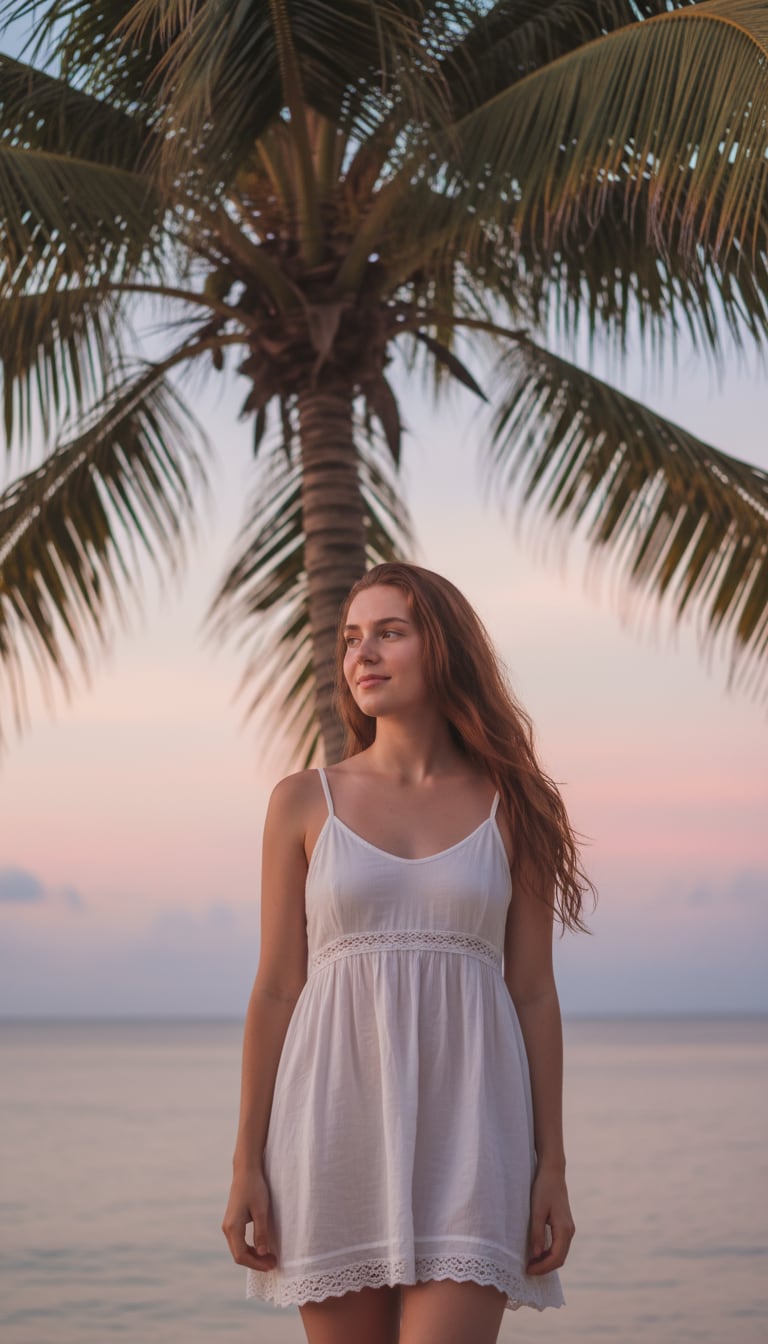
Ein Mädchen in einem weißen Sommerkleid steht neben einer Palme, weiche Schatten fallen über ihr Gesicht. Der Horizont leuchtet in Pastellfarben, und ihr sanfter Ausdruck wirkt ruhig und lebendig, wie ein verträumter Vlog-Moment.

Ein Mann geht oben ohne am Strand entlang, Jeans hochgekrempelt, Sonnenlicht spiegelt sich auf nassem Sand. Sein selbstbewusster Ausdruck und die cineastische Beleuchtung erzeugen eine Lifestyle-Magazin-Energie.
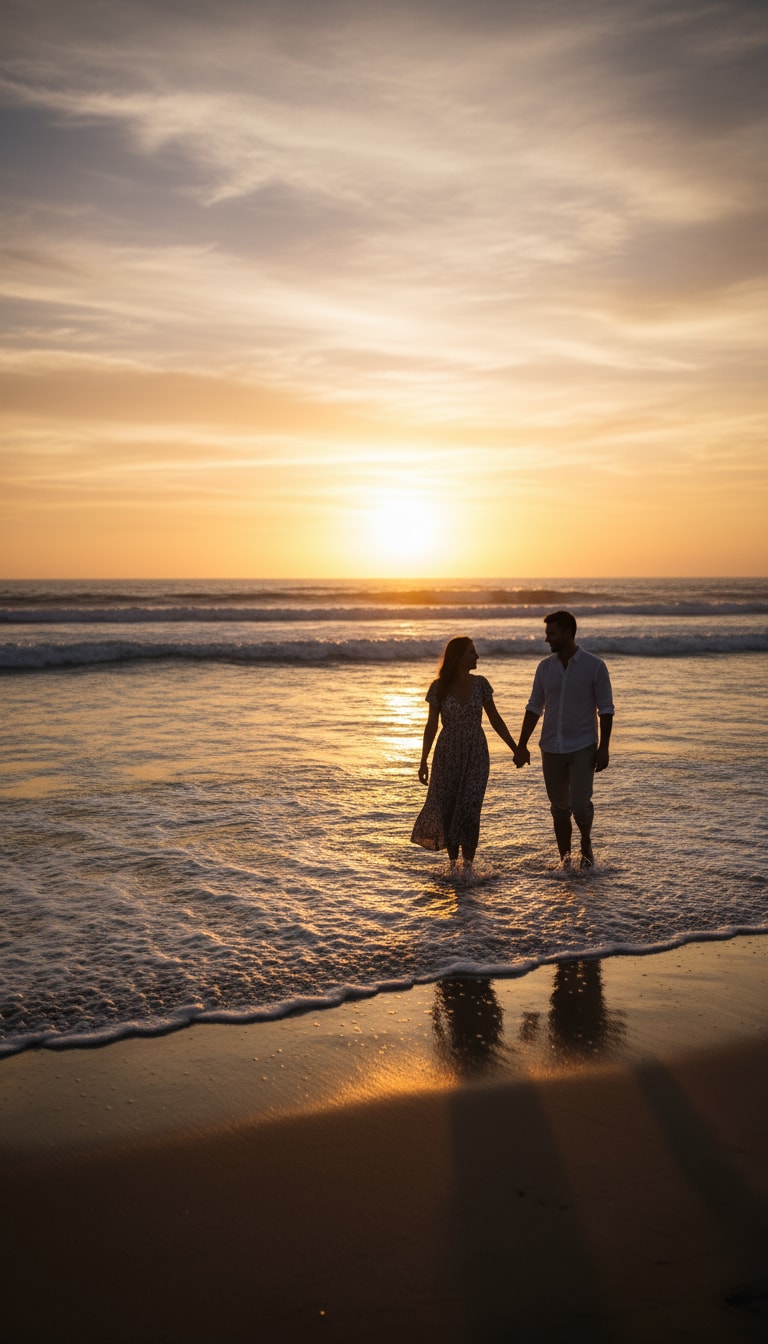
Ein Pärchen geht Hand in Hand entlang der Küste, Wellen berühren ihre Füße. Der Sonnenuntergang malt ihre Silhouetten in sanftes Gold.
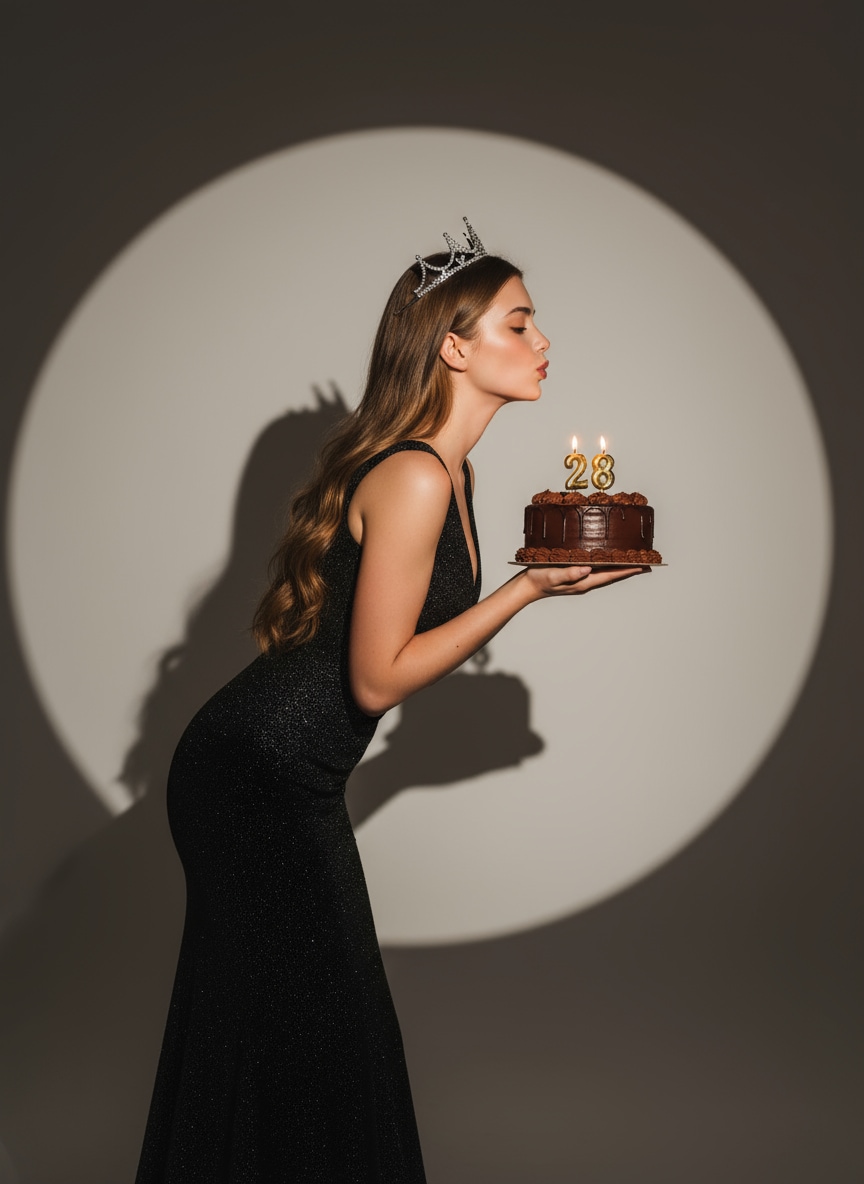
Erstellen Sie ein glamouröses Gemini AI Geburtstags-Porträt — elegante Frau hält eine Schokoladentorte unter einem warmen Scheinwerfer, trägt ein glitzerndes schwarzes Abendkleid und eine silberne Krone. Ein cineastischer, moderner Google Gemini AI Foto-Vibe.
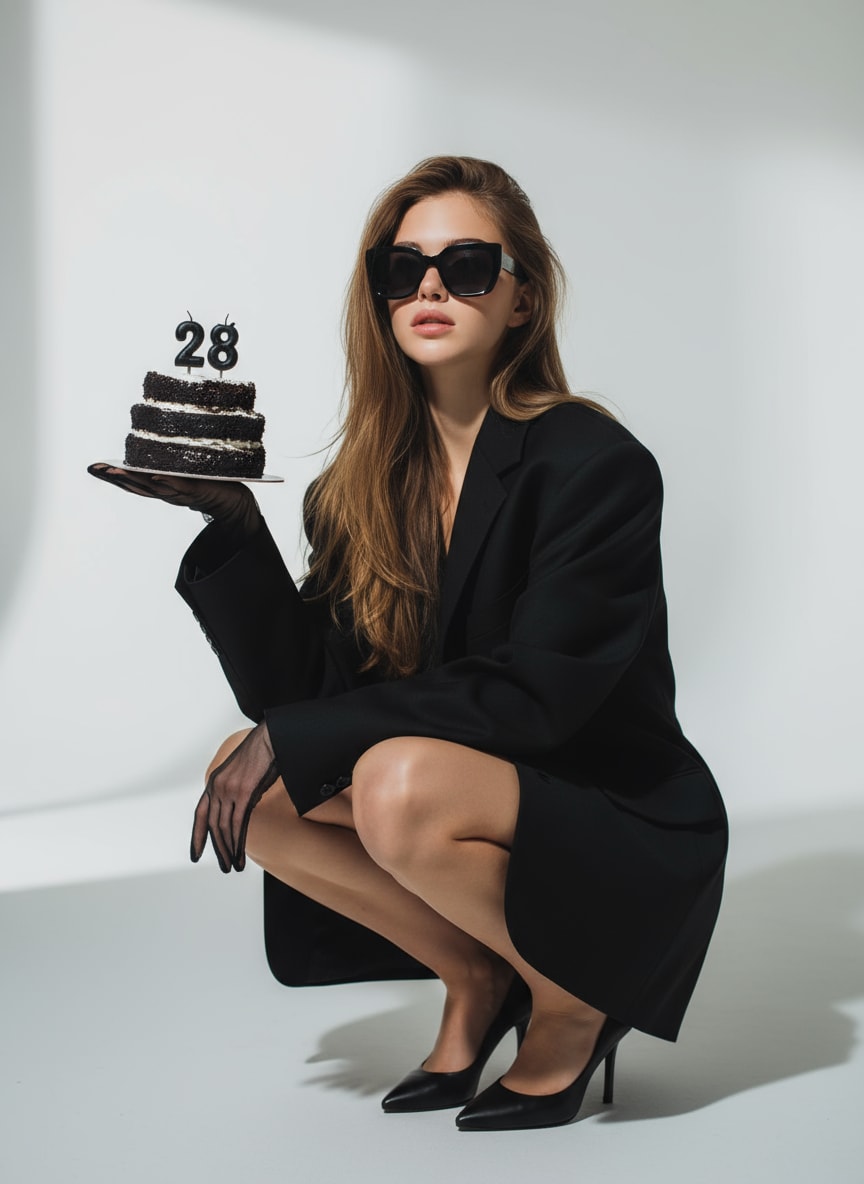
Ein stilvoller Gemini AI Foto-Prompt für Geburtstag — Frau in schwarzem oversized Blazer und Sonnenbrille, hält eine Torte mit brennenden „28"-Kerzen. Dramatische Beleuchtung und minimaler Studio-Hintergrund.
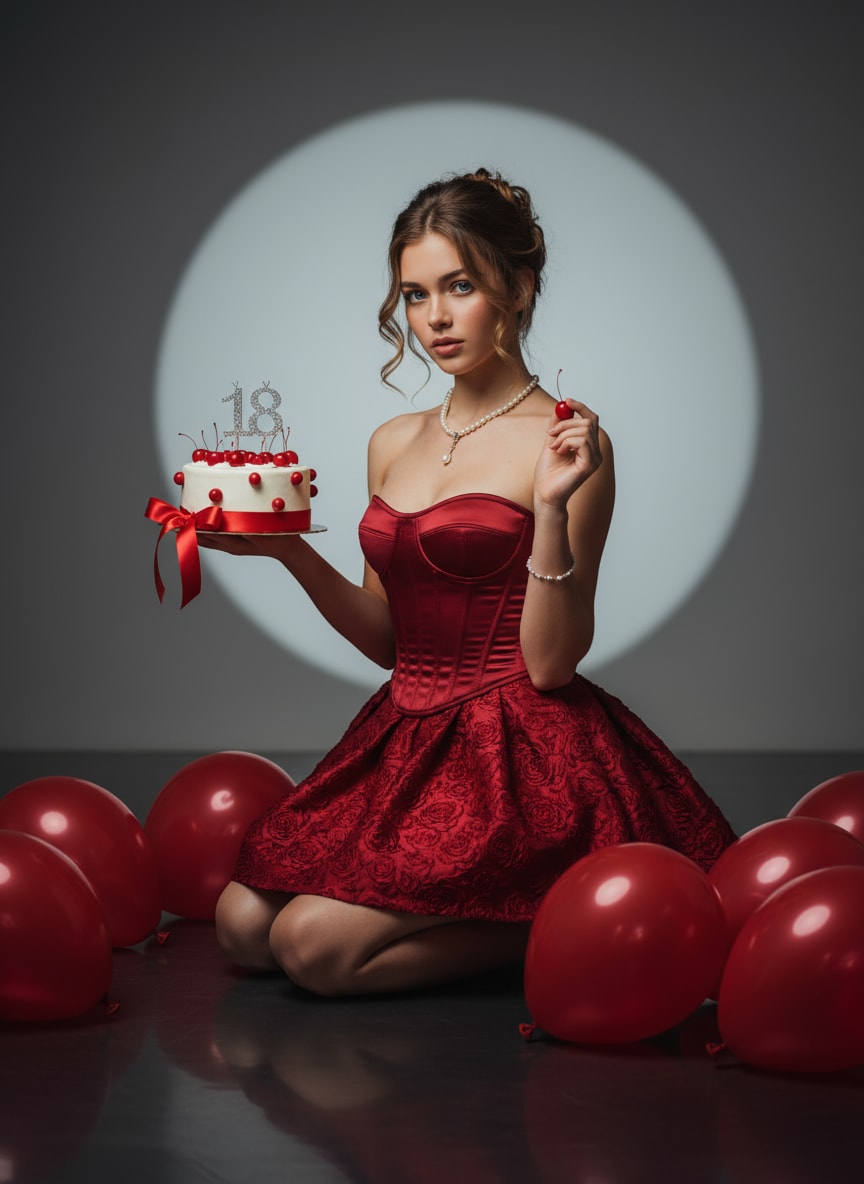
Ein atemberaubender KI-Geburtstagsmädchen-Prompt — roter Satin-Korsett, Perlenschmuck, Scheinwerfer-Glanz und kirschverzierte Torte. Ideal für elegante Google Gemini AI Fotoaufnahmen.
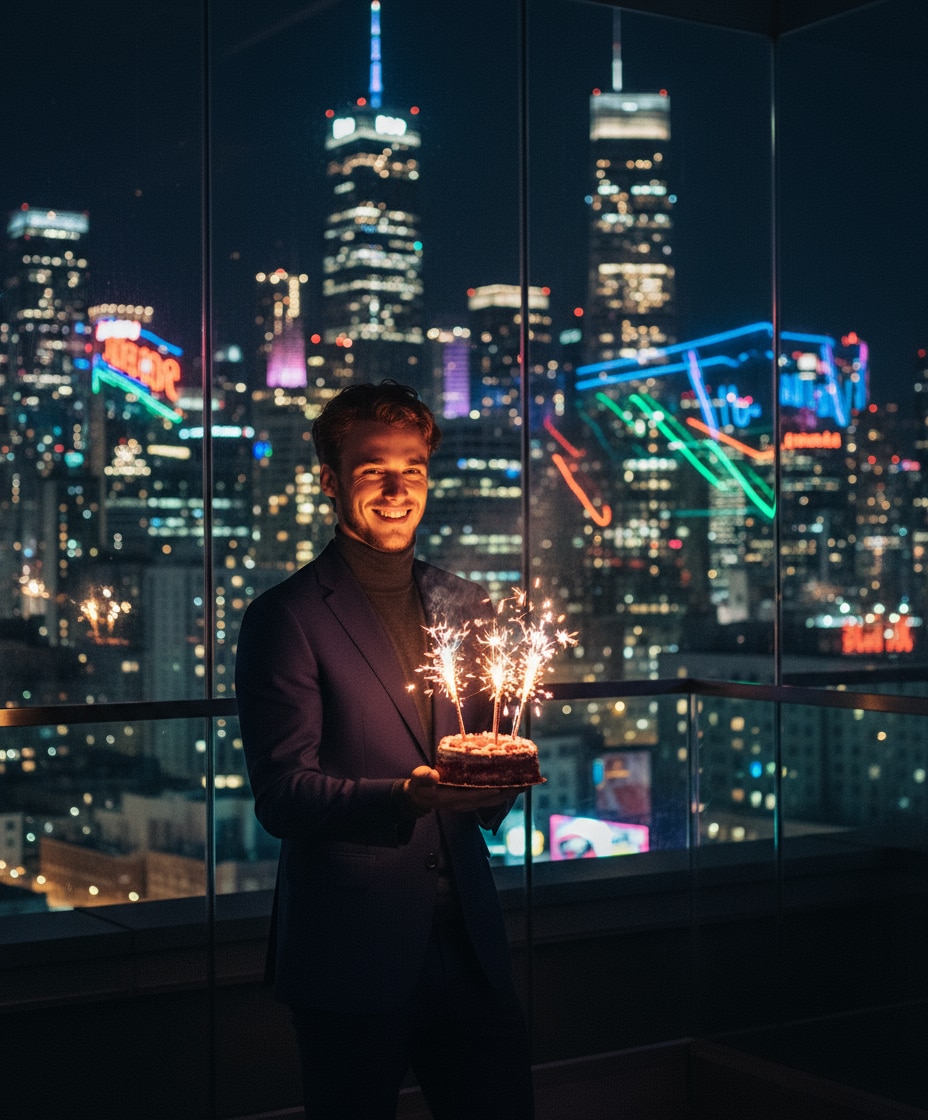
Ein cineastischer Nacht-Hintergrund, Torte mit Wunderkerzen und Neon-Stadtreflexionen — ein stilvoller Gemini AI Geburtstags-Foto-Prompt für kreative Prompt-Kopieren-Einfügen-Ideen.

Ein fotorealistisches Porträt der Person aus dem hochgeladenen Bild. Ein schneidiger Mann mit gelb getönten Sonnenbrillen und einem stilvollen weißen Dreiteiligen Anzug, sitzend auf einem roten Cabriolet am Meer bei klarem, sonnigem Wetter.
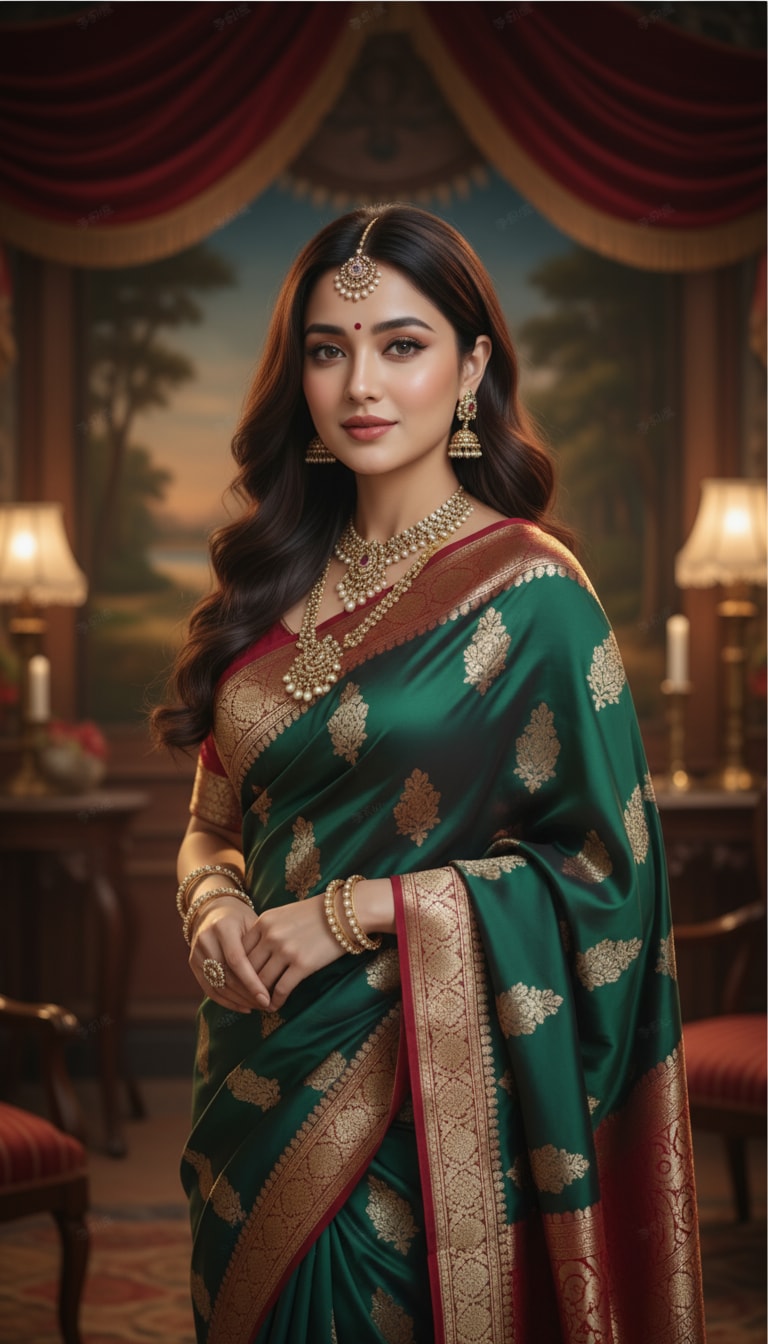
Ein schönes Mädchen in einem fließenden Seidensaree, traditionellem indischen Schmuck und sanftem Make-up, stehend in einem Vintage-Bollywood-Studio-Setting mit cineastischer Beleuchtung und realistischen Texturen.
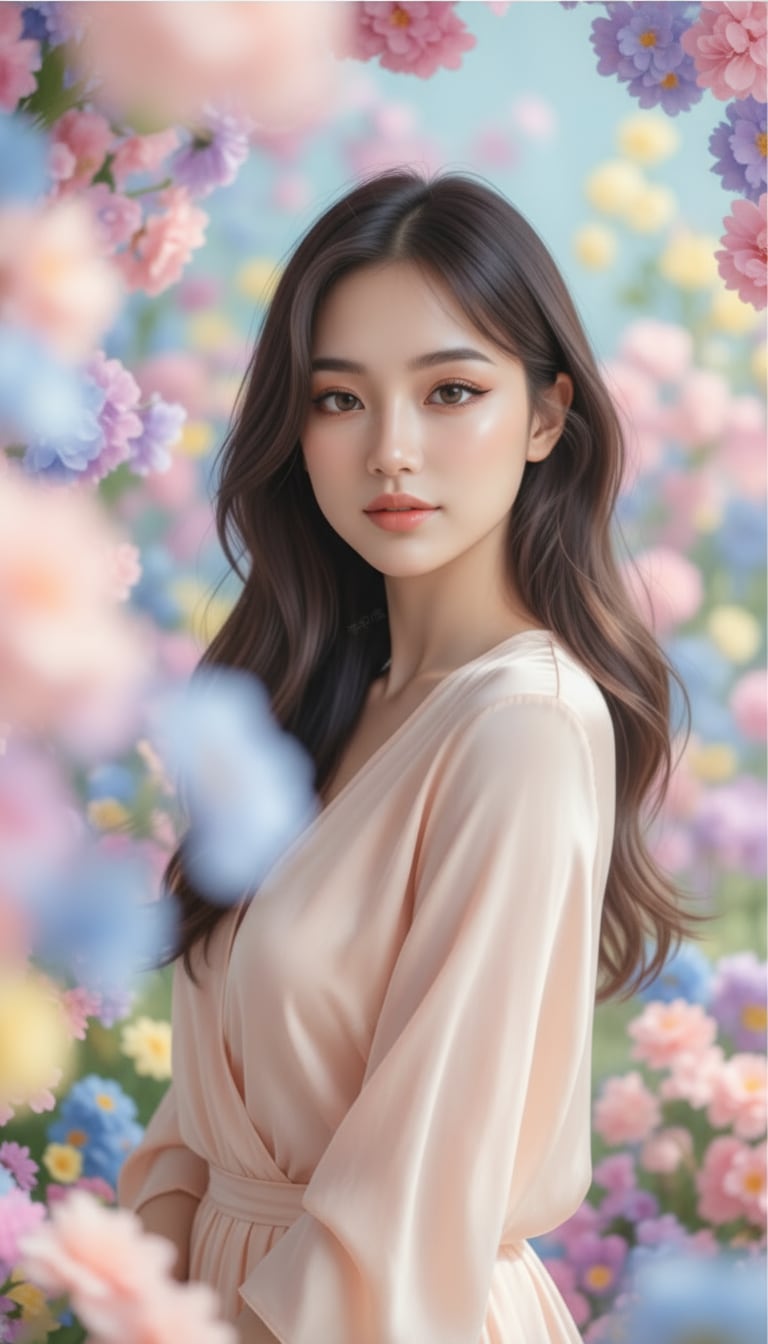
Ein verträumtes ästhetisches Porträt eines Mädchens mit Pastelltönen, sanft leuchtender Haut, sanfter Beleuchtung, blühenden Blumen, cineastischem Bokeh und einem eleganten Pinterest-inspirierten Instagram-Stil.
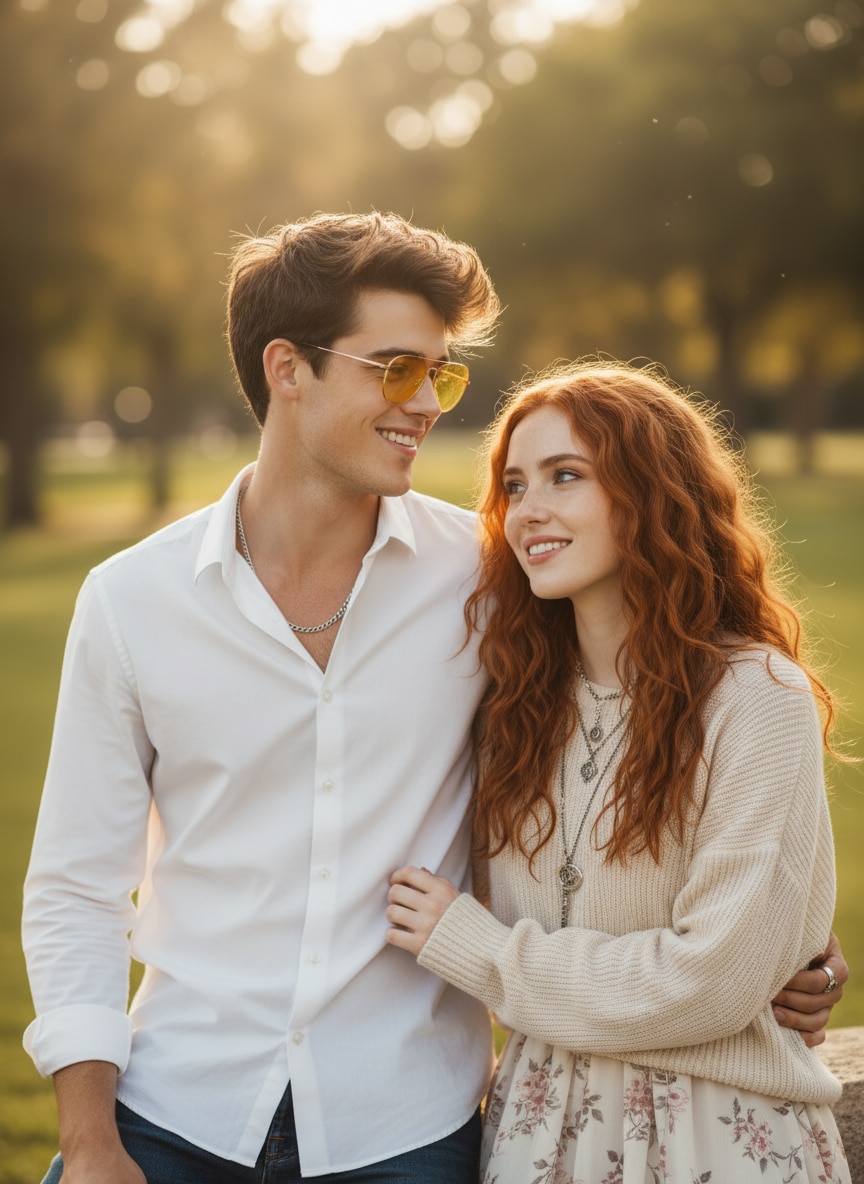
Kombiniere Bild 1 und Bild 2 zu einem natürlichen Paarporträt. Bewahre beide Gesichter exakt, platziere sie nah beieinander mit entspannten Lächeln, weichem Tageslicht, subtlem Gegenlicht und realistischer Hauttextur.
Yasand AI, Meigen AI, Inspova AI, Multigen AI, YouMind AI und MyGen AI konzentrieren sich möglicherweise auf verschiedene Bereiche der Inspiration oder Generierung. Media.io verbindet Prompt-Entdeckung, Bilderstellung, Fotobearbeitung und KI-Videoproduktion in einem einzigen Workflow.
| Entscheidungspunkt | Typische Yasand AI-Absicht | Media.io |
|---|---|---|
| Hauptnutzung | Inspiration, Prompts und KI-gestützte kreative Ideen finden. | Bilder generieren, Fotos bearbeiten und mit Bild-zu-Video und umfassenderen KI-Medien-Workflows fortfahren. |
| Am besten geeignet für | Nutzer, die Yasand AI, Meigen AI, Inspova AI, Multigen AI, YouMind AI oder MyGen AI vergleichen. | Kreative, Vermarkter, Studierende, Shop-Betreiber, Blogger und Social-Media-Nutzer, die einen einfachen Online-Produktionsweg möchten. |
| Prompt-Kontrolle | Die Ergebnisse hängen von der Prompt-Detailgenauigkeit, der Modellauswahl, der Quellbildqualität und davon ab, ob der Nutzer mit Text oder einem Bild beginnt. | Geführter Workflow für Motiv, Referenzbild, Hintergrund, Beleuchtung, Stil, Plattformgröße und virale Prompt-Ausrichtung. |
| Kreative Stile | Häufige Suchanfragen umfassen Yasand AI App, Meigen AI, Inspova AI, Yesand AI, Multigen AI, YouMind AI, MyGen AI und Inspo AI Prompt. | Unterstützt Porträts, Retro-Bearbeitungen, Paarfotos, Produktanzeigen, Thumbnails, Kinoplakate und trendbasierte Gemini-Prompt-Seiten. |
| Workflow-Klarheit | Einige Nutzer suchen separat nach mehreren Inspirations-, Prompt-, Bildgenerator-, Editor- und Video-Tools. | Ein direkter Weg: Ein Tool auswählen, einen Prompt kopieren, generieren, verfeinern, herunterladen und weitere Media.io Gemini-Prompt-Playbook-Seiten erkunden. |
Du hauptsächlich Inspiration, Prompt-Entdeckung oder einen leichten Ort zum Organisieren kreativer Ideen möchtest.
Du Prompt-Inspiration sowie tatsächliche Bildgenerierung, Bearbeitung, Verbesserung und KI-Videoerstellung auf einer Online-Plattform möchtest.

„Von der Inspiration zum Ergebnis." Ich nutze Media.io, um von Inspo-AI-Prompts zu fertigen Trend-Stil-Porträts zu gelangen, ohne die Tools zu wechseln.

„Alles an einem Ort." Media.io hilft mir, Produktentwürfe, Kampagnenkonzepte und Kurzvideos aus einem einzigen Arbeitsbereich zu erstellen.

„Tolle Modellauswahl." Ich kann kreative Richtungen vergleichen, Hintergründe bearbeiten und fertige Bilder in Videos umwandeln, ohne mehrere separate KI-Apps zu verwalten.
Yasand AI wird als KI-Kreativitäts- und Inspirationstool gesucht. Nutzer suchen typischerweise nach Prompt-Ideen, visuellen Referenzen, Bildgenerierung oder einer App, die hilft, kreative Konzepte in nutzbaren Content umzuwandeln. Media.io erfüllt diese Anforderung mit Prompt-Inspiration sowie direkten KI-Bild-, Fotobearbeitungs- und Videogenerierungs-Workflows.
Ja. Media.io geht über Inspiration hinaus, indem es KI-Bildgenerierung, Prompt-basierte Fotobearbeitung, Bildverbesserung, Effekte und Bild-zu-Video-Erstellung kombiniert. Dies macht es für Kreative nützlich, die von einer Idee zu einem fertigen Asset in einem browserbasierten Arbeitsbereich gelangen möchten.
Diese Namen erscheinen in Suchanfragen nach KI-Inspirations-, Prompt-Entdeckungs-, Generierungs- oder Produktivitätstools. Ihre Funktionen können sich unterscheiden, aber der gemeinsame Nutzerbedarf ist meist schnellere kreative Ideenfindung. Media.io erfüllt diesen Bedarf und bietet gleichzeitig die Tools zum Generieren, Bearbeiten, Verfeinern und Animieren des endgültigen Visuals.
Ja. Media.io bietet Prompt-Beispiele und thematische Prompt-Seiten für Porträts, Paare, Geburtstage, Produkte, Kino-Szenen, Anime, Mode, Reisen und Social-Media-Trends. Die gespeicherten Ressourcenkarten auf dieser Seite ermöglichen es dir, einen Prompt zu kopieren oder sofort einen passenden Erstellungsflow zu öffnen.
Für die Nutzung von Media.io ist kein Download erforderlich. Öffne die Website auf dem Desktop oder Mobilgerät, wähle einen Bild- oder Video-Workflow, gib einen Prompt ein oder lade eine Referenz hoch und erstelle online. Konto-, Guthaben- und Modellanforderungen können je nach Funktion variieren.
 4,7 (162.357 Stimmen)

