Bild zu Bild
Nano Banana Pro
Bild hochladen
0 / 9
Klicken oder ziehen, um hochzuladen, oder wählen Sie aus Meine Historie
Keine Ideen? Erstellen Sie zuerst ein Bild. >
Unterstützte Upload-Formate: jpg, png, jpeg.
Tipps
0/2000
1K
Auto
1
Banana Pro Unbegrenzter Modus
Öffentliche Sichtbarkeit
Alle
Bild
Video
Audio
Liste generieren
Die generierten Ergebnisse werden 7 Tage lang aufbewahrt. Bitte speichern Sie sie rechtzeitig.
ai_video_generatorEntfalten Sie Ihr kreatives Potenzial und erleben Sie jetzt die Magie der Media-KI!

Dog AI Image Generator for Stunning Pet Photo Transformations

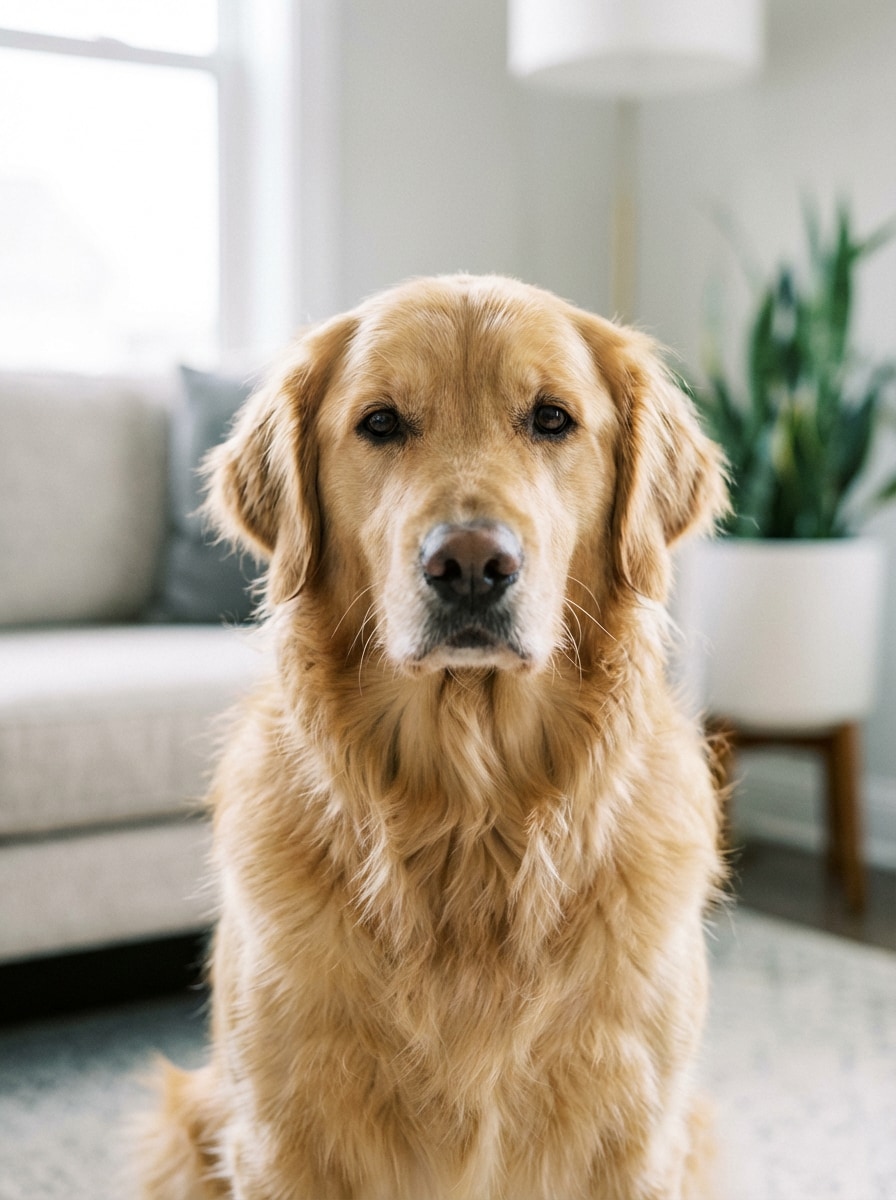
Dog AI Before
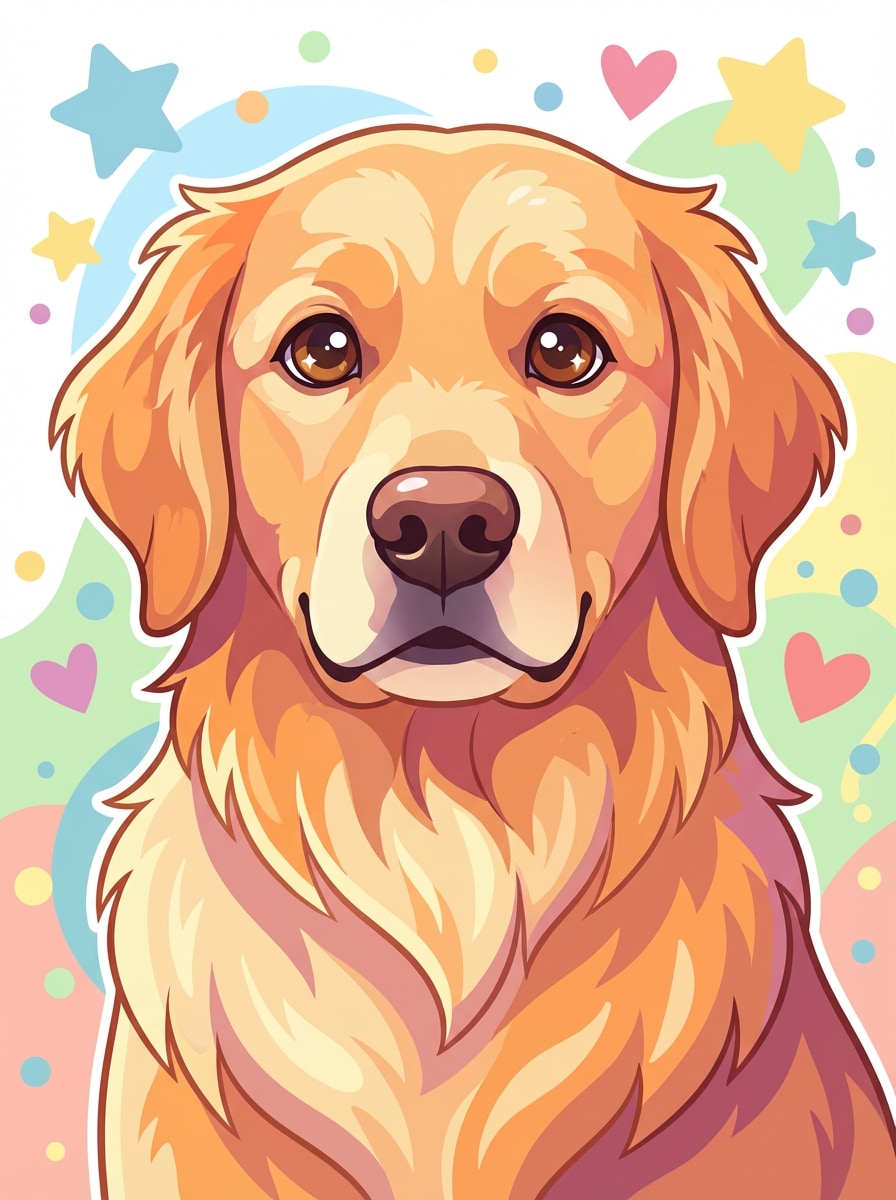
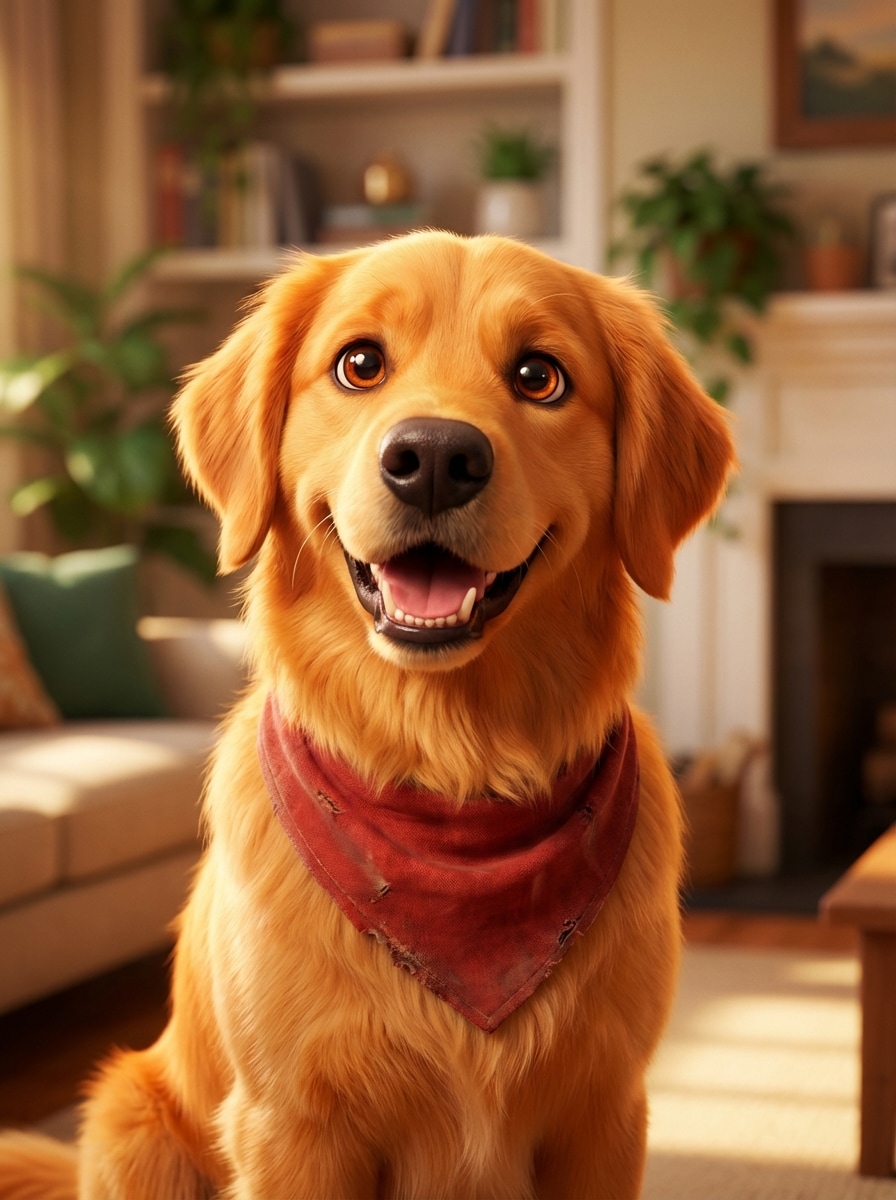
Dog AI After

Turn a favorite dog photo into polished AI art in minutes. Upload your image, choose a style like cartoon, watercolor, royal portrait, or studio realism, and create shareable, printable pet portraits while keeping your dog's unique look recognizable.

Create My Dog AI Art

Type your idea -> AI designs it. Free to try.

Explore our curated collection of dog ai styles.

Pixar-Inspired 3D Dog

Pixar-Inspired 3D Dog

Use the uploaded image as the subject and transform this dog into a charming 3D animated movie-style portrait with large expressive eyes, soft fluffy fur, warm cinematic lighting, vibrant yet balanced colors, a clean softly blurred background, playful personality, polished family-film rendering, and high detail.

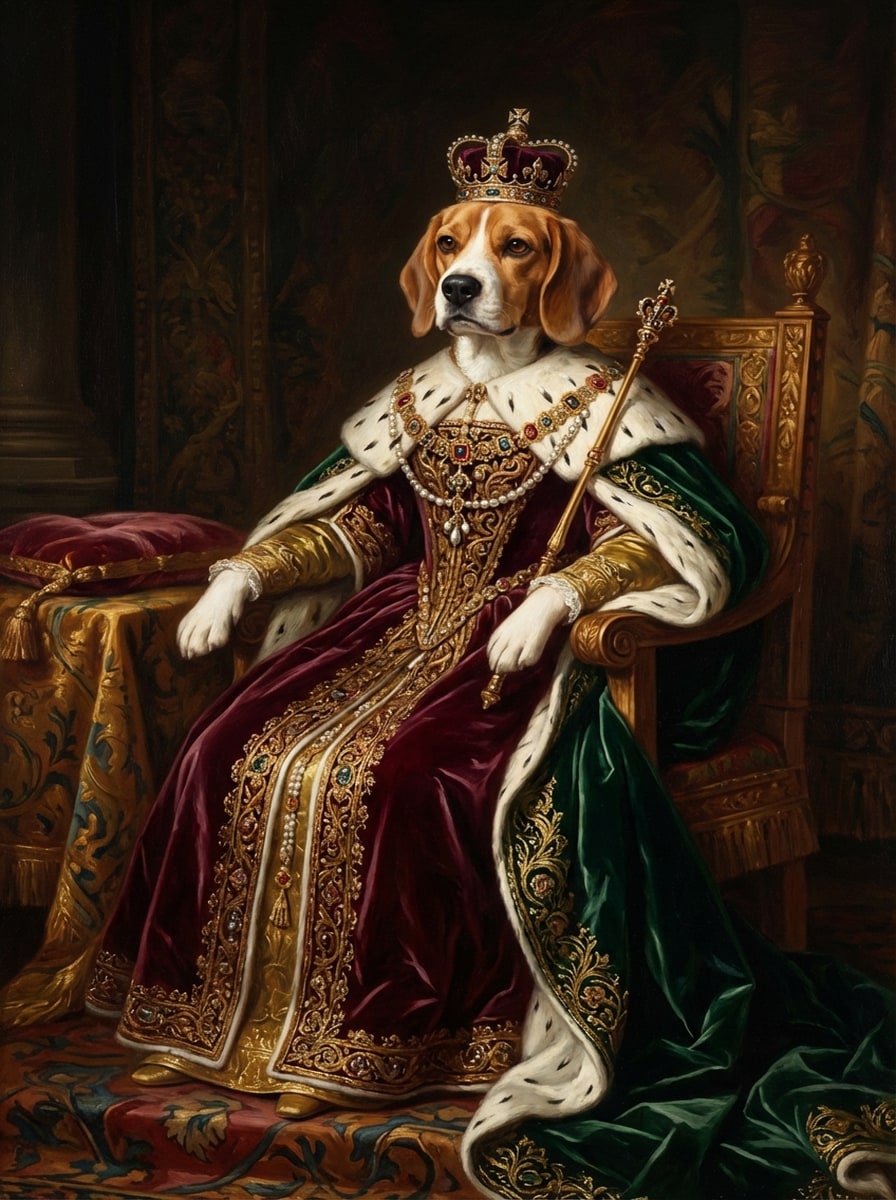
Royal Oil Painting Dog

Royal Oil Painting Dog

Use the uploaded image as the subject and turn this dog into a regal classical oil painting with ornate royal clothing, rich velvet textures, detailed gold embroidery, dramatic museum lighting, deep burgundy and emerald tones, painterly brushstrokes, stately composition, and accurate facial likeness preserved.

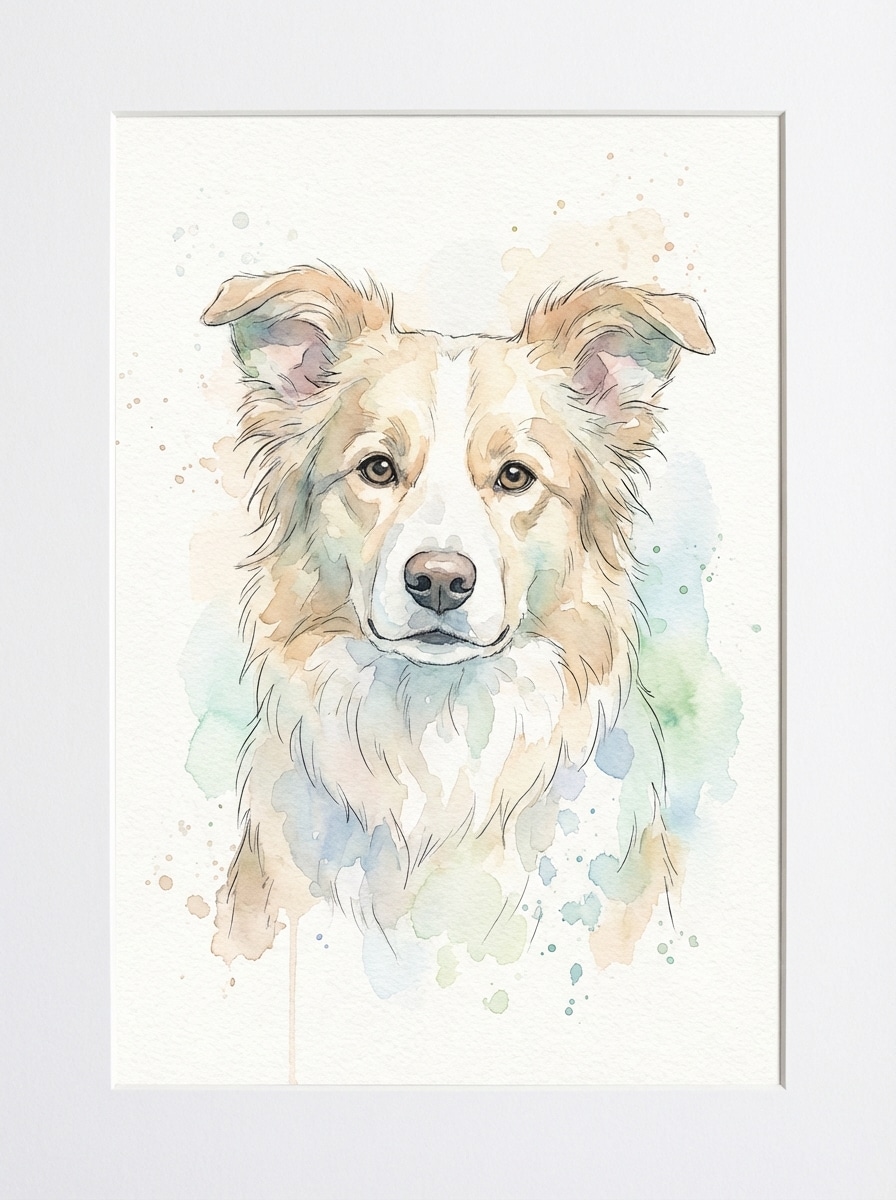
Watercolor Pet Portrait

Watercolor Pet Portrait

Use the uploaded image as the subject and transform this dog photo into a delicate watercolor portrait with soft pastel washes, subtle ink outlines, gentle paper texture, light splatter details, airy composition, calm emotional mood, natural fur color harmony, and a recognizable face for gift-ready wall art.

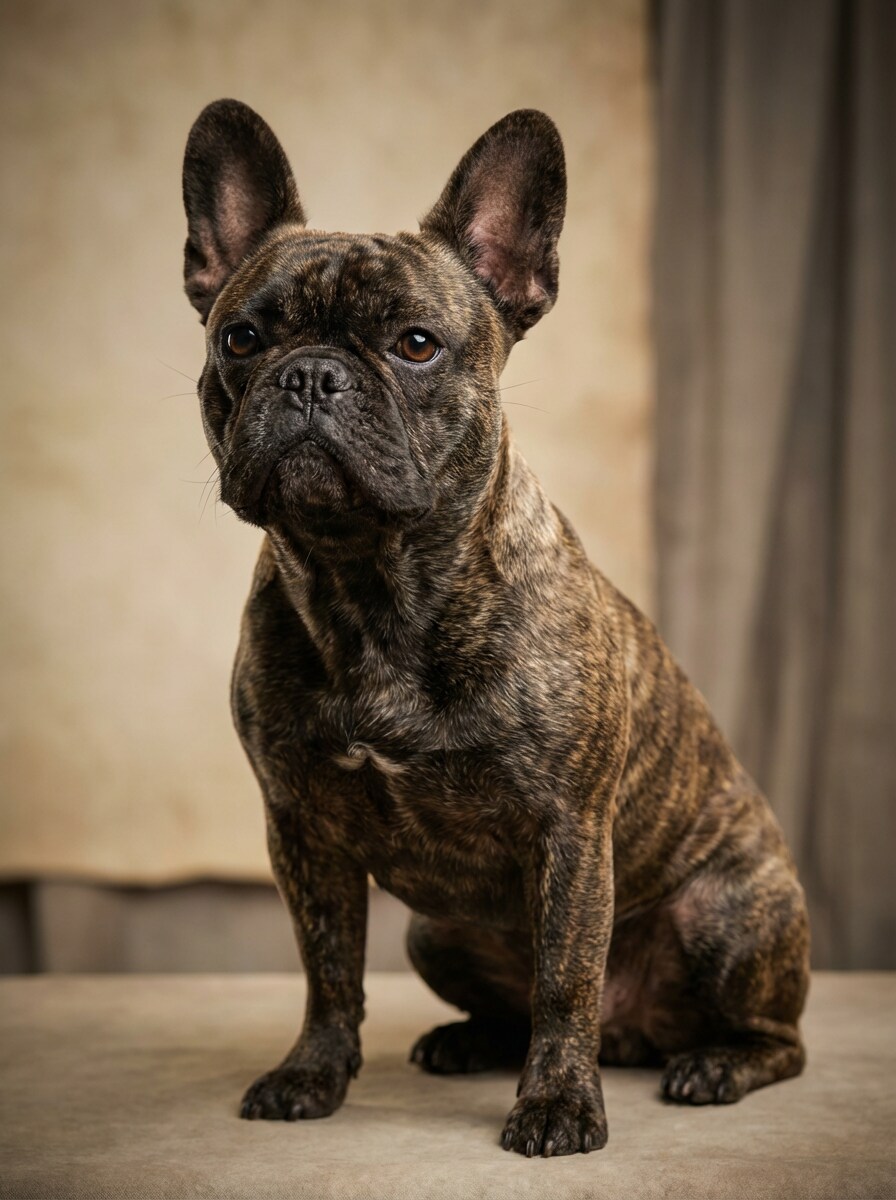
Studio Glamour Dog

Studio Glamour Dog

Use the uploaded image as the subject and create a premium studio dog portrait with sharp fur detail, softbox lighting, subtle rim light, shallow depth of field, elegant neutral backdrop, realistic color grading, refined composition, glossy professional photography feel, and breed features kept clear and natural.

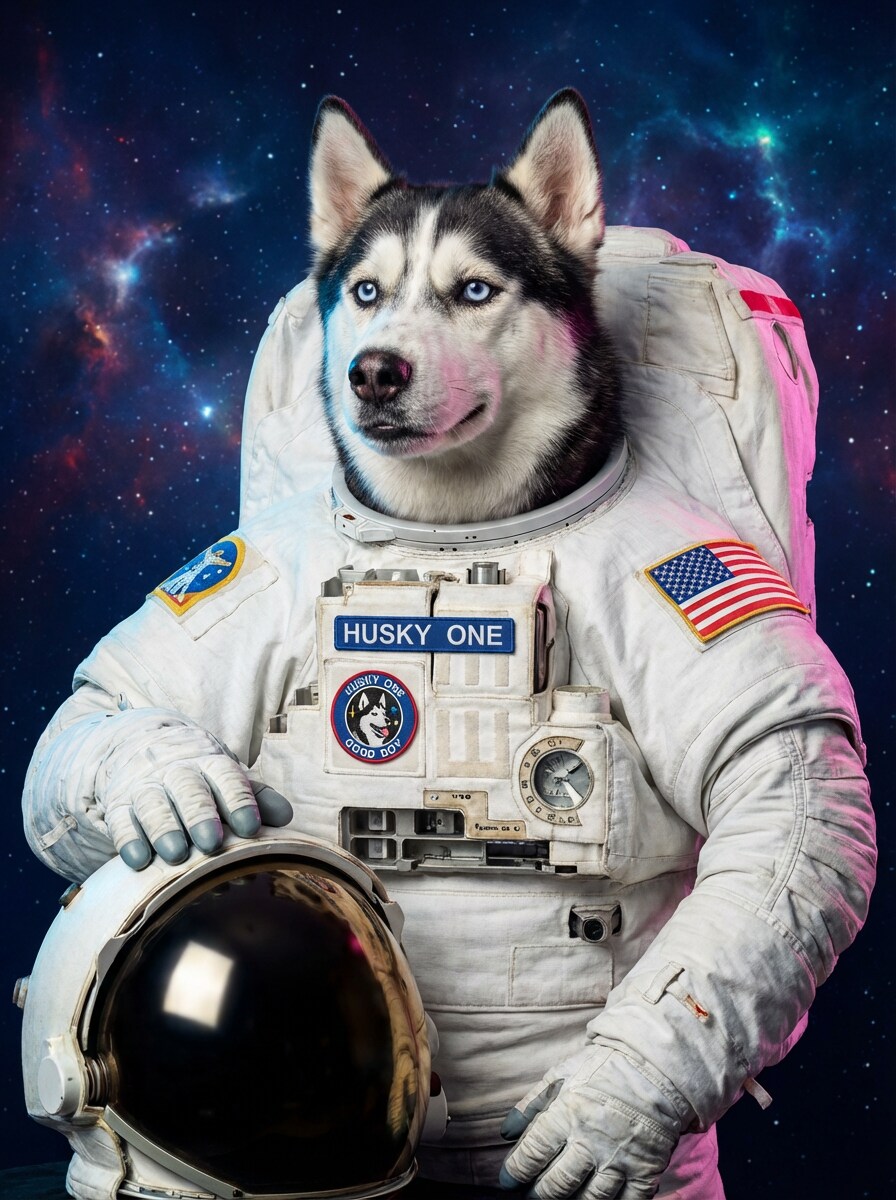
Profession-Themed Dog

Profession-Themed Dog

Use the uploaded image as the subject and turn this dog into a humorous profession-themed portrait, such as an astronaut, chef, or firefighter, with realistic costume integration, confident pose, clean background, bright cinematic lighting, vivid color contrast, expressive face, and the dog's recognizable features preserved.

Why Use Media.io for Dog AI Photo Transformations

Built for Dog Photo to AI Art Workflows

Upload a JPG, PNG, or JPEG dog photo and use image-to-image generation to turn it into cartoon art, painterly portraits, or polished studio-style edits with a guided, browser-based workflow.

Recognizable Breed Detail with Advanced Models

Powered by Nano Banana Pro, Nano Banana 2, and specialized models like Media 2.0, Media.io helps preserve key facial features, coat patterns, and overall pet identity during style transformation.

Flexible Quality, Aspect Ratios, and Batch Output

Generate 1 to 4 images at a time, choose aspect ratios like 1:1, 3:4, 4:3, or 9:16, and export in 1K, 2K, or 4K for social sharing, framed prints, gifts, or memorial art.

Works on Any Device, Right in Your Browser

Create dog AI portraits on Windows, Mac, iPhone, iPad, or Android without installing software. Media.io runs online, making it easy to edit pet photos from desktop or mobile.

How to Make Dog AI Art on Media.io

1
2
3
1
Open Media.io Dog AI Image Generator

Go to AI Image to Image Generator and open the Dog AI Image Generator under AI -> AI Image Generator. This online tool runs in your browser, so you can create AI dog portraits on desktop, phone, or tablet without installing anything.

2
Upload Your Dog Photo and Enter a Prompt

Upload a clear JPG, PNG, or JPEG image of your dog. Then add a detailed prompt like, "Use my dog's photo to create a watercolor pet portrait with soft pastel tones, paper texture, gentle lighting, and a recognizable face." Adjust the style, aspect ratio, resolution, and image count as needed.

3
Generate, Refine & Download

Click Generate to create your dog AI image. If needed, refine the prompt or try another style such as cartoon, royal painting, or studio portrait. When you're happy with the result, download a high-resolution version for sharing, gifting, or printing.

Step 1
Step 2
Step 3

Unlock the Potential of Dog AI

Discover how creators and professionals are using our AI-powered Dog AI to transform their creative workflows and bring unique ideas to life.

Create Share-Worthy Social Dog Portraits

Turn everyday pet photos into eye-catching AI dog art for TikTok, Instagram, or profile pictures. Styles like 3D cartoon, studio glamour, and funny profession edits help your dog stand out in feeds while keeping the original personality visible.

Design Custom Gifts and Printable Wall Art

Use dog AI to make personalized pet portraits for birthdays, holidays, memorial keepsakes, or home decor. Watercolor, royal oil painting, and minimalist styles are especially effective when you want a polished result that feels personal and frame-worthy.

Visualize Multiple Looks from One Dog Photo

Experiment with several creative directions from the same upload, from realistic editorial portraits to fantasy hero concepts. This is ideal for pet brands, creators, and dog owners who want fast variations for content, merch, or custom commissions.

What Users Say About Media.io Dog AI

user
Emily Carter

Pet Owner

star star star star star

"Perfect for turning dog photos into giftable art" I uploaded a photo of my corgi and got a watercolor portrait that actually looked like him. The face stayed recognizable, and the final image was nice enough to print as a gift.

user
Jason Miller

Content Creator

star star star star star

"Fast dog AI styles for social posts" The cartoon and studio portrait results worked great for my pet content. I liked being able to try multiple versions quickly and get clean, high-quality visuals without complicated editing.

user
Priya Nair

Etsy Seller

star star star star star

"Useful for custom pet portrait mockups" Media.io helped me test different dog art styles before creating final customer products. The royal painting look and printable formats were especially helpful for my shop workflow.

user
Marcus Lee

Dog Parent

star star star star star

"Easy on mobile and simple to use" I made an AI portrait of my husky right from my phone. The process felt straightforward, and I appreciated that I could switch styles and download a sharper version once I found the look I wanted.

Dog AI Image Generator FAQs

1. How do I make an AI image of my dog?

To make an AI image of your dog, open Media.io's dog AI image generator, upload a JPG, PNG, or JPEG photo, and enter a style prompt describing the look you want. You can turn your dog photo into cartoon art, watercolor, a royal portrait, or a realistic studio-style image, then generate and download the result in your preferred resolution.

Yes. Free users can try dog AI with available free credits. If you want more generations or higher-output options, you can upgrade on the pricing page. Free exports may include a watermark, while paid plans support watermark-free downloads. Free users can use free credits. For more usage, users can subscribe to a plan on the pricing page.

You can transform a dog photo into many popular AI art styles, including 3D cartoon, anime-inspired illustration, watercolor pet portrait, royal oil painting, studio glamour, fantasy cinematic art, minimalist line art, and funny profession-themed edits. Image-to-image prompting lets you explore different looks while using your uploaded dog photo as the reference. This helps you create dog ai results more consistently.

Media.io is designed for image-to-image generation, so your uploaded photo guides the result. Advanced models such as Nano Banana Pro, Nano Banana 2, and Media 2.0 help retain important traits like facial structure, coat pattern, and overall breed identity, although the exact level of resemblance can vary depending on the style and prompt. This helps you create dog ai results more consistently.

Dog AI image generation is typically fast. In most cases, you can upload a photo, apply a style, and get results in just a short time, depending on your settings, selected model, and the number of images you generate in a batch.

Yes. Media.io is web-based and works on any device with a browser, including Windows, Mac, iPhone, iPad, and Android phones or tablets. That means you can create AI dog portraits on mobile without downloading separate software.

Media.io Online AI Tools Quality Rating:
vote 4.7 (162,357 Votes)