Erstes Abonnement bis zu50 % Rabatt
Jetzt kaufen
VORRICHTUNG ZUR ENTFERNUNG VON
Douyin Wasserzeichen Entferner
Fashion
Basis-Modell
KI-Modell
Gaußsche Unschärfe
Basismodell v2
Hochladen
Ziehen Sie die Datei hier oder klicken Sie auf HochladenKlicken Sie zum HochladenUnterstützt: mp4, .mov; Maximum: 15 Minuten
Liste generieren
Deine Werke werden nur 7 Tage lang gespeichert. Assets, die nach dem Upgrade auf einen Mitgliedschaftstarif erstellt werden, werden dauerhaft gespeichert.
ai_video_generatorEntfalten Sie Ihr kreatives Potenzial und erleben Sie jetzt die Magie der Media-KI!

Remove Kapwing Watermark from Video Online with AI

Clean the visible Kapwing logo from your exported video. Upload your clip, select the watermark, and preview AI cleanup without cropping the frame. Keep your selection clear of captions and important subjects so you can check the details that make your video easy to follow. If the original project is available, check Kapwing's watermark-free export option first.

Remove Kapwing Watermark

Use videos you own or have permission to edit. If the logo overlaps captions, exporting again from the original Kapwing project can better preserve the text.

Choose the Right Way to Remove a Kapwing Watermark

Pick between re-exporting from Kapwing or cleaning the visible logo with AI. The best route depends on whether your project is still accessible and how close the watermark sits to captions, subjects, or moving details in your exported video.

RouteWhen it fitsExpected result
Official Kapwing exportThe project is accessible and the workspace has an eligible plan.Re-export without the Kapwing watermark.
Media.io AI cleanupYou have an exported file you own or are authorized to edit.Reconstruct the selected logo region and preview the result.
Gaussian blurCovering the logo is enough and a blurred patch is acceptable.Obscures the detail rather than restoring the background.

For the official export option, see Kapwing's watermark policy.

Review Captions and Background Details After Cleanup

Check whether you can export without the watermark

Kapwing adds its brand logo to free-plan exports, and its policy states that upgrading to Pro lets you re-export projects without the watermark. If you still have the project, check the official export option first to avoid reconstructing the image beneath the logo.
Keep captions, text, and subjects outside the selection

Captions help viewers follow a video without sound. Use a small selection around the Kapwing logo rather than covering a large strip of the frame. If the watermark overlaps a word or a person, AI cleanup may change it; it cannot guarantee an intact version of hidden details.

Review the final frame

Work on the version you actually intend to publish. Region-based editing lets you treat the logo without cropping the entire frame, so your framing, captions, and subjects keep their original positions. Check that important text and details remain visible after cleanup.

Check movement and background changes

A fixed logo can sit over different backgrounds throughout a clip. Play the edited section before and after each cut, paying attention to text, subjects, and background movement near the selection. If you notice a patch or flicker, refine the area or process a shorter section.

How to Remove a Kapwing Watermark Online

1
2
3
1
Step 1: Check the original project

If your Kapwing project is still accessible, check whether your plan allows watermark-free export. Kapwing's policy states that upgrading to Pro lets you re-export previously created projects without the watermark. Otherwise, continue with an exported video you own or are authorized to edit. This Media.io workflow supports MP4 and MOV files up to 15 minutes; check the uploader for current requirements.

2
Step 2: Upload and select the logo

Upload your video to Media.io Video Eraser and select the visible Kapwing watermark. Set the timeline segment where the logo appears. Keep the selection away from captions and important subjects so nearby details stay outside the mask.

3
Step 3: Generate and review

Generate the cleanup and watch the edited segment. Check nearby text, subjects, and background movement before downloading. AI removal reconstructs the selected region; it does not recover the exact original pixels behind the logo. If you notice artifacts, refine the selection or process a shorter section.

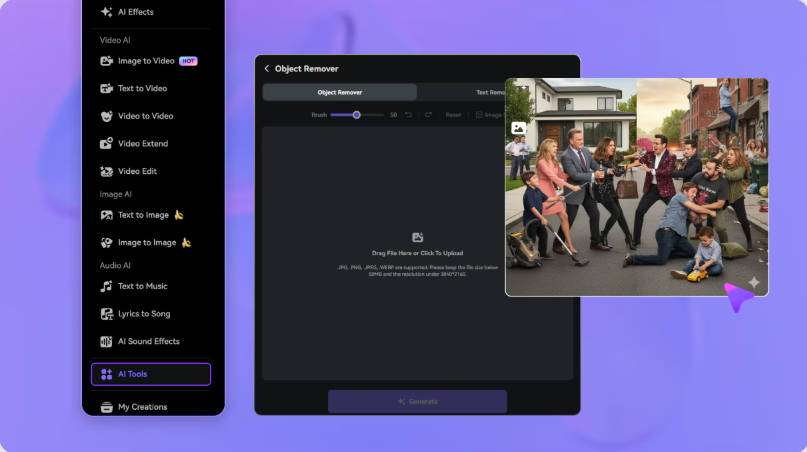
Upload your Kapwing video to Media.io
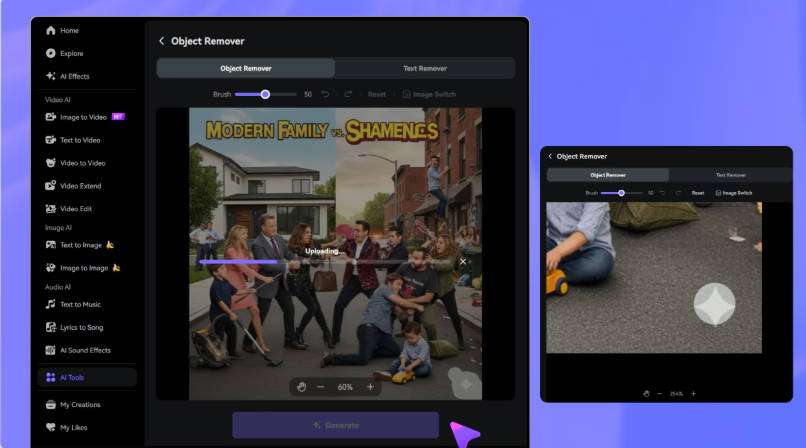
Select the Kapwing logo with the brush
Preview and download your edited video

FAQs About Kapwing Watermark Removal

Does Kapwing add a watermark to free exports?

Yes. Kapwing adds its brand watermark to free-plan exports. Its official policy states that users who upgrade to Pro can re-export previously created projects without the watermark. A file you already downloaded from the free plan still carries the logo until you edit it or re-export from an eligible plan.

Can I re-export an existing Kapwing project without a watermark?

Yes, if the project is still accessible in your Kapwing workspace and your account has an eligible plan. Open the project and export a new version; the watermark will not be added. Upgrading does not change a copy you have already saved to your device.

How do I remove the Kapwing logo from a downloaded video?

Upload the exported video to Media.io Video Eraser, select the visible Kapwing watermark, set the timeline segment where it appears, and generate the cleanup. Preview the edited area throughout the segment, checking nearby text, subjects, and background movement before downloading.

Can I remove a Kapwing watermark without cropping?

Yes. Region-based editing lets you process the logo area without cropping the full frame, so your framing, captions, and subjects keep their original positions. Review the result in the original aspect ratio to confirm that important details remain visible.

Will cleanup affect nearby captions or subjects?

It can. Select only the logo and keep nearby text and subjects outside the mask to reduce the risk. If the watermark overlaps a caption or a person, AI reconstruction may alter that area because it rebuilds the region from surrounding context rather than recovering hidden pixels.

Does AI removal recover the original pixels behind the logo?

No. AI generates a visual reconstruction using the surrounding video context; it does not recover the original pixels covered by the logo. Results depend on the background, movement, and selection size, so check several frames and scene changes before downloading.

Is Media.io's Kapwing watermark remover free to try?

You can try Media.io with the free credits available when you sign up. Check your account balance and the processing cost before generating a result. Kapwing's own watermark-free export option depends on an eligible plan on that platform.

What should I check before downloading the result?

Play the edited segment and watch nearby captions, subjects, and background movement through any scene cuts. Confirm the reconstruction looks natural and that no text or detail was altered. If you notice a patch or flicker, refine the selection or process a shorter section before downloading.