
Melhor Fidelidade de Referência
Pessoas e produtos têm maior probabilidade de permanecer reconhecíveis quando você altera o ambiente, o estilo ou a composição.
 GPT Image 2.5 Flare
GPT Image 2.5 é construído diretamente sobre o GPT Image 2 com detalhes mais nítidos, iluminação e textura mais naturais, maior fidelidade de referência, edição mais precisa, melhor consistência em múltiplas etapas e geração mais rápida. Veja o que a atualização significa para retratos, imagens de produtos, anúncios, layouts e trabalho criativo do dia a dia.
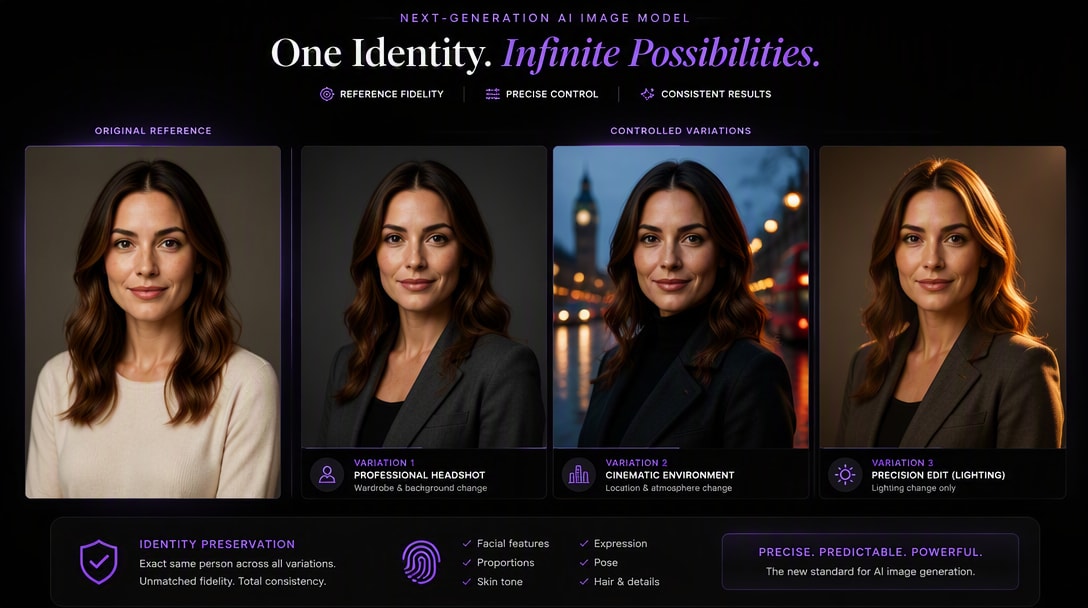
Para a maioria dos novos fluxos de trabalho com imagens, o GPT Image 2.5 é a escolha mais robusta. Ele melhora as áreas que importam após a primeira geração: manter os sujeitos de referência reconhecíveis, alterar apenas o que você solicita, preservar edições anteriores em múltiplas etapas, lidar com layouts visuais mais complexos e reduzir a latência de geração. GPT Image 2 ainda pode ser suficiente se você já possui um fluxo de trabalho estável e não precisa das melhorias mais recentes de edição e fidelidade.
Se você está decidindo se deve atualizar, estas são as mudanças práticas mais importantes — não apenas a nomenclatura do modelo.
Pessoas e produtos têm maior probabilidade de permanecer reconhecíveis quando você altera o ambiente, o estilo ou a composição.
Altere o detalhe solicitado reduzindo mudanças indesejadas no restante da imagem.
Mantenha as edições aprovadas em prompts posteriores, em vez de se afastar gradualmente do ativo original.
Detalhes mais nítidos, texturas mais ricas e iluminação mais natural melhoram os resultados de produtos, retratos e trabalhos comerciais.
Mais útil para pôsteres, infográficos, ativos transparentes, composições estruturadas e criativos com muito texto.
A OpenAI relata que a latência de geração foi reduzida em até 50% em comparação com o Images 2.0.
O GPT Image 2 já produzia imagens de uso geral de alta qualidade, mas o GPT Image 2.5 eleva ainda mais a qualidade visual com detalhes mais nítidos, texturas mais ricas e iluminação mais natural. A diferença é especialmente útil para fotografia de produtos, retratos, materiais e visuais comerciais refinados.
Experimentar Fotos de Produtos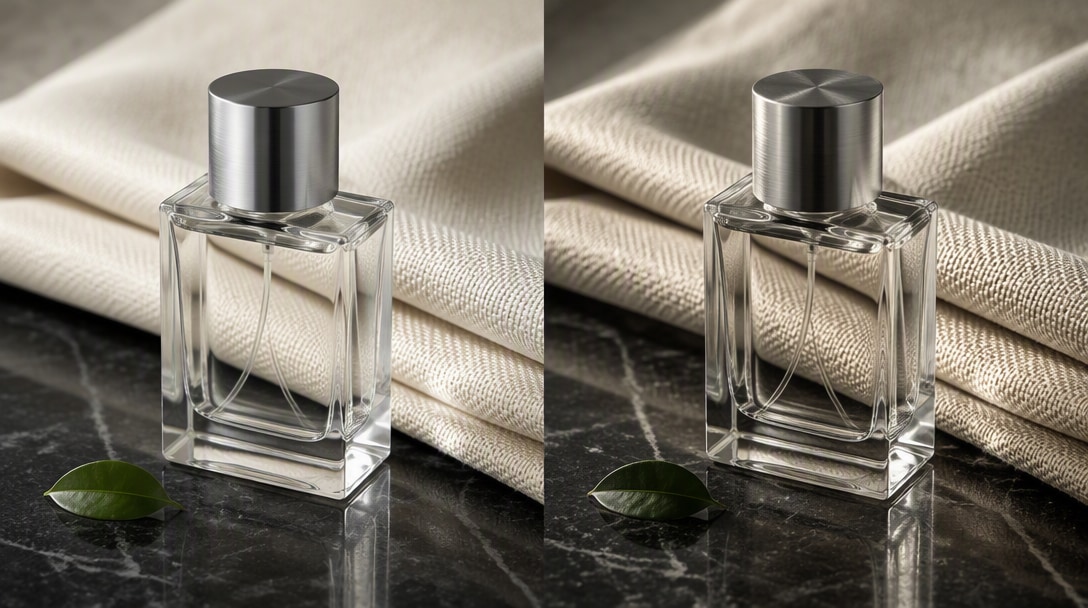
O GPT Image 2.5 é melhor em preservar sujeitos de fotos de referência e em seguir instruções de edição direcionadas. Isso significa que uma pessoa, produto, composição ou design aprovado tem maior probabilidade de permanecer intacto enquanto você altera o fundo, o guarda-roupa, o objeto, o texto, a iluminação ou outro elemento específico.
Experimentar Edição Precisa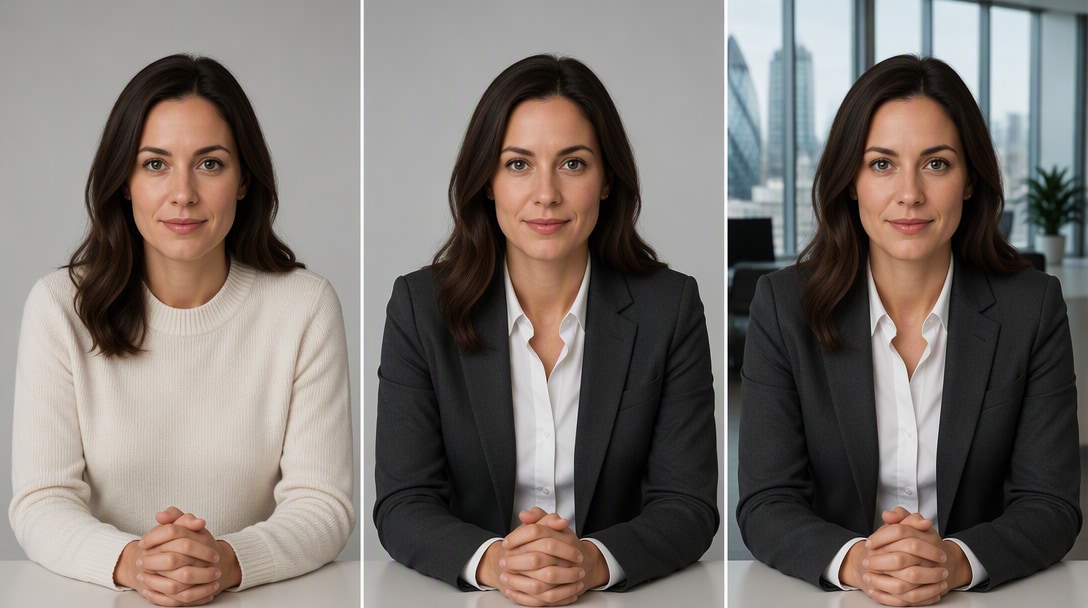
A melhoria fica mais evidente quando você realiza várias edições em sequência. O GPT Image 2.5 foi projetado para preservar alterações anteriores de forma mais confiável em prompts de acompanhamento, de modo que uma segunda ou terceira revisão possa ser construída sobre o ativo aprovado, em vez de se afastar gradualmente dele.
Explorar Prompts do GPT Image 2.5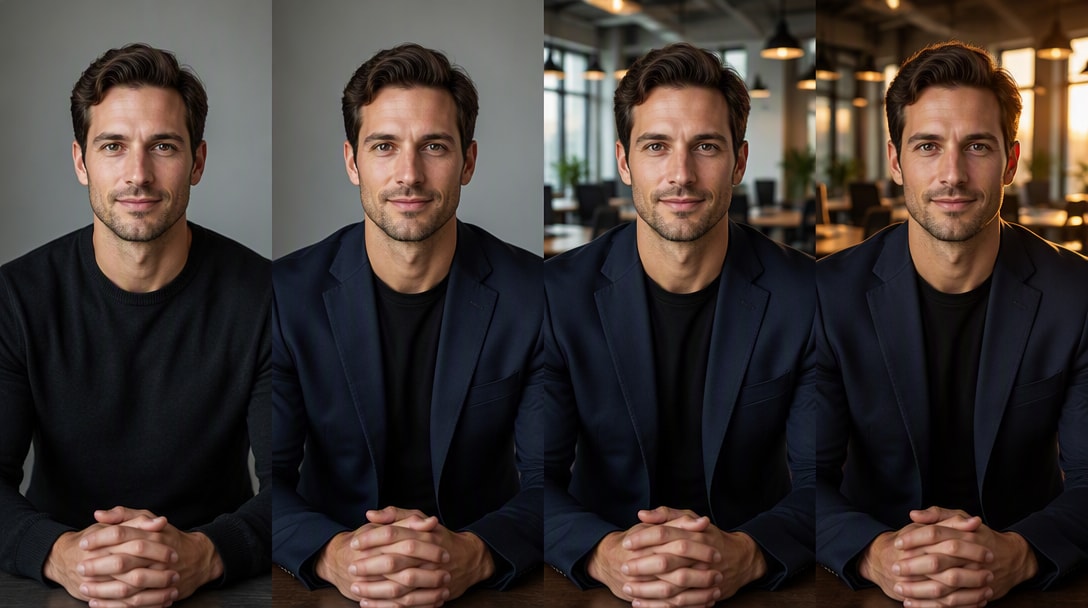
Uma comparação justa entre modelos começa com a mesma imagem de origem e a mesma instrução. Estes quatro testes revelam as diferenças que os usuários têm maior probabilidade de notar no trabalho real.
Prompt: manter a mesma pessoa, mas alterar o guarda-roupa, o fundo e a iluminação. Observe: desvio de rosto, mudanças de idade, mudanças de penteado e se a pessoa ainda parece reconhecível após a edição.
Prompt: transformar uma foto de produto em uma cena de campanha. Observe: forma da embalagem, posicionamento do rótulo, materiais, cores, tratamento do logotipo e se o produto permanece visualmente consistente.
Prompt: substituir um objeto e preservar todo o restante. Observe: alterações indesejadas no sujeito, composição, ângulo de câmera, iluminação, fundo ou objetos próximos.
Use o mesmo briefing de pôster em ambos os modelos com o texto exato do título, uma linha de evento fixa e uma grade simples. Compare ortografia, texto extra, hierarquia tipográfica, espaçamento, alinhamento e se o design geral ainda segue a estrutura solicitada.
Usar o Mesmo Prompt de Teste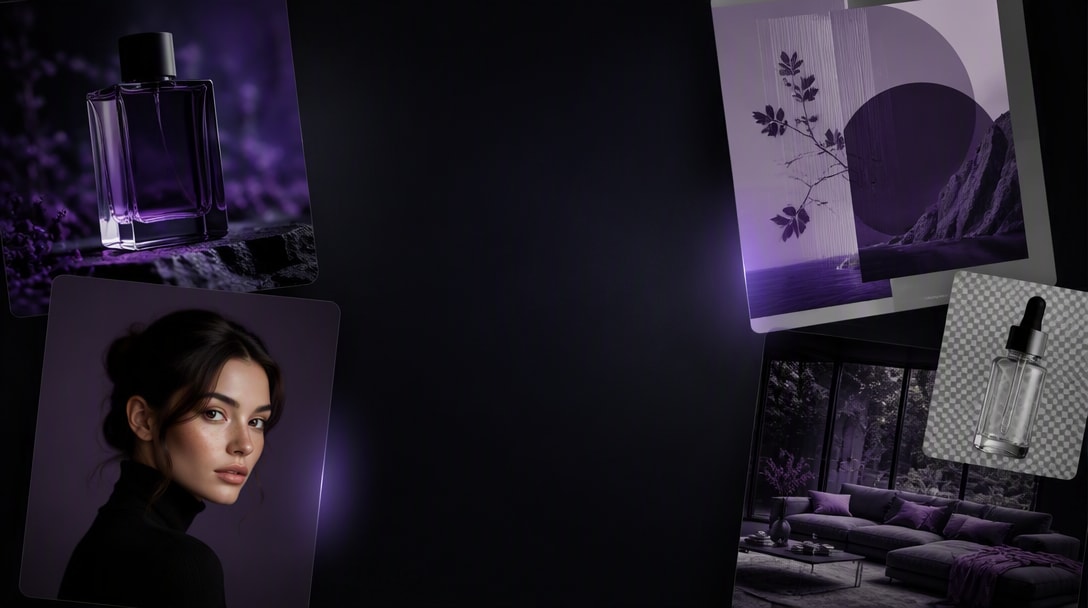
Para uma comparação mais precisa, mantenha a imagem de origem, o prompt, a proporção, o requisito de saída e o limite de tentativas iguais. Compare a saída utilizável — não apenas o resultado mais atraente individualmente.
O GPT Image 2.5 adiciona detalhes mais nítidos, textura mais rica e iluminação mais natural para resultados mais refinados.
Pessoas e produtos de imagens de referência têm maior probabilidade de permanecer reconhecíveis durante as transformações.
Altere uma parte de uma imagem preservando o sujeito, o layout, a iluminação e os detalhes que devem permanecer inalterados.
A OpenAI relata que a latência de geração de imagens foi reduzida em até 50% em comparação com o Images 2.0.
A atualização é mais valiosa quando você não está simplesmente gerando uma imagem — você está construindo um fluxo de trabalho criativo repetível em torno de uma pessoa real, produto, campanha ou sistema de design.
Crie imagens de estúdio, lifestyle, PDP, sazonais e de campanha mantendo a forma do produto, a embalagem e os materiais reconhecíveis.
Transforme um retrato real em fotos profissionais, editoriais, lifestyle e imagens de marca sem perder a identidade reconhecível.
Crie variações sazonais, localizadas, de título, fundo e oferta a partir de um anúncio aprovado, em vez de reiniciar todo o processo criativo.
Itere sobre o mesmo ativo em várias rodadas protegendo as decisões aprovadas de layout, sujeito, produto e sistema visual.
Se o seu fluxo de trabalho começa a partir de uma imagem de produto real, a consistência de referência pode importar mais do que a novidade bruta de geração. O GPT Image 2.5 é especialmente útil quando um produto aprovado precisa aparecer em múltiplas cenas enquanto sua forma, embalagem, rótulo, materiais e cores permanecem estáveis.
Criar Variantes de Produto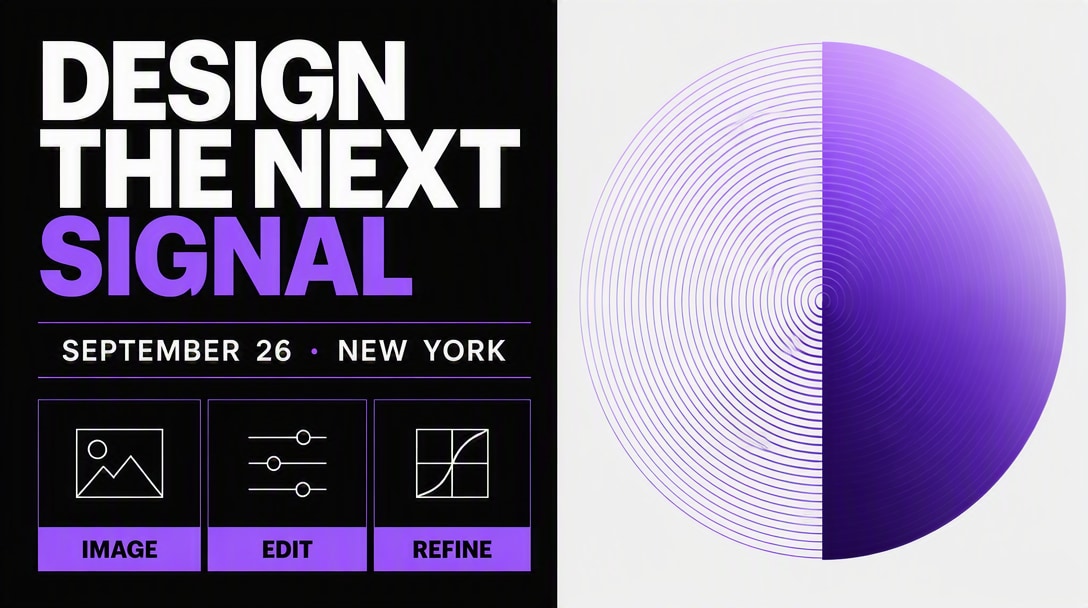
Para a maioria dos usuários, a decisão é menos sobre se o GPT Image 2 ainda funciona e mais sobre se as novas melhorias no fluxo de trabalho economizam tentativas e retrabalhos suficientes para justificar a mudança.
A OpenAI posiciona o GPT Image 2.5 como o mais novo modelo de imagem de última geração e relata melhorias em relação ao Images 2.0 em qualidade, fidelidade de referência, edição, consistência em múltiplas interações, tratamento de layout e latência.
O valor prático depende de como você usa imagens de IA. Estes são os fluxos de trabalho onde a diferença em relação ao GPT Image 2 é mais fácil de perceber.
Melhor fidelidade de referência e edições mais direcionadas facilitam manter o mesmo produto, embalagem, materiais e criativo aprovado enquanto muda a cena, o tratamento da campanha ou o texto.
A preservação aprimorada do sujeito é importante quando uma pessoa real precisa permanecer reconhecível em fotos profissionais, novas roupas, ambientes diferentes ou refinamentos repetidos.
O GPT Image 2.5 lida com instruções visuais mais complexas, informações do mundo real, fundos transparentes e layouts estruturados, tornando-se mais útil além da geração simples de uma única imagem.
Aqui está a diferença prática entre as duas gerações com base nas informações do lançamento atual da OpenAI.
| Capacidade | GPT Image 2 | GPT Image 2.5 |
|---|---|---|
| Qualidade de Imagem | Geração de imagens de uso geral robusta | Detalhes mais nítidos, texturas mais ricas e iluminação mais natural |
| Fidelidade de Referência | Boa geração e edição baseada em referências | Melhor na preservação de sujeitos a partir de fotos de referência |
| Edição de Precisão | Suporta edições de imagem direcionadas | Segue instruções de edição específicas de forma mais confiável enquanto preserva o restante |
| Edição em Múltiplas Interações | Suporta edição iterativa | Consistência aprimorada em múltiplas edições de acompanhamento |
| Layouts Complexos | Fortes capacidades de composição e texto | Melhores instruções visuais complexas, informações do mundo real, layouts e fundos transparentes |
| Velocidade de Geração | Linha de base | Até 50% menor latência de geração em relação ao Images 2.0 |
| Opções de API | GPT-Image-2 | GPT-Image-2.5 Flare + GPT-Image-2.5 Sunburst |
| Melhor Adequação | Fluxos de trabalho estabelecidos existentes | Trabalho criativo orientado por referências, iterativo, de produto, retrato, anúncio e pronto para produção |
Sim, para a maioria dos novos fluxos de trabalho. O GPT Image 2.5 melhora a qualidade visual, fidelidade de referência, edição precisa, consistência em múltiplas interações, layouts complexos e velocidade de geração em comparação com o Images 2.0. O GPT Image 2 ainda pode ser adequado para fluxos de trabalho existentes que não precisam dessas melhorias.
A OpenAI relata que a latência de geração de imagens foi reduzida em até 50% em comparação com o Images 2.0. Para a API, o GPT-Image-2.5 Flare é posicionado como o modelo padrão para a maioria das aplicações e é descrito como entregando imagens de maior qualidade que o GPT-Image-2 com 50% menos latência.
O GPT Image 2.5 é especificamente descrito como melhor na preservação de sujeitos em fotos de referência. Isso o torna mais útil quando uma pessoa real, produto ou ativo de origem precisa permanecer reconhecível durante as alterações.
Sim. A OpenAI destaca edição mais precisa e consistência de edição em múltiplas interações mais robusta. Na prática, isso significa que você pode solicitar uma alteração focada e tem menos probabilidade de perder outros detalhes aprovados durante edições de acompanhamento.
É uma opção mais adequada quando a forma do produto, embalagem, materiais e detalhes da marca precisam permanecer consistentes enquanto a cena, iluminação, fundo ou tratamento de campanha muda.
É especialmente útil para retratos orientados por referência, pois o modelo é melhor na preservação de sujeitos a partir de fotos enviadas enquanto muda guarda-roupa, ambiente, iluminação ou estilo visual.
São os dois modelos de API do GPT Image 2.5. O Flare é a escolha padrão para a maioria das aplicações, com ênfase em qualidade e menor latência. O Sunburst é projetado para fluxos de trabalho visuais premium que se beneficiam de maior controle e edição criativa mais detalhada, com tempos de geração mais longos.
Se você depende de imagens de referência, consistência de produtos ou retratos, edição repetida, layouts complexos ou iteração mais rápida, o GPT Image 2.5 é a escolha mais prática. Se o GPT Image 2 já atende a uma necessidade de produção estável, faça benchmark do novo modelo antes de migrar.
Use a mesma imagem de origem, prompt, proporção de aspecto, requisito de saída e limite de tentativas para ambos os modelos. Teste a fidelidade de referência, edição focada, consistência em múltiplas interações, texto e layout, consistência de produto e taxa de saída utilizável.
Vendedores de e-commerce, criadores, profissionais de marketing de performance e equipes de design se beneficiam mais quando reutilizam uma imagem de referência real em múltiplas edições, variantes de campanha, cenas de produto ou transformações de retratos.