
Better Reference Fidelity
People and products are more likely to stay recognizable when you change the environment, styling, or composition.
 GPT Image 2.5 Flare
GPT Image 2.5 builds directly on GPT Image 2 with sharper detail, more natural lighting and texture, stronger reference fidelity, more precise editing, better multi-turn consistency, and faster generation. See what the upgrade means for portraits, product images, ads, layouts, and day-to-day creative work.
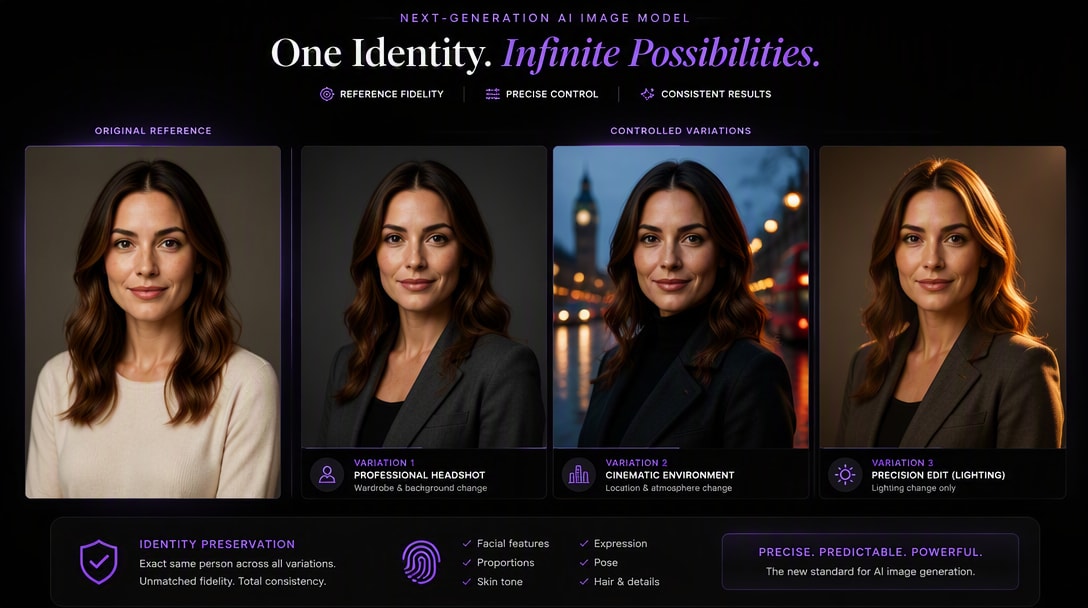
For most new image workflows, GPT Image 2.5 is the stronger choice. It improves the areas that matter after the first generation: keeping reference subjects recognizable, changing only what you ask for, preserving earlier edits across multiple turns, handling more complex visual layouts, and reducing generation latency. GPT Image 2 can still be sufficient if you already have a stable existing workflow and do not need the newer editing and fidelity improvements.
If you are deciding whether to upgrade, these are the practical changes that matter most—not just model naming.
People and products are more likely to stay recognizable when you change the environment, styling, or composition.
Change the requested detail while reducing unintended changes to the rest of the image.
Carry approved edits through later prompts instead of gradually drifting away from the original asset.
Sharper detail, richer textures, and more natural lighting improve product, portrait, and commercial results.
More useful for posters, infographics, transparent assets, structured compositions, and text-heavy creative.
OpenAI reports generation latency reduced by up to 50% compared with Images 2.0.
GPT Image 2 already produced strong general-purpose images, but GPT Image 2.5 pushes visual quality further with sharper details, richer textures, and more natural lighting. The difference is especially useful for product photography, portraits, materials, and polished commercial visuals.
Try Product Photos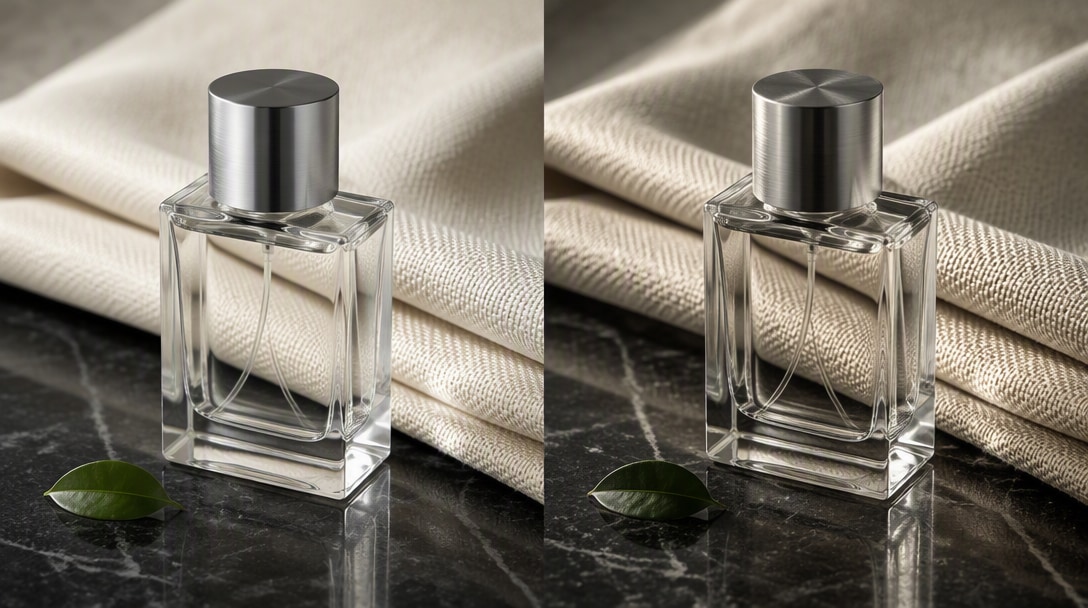
GPT Image 2.5 is better at preserving subjects from reference photos and following targeted edit instructions. That means a person, product, composition, or approved design is more likely to remain intact while you change the background, wardrobe, object, text, lighting, or another specific element.
Try Precise Editing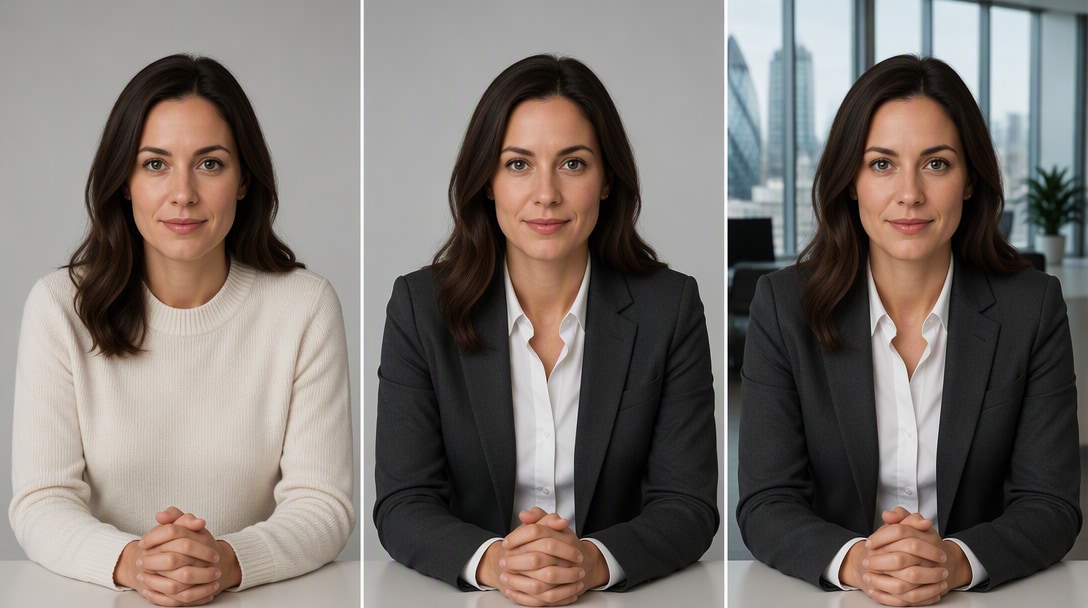
The upgrade becomes clearer when you make several edits in sequence. GPT Image 2.5 is designed to preserve earlier changes more reliably across follow-up prompts, so a second or third revision can build on the approved asset instead of gradually drifting away from it.
Explore GPT Image 2.5 Prompts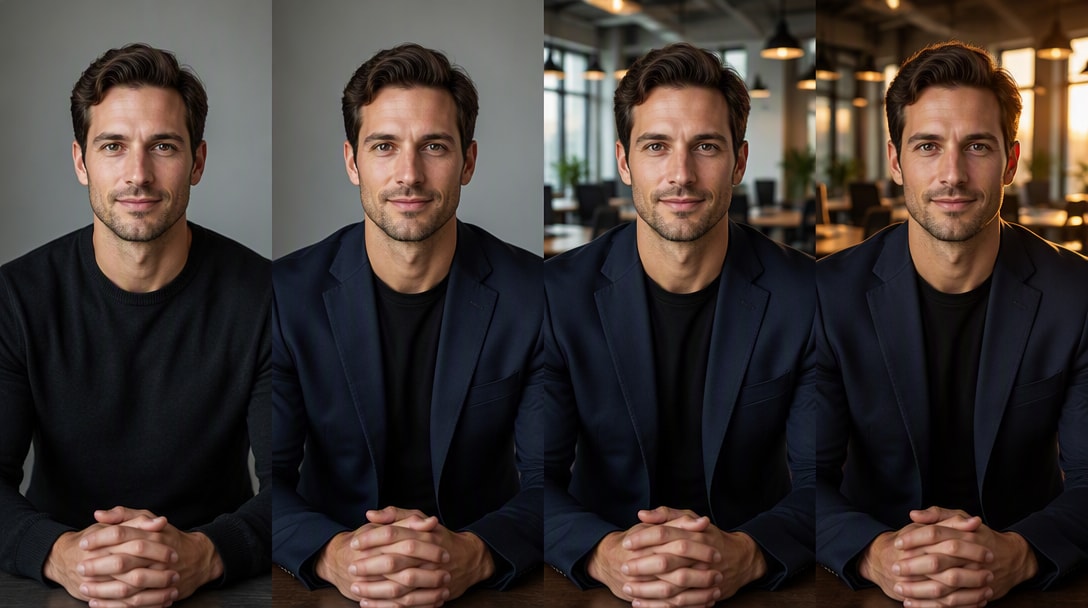
A fair model comparison starts with the same source image and the same instruction. These four tests reveal the differences users are most likely to notice in real work.
Prompt: keep the same person but change wardrobe, background, and lighting. Watch for: face drift, age changes, hairstyle changes, and whether the person still looks recognizable after the edit.
Prompt: turn one product photo into a campaign scene. Watch for: packaging shape, label placement, materials, colors, logo treatment, and whether the product remains visually consistent.
Prompt: replace one object and preserve everything else. Watch for: unwanted changes to the subject, composition, camera angle, lighting, background, or nearby objects.
Use the same poster brief in both models with exact headline text, a fixed event line, and a simple grid. Compare spelling, extra text, typography hierarchy, spacing, alignment, and whether the overall design still follows the requested structure.
Use the Same Test Prompt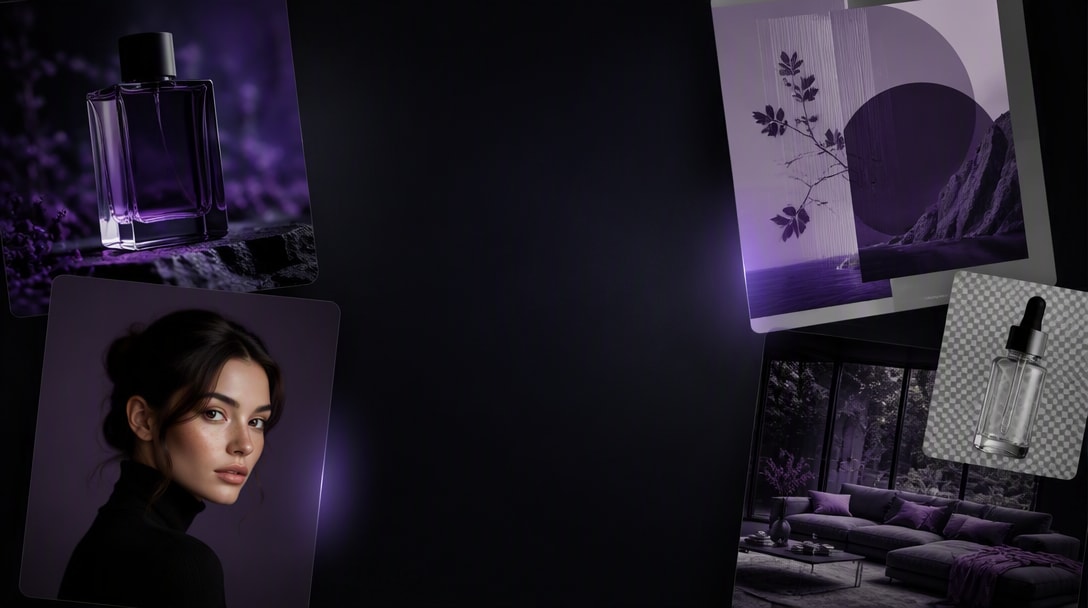
For the cleanest comparison, keep the source image, prompt, aspect ratio, output requirement, and retry limit the same. Compare usable output—not only the most attractive single result.
GPT Image 2.5 adds sharper detail, richer texture, and more natural lighting for more polished results.
People and products from reference images are more likely to stay recognizable through transformations.
Change one part of an image while preserving the subject, layout, lighting, and details that should stay unchanged.
OpenAI reports image generation latency reduced by up to 50% compared with Images 2.0.
The upgrade is most valuable when you are not simply generating one image—you are building a repeatable creative workflow around a real person, product, campaign, or design system.
Create studio, lifestyle, PDP, seasonal, and campaign images while keeping product shape, packaging, and materials recognizable.
Turn one real portrait into headshots, editorials, lifestyle photos, and brand images without losing recognizable identity.
Make seasonal, localized, headline, background, and offer variations from one approved ad instead of restarting the whole creative.
Iterate on the same asset across several rounds while protecting approved layout, subject, product, and visual-system decisions.
If your workflow starts from a real product image, reference consistency can matter more than raw generation novelty. GPT Image 2.5 is especially useful when one approved product needs to appear across multiple scenes while its shape, packaging, label, materials, and colors stay stable.
Create Product Variants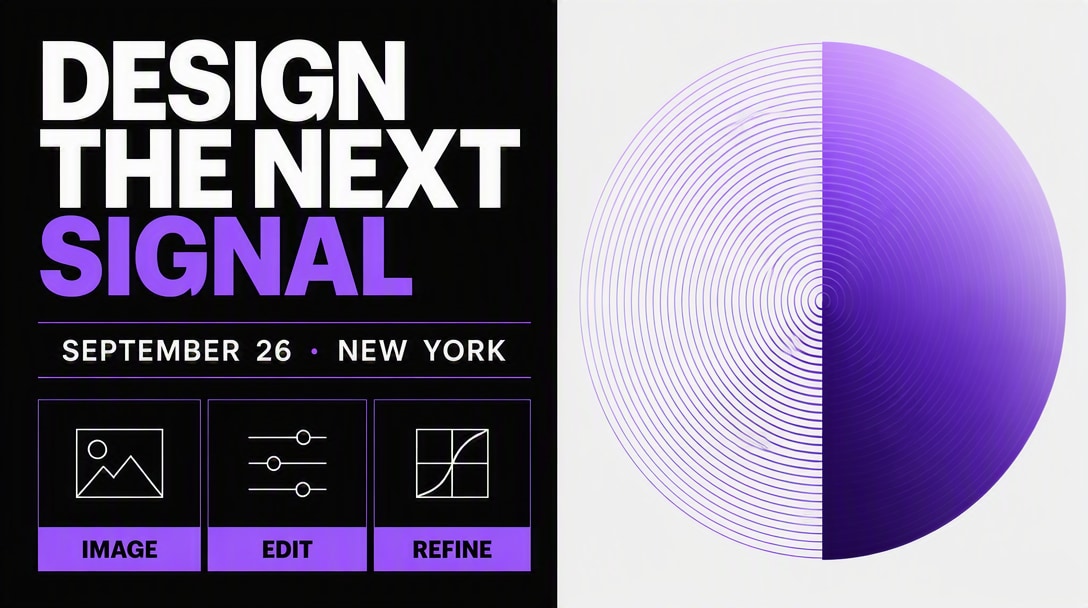
For most users, the decision is less about whether GPT Image 2 still works and more about whether the new workflow improvements save enough retries and rework to justify switching.
OpenAI positions GPT Image 2.5 as the newer state-of-the-art image model and reports improvements over Images 2.0 in quality, reference fidelity, editing, multi-turn consistency, layout handling, and latency.
The practical value depends on how you use AI images. These are the workflows where the difference from GPT Image 2 is easiest to notice.
Better reference fidelity and more targeted edits make it easier to keep the same product, packaging, materials, and approved creative while changing the scene, campaign treatment, or copy.
Improved subject preservation matters when one real person needs to stay recognizable across professional headshots, new outfits, different environments, or repeated refinements.
GPT Image 2.5 handles more complex visual instructions, real-world information, transparent backgrounds, and structured layouts, making it more useful beyond simple one-image generation.
Here is the practical difference between the two generations based on OpenAI’s current release information.
| Capability | GPT Image 2 | GPT Image 2.5 |
|---|---|---|
| Image Quality | Strong general-purpose image generation | Sharper detail, richer textures, and more natural lighting |
| Reference Fidelity | Good reference-based generation and editing | Better at preserving subjects from reference photos |
| Precision Editing | Supports targeted image edits | Follows specific editing instructions more reliably while preserving the rest |
| Multi-Turn Editing | Supports iterative editing | Improved consistency across multiple follow-up edits |
| Complex Layouts | Strong composition and text capabilities | Better complex visual instructions, real-world information, layouts, and transparent backgrounds |
| Generation Speed | Baseline | Up to 50% lower generation latency than Images 2.0 |
| API Options | GPT-Image-2 | GPT-Image-2.5 Flare + GPT-Image-2.5 Sunburst |
| Best Fit | Existing established workflows | Reference-led, iterative, product, portrait, ad, and production-ready creative work |
Yes for most new workflows. GPT Image 2.5 improves visual quality, reference fidelity, precise editing, multi-turn consistency, complex layouts, and generation speed compared with Images 2.0. GPT Image 2 can still be adequate for existing workflows that do not need those improvements.
OpenAI reports image generation latency reduced by up to 50% compared with Images 2.0. For the API, GPT-Image-2.5 Flare is positioned as the default model for most applications and is described as delivering higher-quality images than GPT-Image-2 at 50% lower latency.
GPT Image 2.5 is specifically described as better at preserving subjects in reference photos. That makes it more useful when a real person, product, or source asset needs to remain recognizable across changes.
Yes. OpenAI highlights more precise editing and stronger multi-turn editing consistency. In practice, that means you can ask for a focused change and are less likely to lose other approved details during follow-up edits.
It is a stronger fit when product shape, packaging, materials, and brand details need to stay consistent while the scene, lighting, background, or campaign treatment changes.
It is especially useful for reference-led portraits because the model is better at preserving subjects from uploaded photos while changing wardrobe, environment, lighting, or visual style.
They are the two GPT Image 2.5 API models. Flare is the default choice for most applications, with an emphasis on quality and lower latency. Sunburst is designed for premium visual workflows that benefit from tighter control and more detailed creative editing, with longer generation times.
If you rely on reference images, product or portrait consistency, repeated editing, complex layouts, or faster iteration, GPT Image 2.5 is the more practical choice. If GPT Image 2 already meets a stable production need, benchmark the new model before migrating.
Use the same source image, prompt, aspect ratio, output requirement, and retry limit for both models. Test reference fidelity, focused editing, multi-turn consistency, text and layout, product consistency, and usable-output rate.
Ecommerce sellers, creators, performance marketers, and design teams benefit most when they reuse a real reference image across multiple edits, campaign variants, product scenes, or portrait transformations.