Symbiote Liquid Car Reveal
Build a dramatic car venom effect with glossy black liquid creeping across the floor, wrapping around a car badge, and forming a complete vehicle. Keep the camera steady to make the reveal easier to follow.

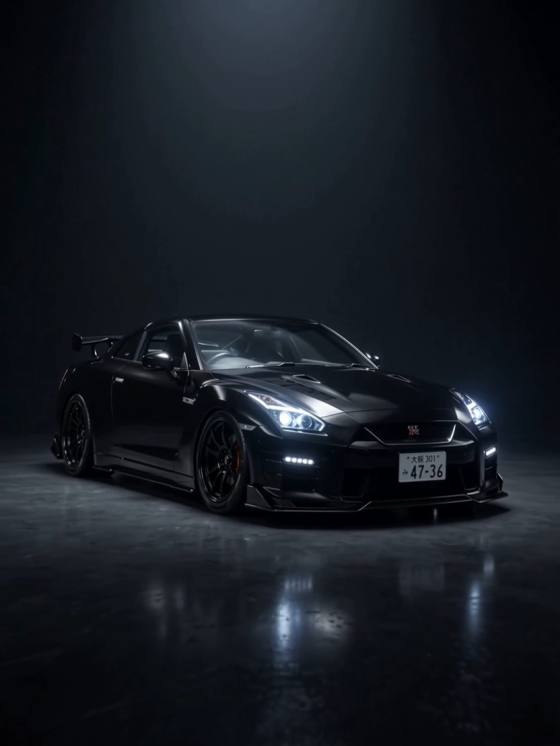
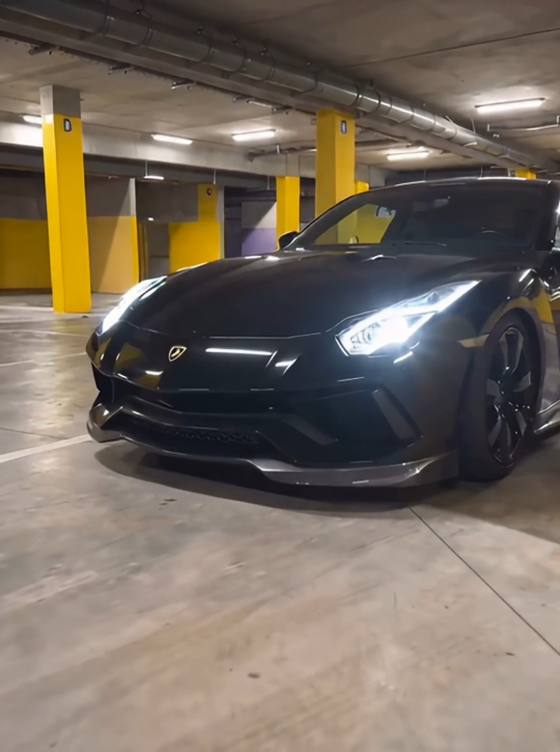
Turn a photo of your car into a cinematic Venom-inspired transformation. Watch glossy black symbiote liquid spread across the garage, assemble the chassis and body, and reveal your car with glowing headlights. Create a dramatic car venom effect for TikTok, Reels, or Shorts with Media.io AI Image to Video.
Use a car photo you own or have permission to upload. Motion, vehicle details, and export options depend on the selected model.
Build a dramatic car venom effect with glossy black liquid creeping across the floor, wrapping around a car badge, and forming a complete vehicle. Keep the camera steady to make the reveal easier to follow.
Place the transformation in a dim underground garage with reflective concrete, low-key lighting, and glowing headlights. A single location gives your venom symbiote car transition video editing a consistent visual direction.
Start with a clear three-quarter photo of your car and describe its color, silhouette, wheels, and other visible details. AI may change small details, so review the generated result before sharing.
Create a striking reveal for TikTok, Reels, or Shorts. Use a vertical crop when supported, then add licensed audio, captions, and timing in your preferred editor, including CapCut.
Choose a sharp photo showing the whole car, ideally from a front three-quarter angle. Avoid busy backgrounds and use a photo you own or have permission to use.
Describe black symbiote liquid spreading from a badge, building the chassis, wheels, engine and body panels, then switching on the headlights. Specify a fixed camera and preserve the car silhouette.
Generate the clip in Media.io Image to Video. Check the car shape, wheels, badges, and transformation continuity. Simplify the prompt or try a clearer image if the parts distort.
The Venom car trend is a short AI car transformation edit in which shiny black, symbiote-like liquid gathers around a car badge and forms a vehicle piece by piece. The reveal typically ends with the completed car switching on its headlights. It is a fan-style visual effect, not an official Marvel feature.
Open Media.io Image to Video, upload a clear picture of your car, and describe a black-liquid transformation in a garage. Generate a short clip and check whether the body panels and wheels remain recognizable. Results vary by model and input image.
Try: “A glossy black symbiote liquid crawls across a dark underground garage toward a car emblem, rises in branching tendrils, and assembles a sports car from chassis to wheels to body panels. The headlights illuminate at the end. Low-angle locked camera, reflective floor, cinematic lighting, smooth continuous transformation, preserve the reference car silhouette.” Shorten the action if the model loses continuity.
Yes. Generate the car venom effect in Media.io, then import the downloaded clip into CapCut to add beat cuts, sound effects, text, or a trending soundtrack you are permitted to use. Media.io generates the visual; CapCut is optional for finishing edits.
Media.io offers online AI video creation, but available free credits, models, durations, resolutions, and export options depend on the current plan. Use car photos you own or are authorized to upload. Generated badges, logos, and fine vehicle details may not perfectly match the original.