
Recreate Viral Videos with AI in Minutes
5x Faster
Trend Analysis Speed
98%
Format Match Accuracy
Unlimited
Creative Variations
Discover trending formats, analyze what makes them spread, and recreate your own original version with Media.io Viral Studio's AI-driven workflow. Perfect for creators, marketers, and brands who want to stay relevant and engaging. Media.io Viral Studio helps turn recreate viral video research into a clear creation workflow. This also supports searches such as viral trend analysis when users want a more specific creative angle.
Explore Trends and Recreate Viral Videos
Track real-time viral performance, study formats that dominate TikTok, YouTube Shorts, and Reels, and use AI to recreate them with your brand's unique twist. The tabs below help you explore related theme keywords and trend angles. This also supports searches such as viral trend analysis when users want a more specific creative angle.
 link to recreate the viral style with AI.
 Turn Trend Discovery into AI Ready Viral Recreation
Media.io Viral Studio connects data-driven trend discovery with instant AI creation tools. Instead of guessing what will work, you can analyze the structure of proven viral content and transform it into new branded versions. Whether you're an agency, small business, or creator, the platform simplifies storytelling informed by viral performance. Make insight-backed videos or images that feel fresh yet familiar to audiences across all platforms. This also supports searches such as viral trend analysis when users want a more specific creative angle.
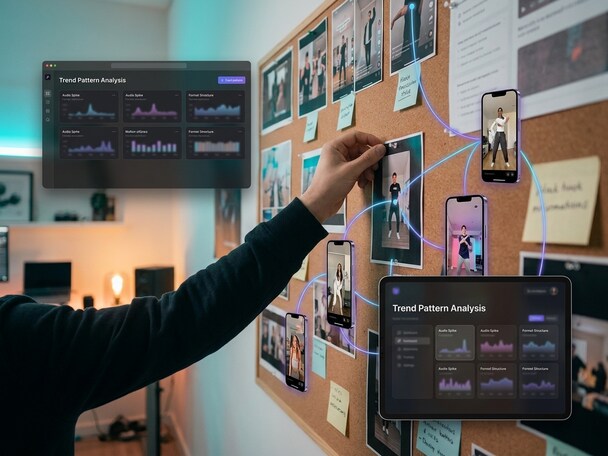
Spot Emerging Trend Patterns
With Media.io Viral Studio, you can track trending audio, format structures, and hook styles across social platforms before they peak. The AI helps you identify consistent elements that make content spread faster. This insight lets you recreate viral videos with confidence and precision. It's about adapting to data, not copying the crowd. This also supports searches such as viral trend analysis when users want a more specific creative angle.
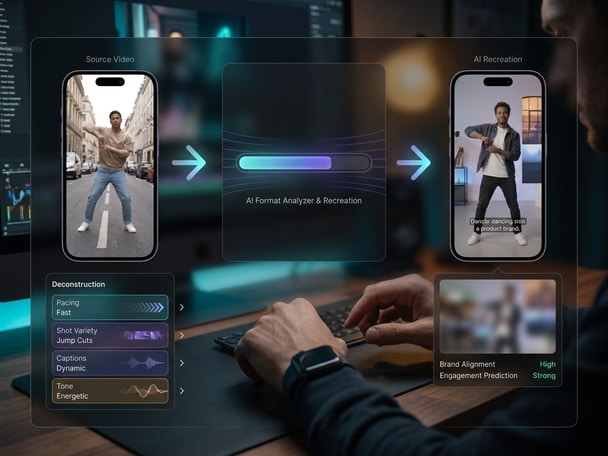
Deconstruct Winning Video Formats
Media.io's intelligent format analyzer breaks down elements like pacing, shot variety, captions, and tone found in popular viral clips. The tool makes it easy to see what structure drives engagement, guiding creators through viral logic without manual guesswork. You can then rebuild that structure around your own narrative or product story. This approach encourages brand relevance through creative alignment. This also supports searches such as viral trend analysis when users want a more specific creative angle.
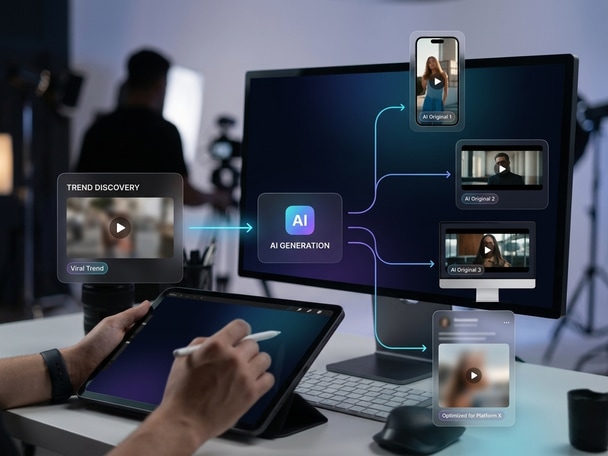
Generate Distinct AI Originals
Instead of duplicating a viral hit, Media.io's AI creates entirely new versions tailored to your identity, visuals, and goals. Upload assets, input a script or reference video, and let the generator remix the format into a new piece optimized for each platform. The system ensures originality, compliance, and authenticity while keeping the viral DNA intact. This bridges inspiration with creation at scale. This also supports searches such as viral trend analysis when users want a more specific creative angle.
How to Recreate a Viral Video with Media.io
Follow this quick workflow to analyze, adapt, and generate your own original content inspired by viral hits. Media.io Viral Studio keeps the process beginner-friendly while still giving you room to adjust the creative direction. This also supports searches such as viral trend analysis when users want a more specific creative angle.

Find Viral Format Inspiration
Paste a trending video link or explore Media.io's Viral Studio dashboard to locate videos gaining traction. You'll instantly access analytics showing engagement trajectories, post timing, and format breakdowns from multiple channels. This also supports searches such as viral trend analysis when users want a more specific creative angle.

Analyze the Hook and Flow
Use the format analyzer to view pacing, transitions, and tone patterns that make the viral piece work. Media.io outlines storytelling flow, hook timing, and layout data for you to model your own message. This also supports searches such as viral trend analysis when users want a more specific creative angle.

Generate a Brand Ready Remix
Upload your script, product visuals, or voice assets, and let Media.io's AI recreate a new on-brand version. You'll get an editable, platform-optimized clip or image ready to publish instantly. This also supports searches such as viral trend analysis when users want a more specific creative angle.
What Users Say About Recreating Viral Videos with Media.io
Creators, marketers, and teams share how they turned viral trends into original, engaging content using Media.io Viral Studio. Media.io brings trend discovery and AI creation into the same browser-based workflow. This also supports searches such as viral trend analysis when users want a more specific creative angle.


I was constantly trying to keep up with trending videos but struggled to understand what made them click. Media.io Viral Studio simplified everything by showing me the format patterns in a clear visual layout. I could quickly recreate my own versions that still felt natural to my followers. It's like having an AI strategy assistant inside my workflow. This also supports searches such as viral trend analysis when users want a more specific creative angle.

Our campaigns needed videos that could connect fast without imitating others. Media.io Viral Studio helped us analyze top trends and rebuild them creatively. The AI suggestions kept our messaging unique while riding the wave of what was hot. It's now an essential part of our weekly content planning. This also supports searches such as viral trend analysis when users want a more specific creative angle.

I run a boutique product line and wanted to get onto TikTok but had no time to study content manually. Media.io gave me a clear breakdown of viral product clips, helping me see what structure to follow. With the AI recreation feature, I made branded videos in minutes. It saved both my time and creative budget. This also supports searches such as viral trend analysis when users want a more specific creative angle.

For clients requesting trend-based content, we use Media.io Viral Studio to analyze the viral DNA first. The dashboard reveals which emotions and pacing styles trigger engagement in each category. Then the AI helps us rebuild assets that align with client identity. It's a true data-to-creation loop that keeps our team ahead. This also supports searches such as viral trend analysis when users want a more specific creative angle.

We needed our product demos to feel social-native without doing guesswork. Media.io Viral Studio made it easy to reformat UGC-inspired clips with our own branding. The insights on audio cues and caption formats were gold. The recreated clips drove better CTRs than our prior ad creatives. This also supports searches such as viral trend analysis when users want a more specific creative angle.

I use Media.io Viral Studio for reference breakdowns before I edit marketing videos. The tool highlights where viral content emphasizes timing, sound, and visuals. It's detailed yet intuitive, letting me balance trend logic with creative originality. It's become my secret tool for smarter edits. This also supports searches such as viral trend analysis when users want a more specific creative angle.
FAQs About Recreating Viral Videos with Media.io
Can I Recreate a Viral Video Legally with Media.io?
Yes. Media.io Viral Studio is designed to help users analyze structure and inspiration, not copy someone else's intellectual property. The AI generates original outputs while preserving your creative ownership. You always remain compliant by building new content from publicly visible trends, not proprietary works. This also supports searches such as viral trend analysis when users want a more specific creative angle.
How Does Media.io Viral Studio Find Trends for Video Recreation?
The platform scans public engagement metrics across social channels to identify emerging formats and patterns. It combines AI modeling and performance insights to rank trends by growth potential. Users can then explore those findings and generate their own creative takes. This approach helps creators act fast before trends peak. This also supports searches such as viral trend analysis when users want a more specific creative angle.
Do I Need Video Editing Skills to Use Media.io Viral Studio?
No advanced editing skills are needed. The interface guides you through trend analysis and AI-driven video generation with intuitive controls. Templates and auto-formatting options simplify every step, from structure mapping to export. Even beginners can produce attention-worthy results within minutes. This also supports searches such as viral trend analysis when users want a more specific creative angle.
Is the Recreated Viral Video Completely Original?
Yes, the outputs are newly generated by AI based on trend insights, not asset duplication. Media.io ensures originality by building from prompts, visuals, and text you provide. Results stay unique and aligned with your brand identity. It's a new video informed by viral behavior, not a replica. This also supports searches such as viral trend analysis when users want a more specific creative angle.
Can I Use My Brand Elements While Recreating a Viral Format?
Absolutely. You can upload your logo, voiceover, or product visuals during the recreation process. Media.io's algorithm blends these elements with the analyzed format. The result is an original, on-brand video that resonates with your audience while reflecting viral energy. This also supports searches such as viral trend analysis when users want a more specific creative angle.
Does Media.io Work for YouTube Shorts and Reels Formats?
Yes. Media.io Viral Studio supports cross-platform creation for Shorts, Reels, and TikTok videos. The AI automatically formats assets based on each channel's ratio and engagement style. It ensures every recreated piece looks professionally tuned for that platform's audience. This also supports searches such as viral trend analysis when users want a more specific creative angle.
How Can Agencies Use Media.io for Client Trend Campaigns?
Agencies can detect clients' niche-specific viral moments, deconstruct what works, and rebuild original ideas efficiently. Media.io provides format blueprints, content metrics, and instant AI rendering. Teams can replicate performance logic responsibly without duplication. It helps scale high-engagement creative output for multiple accounts. This also supports searches such as viral trend analysis when users want a more specific creative angle.
What Makes Media.io Different from Other AI Video Tools?
Unlike generic AI generators, Media.io Viral Studio combines trend analysis and creative recreation in one workflow. It focuses on pattern intelligence before content generation, ensuring every video stems from real data. You get actionable insights, structured storytelling guides, and production-ready outputs. It's a full-cycle system for growth-minded creators. This also supports searches such as viral trend analysis when users want a more specific creative angle.
Explore More AI Tools for Viral Content Creation
Keep creating beyond viral trend discovery. Try more Media.io AI tools to generate videos, edit visuals, enhance content, and turn your ideas into scroll-stopping social media posts.






 4.7 (162,357 Votes)