Image to Image
ToMoviee Lite
0/2000
Auto
4
儲存至角色
Creations
Ideas Hub
How It Works
Grok AI CREATE Media.io AI

Grok AI

Explore what Grok AI can do for image and video creation, from AI photo editing and text-to-image generation to image-to-video animation. Discover popular Grok AI creative workflows, copy-ready prompt ideas, and create your own AI images and videos online with Media.io.

Grok AI image and video creation with Media.io
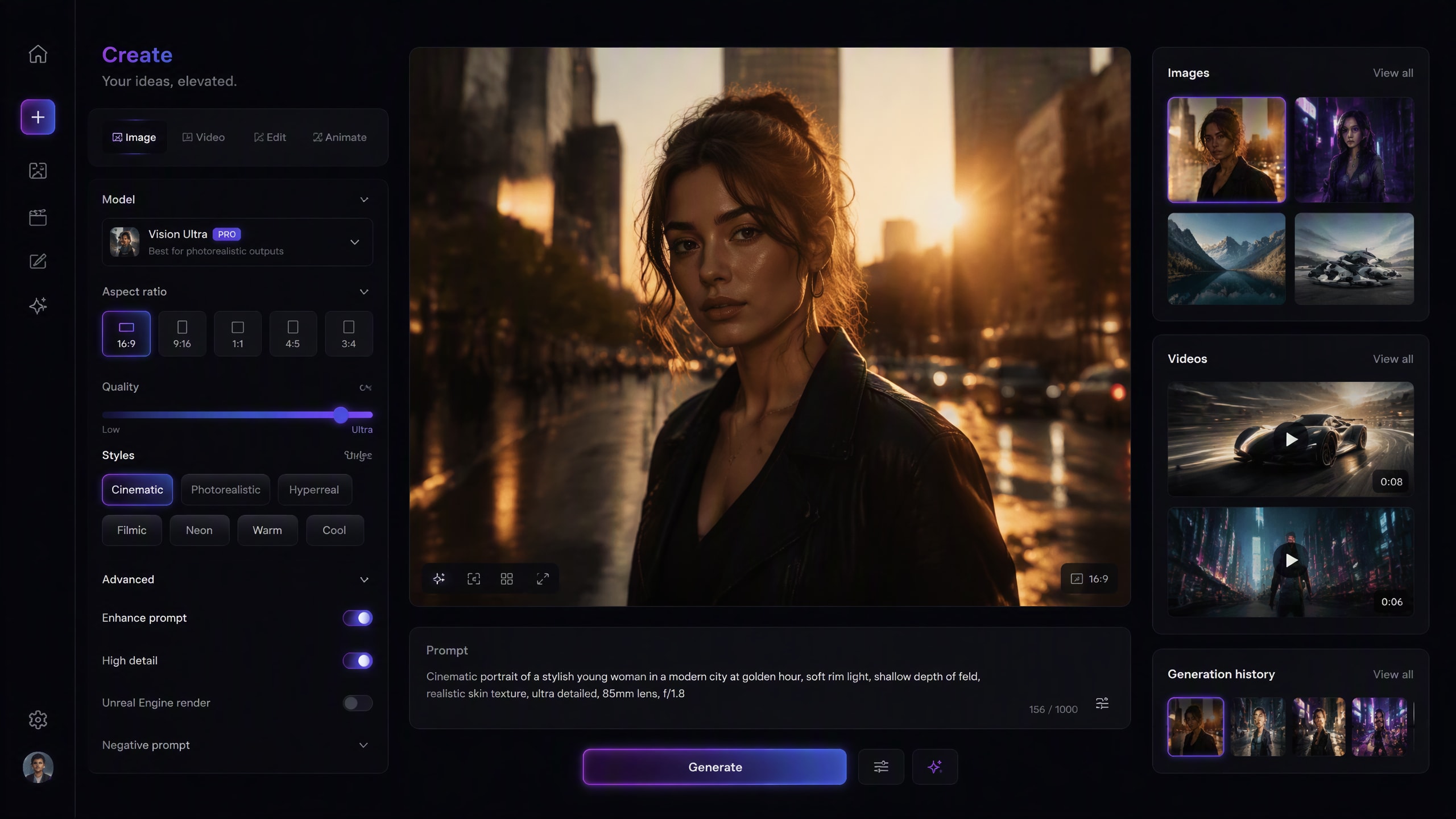
Example prompt: Create a cinematic editorial portrait with realistic lighting, natural skin texture, shallow depth of field, and a premium urban background while preserving the subject’s identity.
Quick Answer

What Is Grok AI?

Grok AI, developed by xAI, is an AI assistant built for reasoning, search, content creation, and multimodal tasks. Its creative experience, Grok Imagine, supports AI image generation, image editing, and video creation. For creators, that means Grok can help turn prompts into visual concepts, transform existing photos, animate still images, and experiment with short AI-generated videos.

How to Create Grok-Style AI Images & Videos with Media.io

1. Choose an AI Creation Tool

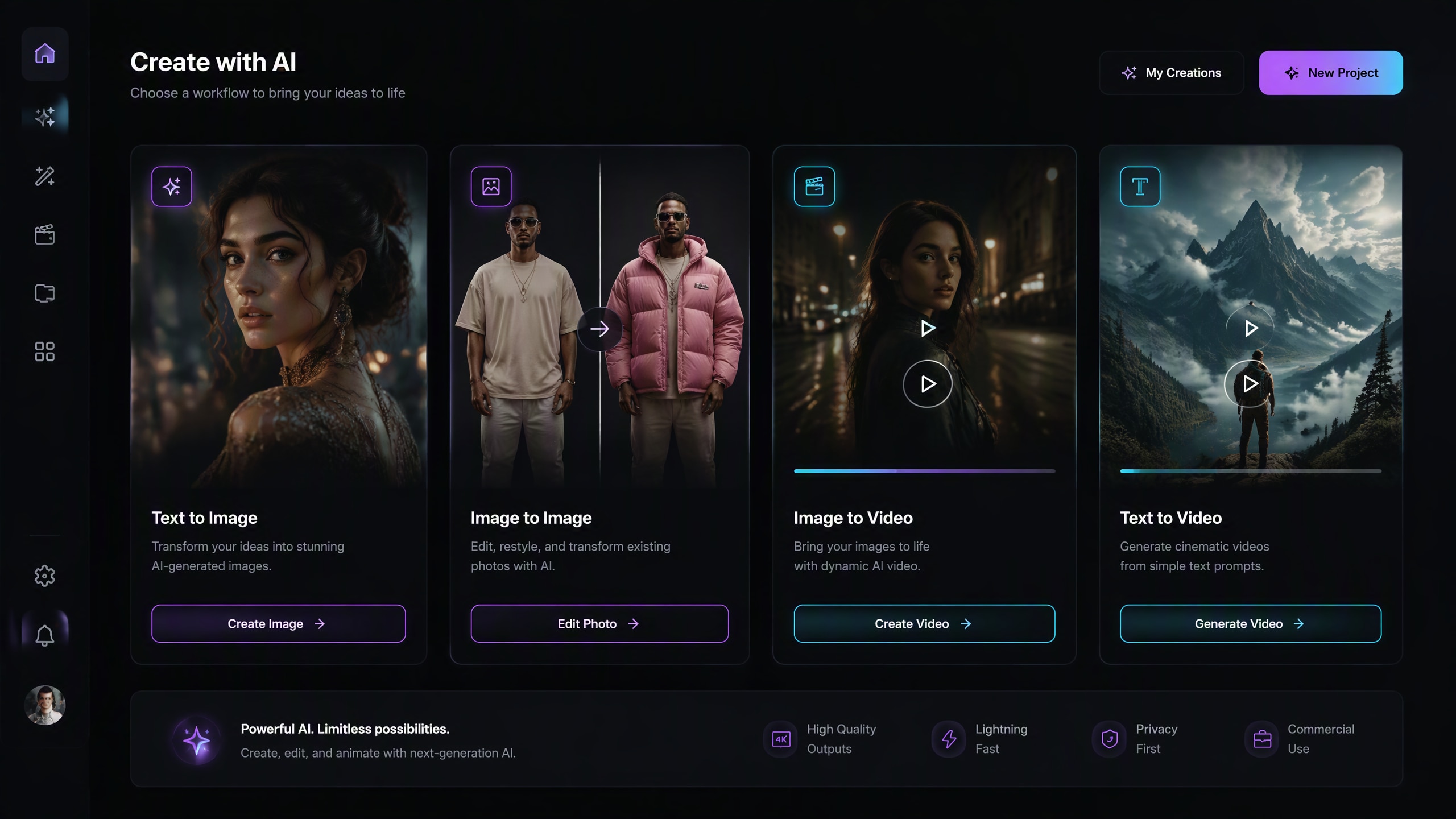
Start with the content you want to create. Use AI Image for text-to-image generation, Image-to-Image for photo transformations, Image-to-Video for animating a still image, or Text-to-Video for creating a new video from a written concept.

Choose an AI Tool
Choose an AI creation workflow for Grok-style images and videos
Choose the workflow that matches your goal: generate, edit, animate, or create from text.

2. Upload Your Image or Enter a Prompt

Upload a clear reference image when identity or original visual details matter. Then describe the desired transformation, movement, scene, lighting, camera behavior, and style. For text-based creation, provide enough visual detail for the AI to understand your intended result.

Try a Grok-Style Prompt
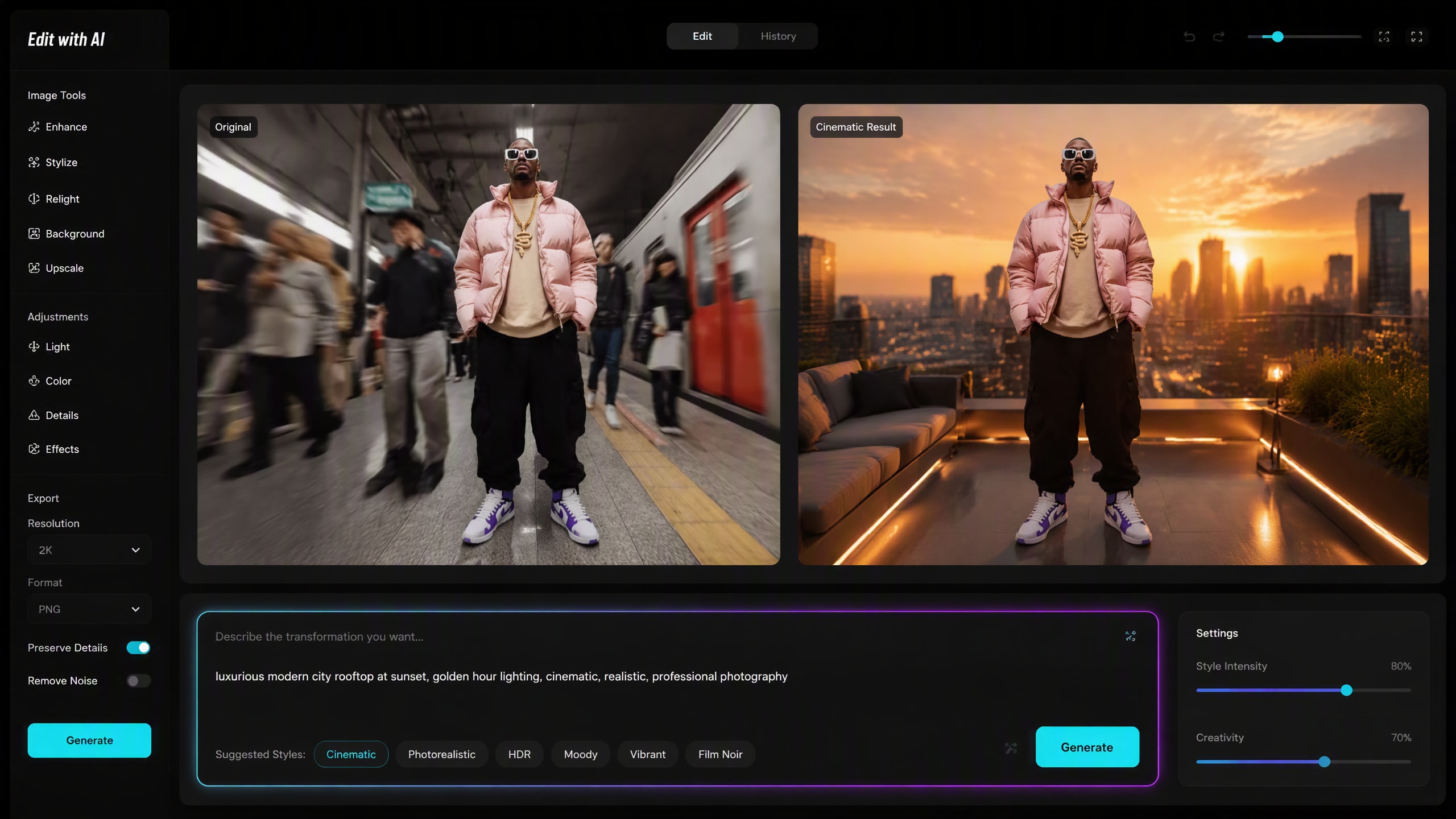
Enter a Grok AI prompt for image editing and generation
“Preserve the person’s identity, replace the background with a premium rooftop at sunset, and add realistic golden-hour lighting.”

3. Generate, Refine & Share

Generate your image or video and review the subject consistency, composition, movement, and visual details. Refine your prompt if necessary, then export the final result for TikTok, Instagram, YouTube, ads, presentations, or other creative projects.

Create with AI Free
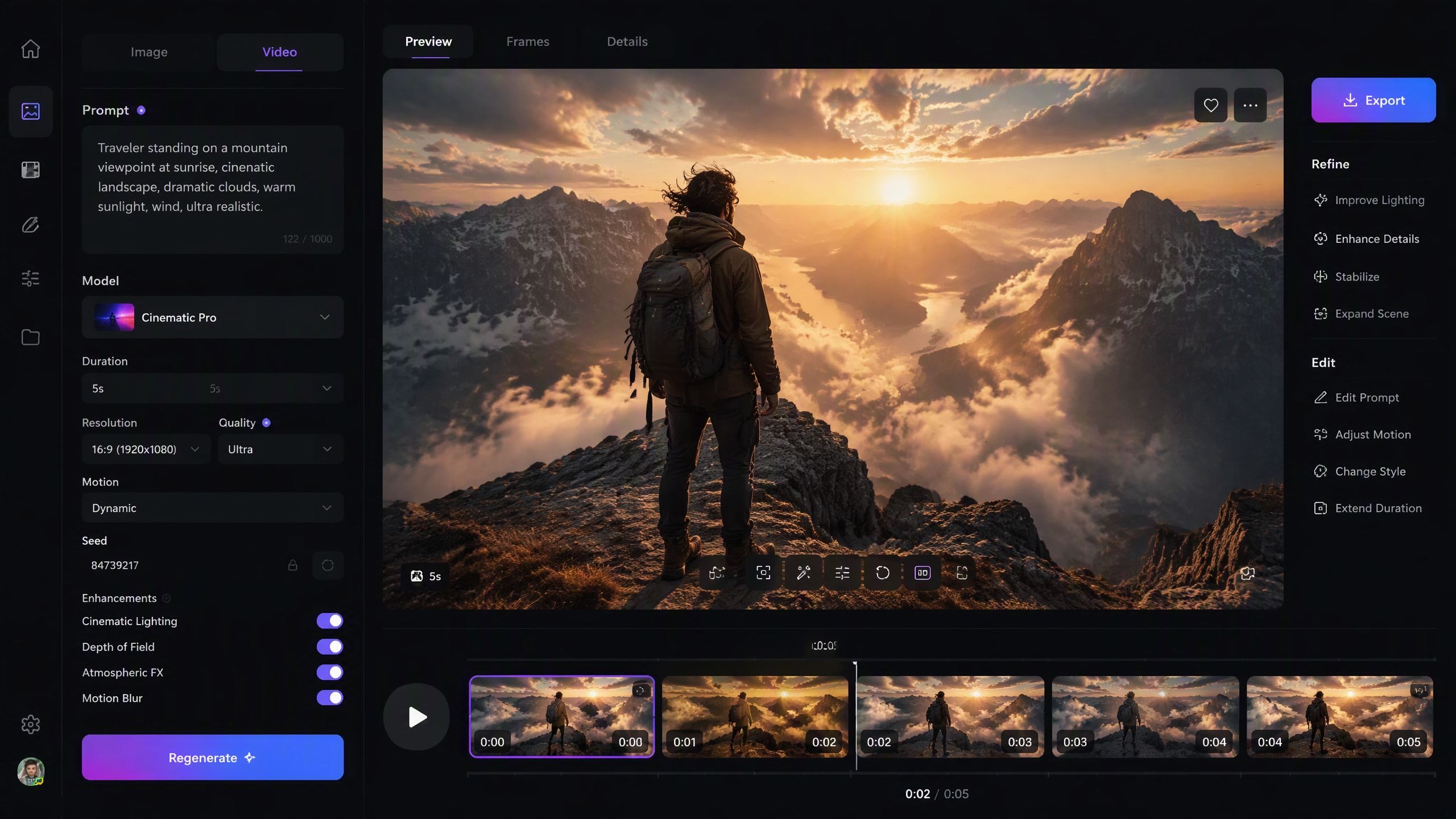
Generate and refine Grok-style AI images and videos
Regenerate with more specific instructions when you want tighter control over style, lighting, motion, or composition.

What Can You Create with Grok AI?

Explore the creative workflows behind Grok AI and recreate similar image and video ideas with Media.io.

Grok AI Image Generator

Turn written ideas into AI images for cinematic portraits, social media visuals, posters, product concepts, illustrations, travel scenes, fashion photos, and creative artwork. Describe the subject, environment, lighting, camera angle, composition, and visual style for better control.

Grok AI Photo Editor

Use natural-language instructions to change backgrounds, restyle outfits, create professional headshots, modify product colors, redesign scenes, or transform everyday photos while preserving the original subject.

Grok AI Video Generator

Turn text ideas into short videos with character movement, camera motion, atmosphere, pacing, and audio-oriented storytelling. Include subject motion, camera behavior, environment, lighting, and mood in the prompt.

Grok AI Image to Video

Bring a still image to life with subject movement, camera pushes, environmental motion, or cinematic scene changes. Focus prompts on how the image should move rather than repeating what is already visible.

Grok AI vs Media.io Creative Workflows

Grok AI is one option in a fast-changing AI creation ecosystem. Media.io focuses on practical browser-based workflows for generating, editing, and animating visual content.

WorkflowGrok AIMedia.io
Text to ImageAvailable through Grok ImagineAI image generation in a browser
Photo EditingPrompt-based image editingImage-to-image and prompt-based transformations
Text to VideoAI video generationText-to-video workflows with multiple creative scenarios
Image to VideoAnimate still images with promptsDedicated image-to-video workflow
Prompt DiscoveryPrompt-driven creationPrompt examples, Explore content, and generation tools
Best ForUsers already creating inside the Grok ecosystemCreators who want flexible browser-based image and video workflows

Media.io is an independent product and is not affiliated with or endorsed by xAI or Grok.

Popular Grok AI Creative Ideas

Cinematic AI Portraits

  • Create dramatic portraits with realistic skin texture and controlled lighting.
  • Add shallow depth of field and professional camera aesthetics.
  • Use the result for profile photos, fashion concepts, or social posts.

AI Photo Editing for Social Media

  • Change locations, outfits, lighting, backgrounds, or atmosphere.
  • Preserve recognizable facial features and the original subject.
  • Turn everyday photos into more polished visual concepts.

AI Image-to-Video Animation

  • Animate portraits, travel photos, fantasy artwork, or product images.
  • Add subtle camera pushes, wind, environmental movement, or character actions.
  • Create short cinematic clips from a single still image.

Best Grok AI Prompts to Try

Grok AI Image Prompt

Create a cinematic editorial portrait of the person in the reference image, preserving their facial identity and natural features. Place them in a modern urban setting at golden hour with soft directional sunlight, realistic skin texture, subtle depth of field, professional photography, and natural color grading.

Grok AI Photo Editing Prompt

Edit the uploaded photo while keeping the person’s face, identity, hairstyle, body proportions, and pose unchanged. Replace the background with a premium modern city rooftop at sunset. Add realistic golden-hour lighting, natural shadows, subtle reflections, and editorial color grading.

Grok AI Video Prompt

A cinematic traveler walks slowly toward a mountain viewpoint during sunrise. Their clothes and hair move naturally in the wind. The camera begins with a wide establishing shot and gradually pushes forward. Soft morning fog moves through the valley with realistic natural motion and cinematic pacing.

Grok AI Image-to-Video Prompt

Animate the uploaded image with subtle, realistic motion. The subject gently turns toward the camera while their hair and clothing move naturally in a light breeze. Add a slow cinematic camera push-in and subtle background movement while preserving the original face, proportions, lighting, and composition.

What Creators Like About Flexible AI Workflows

Maya — Content Creator

“Prompts are easy to reuse.”
I can start with one portrait idea, refine the lighting and background, then reuse the same structure for several different AI image tools.

Daniel — Video Creator

“Image-to-video is the hook.”
I like starting from one strong still image and adding only the motion I need. It makes short cinematic clips much faster to experiment with.

Priya — Social Media Creator

“One idea, several formats.”
I can turn the same concept into a still image, a photo edit, and then a short video without rebuilding the creative direction from scratch.

FAQs About Grok AI

1. What is Grok AI?

Grok AI is an artificial intelligence assistant developed by xAI. It supports tasks such as answering questions, reasoning, search, writing, and multimodal content creation. Its creative capabilities include Grok Imagine, which supports AI image generation, image editing, and video creation.

2. Can Grok AI generate images?

Yes. Grok AI image generation through Grok Imagine can turn text prompts into original images. Users can describe subjects, environments, photographic styles, lighting, composition, colors, and other visual details. Adding camera angle, expression, clothing, and composition usually gives the model more information about the intended result.

3. Can Grok AI generate videos from images?

Yes. Grok Imagine supports image-to-video generation, allowing a still image to become a short moving scene. For better results, describe exactly how the image should move, including subject motion, camera motion, environmental movement, and anything that should remain stable.

4. How do I write a good Grok AI prompt?

A useful Grok AI prompt should clearly describe the desired output. For images, consider subject, action, environment, composition, lighting, camera, and visual style. For video, add subject motion, camera motion, environmental motion, pacing, and audio. For photo editing, clearly separate what should change from what must remain unchanged.

5. Can I create Grok AI-style images and videos with Media.io?

Yes. Media.io provides AI workflows for text-to-image, image-to-image, text-to-video, and image-to-video creation. You can use detailed natural-language prompts to create portraits, transform photos, animate images, generate cinematic scenes, and produce social media content. Results can differ between models because each AI model interprets prompts, motion, style, and reference images differently.