Create a Girl-on-Bullet Bike Reel
Put your portrait beside a classic Bullet-style motorcycle with confident poses, festive street lighting and a cinematic frame.
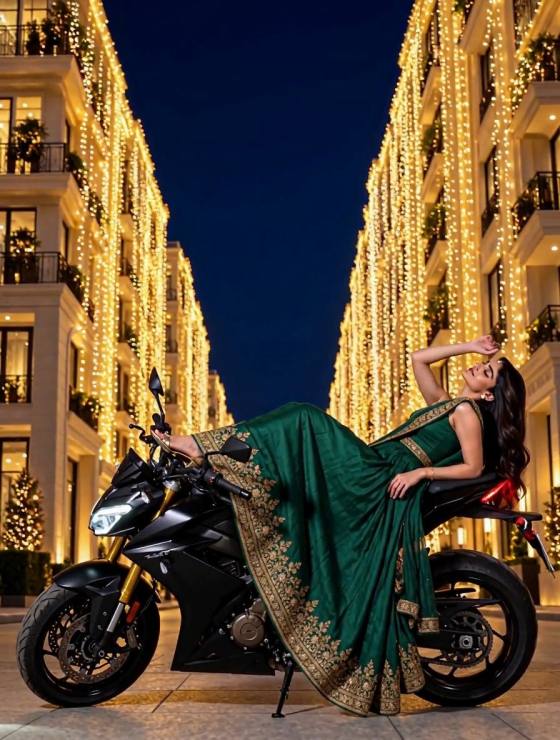
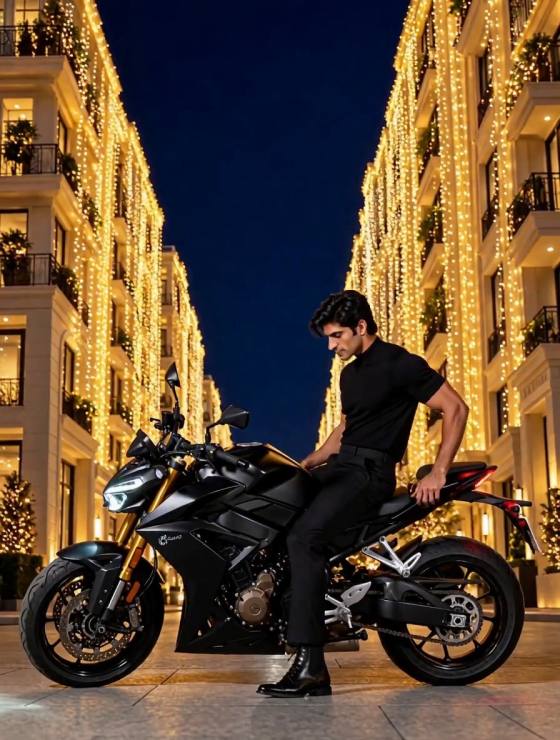

Picture yourself beside a classic Bullet-style motorcycle as Diwali lights turn the street into a glowing film set. The Diwali Bullet AI trend transforms a clear portrait into a festive bike reel: a confident girl in a saree or modern outfit, warm diyas and string lights, and a slow cinematic camera move that keeps the rider and motorcycle in focus. Start with your own photo, describe the bike, pose and lighting, then animate a natural glance or gentle movement. Create a striking girl-on-Bullet-bike AI video without filming on a busy road.
Put your portrait beside a classic Bullet-style motorcycle with confident poses, festive street lighting and a cinematic frame.
Use a sharp reference portrait and ask for the same facial features, hairstyle and outfit across the generated sequence.
Describe the motorcycle silhouette, bike color, saree or jacket, rangoli, diyas and golden lights without relying on brand logos.
Bring a still portrait to life with a subtle head turn, natural fabric movement and a slow camera push while the bike stays parked.
Choose a well-lit photo of yourself or a person who has authorized its use. A full-body or three-quarter portrait helps define the pose beside the motorcycle.
Set a classic Bullet-style bike on a decorated Diwali street. Specify the outfit, parked bike position, warm diya glow, background and desired camera angle.
Animate a subtle glance, smile or camera glide. Check facial identity, hands, wheels and motorcycle geometry before exporting your festival video.
It is a festive AI photo-to-video concept featuring a person, often a girl, posed with a classic Bullet-style motorcycle against Diwali lights. The video typically adds subtle motion and cinematic camera movement.
Upload an authorized portrait to Media.io, describe a parked Bullet-style motorcycle and a Diwali street scene, and generate an image-to-video result. Review the output for identity and motorcycle consistency.
No. You can describe the motorcycle in your prompt. For a specific personal bike, a suitable reference photo may help when the selected workflow supports it.
Try: Keep the face identical to the reference photo. Place the subject beside a parked classic Bullet-style motorcycle on a warmly lit Diwali street with diyas and rangoli. Add a gentle head turn and slow camera push; keep the bike stationary and the hands anatomically natural.
You can create original visuals inspired by the bike trend, but the availability or commercial rights for a particular song or audio clip are not included. Use audio you own or are licensed to publish.
Media.io offers free credits on signup and may offer daily check-in credits. Actual generation credit costs vary by model and settings.
See what creators are making on TikTok, Reels & Shorts — watch the effects and try your next viral idea.