첫 구독 최대50% 할인!
지금 구매

Sheru Bhai AI 사진 편집 프롬프트

오리지널 황금 사자 비즈니스맨, 로열 화이트 수트, 고급 경매 장면을 위한 Sheru Bhai AI 사진 편집 프롬프트를 탐색해 보세요. Gemini 또는 다른 AI 이미지 편집기에서 사용할 수 있도록 프롬프트를 복사하고 커스터마이즈하세요.
모든 제출물

Sheru Bhai AI Photo Editing Prompt – Royal Lion Suit & Auction Look

Create a cinematic Sheru Bhai-inspired AI portrait: a fictional golden lion in a tailored white suit, gray waistcoat, and lavish auction setting. Copy the photo prompt, customize the character and scene, and explore image-to-video storytelling.

Why Try Sheru Bhai AI Photo Editing Prompts?

Royal Golden-Lion Portrait

Prompt: An original anthropomorphic golden lion businessman, expressive amber eyes, meticulously groomed mane, luxury editorial portrait, natural fur texture, 85mm lens, soft key light, realistic proportions, no logos or text.

White Suit & Gray Waistcoat

Prompt: The same original golden-lion character wearing a crisp ivory double-breasted suit, charcoal-gray waistcoat, white shirt and polished shoes; full-body fashion photograph, refined confident posture, accurate paws and hands.

Luxury Auction Hall Scene

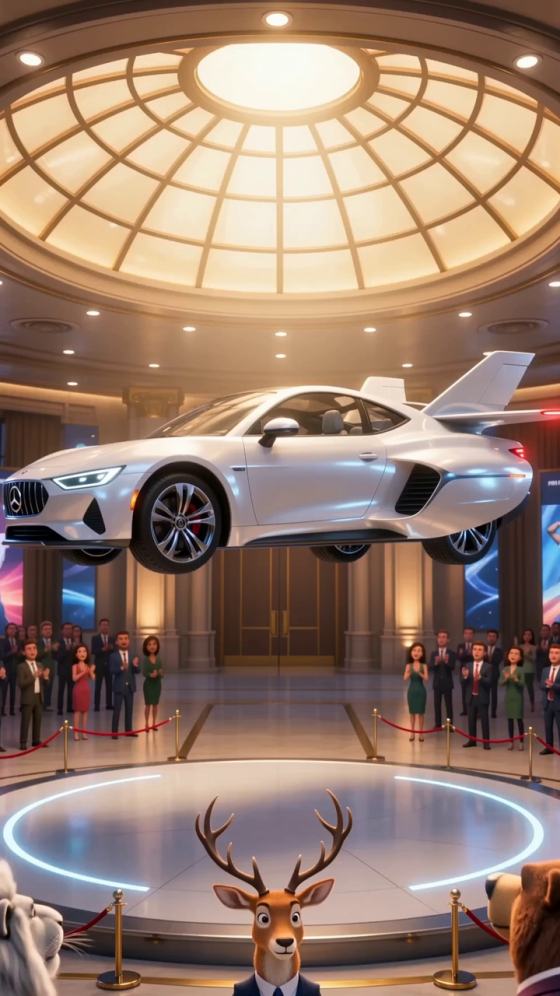
Prompt: The fictional golden lion stands beside a unique concept sports car inside an opulent auction showroom, warm chandeliers, bidders in the background, dramatic cinematic framing, no real brand marks or recognizable copyrighted characters.

Consistent Original Character

Keep the character’s mane shape, facial proportions, fur color, clothing and accessories consistent. Save the best generated image as a visual reference for subsequent scenes; do not claim exact identity preservation is guaranteed.

How to Create Sheru Bhai AI Photos

01

Choose Your Reference

Use a self-created lion character design or a photo you have permission to edit. Decide whether you want a close-up businessman portrait, a full-body suit look, or a luxury auction scene.

02

Copy and Personalize a Prompt

Copy a prompt from the examples above. Replace clothing, background, camera framing and lighting to suit your story. Add: “keep the face identical to the authorized reference, preserve mane, fur markings and facial proportions.”

03

Generate and Refine the Photo

Generate the image in a compatible AI image editor, inspect the paws, suit details and face, then refine the prompt. For a short story, create two consistent auction stills before testing image-to-video animation.

Sheru Bhai AI Photo Editing Prompt FAQs

What is a Sheru Bhai AI photo editing prompt?

Sheru Bhai AI photo editing prompts are descriptive instructions for making an original anthropomorphic lion businessman portrait or auction-themed image, rather than a claim of an official preset.

Can I create a Sheru Bhai-style image from my own photo?

Yes. With an authorized portrait, you can request a stylized lion-businessman interpretation. If you need to preserve your real face, ask for a human-in-suit portrait instead of changing species.

What is the best prompt for a golden-lion businessman?

Try: “Original golden anthropomorphic lion businessman in an ivory tailored suit and charcoal waistcoat, elegant auction showroom, confident expression, realistic fur, cinematic soft light, full-body composition, no logos.”

Can I use these prompts with Gemini?

You can adapt these natural-language prompts to supported Gemini image-generation or image-editing features. Available controls and output quality depend on the model.

How do I keep the lion character consistent across images?

Reuse one approved reference image and repeat the exact mane, eye color, suit, waistcoat and body proportions in each prompt. Review outputs for drift between scenes.

Is Sheru Bhai AI photo editing the same as the auction video trend?

No. This page focuses on static photo prompts and character references. The auction video format adds sequential bids, reaction shots and a final gavel moment; still images can be used as inputs for a separate video workflow.