Create a Dance Video from One Photo
Upload one clear full-body image and turn a still pose into a complete Gang Gang Dance AI video. There is no need to record yourself performing every arm roll, knee pop, spin, or point.
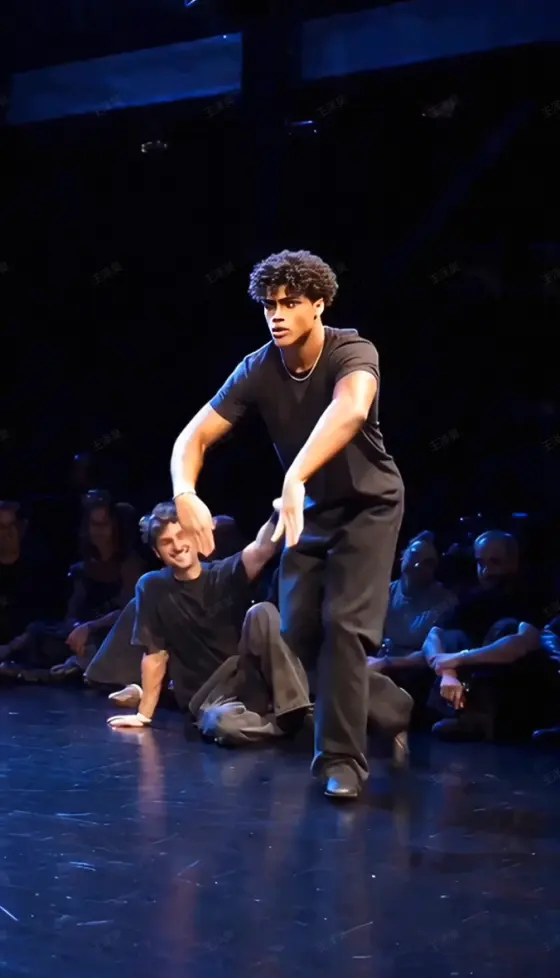
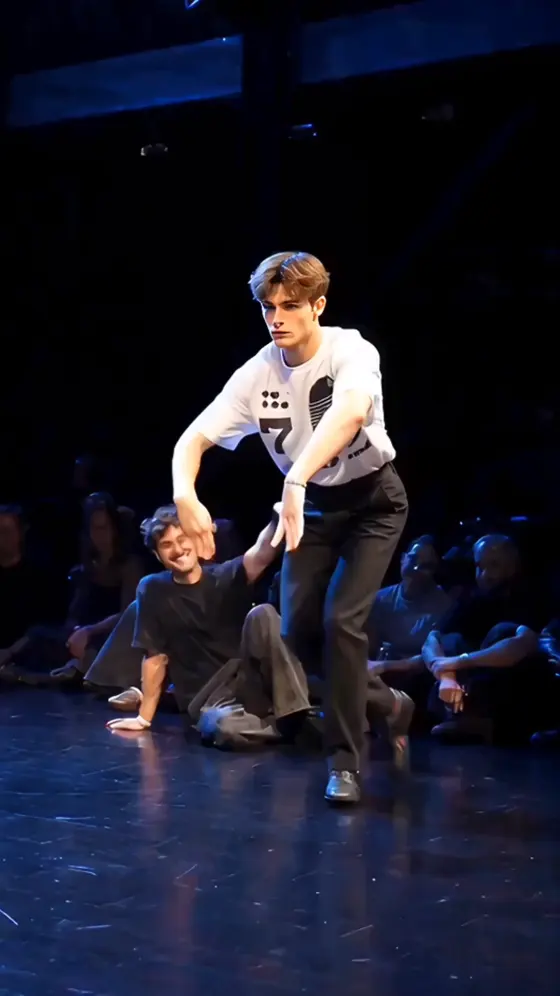
Turn one clear photo into a Gang Gang Dance AI video inspired by the viral Jean Phil dance trend. Put yourself, a friend, or a pet on a blue-lit battle stage and create a rhythmic vertical clip without filming the routine or animating every move by hand.
Upload one photo, choose the dance look, and generate your video.
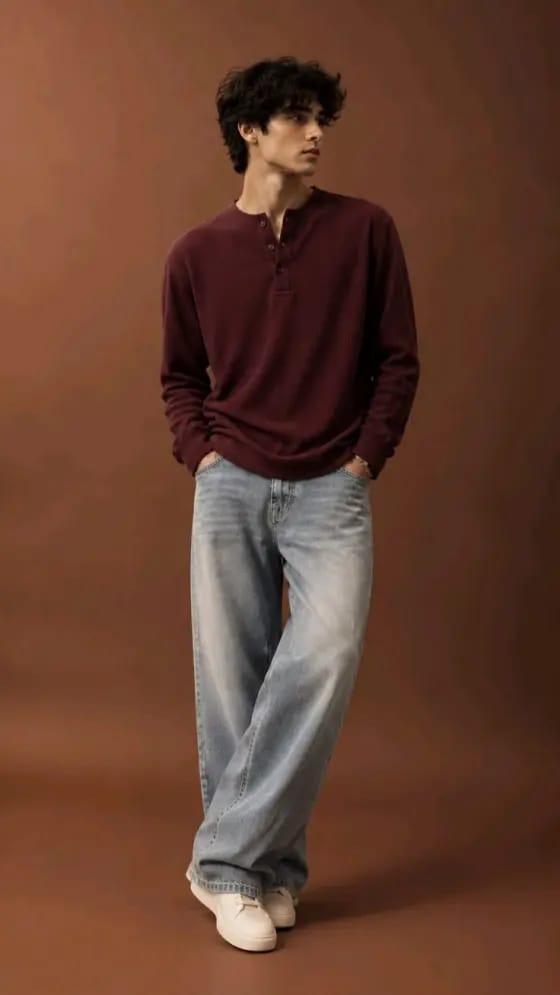
Skip rehearsals, reshoots, and frame-by-frame animation. Start with a photo you already like and turn the subject into the confident star of a viral-style dance clip.
Upload one clear full-body image and turn a still pose into a complete Gang Gang Dance AI video. There is no need to record yourself performing every arm roll, knee pop, spin, or point.
Use a sharp, evenly lit reference photo to help maintain the subject’s face, hairstyle, outfit, and defining features while the pose changes throughout the routine.
Build the recognizable mood of the Jean Phil dance trend with rhythmic full-body movement, confident attitude, a blue-lit battle stage, and a crowd-facing camera angle.
Create a vertical dance clip that is easy to share, remix, or combine with captions and music. Use it for a solo post, a friend challenge, a pet transformation, or a before-and-after reveal.
Choose one front-facing, well-lit photo. A full-body image with visible arms and legs gives the AI more information for the Gang Gang dance routine.
Select the preset or describe a wide full-body shot on a blue-lit dance-battle stage. Keep the camera steady and ask the subject to preserve the original outfit and identity.
Generate the video and review the face, hands, feet, and timing. Try a clearer source photo if needed, then download the final clip for TikTok, Instagram Reels, or YouTube Shorts.
The same dance format can become a personal reveal, a playful pet video, or a repeatable social challenge.
Put yourself or a friend at center stage without learning the choreography. Keep the original outfit for a recognizable and personal result.
Turn a clear dog or cat photo into an upright, full-body dance performance. It is a playful way to remix the Jean Phil dance trend with a surprising subject.
Generate separate versions for friends, teammates, or family members, then combine the clips into a “Who did it best?” Reel or Shorts compilation.
Illustrative creator scenarios, not verified customer reviews.

Short-Form Creator · Example
“The trend, starring me.” I could turn a simple full-body photo into a dance clip and use the result as the opening reveal in a Reel.

Pet Account Owner · Example
“My dog stole the stage.” The pet version would give my followers an unexpected take on the Jean Phil dance trend without a complicated edit.

Social Media Editor · Example
“Perfect for a challenge.” I would create one version for each friend, then cut them together as a fast “Who danced it best?” compilation.
It is an AI dance-video format inspired by the viral Jean Phil dance trend. A person or pet appears on a dance-battle-style stage and performs a confident sequence of arm rolls, knee pops, turns, points, and full-body moves. Media.io lets you recreate the format from a photo instead of filming and learning the entire routine yourself.
Upload a clear, front-facing image—preferably a full-body shot with visible arms and legs. Choose the Gang Gang Dance AI video template or describe a wide, vertical dance-battle scene with blue stage lighting, rhythmic full-body movement, a steady audience-facing camera, and identity preservation. Generate the clip, review the movement and facial consistency, and try another source photo if important details drift.
Use one high-resolution photo with the subject facing the camera in bright, even lighting. A full-body or three-quarter-body shot works better than a tight selfie because the AI needs enough visual information to animate the arms, knees, feet, and outfit. Avoid sunglasses, heavy face filters, crossed limbs, cropped feet, motion blur, and busy backgrounds. One clearly visible subject usually produces a cleaner result than a crowded group photo.
Yes, provided you have the right to use the uploaded image. A clear pet photo can be animated as a playful upright dance, while a character image can become a stylized performance. For smaller subjects, keep the whole body visible and leave open space around it. Results vary by source image and model, so check the output for natural proportions, stable facial features, and consistent clothing or fur.
Yes. Generate or crop the video in a vertical 9:16 format for TikTok, Instagram Reels, and YouTube Shorts. Add only music you are licensed or permitted to use, and follow each platform’s rules for disclosing AI-generated or altered media. Media.io generation credits, available models, output quality, and export options can vary by account and plan, so check the current settings before creating.