Start With One Cat Photo
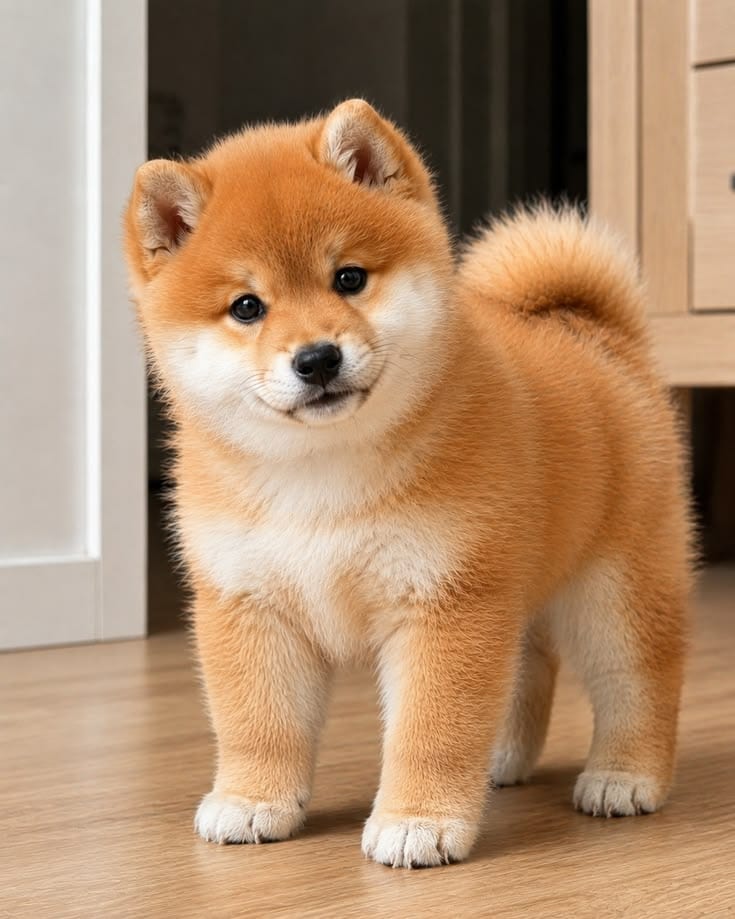
Use a clear picture of your own cat as the starting point. A visible face, fur markings, body, and front paws help the AI build a launch video that still looks like your pet.
 創造力を解き放ち、Media AIの魔法をすぐに体験しよう!
Your cat deserves a launch event. Upload one clear photo to create a playful AI cat video with a close-up reveal, a confident studio pose, and a lineup of different looks. Turn an everyday pet portrait into a product-launch-style clip for TikTok, Reels, or Shorts.
Free credits on signup.
Use a clear picture of your own cat as the starting point. A visible face, fur markings, body, and front paws help the AI build a launch video that still looks like your pet.
Open with a close-up of your cat's eyes and fur, then pull back to a confident studio pose. The dramatic camera move makes an ordinary pet photo feel like a launch announcement.
Try a final lineup with your cat's natural look and a few playful outfit variations. Keep the face and markings consistent so every “edition” is recognizably the same cat.
Use the result for a pet account introduction, birthday post, adoption anniversary, or simply a funny Reel. Add your final launch title after generating the video for clearer text.
Choose a sharp photo of one cat. A centered pose, even lighting, and visible face and paws give the AI a stronger reference for the reveal and outfit lineup.
Choose the cat launch effect if available, or describe the scene: “Close up on my cat's eye, pull back to a bright studio, show a gentle paw lift, then reveal several outfit versions of the same cat.”
Check your cat's face, markings, paws, and the number of cats in the final shot. Refine the prompt if needed, then add a readable launch title and share your video.

Introduce Your Cat

Give your new pet account an opening scene. Start with an eye close-up, reveal your cat in a clean studio, and end with a title featuring their name. It is a playful introduction for your first post.

Celebrate a Milestone
Announce the newest birthday edition. Use a favorite portrait and finish with a lineup of party-inspired looks. Add the birthday message after generation so it stays crisp and easy to read.

Try Several Looks
Present your cat's “collection.” Put the natural coat beside a T-shirt, hoodie, raincoat, or costume look. Keep each version's face and fur markings consistent for a better final reveal.

Share Your Cat's Story
Make your adoption anniversary feel like an event. Turn a treasured cat photo into a studio reveal, then pair the finished clip with a caption about the day your cat joined the family.
It is a playful video that presents your cat like the star of a new product announcement. The effect can combine a dramatic close-up, a studio reveal, and different looks based on your cat photo. It is about introducing your cat, rather than advertising a cat product.
Choose one well-lit cat photo with sharp eyes, visible ears and paws, and clear fur markings. A centered seated or standing pose with some room around the body works well for a pullback shot and outfit lineup.
You can start with one cat photo and request several outfit variations in the prompt. Review the generated lineup carefully: AI may change markings, add an extra cat, or alter an outfit. A simpler lineup can be easier to keep consistent.
Yes. After reviewing the result, you can use your cat launch video for TikTok, Instagram Reels, or YouTube Shorts. Choose an aspect ratio that suits the platform and add captions or music during your final edit.
Use a sharp reference photo and tell the AI to preserve your cat's face, eye color, coat pattern, and body proportions. Keep movements gentle, then check each shot and regenerate any part where the cat's appearance changes noticeably.
 4.7 (162,357 Votes)