
AI Cartoon Story Video Generator for Animated Stories and Shorts
Have a kids' story, comic idea, lesson script, mascot tale, or short drama that needs to feel fun and easy to follow? Media.io's AI Cartoon Story Video Generator helps turn your script into a cartoon-style story video with expressive characters, voiceover, background music, and share-ready formats for YouTube Shorts, TikTok, Reels, classrooms, or faceless story channels.
Create Cartoon Story Videos from Scripts, Ideas, and Characters
Turn kids' stories, comic ideas, lesson scripts, short dramas, and faceless narration into cartoon-style videos with expressive characters, voiceover, music, and formats made for YouTube, Shorts, TikTok, Reels, or classrooms.
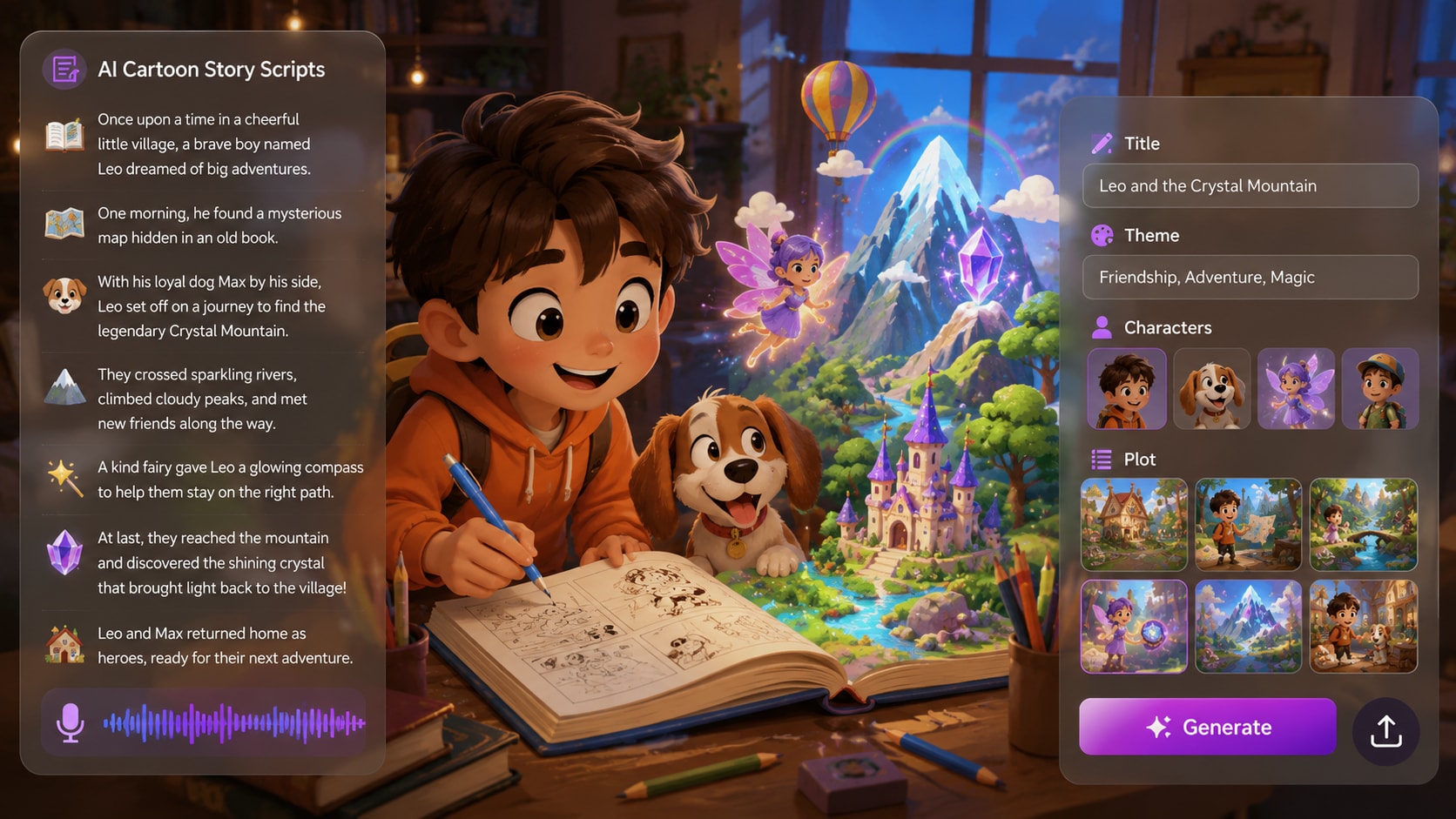
Turn Scripts into Cartoon Story Videos
A good cartoon story needs more than a cute visual. Start with a short story, kids' tale, comic scene, lesson idea, or channel script, and let Media.io help shape it into a cartoon story video with a clear setup, character moment, conflict, and ending beat.
- Script-to-Cartoon Video - Transform written stories, comic ideas, and narration drafts into cartoon-style videos
- Story-Driven Flow - Build a watchable beginning, middle, and ending instead of isolated cartoon clips
- Short Episode Ready - Create compact cartoon stories for YouTube Shorts, TikTok, Reels, or classroom use
- Creator-Friendly Start - Go from a rough idea to an animated story direction without drawing every scene yourself
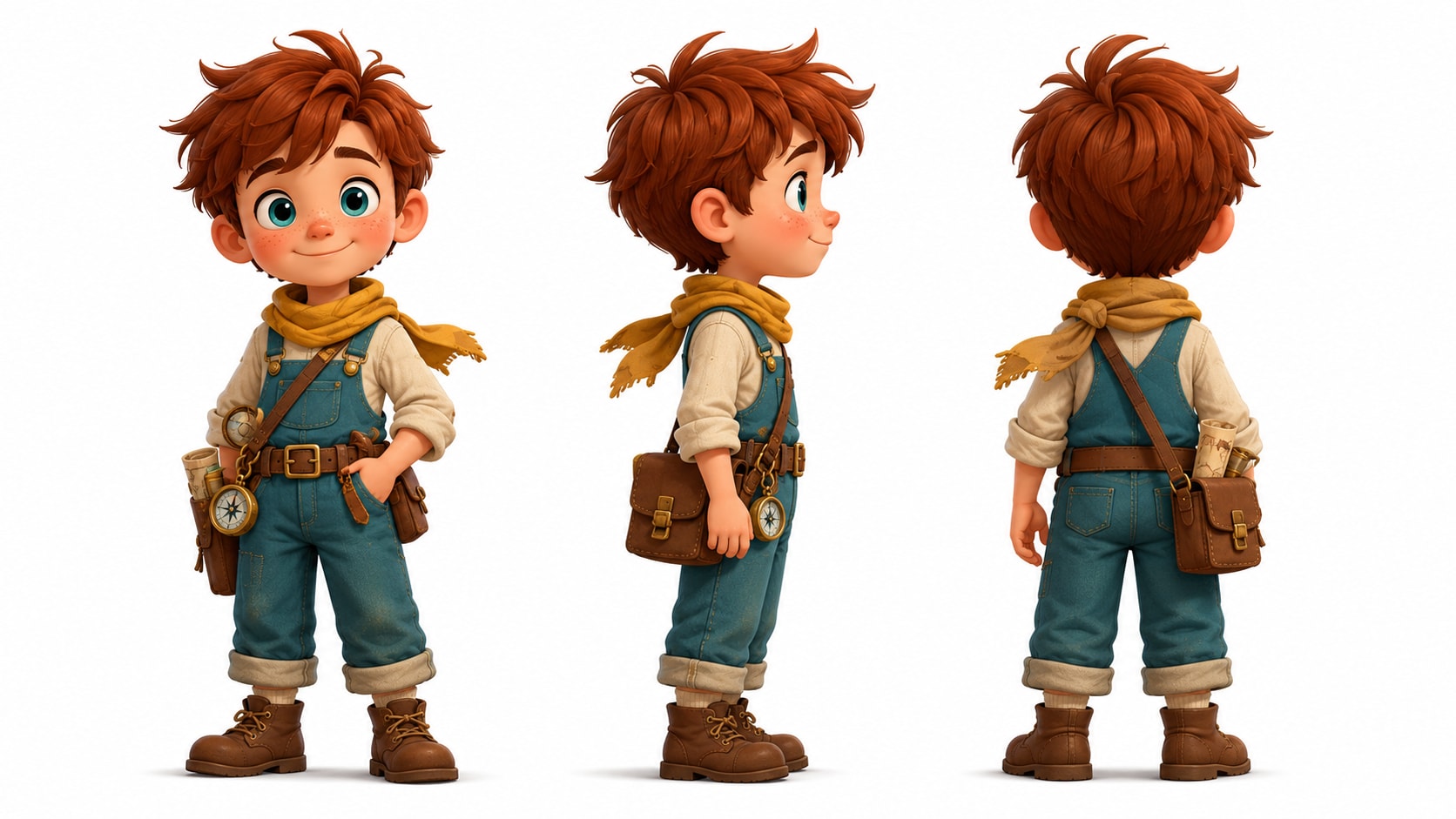
Create Cartoon Characters Viewers Can Recognize
Cartoon stories fall apart when the main character changes too much between scenes. Build your hero, sidekick, teacher, animal friend, or brand mascot from text, a reference photo, or a sketch, then guide the look so the cast feels familiar as the story moves forward.
- Text / Photo / Sketch Setup - Define cartoon characters from the reference style that is easiest for you
- Expressive Character Design - Shape faces, outfits, roles, and personalities for dialogue or reaction moments
- Recognizable Cartoon Cast - Help your hero, companion, narrator, or mascot stay easier to identify
- Series-Friendly Characters - Build recurring figures for kids' stories, episodic shorts, lessons, or mascot videos
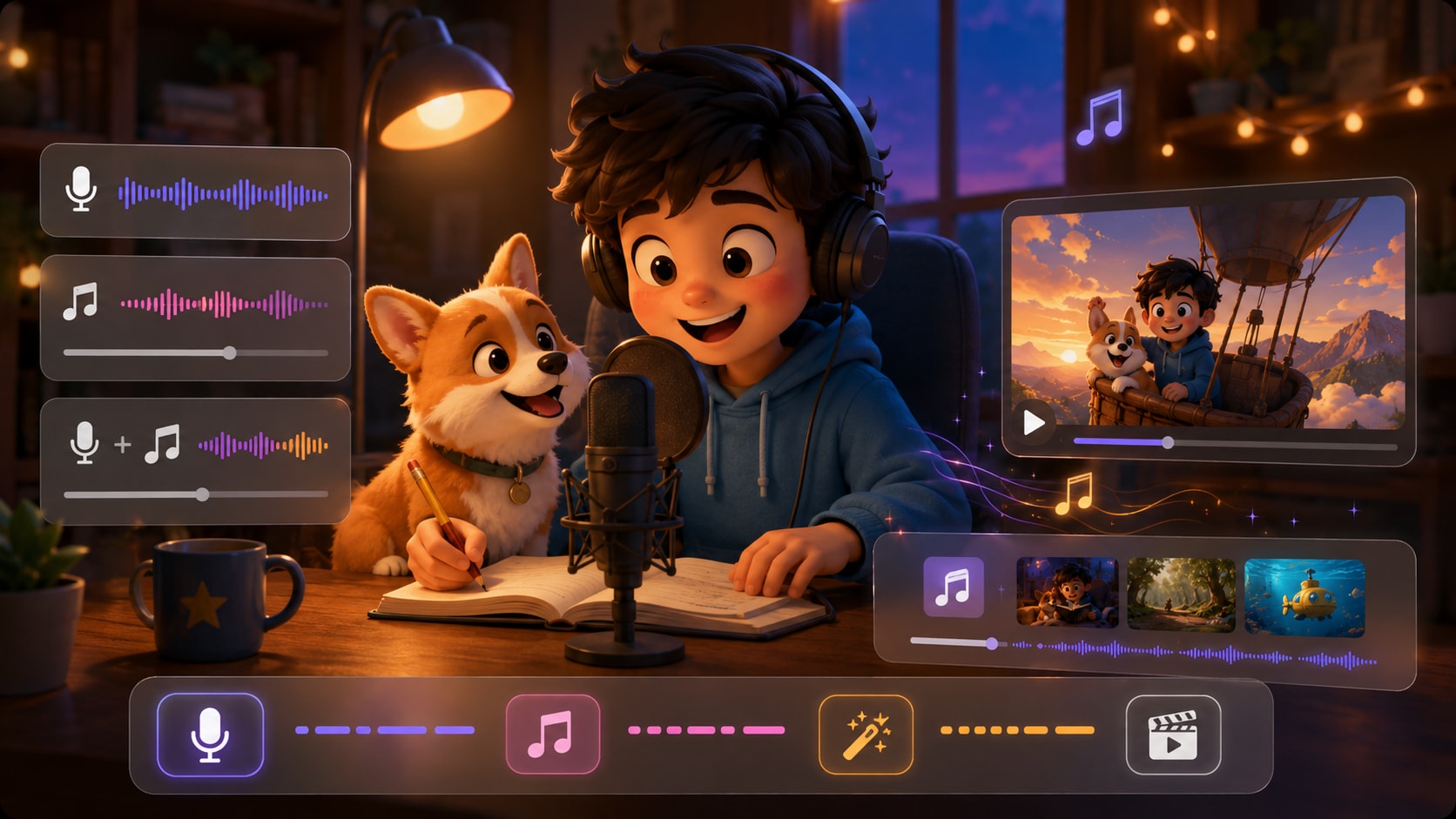
Generate a Complete Cartoon Story with Voiceover and Music
A cartoon story should sound alive, not play like a silent draft. Media.io helps pair cartoon-style visuals with narration and background music, so your kids' story, classroom scene, faceless channel episode, or mascot tale feels easier to follow from start to finish.
- Cartoon Visual Scenes - Turn story moments into bright, readable animated scenes
- Voiceover for Storytelling - Add narration so viewers understand the plot, characters, and emotional turn
- Background Music - Support funny beats, playful scenes, lessons, adventures, or gentle endings
- Watchable Story Flow - Create more than a cartoon clip with a stronger sense of beginning and payoff
Make Cartoon Videos for Shorts, Lessons, and Social Channels
Your cartoon story may need to work as a vertical short, a YouTube episode, a classroom clip, or a simple brand animation. Choose the format that fits the channel, review the generated video after creation, and use Media.io tools to polish the final result when needed.
- Vertical Cartoon Stories - Create cartoon videos for YouTube Shorts, TikTok, and Instagram Reels
- Classroom Cartoon Clips - Turn lessons, reading passages, or explainer scripts into friendly animated videos
- Brand and Mascot Stories - Use cartoon characters for product stories, onboarding, campaigns, or social posts
- Post-Generation Polish - Review the final video and improve clarity with Media.io tools before sharing

Make a Cartoon Story Video in Three Steps
Start with a script, build a cartoon cast, then generate a story video with voiceover, music, and formats ready for your channel.

Paste Your Story Idea
Start with a kids’ story, comic scene, lesson script, mascot idea, short drama, or faceless narration. Choose the format that fits your audience, from vertical cartoon shorts to wider YouTube or classroom videos.

Build Your Cartoon Cast
Create your hero, sidekick, teacher, animal friend, or brand mascot from text, a reference photo, or a sketch. Add clear character details so the cast feels expressive, familiar, and easy to follow across the story.

Generate, Review, and Share
Generate a cartoon-style story video with animated scenes, voiceover, and background music. Review the final result after generation, polish clarity with Media.io tools when needed, and share it on Shorts, TikTok, Reels, YouTube, or in class.
Compare Media.io with
Basic AI Cartoon Story Video Generators
Basic tools can make a cartoon-looking clip. Media.io is built for creators who need a story people can follow: characters, narration, music, and formats ready for Shorts, TikTok, YouTube, or lessons.
Make Cartoon Story Videos for the Channels You Actually Use

YouTube Story Channels
Turn kids’ stories, comic episodes, narration scripts, or character-led ideas into cartoon story videos for YouTube and Shorts. Build a recognizable cast, add voiceover and music, and make each episode easier to follow from hook to ending.

TikTok and Reels Creators
Create vertical cartoon stories built around quick jokes, tiny conflicts, surprising reactions, or emotional turns. Use bright animated scenes, clear narration, and fast-moving story beats for TikTok, Reels, and Shorts.

Teachers and Trainers
Turn lesson scripts, classroom examples, safety scenarios, or reading passages into cartoon explainer videos. Let characters act out the idea, so students or trainees can understand the scene instead of just reading another slide.

Brands and Mascot Videos
Give your product, onboarding flow, feature launch, or campaign message a cartoon character to carry the story. Create mascot-led videos that feel lighter than a hard-sell ad and easier to reuse across social posts or landing pages.
See What Ships Well
Ship When Stories Need Scenes and Characters
Explore different story formats and pacing styles, then adapt the same approach for your own cartoon narrative.
Loved by Creators Making Cartoon Story Videos
See how storytellers, teachers, marketers, and content producers use Media.io to turn scripts into cartoon-style videos with recognizable characters, voiceover, music, and channel-ready formats.


"My channel needs short cartoon stories that feel easy to follow in under a minute. Media.io helps me start from a narration script, build a recognizable main character, and turn the idea into a cartoon story video that fits Shorts without feeling like a random clip."

"I make tiny cartoon stories with a hook, a reaction, and a twist. The best part is that I can write the scene in plain language, add narration, and get something that feels more like an animated story video than a style filter."

"For pitch ideas, I do not always need a polished animation studio result. I need a fast cartoon story video maker that can show the tone, character dynamic, and basic scene flow. Media.io gives me a usable visual direction before I commit to production."

"I use it for classroom scenarios where a character explains the problem instead of another slide doing the work. A cartoon lesson video feels less intimidating for students, especially when the voiceover and visuals move the example along."

"A mascot-led cartoon story works better for us than a hard-sell ad. I can turn a feature message into a light animated scene, add music, and make something that feels friendly enough for social while still carrying the product point."

"I test a lot of text to cartoon story video ideas for different channels. Media.io helps me move quickly from script to a watchable draft with character visuals, narration, and the right format for Shorts, Reels, or YouTube."
FAQs on AI Cartoon Story Video Generator
What Is an AI Cartoon Story Video Generator?
An AI Cartoon Story Video Generator helps turn scripts, kids’ stories, comic ideas, lesson scripts, mascot stories, or short dramas into cartoon-style videos. Media.io helps create animated story scenes with recognizable characters, voiceover, background music, and share-ready formats for YouTube Shorts, TikTok, Reels, classrooms, or faceless story channels.
Can I Turn a Script into a Cartoon Video?
Yes. You can start with a narration draft, children’s story, classroom example, short drama, comic scene, or brand mascot script. Media.io helps turn the written idea into a cartoon story video with a clearer setup, character moment, action, and ending instead of only producing a single cartoon-looking clip.
Is This Different from a Basic AI Cartoon Video Generator?
Yes. A basic AI cartoon video generator may focus on one prompt or one short animated clip. Media.io is built around story video creation, so it is better for users who want a cartoon narrative with characters, narration, background music, and a more complete beginning-to-ending flow.
Can I Generate a Cartoon Story Video from Text?
Yes. Media.io supports a text to cartoon story video workflow for creators who already have a written idea. You can use a short story, scene prompt, dialogue script, lesson passage, or voiceover draft as the starting point, then generate a cartoon-style story video around it.
What Types of Cartoon Stories Work Best?
Cartoon style works well for kids’ stories, bedtime stories, comic scenes, funny shorts, animal adventures, classroom lessons, safety scenarios, explainer videos, brand mascot stories, and faceless YouTube narration. Stories with simple characters, clear actions, and visible reactions usually work better than vague one-line prompts.
Can I Make a Cartoon Kids Story Video?
Yes. Media.io can help turn children’s tales, moral stories, bedtime scripts, classroom reading passages, or animal adventures into cartoon-style story videos. Add friendly characters, voiceover, and background music to make the story easier for young viewers to follow.
Can I Create Cartoon Characters from a Photo, Sketch, or Text?
Yes. You can create a cartoon character from text, a reference photo, or a sketch. This is useful when you want a hero, sidekick, teacher, animal friend, narrator, or brand mascot to feel recognizable throughout your cartoon story video.
How Do I Keep Cartoon Characters Recognizable Across Scenes?
Give each character clear details such as hairstyle, outfit, age, color palette, role, personality, and key props. Media.io lets you set up characters from text, photo, or sketch references, helping your cartoon cast stay easier to recognize as the story moves through different scenes.
Does the Cartoon Story Video Include Voiceover and Music?
Yes. Media.io can help generate a more complete cartoon story video with animated visuals, voiceover, and background music. This makes the result more watchable for kids’ stories, classroom videos, YouTube Shorts, TikTok stories, Reels, and brand mascot videos.
Can I Make Cartoon Videos for YouTube Shorts, TikTok, and Reels?
Yes. You can create vertical cartoon story videos for YouTube Shorts, TikTok, and Instagram Reels, or wider cartoon videos for YouTube, lessons, presentations, and landing pages. This helps creators adapt one story idea for different platforms and viewing habits.
Can I Use It as a Cartoon Lesson Video Generator?
Yes. Teachers and trainers can use Media.io to turn lesson scripts, reading passages, role-play examples, safety scenarios, or simple explainers into cartoon videos. A character-led scenario can make abstract ideas easier to understand than a slide-only explanation.
Can I Make a Faceless Cartoon Story Video for YouTube?
Yes. If you run a faceless story channel, you can start with a narration script and create cartoon-style scenes around it. This works well for short moral stories, funny tales, fictional mini-episodes, character adventures, and animated narration content.
Can I Create a Cartoon Brand or Mascot Story Video?
Yes. Marketers can use cartoon characters or mascots to explain a feature, introduce a product, tell a customer story, or create a lighter social campaign. A cartoon brand story video can feel friendlier than a hard-sell ad while still carrying the message.
How Long Can the Generated Cartoon Story Video Be?
Media.io can generate cartoon story videos up to 2 minutes long. That length works well for YouTube Shorts, TikTok story clips, Reels, classroom explainers, bedtime stories, mini-episodes, brand mascot videos, and short animated lessons.
Can I Review the Cartoon Story Video Before Publishing?
Yes. After the cartoon story video is generated, you can review the final result before sharing. Check whether the characters, scenes, pacing, voiceover, music, and cartoon style feel coherent, then use Media.io tools to polish the video if needed.
What Should I Include in My Prompt for a Better Cartoon Story Video?
Describe the main character, goal, setting, conflict, action, mood, and ending. For example, mention whether the video should feel funny, playful, educational, adventurous, or emotional. Clear story details usually create better cartoon videos than a vague prompt such as “make a cartoon story.”
What Makes Media.io Better Than a Basic Cartoon Story Video Maker?
Basic cartoon video tools often focus on one short clip or one prompt. Media.io is designed for a fuller story workflow: script-based cartoon video generation, recognizable character setup, animated scenes, voiceover, background music, social-ready formats, and post-generation polishing tools.
Discover More AI Story Video Generators
Want to create beyond cartoon story videos? Explore more Media.io AI video generators for anime episodes, horror stories, faceless narration, kids’ tales, general story videos, animated ideas, and other script-to-video workflows made for different storytelling styles.







Write the Story
Direct the Cartoon Version
Paste your script, lock your cast, and ship a short cartoon episode in the format your audience already watches.
 4. 8 (38472 Votes)