Premier abonnement jusqu'à50 % de réduction
Acheter maintenant
Supprimeur d'objets vidéo
Supprimer filigrane Douyin
mode
Modèle de base
Modèle IA
Flou gaussien
Modèle de base v2
Téléchargement
Faites glisser le fichier ici ou cliquez sur TéléchargerCliquez pour téléchargerPrend en charge : mp4, .mov ; Maximum : 15 minutes
Générer une liste
Vos créations sont conservées pendant seulement 7 jours. Les éléments créés après la mise à niveau de l'Abonnement seront stockés de façon permanente.
ai_video_generatorLibérez votre potentiel créatif et découvrez la magie de l'IA médiatique dès mIAntenant!

Clean the Alight Motion watermark without destroying your Effects

Glow, motion blur, particles, and Transitions are precisely the details that make an Alight Motion edit work — and also the ones that can expose an oversized selection. If the Compositing is still in the app, re-export with a Membership that allows output without the official watermark. For a final video that is your own or authorized, the Media.io Video Eraser can treat only the visible watermark region in MP4 or MOV files up to 15 minutes. Keep the Mask tight and review the frames where Effects pass behind it.

Remove Alight Motion Watermark

Only use videos you own or are authorized to use, and prefer the official watermark-free export when the project is still available.

How to treat the Alight Motion visual watermark without rework

In Alight Motion, the best route depends on how complex the area behind the watermark is. Re-exporting avoids any reconstruction; editing the final file requires more care when there is glow, Keyframe data, or animated elements crossing the region.

RouteWhat to doWhen to useExpected result
Official Alight Motion routeAdjust the account/project and export againIf the project is still editable, export again after activating an eligible Membership to get the file without the official watermark.Preserves the video without reconstructing pixels
AI removalMark the visible area with the brush or describe the elementA final file you own/are authorized to use with a visible Overlay that can no longer be removed in the original projectVisually reconstructs the selected region; review frames and motion
Gaussian BlurOutline the area that only needs to be hiddenPrivate information, license plate, face, or stamp when a blur is acceptableThe region remains noticeable as a blurred area

What to check before editing an Alight Motion video

The Membership resolves the watermark at the source

Alight Motion's official help states that the Membership removes the watermark from projects. If the timeline still exists, generate a new MP4 from the app itself to keep the animations exactly as they were created.
Graphic animations require a precise Mask

Glow, motion blur, particles, and Keyframe elements can cross the logo region. If the Mask catches these Effects, the AI will have to invent motion where real information once existed.

Fast edits deserve review at normal speed

Speed edits and very short Transitions hide flaws when you watch frame by frame. After processing, watch the segment at normal speed to spot flickering, inconsistent edges, or shifting texture.

Export a clean base before creating variations

If the same edit will receive Music, text, or different cuts, clean the base file first. That way the versions for TikTok, Reels, and Shorts inherit the same already-reviewed area.

How to remove a visible Alight Motion watermark in 3 steps

1
2
3
1
Step 1: check if you can re-export

If the project is still editable, export again after activating an eligible Membership to get the file without the official watermark. If that is not possible and the video is yours, proceed with the final file.

2
Step 2: upload the video and mark the area

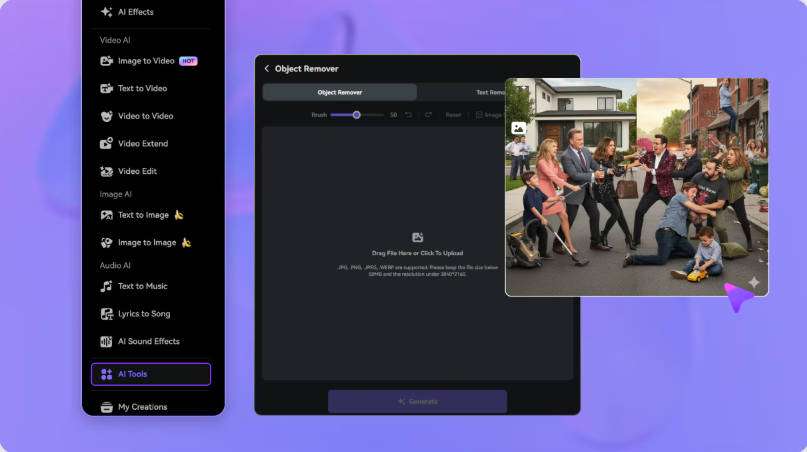
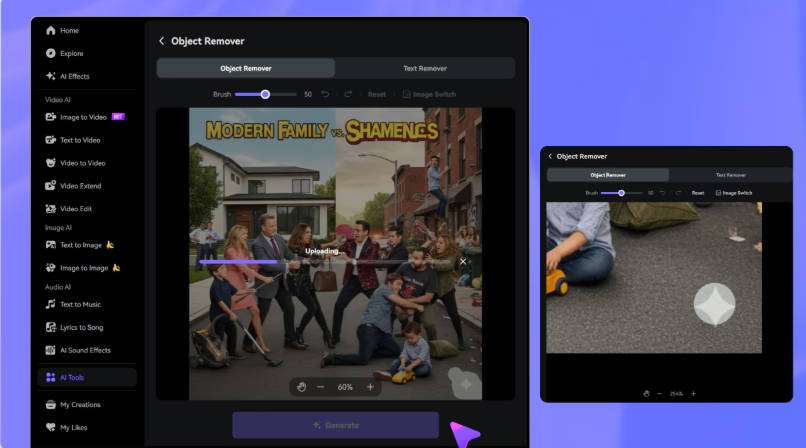
Upload an MP4 or MOV of up to 15 minutes to the Video Eraser. Use the brush to select the Alight Motion watermark in edits with graphic animations, Keyframe data, and speed Effects, and adjust the timeline segment where the element appears.

3
Step 3: generate and review the motion

Process the region and watch the entire segment. Look for motion blur, glow, particles, and animations that pass behind the watermark and redo the selection if the reconstructed background varies too much between frames.

Verifique a rota oficial do Alight Motion
Envie o vídeo autorizado ao Media.io Video Eraser
Revise o vídeo depois de tratar a sobreposição

FAQs about removing the Alight Motion watermark

Does the free version of Alight Motion add a watermark?

Yes. The official documentation states that the free app creates videos with a watermark and that a Membership removes this watermark.

Does the watermark disappear from old projects after subscribing?

The safest way is to open the project and export again with the active Membership, following the app's official workflow.

Why do glow and motion blur Effects deserve attention?

Because they change between frames and can cross the selected area. A broad reconstruction can cause flickering or break visual continuity.

Can I clean an edit before reposting on another platform?

Yes, if the video is yours and you have the right to edit it. Prefer working on the base file before adding new text or platform compression.

Does Media.io track Alight Motion Keyframe data?

The Video Eraser does not edit the original Keyframe data from the project. It processes the frames of the final file in the indicated region, so visual review remains important.

Does the AI recover exactly the pixels hidden by the watermark?

No. The Video Eraser visually reconstructs the region using the context of the frames; it does not possess the original pixels that were covered.

What should I review in an Alight Motion video?

Check motion blur, glow, particles, and animations that pass behind the watermark, as well as several frames before and after the edited area. Background changes and motion may require a smaller selection or a different timeline segment.

Can I edit any video found online?

No. Only use videos you own or files for which you have authorization, a license, or other editing rights. The tool does not replace platform or content rules.