
Generador de Contenido con IA para Tendencias, Ganchos y Creatividad Original
Rápido
Detección de tendencias
Claro
Análisis de formato
Escalable
Flujo de creación con IA
Usa Media.io Viral Studio para explorar patrones de contenido en auge, estudiar qué hace que un formato funcione y recrear la idea como tu propio video o imagen con IA. Ya sea que estés creando publicaciones sociales, promociones de productos, anuncios estilo UGC o contenido de creador, el flujo de trabajo te ayuda a pasar de la investigación a la producción más rápido. Encuentra referencias prometedoras, descifra la estructura y el estilo, y luego genera recursos frescos adaptados a tu marca, audiencia y canal. Esto también admite búsquedas como generador de contenido de video con IA cuando los usuarios desean un ángulo creativo más específico.
Explora las Tendencias en Vivo del Generador de Contenido con IA y Temas Relacionados
Esta sección destaca un espacio de descubrimiento en vivo para ideas de generadores de contenido con IA, ángulos creativos populares y patrones de contenido viral que vale la pena seguir. Úsalo para ver cómo evolucionan los distintos formatos en videos de formato corto, publicaciones con imágenes y contenido promocional. El flujo de exploración de tendencias de Media.io te ayuda a conectar la investigación con la producción para que puedas aprovechar oportunidades oportunas en lugar de adivinar. Esto también admite búsquedas como generador de contenido de video con IA cuando los usuarios desean un ángulo creativo más específico.
 enlace para recrear el estilo viral con IA.
 Convierte la Investigación del Generador de Contenido con IA en Creatividad Lista para Publicar
Un generador de contenido con IA es más útil cuando hace más que producir resultados aleatorios. Media.io Viral Studio conecta el descubrimiento de tendencias, el análisis de formatos y la recreación con IA para que los usuarios puedan pasar de la inspiración a la ejecución en un solo lugar. En lugar de perseguir ideas vagas, los creadores y equipos pueden estudiar estructuras que funcionan, identificar ganchos útiles y convertir esas señales en videos o imágenes originales que se ajusten a sus objetivos. Esto hace que el flujo de trabajo sea práctico para especialistas en marketing, marcas de comercio electrónico, agencias y equipos de redes sociales que necesitan velocidad sin perder relevancia. Esto también admite búsquedas como generador de contenido de video con IA cuando los usuarios desean un ángulo creativo más específico.
Detecta Señales Creativas Antes de que Pierdan Vigencia
Media.io Viral Studio te ayuda a monitorear nuevas direcciones de contenido en el espacio del generador de contenido con IA en lugar de depender de ejemplos desactualizados. Puedes revisar patrones en ganchos, ritmo visual, encuadre de temas y estructuras de contenido repetibles que aparecen en los formatos sociales actuales. Eso les da a los creadores y especialistas en marketing una forma más rápida de decidir qué ideas merecen ser probadas para Reels, Shorts, videos de productos o campañas de imágenes. Es especialmente útil cuando necesitas inspiración de contenido vinculada al comportamiento real de la audiencia en lugar de conjeturas. Esto también admite búsquedas como generador de contenido de video con IA cuando los usuarios desean un ángulo creativo más específico.
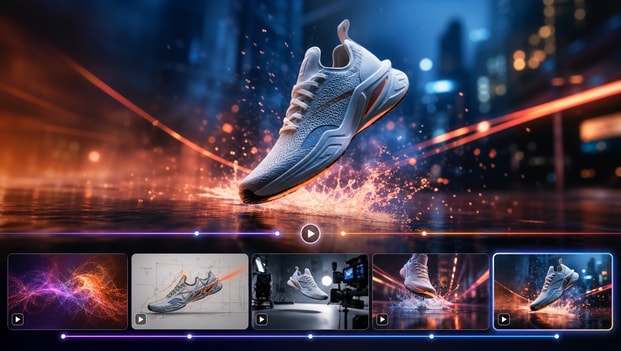
Desglosa los Formatos Ganadores en Briefs Utilizables
Un flujo de trabajo sólido de generador de contenido con IA debería ayudarte a entender por qué funciona un contenido, no solo mostrar que existe. Las herramientas de análisis de Media.io facilitan el examen de la estructura, el ritmo, el mensaje, el ángulo creativo y el estilo visual para que puedas convertir una tendencia en un brief de producción utilizable. Esto es valioso para agencias, equipos de redes sociales y especialistas en marketing de comercio electrónico que necesitan marcos repetibles para campañas continuas. En lugar de copiar una referencia, extraes las partes que importan y las adaptas en algo original. Esto también admite búsquedas como generador de contenido de video con IA cuando los usuarios desean un ángulo creativo más específico.
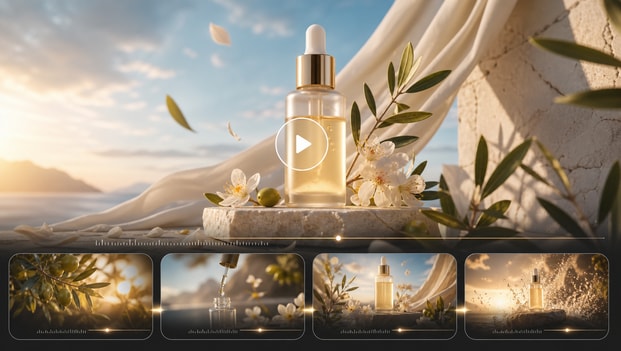
Crea Videos e Imágenes Originales a la Velocidad de una Campaña
Una vez que identificas un formato prometedor, Media.io Viral Studio te ayuda a recrear el concepto como creatividad original generada por IA que se adapta a tu audiencia y mensaje. Puedes transformar los conocimientos de tendencias en clips sociales, visuales promocionales, conceptos de anuncios y recursos estilo creador sin comenzar desde una página en blanco. Esto acorta el tiempo de producción para equipos que necesitan probar múltiples ángulos, ofertas o variaciones de contenido rápidamente. También admite un proceso de creación de contenido con IA más eficiente al conectar la inspiración directamente con el resultado. Esto también admite búsquedas como generador de contenido de video con IA cuando los usuarios desean un ángulo creativo más específico.
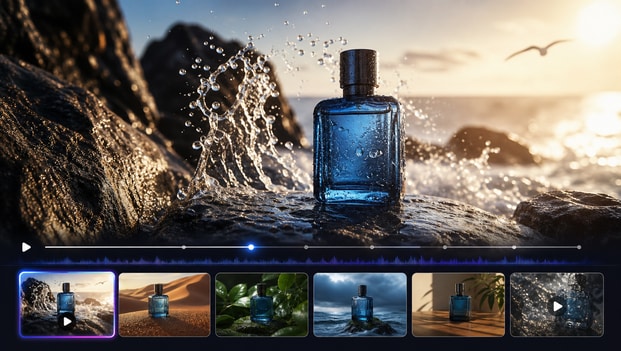
Cómo Usar Media.io como Flujo de Trabajo de Generador de Contenido con IA
Media.io Viral Studio facilita el paso del descubrimiento de tendencias a la creatividad terminada. Sigue estos tres pasos para encontrar un formato relevante, entender cómo funciona y convertirlo en tu propio recurso original para redes sociales, anuncios o contenido de marca. Esto también admite búsquedas como generador de contenido de video con IA cuando los usuarios desean un ángulo creativo más específico.

Encuentra Ángulos de Contenido de Formato Corto
Comienza explorando referencias en tendencia dentro de Media.io Viral Studio o pegando un enlace público que quieras estudiar. Busca patrones que coincidan con tu objetivo, como demostraciones de productos estilo creador, ganchos educativos, formatos de antes y después o promociones sociales impactantes. Esto le da a tu flujo de trabajo de generador de contenido con IA un punto de partida más enfocado y te ayuda a evitar crear recursos genéricos. Esto también admite búsquedas como generador de contenido de video con IA cuando los usuarios desean un ángulo creativo más específico.

Mapea el Gancho, la Estructura y el Estilo
A continuación, analiza el formato para entender qué lo hace atractivo. Revisa el gancho de apertura, el flujo de escenas, el ritmo, los subtítulos, el ritmo visual y la progresión del mensaje para que puedas convertir una tendencia en un brief creativo repetible. El enfoque de Media.io te ayuda a aprender del contenido exitoso mientras planificas una ejecución original. Esto también admite búsquedas como generador de contenido de video con IA cuando los usuarios desean un ángulo creativo más específico.

Genera una Versión Lista para tu Marca
Usa los conocimientos de tu análisis para crear un video o imagen original con tu propia oferta, tono, visuales y llamada a la acción. Media.io Viral Studio te ayuda a convertir la referencia en contenido que se siente adaptado a tu marca en lugar de reciclado de otra persona. Puedes refinar para que encaje en la plataforma, exportar la versión elegida y prepararla para pruebas en distintos canales. Esto también admite búsquedas como generador de contenido de video con IA cuando los usuarios desean un ángulo creativo más específico.
Lo que los Usuarios Dicen sobre Media.io Viral Studio
Los equipos usan Media.io Viral Studio para convertir la investigación de tendencias en resultados creativos prácticos. Así es como distintos usuarios describen la experiencia de usarlo como flujo de trabajo de generador de contenido con IA. Esto también admite búsquedas como generador de contenido de video con IA cuando los usuarios desean un ángulo creativo más específico.


Solía guardar publicaciones interesantes todo el día y aun así tenía problemas para convertirlas en ideas de contenido que pudiera publicar realmente. Media.io Viral Studio me dio una forma mucho más clara de estudiar qué hacía que un formato funcionara y luego construir mi propia versión a partir de él. El flujo de trabajo del generador de contenido con IA se siente estructurado en lugar de aleatorio, lo que me ahorra mucho tiempo. Ahora creo más conceptos de formato corto cada semana sin sentir que estoy forzando las ideas. Esto también admite búsquedas como generador de contenido de video con IA cuando los usuarios desean un ángulo creativo más específico.

Para las redes sociales de pago, la velocidad importa, pero también la relevancia. Media.io ayudó a nuestro equipo a detectar patrones creativos útiles, desglosar ganchos y convertir esos conocimientos en nuevas variaciones de anuncios que podíamos probar rápidamente. Me gusta que apoye el lado estratégico de la creación de contenido, no solo el lado de producción. Se ha convertido en una herramienta confiable cuando necesitamos nuevos ángulos para campañas sin empezar desde cero. Esto también admite búsquedas como generador de contenido de video con IA cuando los usuarios desean un ángulo creativo más específico.

Dirijo una pequeña marca en línea, así que no tengo tiempo para investigar tendencias y crear contenido en herramientas separadas. Media.io Viral Studio me ayuda a ver qué estilos están captando atención y luego crear mis propios visuales y videos en torno a esas ideas. El proceso se siente accesible incluso si no eres un editor profesional. Ha hecho que la planificación de contenido sea mucho más manejable para mi negocio. Esto también admite búsquedas como generador de contenido de video con IA cuando los usuarios desean un ángulo creativo más específico.

Nuestra agencia necesita un sistema repetible para convertir señales de tendencias en conceptos listos para el cliente. Media.io Viral Studio nos ayuda a analizar detalles de formato rápidamente y traducirlos en briefs creativos que el equipo puede usar realmente. Ese puente entre el descubrimiento y la producción es lo que hace que la plataforma se destaque para nosotros. Es especialmente útil cuando los clientes quieren contenido actual y nativo de la plataforma sin ralentizar las aprobaciones. Esto también admite búsquedas como generador de contenido de video con IA cuando los usuarios desean un ángulo creativo más específico.

Creamos mucho contenido de productos, y encontrar nuevas formas de presentar el mismo catálogo es un desafío constante. Media.io nos dio un flujo de trabajo práctico de generador de contenido con IA para investigar formatos ganadores y adaptarlos en videos e imágenes de productos originales. Ahora es más fácil probar nuevos ganchos y mensajes porque el punto de partida es más sólido. Hemos podido movernos más rápido desde la idea hasta la creatividad lista para publicar. Esto también admite búsquedas como generador de contenido de video con IA cuando los usuarios desean un ángulo creativo más específico.

Aprecio las herramientas que ayudan antes de la etapa de edición, porque ahí es generalmente donde los proyectos se estancan. Media.io Viral Studio me da un mejor marco de referencia, así que conozco el ritmo, la estructura narrativa y la dirección de estilo antes de comenzar a construir los recursos. Eso ha reducido las idas y venidas con los compañeros de equipo y ha facilitado la gestión de revisiones. Se siente como un front-end más inteligente para cualquier flujo de trabajo de contenido asistido por IA. Esto también admite búsquedas como generador de contenido de video con IA cuando los usuarios desean un ángulo creativo más específico.
Preguntas Frecuentes sobre Flujos de Trabajo de Generadores de Contenido con IA
¿Qué es un Generador de Contenido con IA?
Un generador de contenido con IA es una herramienta o flujo de trabajo que ayuda a crear contenido como videos, imágenes, guiones, subtítulos y conceptos de campaña con asistencia de IA. Las soluciones más útiles hacen más que generar resultados solo a partir de un prompt. Media.io Viral Studio añade descubrimiento de tendencias y análisis de formatos para que puedas basar tu creatividad en patrones reales a los que las audiencias ya responden. Eso hace que el resultado final sea más práctico para creadores, especialistas en marketing y marcas que quieren contenido relevante en lugar de resultados genéricos. Esto también admite búsquedas como generador de contenido de video con IA cuando los usuarios desean un ángulo creativo más específico.
¿Cómo Ayuda Media.io Viral Studio con la Creación de Contenido con IA?
Media.io Viral Studio te ayuda a descubrir ideas de contenido en auge, estudiar qué hace que un formato sea efectivo y convertir esos aprendizajes en recursos originales generados por IA. En lugar de separar la investigación de la producción, la plataforma los conecta en un solo flujo de trabajo. Puedes comenzar con una tendencia o una referencia pública, analizar la estructura y luego construir tu propia versión para tu marca o canal. Esto ahorra tiempo y ayuda a que tu proceso de creación de contenido con IA se mantenga enfocado en formatos que ya muestran atractivo para la audiencia. Esto también admite búsquedas como generador de contenido de video con IA cuando los usuarios desean un ángulo creativo más específico.
¿Puedo Usar Media.io como Generador de Contenido para Redes Sociales con IA?
Sí, Media.io Viral Studio es muy adecuado para equipos de redes sociales y creadores que necesitan una forma más rápida de desarrollar contenido listo para la plataforma. Te ayuda a identificar estilos de publicaciones actuales, ganchos de video y formatos visuales que pueden adaptarse para canales como TikTok, Instagram, YouTube Shorts y X. A partir de ahí, puedes crear videos o imágenes originales que coincidan con tu mensaje y audiencia. Es especialmente útil cuando necesitas un flujo de trabajo de contenido social repetible en lugar de inspiración puntual. Esto también admite búsquedas como generador de contenido de video con IA cuando los usuarios desean un ángulo creativo más específico.
¿Es Media.io Bueno para Especialistas en Marketing y Equipos de Comercio Electrónico?
Media.io funciona bien para especialistas en marketing y equipos de comercio electrónico porque admite tanto la validación de ideas como la producción creativa. Puedes usarlo para estudiar patrones de contenido enfocados en productos, mapear ganchos de alto rendimiento y generar nuevas variaciones para lanzamientos, promociones y campañas perennes. Eso facilita probar diferentes mensajes sin crear cada concepto desde cero. Para equipos bajo presión de producir rápidamente, el flujo de trabajo combinado de investigación y generación con IA puede ser una gran ventaja. Esto también admite búsquedas como generador de contenido de video con IA cuando los usuarios desean un ángulo creativo más específico.
¿Media.io Copia Videos o Imágenes Virales Existentes?
No, Media.io Viral Studio está diseñado para ayudarte a analizar formatos y crear contenido original inspirado en patrones útiles, no para copiar recursos privados o protegidos. El objetivo es comprender elementos como el ritmo, el encuadre, los ganchos y la estructura creativa para que puedas construir algo nuevo para tu propia marca. Este enfoque es más seguro y sostenible que intentar replicar contenido demasiado fielmente. También te da más margen para adaptar el resultado final a tu audiencia, oferta y estrategia de canal. Esto también admite búsquedas como generador de contenido de video con IA cuando los usuarios desean un ángulo creativo más específico.
¿Qué Tipos de Contenido Puedo Crear con Este Flujo de Trabajo de Generador de Contenido con IA?
Puedes usar Media.io Viral Studio para apoyar muchos tipos de contenido, incluyendo videos de formato corto, promociones sociales, visuales de productos, recursos estilo creador, conceptos de anuncios y contenido de campaña basado en imágenes. La plataforma es útil cuando necesitas contenido que siga un formato probado pero que aún se sienta original. Debido a que el flujo de trabajo comienza con la investigación de tendencias y formatos, te proporciona una base estratégica más sólida para lo que crees a continuación. Eso lo hace práctico tanto para creadores individuales como para equipos de contenido más grandes. Esto también admite búsquedas como generador de contenido de video con IA cuando los usuarios desean un ángulo creativo más específico.
¿Cómo Obtengo Mejores Resultados de un Generador de Contenido de Video con IA?
Los mejores resultados generalmente provienen de comenzar con una referencia clara, un gancho sólido y un resultado de audiencia definido. Media.io Viral Studio ayuda mostrándote qué está funcionando en el mercado y desglosando eso en un formato que realmente puedes aplicar. Cuando entiendes la estructura antes de generar, el resultado tiende a sentirse más enfocado y menos genérico. También ayuda personalizar el mensaje, la dirección visual y el CTA para que el video final coincida con tu marca y objetivo de campaña. Esto también admite búsquedas como generador de contenido de video con IA cuando los usuarios desean un ángulo creativo más específico.
¿Pueden los Principiantes Usar Media.io Viral Studio de Manera Efectiva?
Sí, los principiantes pueden usar Media.io Viral Studio porque el flujo de trabajo está diseñado para guiar a los usuarios desde el descubrimiento hasta la creación en una secuencia simple. No necesitas ser un investigador o editor experto para detectar un formato útil, comprender los elementos clave y crear una nueva versión con soporte de IA. La plataforma hace que el proceso sea más accesible al convertir los conocimientos de tendencias en una dirección creativa accionable. Eso es útil para freelancers, pequeñas empresas y nuevos creadores que quieren mejor contenido sin una curva de aprendizaje pronunciada. Esto también admite búsquedas como generador de contenido de video con IA cuando los usuarios desean un ángulo creativo más específico.
Explora Más Herramientas de IA para la Creación de Contenido Viral
Sigue creando más allá del descubrimiento de tendencias virales. Prueba más herramientas de IA de Media.io para generar videos, editar visuales, mejorar contenido y convertir tus ideas en publicaciones de redes sociales que detienen el scroll.






Comienza tu Contenido con IA
Flujo de Trabajo del Generador con Media.io
 4.7 (162,357 Votos)