


Personaje de IA
Nano Banana Pro
0/2000
1K
3:4
Tipo de Vista
Tarjeta de Modelo Creativo
Para conceptos estilizados y exploración rápida.
Estilo
Realista
Realista
Todos
Añadido
Sin añadir
Genera personajes de IA reutilizables e influencers de marca
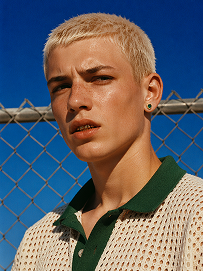
Outdoor bust portrait, cool teenage young man with short platinum blonde buzz cut, freckles across nose and cheeks, gold teeth grills on front teeth, single emerald green gem earring in left ear, sweat drop on cheek, wearing off-white open-knit polo shirt with dark green collar, standing in front of chain-link fence, vivid deep blue clear sky background, harsh bright midday direct sunlight, high contrast sharp shadows, 90s street fashion editorial photography, realistic skin texture, film grain, saturated vibrant color grading, shot on 35mm film, ultra detailed, 8K, sharp focus
Usar prompt
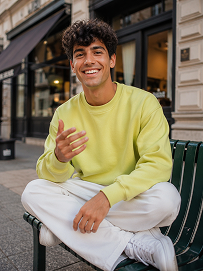
Realistic treet portrait, handsome young man with fluffy dark curly hair, sitting cross-legged on a dark green outdoor metal bench on city sidewalk, big bright smile showing teeth, right hand raised gesturing as if chatting, wearing lime yellow crew neck sweatshirt, loose white casual trousers, white sneakers, modern urban building background with shallow depth of field, natural soft daylight, lifelike skin texture, casual lifestyle photography, shot on Canon R5, 50mm f/1.8 lens, sharp focus, 8K, ultra detailed, warm natural tone
Usar prompt
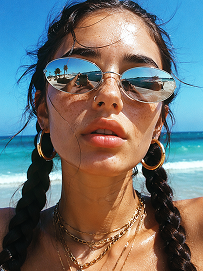
Close-up beach portrait, young woman with two thick dark long braids, freckles all over nose and cheeks, futuristic silver oval mirrored sunglasses reflecting beach scenery, large gold hoop earrings, layered multiple gold chain necklaces, slightly open mouth, bright harsh summer midday sunlight, clear turquoise ocean and blue sky background, wind blowing stray hair strands on face, realistic skin texture, sun-kissed complexion, vintage film grain, summer coastal fashion photography, sharp details, high saturation, shot on 35mm film, 8K ultra realistic
Usar prompt

Create Lawyer Headshots That Build Client Trust

Legal prospects often decide whether to read further based on the credibility of your first impression. Media.io helps you generate refined AI lawyer headshots for attorney bios, consultation pages, legal directories, and campaign creatives. Shape the look to match your practice area, firm brand, and audience expectations.

Generate Lawyer Headshots

Tip: Use prompts that specify practice area, wardrobe, background, and expression to match your firm's positioning.

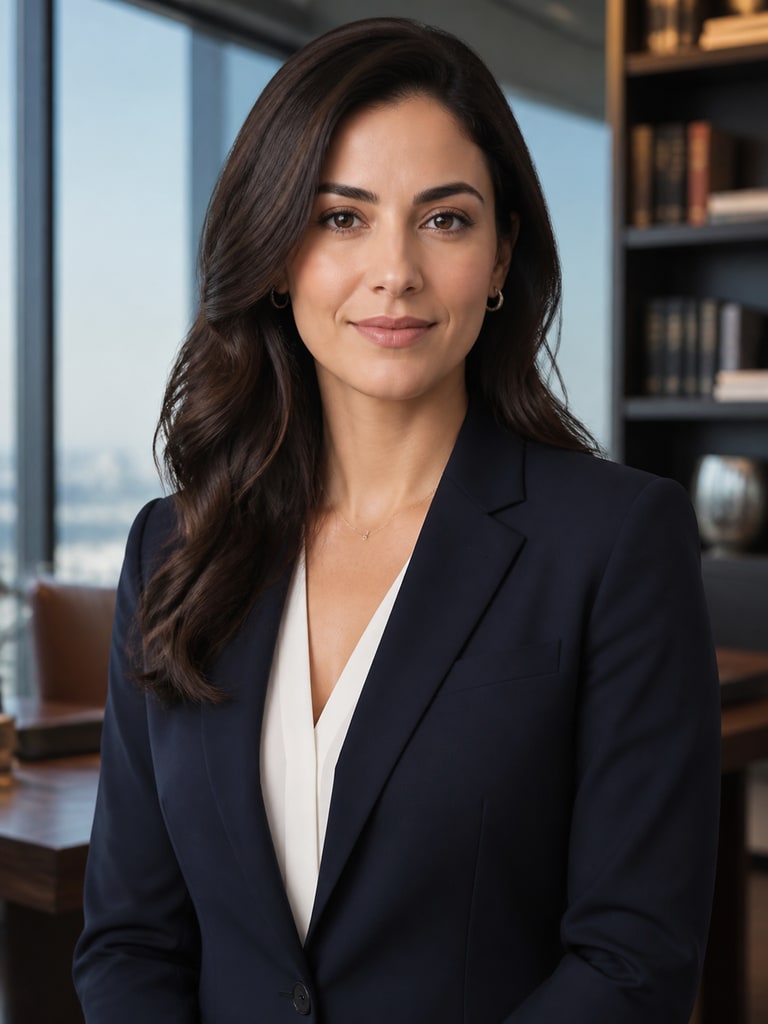
AI lawyer headshot of a corporate attorney in a navy suit for a law firm bio page

Corporate Attorney Bio Portrait

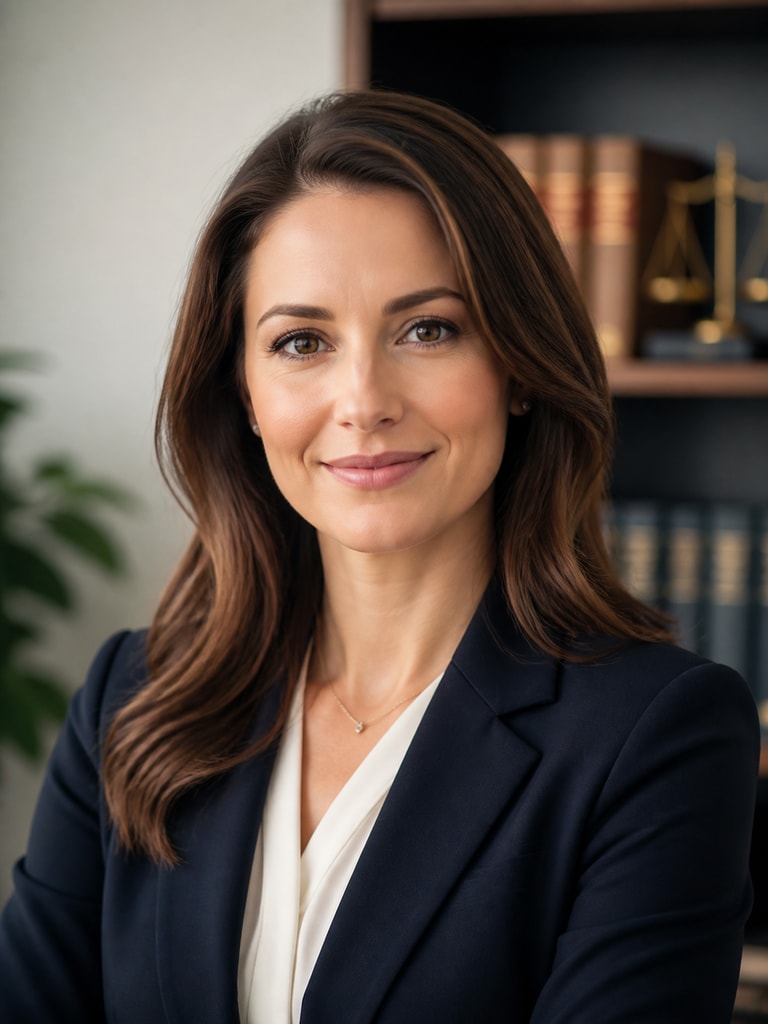
AI lawyer headshot of a family law attorney with a calm expression for a consultation landing page

Family Law Consultation Page Photo

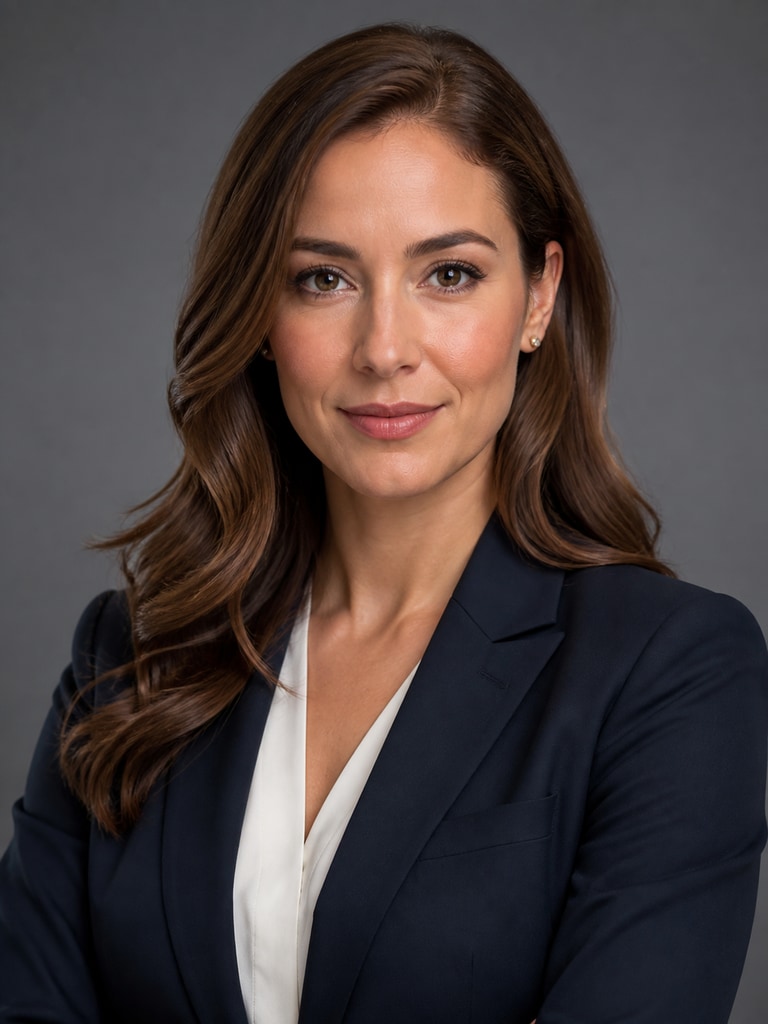
AI lawyer headshot of a litigation partner in formal business attire for a legal directory listing

Litigation Partner Directory Image

AI lawyer headshot of a solo attorney with a clean studio background for LinkedIn

Solo Practice LinkedIn Headshot

AI lawyer headshot of an immigration attorney designed for legal ad creative and outreach

Immigration Lawyer Ad Creative Portrait

AI lawyer headshot of an estate planning attorney for a website profile and client-facing materials

Estate Planning Website Profile Photo

Why Legal Teams Use AI Headshots

Law firms need more than a generic professional photo because trust, clarity, and consistency directly affect conversion. An attorney headshot should align with your practice area, audience expectations, and the tone of your website or campaign. Media.io makes it easier to build a repeatable visual standard across bios, landing pages, directories, and social profiles. That means faster creative turnaround and a more credible first impression across every client touchpoint.

Match the Tone of Your Practice

A criminal defense attorney, corporate counsel, and family lawyer should not all present exactly the same way. Your headshot can signal confidence, warmth, authority, or approachability depending on your client need. Media.io lets you refine wardrobe, expression, framing, and background with that context in mind. This helps the final image feel more relevant to the legal service being offered.

Keep Firm Branding Consistent

Inconsistent portraits make a law firm website look fragmented and less established. AI generation helps maintain a unified visual style across partner pages, associate bios, and campaign assets. You can standardize lighting, background feel, and composition for a cleaner brand presentation. That consistency supports stronger recognition and a more polished user experience.

Produce Assets Faster for Marketing

Legal marketers often need profile images for directory submissions, webinar pages, newsletters, and ad creatives on short timelines. Media.io shortens the path from idea to usable visual by giving teams flexible generation options. You can test multiple portrait directions before choosing one that fits the channel. This speeds up approval cycles without sacrificing quality expectations.

Create Reusable Portrait Variations

One attorney may need different image styles for a formal bio page, a more approachable consultation page, and a social platform profile. AI-generated variations make that easier to plan and execute. You can keep the same professional identity while adjusting crop, mood, and setting for each use case. That flexibility is valuable for firms that market across many platforms.

How to Generate a Lawyer Headshot

01

Describe the Attorney Style You Need

Start with the role, practice area, wardrobe, background, and tone. Mention whether the image is for a firm bio, legal ad, consultation page, or LinkedIn profile.

02

Refine for Credibility and Brand Fit

Adjust expression, framing, lighting, and background until the portrait feels aligned with your firm's positioning. Aim for a balance of authority, professionalism, and approachability.

03

Export and Reuse Across Legal Channels

Once you have a strong result, save versions for your website, directories, ad campaigns, and outreach materials. Consistent use helps strengthen recognition and trust.

What Legal Marketers and Attorneys Say

user
Rachel M.

Legal Marketing Manager

starstarstarstarstar

"Better consistency across attorney bios" We needed a more uniform look across practice group pages, and this helped us get there quickly. The results felt more polished than the mixed headshots we had collected over time. I liked being able to steer background and expression without overcomplicating the process. It gave our firm website a more credible and organized presentation.

user
Daniel S.

Solo Attorney

starstarstarstarstar

"Useful for profiles and outreach pages" As a solo practitioner, I needed a professional image for my website, directory listings, and LinkedIn. Media.io helped me create a headshot that looked serious enough for legal work but still approachable to potential clients. The different variations made it easy to choose the right tone for each platform. That saved time and helped my branding feel more intentional.

user
Priya T.

Law Firm Brand Consultant

starstarstarstarstar

"A practical option for legal campaigns" For law firm landing pages, the first visual matters more than many teams realize. These AI-generated lawyer portraits worked well for testing different branding directions before finalizing creative. The outputs looked clean and professional, especially for consultation-focused pages. It is a strong option when firms need speed without losing polish.

user
Michael B.

Attorney Recruiting Coordinator

starstarstarstarstar

"Helpful for profile updates at scale" We often update attorney profile pages and recruiting materials on short notice. This tool made it easier to create visuals that matched our existing brand style. The headshots looked appropriate for a legal audience and did not feel overly stylized. That consistency helped us maintain a more professional digital presence.

user
Alicia V.

Growth Lead at a Boutique Firm

starstarstarstarstar

"Improved ad and directory presentation" Our firm was running local search campaigns and needed stronger visuals for ads and directory placements. The lawyer headshot options gave us a more premium look than the older photos we were using. I especially valued the ability to create a confident expression without making the image feel rigid. It supported both click appeal and brand trust.

Teams use AI lawyer headshots to improve speed, consistency, and first-impression quality across legal touchpoints.

FAQ

1. What is an AI lawyer headshot generator used for?
faqfaq

An AI lawyer headshot generator helps create polished attorney portraits for digital marketing and professional branding. Common uses include law firm bio pages, attorney profile sections, legal directories, consultation landing pages, and LinkedIn profiles. It is also useful for ad creatives, webinar pages, and client outreach materials. The goal is to present a credible first impression that aligns with legal industry expectations.

Yes, that is one of the most useful advantages of AI-generated legal portraits. A corporate attorney may need a more formal, boardroom-ready look, while a family law attorney may benefit from a warmer and more approachable tone. With Media.io, you can adjust wardrobe, expression, background, and overall mood to fit the intended audience. This makes it easier to tailor visuals to the way each legal service is marketed.

They are well suited for law firm bios when you want a consistent and professional visual style. A strong bio image should look polished, trustworthy, and aligned with the firm's overall brand. Many teams use AI-generated portraits to fill gaps, refresh outdated visuals, or unify attorney pages across offices and practice groups. The key is choosing a result that matches the seriousness and tone of your legal brand.

Yes, AI lawyer headshots can work well for LinkedIn, legal directories, and other professional listing platforms. These channels benefit from clear, high-quality portraits that communicate authority and reliability at a glance. You may want slight variations in crop or expression depending on where the image will appear. Creating multiple options helps you keep the same identity while optimizing for each destination.

Credibility usually comes from a combination of wardrobe, expression, lighting, and background choice. In legal marketing, subtle professionalism often performs better than dramatic styling or overly casual presentation. Specify details such as a tailored suit, neutral background, clean lighting, and calm eye contact when generating the image. That direction helps produce a portrait that feels appropriate for client-facing legal use.

Yes, legal marketers can use AI lawyer headshots to support campaign creatives, consultation pages, and localized landing experiences. A relevant attorney portrait can strengthen message clarity and make the page feel more personal and trustworthy. It is especially helpful when campaigns require fast asset creation for multiple practice areas or markets. Consistent image styling also improves the overall cohesion of legal marketing funnels.

Include the attorney type, practice area, wardrobe, background, lighting, expression, and intended use case. For example, a prompt can mention a corporate lawyer in a navy suit for a firm bio or an approachable attorney for a consultation page. Being specific helps the image better reflect your positioning and audience expectations. It also reduces the amount of revision needed to reach a usable result.

Media.io gives you a practical way to generate legal-profile visuals without waiting on a traditional photo workflow. It is useful for firms, consultants, and solo attorneys who need polished images for websites, directories, and campaigns. The tool supports fast experimentation, helping you compare portrait directions before selecting the best one. That balance of speed, flexibility, and professional presentation makes it valuable for legal branding.

Media.io Online AI Tools Quality Rating:
vote 4.7 (162,357 Votes)