
KI-Content-Generator für Trends, Hooks und originelle Kreativität
Schnell
Trenderkennung
Klar
Formatanalyse
Skalierbar
KI-Erstellungsablauf
Nutzen Sie Media.io Viral Studio, um aufkommende Content-Muster zu entdecken, zu untersuchen, was ein Format erfolgreich macht, und die Idee als eigenes KI-Video oder -Bild neu zu erschaffen. Ob Sie Social-Media-Beiträge, Produktwerbung, UGC-Style-Anzeigen oder Creator-Inhalte erstellen – der Workflow hilft Ihnen, schneller von der Recherche zur Produktion zu gelangen. Finden Sie vielversprechende Referenzen, entschlüsseln Sie Struktur und Stil und generieren Sie dann neue Assets, die auf Ihre Marke, Ihr Publikum und Ihren Kanal zugeschnitten sind. Dies unterstützt auch Suchanfragen wie KI-Video-Content-Generator, wenn Nutzer einen spezifischeren kreativen Ansatz wünschen.
Aktuelle KI-Content-Generator-Trends und verwandte Themen entdecken
Dieser Bereich hebt einen Live-Entdeckungsraum für KI-Content-Generator-Ideen, populäre kreative Ansätze und virale Content-Muster hervor, die es wert sind, verfolgt zu werden. Nutzen Sie ihn, um zu sehen, wie sich verschiedene Formate in Kurzvideos, bildbasierten Beiträgen und Werbeinhalten entwickeln. Der Trend-Erkundungsworkflow von Media.io hilft Ihnen, Recherche mit Produktion zu verbinden, damit Sie zeitnahe Chancen nutzen können, anstatt zu raten. Dies unterstützt auch Suchanfragen wie KI-Video-Content-Generator, wenn Nutzer einen spezifischeren kreativen Ansatz wünschen.
 Link ein, um den viralen Stil mit KI nachzubilden.
 KI-Content-Generator-Recherche in veröffentlichungsreife Kreativarbeit umwandeln
Ein KI-Content-Generator ist am nützlichsten, wenn er mehr tut als nur zufälligen Output zu produzieren. Media.io Viral Studio verbindet Trend-Erkennung, Formatanalyse und KI-Neuerstellung, damit Nutzer in einem einzigen Schritt von der Inspiration zur Umsetzung gelangen können. Anstatt vagen Ideen nachzujagen, können Creator und Teams funktionierende Strukturen untersuchen, nützliche Hooks identifizieren und diese Signale in originelle Videos oder Bilder umwandeln, die ihren Zielen entsprechen. Das macht den Workflow praktisch für Marketer, E-Commerce-Marken, Agenturen und Social-Media-Teams, die Geschwindigkeit benötigen, ohne an Relevanz einzubüßen. Dies unterstützt auch Suchanfragen wie KI-Video-Content-Generator, wenn Nutzer einen spezifischeren kreativen Ansatz wünschen.
Kreative Signale erkennen, bevor sie veralten
Media.io Viral Studio hilft Ihnen, neue Content-Richtungen im Bereich KI-Content-Generator zu beobachten, anstatt sich auf veraltete Beispiele zu verlassen. Sie können Muster in Hooks, visuellem Tempo, thematischer Rahmung und wiederholbaren Content-Strukturen analysieren, die in aktuellen Social-Media-Formaten auftauchen. Das gibt Creatorn und Marketern einen schnelleren Weg zu entscheiden, welche Ideen es wert sind, für Reels, Shorts, Produktvideos oder Bildkampagnen getestet zu werden. Es ist besonders hilfreich, wenn Sie Content-Inspiration benötigen, die an echtes Publikumsverhalten gebunden ist, statt an Vermutungen. Dies unterstützt auch Suchanfragen wie KI-Video-Content-Generator, wenn Nutzer einen spezifischeren kreativen Ansatz wünschen.
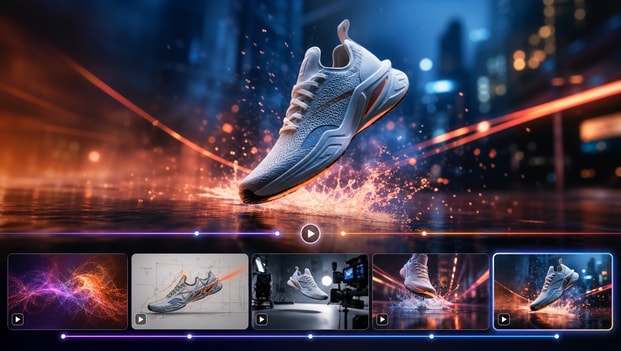
Erfolgreiche Formate in verwendbare Briefs aufschlüsseln
Ein starker KI-Content-Generator-Workflow sollte Ihnen helfen zu verstehen, warum ein Inhalt funktioniert, und nicht nur zeigen, dass er existiert. Die Analysetools von Media.io erleichtern die Untersuchung von Struktur, Tempo, Botschaft, kreativem Ansatz und visuellem Stil, damit Sie einen Trend in ein verwendbares Produktions-Brief umwandeln können. Das ist wertvoll für Agenturen, Social-Media-Teams und E-Commerce-Marketer, die wiederholbare Frameworks für laufende Kampagnen benötigen. Anstatt eine Referenz zu kopieren, extrahieren Sie die wichtigen Teile und passen sie zu etwas Originalem an. Dies unterstützt auch Suchanfragen wie KI-Video-Content-Generator, wenn Nutzer einen spezifischeren kreativen Ansatz wünschen.
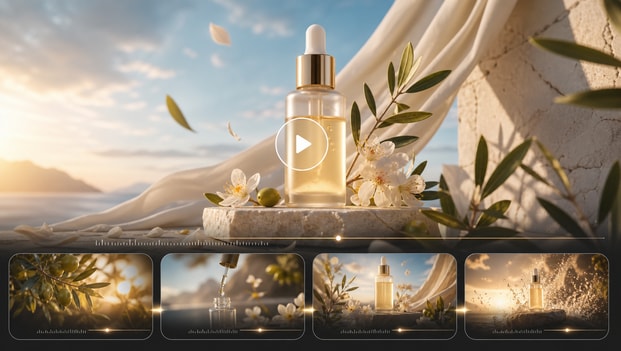
Originelle Videos und Bilder in Kampagnengeschwindigkeit erstellen
Sobald Sie ein vielversprechendes Format identifiziert haben, hilft Ihnen Media.io Viral Studio, das Konzept als originelle KI-generierte Kreativarbeit neu zu erschaffen, die zu Ihrem Publikum und Ihrer Botschaft passt. Sie können Trend-Erkenntnisse in Social-Clips, Promo-Visuals, Anzeigenkonzepte und Creator-Style-Assets umwandeln, ohne bei einer leeren Seite anfangen zu müssen. Das verkürzt die Produktionszeit für Teams, die schnell mehrere Ansätze, Angebote oder Content-Variationen testen müssen. Es unterstützt auch einen effizienteren KI-Content-Erstellungsprozess, indem Inspiration direkt mit Output verbunden wird. Dies unterstützt auch Suchanfragen wie KI-Video-Content-Generator, wenn Nutzer einen spezifischeren kreativen Ansatz wünschen.
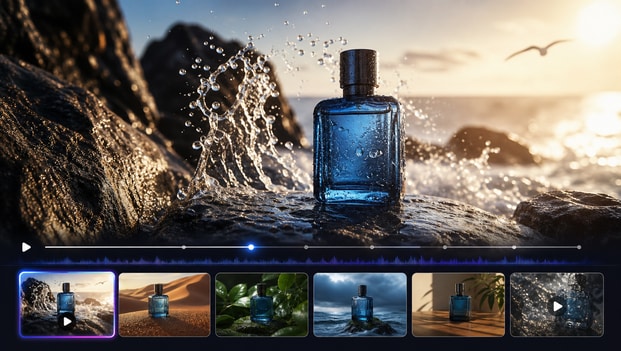
So verwenden Sie Media.io als KI-Content-Generator-Workflow
Media.io Viral Studio macht es einfach, von der Trend-Erkennung zu fertiger Kreativarbeit zu gelangen. Folgen Sie diesen drei Schritten, um ein relevantes Format zu finden, zu verstehen, wie es funktioniert, und es in Ihr eigenes originelles Asset für Social Media, Anzeigen oder Markeninhalte umzuwandeln. Dies unterstützt auch Suchanfragen wie KI-Video-Content-Generator, wenn Nutzer einen spezifischeren kreativen Ansatz wünschen.

Kurzform-Content-Ansätze finden
Beginnen Sie damit, trendige Referenzen in Media.io Viral Studio zu erkunden oder einen öffentlichen Link einzufügen, den Sie untersuchen möchten. Suchen Sie nach Mustern, die Ihrem Ziel entsprechen, wie Creator-Style-Produktdemos, lehrreiche Hooks, Vorher-Nachher-Formate oder prägnante Social-Media-Promos. Das gibt Ihrem KI-Content-Generator-Workflow einen fokussierteren Ausgangspunkt und hilft Ihnen, die Erstellung generischer Assets zu vermeiden. Dies unterstützt auch Suchanfragen wie KI-Video-Content-Generator, wenn Nutzer einen spezifischeren kreativen Ansatz wünschen.

Hook, Struktur und Stil kartieren
Als Nächstes analysieren Sie das Format, um zu verstehen, was es ansprechend macht. Überprüfen Sie den Eröffnungs-Hook, den Szenenfluss, das Tempo, Bildunterschriften, den visuellen Rhythmus und die Nachrichtenprogression, damit Sie einen Trend in ein wiederholbares kreatives Brief umwandeln können. Der Ansatz von Media.io hilft Ihnen, aus erfolgreichen Inhalten zu lernen und gleichzeitig eine originelle Umsetzung zu planen. Dies unterstützt auch Suchanfragen wie KI-Video-Content-Generator, wenn Nutzer einen spezifischeren kreativen Ansatz wünschen.

Eine markenfertige Version erstellen
Nutzen Sie die Erkenntnisse aus Ihrer Analyse, um ein originelles Video oder Bild mit Ihrem eigenen Angebot, Ton, Visuals und Handlungsaufforderung zu erstellen. Media.io Viral Studio hilft Ihnen, die Referenz in Inhalte umzuwandeln, die sich auf Ihre Marke zugeschnitten anfühlen, anstatt von jemand anderem recycelt zu wirken. Sie können für die Plattformeignung verfeinern, Ihre gewählte Version exportieren und sie für Tests auf verschiedenen Kanälen vorbereiten. Dies unterstützt auch Suchanfragen wie KI-Video-Content-Generator, wenn Nutzer einen spezifischeren kreativen Ansatz wünschen.
Was Nutzer über Media.io Viral Studio sagen
Teams nutzen Media.io Viral Studio, um Trend-Recherche in praktischen kreativen Output umzuwandeln. So beschreiben verschiedene Nutzer die Erfahrung, es als KI-Content-Generator-Workflow zu verwenden. Dies unterstützt auch Suchanfragen wie KI-Video-Content-Generator, wenn Nutzer einen spezifischeren kreativen Ansatz wünschen.


Ich pflegte den ganzen Tag interessante Beiträge zu speichern und hatte trotzdem Schwierigkeiten, sie in Content-Ideen umzuwandeln, die ich tatsächlich veröffentlichen konnte. Media.io Viral Studio gab mir einen viel klareren Weg, zu studieren, was ein Format erfolgreich macht, und dann meine eigene Version davon zu erstellen. Der KI-Content-Generator-Workflow fühlt sich strukturiert statt zufällig an, was mir viel Zeit spart. Ich erstelle jetzt jede Woche mehr Kurzform-Konzepte, ohne das Gefühl zu haben, Ideen erzwingen zu müssen. Dies unterstützt auch Suchanfragen wie KI-Video-Content-Generator, wenn Nutzer einen spezifischeren kreativen Ansatz wünschen.

Bei Paid Social kommt es auf Geschwindigkeit an, aber auch auf Relevanz. Media.io half unserem Team, nützliche kreative Muster zu erkennen, Hooks aufzuschlüsseln und diese Erkenntnisse in neue Anzeigenvariationen umzuwandeln, die wir schnell testen konnten. Ich schätze, dass es die strategische Seite der Content-Erstellung unterstützt, nicht nur die Produktionsseite. Es ist zu einem zuverlässigen Tool geworden, wenn wir neue Ansätze für Kampagnen benötigen, ohne bei null anzufangen. Dies unterstützt auch Suchanfragen wie KI-Video-Content-Generator, wenn Nutzer einen spezifischeren kreativen Ansatz wünschen.

Ich führe eine kleine Online-Marke, daher habe ich keine Zeit, Trends zu recherchieren und Inhalte in separaten Tools zu erstellen. Media.io Viral Studio hilft mir zu sehen, welche Stile Aufmerksamkeit erregen, und dann meine eigenen Visuals und Videos rund um diese Ideen zu erstellen. Der Prozess fühlt sich zugänglich an, auch wenn man kein professioneller Editor ist. Es hat die Content-Planung für mein Unternehmen viel überschaubarer gemacht. Dies unterstützt auch Suchanfragen wie KI-Video-Content-Generator, wenn Nutzer einen spezifischeren kreativen Ansatz wünschen.

Unsere Agentur benötigt ein wiederholbares System, um Trendsignale in kundenfertige Konzepte umzuwandeln. Media.io Viral Studio hilft uns, Formatdetails schnell zu analysieren und sie in kreative Briefs zu übersetzen, die das Team tatsächlich nutzen kann. Diese Brücke zwischen Entdeckung und Produktion ist das, was die Plattform für uns herausstechen lässt. Es ist besonders nützlich, wenn Kunden aktuellen, plattformativen Content wünschen, ohne die Genehmigungen zu verlangsamen. Dies unterstützt auch Suchanfragen wie KI-Video-Content-Generator, wenn Nutzer einen spezifischeren kreativen Ansatz wünschen.

Wir erstellen eine Menge Produkt-Content, und neue Wege zu finden, denselben Katalog zu präsentieren, ist eine ständige Herausforderung. Media.io gab uns einen praktischen KI-Content-Generator-Workflow zum Recherchieren erfolgreicher Formate und deren Anpassung in originelle Produktvideos und -bilder. Es ist jetzt einfacher, neue Hooks und Botschaften zu testen, weil der Ausgangspunkt stärker ist. Wir konnten schneller von der Idee zur veröffentlichungsreifen Kreativarbeit gelangen. Dies unterstützt auch Suchanfragen wie KI-Video-Content-Generator, wenn Nutzer einen spezifischeren kreativen Ansatz wünschen.

Ich schätze Tools, die vor der Bearbeitungsphase helfen, denn dort stecken Projekte meist fest. Media.io Viral Studio gibt mir ein besseres Referenz-Framework, sodass ich Tempo, Story-Struktur und Stilrichtung kenne, bevor ich mit dem Erstellen von Assets beginne. Das hat den Austausch mit Teamkollegen reduziert und Revisionen einfacher zu handhaben gemacht. Es fühlt sich wie ein intelligenteres Frontend für jeden KI-unterstützten Content-Workflow an. Dies unterstützt auch Suchanfragen wie KI-Video-Content-Generator, wenn Nutzer einen spezifischeren kreativen Ansatz wünschen.
FAQs zu KI-Content-Generator-Workflows
Was ist ein KI-Content-Generator?
Ein KI-Content-Generator ist ein Tool oder Workflow, der hilft, Inhalte wie Videos, Bilder, Skripte, Bildunterschriften und Kampagnenkonzepte mit KI-Unterstützung zu erstellen. Die nützlichsten Lösungen tun mehr als nur Output aus einem einzelnen Prompt zu generieren. Media.io Viral Studio ergänzt Trend-Erkennung und Formatanalyse, damit Sie Ihre Kreativarbeit auf reale Muster stützen können, auf die Zielgruppen bereits reagieren. Das macht das Endergebnis praktischer für Creator, Marketer und Marken, die relevante Inhalte statt generischen Outputs wünschen. Dies unterstützt auch Suchanfragen wie KI-Video-Content-Generator, wenn Nutzer einen spezifischeren kreativen Ansatz wünschen.
Wie hilft Media.io Viral Studio bei der KI-Content-Erstellung?
Media.io Viral Studio hilft Ihnen, aufkommende Content-Ideen zu entdecken, zu studieren, was ein Format effektiv macht, und diese Erkenntnisse in originelle KI-generierte Assets umzuwandeln. Anstatt Recherche von Produktion zu trennen, verbindet die Plattform sie in einem einzigen Workflow. Sie können mit einem Trend oder einer öffentlichen Referenz beginnen, die Struktur analysieren und dann Ihre eigene Version für Ihre Marke oder Ihren Kanal erstellen. Das spart Zeit und hilft Ihrem KI-Content-Erstellungsprozess, auf Formate fokussiert zu bleiben, die bereits Publikumsanklang zeigen. Dies unterstützt auch Suchanfragen wie KI-Video-Content-Generator, wenn Nutzer einen spezifischeren kreativen Ansatz wünschen.
Kann ich Media.io als KI-Social-Media-Content-Generator verwenden?
Ja, Media.io Viral Studio eignet sich gut für Social-Media-Teams und Creator, die einen schnelleren Weg benötigen, plattformfertigen Content zu entwickeln. Es hilft Ihnen, aktuelle Beitragsstile, Video-Hooks und visuelle Formate zu identifizieren, die für Kanäle wie TikTok, Instagram, YouTube Shorts und X angepasst werden können. Von dort aus können Sie originelle Videos oder Bilder erstellen, die zu Ihrer Botschaft und Ihrem Publikum passen. Es ist besonders hilfreich, wenn Sie einen wiederholbaren Social-Content-Workflow benötigen, statt einmaliger Inspiration. Dies unterstützt auch Suchanfragen wie KI-Video-Content-Generator, wenn Nutzer einen spezifischeren kreativen Ansatz wünschen.
Ist Media.io gut für Marketer und E-Commerce-Teams?
Media.io funktioniert gut für Marketer und E-Commerce-Teams, weil es sowohl Ideenvalidierung als auch kreative Produktion unterstützt. Sie können es nutzen, um produktfokussierte Content-Muster zu studieren, hochperformante Hooks zu kartieren und frische Variationen für Launches, Promos und immergrüne Kampagnen zu generieren. Das macht es einfacher, verschiedene Botschaften zu testen, ohne jedes Konzept von Grund auf neu zu erstellen. Für Teams unter Druck, schnell zu produzieren, kann der kombinierte Recherche- und KI-Generierungs-Workflow ein starker Vorteil sein. Dies unterstützt auch Suchanfragen wie KI-Video-Content-Generator, wenn Nutzer einen spezifischeren kreativen Ansatz wünschen.
Kopiert Media.io bestehende virale Videos oder Bilder?
Nein, Media.io Viral Studio ist darauf ausgelegt, Ihnen zu helfen, Formate zu analysieren und originelle Inhalte zu erstellen, die von nützlichen Mustern inspiriert sind, und keine privaten oder geschützten Assets zu kopieren. Das Ziel ist es, Elemente wie Tempo, Rahmung, Hooks und kreative Struktur zu verstehen, damit Sie etwas Neues für Ihre eigene Marke aufbauen können. Dieser Ansatz ist sicherer und nachhaltiger als der Versuch, Inhalte zu eng zu replizieren. Es gibt Ihnen auch mehr Spielraum, den endgültigen Output auf Ihr Publikum, Ihr Angebot und Ihre Kanalstrategie zuzuschneiden. Dies unterstützt auch Suchanfragen wie KI-Video-Content-Generator, wenn Nutzer einen spezifischeren kreativen Ansatz wünschen.
Welche Arten von Inhalten kann ich mit diesem KI-Content-Generator-Workflow erstellen?
Sie können Media.io Viral Studio nutzen, um viele Content-Typen zu unterstützen, darunter Kurzvideos, Social-Promos, Produktvisuals, Creator-Style-Assets, Anzeigenkonzepte und bildbasierte Kampagneninhalte. Die Plattform ist nützlich, wenn Sie Inhalte benötigen, die einem bewährten Format folgen, sich aber trotzdem originell anfühlen. Da der Workflow mit Trend- und Formatrecherche beginnt, gibt er Ihnen eine stärkere strategische Basis für alles, was Sie als Nächstes erstellen. Das macht ihn praktisch für Solo-Creator ebenso wie für größere Content-Teams. Dies unterstützt auch Suchanfragen wie KI-Video-Content-Generator, wenn Nutzer einen spezifischeren kreativen Ansatz wünschen.
Wie erziele ich bessere Ergebnisse mit einem KI-Video-Content-Generator?
Bessere Ergebnisse entstehen in der Regel, wenn man mit einer klaren Referenz, einem starken Hook und einem definierten Publikumsziel beginnt. Media.io Viral Studio hilft dabei, indem es Ihnen zeigt, was auf dem Markt funktioniert, und das in ein Format aufschlüsselt, das Sie tatsächlich anwenden können. Wenn Sie die Struktur verstehen, bevor Sie generieren, tendiert der Output dazu, fokussierter und weniger generisch zu wirken. Es hilft auch, die Botschaft, die visuelle Richtung und den CTA anzupassen, damit das endgültige Video zu Ihrer Marke und Ihrem Kampagnenziel passt. Dies unterstützt auch Suchanfragen wie KI-Video-Content-Generator, wenn Nutzer einen spezifischeren kreativen Ansatz wünschen.
Können Anfänger Media.io Viral Studio effektiv nutzen?
Ja, Anfänger können Media.io Viral Studio nutzen, weil der Workflow darauf ausgelegt ist, Nutzer in einer einfachen Abfolge von der Entdeckung zur Erstellung zu führen. Sie müssen kein Experten-Rechercheur oder -Editor sein, um ein nützliches Format zu erkennen, die Schlüsselelemente zu verstehen und mit KI-Unterstützung eine neue Version zu erstellen. Die Plattform macht den Prozess zugänglicher, indem sie Trend-Erkenntnisse in umsetzbare kreative Richtung umwandelt. Das ist hilfreich für Freiberufler, kleine Unternehmen und neue Creator, die bessere Inhalte ohne eine steile Lernkurve wünschen. Dies unterstützt auch Suchanfragen wie KI-Video-Content-Generator, wenn Nutzer einen spezifischeren kreativen Ansatz wünschen.
Entdecken Sie weitere KI-Tools für die Erstellung viraler Inhalte
Bleiben Sie über die Entdeckung viraler Trends hinaus kreativ. Probieren Sie weitere Media.io KI-Tools aus, um Videos zu generieren, Visuals zu bearbeiten, Inhalte zu verbessern und Ihre Ideen in aufmerksamkeitsstarke Social-Media-Beiträge zu verwandeln.






 4.7 (162.357 Stimmen)